Tag: messenger kids

  • FB Messenger Kids “Error” Allowed Thousands of Kids to Talk to Unapproved Strangers

    FB Messenger Kids “Error” Allowed Thousands of Kids to Talk to Unapproved Strangers


    Facebook Messenger kids was created to give children a safe place to communicate through text, stickers, video, and gifs with friends that are pre-approved by their parents or guardians. This week, however, the kids’ messenger app has had to send notifications to thousands of parents about their children having access to strangers in the app. 

    What happened is that a technical error allowed kids to create a group message with friends who would then invite their own friends who, while approved for them, may not have been approved by the parents of the first child. Confusing? Ya, this is possibly why the flaw was even possible in the first place. Facebook says they have alerted parents whose children may have had this type of interaction and that they’ve disabled any chats that were created, using this flaw. The story isn’t over, though, as some are calling for the FTC to look in to the error since it may have resulted in a COPPA violation.

    Released Today: Facebook Messenger For Kids!

    What Parents Should Know

    The moral of this story centers around trust. It is important that, while we may trust our children, we can’t always trust who our kids are in contact with. We definitely shouldn’t blindly trust the companies who make the hardware and software that our children are using. When our kids use an app like Messenger Kids, the whole point of the app is that it gives parents control. When the control is hindered, even by a “technical error,” that is a severe violation. We can, however, take actions to protect our kids from dangerous effects that could come from these errors.

    I recommend having a copy of the messenger kids app on your phone logged in to your child’s account. My wife and I are each logged in to one of our kids’ messenger kids apps and can see when they get messages and what the messages are about. We are notified when they receive a message and can look to see who it is from and even read it. I have, a time or two, jumped into the app to tell a friend to stop messaging since my son was past his allowed time for social media that day. I received a “yes sir,” and there were no more messages until the next day. We also use BARK to monitor their messages and alert us of any dangerous or inappropriate content.

    Parents are gate keepers. Our job is to be sure our kids are growing up with guidance through every area of life. If they aren’t being taught how to manage social media and internet use safely then they will struggle to make healthy decisions when they are older. Messenger Kids is a good tool to help your kid learn the right way to use a messenger but it won’t work if you are uninvolved, pretending that the creators of the app only have your kid’s best interest in mind. The truth is that they want to provide you a service to make a profit. We cannot overlook that. It is our responsibility, and ours alone, to teach our kids how to be safe online. We should take it seriously. We should hold companies accountably when they have errors that put our kids at risk but ultimately we should be the ones making sure our children are protected on every app, site, and software they use.

  • FB Messenger Kids Will Allow Your Child to Send Friend Requests

    FB Messenger Kids Will Allow Your Child to Send Friend Requests

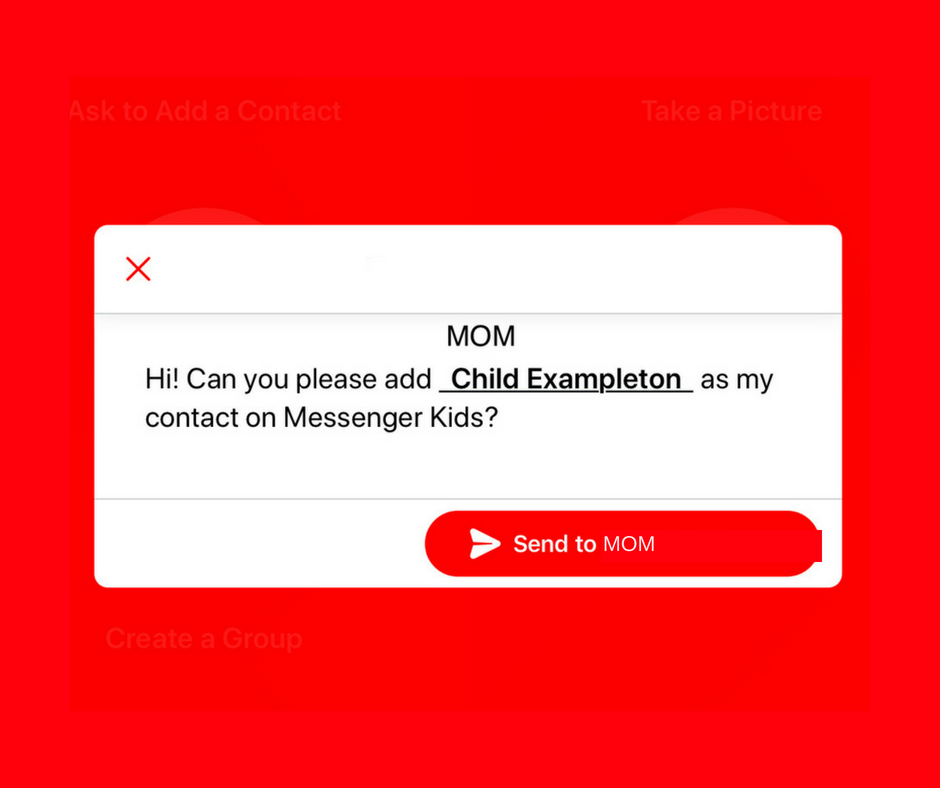
    A parent controlled messenger was the dream of the FB Messenger Kids team when they created their app. They could be finding it a bit tricky to balance the security parents want with the ease of use kids need. Now a code will be available to help your kids identify themselves in the Messenger Kids app. This is a code they can use to send a friend request to other users. Parents will still receive permission requests but it will save the trouble of having to search for the potential contact’s parent’s FB account and send a request.

    Obviously, this method will only work for friends who already use FB Messenger Kids. The code is also an “opt-in” feature, meaning parents will have to turn it on in their own Facebook app for their kids to receive the four-word identifier. The video above features a quick walkthrough of how to turn it on. You can also set up bedtimes in the Messenger Kids controls on your Facebook app’s settings page. 

    What Parents Should Know

    The addition of bedtime settings is a great option for parents whose kids use FB Messenger. The jury is still out on the identifier code, though. It is intended to make adding friends easier but it remains to be seen if that will be the case. Asking your kids to remember their code so they can tell their friends is a bit reminiscent of phone numbers from our own childhoods. If they don’t know their friend’s code, they’ll still receive an option to ask parents to connect them, simply by name. 

    I always recommend limiting screen time for your kids, especially time on social media. The FB Messenger app is still one of the best, most secure options for your kids to keep in touch with friends and family. The stickers, challenges, video chat, and built-in AR games make it a lot of fun albeit easy to throw a lot of time into. This is why the bedtime and screen time limits are so important. 

  • Facebook’s “Messenger Kids” App Launches on Android

    Facebook’s “Messenger Kids” App Launches on Android

    Today, Facebook released the Android version of their Messenger Kids app. This means it’s available on iOS, Android, and Kindle now. That should pretty much cover most families. Facebook Messenger Kids puts the control in the parent’s hands, making it easy by building it into the Facebook App and Messenger App that you likely already use. You can decide who they are allowed to chat with and approve or deny friend requests.

    CHECK OUT: Facebook Messenger for Kids! for even more info about the app.

    My family uses Messenger Kids, albeit with some strict time limits (1hr per day) which we enforce through Circle (all devices) and unGlue (our older child.) It is a great way to help them get a feel for chatting through a messenger without strangers, bullies, or the constant notifications or FOM0 (Fear of Missing Out) that can accompany tech addiction. Facebook built in a lot of the controls and made the app kid-friendly by not allowing gifs that don’t originate in the Kids Messenger app and not allowing messages to be sent to unapproved friends.

    What Parents Should Know

    Since settings are controlled through your Facebook account, parents don’t have to have the same type of device as their child. You can set up your kids’ messenger app on his Android through your iPhone, for example. Keep in mind how addicting it can be to message your friends. Remember not to give them access to approve or disapprove of their friends on Messenger, this defeats the entire purpose. I know it can get tiresome to always have to sign off on everything they want to do online but Facebook makes it pretty easy with notifications on your own app.

    Use something to manage their time, like unGlue.  Talk to your kids about only messaging people they know in person and let them know what to do if someone asks them something they aren’t comfortable with. They should know that they can come to you when there is trouble. Messenger Kids is a good idea from Facebook and they did a lot of work to learn what parents would want out of a messaging app for their kids. Now the app is available on all devices so, if your kids have people they want to talk with, use this as a way to keep them in touch safely.