Tag: messenger

  • You Can Soon Delete Those Facebook Messages You Sent on Accident

    You Can Soon Delete Those Facebook Messages You Sent on Accident

    Facebook is testing a new feature that will allow you to unsend messages after you’ve sent them. As long as you decide to take the message back within 10 minutes you can undo your typos, unintentional rants, or inappropriate messages. This feature currently isn’t available in all markets but will be very soon.

    What Parents Should Know

    Anytime a Messenger has the ability to delete messages you’ve already sent, I see red flags. One of the problems with our young people using messenger apps is the false idea that they are anonymous or that they can hide what they said. Being able to send disappearing messages on Instagram and Snapchat has put them on my uninstall list. This new feature for Facebook Messenger might be a dealbreaker as well.

    Always discuss with your kids the idea that anything posted online should be considered there forever. Even though a message says it could be deleted doesn’t mean it wasn’t saved by the recipient before you removed it. Also, the increase in cyber bullying and sexting can sometimes be attributed to the ability to take back messages you’ve already sent. Young people could be more inclined to send a sensitive message if they think they can just delete it later. Predators also use disappearing messages to allow them to groom there pray without any evidence being compiled.

    Keep communication about social media open with your kids. Use something like Bark to manage what they are sending and receiving. And model good examples on how to use a Messenger app in a healthy way.

  • FB Messenger Kids Will Allow Your Child to Send Friend Requests

    FB Messenger Kids Will Allow Your Child to Send Friend Requests

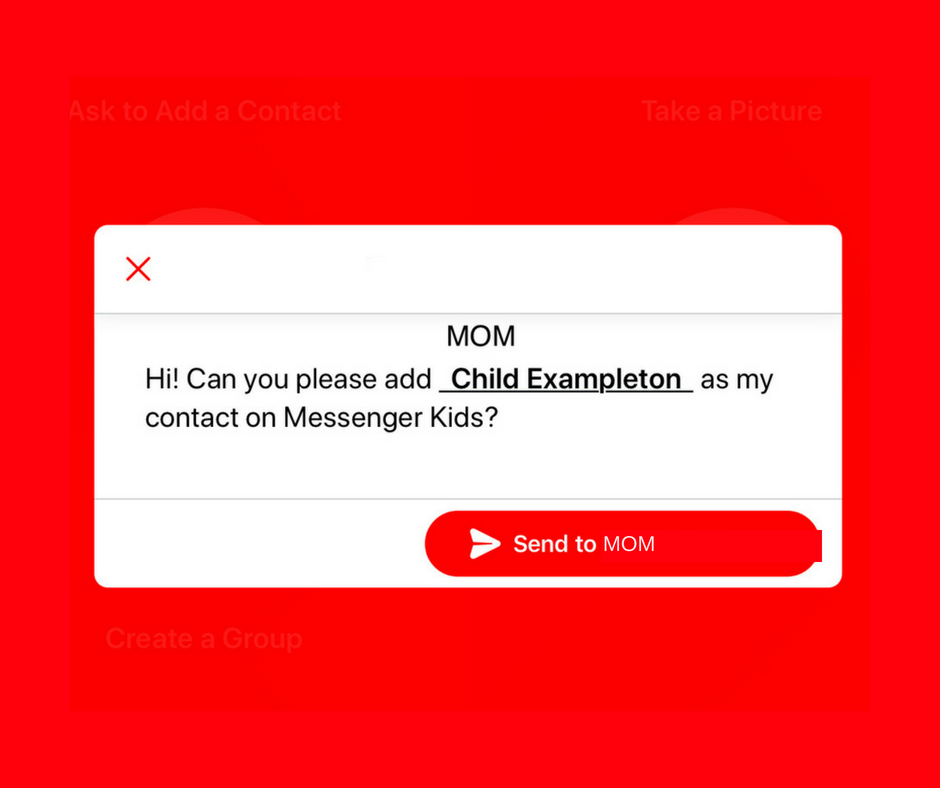
    A parent controlled messenger was the dream of the FB Messenger Kids team when they created their app. They could be finding it a bit tricky to balance the security parents want with the ease of use kids need. Now a code will be available to help your kids identify themselves in the Messenger Kids app. This is a code they can use to send a friend request to other users. Parents will still receive permission requests but it will save the trouble of having to search for the potential contact’s parent’s FB account and send a request.

    Obviously, this method will only work for friends who already use FB Messenger Kids. The code is also an “opt-in” feature, meaning parents will have to turn it on in their own Facebook app for their kids to receive the four-word identifier. The video above features a quick walkthrough of how to turn it on. You can also set up bedtimes in the Messenger Kids controls on your Facebook app’s settings page. 

    What Parents Should Know

    The addition of bedtime settings is a great option for parents whose kids use FB Messenger. The jury is still out on the identifier code, though. It is intended to make adding friends easier but it remains to be seen if that will be the case. Asking your kids to remember their code so they can tell their friends is a bit reminiscent of phone numbers from our own childhoods. If they don’t know their friend’s code, they’ll still receive an option to ask parents to connect them, simply by name. 

    I always recommend limiting screen time for your kids, especially time on social media. The FB Messenger app is still one of the best, most secure options for your kids to keep in touch with friends and family. The stickers, challenges, video chat, and built-in AR games make it a lot of fun albeit easy to throw a lot of time into. This is why the bedtime and screen time limits are so important. 

  • Now You Can Instantly Delete Messages You’ve Sent in Snapchat

    Now You Can Instantly Delete Messages You’ve Sent in Snapchat

    I’ve done it, you’ve done it, everyone has sent that message you immediately regret. Snapchat’s new feature will allow you to message “regret free” by adding a delete feature. You can now delete a message after you’ve hit that send button. Maybe there’s just a dumb typo, perhaps what you said could come across differently than how you meant it, no matter the reason, they’ve got you covered.

    To delete a message just long press it and select the delete option. Everyone will be alerted that you deleted the message but they won’t see the message itself. Previously, Snapchat only made messages disappear when everyone in the group had seen them but this will change that up quite a bit. Obviously, screenshots can be taken of your message if someone sees it before you’ve eliminated evidence, but you’ll be notified of that as well.

    Also Read: Snapchat allows x-rated material from cosmo.

    What Parents Should Know

    This is a small change for Snapchat but it speaks volumes about the nature of a messaging app like this one. The idea has always been to remove regret, apprehension, and maybe even responsibility for the messages you send online. Our kids should understand that there are consequences for what we do on the internet, even is some of our apps try to make us feel like there aren’t.

    One of my biggest concerns about Snapchat is the disappearing messages. I have heard story after story of parents reporting their kids being victimized by bullies or predators on Snapchat only to be told by police that there is nothing they can do because there is no evidence of the messages that were sent. Snapchat has always been on my uninstall list and it most likely will never be taken off that list. If your kids are under 16, think long and hard before you allow them to use a disappearing messages app like Snapchat.

  • You No Longer Have to Be Friends with Your Kids’ Friends’ Parents on Facebook Messenger Kids

    You No Longer Have to Be Friends with Your Kids’ Friends’ Parents on Facebook Messenger Kids

    When Facebook Messenger for kids was released several months ago, I immediately installed it for my kids and began to test it out. I like that parents have to approve every single friend request. I was glad that it is encrypted, no data is collected, and that kids don’t have to open their own Facebook account. Finally, I was impressed that they built it with its own kid-friendly GIF library and camera filters. Now, Facebook has made a small change that could be helpful for many parents.

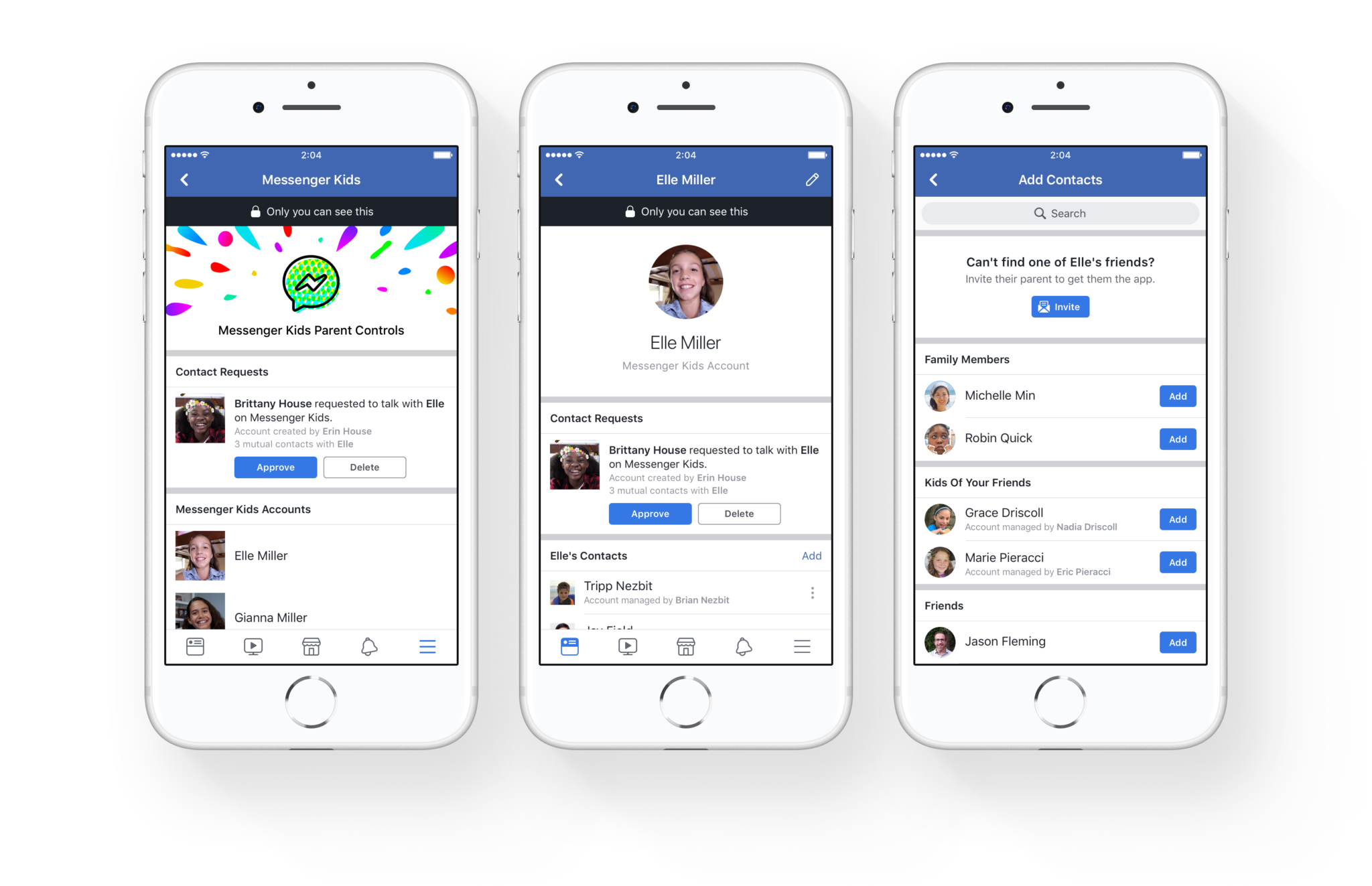
    You no longer have to be Facebook friends with the parents of the friends your kids want to contact on Messenger. The approval requirements haven’t changed. Your children aren’t allowed to make contact with anyone you haven’t pre-approved and any request will be sent to your Facebook account for easy approval or denial. This update will just free parents up to allow their kids to chat with friends regardless of being mere acquaintances with that friend’s mom and/or dad.

    What Parents Should Know

    I still think that Facebook Messenger for Kids is one of the better messaging apps for kids. It’s easy to set up and use and there is no data collection, account setup, or advertising.

    Here, however, is my warning: You should probably know your kids’ friends’ parents if they’re going to be chatting online. I’m not saying you should follow them on Facebook and be online BFFs, just that you want to be sure your children are chatting with other children. You give up a certain level of security when you aren’t looking out to see who your kids are talking to. With Facebook messenger kids the only way to find out who they’re talking to is through the account of their parents. Friend request their parent and then unfollow them if you must but you should be able to see what you can about their family to make sure your kid is only messaging other kids.

  • How To: Encrypt Your Facebook Messenger Conversations

    How To: Encrypt Your Facebook Messenger Conversations

    Facebook’s data mining habits have been in the news for the past few weeks and today they’ve admitted that they’re reading your private messages in FB Messenger. They use some of this information to better your experience, they scan images and text to be sure you’re not breaking any of their policies and to check in on reported users. They also, however, scan your messages to receive more data about you. Advertising has been in messenger for a while and your private conversations are being used to customize that info for marketers.

    Check Out: How to download your Facebook Data…

    Facebook messenger has had a way for you to encrypt (or hide info in) your messages for a while, the above video is a walkthrough on how to turn those settings on. Unfortunately, you have to opt-in per conversation but once it’s on your messages are encrypted “end to end” meaning they can’t be read by Facebook’s AI and should they be intercepted by a third party, they would come through as gibberish-like code instead of the messages you’ve sent. 

    Here is a step by step guide for turning on “secret conversations” in messenger.

    1. Select the conversation you’d like to make secret.
    2. Tap the name of the group or contact above your conversation thread.
    3. Scroll down and select “Secret Conversation.”
    4. That’s it…you’re encrypted.


  • Facebook’s “Messenger Kids” App Launches on Android

    Facebook’s “Messenger Kids” App Launches on Android

    Today, Facebook released the Android version of their Messenger Kids app. This means it’s available on iOS, Android, and Kindle now. That should pretty much cover most families. Facebook Messenger Kids puts the control in the parent’s hands, making it easy by building it into the Facebook App and Messenger App that you likely already use. You can decide who they are allowed to chat with and approve or deny friend requests.

    CHECK OUT: Facebook Messenger for Kids! for even more info about the app.

    My family uses Messenger Kids, albeit with some strict time limits (1hr per day) which we enforce through Circle (all devices) and unGlue (our older child.) It is a great way to help them get a feel for chatting through a messenger without strangers, bullies, or the constant notifications or FOM0 (Fear of Missing Out) that can accompany tech addiction. Facebook built in a lot of the controls and made the app kid-friendly by not allowing gifs that don’t originate in the Kids Messenger app and not allowing messages to be sent to unapproved friends.

    What Parents Should Know

    Since settings are controlled through your Facebook account, parents don’t have to have the same type of device as their child. You can set up your kids’ messenger app on his Android through your iPhone, for example. Keep in mind how addicting it can be to message your friends. Remember not to give them access to approve or disapprove of their friends on Messenger, this defeats the entire purpose. I know it can get tiresome to always have to sign off on everything they want to do online but Facebook makes it pretty easy with notifications on your own app.

    Use something to manage their time, like unGlue.  Talk to your kids about only messaging people they know in person and let them know what to do if someone asks them something they aren’t comfortable with. They should know that they can come to you when there is trouble. Messenger Kids is a good idea from Facebook and they did a lot of work to learn what parents would want out of a messaging app for their kids. Now the app is available on all devices so, if your kids have people they want to talk with, use this as a way to keep them in touch safely.

  • Released Today: Facebook Messenger For Kids!

    Released Today: Facebook Messenger For Kids!

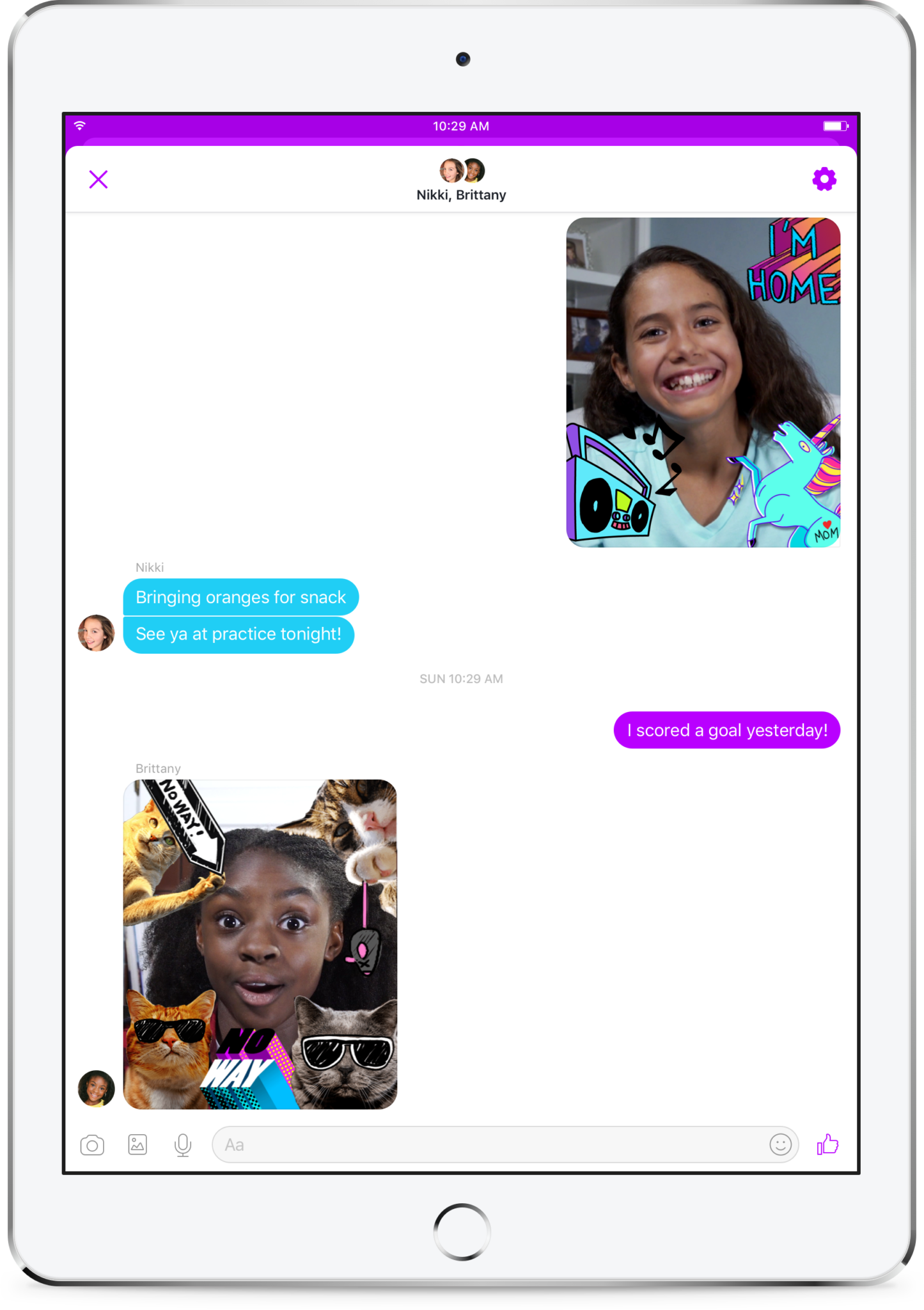
    Kids love social media. They like sending messages to friends and family. They absolutely love using filters and masks to share silly images of themselves. The problem is that social media wasn’t created for kids. It is for grown ups. That makes the social media world dangerous for our -13 kids. Enter Facebook, who is now trying to make social media and messaging safer for our children. Messenger Kids was released in the U.S. today on ios and the new app brings some favorite Facebook messenger features to our youngest family members.

    You set up your child’s account for them and they don’t need a Facebook profile to use Messenger Kids. Once you’ve downloaded the app and logged in with your own Facebook info, it will let you add your kids to the app and then ask them to take a photo and enter some information. Then, as simple as that they’re able to chat with you. To add contacts you search or browse your friend list and give your child permission to contact them by clicking “Add.” It can all be done from your own Facebook settings without access to your child’s device. They can also ask permission to add someone to their messenger app.
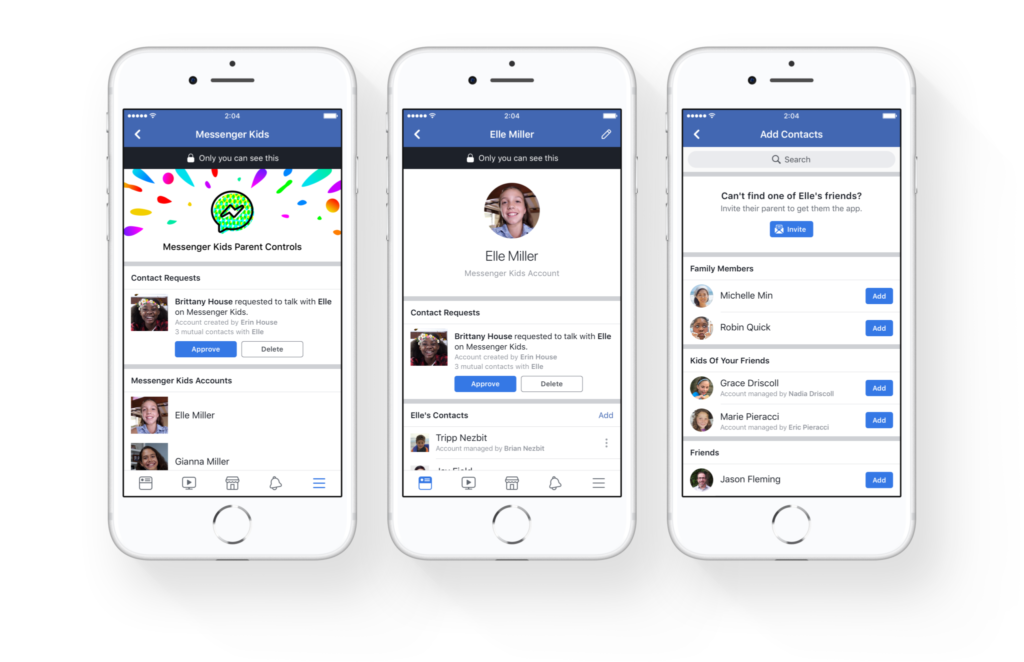
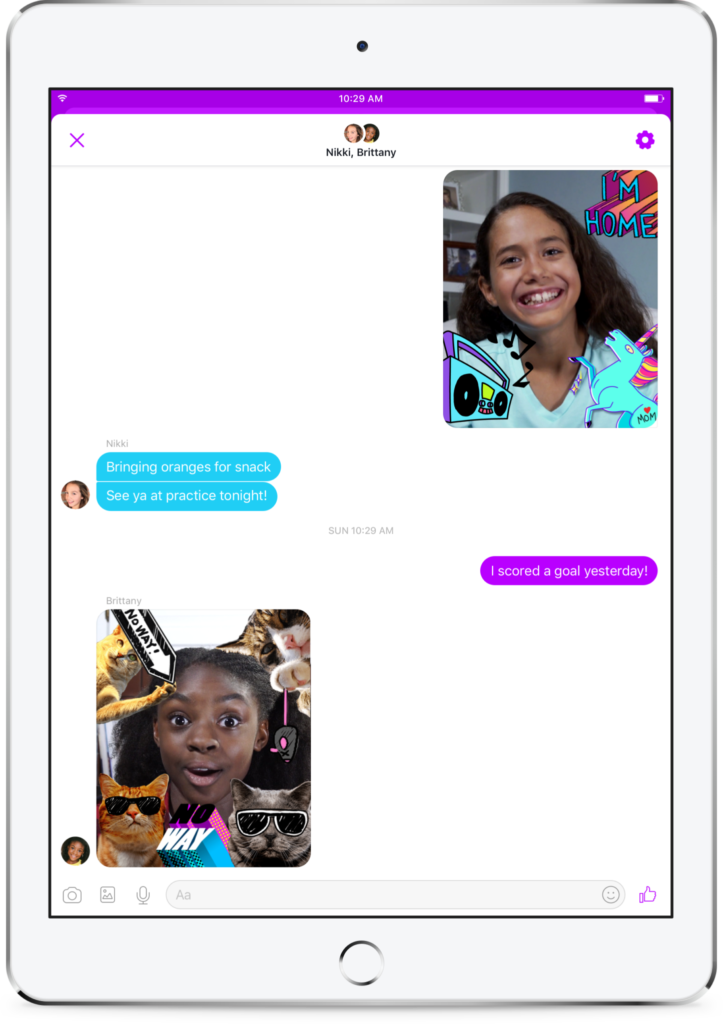
    As far as privacy and settings, Facebook has to be pretty specific with their rules. For example, Messenger Kids doesn’t collect ad data, their profile won’t show up in search, there is no advertising within the app, and there is no automatic account upgrade once your kids reach Facebook’s approved age. This is good news and proves that Facebook put some thought and research into what would make the Messenger Kids app fun and safe for kids. Messages don’t disappear and can’t be deleted or hidden. If an inappropriate image is sent, the child can report and the parents will be alerted that their kid has reported something that made them uncomfortable. One of the very few cons of the app is that parents can’t see videos or messages that their kids have sent and received except for taking the device and looking for themselves.  This is also, likely, due to privacy concerns and legal issues but it sure would be nice to at least be able to see messages that have been reported by our kids.
    What Parents to Should Know

    It isn’t very often I can fully recommend an app to parents but so far, I’m feeling like Messenger Kids meets my standards. The GIF options are curated by editors, not an algorithm and the filters are carefully selected and designed just for kids. Control is in the hands of the parent and that is exactly what I’m always wanting to see when it comes to apps designed for kids. The concern about time management does remain, however, so it is important to make sure your children are spending enough time doing other things. Messaging with family and friends can be fun but it is still screen time and it has been proven that kids need more than just screen time as entertainment. Use time management apps or just your own enforcement to be sure that your kids are only using Messenger Kids as long as you’ve decided is healthy.

    It’s great to see an app that brings features that kids love into a safer environment for them. I downloaded this app and have set up an account for my 10-year-old son. He has already enjoyed sending messages, using the camera filters, and even playing an AR game that is included. Why don’t you check the app out too and send me a message or email me and let me know what you think?

     

  • YouTube Adding Private Messaging

    YouTube Adding Private Messaging

    I spoke to a mother just a few days ago who was lamenting the idea of her son having his own YouTube channel. He didn’t post much but she was concerned about people finding him or learning about him through his videos. She was also concerned about bullying in the comments of his videos which is a real concern since YouTube commenters are notoriously ruthless. YouTube’s most recent update is going to either help solve or intensify these problems.

    YouTube begins rolling out a new update today that will bring private messaging to the video streaming app. The feature is an attempt to keep people on the YouTube app to discuss and share videos they’re viewing on YouTube. Currently, these videos are shared on other social media sites and discussed there but YouTube wants to play a larger role in the social game. Private sharing and chat will allow users to discuss videos and respond with more comments and even reply with another video. The biggest concern with this feature is that you can’t block users who try to contact you. You can, however, deny their requests to chat.

    What Parents Should Know

    Any app that allows private messaging should be taken seriously by parents. Kids of all ages love YouTube and the dangers of allowing them unsupervised access to user uploaded internet videos have been well documented. Adding the ability to send and receive private messages, while it can allow them to discuss videos with people they know without the risk of comment trolls bullying them, provides an opportunity for strangers or who knows who to contact our kids through YouTube. Since predators use social media to learn about and groom their victims, YouTube’s private messages could be a way for those ill meaning individuals to do their work.

    I advise that you allow your kids to watch YouTube on YouTube Kids only. If the videos they like aren’t available there then only let them watch on a browser on a computer. The other option is to share the YouTube account with your children and install the app on your own device. This way you can see who they’re messaging, what they’re talking about, and even be alerted when they receive a new message. I don’t ever recommend spying on your kids. My advice is that you discuss your parental control and monitoring methods with them so they know you’re there to look out for them. You’re supposed to be the safe place.

  • New Filters, Reactions, and Screenshot Controls in FB Messenger

    New Filters, Reactions, and Screenshot Controls in FB Messenger

    Facebook is updating their camera in Messenger so you can have some new AR filters while video chatting. The first is Filters which will add color schemes and other effects to your video feed. Reactions will allow you to use the like/love/emoji reactions you can use on FB posts to enhance your live video chat experience. Finally the screenshot button will let you take a still image of your chat with a simple tap of the screen instead of having to fumble around with the hardware buttons on your phone.

    Obviously Facebook is doing its best to separate itself from the rest of the video chatting market. These new features make Facebook live video chatting more interesting than Skype or FaceTime and definitely go a long way to compete against Snapchat’s offerings. What will this all mean for our families? Well, the main thing to remember is that your kids should only be chatting with people they know.

    What Parents Should Know

    It’s important that your kids understand the dangers of video chatting with anyone they don’t know. Messenger uses your friends list to populate your contacts so, in theory, your kids should only be chatting with friends. These augmented reality filters and reactions will add to the reasons to want to upgrade a text messaging session to video chat so if you’re against video chatting by principle then you’ll want to keep them off of FB Messenger. I recommend keeping an eye on who your kids have been messaging no matter what platform they use or if it’s by text, images, or videos. You can do this a number of ways but none is better than having their passwords and checking in on their account regularly. As always I recommend you have a conversation with your children about what they are and aren’t allowed to do on messenger and why. Let them know you’re keeping an eye on things and don’t sneak around. You want your kids on your team.

    Want to get exclusive content and support our work to keep you more informed about your kid’s digital culture? You can partner with us at Patreon.com/BecauseFamily.

  • Mobile Device Vocabulary Lesson 3: Messaging

    Mobile Device Vocabulary Lesson 3: Messaging


    Our kids and teenagers are communicating more differently than ever before. The note being passed from desk to desk has been replaced with words typed on a screen. Long phone conversations with friends every evening have given way to short, emoji laced text messages with pictures, videos, animated images, and links to other online content. Communication has evolved, or at least changed and it’s more common than you may have ever imagined. Just look at these statistics from April of 2015.

    73% of teenagers have a smartphone and 91% of those teens text. Teenagers send and recieve and average of 30 text per day. (PEW Research Center)

    More than nine out of ten teens who own a smartphone give and receive an average of 30 text messages every single day. That means, your child texts. The following abbreviations/phrases will give you greater insight to what messenger apps are capable of.  (more…)