Tag: media

  • The Family Tech CES2020 Preview

    The Family Tech CES2020 Preview

    Every year at CES, tens of thousands of people gather to see the latest that technology has to offer. Every tech media outlet covers CES. They’ll be talking about everything from virtual reality to massage chairs. This is your Family Tech CES2020 preview. There are a lot of interesting topics being covered at CES this year. Here are some that I think are the most interesting and some that are specifically important for families like yours.



    TV Talk

    Welcome to the age of the 8K television. That’s right, we’ve skipped from 4k resolution to the mind bendingly clear 8k quality. Some say that the human eye can’t even discern that kind of clarity but it sure would be fun to find our for ourselves. The 8k tvs from LG, Samsung, and Sony tout such amazing tech that you need a screen larger that 65 inches to even get the full benefit.

    Voice-Enabled Digital Assistants on Everything

    Voice assistants are in everything. It’s in your car, your TV remote, even your toilet and shower. That is going to continue at CES 2020. Look to find voice activated technology in more and more gadgets this year. Even our kids are being offered toys and gadgets with voice command tech built in. Voice Assistants aren’t new but seeing them integrated into everything else only proves that this concept is here to stay.

    foldable phones family tech ces2020 preview

    Crazy New Gadgets

    There is always some crazy stuff at CES. Some is pretty unimportant but interesting. Some things are said to be the new face of technology but just seem strange to me. Foldable phones fit into that category, so do many of the robot offerings at the conference. Either way I’ll be looking for the most amusing and interesting gadgets to show you at this year’s CES.

    5G Technology

    5G is a bit of a buzz phrase these days but there is some actual technology behind the term. This fast, “over the air,” data connection is finally starting to spread for real. Many major cities are adding 5G to their infrastructure. It’s expensive and coverage is spotty but wherever it works, it’s lightning fast. The reason 5G is so critical is the role it will play in the roll out of self driving car technology. The connection speed that 5G offers is critical to the success of the self driving revolution.

    Self Driving Car Technology

    Self Driving Cars are always the bell of the ball at CES. This year will be no different with more and more companies finding ways to implement the improving technology. Not only are the cars themselves a big deal but the tech around mapping, connection speed, and entertainment inside your self driving car is becoming a major reality as well. It isn’t easy to hitch a ride in one of these vehicles at CES but I’m going to try my hardest this year.


    What Parents Should Know

    The future of technology is always going to include products to entice our children. Coding toys, games, gadgets, and safety tech are all being highlighted at CES2020 and I’ll be there to show you what to look out for and what to look forward to. As I look toward this year’s conference, here is a family tech preview of CES2020.

    Ed-Tech

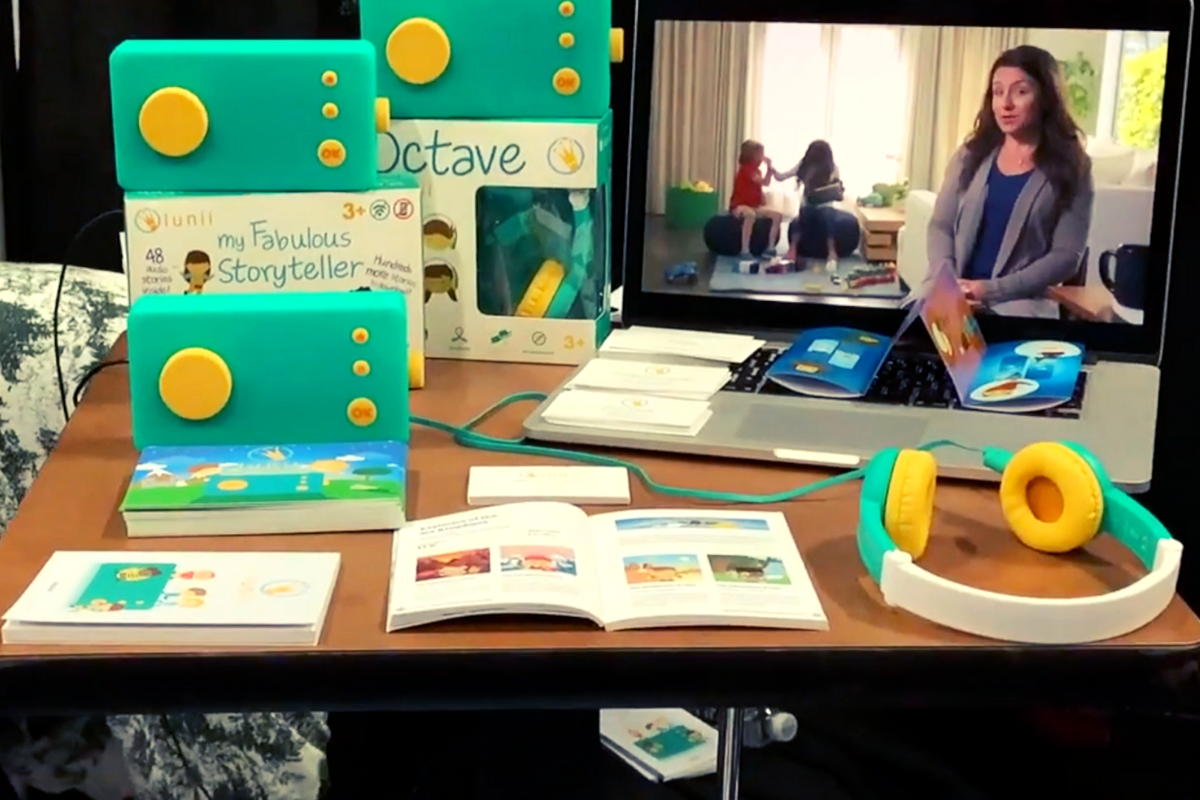
    As highlighted last year, education technology is a going to be all over the show floor at CES. I’ll show your new coding games and toys as well as virtual and augmented reality classrooms. Robots will play a major role in training students for future technology jobs as well. Keep your browser open to the Family Tech Blog to see more as the conference starts up next week.

    pet tech family tech ces2020 preview

    Pet-Tech

    The furry members of our family have a place at CES as well. Dog toilets, cat toys that move across the ground, connected leashes, and even fenceless boundaries highlight the pet tech industry at CES. You’d be surprised how much tech can help people care for their pets and help pets care for their people. You probably wouldn’t be surprised, however, at some of the goofy pet tech that shows up at CES as well.

    Smart-home/ Home Security

    Everyone’s homes are becoming smarter and smarter, even if the way we use the technology isn’t so wise. Technology that can keep our home network and connected devices safe is crucial and thus, a major factor at CES. I’ll be spending quite a bit of time chatting with developers about their products intended to keep your data secure. Some even offer new parental control solutions as well.

    Connected Toys

    So many of our toys are connected to the internet now. Games, robots, even racetracks are finding ways to connect your tablet or smartphone. You are given an online account in order to fully play with these toys. This is introducing our kids to use of the internet earlier and earlier. What products are coming up that feature connected toys? I’ll gave updated information for you from CES next week.

    Avast All-in-One Security and Safety – Omni

    I’m very excited to test out one specific piece of family safety technology. Avast’s Omni device is an all-in-one way to protect your network from hackers, malware, spyware, viruses, and even set up parental controls and GPS alerts. I’m excited to have a hands on look at Omni while I visit their booth at CES. I’ll also be able to hear from their VP of Product Deliver as she shares at the Family Tech Summit on Thursday of the conference.

    A Long Six Days

    Hope you enjoyed this family tech CES2020 preview. This event is a lot of work and makes for long days. It is, however, some of the most useful and rewarding work I do all year. The new tech, updates on the latest trends, and marketing strategy research gives me such great information to pass along to you, parents. Thank you to those who have partnered with BecauseFamily for this trip to Las Vegas. If you would like to partner with our organization just visit our Partnership page. You can follow every detail of my adventure to CES2020 on our Facebook Page, our Instagram, and on YouTube. Thank you again, see you soon, from Vegas!

  • It’s Being Called the Ultimate Unsend Button, Does it Encourage False Anonymity?

    It’s Being Called the Ultimate Unsend Button, Does it Encourage False Anonymity?

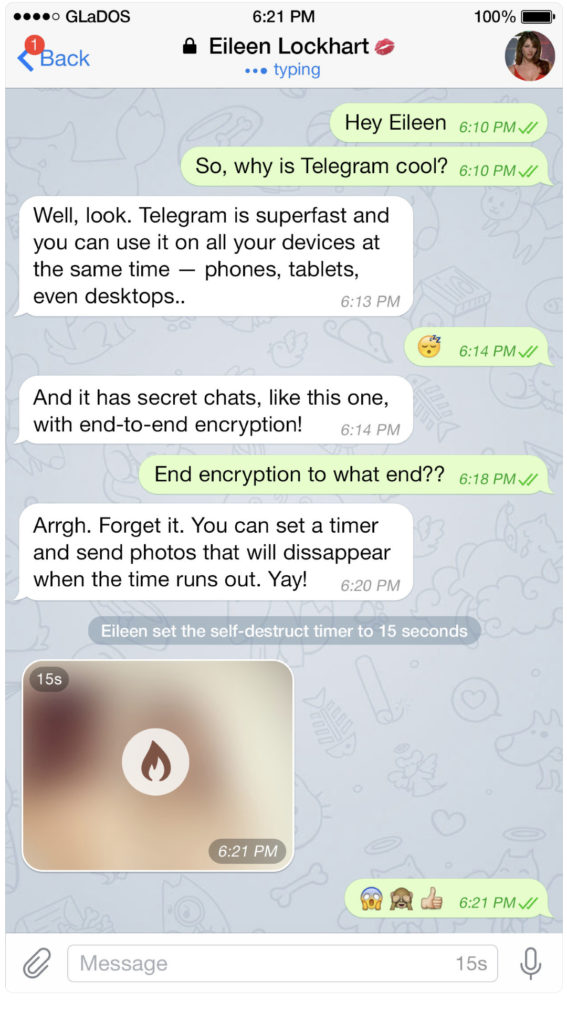
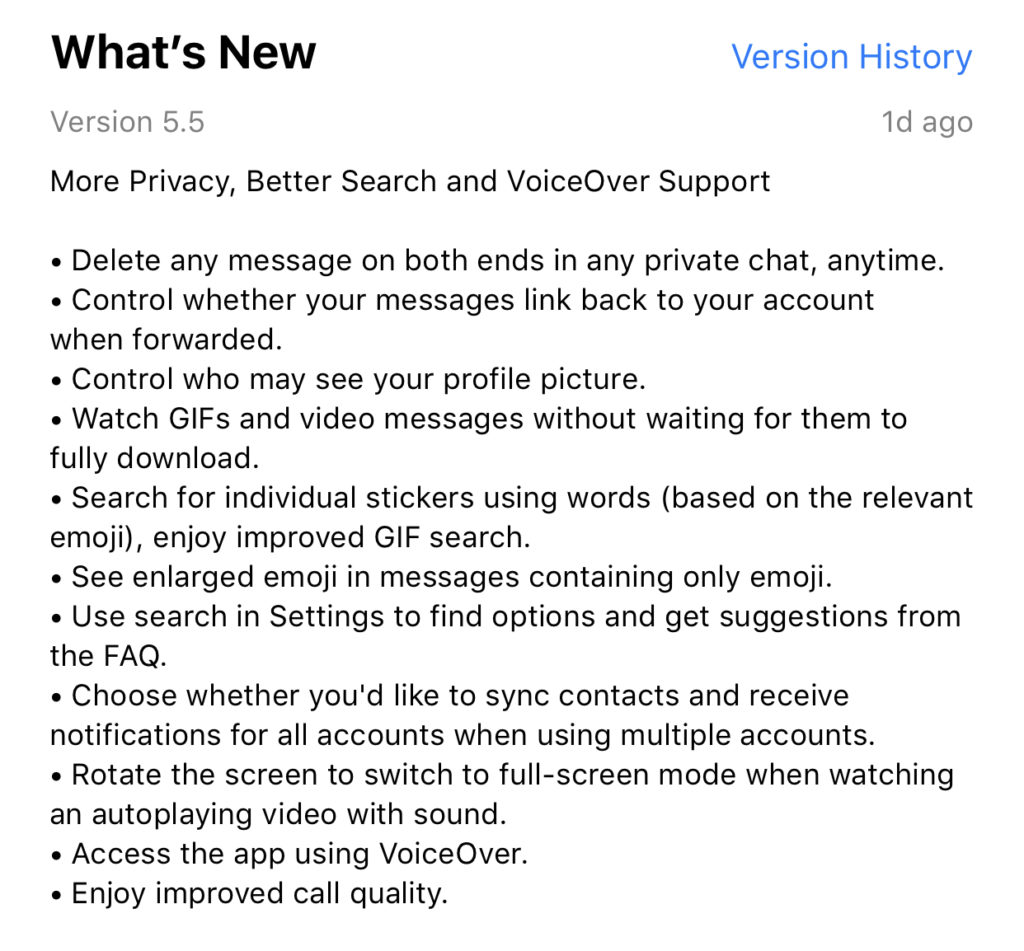
    Telegram is an end to end encrypted messenger that touts speed, privacy, and security. They have featured private messaging and self destructing messages for a while but their new feature takes privacy to a new level. You can now delete a message you’ve sent from your account and the account you sent it to no matter how long ago it was sent. Telegram is, again, standing up for privacy and users are buying in. Millions have flocked to Telegram after Facebook’s data leak news from the past several months. It looks like Telegram is doubling down on Privacy as their claim to fame. They’ve also added the ability remove your information from a message when the message is forwarded to other users. Some accessibility and ease of use features have also been aded.


    What Parents Should Know

    Security and privacy are often overlooked when we allow our kids to use internet connected devices. Privacy is becoming a major concern for experts and activists of family tech safety. Messengers that allow data to be collected and used for advertising shouldn’t be used by children and even teenagers due to the risks of such data being released or revealed without the messenger app developer’s consent. When an app features privacy as it’s distinquishing feature, you have to ask who the data is being kept private from. Obviously, we want data to be kept from third party companies who would use that data to advertise. Sometimes data is even kept private from the company that developed the messenger app that you are using. Telegram has a “secret messages” setting that must be set to keep your information encrypted from end to end. (End to end encryption means not only the company can see or collect what is being sent.)

    Anytime the ability to delete messages you’ve sent is added, I see red flags. While I think privacy is critical, there is also a risk of kids thinking they are safe from inappropriate or incriminating photos or messages being saved and used for nefarious purposes. It only takes a half a second to screen shot a message or image on your screen. Most phones allow you to record your screen to a video very easily. This means that you are non always anonymous online. If you are sending messages to someone, thinking you have complete privacy, you are trusting that the person you’re sending the messages to has your privacy in mind as well. Telegram is an easy way for predators, cyberbullies, and those interested in sexting, to send and receive messages that do their damage and then are removed as evidence.

    I have spoken to parents who have taken their kids to the police with complaints about people trying to groom them online but the police had no evidence because the messages had all been deleted. This is why a messenger makes the FamilyTechBlog uninstall list as soon as they add disappearing messages. It isn’t safe for your kids to chat with a feeling of anonymity or for them to chat with people who can send what they want and make the message go away after it’s been viewed. Telegram is rated 17+ and I fully agree with this rating. Private messengers that allow you to chat with anyone, anywhere shouldn’t be used by children and young teenagers. Especially when the messages can be removed at will.

  • What Parents Need to Know About Stadia by Google

    What Parents Need to Know About Stadia by Google

    On March 19th, Google announced their latest product: Stadia. The promise of Stadia is to allow people to play AAA games (Assassin’s Creed, Fortnite, etc.) without having to buy a dedicated gaming console or PC. How does Google plan to deliver on this promise? With Chrome and YouTube.

    Google has stated that Stadia is “the future of gaming.” I agree. Young adults are used to subscribing to services and streaming their entertainment and Stadia is the next step. Kids already watch hours of gaming content on YouTube every day, why not add the ability to play those games too?

    What We Know Right Now

    We don’t know a lot about Stadia right now but what we do know is pretty impressive.

    • A high-speed Internet connection will be required.
    • Up to 4K HDR at 60fps.
    • Plasy using multiple devices: PCs, laptops, tablets, and smartphones will be supported.
    • No need to download games or wait for updates.
    • You’ll be able to use any USB controller connected to you computer.
    • There will be a dedicated wireless controller.
    • Stadia will be available this year.

    What We Don’t Know Right Now

    Despite all the excitement around this announcement, there are many things we don’t know.

    • The price of the service.
    • The price of the controller.
    • Games available at launch.
    • Supported mobile devices at launch.
    • Release date.
    • Minimum Internet connection speed.

    Podcast Episode:

    What Parents Need to Know

    Your kids are going to want this, especially if they watch gameplay videos on YouTube. Being able to instantly play a game that one of their favorite streamers is playing and try that special move is very appealing.

    If the price is right, this could be an affordable alternative to purchasing a gaming console. Being able to play hundreds of games for $50-$60 a month is more affordable than buying a $600 console and a game or two every month.

    The Stadia controller has a streaming button which means your kids could be online and streaming their game and voice instantly. In fact, they could even join in a game with another person. Parents should be aware of this feature and take measures to block it if they don’t want their kids to live-stream.

    Google has been improving their products with better parental controls every year. Parents should familiarize themselves with those parental controls and enable any restrictions they deem necessary. You may want to consider adding time limits, enabling ratings limits, and disabling some of the streaming and cooperative features. Of course, this

  • Snapchat isn’t Just a Messenger Anymore

    Snapchat isn’t Just a Messenger Anymore

    It may have all started with “secret” messaging but it hasn’t stopped there. Soon public sharing became the norm on Snapchat, a feature that was copied by many other Social Media networks soon after it’s release. Then, Snapchat’s “Discover” page was released, this was a way for news and media corporations to reach the users of Snapchat with their messages and advertising. Lately, Snap Inc. has been working towards becoming a serious form of entertainment for it’s users, incorporating videos and even original show content into their network. Today, VICELAND has announced they’re producing several new shows exclusively for Snapchat. They’re starting with a “reality” dating show titled “Hungry Hearts with Action Bronson.”

    VICELAND Productions is following several other studios in making original shows for Snapchat. Networks including NBC, CBS, and A&E have already announced that they’re making versions of their existing shows for viewing on Snapchat. These studios are seeing the growing adoption of Snapchat as an opportunity to reach a broader audience with their shows and content. One of the fastest growing demographics on Snapchat is the 18-35 age-group, one of the main target audiences for the late night and primetime television networks. With this trend towards entertainment content on our social media apps, it’s important that parents are aware of what these apps are becoming, we have to make good decisions on whether or not we want our kids consuming the media they’re producing.

    What Parents Should Know

    Snapchat isn’t a trend and it’s not just a messenger anymore. What was once the “Secret Message App” or the “Sexting App,” as some called it, is now a major source of media for those who use the social media platform. This means we have to treat it differently than we do many social media apps. Keeping track of who they are friends with on these networks isn’t enough anymore. We have to keep a few things in mind if we are going to allow our kids to use Snapchat, Instagram, or any of these other apps that give advertisers and media content creators a direct outlet to our kids.

    Same Media as TV, Movies, YouTube, or Games.

    The creators of the content that will be made available through social media (Facebook has been signing agreements with media companies too) aren’t producing special more family appropriate shows. They will be making content that will reflect every other media outlet they produce for. Think YouTube Red, Netflix, or Amazon Prime. In fact, some of the rules that apply to broadcast television don’t apply to shows that are streamed online. This means that you’re more likely to see content like on Game of Thrones or Orange is the New Black than something with more restrictions like Blacklist or CSI. Don’t let the fact that these programs are being produced for free public streaming online fool you. They won’t be family friendly or edited for content.

    No Parental Control

    Snapchat currently has no parental control options. Their app is geared towards teenagers so they most likely won’t feel the need to add parental restrictions any time soon. The terms and agreements on most social media services allow for accounts to be created as long as you’re 13 years old or older. The question you have to ask is whether or not you’re ok with your 14-15 year old watching online reality dating shows or politically fueled sketch comedy. If you aren’t ok with these things then you have to make a choice about whether or not snapchat is welcomed on your kid’s phones or tablets.

    All or Nothing

    Social media apps are basically creating an “all or nothing” atmosphere for content created by these media outlets. Once you have an account on Snapchat, you have access to all that is contained in the app. Every person can be a friend or follower, every feed can be found and viewed, and every original show, no matter the target audience, will be available for viewing. With no parental control options the question isn’t what Snapchat content will be allowed, it’s “all or nothing.” They can see all of it, or none of it, those are your only choices. 

    Whatever you choose, you need to be educated about what these social media apps are producing. Keep checking in to Safe.BecauseFamily.org for up to date tech news that’s relevant for your family. Also, sign up for our Safe Online Newsletter. Just fill in the short form below.


    Sign Up for the Latest Family Tech News in Your Inbox

    * indicates required


  • Parental Control Hardware “Circle” Announces Integration with “FamilyTech” Apps

    Parental Control Hardware “Circle” Announces Integration with “FamilyTech” Apps

    Circle is one of our favorite resources to recommend to families. With its simple to use app and customizable, profile based filters Circle is one of the most accessible parental control options out there. At a price tag of only $99 it’s affordable too. Today, Circle announced Circle Connections, the roll out of integrations of some new resources to make it one of the most extensive filter and time management apps available. These integrations will soon add the ability to stop notifications from social media apps while your child is driving and allow you and your kids to use Amazon Alexa to set and monitor your time limits. Launching first, however, is a partnership with FamilyTech.

    The new platform, Circle Connections, allows Circle users to connect other partner apps, devices, and services to offer rewards, automate features, and much more. These other pieces of Circle help leverage some of the biggest drivers of family life: screens, physical activity, teen driving, and social media.

    FamilyTech launched late last summer and is a chore/time management system developed by CEO Chris Bergman. The system features four apps. Mothership, the hub for setting chores and giving rewards. ChoreMonster, an app for kids that rewards them for meeting their chore goals. Honeydo, a way for couples to communicate what needs to be done and get more accomplished. And Landra, the home productivity solution for older kids and teenagers. This partnership is going to set Circle up to be one of the most extensive time management and parental control options available to parents.

    For Example

    With Circle’s time limits, the integration with FamilyTech can do a lot for parents. Imagine your child has an excellent week of chores. The choremonster app asks what reward they would like and they choose to extend their bedtime. ChoreMonster will communicate with Circle and their bedtime will be extended to whatever reward time you’ve set up. Pretty much automated rewards. That sounds awesome.

    As mentioned, some of the functionality will be released in future updates but the integration with FamilyTech is rolling out now. If you have circle, be sure to update often and take a look at what FamilyTech’s apps can do for you. If you don’t have Circle yet, maybe this will be a pretty good reason to give it a go.

  • Instagram Adds Live Video to their Stories Section

    Instagram Adds Live Video to their Stories Section


    It’s no surprise that we are covering more news from Instagram, they’ve been busy keeping up with the likes of Snapchat. Adding Stories and disappearing private messages were just a couple of their latest moves. Today they’ve released the first change that will allow them to pass up Snapchat in the Social Media “engagement” game. Today, they added Live Video!

    Live video has been available on Facebook for a while now so it’s a bit of a no brainer that it’s been added to their other assets. There are a few major differences between Facebook and Instagram’s live video. First, it’s the fact that Instagram’s videos disappear. Unlike making a live video on Facebook, where it will upload to your timeline and allow you to share it, Instagram’s version will end and never be seen again when you hit finish.

    Another major difference is the inability to share while you’re broadcasting. These features may change but for now they set it apart quite a bit from Facebook’s live option. The ability to go live at all is super trendy and sets Instagram apart from Snapchat which is a major win for them. It doesn’t change our view on Instagram but it can teach us a couple of things.

    What Parents Should Know.

    Snapchat is in every Social Media conversation right now, even when we’re talking about a different app. When apps like Instagram work so hard to keep up with what’s popular it’s a major sign for us as parents. We can see that live video is becoming popular on all Social Media platforms. The transparency and realism of Live Video is en vogue these days. Your kids want something real, raw, and in their face.

    As parents we have to keep this in mind while we raise our kids and keep them safe online. They are looking for something real. We have to be real with them when we are teaching them how to make good decisions. Whether it’s decisions online or offline they have to be taught in a way that your kids know is real. Your transparency and openness are critical because they can see through any facade.

    Usually I try to give you tech advice on Safe.BecauseFamily.org, but this post is all about using the trends in technology to help us learn more about our kids.


  • Don’t Let Your Kids Download a New Calculator

    Don’t Let Your Kids Download a New Calculator


    Looking today at a list of free apps in the Apple App store I noticed that a secret calculator app has been discounted. Be aware that there are secret photo apps disguised as calculators available for your kids phones. The one below is pretty simple to spot since the icon shows photos behind the peeled back calculator but they’re not all that simple to identify.
    screenshot-2016-12-01-12-26-21 You would normally look at a calculator app and not think anything of it but these apps will allow you to hide files behind a code that unlocks access when it’s entered into the calculator. In most of these apps, the calculator actually works as well. The best way to identify if your kids are trying to hide things from you with one of these apps is to look at it’s page in the app store. The description will mention the abilitscreenshot-2016-12-01-12-35-20y to hide files. If you find that your kids have one of these apps on their smartphone or tablet I recommend you uninstall immediately.



    An important tool to help you with this is iTunes FamilyShare. Be sure this feature is set up so you can pre-view any app your kids want to download and they can even be required to ask your permission. Check out this tutorial on setting up FamilyShare for to subscribers.

  • DirecTV NOW is Not Family Friendly Yet

    DirecTV NOW is Not Family Friendly Yet


    It’s the future! I have been saying for years that paying for cable tv service is ridiculous. What if I could just stream the channels I want and not have to buy a whole package of useless Home Improvement and Movie Channels? Well, they aren’t exactly there yet but DirecTV is getting closer with DirecTV NOW.  AT&T announced yesterday that they’re offering a television streaming service called DirecTV NOW; it’s available for purchase in bundles starting today, November 30th.

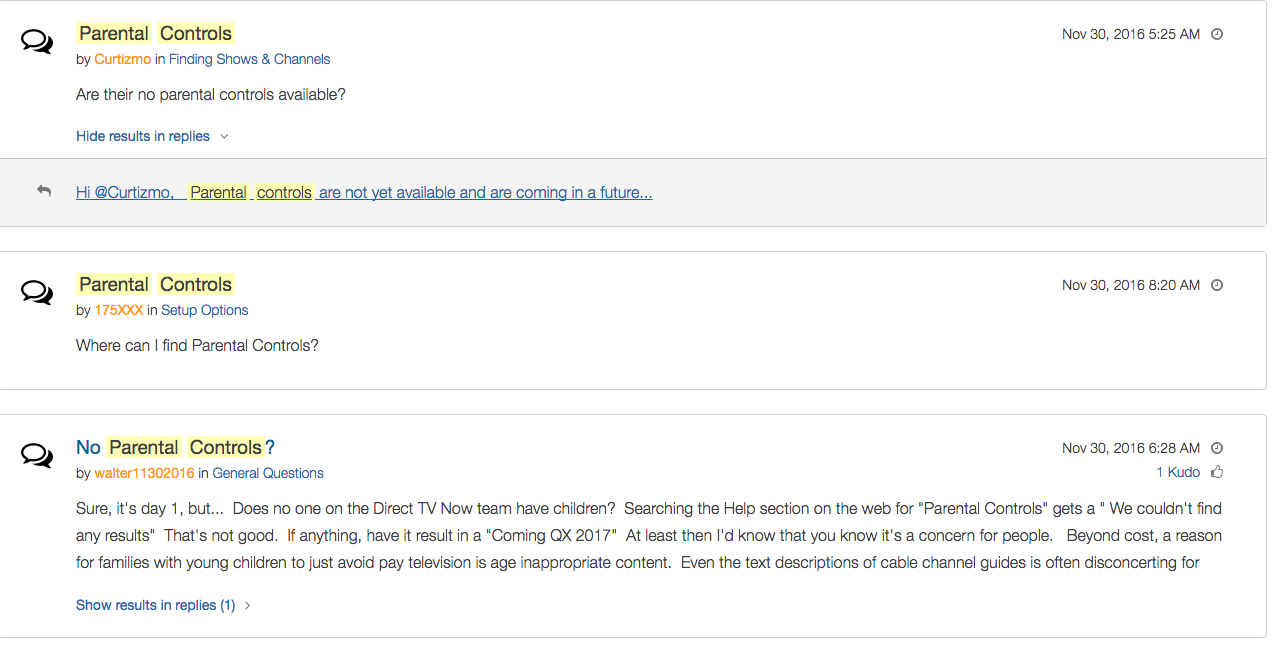
    Yes! It’s exciting to see that our TV options are expanding and even keeping up with the times a bit more. With ChromeCast, Apple TV, RoKu, and mobile access available we are finally being offered a version the tv service we wanted. Unfortunately, however, after some time with my free trial I have noticed that there is absolutely no parental control options built in for DirecTV NOW. I looked at the menus and in my account settings (there’s no option to create separate profiles, i.e. a kid profile, either.) I also tried to find a “block” option per channel to no avail. Then, a search for “parental controls” on the support and FAQ page led to no results and that was pretty much my final clue. There is currently no way to protect your kids from unwanted content on DirecTV NOW.

    That’s a deal breaker for me, especially with so much of what has become acceptable on cable television lately. Sexual activity, language, and increasing violence are mainstays in both broadcast and cable television shows. Even the commercials seem to highlight all of the features we would like to protect our young children from. I guess “keeping up with the times” comes with its costs as well.

    What’s a Parent to Do?

    screenshot-2016-11-30-12-15-35I would say wait. Just wait for a while and I’m betting we will see parental controls rolled out on DirecTV NOW before too long. In fact, a quick search on the AT&T Community Forums showed several concerned parents had already begun asking about this feature and it’s in development.

    DirecTV NOW looks to be a great way to save some money while still getting the entertainment content we want. Thankfully parental controls and content restrictions are becoming commonplace these days and this will be no exception. It is literally “day one” for this service so we’ll give them some time and the benefit of the doubt. You can join the future too if you’d like, I would just recommend keeping your kids off of it until you can set up some restrictions. 

  • VIDEO: FACEBOOK LIVE Q&A

    VIDEO: FACEBOOK LIVE Q&A


    Circle, Accountable2You, YouTube Kids, Young Kids and Internet Safety. All this and more in this Facebook Live video. This #givingtuesday live video was a great way to meet parent’s needs right where they are. Be sure to visit BecauseFamily.org/partnership to learn more about donating.


  • Houseparty App Gives Your Teens a Chance to “Unwind” with Friends Online

    Houseparty App Gives Your Teens a Chance to “Unwind” with Friends Online


    Everyone needs their “third place.”

    The third place is explained by sociologists as

    “the coffeehouse, the bar, the mall — a public space for relaxing, socializing, sharing ideas, or goofing off.” –TechCrunch

    Your kids are finding an online version of that public space and it’s in an app called Houseparty. Houseparty is a group live “hangout” or video chat app and it’s been increasingly popular in high schools since May. This app provides a way for teens to connect with friends away from the pressures of school, work, or even parents. It gives them that “third place” to unwind. It gives them an opportunity to be social, but is it really social?

    “Despite the positive impact of emerging communication technologies on scientific research, our results provide striking evidence for the role of physical proximity as a predictor of the impact of collaborations.” – Harvard Medical School

    Relationships are better built in person. More and more research is showing that time spent near your friends is more important even than time spent talking with them. While video chatting allows for group conversation, it doesn’t allow for the mannerism cues and continuous turn taking. (Bejing Normal University) To say that using a video chat to build relationships is good for our kids, or at least better than nothing, is not really accurate.

    How It Works

    screen322x572The Houseparty app uses your contact list to automatically log you in with up to eight friends who are online when you open the app. You don’t set up or invite people to conversations, it just puts you in a room to hangout with whoever is on. So using your contacts list ensures that you’re hopefully only chatting with friends. You may, however, have the contacts of some folks you aren’t interested in chatting with. There is a “stranger danger” feature that will alert the user if someone joins the chat that isn’t on their contact list. This is a pretty good feature.

    What Parents Should Do.

    I think this app is trying to get a lot right. While there can always be concern with video chatting, simply because anything created with good intentions can easily be used to do something inappropriate. Similar to the AfterSchool app, I would say Houseparty is something that parents should be aware of and talk to their kids about but I wouldn’t advise uninstalling on sight, necessarily. Whether or not your are ok with your children building their relationships through online communication is up to you.