Tag: kids

  • Youtube’s New Kids Content Policies Explained

    Youtube’s New Kids Content Policies Explained


    Starting today, all creators are required to mark their content as made for kids or not made for kids in YouTube Studio. -YouTube Creators Email

    YouTube will be limiting the data they collect form videos that are targeting children. This is in effort to comply with the FTC’s demands that they be responsible for the information they gather on their site which lists children among their most frequent audience members. Wording in the email suggests that YouTube is “helping” creators comply with COPPA as well as meeting the demands the Federal Trade Commission put on YouTube as a media company.

    YouTube will use an algorithm to monitor content for child centric content and flag it as such if it is not flagged by the creator of the video. The email reminds creators to be vigilant to properly tag their videos if they are made for children as failure to comply could cause them to be in violation of the FTC’s demands.

    The FTC has outlined what constitutes children’s content and YouTube has that information available on their support page. YouTube’s announcement briefly defines children’s content as:

    • It is directed to children as the primary audience (e.g. videos for preschoolers).
    • It is directed to children but children are a secondary audience (e.g. cartoon video that primarily targets teenagers but is also intended for younger kids).

    YouTube’s guidelines state that they may override content creator’s settings if their content seems to be geared toward kids but isn’t marked as such. This could result in content creators being demonetized or held accountable in some other way for not properly categorizing their content.

    What Parents Should Know

    The FTC fined YouTube for their inability to comply with COPPA and told them they had to have a plan by next year to keep children’s data private on their site. Many thought YouTube Kids was the solution but so few parents actually used the kid version of YouTube so children remain a major audience for YouTube’s main site and app. The information creators give YouTube about their videos and channels will help YouTube know what videos to collect data from that will be used for advertising in the future. Also, the advertising on videos marked as “for children” will be different, focusing on the content of the video as an indicator of the audience rather than viewing data from the viewers themselves.

    These changes, in my opinion, are a step in the right direction for YouTube. Their collection of data from young audiences have been a point of contention for tech safety experts, security and privacy agencies, and family advocacy groups for several years now. The policies handed down by the FTC are in direct response of some of these experts and agencies asking for an investigation into YouTube for their lack of compliance with COPPA.

    As parents we rarely think about our kids digital footprint being collected and used against them but it is happing every time they log on to an app or game. It is important, however, to remember that the trail they leave behind online will follow them for the rest of their lives. The things they buy, the sites they visit, the videos they watch, and the games they play are all being compiled to create a profile on them that will be used to market to them online for years to come. If parents remember that our children’s web traffic is being collected we can take steps to protect them from excessive data collection. Encourage them to use messenger apps that are made just for kids. [Facebook Messenger Kids, not WhatsApp or FB Messenger.] Remind them that what they share online becomes public the moment they share it. Tell them they should only use video and game apps that are intended for children and made by major developers who are more likely to comply with COPPA. Parents are responsible for the safety of their children, as well as their privacy and security so take the steps you can to keep their data private.

  • Call of Duty Modern Warfare | A Parent’s Guide

    Call of Duty Modern Warfare | A Parent’s Guide

    Call of Duty Modern Warfare Parent’s Guide

    The rating below is based on the game content. Online interactions will always increase the risk of unwanted content.

    Violence – 1
    Language – 1
    Sexual Content – 4
    Positive Message – 1

    Total Score – 7  out of 20
    (The higher the rating, the safer the game is for kids.)

    ESRB Rating – M for Mature [for Blood and Gore, Intense Violence, Strong Language, Suggestive Themes, and Use of Drugs]


    The Game

    Call of Duty has set the standard for realistic first person shooter gaming for more than 15 years. 2019’s Modern Warfare seems to be a  tribute to the original games in that the story of the latest release is as good as any in every other CoD game to date. The campaign mode takes you through the story through the eyes of British, American, and Middle Eastern soldiers and insurgents who are fighting to free a country from a Russian general and his armies. The story is rich and the characters include soldiers you’ve fought with in different games, giving an instant buy in and causing you to care about these characters from early in the story. While the game does ask you to make some pretty difficult decisions, the realism is unlike any other FPS game I’ve ever played, mostly because of the gruesome situations you are put in during the campaign. Overall, Call of Duty Modern Warfare, as much as the campaign is concerned, is one of the best games of 2019. I recommend it for those mature enough to play as long as you have a strong constitution.

    Violence [1]

    Violence is intense in this game. Explosions blow people apart, every bullet hit causes a spray of blood that can be seen from far away. The rag doll effect is used to increase realism causing enemies to fall limply to the ground and fly through the sky when an explosion takes place nearby. Like many of the most recent Call of Duty games there is an option to disable gore effects but this option is in the settings and not password protected. If you set the gore settings to off they can be easily turned back on without any trouble.

    Language [1]

    CoD Modern Warfare is full of profanity. Every mature word in the book is used in the game and in every mode of the game. Commentary from non-player characters contains extreme language and obviously online multiplayer modes is likely to contain adult language from other users as well. The gore/content filter will turn off language from characters in the game but, again, it isn’t password protection and online play is not affected by these settings. 

    Sexual Content [4]

    There isn’t any obvious sexual content in CoD Modern Warfare. Early in the campaign you interrupt a man who is abusing a woman, it is hinted that he was possibly going to abuse her sexually. You kill him before anything happens. There are some character models/outfits that could be considered revealing, especially with cleavage in the multiplayer modes.

    Positive Message [1]

    Modern Warfare is honest about the cruelty and awful things that happen in modern war. It sets up the Russians as enemies and the US and the UK as the heroes. The campaign story is very dark in places and, while intriguing and well performed, is intended for adult audiences. This game puts players through situations that those who experience PTSD from actual combat often describe as what gave them their condition. Kids who experience anxiety and anxiousness could be seriously harmed by the extreme situations in Call of Duty Modern Warfare.

    You could argue that the cruelty shown in this game can be a commentary on how awful war can be but the fact that you spend 99% of your time in the game participating in combat would likely overshadow any lesson the game is trying to teach.

    What Parents Should Know

    The most important information about this specific game is already mentioned above. I would like to address something I see often when discussing violent video games and first person shooters. There are different schools of thought on the dangers of violent first and third person shooter video games. Obviously there are some who think they are bad for everyone, decreasing sensitivity to violence, and causing people to act out. There is little actual evidence to back up this opinion but there are those who will always feel this way. Another group feels that these games are no big deal. They believe that playing games with violence and blood and gore can help kids understand the true danger of gun violence and lower the risk they they themselves become violent. Many will compare games like Call of Duty to other shooters like Fortnite by saying that Fortnite is too tongue in cheek and puts our kids at risk because it doesn’t take combat seriously enough. As the first opinion there is little to no evidence supporting these ideas either.

    The only statements about violent video games that can be backed up by viable research is that they can cause increased anxiety and adrenaline in children, can exacerbate attention problems in children who already have those issues,  and that there is far too little research to outline the true effects these games have on our children. It may be difficult for parents to be alright with the fact that there is no obvious bad or good answer for video games like Modern Warfare. The truth is that you have to know your child and their maturity level. You should watch their behavior and pay attention to signs like grades, relationships, diet, and exercise to be sure your child has a healthy balance between life and time on their screens.

  • Family Link’s New Features are Great but Still Not Good Enough

    Family Link’s New Features are Great but Still Not Good Enough

    Android has updated their Family Link parental controls feature. The above video will take you though what they’ve done and give you some questions to ask yourself about using the service.

    Make sure your device is compatible.

    The site is very clear that Family Link is only compatible with newer android devices. Go into the settings on your kid’s device and tap the ABOUT button in the menu to see if your software version is 7.0 or newer. If it isn’t your child may not be able to install Family Link which will mean you can’t use the software to set limits and restrictions.

    Double check their privacy policies.

    COPPA regulates the collection of children’s data without parent permission. You have to create an account for your child to use Family Link and to do that you must give permission for Google to collect some of their data. The video explores a bit more of what information they can collect and what they do with that data.

    Be aware that your kids get full control at 13.

    If you are one that wants to be able to see what your older child is doing on their device you’ll have to use the child’s phone to adjust parental control settings with Family Link as control is shifted to the child at age 13.

    Do your homework!

    As I mention in the video above and the podcast episode below, you need to familiarize yourself with the benefits and limitations of Google’s Family Link software. Visit families.google.com to see their information about it and check out our other articles and videos about Family Link as well. You can never be too informed.


  • This Digital Citizenship Curriculum May Not Be as Helpful as You Think

    This Digital Citizenship Curriculum May Not Be as Helpful as You Think

    I end every workshop and nearly every video and podcast telling parents to talk to their kids about digital citizenship, screen time balance, and internet safety. I often point them to videos or articles I have made or written that will help them with these topics. Cornell University, in partnership with Common Sense Media, have put together a resource for schools that claims to be perfect to help you, the parent, talk to your kids about these critical topics.

    “Social Media Test Drive” is a curriculum created to help teachers and parents guide their kids through healthy internet use and digital citizenship. The lesson plans for younger children were good. They featured fun videos with cartoon characters singing about what to do if you see a bully and why you shouldn’t talk to strangers online. Some of the curriculum for older kids, however, gave me some red flags.

    Minimizing Research

    The videos that I watched that were created for older kids and teenagers did a good job of presenting research that shows how dangerous too much social media or screen time can be. Unfortunately, most of the videos then downplayed the research by comparing it to anecdotal evidence that is gained simply from the way they know kids feel about using their devices and social media. It felt as if the video was pandering to young people, encouraging them that there aren’t many dangers online as long as they know how to use the internet properly.

    “Find Your Tribe”

    One of the things that is increasingly dangerous about social media and internet usage is exactly the same thing that many will say is a great benefit. The ability for kids (or anyone for that matter) to go online and find a group of people who think exactly like they do and believe exactly the same things they do. This seems like it would be a good thing. In fact, one of the Common Sense Media training videos called it “Finding your tribe.” The problem comes when you surround yourself with so many like minded people that you are no longer encouraged or even able to think critically about the things you see, hear, and experience. We should be hearing voices that contradict each other sometimes so that we can grow in our understanding of the world. The internet can be good for that. We can learn about new ideas, new places, and new types of people. The problem is that when we dive into social media by clicking like or double tapping every post of every person who agrees with us on everything we think, we are telling the algorithms to feed us more and more of the same thing. This is tricking us (not just our children or teens) into thinking that everyone who is right thinks exactly like we do. This is a dangerous attitude and if “your tribe” means people who won’t challenge you when you’re wrong. I hope my kids never find theirs.

    Relevance to the Point of Irrelevance

    Unfortunately these videos remind me of the after school specials we all made fun of when we were kids. The young guy standing in front of motion graphics and reading a script about how to use the internet wisely. It’s been done before. It was done with cigarettes, it was done with drinking and driving, now it’s being done with the internet. It all reminds me of the end credits scene for Spiderman Homecoming where Captain America shows up give a speech on patience. As I mentioned above, it seems to be pandering and I can imagine it being laughed off by most kids in the age group it is intended for. Even with the obsolescence of the “after school special concept” these videos attempt to be cool, especially by downplaying the dangers of phone usage and encouraging kids to just “be careful.” They try so hard not to say anything that will make students shut down that they barely say anything helpful at all.

    It Falls to the Parents

    Ultimately these issues are the responsibility of us as the parents of our children. Only we know what it will take to get them to understand the truth about their time online. We are the only ones that can set the standards of internet use in our families. We are the ones who can set the limits we feel are best and do it in a way that helps our children feel that they are partners with us as we work towards developing healthy tech habits together as a family.

    We should use the resources at our disposal, accountability software, filters, message monitoring, and built in parental control settings can all go a long way to help us keep our kids safe and teach them how to protect themselves. There are truly dangerous things on the internet. These things shouldn’t be glorified or blown out of proportion but they shouldn’t be ignored or downplayed either. We, as the gatekeepers of our homes, must decide what level of discretion we will use in protecting our children. We can rely on our schools or other companies or organizations to do it for us.

  • UPDATED: YouTube May Eliminate Targeted Ads on Kids’ Videos

    UPDATED: YouTube May Eliminate Targeted Ads on Kids’ Videos

    UPDATE 9-4-2019: This morning the FTC announced a 170 million dollar settlement with Google to end the investivations  of YouTube’s children’s data collection practices. At the same time YouTube announced they are rolling out funding for original children programming. YouTube CEO, Susan Wojcicki said that the changes proposed by the FTC could be detrimental to much of the ad revenue made by content creators who make videos targeting children. She also said that the changes are rolling out slowly over four months to give creators time to adjust their content.

    Child data security advocates are not satisfied with this fine or these changes. They were hoping for more:

    “A plethora of parental concerns about YouTube – from inappropriate content and recommendations to excessive screen time – can all be traced to Google’s business model of using data to maximize watch time and ad revenue,” said Josh Golin, the Executive Director for the Campaign for a Commercial-Free Childhood (CCFC).

    Parents should be aware that the changes to YouTube’s data collection and advertising properties are rolling out slowly but will affect both YouTube and YouTube kids. My advice as mentioned in the video below, is that parents pay close attention to the videos their children watch on YouTube. Understand that much of the content they consume is created to advertise products whether it be websites, video games, or physical products such as toys or food and candy. Advertisments will still be geared toward kids based on the videos they are choosing to watch, much like seeing commercials for toys during Saturday morning cartoons.

    8-23-2019

    YouTube’s data collection policies have garnered attention from media and government agencies alike over the past several months. After some shocking reports about child pornography on the site and restrictions handed down from the FTC, Google is finally taking some real steps to comply with the Child Online Privacy Protection Act (COPPA.) Bloomberg reported this week that YouTube will be ending targeted ads on videos intended for children. 

    Obviously, ads that target viewers use data that has been collected in order to assign advertisement to that user. If YouTube is targeting ads to children, it stands to reason that they are collecting information about them as viewers in order to create their advertising profile in the first place. This data collection is blatantly against COPPA and one of the reasons the site was investigated by the FTC earlier this year.

    YouTube has already cut advertising income from videos that feature disturbing content aimed at children and eliminated comments in videos that feature children. It is estimated that YouTube makes nearly $750m annually from advertising on children’s videos. Obviously eliminating those targeted ads could seriously hurt Google’s bottom line but they say it is the least damaging option. There are other ways for YouTube to serve somewhat targeted ads to children. The company can use ads that are chosen based on the videos they appear on, thus tying the kids’ interest in the video itself with the ad that will be served. Those who have brought complaints against YouTube about their COPPA violations aren’t expected to be satisfied with that solution either.

    The Best Way to Keep Your Kids Safe On Youtube

    What Parents Should Know

    Of course YouTube wants your children to use YouTube Kids. This is how they protect themselves from the very mess they are in now. They say that YouTube Kids doesn’t collect data from viewers and only shows ads as they relate to the video users are watching. Even so, my recommendation is that your kids only watch YouTube in a place that everyone can see what they are watching. If inappropriate content comes up you will want to see what it is. This way you can talk to your child about what they saw and how to avoid seeing that in the first place.

    Another option is to use YouTube Premium to eliminate ads all together. We use this so that when we build a playlist of videos for our kids, we can be sure that they’ll only see what we selected and not some other video ad for something we may not approve of. YouTube is trying all they can to keep their ad based ecosystem alive while staying out of dangerous apps list and tech safety expert blog posts. Only time will tell if they are able to do so. This change could be a very tiny step in the right direction. 

  • How “Kids Games” Give Predators Unmonitored Access to Children

    How “Kids Games” Give Predators Unmonitored Access to Children

    I was contacted this week by a parent who was shocked to find that adults had been chatting with her young son in Disney Heroes, Battle Mode, an app rated 9+ in the Apple App store. She sent me screen shots in which players were asking her son if he was a boy or girl. They asked how old he was and where he was from. One of them even confessed, “I am not a kid. LOL.”  Obviously, when his mother found these messages she was extremely concerned, she removed access to that game and set some limits for their whole family for a while. Then, just a few hours later I received a link from a concerned parent about an app in which people are posing as employees of the game company and asking children to send pictures “without a shirt on” to prove their age. She asked if this was true and my response was that yes, these things are happening every single day. Here’s why these predators can gain such easy access to our kids.

    Disney Heroes Battle Mode

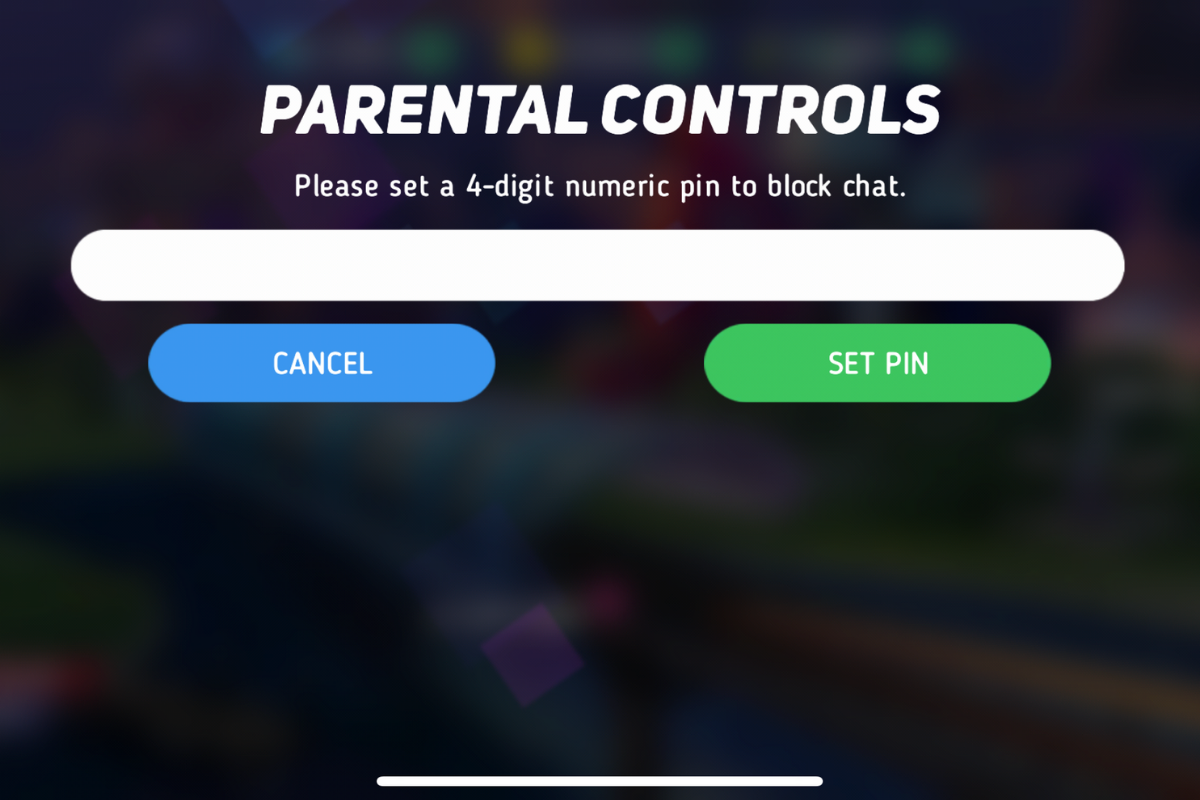
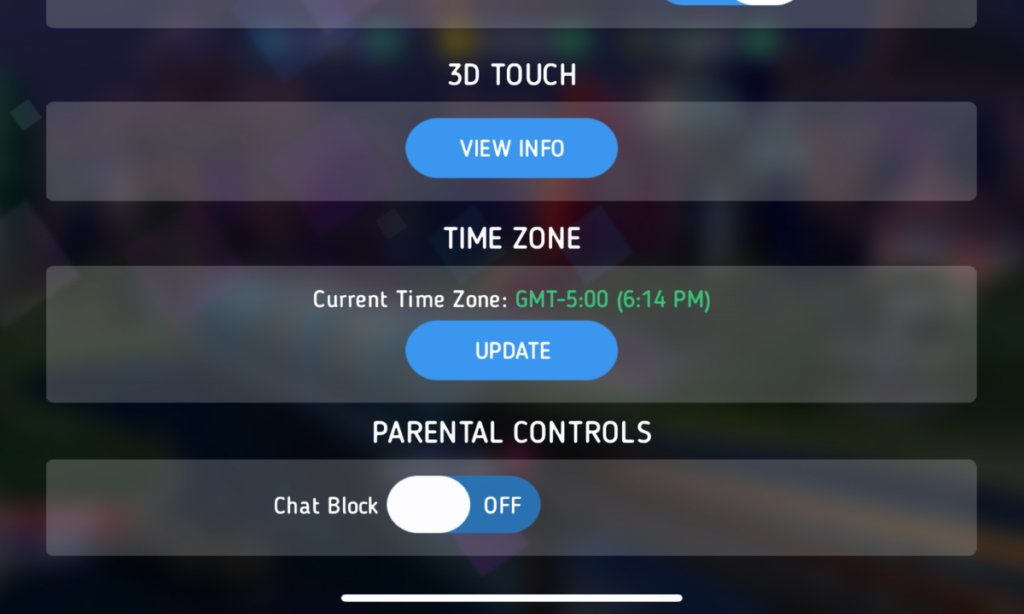
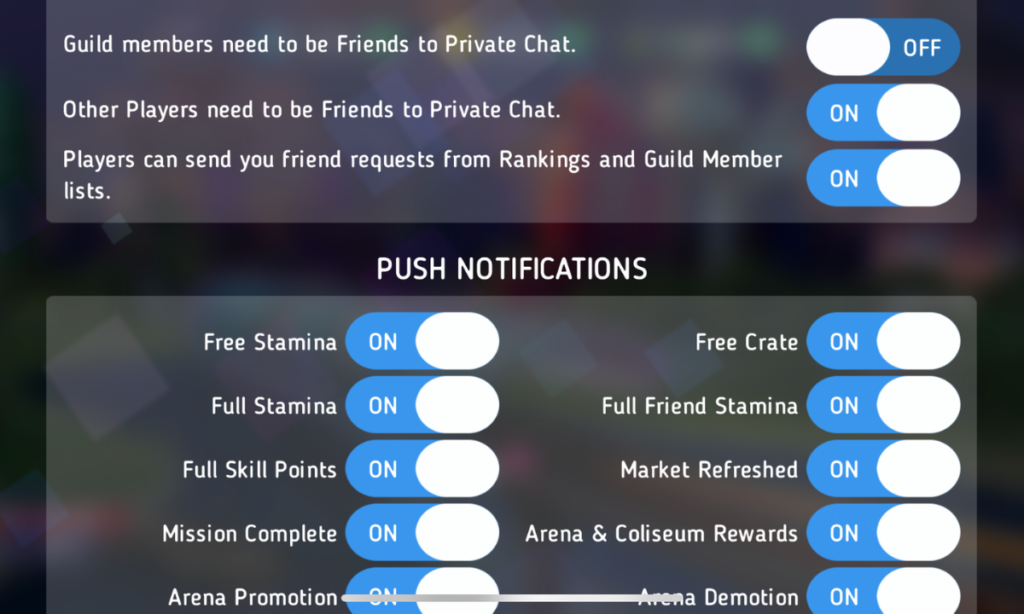
    After hearing about the trouble with Disney Heroes Battle Mode I downloaded the app to see what it was all about. After a short cenimatic and then playing through the tutorial you get a notification that the app has purchases built-in and that you shouldn’t be under 13 (app is rated 9+ in the app store. if you want to play. I simply tapped continue and moved right past the warning. No age verification, no password, no face id, nothing. Once in the app I started looking through the settings. I did find controls for the chat feature, including a password protected on/off toggle for chat access. This was good to see, especially since the issue I was researching had to do with chatting.

    The problem is that apps like Disney Heroes give parents a false sense of security. The app is made by Disney, the company’s name on anything makes many parents think that the product is made with their kids’ health in mind. This could not be further from the truth. Disney is out for exactly what every other major corporation is out for, their financial bottom line. We have to remember that data is big money and apps that are made for kids collect just as much data as any other app. Data that is personalized to a user is worth more money which means app developers need users to make an account to sort and identify their data more easily. The easiest way to convince app users to create an account is by making it the only way they can chat with friends in the game.

    What Parents Should Know

    I recommend taking a look at the game your kids play on their pones or tablets. Just because the game features cartoon characters doesn’t mean there aren’t adults playing the game. If the game has a social feature like chat or friend-mode you can be sure that your kids will be contacted by strangers. Look in the settings, preferences, or options of the games to see if there is a way to turn off chat mode. If they don’t allow you to disable social features, I would uninstall the game and encourage your child to find a different game to play.

    We must remember that the companies that make these games offer them for free because their money comes from in-app purchases and advertising. In order to make money they have to keep people playing the games as long as possible. Research shows that there is no better way to keep someone in your app than social engagement. People will be sure to keep coming back if they have friends in the game to play with or against. This means that they will continue to put these social features in their games and while app stores may rate these games as safe for younger children, my rule is that if it has a social element it should be for kids older than 13. Even then you should ensure that you child understands what they should do if they are approached online by a stranger and encourage them to tell you if someone makes them uncomfortable in any social engagement online. We can do our best to protect them from this software but nothing is more affective in preventing these dangerous encounters than teaching them how to recognize them and end the conversations immediately.


  • “Ninja” Moves Gaming Stream to MIXER and Twitch Shows Porn on His Channel

    “Ninja” Moves Gaming Stream to MIXER and Twitch Shows Porn on His Channel

    Ninja (Tyler Blevins) switched his streaming content over to Microsoft run “Mixer” on August 1st and has been migrating his viewers over to the service over the past couple of weeks. He took to Twitter to express his disgust over the fact that Twitch was running ads for other streamers on his channel’s landing page. The disgust didn’t stop there though, somehow a channel that was showing hardcore pornography was featured on Ninja’s page and this made him understandably upset. Again, Ninja posted about his frustration on Twitter and the CEO of Twitch was quick to apologize.

    There is a lot of discussion in the gaming and streaming world about who owns the channels that streamers use to broadcast and who should be able to decide what is aired on the channel when the streamer isn’t live. Obviously, this affects you, as a parent in several different ways. First of all, your kids are likely going to be watching Ninja over on Mixer now. Secondly, you need to know that pornography can show up on these live streaming services very easily. You also should be aware of the money and politics currently involved in the video game streaming industry. It’s a major business now, and your kids are the target consumer.

    What is Mixer?

    Mixer started out as “Beam,” a streaming platform that claimed to offer a better service and higher quality streaming ability that competitor Twitch. In 2016 Beam was purchased by Microsoft and in 2017 Beam was rebranded as Mixer. The service still works to compete against Twitch but claims to offer a better ad share program to gamers as well as a better viewing experience for fans. The service has already made a few deals with pro-gaming leagues and now has acquired Ninja as an exclusive streamer on their platform. Just like Twitch, Mixer offers multiple types of streams including video gaming, tabletop gaming, vloggers, IRL (in real life), podcasts and more.

    Ok, Fine. Here’s What I Think About Fortnite


    Since being purchased by Microsoft, Mixer is now available on Xbox, and on Chromecast and other streaming devices. It is becoming more and more popular and Ninja’s exclusive contract will guarantee even more growth. Twitch is suffering the same fate that many market leaders share. It can be difficult to balance making the kind of profit that a company that size needs to operate and keeping the same charm that your service had when it gained all of the popularity that you profit from. It seems that there is room in the video game live-streaming market for another service.

    What Parents Should Know

    Video game streaming and esports are some of the fastest growing forms of entertainment ever. Advertisers are jumping on board and monetizing every minute your kids spend watching other people play video games. When you think about it, the video itself is a form of product placement for the game they are playing. When advertisers get involved, things often get messy. Content creators get tired of their media being turned into a way for someone else to make money. This makes them go look for a better deal. This is what has happened with Ninja.

    You need to be aware that when people broadcast on live-streaming services there is usually a live chat going at the same time. Your kids can be in contact with strangers from all over the world. Also, it is very difficult to keep inappropriate content off of live streaming channels due to the fact that is being broadcasted in near real time. You should know what your kids enjoy watching on Mixer, Twitch, YouTube Live, and any other live-streaming platforms they watch. Know that many gamers use adult language and discuss adult topics on their streams. Most of the time those apps are rated 17+ because of the potential for adult content. Keep that in mind when deciding what you allow your child to watch online.

  • FB Messenger Kids “Error” Allowed Thousands of Kids to Talk to Unapproved Strangers

    FB Messenger Kids “Error” Allowed Thousands of Kids to Talk to Unapproved Strangers


    Facebook Messenger kids was created to give children a safe place to communicate through text, stickers, video, and gifs with friends that are pre-approved by their parents or guardians. This week, however, the kids’ messenger app has had to send notifications to thousands of parents about their children having access to strangers in the app. 

    What happened is that a technical error allowed kids to create a group message with friends who would then invite their own friends who, while approved for them, may not have been approved by the parents of the first child. Confusing? Ya, this is possibly why the flaw was even possible in the first place. Facebook says they have alerted parents whose children may have had this type of interaction and that they’ve disabled any chats that were created, using this flaw. The story isn’t over, though, as some are calling for the FTC to look in to the error since it may have resulted in a COPPA violation.

    Released Today: Facebook Messenger For Kids!

    What Parents Should Know

    The moral of this story centers around trust. It is important that, while we may trust our children, we can’t always trust who our kids are in contact with. We definitely shouldn’t blindly trust the companies who make the hardware and software that our children are using. When our kids use an app like Messenger Kids, the whole point of the app is that it gives parents control. When the control is hindered, even by a “technical error,” that is a severe violation. We can, however, take actions to protect our kids from dangerous effects that could come from these errors.

    I recommend having a copy of the messenger kids app on your phone logged in to your child’s account. My wife and I are each logged in to one of our kids’ messenger kids apps and can see when they get messages and what the messages are about. We are notified when they receive a message and can look to see who it is from and even read it. I have, a time or two, jumped into the app to tell a friend to stop messaging since my son was past his allowed time for social media that day. I received a “yes sir,” and there were no more messages until the next day. We also use BARK to monitor their messages and alert us of any dangerous or inappropriate content.

    Parents are gate keepers. Our job is to be sure our kids are growing up with guidance through every area of life. If they aren’t being taught how to manage social media and internet use safely then they will struggle to make healthy decisions when they are older. Messenger Kids is a good tool to help your kid learn the right way to use a messenger but it won’t work if you are uninvolved, pretending that the creators of the app only have your kid’s best interest in mind. The truth is that they want to provide you a service to make a profit. We cannot overlook that. It is our responsibility, and ours alone, to teach our kids how to be safe online. We should take it seriously. We should hold companies accountably when they have errors that put our kids at risk but ultimately we should be the ones making sure our children are protected on every app, site, and software they use.

  • Is FaceApp Sending all of Your Private Data to Russia?

    Is FaceApp Sending all of Your Private Data to Russia?


    Last week everyone was posting pictures of themselves looking older or younger. They were all using FaceApp, an Android and iPhone app that uses AI to change your face to make you look older or younger, change your gender, and all kinds of different things. Then, suddenly everyone who had been posting pictures of themselves began sharing articles about the privacy dangers of FaceApp. What is true? What does FaceApp do with your pictures? Should we use apps like this? Here are the answers I found.

    Your Pictures Aren’t in Russia

    One of the major concerns due to political news lately is that all of these pictures have been stored by the Russians since the company that makes FaceApp is in Russia. The truth is that these pictures are stored on servers owned by Google and Amazon. Many of the photo apps you use including some of the social media apps you frequent use the same server companies to store your pictures and posts. There is no evidence to suggest that your images are being collected by the Russian government or even companies in Russia.

    Your Photos are Deleted after 48 Hours

    The face app privacy policies state that photos uploaded to their servers are usually deleted after 48 hours. They do state that some photos may be kept for analytical purposes but that they are not sent to the FaceApp companies. These photos are used by the artificial intelligence to make it smarter and help it do a better job of editing photos for people.

    FaceApp Terms Mention Affiliate Companies and Governments

    The policies of FaceApp do allow for them to give your photos to other companies “in their network.” Again, they say that this is for analysis purposes and not data tracking. They also say that they’ll give your photos to law enforcement if requested through legal means. 

    You Can Use FaceApp Without Giving Personal Information

    The company that makes FaceApp says that 99% of their users don’t login to the app. That means there are no ways for them to have your personal or identifying information. The only thing that they collect in those cases are your photos. If you have location settings turned off for your camera then there isn’t much personal data that can be gained from the images. All they actually have is a picture of a non-identified person’s face. Also, FaceApp only uses the photos you tell it to upload. Not your whole camera roll. 

    “…please note that we may transfer information, including personal information, to a country and jurisdiction that does not have the same data protection laws as your jurisdiction.” FaceApp Privacy Terms

    FaceApp Doesn’t Handle Data Differently than any Other Social Media Service

    The only major difference between FaceApp’s privacy policies and those of Facebook and Instagram are how much terminology they use to describe them. Personal data and photos are basically handled the same way by all these companies. You may consider it more of a fair trade off for Facebook and Instagram to collect your data in exchange for the services they provide. You also may be less inclined to be worried because of Facebook and Instagram being from the United States. Either way, your data is being used in the same way by all of these companies.

    Musical.ly is now Tik Tok


    Just Share Smart

    These instances of public outcry about the privacy policies of an app or a company are a great time to be reminded of the importance of thinking before you share. The truth is that everything, once shared on the internet, is public domain. It belongs to every citizen of the web and not to you any more. This should govern every choice you make on every site you visit and every app you use. If you wouldn’t want the whole world seeing that photo of you, your child, or your spouse, then you shouldn’t share it. If what you are about to post as a status would put your security in jeopardy then you shouldn’t post it. If you aren’t sure about a company or an app that is asking for your personal information then you shouldn’t give them your personal info. It is very simple. Just think before you fill out an online form. Think before you share a photo. Think before you past your thoughts about anything and everything.

    The issue isn’t where your information is stored. It is the fact that you share photos, phone numbers, credit card numbers, and even your social security number like it is no big deal. You don’t have to be an internet security expert, you just have to pause and think.


  • Get Parental Control Tools for Cheap on Amazon’s Prime Day

    Get Parental Control Tools for Cheap on Amazon’s Prime Day


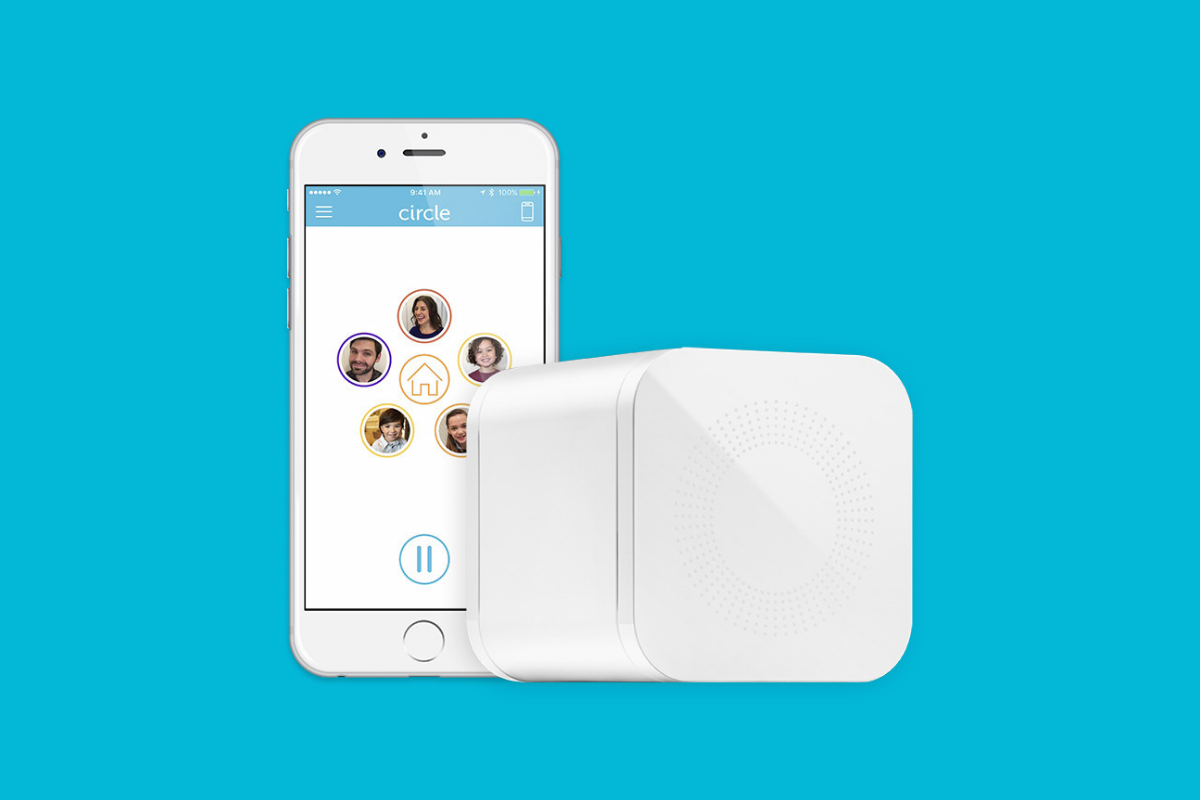
    Meet Circle, Our Favorite Home WiFi Parental Control Solution

    We love Circle. It monitors our kids online activity and protects them from happening upon websites they should be avoiding. I recommend Circle everywhere I go and to everyone I talk to. They have released a NEW VERSION of Circle that includes a year of premium features when you buy the device. If you are ok with having the older version (which is still supported, at least for now) you can get it for a third of the original price on Amazon right now.

    A Kid Friendly Watch with Messaging

    You may not want your child to have their own phone but need them to be able to contact you when necessary. This watch uses the Android operating system and allows GPS tracking, WiFi, Calls and Messaging. It also has a camera. The watch is kid sized, made for children ages 4-12. If you want the phone call option you will need to get a sim card from your cell service provider (Verizon and Sprint not supported.)

    Have Some Screen Free Fun!

    Parental Control doesn’t always mean keeping them safe while on technology. Sometimes it means keeping them off of tech completely. Board games are a great way to achieve the goal of entertaining your kids without screen time.

    Whatever age your kids are, there are some awesome off screen games available on Amazon’s Prime Day today. Whether you want to build a Unicorn Army, expand civilization through villages and farms, or collect jewels to earn more points than your opponents, these games are a ton of fun! Check out the deals on these tabletop games and sit down with your family, with no screens, and have a good time. Board games encourage eye contact, communication, healthy competition, and creative/critical thinking. They are good for learning as well as fun.


    Enjoy Each-other Outdoors

    Sometimes you just have to get outside. These activities will give you a chance to leave the technology indoors and head out for some “green time.”  Use your aim and dexterity to score as many points as possible in the classic Ladder Toss game which is on sale at a special Prime Day price for then next couple of days. If you’d rather toss Horse Shoes, this kid safe version of the outdoor favorite is also priced for Prime Day. If you want a new twist on an old classic, check out this Cornhole/Golf Chipping Target combo. It’s only $40 today.

    Thanks for partnering with BecauseFamily (Four Point Families 501c3)

    BecauseFamily exists to protect children and teenagers by bridging the technology gap between them and their parents. As we work to provide resources to parents and kids alike, you partnership helps us continue our mission to keep kids safe. Your options for supporting BecauseFamily are available at BecauseFamily.org/partnership and include direct donation through PayPal, ongoing support of our media content through Patreon, using our affiliate links, and signing up to support us on smile.amazon.com. The links above all direct you to the smile.amazon.com page for those products. You may be asked to sign up for who to support, search Four Point Families to elect us as the benefactor of your Amazon Smile donations. We are eternally grateful for your support!