Tag: kids

  • Fake News and Your Family

    Fake News and Your Family

    I’ve been hesitant to write about the fake news issue. While there have been plenty of stories come out about how the tech world is battling the fake news problem I have yet to be able separate the issue from people’s political feelings and so I’ve left it alone. Today, tech news sites are talking about the latest shot fired in the fake news war and it centers around the most popular site on the internet, Google.

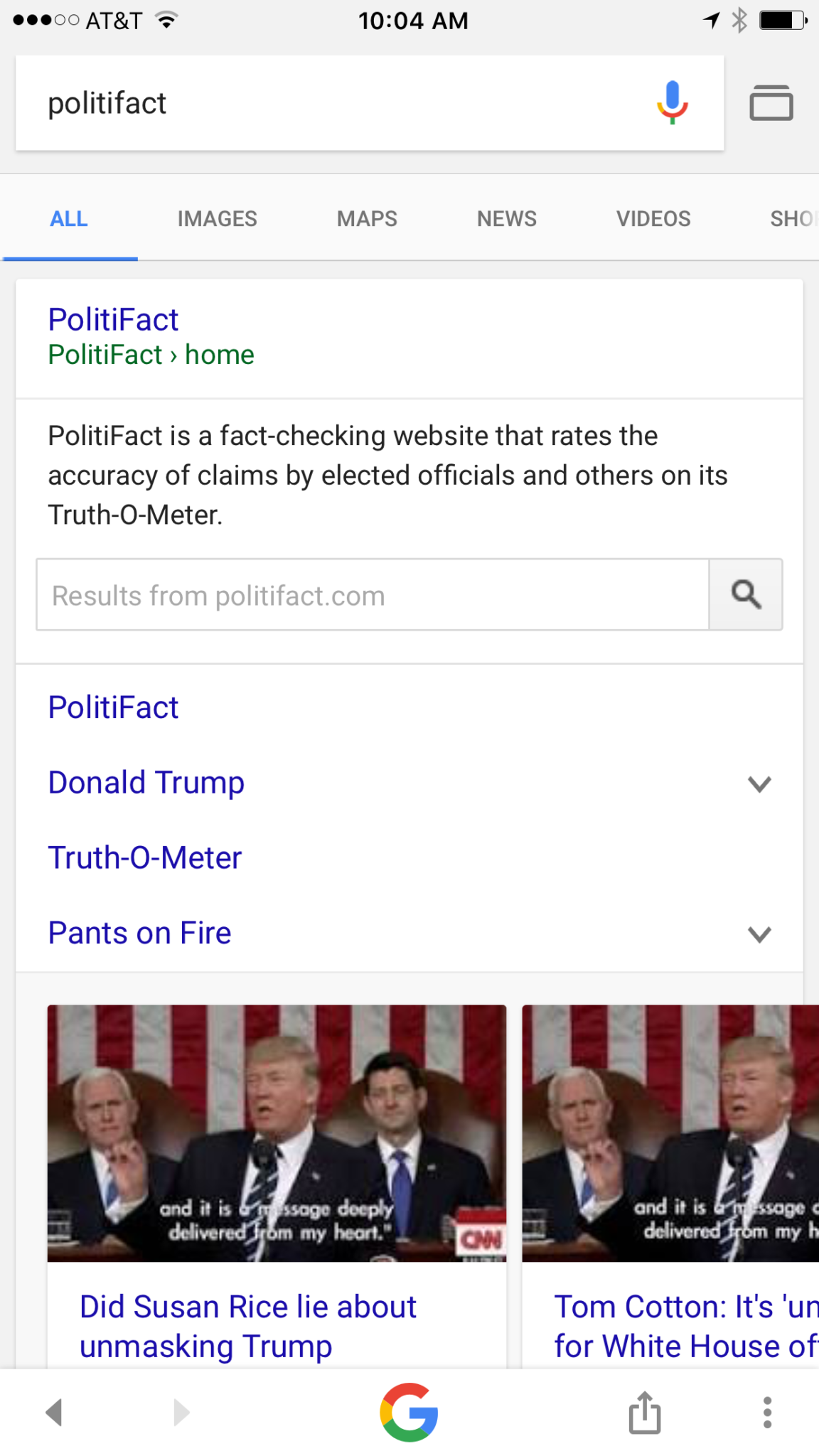
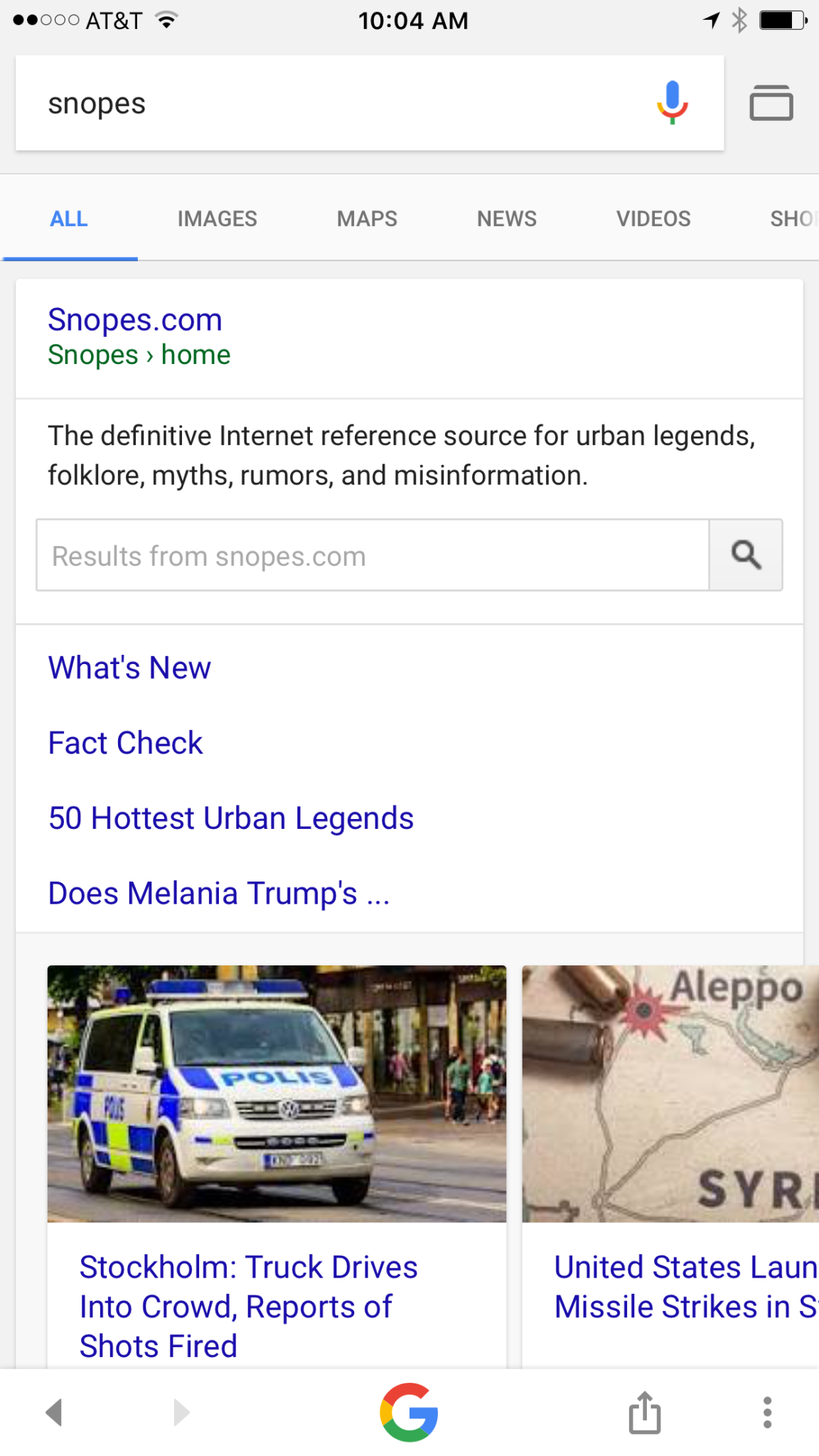
    Google is going to be featuring fact check links on many news stories in your search results. The need for more fact checking has become more and more obvious as the internet becomes full of user generated content. The issue with UGC is that you can say whatever you want and, until recently there weren’t a lot of ways to prove your story right or wrong. Links underneath some Google search results will now feature fact check information from sites like Politifact and Snopes. These should help those seeking true news and information to have a better understanding of the sources for the articles they’re using for their research.
     

    What Parents Should Know

    Fake news isn’t a kids and teens problem. Many adults share stories without finding out where the information came from. It isn’t difficult to recognize a satirical news site from a real news site. Fake news sites work to disguise themselves as real news. Satire is an obvious attempt at humor while fake news is usually just created to get clicks and sell advertising. You see, the more clicks a site gets the more money they make from advertisers on their sites. Writers on these sites will write a story based on the number of clicks it will get and not the accuracy of their information. Often these stories will be twists on something that is true while sometimes it’s just a completely made up article with a “clickbait” headline. We can’t continue to share these articles for so many reasons; the biggest reason is that it further confuses our society and divides us.

    Your children deserve a world where news is actual news. No matter your beliefs or political leanings you don’t want your kids to have to function in a society where there is no difference between factual news and an inflated false story written by some kid in a basement in Ohio (no offense to Ohio.) You should learn to fact check. Spend some time on Politifact.com or Snopes.com and dig around for the issues that are most important to you. Teach your kids what it means to site sources and look for the purest form of information or news. Yes, you can read about the latest tech news from me and I’ll related it to parenting and protecting your children online; that’s great, but if want to know more about Google’s fact checking search results you can go read their blog to get the information straight from the source.

  • PODCAST: Why is the Instagram Search Bar Recommending Porn

    PODCAST: Why is the Instagram Search Bar Recommending Porn

    The Wishbone App could be an bad idea for your tween daughter. Apple is making some changes in the app store. Amazon Prime Video now has parental controls. What can you learn from search bar auto-fill terms?


    Video Version

    – Social Media Links

    Facebook: http://facebook.com/4pointfamilies
    Instagram: http://instagram.com/becausefamily
    Twitter: http://twitter.com/becausefamily

    – Newsletter Signup

    Ministry Updates:: http://eepurl.com/R7Btr
    Weekly Blog Posts:: http://eepurl.com/cvnhXD

    – Websites

    Ministry Site:: http://becausefamily.org
    Tech Blog:: https://safe.becausefamily.org
    Michael’s Speaking Info:: http://kmichaelprince.org

    – Donate and Affiliate Links

    http://BecauseFamily.org/partnership

    Music by Kevin MacLeod at http://Incompetech.com

  • Amazon Prime Video Jumps on the Parental Control Bandwagon

    Amazon Prime Video Jumps on the Parental Control Bandwagon

    Our children get access to media through streaming content more than any other method. Many of the streaming content providers have allowed parents to protect their children using parental controls. Amazon prime video has just added that feature as well.

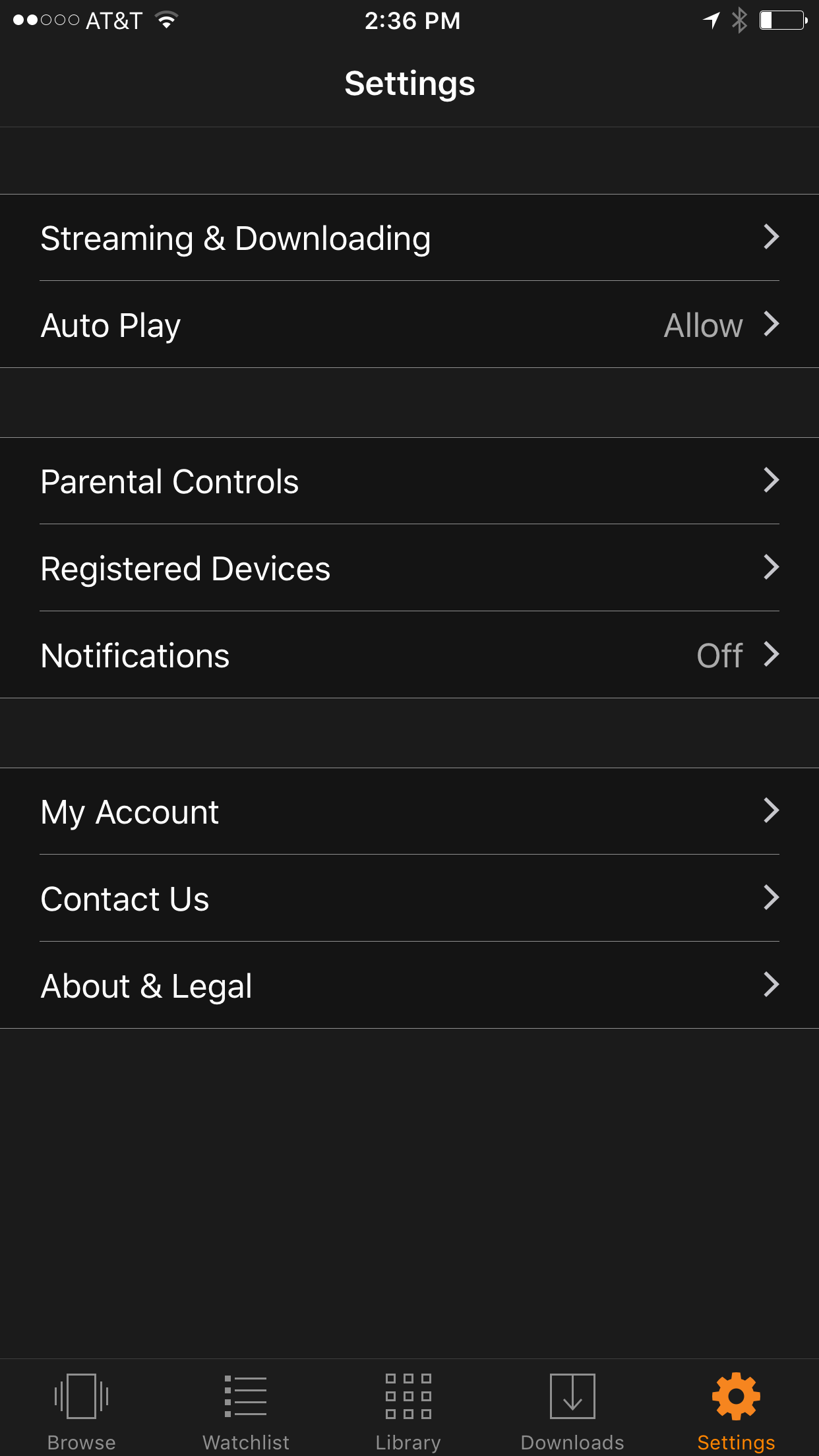
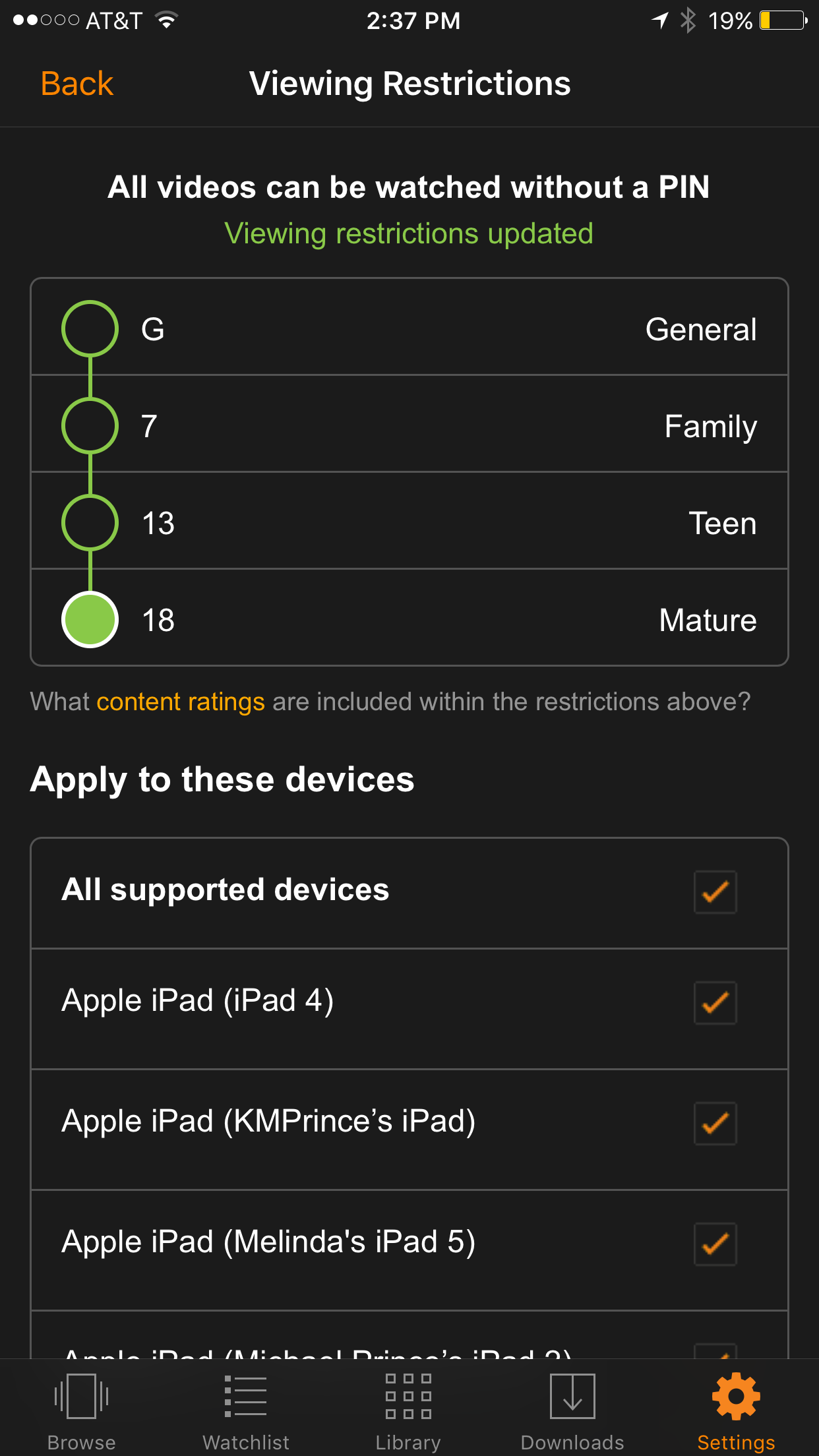
    We recently cancelled our Netflix subscription and switched over to Amazon prime because many of the shows our children enjoy have moved over there as well. Now you can ensure that your kids are only seeing shows intended for their age group. It’s really simple to set up; the photos below will show you how. (Photos show the iOS app, Android may differ slightly.)

    Go into your settings and tap Parental Controls.

    Set your desired age restriction and what devices should be included in the restrictions. 

    On iPhone you can also set up your Touch ID to bypass the settings when a video above the age restrictions is selected.

    What Parents Should Know

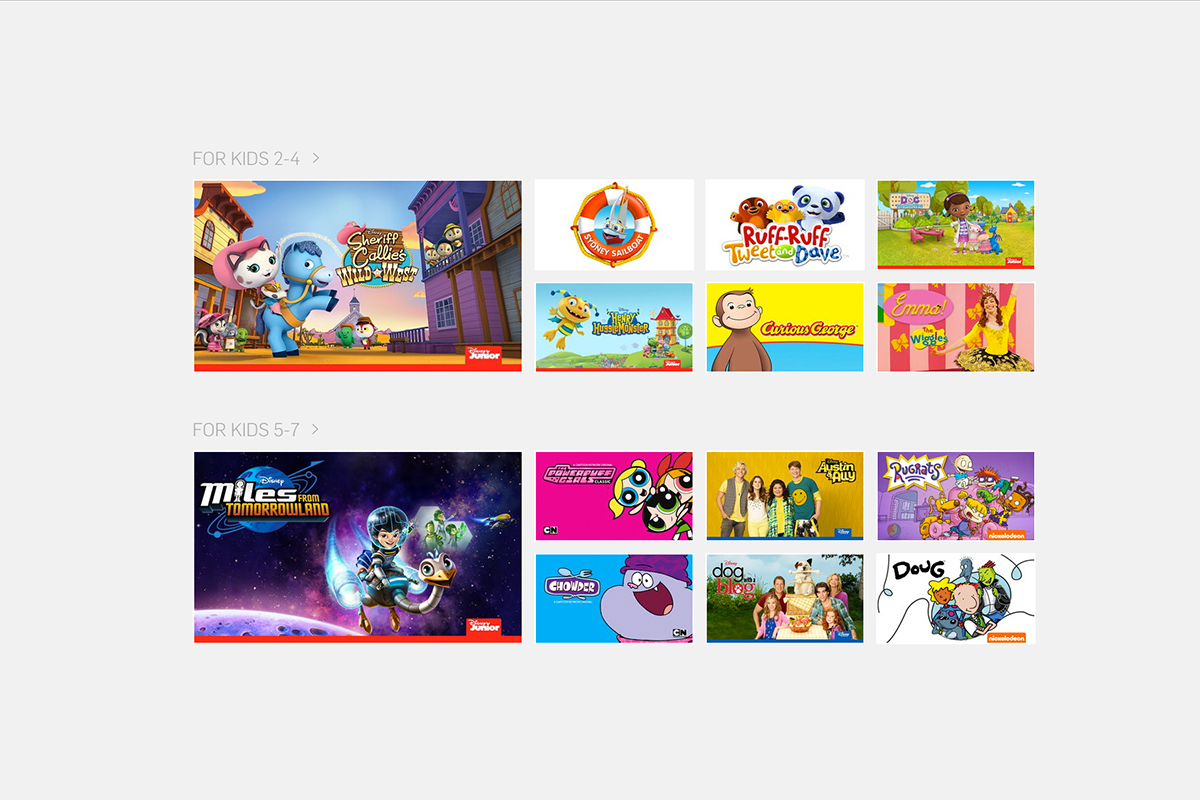
    Parental controls are a great feature but it’s also important to know what your children are watching. Parental Control settings batch all children’s programming together. It may not take into account the fact that some kid’s shows are geared towards older kids while others suitable for your preschooler. Kid shows, while not containing gore or sexual content, may still have violence and even some language at times. You should know what shows your kids like and why, I advise you even sit down and watch the show with them every now and then.


    Get Our Latest Posts in Your Inbox

    * indicates required


  • Snapchat isn’t Just a Messenger Anymore

    Snapchat isn’t Just a Messenger Anymore

    It may have all started with “secret” messaging but it hasn’t stopped there. Soon public sharing became the norm on Snapchat, a feature that was copied by many other Social Media networks soon after it’s release. Then, Snapchat’s “Discover” page was released, this was a way for news and media corporations to reach the users of Snapchat with their messages and advertising. Lately, Snap Inc. has been working towards becoming a serious form of entertainment for it’s users, incorporating videos and even original show content into their network. Today, VICELAND has announced they’re producing several new shows exclusively for Snapchat. They’re starting with a “reality” dating show titled “Hungry Hearts with Action Bronson.”

    VICELAND Productions is following several other studios in making original shows for Snapchat. Networks including NBC, CBS, and A&E have already announced that they’re making versions of their existing shows for viewing on Snapchat. These studios are seeing the growing adoption of Snapchat as an opportunity to reach a broader audience with their shows and content. One of the fastest growing demographics on Snapchat is the 18-35 age-group, one of the main target audiences for the late night and primetime television networks. With this trend towards entertainment content on our social media apps, it’s important that parents are aware of what these apps are becoming, we have to make good decisions on whether or not we want our kids consuming the media they’re producing.

    What Parents Should Know

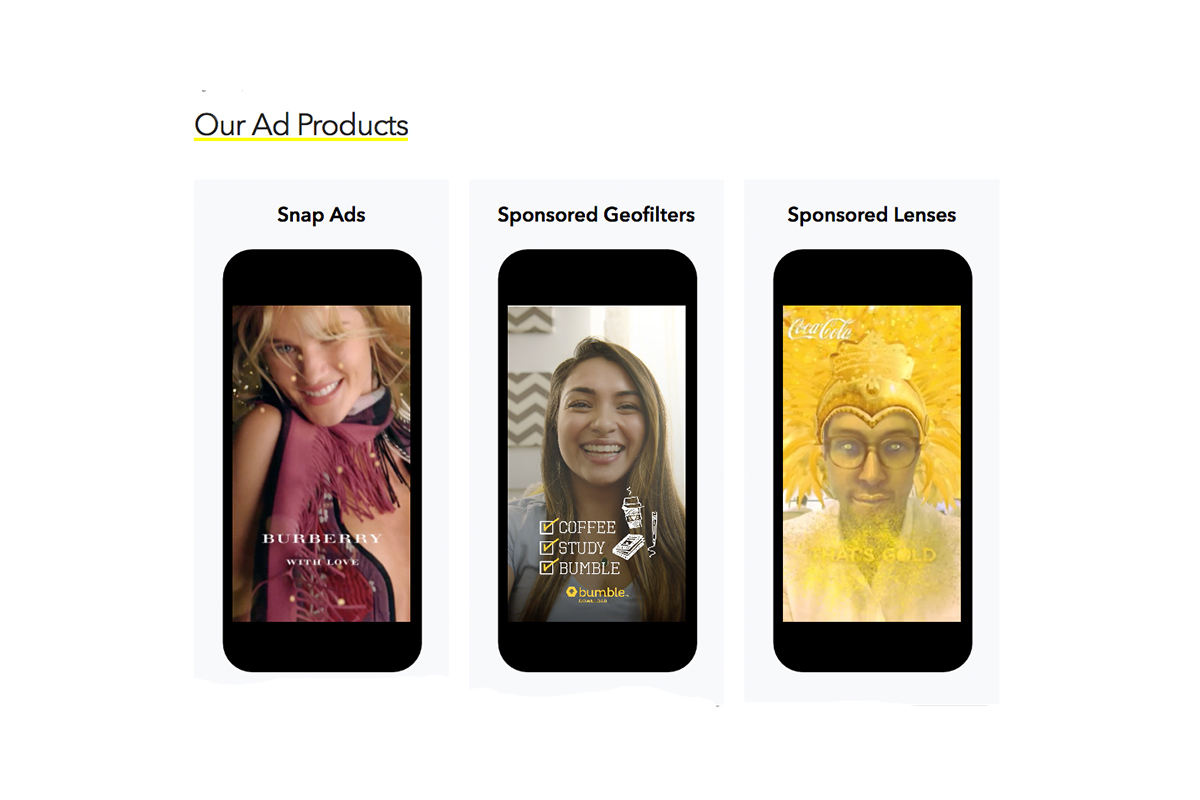
    Snapchat isn’t a trend and it’s not just a messenger anymore. What was once the “Secret Message App” or the “Sexting App,” as some called it, is now a major source of media for those who use the social media platform. This means we have to treat it differently than we do many social media apps. Keeping track of who they are friends with on these networks isn’t enough anymore. We have to keep a few things in mind if we are going to allow our kids to use Snapchat, Instagram, or any of these other apps that give advertisers and media content creators a direct outlet to our kids.

    Same Media as TV, Movies, YouTube, or Games.

    The creators of the content that will be made available through social media (Facebook has been signing agreements with media companies too) aren’t producing special more family appropriate shows. They will be making content that will reflect every other media outlet they produce for. Think YouTube Red, Netflix, or Amazon Prime. In fact, some of the rules that apply to broadcast television don’t apply to shows that are streamed online. This means that you’re more likely to see content like on Game of Thrones or Orange is the New Black than something with more restrictions like Blacklist or CSI. Don’t let the fact that these programs are being produced for free public streaming online fool you. They won’t be family friendly or edited for content.

    No Parental Control

    Snapchat currently has no parental control options. Their app is geared towards teenagers so they most likely won’t feel the need to add parental restrictions any time soon. The terms and agreements on most social media services allow for accounts to be created as long as you’re 13 years old or older. The question you have to ask is whether or not you’re ok with your 14-15 year old watching online reality dating shows or politically fueled sketch comedy. If you aren’t ok with these things then you have to make a choice about whether or not snapchat is welcomed on your kid’s phones or tablets.

    All or Nothing

    Social media apps are basically creating an “all or nothing” atmosphere for content created by these media outlets. Once you have an account on Snapchat, you have access to all that is contained in the app. Every person can be a friend or follower, every feed can be found and viewed, and every original show, no matter the target audience, will be available for viewing. With no parental control options the question isn’t what Snapchat content will be allowed, it’s “all or nothing.” They can see all of it, or none of it, those are your only choices. 

    Whatever you choose, you need to be educated about what these social media apps are producing. Keep checking in to Safe.BecauseFamily.org for up to date tech news that’s relevant for your family. Also, sign up for our Safe Online Newsletter. Just fill in the short form below.


    Sign Up for the Latest Family Tech News in Your Inbox

    * indicates required


  • Kids Online Too Long? Put the Power of Time Limits in Their Hands with UnGlue

    Kids Online Too Long? Put the Power of Time Limits in Their Hands with UnGlue


    Every now and then a resource comes along that we can’t wait to tell you about. Today, we are excited to show you UnGlue. We are always looking for the newest and simplest way to protect your kids online and UnGlue is answering the time limit question with some pretty great new ideas. Check out the video below to see the heart behind their cool new time limits software.


    “Kids are the ones that are hooked… they’re the ones using these devices …  And it’s not even their fault… they’re fighting with the best minds in the industry that are set on having them scroll just a little bit more. Just one more like, one more picture, one more chat, one more Pokémon, one more level. And they’re losing,” – Alon Schwartz (CEO of UnGlue

    UnGlue runs with the idea that kids truly want to do better at managing their screen time by placing the power in their hands. In fact, the founder of UnGlue doesn’t like to call their service “Parental Controls.” While parents do set the time limits, the kids are able to decide what they do with that time. UnGlue doesn’t only turn off internet access at a certain time, it designates between productive and “entertainment” internet activity. Parents establish the amount of time their kids are allowed to spend being entertained on a screen and their child is then able to use the time as they choose. They can even store up unused time to use later for some good ol’ fashion binge watching or playing. The UnGlue concept is a new one and, I think a great one.

    The only thing more important than keeping kids safe from the dangers of internet use and over use of the internet is teaching them how to be responsible in those areas for themselves. UnGlue puts the power in their hands and allows you to show them, through their own experiences, how they can better manage their time and be more effective and productive every day. In fact, I would go as far as to say that most of us parents could use an education on screen time management.

    I could go through all of the ways UnGlue allows you to set up their mobile app but I’ll just point you to their website and let you watch this video below. UnGlue is FREE to use so go check it out and email us at BecauseFamily@GMail.org to let us know how your experience was.


  • The Risks of a Fully Connected Home Part 2

    The Risks of a Fully Connected Home Part 2

    The Internet of Things has made its way into our homes and we are becoming increasingly used to being tracked and monitored. In this, part two, of our connected home series, we’ll look at advertising and what it means to our privacy, our homes, and our families.

    Advertising

    Our society has become so accustomed to our data being used to advertising that we aren’t even creeped out by the ads on Facebook reflecting our Amazon searches last night. When we get spam email based on what we did online last week, we just hit the delete button and think nothing of it. Individualised targeted advertising is a part of everyday life now and that’s probably not ok. When everything in our home is connected to the network we are feeding data miners with so much advertising fodder that it will become impossible to ignore the onslaught of targeted ads we will recieve. Imagine when your fridge can tell that you’re out of milk, so you get an advertisement for a coupon at Walmart in your email fifteen minutes after you’ve poured the last bit into your cereal. That sounds a bit creepy to me.

    When products like Google Home are “always listening” we have to wonder what some of that innocent conversation data can be worth to advertisers. Currently the policy is to not store any of that information but will the financial bottom line ever outweigh the disapproval of consumers? Is it possible that we will get so used to this targeted advertising that we won’t be phased by it anymore? Imagine standing on your back porch talking to your spouse about wanting to enclose it someday to make a screened in sitting area. What if, the following day, you saw advertisements for builders, finish carpenters, and handymen? Would that freak you out? Right now it may but if we continue to adapt to the “internet of things” we will soon take, even that level of targeted advertising, in stride. It will just become normal, everyday life. Especially for our children.

    What Parents Should Know

    Keep in mind that your children are a multi-billion dollar industry. Every time they play a game online or watch a video, they’re being marketed to. There is no way to avoid some of that marketing but there are ways to be smart about how we allow the corporations that sell us everything we use to come in contact with our children. As mentioned in part one, experts advise that if you are concerned about potential breaches in privacy while using a smarthome or digital personal assistant you should just avoid getting one. If you’re someone who thinks that the conveniences outweigh the potential concerns then take the steps necessary to shield your kids from targeted advertising as much as possible.

    Set parental controls if your devices have them. Make sure your usernames and passwords have been changed from the default ones and that you have read and understand the privacy terms of the product you have purchased. Set any privacy settings that may be available with your children in mind, not just yourself or other adults. Always remember that your child can activate Alexa, Echo, or Google Home as easily as you can. They aren’t equipped with voice recognition (yet) so you must have the safety features set up before you allow your child to use your digital PA. More on those safety settings in part three, tomorrow.

  • YouTube Kids Adding Original Shows and SmartTV Support

    YouTube Kids Adding Original Shows and SmartTV Support

    YouTube Kids has now been around for over two years. I’m still amazed how many parents don’t know about the curated kids streaming app. It is a pretty good safe alternative to YouTube’s more open and unsecure content. An announcement today could make YouTube Kids an even better option for your family.

    Today YouTube announced that they are going to launch four new original shows on the kids app. The shows will use people who already have a strong YouTube presence and be available only to YouTube RED subscribers. Shows like “Fruit Ninja; Frenzy Force” will be designed for younger kids while there will be a couple of shows, such as “Hyperlinked” (starring tween YouTube Music stars L2M) that are geared for children a bit older. There are more shows scheduled for the lineup and they range from animated cartoons to unscripted reality shows.

    Along with this announcement, YouTube has said they will soon be rolling out support for YouTube Kids to be viewed on SmartTVs from Samsung and LG. This will mean that content from YouTube Kids can come to life on a larger screen and be viewed more easily by more of the family at the same time. It seems that YouTube is really working to become a major player in the streaming entertainment world. New YouTube Red shows are coming out all the time and you can see many YouTube stars being interviewed on more mainstream media talk shows like Jimmy Fallon to promote YouTube’s original content. We are entering a new age in digital entertainment so be ready and pay attention.

    What Parents Should Know

    YouTube Kids is a good option for parents whose children enjoy watching videos on the streaming service. It’s a lot better than the YouTube app in which they can be as few as two clicks away from some type of violent or inappropriate adult content. While YouTube Kids is better, it isn’t without it’s faults. You will still want to put your eyes on what your children are watching every now and then. The original content means that, if you’re a RED subscriber, you will have a bit more than the clips from PBS shows, lets play, toy unboxing, and science videos. That’s a good thing but you’ll want to be aware of which shows are designed for what age audience. The trend is for messages in kids entertainment to lean towards kids a few years older than the target age of the shows.  That means you young daughter could be watching a show by music sensation L2M about what it’s like to be in High School. This could lead to eventual trouble if you aren’t aware of the message they are getting from the show.

    I always recommend parents having a total knowledge of what their children are spending their time doing. These original content shows may be designed for children but it’s important to remember that only you can decide if they were designed for your children. Nobody knows your kids like you do so only you can make the right entertainment decision for them. You should just allow unsupervised viewing of anything you’ve never seen, even if it is meant for children. Should your kids watch streaming content on YouTube Kids? If they are already using YouTube then absolutely yes. Should they watch the original content and use your tv to view it like other shows? That’s entirely up to you, just be sure your decision is based on knowledge, not a trust that the term “KIDS” always means safe.

  • QUICK! Go Set Up a Kids’ Profile on Your HULU Account

    QUICK! Go Set Up a Kids’ Profile on Your HULU Account

    The benefits of having a kids’ profile on your video streaming services are many. Keeping their eyes off of some of the obviously adult oriented content, collecting all of their favorite shows in one place so they’re easy to access, and most importantly (not really) keeping your recommended shows list clear of Daniel Tiger and Lalaloopsy. While the convenience of these profiles has been known for a while, some streaming services have yet to offer the option. Well, today Hulu has been added to the list of streaming options that will make it easier to protect your kids while they watch.

    While Kids profiles aren’t meant to be parental controls, they are a place for children to browse Hulu without accidentally running into mature content. A user with a Kids profile won’t be able to access Watchlist, search, recommendations, and auto-resume functions. – HULU Help Center

    Profiles will be available right away on hulu.com and soon on their mobile apps, smart tv, and media player apps. Just select the “Add a Profile” on the welcome screen or from the “Account” dropdown on the website then follow the steps to create your account. You can create up to six profiles and you will receive the option to label them “Kids” accounts. This will, as mentioned in the quote above, allow your kids to watch their favorite shows on HULU without the chance of running into adult oriented programs and suggestions. Some other features, including auto-resume (which is a bummer,) will be disabled but you’ll have a bit more peace of mind.


    Hulu is a monthly subscription streaming service that has many HBO and NBC shows as well as movies and original programming. Similar to Netflix, HULU has been creating their own shows for a little while now and have exclusive rights to become the only place to view some shows and movies. Hulu is allowing new users to sign up and receive a month for free, after the first thirty days they will be charged $7.99 per month for access with “Limited Commercials” or $11.99 for a commercial free account. Why not go create an account and a few profiles and take the next thirty days to see what you think about it. We’re just happy more services are jumping on the “Kid Profile’s bandwagon.”

  • This App Turns Deleting Bad Photos into Good Clean Fun

    This App Turns Deleting Bad Photos into Good Clean Fun

    The Struggle is Real

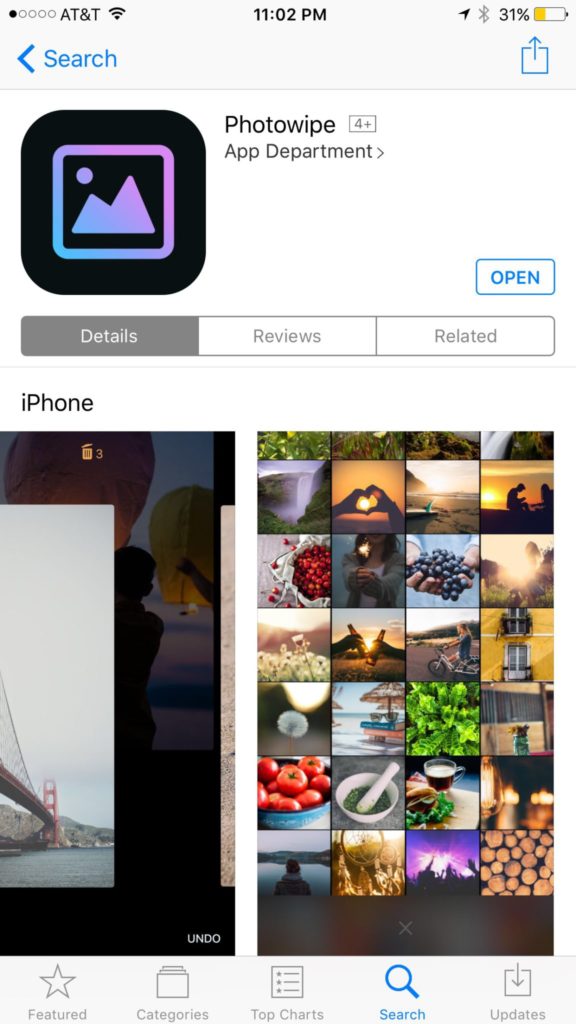
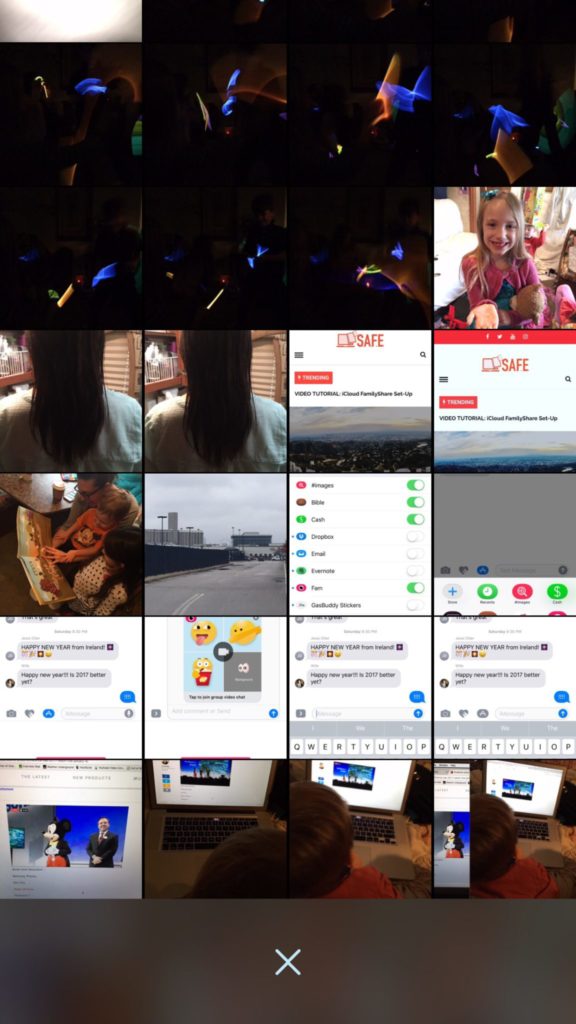
    Taking photos of a two year old, five year old, seven year old, and nine year old is a process. We’ll take six to ten to find the one that looks good. The result of this is our phones filling up with a crazy number of unusable pictures that don’t get deleted because, well, it’s a pain in the butt. Photowipe is a new app that will make deleting those unintentionally motion blurred pics easier and maybe a little bit fun.

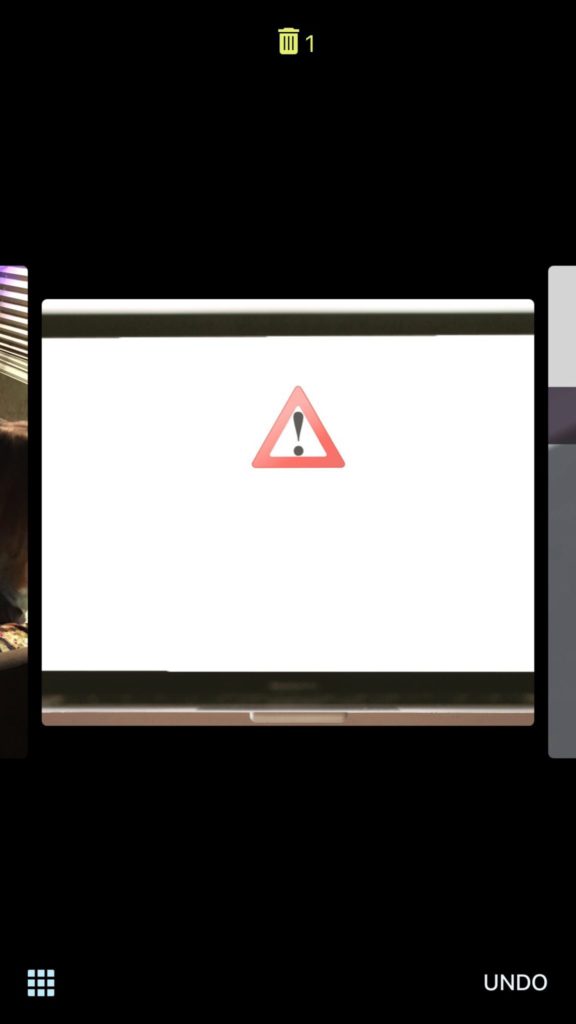
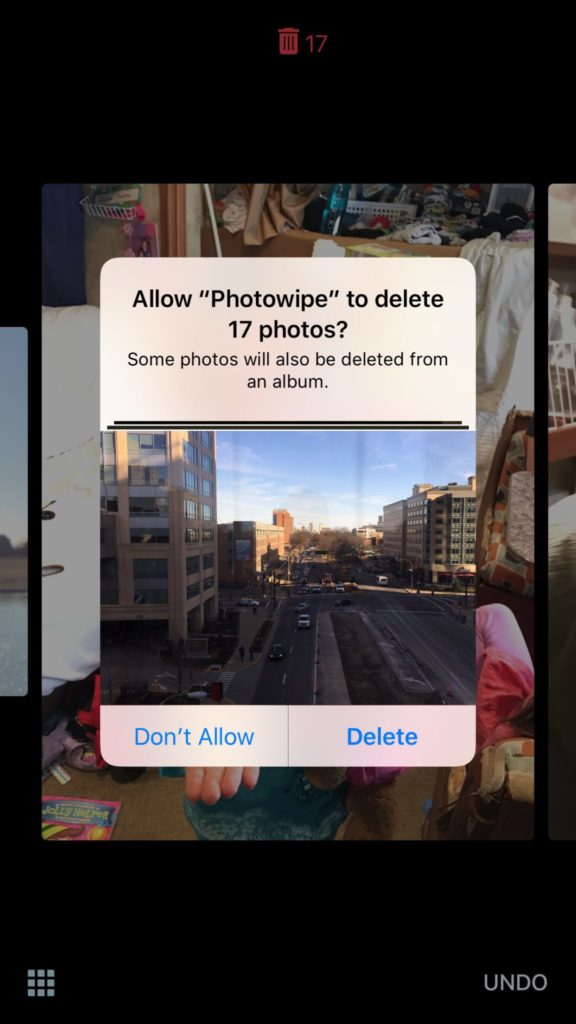
    The app will show you large versions of the pictures on your camera roll and will delete them based on your gestures on the phone. Simply swipe to the side to see the next photo or swipe up to add the current picture to the “trashcan.” The deleted photos will be stored for thirty days in a trash folder unless you force delete them all, which I will be doing every time.

    Also Read: Are your teens hiding photos in a calculator?

    We Say Give it a Try

    It’s a pretty good idea and actually a bit crazy that it’s just now come to be. Now it’s super simple to get rid of those pictures of your toddler’s nasty spaghetti face that you took because you thought it would make a good text message to your husband or all the memes you’ve saved to your camera roll to post in Facebook comments. You can use the slideshow below to get started.