Tag: kids

  • Instagram Rolls Out Major Updates to Direct Messaging

    Instagram Rolls Out Major Updates to Direct Messaging

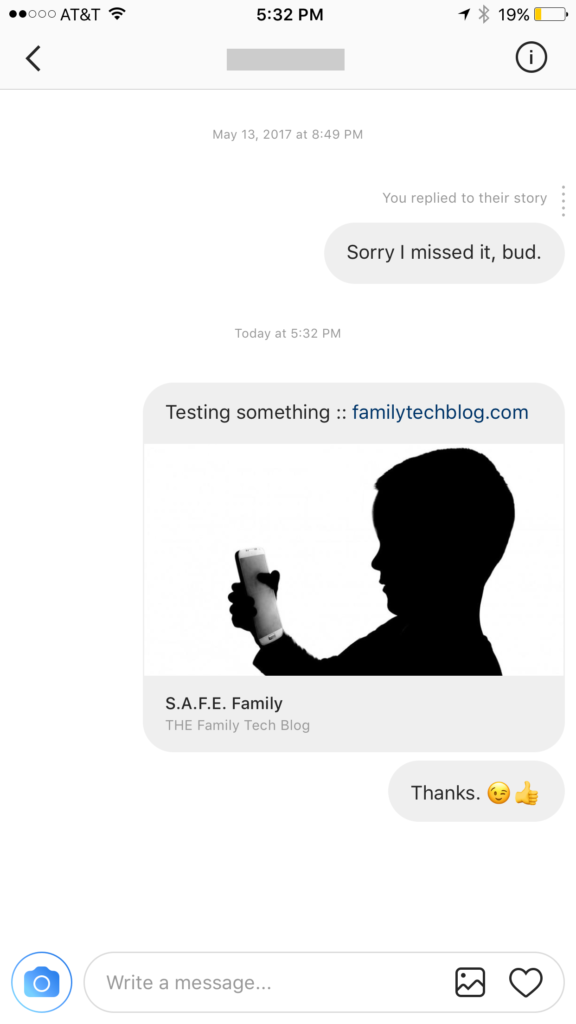
    Instagram has launched their seemingly weekly major update today with a focus on their direct messaging feature. Now it’s possible to see previews of links and to send full size images. (Not just squares.) While most of Instagram’s updates have focused on it’s Stories feature, the DM gets quite a bit of attention every now and then too. There seems to be a race between Instagram and Snapchat to develop the best private messaging option out there. Features like link previews and removing the image dimension limits will go a long way to make Instagram a serious contender for direct messages.


    Link previews look a lot like in FB Messenger.

    What Parents Should Know

    Obviously it’s important to know who your kids are talking to online. Private messages open up the possibility for kids to contact people they don’t really know very well. This can lead to full, private conversations with videos and images that are difficult for parents to monitor. There is no way to disable direct messaging in the Instagram app so if your kids are using the service they have the ability to contact people in private. These messages won’t show up on their image timeline and images won’t be stored on their phones unless they manually save them. This can result in private messaging that may cross your line of what’s appropriate.

    Links that show up in Instagram will open in the Instagram browser when clicked. This means some accountability software and filters won’t take affect. You should keep that in mind when deciding whether or not to allow them to use Instagram.

    My advice, as always, is to take whatever measures you’re most comfortable with to monitor your kids Instagram activity. The only way to monitor their private messaging is to have their login information. I show you how to log in as them on your own device in a video here. Prevention, monitoring, and conversation are the most important things you can do to keep your kids from unwanted material online.

  • Is Pinterest Safe for Your Kids and Teens?

    Is Pinterest Safe for Your Kids and Teens?

    Is there porn on Pinterest? Does Pinterest allow porn? I’ve heard both of these questions many times and the answers are very very different. Today, as Pinterest announced their new approach to advertising videos on their site and app, I’m reminded of the many parents who have discussed the potential dangers of Pinterest with me at workshops and other events. Lets unpack a few of those dangers, what Pinterest’s approach is, and what parents can do about it.

    There IS porn on Pinterest.

    I can confirm that there is pornography on Pinterest in two ways. First of all, I started some searches for inappropriate topics and (without having to click through to results) could see that there was porn available. Just typing the first few letters of these search terms produced recommended searches that told the entire story. 

    These results pretty much let you know what is available on the site and in the app. Searching more specific terms would, obviously, produce more specific results.

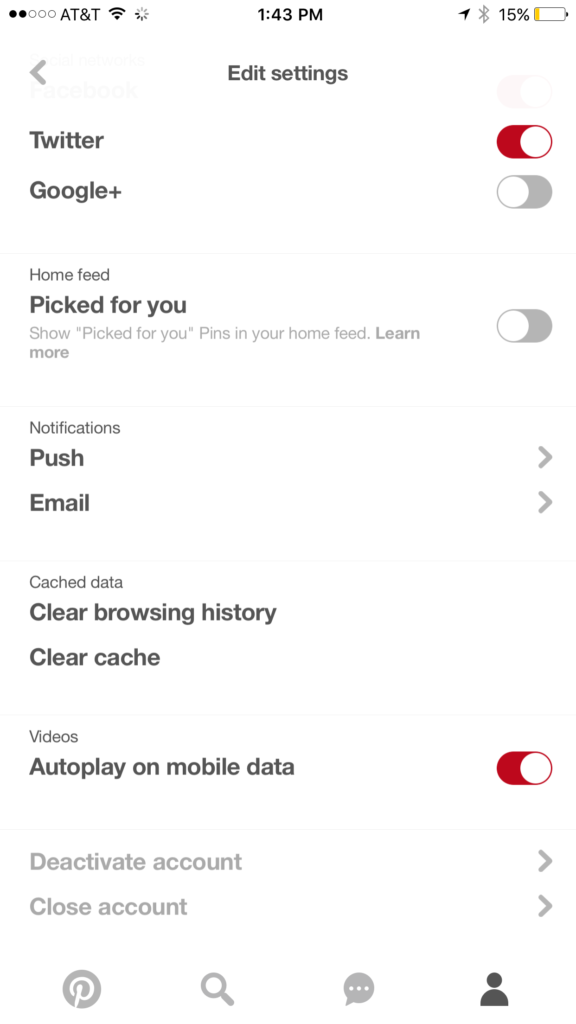
    While this covers intentionally searching for content, your kids may not be the type to have been in to that before so you don’t expect them to go searching for it. This is where it gets a bit tricky. Pinterest feeds you new content in two different ways. They show you pins from people you’ve decided to follow and they show you pins that have been “picked for you.” Pinterest uses what you do in their app and site as well as what you do on other websites to recommend different things to you. If you’ve liked art before then you’ll start to get more art posts. If you’re into geeky quotes, you’ll see pins from people you don’t follow based on what you’ve pinned or viewed in the past. This can lead to being shown pinners who’s pins may not line up with what you’d consider “safe” for your kids. There is, however, a way to turn off the “picked for you” option. See the image below:

    Go into your profile, then settings, and you can turn off personalization AND picked for you.

    Pinterest Doesn’t Allow “Explicit Content.”

    From Pinterest’s terms of service.

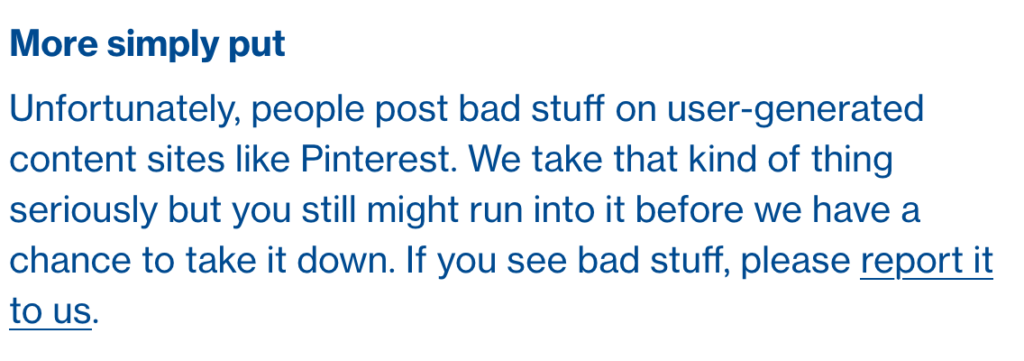
    Pinterest’s rules don’t allow explicit pornography to be posted but it relies on reporting from users to identify and remove the offending pins. This means that the post can be up for days or weeks before it gets enough reports to have it taken down. Another thing to keep in mind is that Pinterest will still use their own definition of “explicit.” You may think something is not good for your 14 year old son to view while they view it as art or expression. This means you have to truly stay on top of what they’re seeing.

    What Parents Should Know

    Again, much is left to interpretation. Some parents may say a photo of a nude statue is artistic and cultural and some might say it’s inappropriate. While some folks think any nudity should be considered explicit, there are parents who would disagree unless it’s in a sexual situation or atmosphere. There are many factors that keep photo sharing sites like Pinterest from making a blanket NO NUDITY rule.

    I would prefer if there were some way to turn off nudity as an option for users but as of right now that isn’t possible. It also isn’t easy to monitor what content is being viewed in the Pinterest apps. Yes, the service is built to work best on the mobile apps, my recommendation is that you limit your younger teen (over 13 to comply with the service agreement) to using Pinterest on a browser. Use something like Accountable2You to monitor their activity so you can be alerted if they’ve come across something inappropriate. This could help keep you from difficult situations stemming from your kids happening upon something adult oriented on Pinterest.

    So, to answer the question, is Pinterest safe for your kid or teen? The answer is no and yes. No it isn’t recommended for your child. The age restriction to get an account is 13. I would, however, begin to ease up on a strict anti-Pinterest rule as my kids enter their teen years but I would monitor their usage in the most effective way possible. Just because you’ve never seen anything when you creep Pinterest doesn’t mean it isn’t there. Know that this risk is real and that your kids are as susceptible as any. Take precautions BEFORE anything regretful happens.

  • PODCAST: How Does a Tech Safety Expert Protect His Kids Online?

    PODCAST: How Does a Tech Safety Expert Protect His Kids Online?

    How does a tech safety expert keep his own kids safe online? Is Instagram accessible without the app? What was in the big Snapchat update? What’s with fidget spinners in the app store?

    book info at: http://becausefamily.org/book

    subscribe on http://iTunes.com 

    FAMILY TECH WEEKLY 7

    Social Media Links

    Facebook: http://facebook.com/4pointfamilies
    Instagram: http://instagram.com/becausefamily
    Twitter: http://twitter.com/becausefamily

    Newsletter Signup

    Ministry Updates:: http://eepurl.com/R7Btr
    Weekly Blog Posts:: http://eepurl.com/cvnhXD

    Websites

    Ministry Site:: http://becausefamily.org
    Tech Blog:: https://safe.becausefamily.org
    Michael’s Speaking Info:: http://kmichaelprince.org

    Donate and Affiliate Links

    http://BecauseFamily.org/partnership

    Music by Kevin MacLeod at http://Incompetech.com

  • Location and Hashtag Search Makes Instagram Stories Unending

    Location and Hashtag Search Makes Instagram Stories Unending

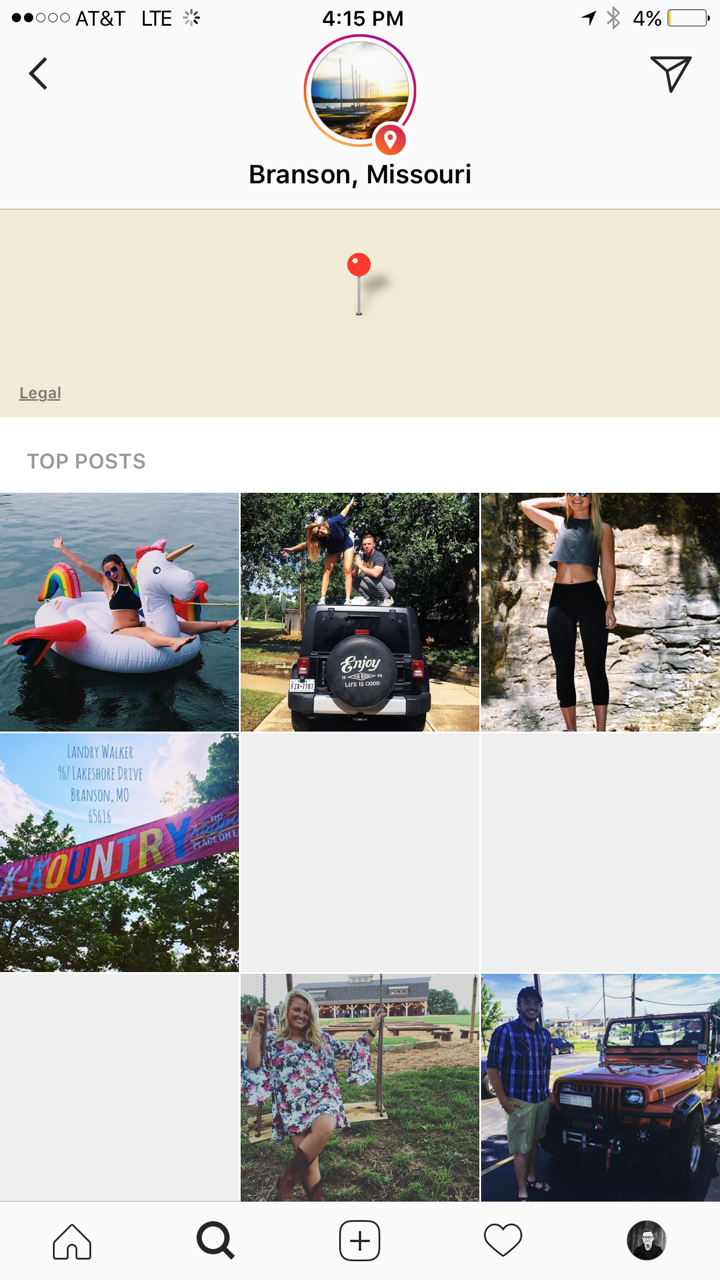
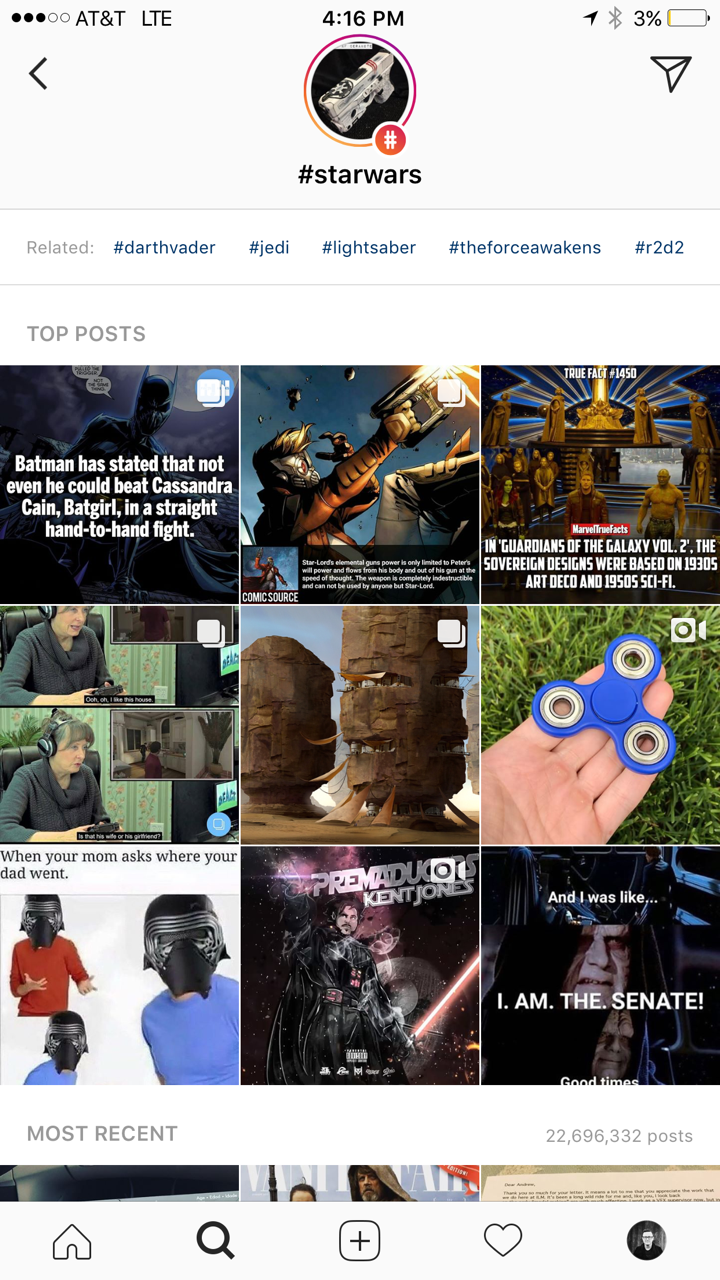
    Instagram has added the ability to search Stories by hashtag and location. This means that your explore tab will now give you access to basically unlimited Instagram story content. Instagram is going to feature location tagged stories by people you follow and also from people you don’t. If you search for your town, or any town for that matter, you’ll see a small map, the posts featured from that town, and if it’s been tagged in a story you’ll see that above the map as well. This will give more access to more stories and may lead to following more people on Instagram. Hashtag results will work in much the same way. You’ll be able to search stories by topic with the hashtag. It will also highlight the posts you and your friend’s made by featuring them first in the results.

    What Parents Should Know

    There’s always a bit of a red flag for me when there’s more potential to be connected with strangers on Social Media. Location and Hashtag filters allow you to find people you’ve never met and see what they’ve posted. Granted, the explore feature already makes that pretty easy. Instagram’s algorithm will gather these people and posts and present them to you from a simple search. These explore and search results aren’t going to be monitored by any accountability software since they’re not technically in a browser. You should take steps to monitor what your kids do in Instagram yourself. You should also lead the conversation with them about Instagram as these new updates come out.

  • Fidget Spinners are Coming to Your App Store

    Fidget Spinners are Coming to Your App Store

    When something becomes trendy in the offline world you can almost guarantee it’ll show up in some digital form. The theory rings true with the latest elementary school kid craze, the Fidget Spinner. While doing my daily scroll through the most popular apps on the Apple App store I noticed a couple of Fidget Spinner games. “Of course!” I said to myself, “it was only a matter of time before the app store tried to cash in on the popularity of the toy trend. Fidget Spinners have caused a lot of conversation among psychologists, sociologists, parents, and educators recently. Everyone seems to be talking about them. My goal was to avoid them on the blog because, “Hey, they aren’t on a smartphone or tablet.” Well, that’s no longer the case.

    Fidget Toys have gained popularity recently as a way to help kids with ADD, ADHD, and anxiety focus during class and other times when they need a longer attention span. Blocks, dice, balls, and other items have served teachers and psychologists well as they help these children excel in their every day tasks. Spinners toys gave another option and even boast in their advertising that they can increase focus and productivity. The problem with that according to some teachers and psychologists is that a good fidget tool will allow you to keep your eyes focused somewhere else while playing with it. This will increase your attention on the speaker or teacher or video simply because your hands are busy. A Spinner’s main benefit is the spinning itself. This spinning must be viewed to be fully enjoyed. This is why many teachers are banning the toys from their classrooms. They are saying the Fidget Spinner is simply a distraction. In a recent CNN story a teacher said:

    We have kids using them in class and the kids nearby are distracted by them. There are kids playing with them (during class) and showing other kids. – CNN

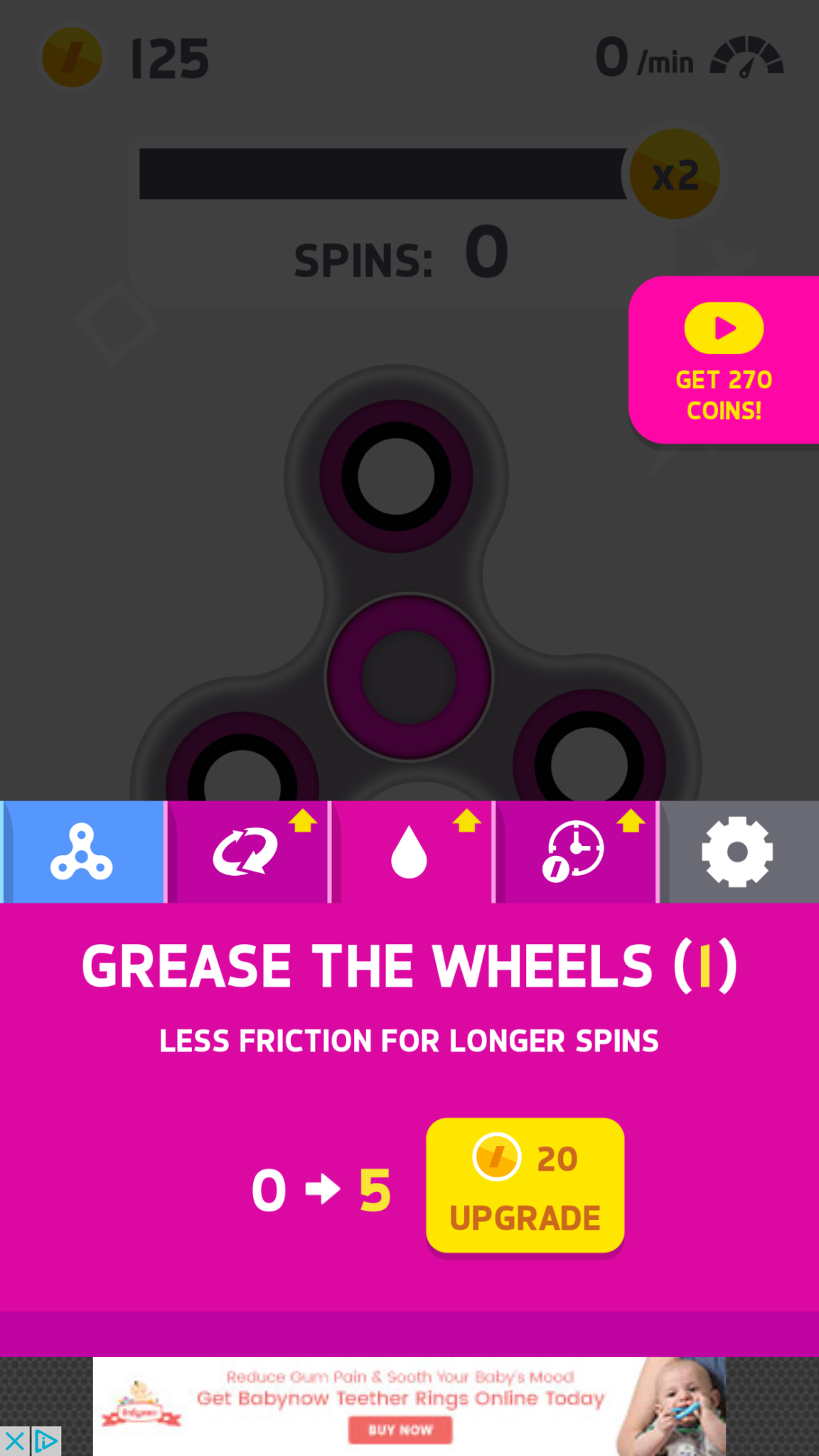
    Many kids have a Fidget Spinner simply because its the latest craze. They don’t need it for focus, its just a toy for them and that’s completely fine. The benefit I’ve heard many parents mention from using the Fidget Spinner as a toy is that it keeps the off of their screens for a longer time. Well, app developers have an answer to that too. Currently, the fasting rising apps on the Apple AND Android app charts are Fidget Spinner games. I downloaded a couple of the iOS games and played for a bit. Here’s how it works.


    What Parents Should Know

    Obviously these apps aren’t dangerous on their own. There is advertising involved, however, and it will most likely not always be geared toward young users. You can also watch ad videos to get coins, the ads were mostly for other free, casual style games. You can pay to get rid of the ads if you’d like. If screen time is a problem then these games could cause some issues. The one I spent the most time on, Spinner, had me trying harder and harder to get more spins out of my spinner. I wanted those coins so I could see what the next spinner design looked like or upgrade my speed. Kids who find themselves hooked on games like this would definitely have the same problem with one of these fidget spinner apps.

    My advice is, as always, to know your child. You have to know if your kid is the type to get hooked on something like this. If they use fidget toys because it helps their attention span then apps like Spinner may not be a good idea since its well known that screen time can cause kids to have more trouble focusing. Let me just finish by saying that these apps are not designed to help your kids with focus or attention. They are simply created to capitalize on the Fidget Spinner craze. In fact, playing the game could take the place of the real spinner altogether for some kids. That just means more screen time, more advertising, and more distraction. We, as parents, have to have the right information and make quality decisions about how our kids spend their time. Hopefully the info in this article can help you take the right steps.


  • Why Your Teen Posts Her Feelings On Social Media

    Why Your Teen Posts Her Feelings On Social Media

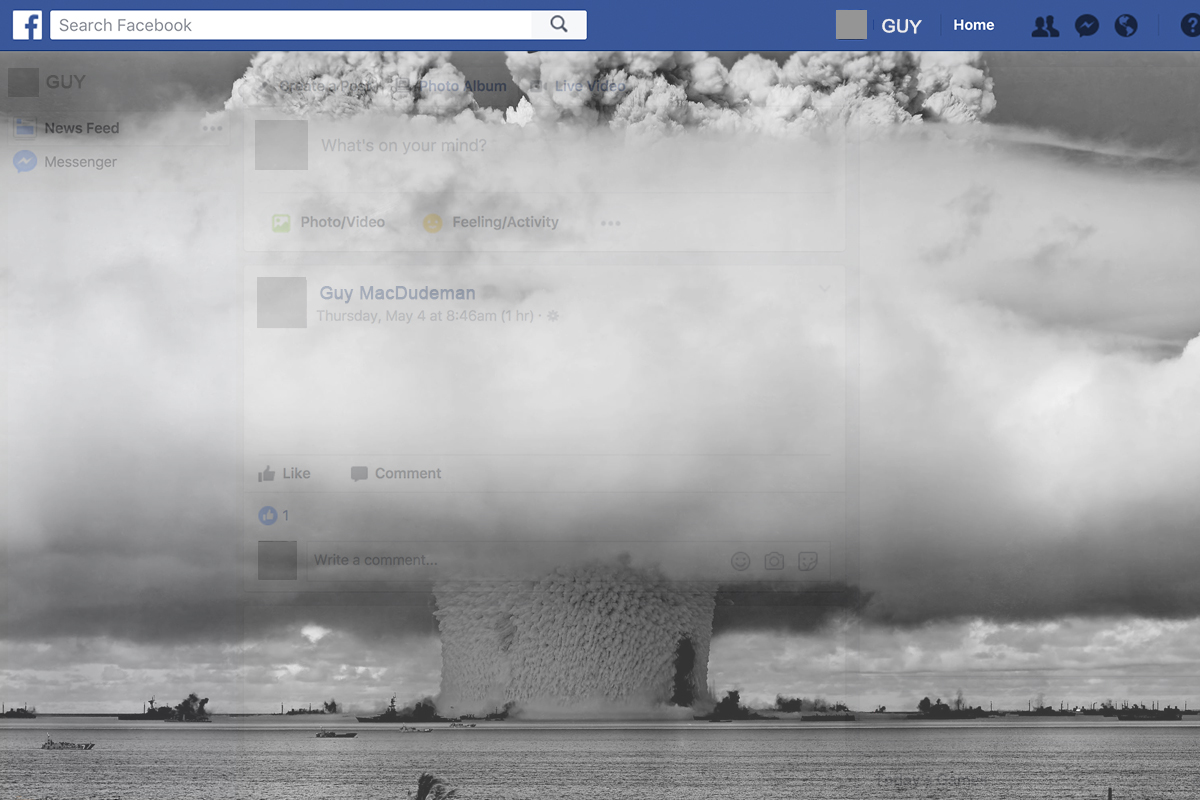
    I’ve seen them called “vaguebook posts.” It’s the status on social media that hints at some sort of trouble or drama but doesn’t go into detail. It can be annoying to see these things on our Instagram or Facebook feeds but sometimes they’re not just cries for attention, they’re cries for help. Teens are being taught (rightfully so) that it’s better to express their feelings than to hold them inside. Studies are showing that more and more young people are admitting to having bouts with depression, anxiety, and even suicidal thoughts. Social media has become a safe place for them to express how they feel. The problem is that it can often open them up for criticism and unwanted attention. 

    The 12-month prevalence of MDEs (major depressive episodes) increased from 8.7% in 2005 to 11.3% in 2014 in adolescents and from 8.8% to 9.6% in young adults (both P < .001). – Pediatrics Journal Study

    The reasons for these increasing numbers could be related to increased awareness of the symptoms of depression but regardless of the reason, they are statistics that parents should pay attention to. Mental Health professionals are championing more awareness and openness about depression and anxiety. They agree that being outspoken about how you feel can lead to prevention, early detection, and even increase the likelihood of sufferers getting professional help. The problem, however, may be that this transparency is happening in a public forum like Social Media. This is where parents come in.

    What Parents Should Know

    I am not a psychologist  or licensed counselor. I don’t have a professional opinion on the mental health of your teenager. I do, however, have a professional opinion of their activity on Social Media. As a family internet safety expert I see parents struggle to open the lines of communications with their teens. An emotional post on social media should be seen as an open door. There is no more important thing in the life of your young adult or teenager than the ability to be transparent with you about how they feel. If they are posting on social media about depression, anxiety, and especially suicide, it’s time to bring that conversation into a face to face meeting. Posting such transparent posts (even if they’re vague) on social media opens your child up to more bullying and harassment which could be what’s contributing to the problem in the first place. They should be advised to express those thoughts vocally to someone they trust.

    My advice is to start the conversation with your child even before you see any sign of depression. Ask them how they are doing and feeling. Ask them if they feel overwhelmed and if there is anything happening in their lives that you should know about. If you are seeing true signs of these depressive episodes then don’t hesitate to seek out a licensed counselor that can mediate your discussions with your teen. The world they are growing up in is very different than it was even twenty years ago. The standards that kids are asked to live up to are higher. Criticism is more public and the media is teaching messages that conflict with what many of feel is healthy for our kids to believe. This problem is real and it isn’t going to solve itself. We, as parents, have to step up and help our teens make quality decisions when it comes to their feelings and mental health. Take the first step today. Have a conversation.


    Sign up for our email list to get our family internet safety checklist and the Safe Blog Uninstall List.

    Get Our Latest Posts in Your Inbox

    * indicates required


  • How To Control What You See on Every Social Media Timeline

    How To Control What You See on Every Social Media Timeline

    One of the most common complaints I hear from parents is that they never see the posts they want to see on their social media timelines. They will scroll through their Facebook or Instagram feed looking for an interesting post, something from family, or even their own children and instead be bombarded with articles about politics or silly memes or chain letter type posts that want you to click like and share for some reason. If your feed is crowded with this sort of chatter it makes enjoying the purpose of social media very difficult. If you’re like me, you use your social media feeds as a way to keep up with friends and family, to promote the work that you do, and to be entertained and laugh at silly internet things. Well, the algorithms designed by those who build these social media platforms are created to give you the best experience. The problem is that it’s all based on your behavior on the site or in the app. If your behavior contributes to the clutter then you’re just going to get more clutter. Here are some tips to help you sort out the mess that may be your social media feeds.

    Remember who is on what social media service.

    There are different audiences on different social media sites. The split is based on a number of factors. Age, career, and gender are the major contributors. Twitter, for instance is more popular for young professionals looking to network and build a community of like minded business people. Instagram is a whole lot of young people and young parents who got tired of the clutter in Facebook and Twitter and just enjoy sharing photos. Facebook has a very large middle aged demographic and has seen a major decrease in young users over the past several years. Snapchat is full of youngsters but is growing rapidly in the 18-25 demographic. The reasons that people choose the platform that they choose can seem pretty obvious and it’s important to keep those reasons in mind as you use social media. You aren’t going to care too much about the photos of a ton of young parents and teens if you’re a middle aged parent who’s adult kids who have no children of their own yet so you may not open an Instagram account. As soon as your 22 year old daughter and son-in-law have a baby, though, and post photos of her online. Instagram is where you’ll want to be.

    Don’t like and join every FB page or group you’re invited to.

    Facebook Pages are created for advertising and promotion. They all link to a business, blog, or something of that nature. Because of this they’ll post nonstop and any time you react to one of their posts in any way you’re telling Facebook to show you more of what they post. So, if you’re a follow of a Facebook page, say the BecauseFamily Page, for instance, and you want to see more of the great resources and articles that they share, you’ll want to interact with their posts more. If you follow a page like Silly Kittens Playing Piano (I think I made that up but it’s probably out there somewhere) that posts fifty pictures a day that you don’t really even find that funny, you’re going to see more of those photos than you see most other things. Especially if you have ever clicked the like button on any of them.

    You see, the algorithm on Facebook gives you posts from the pages and groups you’re apart of based on how often you react to those posts. When you click the like button on every kitten picture you see, you’ll eventually see almost nothing but cat pictures on your Facebook feed. Now, if that’s what you want then awesome, but if you’re trying to keep tabs on what your kids are posting online, those cats are going to get in the way. You should probably click like a lot less. That’s my next tip.

    Leave the Like Button Alone!

    The like button on Facebook or the heart icon on Instagram and Twitter is basically a little “show me more” button. This is you telling the algorithm that you enjoy that kind of content and want to keep seeing it. The problem with this is we treat the Like button as passive aggressive head nod toward the content we’re seeing. You have to understand, it’s more than a head nod. It’s a subscription. You may be seeing tons of posts that you think are stupid or posts from people you barely even know. If you are, it’s because you’ve been clicking like as if it’s the same thing as a casual grin across the room. I’m sorry to say it but it’s your own fault.

    A couple of years ago I swore off of the the like button. I decided that if a post isn’t worth a comment, I wouldn’t react at all. After a couple months of that behavior, my Facebook feed started to become enjoyable. I see the geeky stuff that I like more than I see anything else, I don’t see much annoying click bait content anymore, and my friends and family are front and center and they don’t even have to tag me in their posts. I’ll often show my wife something hilarious that has come across my Facebook feed and she’ll ask me why my feed is so awesome. I don’t click like on ANYTHING I will tell her. Now, I will add that likes on comments within a post are an exception. I’ll often click like on a reply to one of my comments. That doesn’t add to the clutter since it’s on a post I have already commented on, thus deeming it worthy of being filed with the algorithm as something I’d like to see more of.

    Lastly on this topic, it’s important to remember that nobody gets blessed, goes to heaven, or receives better medical care because of a Facebook like. That’s called click bait and it only exists to help the page that shared it get more traffic and sell more advertising. 

    Only open posts from people you want to hear more from.

    Sometimes we see a post that peaks our interest and before we know it we’ve dived head first down a rabbit hole. When you click on a post on Facebook or Twitter, the algorithm remembers it and feeds you more posts by that poster. That means the rabbit hole doesn’t end when you’ve closed the article. It will continue on your feed from now on. The most important thing when deciding what links to click on on social media is who is posting it. If you don’t want to see more from that person or poster then you shouldn’t click the link. Also, it’s important to consider the original poster, not just the person who shared it. This info can help you populate your feed with only people who’s word you trust and respect and fewer of the random and nonsensical articles that seem to be so prevalent in our social media feeds these days.

    Use the “Follow,” “Notifications,” or “See First” options. 

    A great way to make sure you don’t miss a post by someone you care about is to tell Facebook you’d like to “See if First.” You can also tell Instagram or Twitter to notify you when someone you want to follow posts something. You can watch this video to see how to set up notifications on most of your accounts.

    Take Control

    Social Media algorithms are often treated like an enemy that we struggle to fight against. Every time Twitter or Instagram or Facebook changes the way they order your news feed petitions start showing up to put it back the way it was. The truth, though, is that these algorithms are tools. It’s a form of artificial intelligence that was designed to give you more of what it thinks you want. It decides what you want based on how you act. This means that if you don’t like what you’re seeing on your timelines, you need to change what you’re doing on your social media accounts. I’ll ignore the obvious life application here and just recommend that you apply some of the above advice to how you handle your online experience. Get back to me in six months and you can thank me for how much more “well behaved” your timeline has been recently.

  • Tumblr App Installs “Adult Content On Switch”

    Tumblr App Installs “Adult Content On Switch”

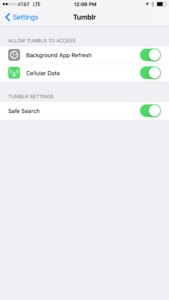
    Tumblr has lost some traction over recent years. It’s not so much a social media platform as a blog host and not really even that. It’s more used for GIF (animated images) posting than anything nowadays. Apple has always had a pretty strict standard on adult content in the apps in their app store. They require developers to have adult content disabled by default. This usually means that image searches on your browser should be without any blatant pornography unless your search is specifically for that. Tumblr has updated their iOS app with a workaround for this rule. There is now a switch that will allow users to turn adult content back on in Tumblr. It’s actually a “safesearch switch” and it’s set to on by default, thus following the rules set up by Apple. All it takes, however, is for someone to go to the settings page of the app and turn the safesearch option off. This will unleash the cacophony of adult content that is available on Tumblr (many say that pornographic images and gifs have become it’s main purpose) on the user.

    What Parents Should Know

    The Tumblr app is basically a browser in which anyone with an account can see any of the user generated blog content posted on the site. As mentioned above, the app has become inundated with adult content and is not safe for anyone you’d like to keep from those sort of images or videos. The safe search switch isn’t located in the restrictions settings on your iPhone. It is just in the settings for the app. This means safesearch changes can be made without a password. This app is an easy way for your child who has been looking at inappropriate images or videos to access more of that. Now that the safesearch can be turned off, you’ll want to add this app to the uninstall list.

    Our children can be greatly harmed by pornography. Studies are showing it’s addictive nature and the ability it has to alter a person’s sexuality and preferences, creating what they call an “arousal template.” This causes kids to be attracted only what they’ve seen online and can create serious problems for them in the future. They also say that kids who view pornography are six times more likely to force others into sexual behavior. Many in our culture view online adult content as only entertainment but it’s being proven that it’s detrimental to the mental health of our kids. If there is anything you can do to protect your children from adult online content, you must take steps to do so. Uninstalling Tumblr just became one of those steps.

  • PODCAST: Should I Follow My Teen on Social Media?

    PODCAST: Should I Follow My Teen on Social Media?

    Facebook wouldn’t stop talking about augmented reality, the Hooked app is super addictive, and should you follow your kids on social media?

    HUSHATHON :: http://becausefamily.org/hush

    Social Media Links

    Facebook: http://facebook.com/4pointfamilies
    Instagram: http://instagram.com/becausefamily
    Twitter: http://twitter.com/becausefamily

    Newsletter Signup

    Ministry Updates:: http://eepurl.com/R7Btr
    Weekly Blog Posts:: http://eepurl.com/cvnhXD

    Websites

    Ministry Site:: http://becausefamily.org
    Tech Blog:: https://safe.becausefamily.org
    Michael’s Speaking Info:: http://kmichaelprince.org

    Donate and Affiliate Links

    http://BecauseFamily.org/partnership

    Music by Kevin MacLeod at http://Incompetech.com

  • PODCAST: Date Night Monkey Business

    PODCAST: Date Night Monkey Business

    Amazon is changing the parental controls game, Instagram has 200 mil users, and MONKEY is a hotbed for predators.

    FAMILY TECH WEEKLY EPISODE 3

    Social Media Links

    Facebook: http://facebook.com/4pointfamilies

    Instagram: http://instagram.com/becausefamily

    Twitter: http://twitter.com/becausefamily

    Newsletter Signup

    Ministry Updates:: http://eepurl.com/R7Btr

    Weekly Blog Posts:: http://eepurl.com/cvnhXD

    Websites

    Ministry Site:: http://becausefamily.org

    Tech Blog:: https://safe.becausefamily.org

    Michael’s Speaking Info:: http://kmichaelprince.org

    Donate and Affiliate Links

    http://BecauseFamily.org/partnership

    Music by incompetech.com