Tag: iphone

  • Families Receive Threatening Messages after Iowa School Network Hacked

    Families Receive Threatening Messages after Iowa School Network Hacked

    A school district in Iowa canceled a day of classes after a network breach allowed hackers to send hateful messages to families from the public school. The messages contained personal details about students and threatened to do harm to them and their families. Apparently, the threats weren’t credible except to stir up fear and make a show of their ability to access the information. There is a theory that this could be an attempt to threaten people as to warn the FBI to stop investigating them.

    The group is called “thedarkoverlord” and they’ve been responsible for recent info leaks and hacks of organizations like Netflix and Larson Studios. They have been under investigation for these hacks and could have performed this recent “attack” as a warning. They even tweeted out links to the contact information of the students from the school district, stating that predators can now use that information to plan their targets.

    With the student directory from JCSD we released, any child predator can now easily acquire new targets and even plan based on grade level.

    — thedarkoverlord (@tdo_hackers) October 5, 2017

    What Parents Should Know

    Network security is becoming a more and more serious issue. We live in a world where all of your personal information is available in multiple locations online. If you, as a digital citizen, aren’t thinking about important tools like passwords and usernames your information can end up in dangerous hands. The best advice I can give you is to ask your school district if they have someone responsible for the security of their network and if so if they can keep something like what happened in Iowa from happening at your school. Then make sure you follow some simple network security rules yourself. Use different passwords for different sites. Use passwords or passphrases that, while easy for you to remember, aren’t easy to guess, and don’t ever use default passwords on websites, routers, modems, or computers. 

  • PODCAST: Parental Controls Showdown – Android v iPhone

    PODCAST: Parental Controls Showdown – Android v iPhone

    FAMILYTECHWEEKLY: The parental control showdown! Which OS has better built in parental controls? iOS or Android?

    Buy a book for an underprivileged family: https://www.facebook.com/donate/22627…

    Social Media Links

    Facebook: http://facebook.com/4pointfamilies
    Instagram: http://instagram.com/becausefamily
    Twitter: http://twitter.com/becausefamily

    Newsletter Signup

    Ministry Updates:: http://eepurl.com/R7Btr
    Weekly Blog Posts:: http://eepurl.com/cvnhXD

    Websites

    Ministry Site:: http://becausefamily.org
    Tech Blog:: https://safe.becausefamily.org
    Michael’s Speaking Info:: http://kmichaelprince.org

    Donate and Affiliate Links

    http://patreon.com/becausefamily
    http://BecauseFamily.org/partnership

    Music by Kevin MacLeod at http://Incompetech.com


  • Update Your iPhone Today or Get Hacked Tomorrow

    Update Your iPhone Today or Get Hacked Tomorrow

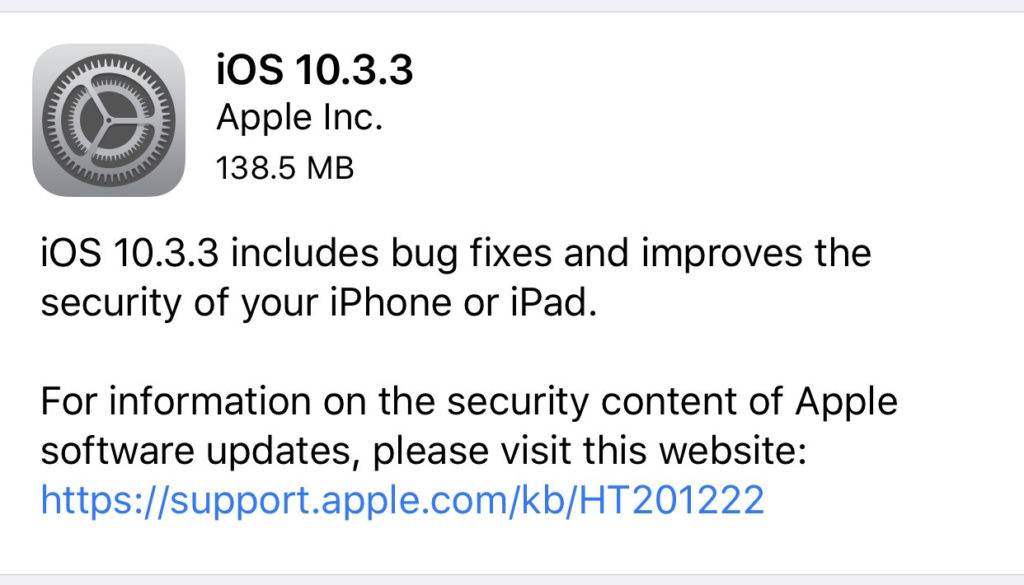
    Most of the posts on this blog are about how to keep your kids safe from pornography, cyberbullying, predators, and other threats like that. However, protecting your and your children’s devices from hackers is equally as important. That’s why you need to know about yesterday’s iPhone update. The latest version of iOS 10 will sure up a gap in security that would allow hackers to use the wifi chip in your device to gain access to your iPhone or iPad. This means that you don’t have to do anything to allow them access, just be close enough to their wifi network with your phone’s wifi connection turned on. That’s a crazy easy hack.

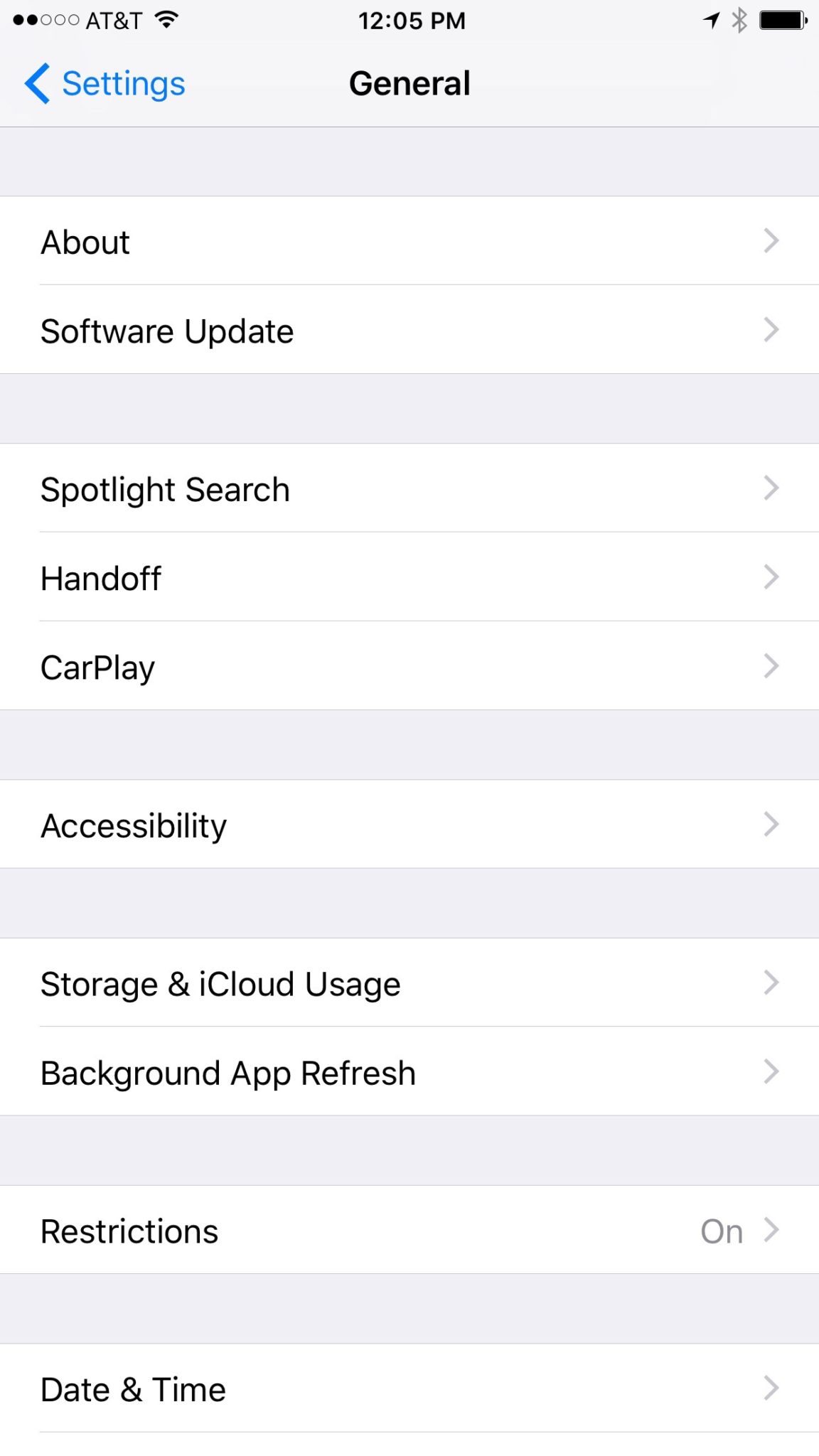
    Here’s what you should do. Install the latest update TODAY. You should have been asked yesterday (Wednesday July 20th) if you’d like to update, if you ignored it then it’s time to go into your settings, tap on general, and then software update. On the update page click install now and plug your phone in to power. This will get you all secure. If you have an Android phone you received an update a couple of weeks ago that should have fixed the issue. If you’ve been ignoring that update then stop doing that and install now. I’ve written in the recent past about the importance of updating your operating system and this news is just more evidence of how urgent some of these updates can be.

  • Tumblr App Installs “Adult Content On Switch”

    Tumblr App Installs “Adult Content On Switch”

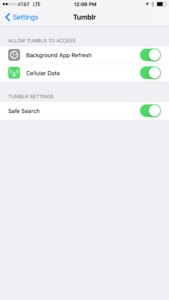
    Tumblr has lost some traction over recent years. It’s not so much a social media platform as a blog host and not really even that. It’s more used for GIF (animated images) posting than anything nowadays. Apple has always had a pretty strict standard on adult content in the apps in their app store. They require developers to have adult content disabled by default. This usually means that image searches on your browser should be without any blatant pornography unless your search is specifically for that. Tumblr has updated their iOS app with a workaround for this rule. There is now a switch that will allow users to turn adult content back on in Tumblr. It’s actually a “safesearch switch” and it’s set to on by default, thus following the rules set up by Apple. All it takes, however, is for someone to go to the settings page of the app and turn the safesearch option off. This will unleash the cacophony of adult content that is available on Tumblr (many say that pornographic images and gifs have become it’s main purpose) on the user.

    What Parents Should Know

    The Tumblr app is basically a browser in which anyone with an account can see any of the user generated blog content posted on the site. As mentioned above, the app has become inundated with adult content and is not safe for anyone you’d like to keep from those sort of images or videos. The safe search switch isn’t located in the restrictions settings on your iPhone. It is just in the settings for the app. This means safesearch changes can be made without a password. This app is an easy way for your child who has been looking at inappropriate images or videos to access more of that. Now that the safesearch can be turned off, you’ll want to add this app to the uninstall list.

    Our children can be greatly harmed by pornography. Studies are showing it’s addictive nature and the ability it has to alter a person’s sexuality and preferences, creating what they call an “arousal template.” This causes kids to be attracted only what they’ve seen online and can create serious problems for them in the future. They also say that kids who view pornography are six times more likely to force others into sexual behavior. Many in our culture view online adult content as only entertainment but it’s being proven that it’s detrimental to the mental health of our kids. If there is anything you can do to protect your children from adult online content, you must take steps to do so. Uninstalling Tumblr just became one of those steps.

  • PODCAST: Date Night Monkey Business

    PODCAST: Date Night Monkey Business

    Amazon is changing the parental controls game, Instagram has 200 mil users, and MONKEY is a hotbed for predators.

    FAMILY TECH WEEKLY EPISODE 3

    Social Media Links

    Facebook: http://facebook.com/4pointfamilies

    Instagram: http://instagram.com/becausefamily

    Twitter: http://twitter.com/becausefamily

    Newsletter Signup

    Ministry Updates:: http://eepurl.com/R7Btr

    Weekly Blog Posts:: http://eepurl.com/cvnhXD

    Websites

    Ministry Site:: http://becausefamily.org

    Tech Blog:: https://safe.becausefamily.org

    Michael’s Speaking Info:: http://kmichaelprince.org

    Donate and Affiliate Links

    http://BecauseFamily.org/partnership

    Music by incompetech.com

  • Apple’s App Store Changes May Cost You a few Bucks

    Apple’s App Store Changes May Cost You a few Bucks

    One of my favorite things to do on my phone is search the App Store. I enjoy seeing what new releases are out, what apps might be discounted, and what apps I should add to my wish list. I often download an app to try it out just because I can easily see that it’s free. Apple’s new rules will block App developers from putting price information in the titles of their app. 


    This change means that apps that produce a free version won’t be able to use the title to illicit more installs. The game of making money through mobile app development has taken many turns over the past several years. You may have noticed that most of the top grossing apps are considered “Freemium” which means downloads are free but they sell content to you within the app. Having FREE in the title has long been a useful strategy for this type of software. Eliminating the price in the title could decrease the number of downloads for these apps and in turn, they’re revenue.

    Please remove any references to your app’s price from your app’s name, including any references to your app being free or discounted. If you would like to advertise changes to your app’s price, it would be appropriate to include this information in the app description. – App Store Submission Rejection Notice 

    These changes will immediately affect new apps being submitted to the App Store. There is no word if changes will be required for apps that are already listed in the store.

    What Parents Should Know

    We have all started to get used to the freemium model of app development and how to educate our kids about it. This update could change a few things. First of all it may not be as easy for younger kids to know if the app they’re looking at is free or costs something. Of course the price is listed right next to the app but this wouldn’t be the first time a kid accidentally spent some of their parent’s money.

    Secondly, if developers aren’t gaining more installs they may be required to raise prices on their in app purchases. This would mean that apps you may pay a little bit for would cost you extra. Alternatively, you could end up with fewer freemium apps and more that just charge you upfront for initial access.

    Whatever the result of these changes by the Apple App Store, the most important thing is, as always, that your children understand what has happened and know how to navigate the store properly. Teach them that money spent in these apps is often real money and usually your money. Set up your parental controls so that they have to ask permission to install anything. This will help you keep your money safe as well as your children.

  • Smartphone Separation Anxiety is Actually a Thing!

    Smartphone Separation Anxiety is Actually a Thing!

    Our world is advancing rapidly towards another new technology age. With computers in our pockets all day long it was only a matter of time until we became so dependant on them that the thought of losing them is one of our greatest fears. Researchers are finding that that time has come. Results released last week from a study done by Eotvos Lorand University in Hungary shows evidence that young people suffer significant stress if they are separated from their smartphones. 

    The study was small, only testing 87 volunteers, and asked subjects to take simple math tests in a mostly empty room. Some of those who participated kept their phones, others were asked to turn theirs off, another group locked up their phones and were given someone else’s phone instead, and the final group put their smartphone in a locked cabinet and couldn’t have access to it during the entire study. The findings were pretty much what any of us would expect.

    Those who kept their phones (whether on or off) had no noticeable signs of stress about the test they were taking and the group that had someone elses phone showed a very low stress level as well. The other group (the people with their phones locked in a cabinet) showed significant heart rate fluctuations, an indicator of high stress and similar to symptoms shown by people suffering from PTSD, and tended to drift towards the cabinet their phones were locked in. The volunteers in this group were also very fidgety, scratching their faces and pacing. The researchers took these results as an indicator that there may be a very real link to smartphone separation and anxiety. 

    What Parents Should Know

    This test was a very small sample study and will likely be followed up with some more extensive research. Small as it may be, though, I think we have all either seen or experienced firsthand the symptoms of smartphone separation anxiety. I, personally, make a conscious effort to spend extensive amounts of time without my phone, just to keep from getting so attached. I still find myself reaching for it when it isn’t there. It may seem obvious but I think these tests are a good idea because we should know more about how our habits affect us. 

    As parents it is important that we understand that addiction to technology is very real. While research is only now beginning to explain what’s happening when we get hooked on our electronics, the findings are disheartening. Our brains can actually be trained to ignore stimuli that isn’t on a screen and prefer the phone, tablet, or television over a book, a real sunset, or even someone’s face. We should be aware of how much time our children are spending using their technology and work hard to teach them healthy habits. We have to set the example first, and then set boundaries that will help them understand limits, why we have them, and what happens if we ignore them.

    Use consequences that truly fit the crime for overuse of technology. If they feel a small example of that separation anxiety from being grounded from their phone for a week, you have an opportunity to help them see that their feelings of stress should be avoided and can be avoided with a more healthy attitude towards their digital lifestyle.

  • Advertising on Snapchat Gets Creepy 

    Advertising on Snapchat Gets Creepy 

    Snapchat’s Always Been About Privacy

    The initial appeal of Snapchat was the disappearing images. The idea was that your conversations with friends stayed between you and them. It was a novel concept in a world where anyone who wants can comment on your post on Facebook or Retweet you on Twitter. SNAP inc., the company that now develops Snapchat even let the privacy theme stay in the way they allowed advertisers to use their site. Last fall a feature allowed business accounts to import their email and phone contacts to target current customers with advertising but that meant the companies were using information that already belonged to them.

    The new announcement about advertising  means that marketers can use data from a third party data collection agency to target their audience based on what they do outside of snapchat. You know the feeling when you follow a whim and lookup the entire collectors set of Star Trek The Next Generation on Amazon and then see the ads for Star Trek pages on facebook the next day? Well, now the same icky feeling is available on Snapchat.

    The silver lining here is that you can opt out of targeted advertising on your accounts page. Snapchat has yet to release an in-app announcement notifying users of the addition or the option to toggle it off though.

    Snapchat’s CEO Said Ad Targeting is Creepy

    “I got an ad this morning for something I was thinking about buying yesterday, and it’s really annoying” Spiegel declared. “We care about not being creepy. That’s something that’s really important to us.” – Snap CEO Evan Spiegel

    Snap is a Real Company Now

    In September of 2016, Snapchat changed their company name to SNAP Inc. This led to some changes in how they did business, including adding hardware (Spectacles) to their repertoire. It has also meant that some of their earning decisions have changed and this step to provide more accurate advertising to companies who use Snapchat for marketing is a perfect example of one of those decisions.

    SNAP isn’t a company that makes an app for High Schoolers anymore. According to the latest reports Snapchat brags 301 million monthly users and are projected to earn over $900 million in advertising in 2017. That’s right, it’s time to take snapchat seriously. The app was largely considered a young person’s trend for a while after it launched but it has quickly become a serious part of the Social Media landscape. In fact ages 18-30 are one of their fastest growing user demographics. When you take all of this into account you realize that this shift in the view of targeted marketing was just a matter of time.

    Marketing Ruins Everything

    Remember when email was simpler? You had one address and just used it to chat with family or to do business. Now you have to have your spam address, newsletter address, family address, signup address, business address, and the email you never check anymore. This all happened because marketers ruin everything.

    Facebook was all about social connection, now you can’t scroll through three posts without a sponsored ad beckoning to you to buy some monthly box of uselessness. Marketers ruined Facebook too. Don’t get me started on YouTube. Sitting through a lame movie trailer before you can watch the cool movie trailer you clicked through to see…it’s all too much.

    It looks like Snapchat is next in line. The inclusion of ad targeting by Snap will allow everything, even some of your offline behavior, to influence the advertising you will see on your Snapchat story.

    What Parents Should Know

    Snapchat makes a lot of appearances on this site because it’s one of the most relevant social media apps out there. I recommend understanding the app and how it works if you’re the parent of a teenager. If they don’t use the app then they want to and you will need to be knowledgeable about it before you make the decision whether or not to let them start Snapping. While sexting is always a concern on any messaging app, the marketing announcement today confirms what I have been saying since this fall. Advertisers want to notify your teenager when they have a new message for them and Snapchat just made it even easier for them. 

  • The Only Safe Way to Give Your Child an iPad and Walk Away

    The Only Safe Way to Give Your Child an iPad and Walk Away

    Small Kids Need Internet Safety Too

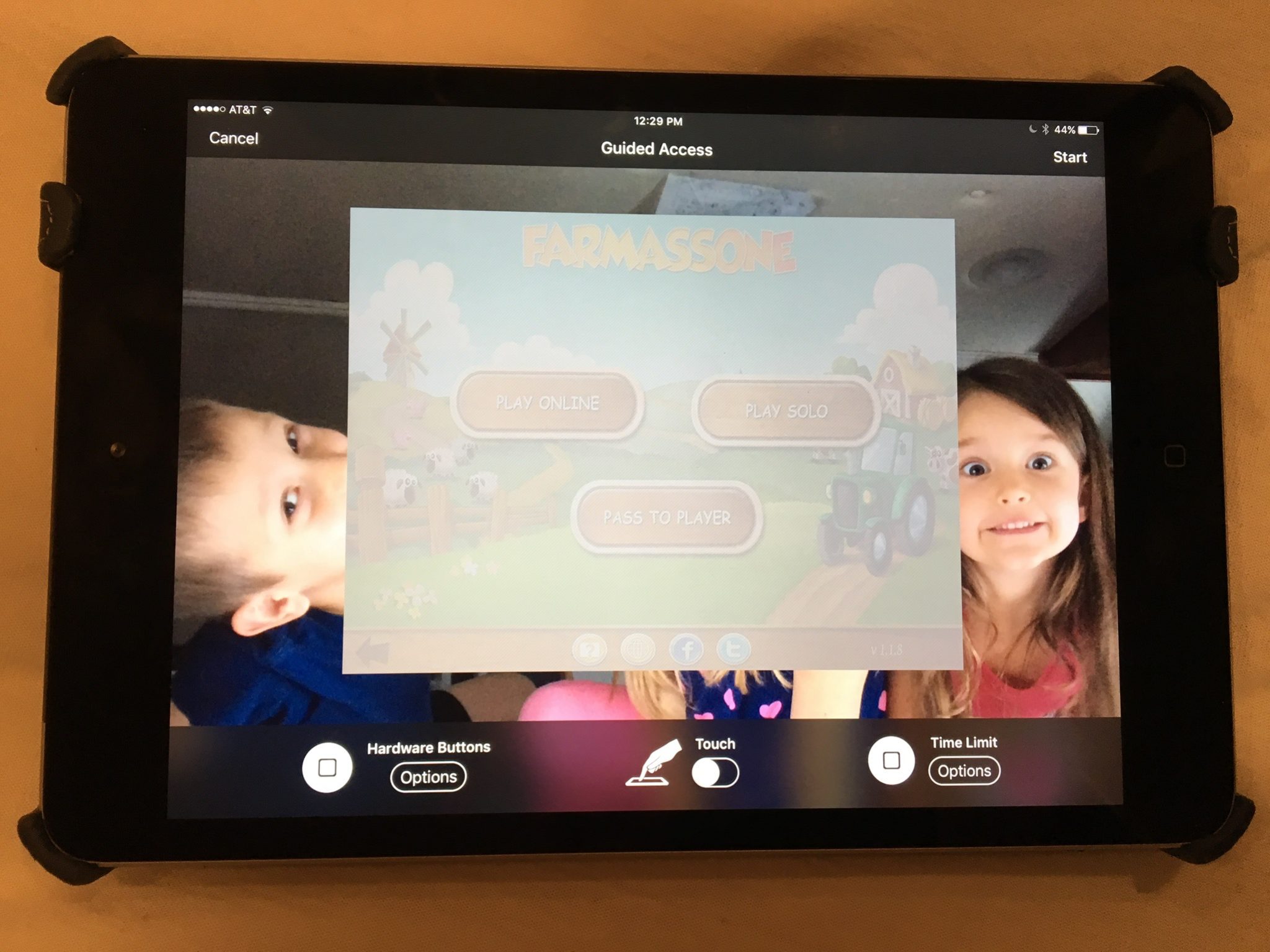
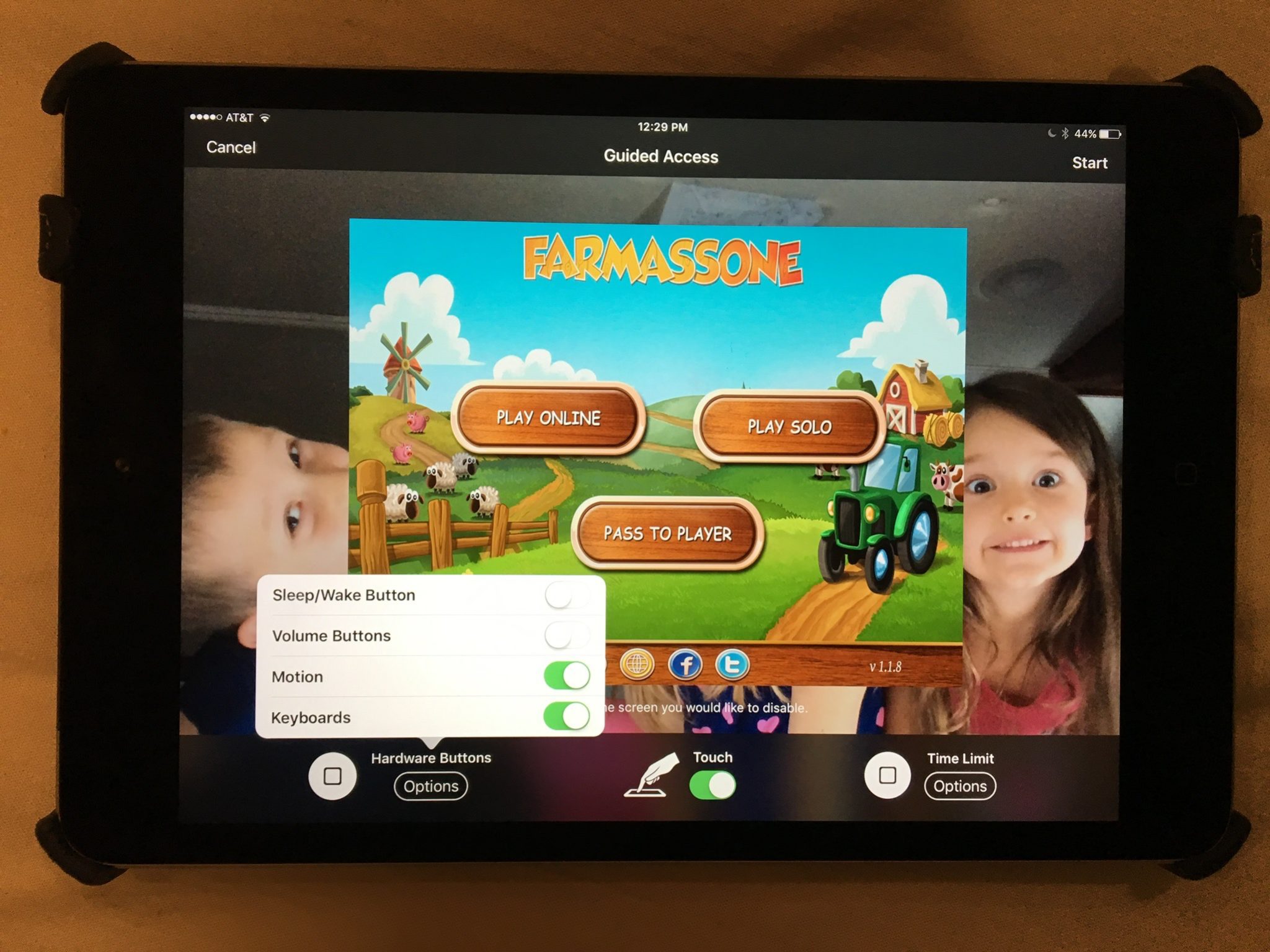
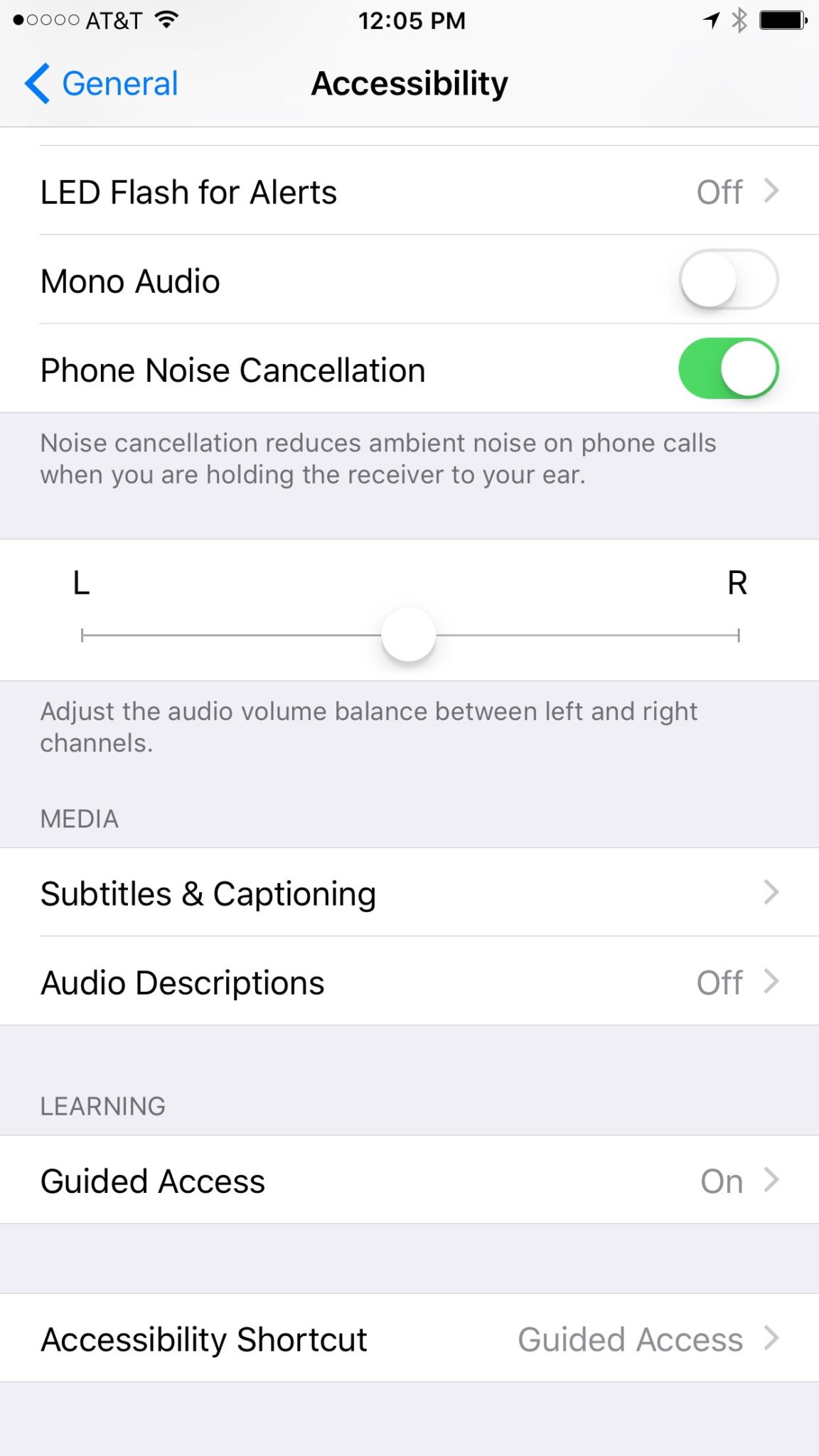
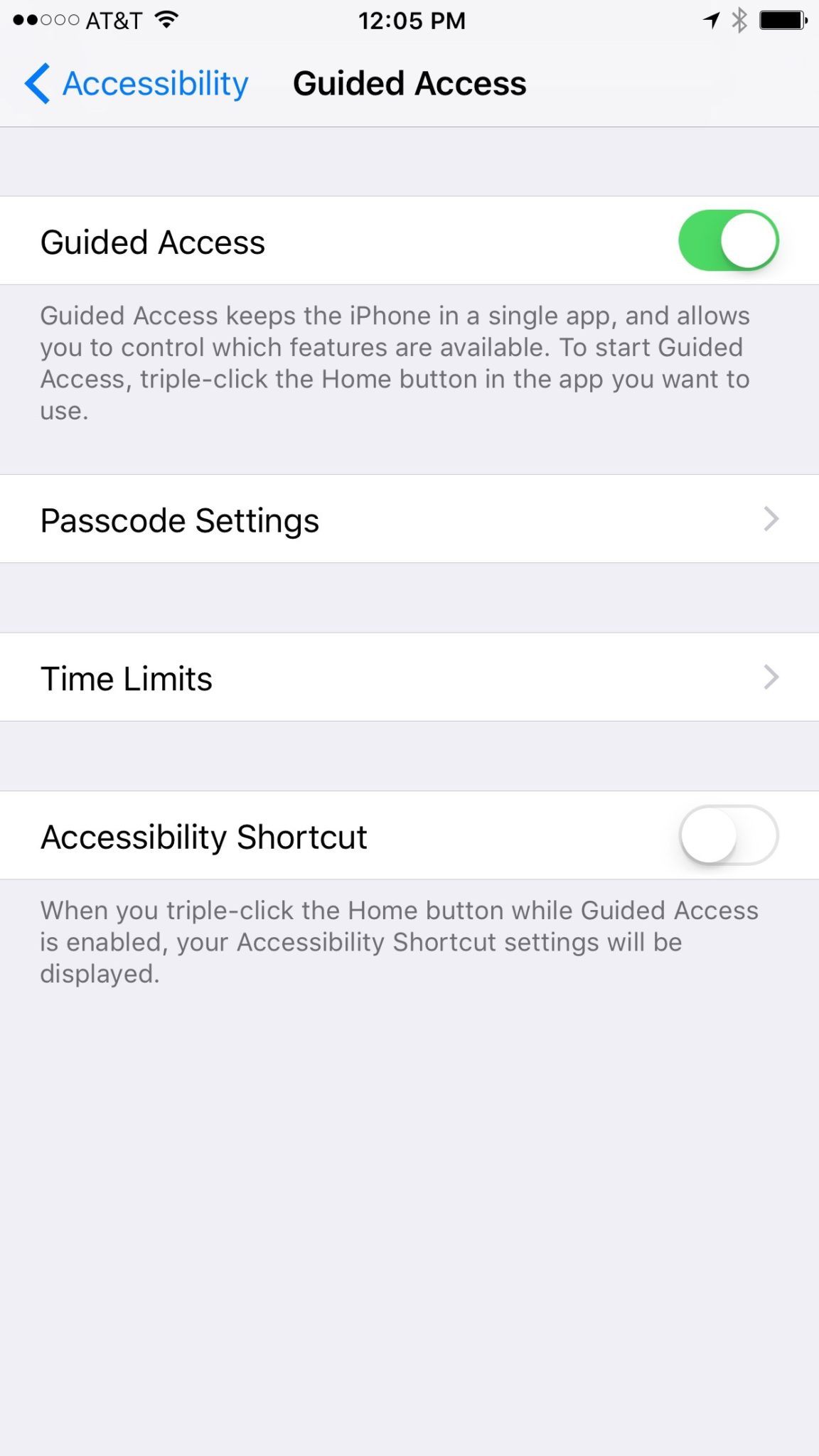
    Those of us with smaller children are often less concerned with them looking for something inappropriate online but we want to protect them from seeing something unintentionally. Apple’s iOS devices have a feature built in called Guided Access just for that purpose. This setting will lock your iPhone or iPad to one app disabling the home, volume, and lock buttons. This is a great feature if you’re wanting to allow your kids to use an app but don’t want them to look around on other parts of your phone.

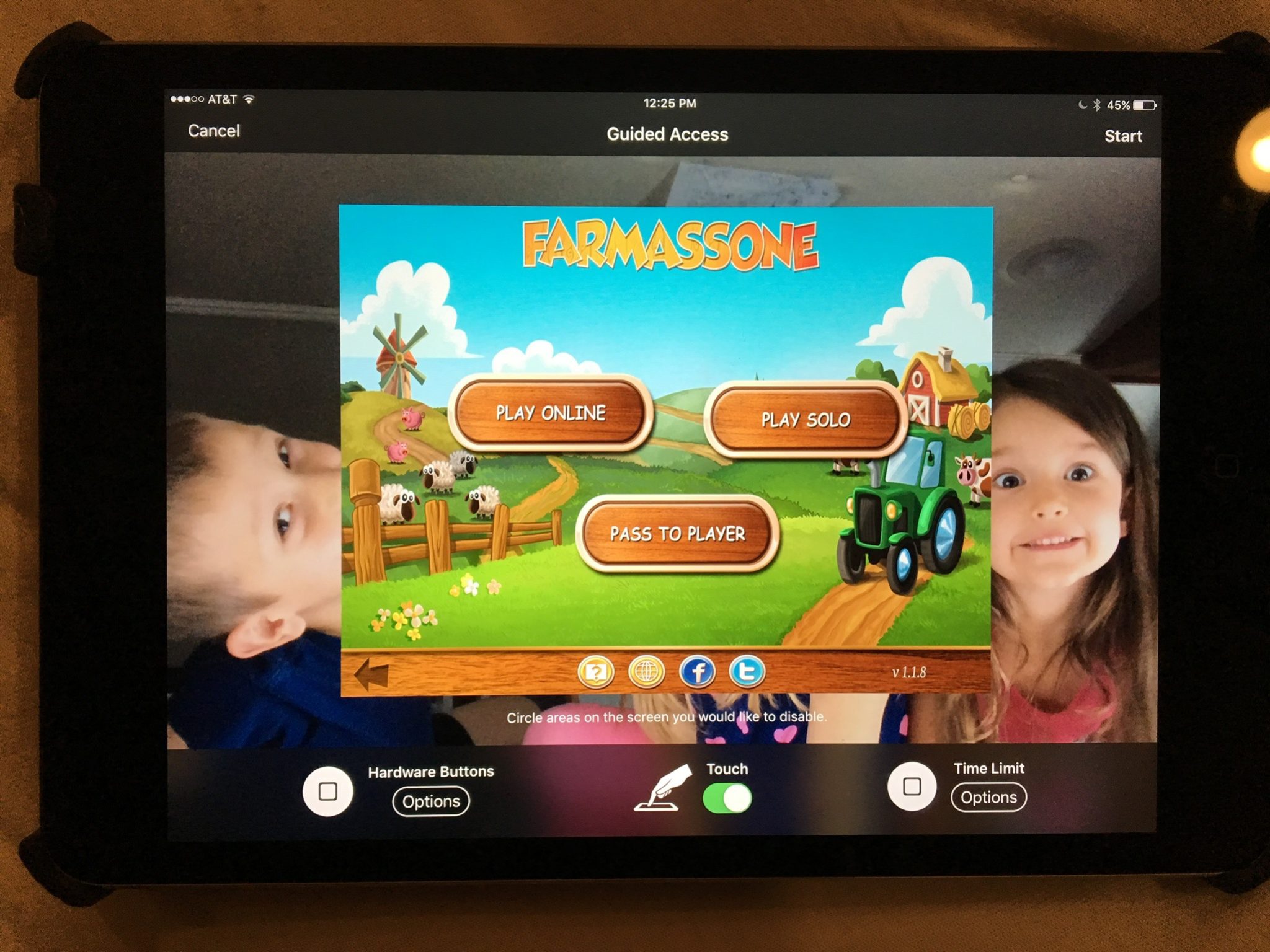
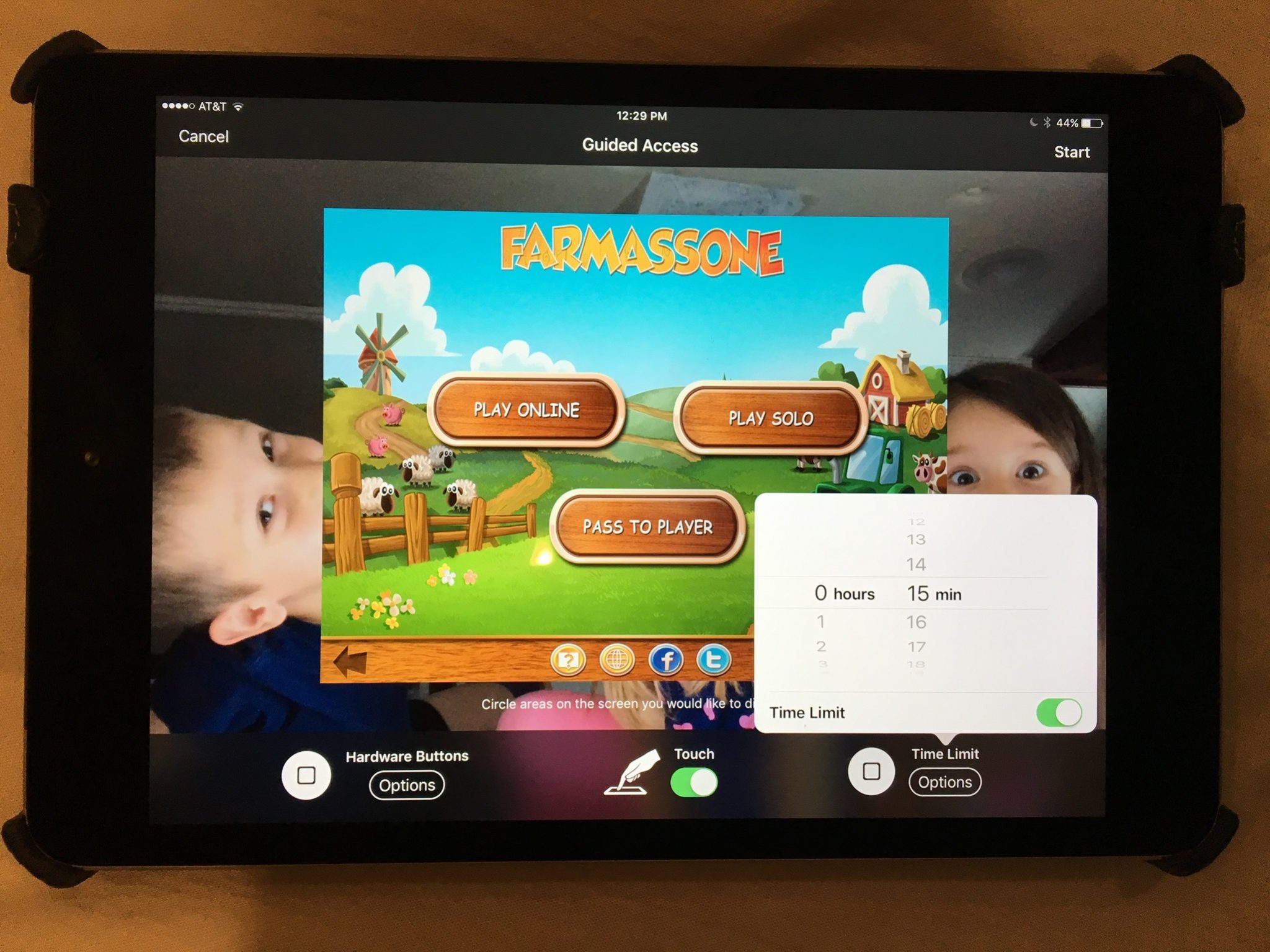
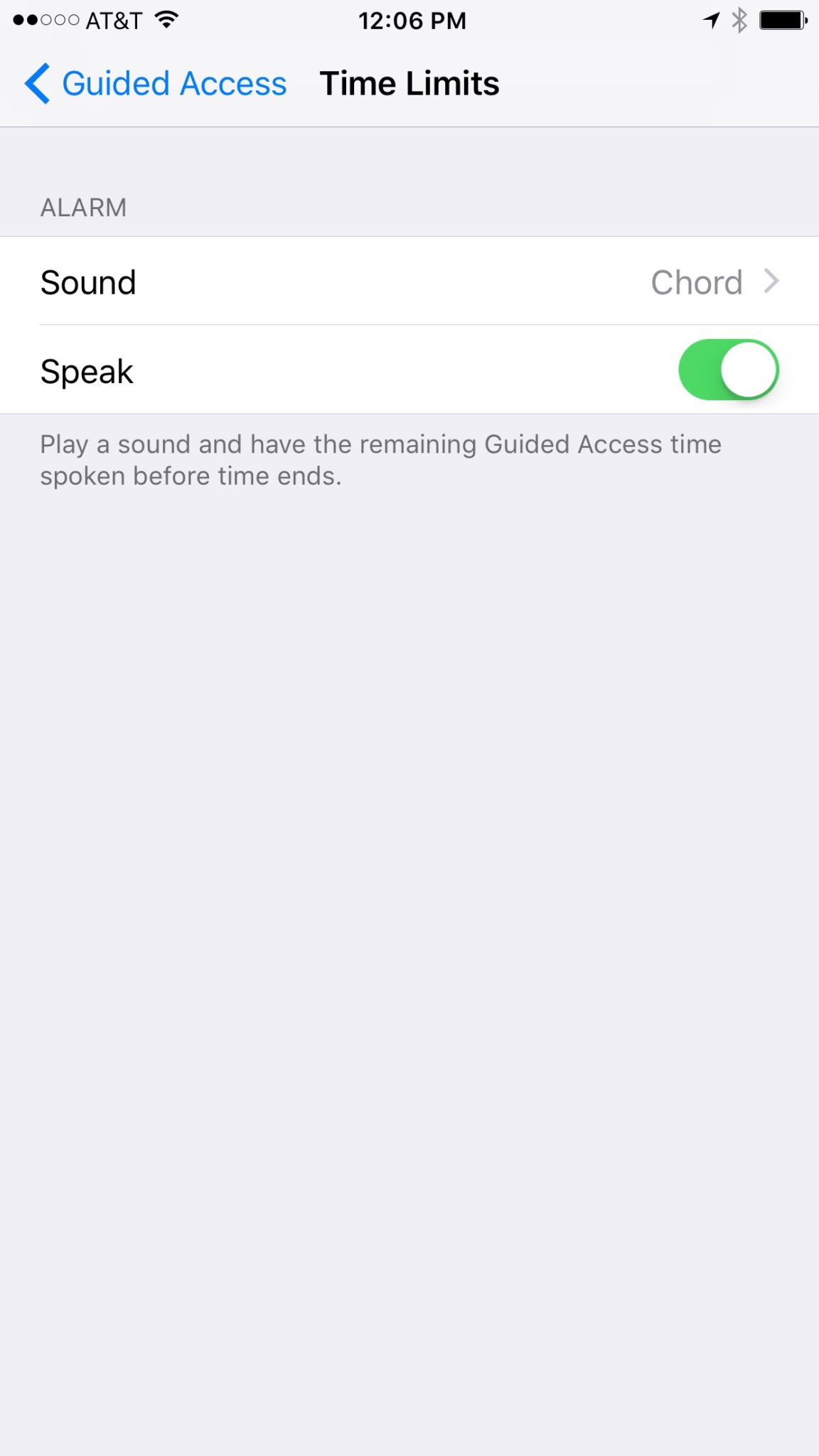
    You may have known about Guided Access for a while but if you haven’t looked at the settings recently you may be surprised at some of the new options that are available. You can turn off the sleep button, turn on the volume buttons, lock the motion (whether the screen rotates when you turn it,) turn on and off the keyboard, touch screen, and time limits. All of these settings are really helpful to customize the guided access for each app you allow your kids too use based on their age and ability to use the iPhone/iPad.

    (*Settings look different on iPhone but they work the same.)

    For example, my two year old likes to mess with the screen while he’s watching something. (He even touches our TV screen if he’s allowed to sit close enough.) This would cause the show to pause or skip or back out of the episode entirely. If you turn off the touchscreen it doesn’t matter what he does, it won’t change the show. Now, of course we are trying to teach him to leave the screen alone but this is helpful while he’s still a defiant little two year old “cutie”. For our older kids we will lock into their school apps so they can’t back out and play Lego Star Wars or something. We also use the time limit extensively, they don’t have their own devices so this helps us make them take turns.

    What Parents Should Know

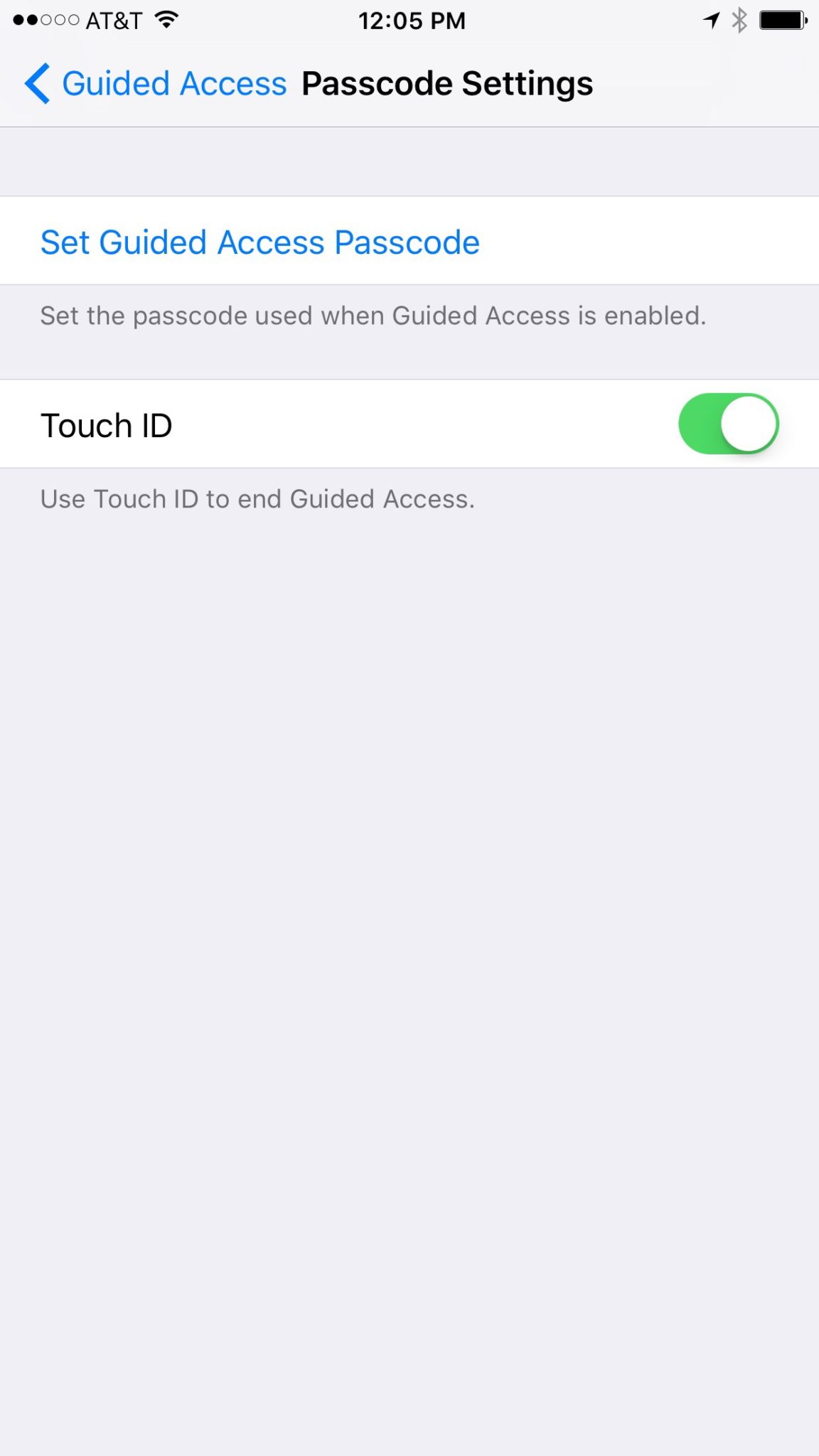
    You should know how to set up Guided Access. (See the slideshow below) Use it for, especially, your younger kids. Keep them away from apps that will link to the internet. Also, you can draw on areas on the screen to keep them from tapping there, this will keep them from tapping ads or the parental control settings button. We are learning that our kids benefit less and less from using screens but if we are going to give them the privilege it’s important to do it safely. You may give them your iPad or iPhone with an app that is safe for them but if they can back out of it and open something else you’re not doing them any favors. Guided Access gives you some peace of mind, knowing that you can protect them while they are on that device and you don’t have to be looking over their shoulder the whole time. Use the slideshow below to help you set up Guided Access and if you’d prefer a video, check it out here.

  • Three Things from This Week!

    Three Things from This Week!


    It’s been a slow Family Tech News week but here are a few tidbits that you should know were making headlines.

    1. Fake News

    Fake News on social media is finally getting labeled for what it is. It’s dangerous and stupid. Our kids buy into these things as easily as anyone so we should be glad that something is being done. We, as parents, also have to be careful not to just post anything that comes across our social media timelines. These messages are spread by those of us who don’t check our sources and just share things because what’s written agrees with our opinion. Nothing is more important than truth. If our children are going to be using social media, and they are, we need to do what we can to keep it the kind of place that can be as safe as possible.

    I have shared about UGC (User Generated Content) before and how it is hard to control. The only thing you can control is what you post on your feeds and what social media you allow you children to be involved in. Let’s share responsibly.

    2. Data Storing Toys

    Did you see that movie where the toys your kids play with are listening to them and saving the information they share in some big company’s database? Remember the part where the toy asks the children questions and uses the answers to store data about the child and their likes and dislikes? That was crazy, how they used it to market to the kids and even let the police and government use the voice data to develop voice recognition software. Man, that was a scary movie. Except it wasn’t a movie, it was what happened in THE ACTUAL NEWS THIS WEEK!

    Parents have to pay close attention to the toys our kids are playing with. Being more connected isn’t always good. Be careful to protect your kids by paying close attention to terms and agreements about what companies do with the information you and your kids put on apps, software, and toys that they use. You can’t be too careful when your family’s personal information and privacy is at stake.

    3. Facebook Messenger Games

    Here’s a fun one. You can now play games (Even some old school classics) within Facebook Messenger. Facebook is trying to get you to spend more and more time using their service so they can spend more and more time putting ads in front of your face. Right now these games are free and fun but there will soon be ads and most likely in-game purchases available too. Be aware that the more time your children spend online with other people the more time they have to be influenced by those people as well as whatever advertisers pay to put their content in front of your child’s face.

    Weekly Recap

    Here’s my advice. Hold your family close this weekend. Put away the tech toys, and the news, and the games and just enjoy being together. We can get so carried away with the next big thing or what’s happening in the news and all over our huge world that we forget what’s happening in our little world at home. Spend some time in that world this weekend. That’s what I’ll be doing. Have a good weekend, see you Monday.