Tag: internet safety

  • YouTube Adds Reminders to Take a Break from Your Screen

    YouTube Adds Reminders to Take a Break from Your Screen

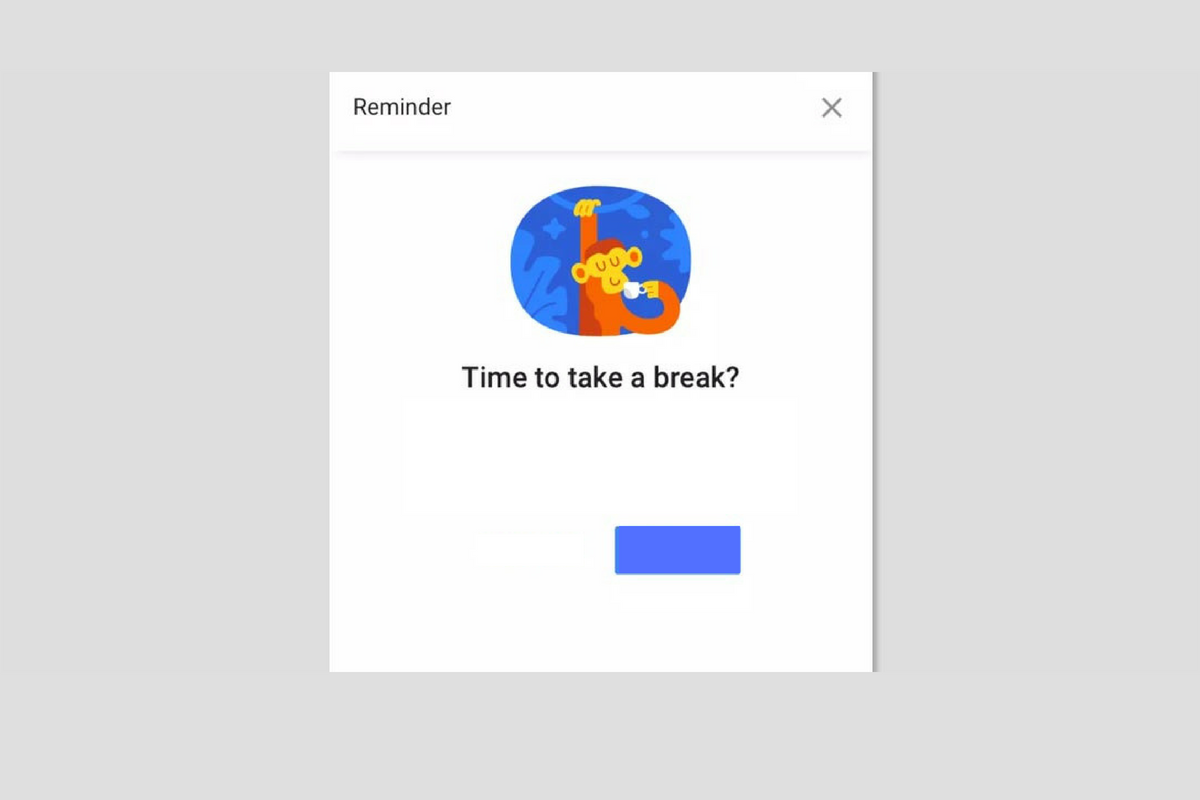
    Software and web developers are getting serious about the time well-spent movement. The focus on taking breaks from our screens is more and more popular and even Youtube is getting in on the trend. Their latest update includes the ability to opt-in to reminders to take a break from watching videos in the app. iOS and Android users can turn on and set the frequency of break reminders that will interrupt your viewing and remind you that you should take a break.

    This feature is currently only available on the iPhone and Android app. There isn’t any information whether it is going to be rolled out to the website, smart TVs, or other streaming TV devices.

    What Parents Should Know

    This is a good idea and hopefully, it will trickle down to YouTube Kids soon. I always tell parents to be the example for their kids. If mom and dad are on their screens constantly then it doesn’t do much good to preach healthy screen time limits in your home. YouTube’s break reminders can be a good way to manage your own healthy screen habits so that you’re setting a better example.

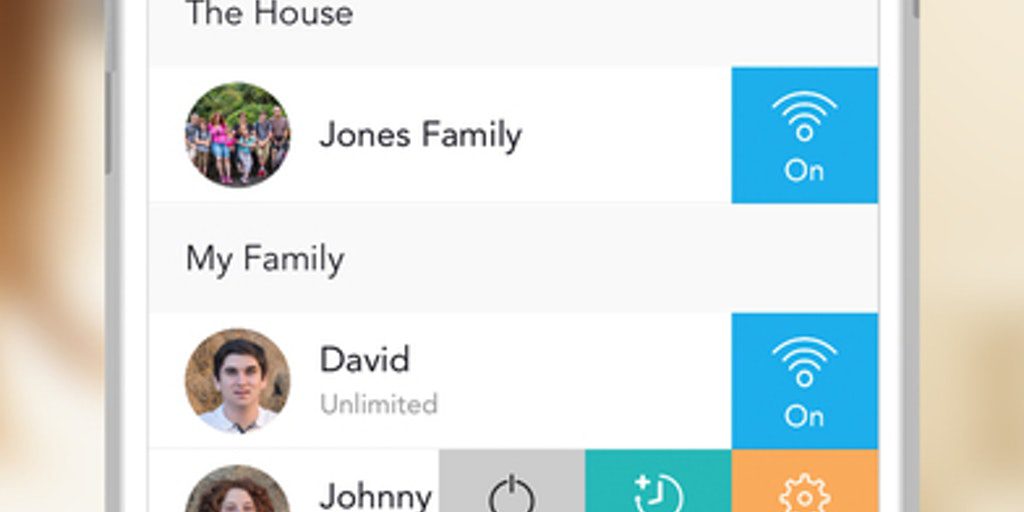
    Psychologists are recommending that our kids spend less time on screens and more time outside. They’ve even coined the phrase, “Green Time,” stating that kids are spending so little time outside that their development is being stunted. Use whatever tools you can find, whether it’s a built-in reminder like YouTube is offering or a separate software like unGlue to monitor and limit screen time. Build healthy habits now that will last a lifetime.

  • Facebook to Release Dating Feature

    Facebook to Release Dating Feature

    Facebook is getting into the dating game. At their developers’ event in California last week, Mark Zuckerberg announced a new dating feature for Facebook. The feature will be opt-in only and will feature only the users’ first names. You can scan through people’s dating profiles (separate from their FB profile) and select whether or not you’re interested in them. If you both see each other and show interest, you’ll be connected through a built-in messenger feature.

    Tindr has had the dating app scene under control for a while, but like Snapchat, Facebook seems to be out to take some of the spotlight. This foray into online dating isn’t surprising since many (1 in 3) relationships already begin online. It is an obvious move towards Facebook becoming the one-stop app for most of your social media needs.

    What Parents Should Know

    There hasn’t been a release date announced for Facebook’s dating feature. It is, however, said to be completely separate from your Facebook account and it’s a feature that you have to opt-in to so it isn’t automatically available. If your kids or teens are on Facebook, they will likely have the option to join the dating feature since the age limit is set at 13 for the social media service.

    I recommend not allowing your younger kids to use apps like Tindr since they are meant to make contacts for face to face meetups. There are many healthy relationships that have started on dating apps but there are also many stories of young people being tricked into accepting invitations from people who have no business contacting them. I would put Facebook’s dating option on my list of dangers for your kids under 18. It is a feature that is intended for adults and should only be used by adults. I also warn against messing around with it as a married person. As crazy as it may sound, many people who aren’t interested in dating use these apps to just check what kind of people would be interested in them. Facebook is already one of the leading topics of dissent in the marriage counselor’s office. The dating app could (I submit that it definitely will) increase the frequency of marriage problems caused by social media.

  • Snapchat Adds Games to Their Camera

    Snapchat Adds Games to Their Camera

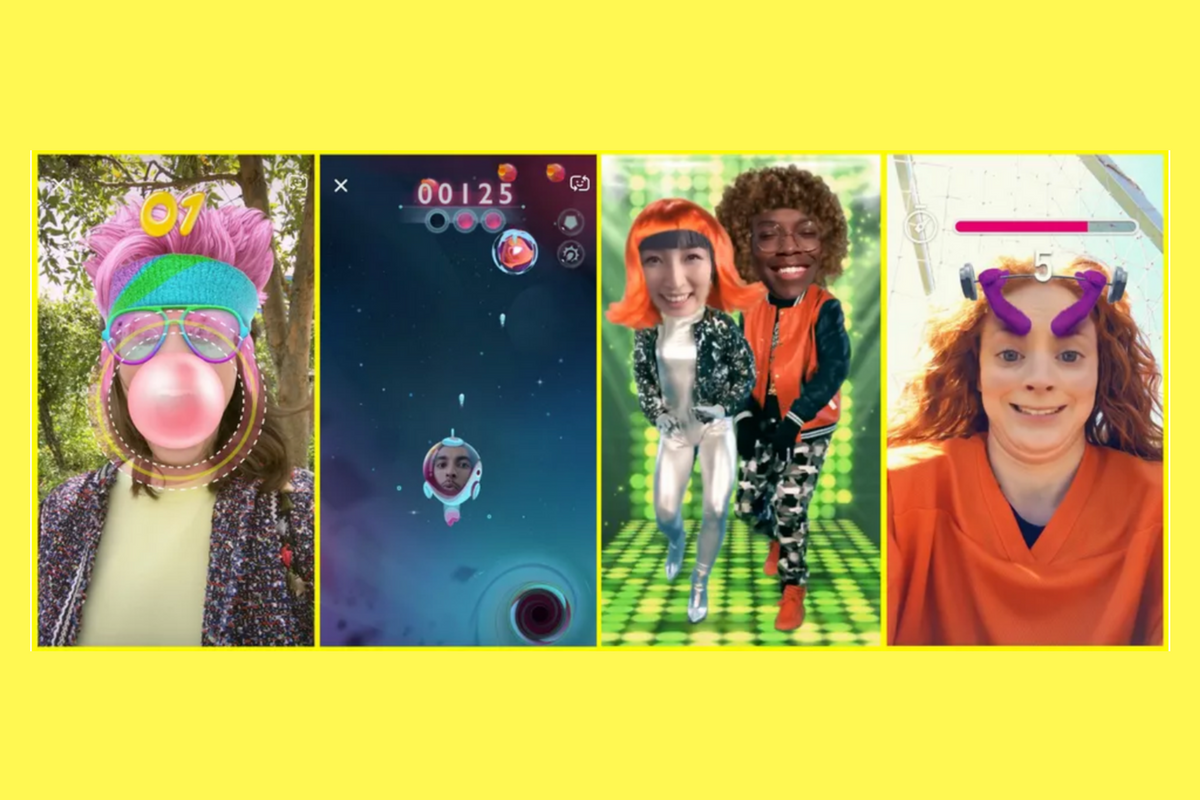
    Snapchat’s newest update adds gaming to their camera. That’s right, you can now use their augmented reality camera to play silly games. Some are even multiplayer. They’re calling the games “Snappables” and they range from throwing kisses at each other to dance competitions. Users control the games with their face or touch and motion controls. Snap is planning to release new Snappables weekly featuring basketball, alien combat, and a lot of other themes.

    What Parents Should Know

    Right now, the multiplayer Snappable games are centered around your friend list. This means you shouldn’t be able to play games with random players you have never met. That could be an added feature and we’ll let you know if and when that is the case.

    I recommend knowing what your kids are using their social media apps for. If they are connecting with their friends to play games and chat, and you’re ok with that, then that is just fine. I never recommend allowing your kids to meet new people online through Snapchat or other social media apps. Games like Snappables are pretty harmless other than more ways to waste time and the obvious opportunity for corporations to launch games featuring their brand for advertising. More than anything, just stay knowledgeable about what your kids are doing online and keep the conversation open with them. This way they won’t be concerned about you seeing what they do online and the lines of communication will stay open with them.

  • YouTube Boasts 8 Million+ Flagged Videos Removed, is That Enough?

    YouTube Boasts 8 Million+ Flagged Videos Removed, is That Enough?

    A new report from YouTube has disclosed the removal of over 8 million videos that didn’t lineup with their content guidelines. Most of the videos were removed by their algorithms system. Videos that contained sexual content, extreme violence, hate speech, or terrorism all made the list of removed content. Some had been flagged by the system, some by viewers, and a few by YouTube employees who watch for non-compliant material on the video site.

    Many of the videos that were flagged by YouTube’s software were removed before they even received a single view. These algorithms can scan the videos through the processing system and deny them before they’re made public. Does this mean that YouTube is a lot safer for Felix?

    Check Out: Youtube Kids

    What Parents Should Know

    This is a major step in the right direction for YouTube. Unfortunately it’s never going to be full proof. The only real way to monitor inappropriate content is for human eyes to be on that content. Also, as parents it’s tough to allow another person, much less a company, to decide what is appropriate for our families and what is not.My advice, as always, is that parents have their eyes on the stuff their kids are watching whenever possible. If not possible then be sure to use tools like Guided Access or android family link or kid mode to be sure kids can’t explore YouTube unmonitored or unfiltered. YouTube does have a safe mode as well as a separate app for kids (YouTube Kids) and I recommend these tools as well.

  • Here’s How To See if Your Private Data Leaked to Cambridge Analytica

    Here’s How To See if Your Private Data Leaked to Cambridge Analytica

    There is a tool to help you find out if your data was leaked to Cambridge Analytica. There may not be much you can do about it, but it is interesting to see if your app approval habits led to the sharing of your private data. Facebook has said that they’ll be highlighting the tool on the top of everyone’s news feeds but in case you haven’t seen it or don’t see it, here’s how to find the tool on your own.


    I recommend you check this out for your own Facebook account as well as any accounts your kids may use. Just in case you don’t have a minute and a half to watch the video above, I’ve listed the steps below for you. Thanks for reading FamilyTechBlog.com and remember to be careful how much access you give apps to your social media data.

    1. Open your Facebook App
    2. Click on the “Hamburger Menu” to the bottom right. (Three stacked lines.)
    3. Scroll all the way down to the bottom of the menu.
    4. Select “Help and Support”
    5. Select Help Center
    6. Search {Cambridge}
    7. Select the first auto complete option.
    8. That’s where it tells you if you’ve shared data with Cambridge Analytica.

    Thanks again, and share this with your friends.

  • Fortnite is Free; and also the Highest Grossing Game on iOS

    Fortnite is Free; and also the Highest Grossing Game on iOS

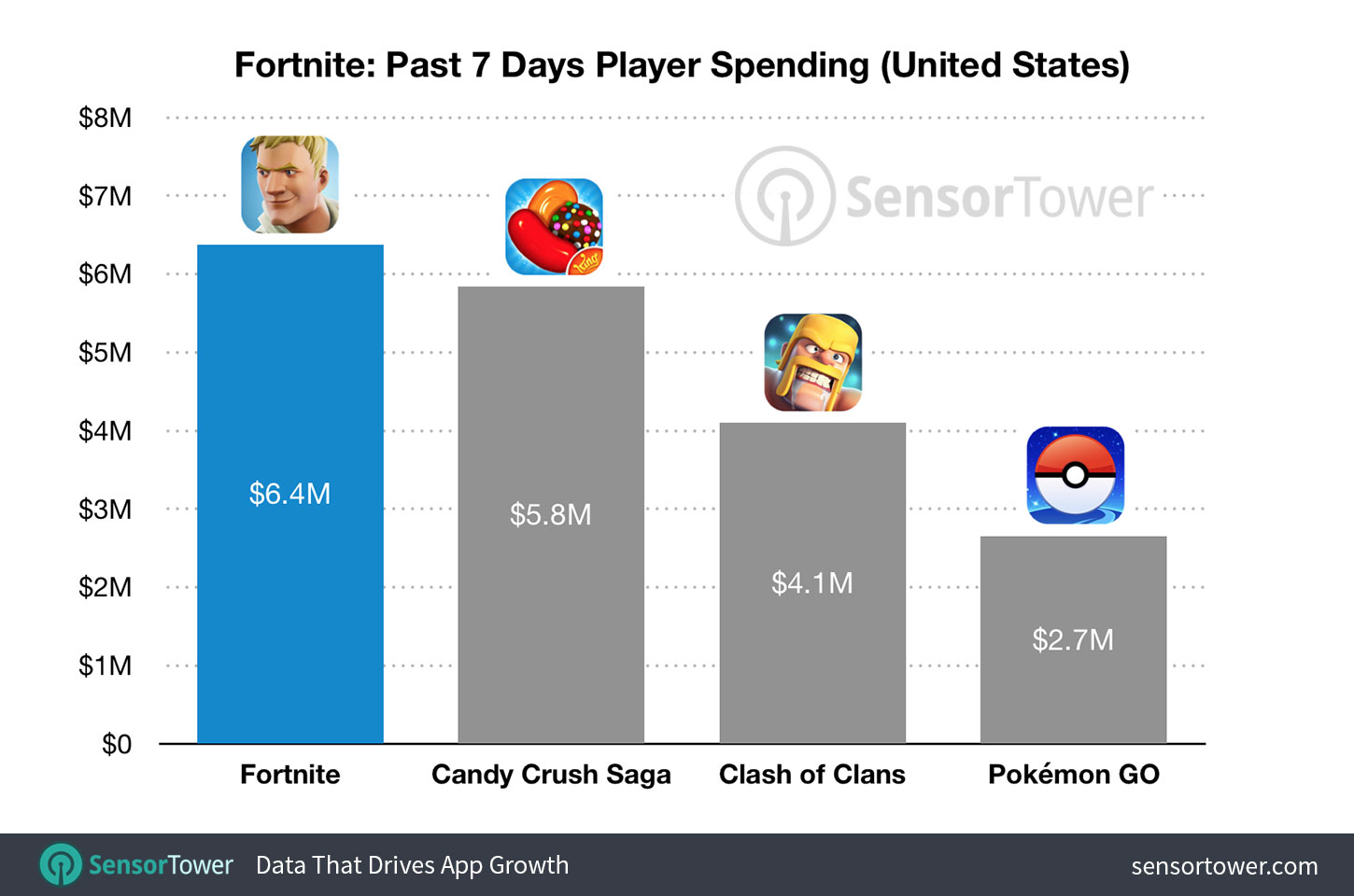
    Freemium games aren’t new and there is a reason that that category has graced the top of the charts on iOS for a long time now. Fortnite: Battle Royale, however, has rushed into the Freemium Game Revenue lead, making $15 million in the first three weeks since launch. The game, in which you fight it out against 99 other players to be the last man/team standing, is free to download on iPhone. You don’t buy items to increase your skills or character’s strength, you just buy costumes and dance moves. Obviously, the lack of game-changing in-app purchases hasn’t hurt the bottom line for Epic Game’s wildly popular third-person shooter and crafting game.

    SensorTower.com

    What Parents Should Know

    For my thoughts on shooter games and kids, you can read my game reviews and listen to this BecauseFamily Podcast episode. As far as in-app purchases go, it is up to you. You should know how to set up your kids’ devices to not allow purchases without approval. Failure to set this up will likely lead to surprise expenses as the temptation for that new dinosaur hat or “Carlton” dance moves becomes too great for your kid to withstand. 

    My advice is for you to talk to your kids about the time they spend playing games on their devices. Make sure you have an understanding of what a healthy amount of time on devices looks like. Also be sure that you have your credit card settings secured to keep unwanted purchases from surprising you next month. Again, talk to your kids about spending your money on the games they play. I agree that these developers deserve every dollar they make from their games. I also strongly believe that if a kid is underage, it is up to the parents to regulate whether or not their child can spend money on their favorite games. That is up to you as mom or dad.

  • Parent Guide: Farcry 5

    Parent Guide: Farcry 5

    Farcry 5 S.A.F.E. Rating

    Violence: 1 out of 5
    Language: 1 out of 5
    Sexual Content: 3 out of 5 (so far)
    Positive Message: 2 out of 5

    Total: 7 out of 20 = Adults Only!

    The Game

    The Farcry series is known to feature regular people type characters who are put in extraordinary situations and forced to fight their way out. Players try their hand at fighting crime lords, warlords, and drug cartels. In Farcry 5 you’re a sheriff deputy who is trying to overthrow a cult in the mountains of Montana. You team up with locals, wildlife, and even secret agents to eliminate the influence of “The Father,” a man who considers himself the spiritual leader of an entire group of religious followers.

    This game is set in an open world. There is a storyline but it isn’t linear, it unfolds as you explore different areas of the game. You can go around doing whatever you want, liberating outposts, saving citizens, hunting and fishing, all the while increasing your influence over the region through something called “resistance points.” These points allow you to unlock new areas and items and eventually lead you to your final showdown with the leader of the cult. The story of Farcry 5 is very interesting and well told. It is, however, a bit on the anti-religious side, albeit so extreme that it is hard to view it as a serious commentary on religion. The cult is very extreme and a caricature of anything it may be trying to actually represent. I wouldn’t take seriously any complaints about this game being anti-christian or anti-religion.

    Violence: (1)

    This game features extreme violence right from the start. You are attacking enemies with a large collection of different weapons. Melee, explosives, firearms, vehicles, and even animals can be used to take out your enemies. You can choose to use stealth to eliminate your enemies or you can go in guns and dynamite blazing and take ’em all out that way. The worst violence in the game takes place during the cinematic cut scenes. There are executions, eye gouging, and self harm/mutilation featured in the cinematic scenes that drive the story. The violence is used to show the extremity of the cult you are up against and it begins with the first cut scene at the beginning of the game.

    Farcry 5 scores a 1 for violence meaning it’s meant for Adults.

    Language: (1)

    Farcry 5 has multiple uses of every word imaginable right from the very beginning. It is rated M for Mature because of language and it is obvious early on in the game play.

    Farcry 5 scores a 1 for Language meaning it’s meant for Adults.

    Sexual:

    So far in my current, incomplete, walkthrough of Farcry 5 there isn’t any sexual content. The rating of the games mentions sexual themes but I haven’t seen it yet. I will update this post on this topic once my walkthrough has completed.

    Farcry 5 scores a 3 (so far) for sexual content meaning it depends on your child. 

    Message:

    Like most 1st person shooter games, Farcry 5 puts you in a position where your only option is to pick up a machine gun and start mowing people over. As mentioned before, this game is full of scripture and even some reimagining of some old church songs. They are used in a context that features the cult in a negative way. There is no positive message in this game, except maybe that you shouldn’t join a violent cult. The themes of this game are very grown up and explore what happens when people give themselves blindly to someone like “The Father.”

    Farcry 5 scores a 2 for message meaning it contains very mature themes. 

    Final Thoughts

    Farcry 5 isn’t meant for your 15 year old son. It’s a game made by adults for adults. It features very adult themes and content and doesn’t apologize for the gruesomeness of the violence or the complexity of the story. While there isn’t any sexual content that I’m aware of, it still ranks very low as far as its playability for even some older teens. I recommend keeping informed on the content of this game and know if your kids are playing it. Many kids will ask for it and some will get to buy it because their parents don’t know what the game consists of. My advice is that you share this review with other parents and let them know what content the game their kid is asking for contains. 
  • PODCAST: Three Apps Your Kids Should Uninstall

    PODCAST: Three Apps Your Kids Should Uninstall

    Family Tech Update: These apps can be seriously dangerous for your kids. Adult content, privacy issues, stranger danger, all kinds of issues here, and some of them are only rated 12+!

    Social Media Links

    Facebook: http://facebook.com/becausefamily
    Instagram: http://instagram.com/becausefamily

    Twitter: http://twitter.com/becausefamily

    Newsletter Sign up

    Ministry Updates:: http://eepurl.com/R7Btr
    Weekly Blog Posts:: http://eepurl.com/cvnhXD

    Websites

    Ministry Site:: http://becausefamily.org
    Tech Blog:: https://safe.becausefamily.org
    Michael’s Speaking Info:: http://becausefamily.org/bookings

    Donate and Affiliate Links

    http://BecauseFamily.org/partnership

    All music/audio effects are public domain.

  • Facebook’s “Messenger Kids” App Launches on Android

    Facebook’s “Messenger Kids” App Launches on Android

    Today, Facebook released the Android version of their Messenger Kids app. This means it’s available on iOS, Android, and Kindle now. That should pretty much cover most families. Facebook Messenger Kids puts the control in the parent’s hands, making it easy by building it into the Facebook App and Messenger App that you likely already use. You can decide who they are allowed to chat with and approve or deny friend requests.

    CHECK OUT: Facebook Messenger for Kids! for even more info about the app.

    My family uses Messenger Kids, albeit with some strict time limits (1hr per day) which we enforce through Circle (all devices) and unGlue (our older child.) It is a great way to help them get a feel for chatting through a messenger without strangers, bullies, or the constant notifications or FOM0 (Fear of Missing Out) that can accompany tech addiction. Facebook built in a lot of the controls and made the app kid-friendly by not allowing gifs that don’t originate in the Kids Messenger app and not allowing messages to be sent to unapproved friends.

    What Parents Should Know

    Since settings are controlled through your Facebook account, parents don’t have to have the same type of device as their child. You can set up your kids’ messenger app on his Android through your iPhone, for example. Keep in mind how addicting it can be to message your friends. Remember not to give them access to approve or disapprove of their friends on Messenger, this defeats the entire purpose. I know it can get tiresome to always have to sign off on everything they want to do online but Facebook makes it pretty easy with notifications on your own app.

    Use something to manage their time, like unGlue.  Talk to your kids about only messaging people they know in person and let them know what to do if someone asks them something they aren’t comfortable with. They should know that they can come to you when there is trouble. Messenger Kids is a good idea from Facebook and they did a lot of work to learn what parents would want out of a messaging app for their kids. Now the app is available on all devices so, if your kids have people they want to talk with, use this as a way to keep them in touch safely.