Tag: internet safety

  • “Ninja” Moves Gaming Stream to MIXER and Twitch Shows Porn on His Channel

    “Ninja” Moves Gaming Stream to MIXER and Twitch Shows Porn on His Channel

    Ninja (Tyler Blevins) switched his streaming content over to Microsoft run “Mixer” on August 1st and has been migrating his viewers over to the service over the past couple of weeks. He took to Twitter to express his disgust over the fact that Twitch was running ads for other streamers on his channel’s landing page. The disgust didn’t stop there though, somehow a channel that was showing hardcore pornography was featured on Ninja’s page and this made him understandably upset. Again, Ninja posted about his frustration on Twitter and the CEO of Twitch was quick to apologize.

    There is a lot of discussion in the gaming and streaming world about who owns the channels that streamers use to broadcast and who should be able to decide what is aired on the channel when the streamer isn’t live. Obviously, this affects you, as a parent in several different ways. First of all, your kids are likely going to be watching Ninja over on Mixer now. Secondly, you need to know that pornography can show up on these live streaming services very easily. You also should be aware of the money and politics currently involved in the video game streaming industry. It’s a major business now, and your kids are the target consumer.

    What is Mixer?

    Mixer started out as “Beam,” a streaming platform that claimed to offer a better service and higher quality streaming ability that competitor Twitch. In 2016 Beam was purchased by Microsoft and in 2017 Beam was rebranded as Mixer. The service still works to compete against Twitch but claims to offer a better ad share program to gamers as well as a better viewing experience for fans. The service has already made a few deals with pro-gaming leagues and now has acquired Ninja as an exclusive streamer on their platform. Just like Twitch, Mixer offers multiple types of streams including video gaming, tabletop gaming, vloggers, IRL (in real life), podcasts and more.

    Ok, Fine. Here’s What I Think About Fortnite


    Since being purchased by Microsoft, Mixer is now available on Xbox, and on Chromecast and other streaming devices. It is becoming more and more popular and Ninja’s exclusive contract will guarantee even more growth. Twitch is suffering the same fate that many market leaders share. It can be difficult to balance making the kind of profit that a company that size needs to operate and keeping the same charm that your service had when it gained all of the popularity that you profit from. It seems that there is room in the video game live-streaming market for another service.

    What Parents Should Know

    Video game streaming and esports are some of the fastest growing forms of entertainment ever. Advertisers are jumping on board and monetizing every minute your kids spend watching other people play video games. When you think about it, the video itself is a form of product placement for the game they are playing. When advertisers get involved, things often get messy. Content creators get tired of their media being turned into a way for someone else to make money. This makes them go look for a better deal. This is what has happened with Ninja.

    You need to be aware that when people broadcast on live-streaming services there is usually a live chat going at the same time. Your kids can be in contact with strangers from all over the world. Also, it is very difficult to keep inappropriate content off of live streaming channels due to the fact that is being broadcasted in near real time. You should know what your kids enjoy watching on Mixer, Twitch, YouTube Live, and any other live-streaming platforms they watch. Know that many gamers use adult language and discuss adult topics on their streams. Most of the time those apps are rated 17+ because of the potential for adult content. Keep that in mind when deciding what you allow your child to watch online.

  • YouTube May Have to Stop Making Money Off Our Kids

    YouTube May Have to Stop Making Money Off Our Kids

    The US Federal Trade Commission is finishing an investigation into YouTube’s Children’s Data and Ad policies and at least one member of Congress is now asking for YouTube to make some major changes. Massachusettes Senator, Ed Markey has officially requested that the FTC enforce some major policy shifts on Google for how YouTube handles advertisements to children and the collection of kids’ data.

    The request states that:

    Personal information about a child can be leveraged to hook consumers for years to come, so it is incumbent upon the FTC to enforce federal law and act as a check for the ever increasing appetite for childrens’ data. – FTC YouTube COPPA 2019

    This three-page document outlines a plan for rules that the FTC should enforce upon YouTube in order to keep them compliant with  COPPA and to better regulate their child advertising practices. The rules include requiring Google to stop collecting data from users under 13, requiring YouTube to develop a way to identify users under 13 and implement COPPA compliant policies, disallow influencers from marketing products geared towards children under 13, and forcing Google to create a fund for developing content meant for children that is ad-free and COPPA compliant. 

    COPPA imposes certain requirements on operators of websites or online services directed to children under 13 years of age, and on operators of other websites or online services that have actual knowledge that they are collecting personal information online from a child under 13 years of age.

    What Parents Should Know

    Parents have to be intentional about teaching their children about online privacy. Regulations from the FTC will, likely, be coming in the near future. Even if these changes aren’t as strict as the ones listed in the letter from Senator Markey, they will still cause major ripples in the YouTube creator and viewer community. The way that YouTube seems to try and handle these kinds of problems is by “demonetizing” videos that contain the type of content they are taking heat about. The heat they are getting from the FTC right now, though, is concerning some of the most profitable channels on any video sharing platform ever.

    Advertising is the way these companies make their money and collecting data is their sole model for targeting their advertising. If they aren’t allowed to target children anymore then there won’t be much content on YouTube for children at all. Our approach has always to only allow our kids to watch YouTube videos that we have selected and they must watch them on the television in the living room. That protects them from any surprises and we curate the types of videos they are allowed to watch. We also have YouTube Premium which removes ads. This is helpful since the algorithm that selects which ads show up on what videos often doesn’t take the age of the target audience into account. (i.e. an ad for the latest Childs Play film on a video about kids making slime.)

    As I always say, we should hold these companies accountable as much as possible but it falls to parents to be the responsible ones when it comes to our children’s digital health and online safety. What is your approach to YouTube, do your kids watch as much as they want? Do you limit their viewership on YouTube? Do you think this news will affect how much time you allow them to use the app? Let me know your thoughts in the comments below.


  • The Three Worst Tech Parents

    The Three Worst Tech Parents

    I had the opportunity to speak at a conference last week that was full of educators and school administration. They were extremely excited about the things I had to share, they loved learning about ways to protect their students online, and they were generally interested in the statistics and facts about online dangers. They all, however, had one major complaint. “Parents just don’t seem to care.“

    That’s right! Teachers, administration, afterschool program leaders, and even librarians want to help kids learn the best way to use their tech devices. Everyone is concerned about overuse and too much screen time. Nobody wants kids to end up on the wrong websites or being communicated to by the wrong people. They all want kids to be protected while they’re on school property but they know that that is only a very small amount of time compared to the time they spend online at home.

    This all falls on parents. There is no one who has as much influence over their children as the parents who raise them. Teachers, coaches, pastors, and mentors all do what they can and have a real heart to protect your kids but if mom and dad aren’t taking part then it is an uphill battle.

    Here are three kinds of technology parents and where they mess up.

    1. The ”Do as I say, not as I do.” parent.

    I’ll never forget my neighbor’s grandfather when I was a child. He smoked like a chimney, several packs of cigarettes every day. When we would be outside playing with our friends, it never failed, he would come out light up a cigarette and immediately tell us all, “Never start smoking, it’s really bad for you.”

    I get addiction. I understand that there are things people can’t just give up. But this “do as I say not as I do” attitude can be very harmful to our kids. When it comes to technology most of us lift our phones about every 10 seconds on average. We spend 4 to 6 hours per day creeping Facebook, watching YouTube, and posting to Instagram.

    Even as a 10-year-old kid I realized how weird it was that this man was standing there, chain-smoking cigarettes, and telling us not to do the same thing. Our kids get confused when we tell them they can’t have any more screen time while we are looking at our phone just like we have all day long. Put it down, look up, and set a good example for your children.

    1. The “I’m super busy.” parent.

    I remember being told to play outside because my mom needed a few minutes to her self. We would go play at friends’ houses and every now and then a friend would say that his mom wouldn’t let us play there today because she needed the house to her self. Parents have always needed time without kids running around asking for things and getting on their nerves. The difference is that when I was a child I was going to the homes of people my parents knew. Now we set our kids down in front of devices on which they can communicate with the entire world.

    Using Netflix or YouTube as a babysitter is just simply a bad idea. It can be useful if you know how to set it up properly but most of the time parents know less about these sites and apps than their kids do. I get that you’re busy. I understand you have things you have to get done. It’s just very easy to allow your kid to be on the screen for 4 to 6 hours before you realize how long it has been. Use some sort of app that sets a time limit for your kids’ Screen time. That way it doesn’t fall to you to remember when they their time is up. It automatically kicks them off and you can tell them to get outside and have some fun in the sun.

    1. The “I have great kids.” parent

    Of course you have great kids. I know they don’t want to do anything wrong online. They will not bully people, they won’t send inappropriate photos, and they are definitely not visiting adult websites. The problem with this logic is that they don’t have to seek out these things, they come to them. Two out of every three kids who see adult content for the first time saw it by accident and the average age a young man sees pornography for the first time is age 8! These are, most likely, children whose parents would consider “Good Kids.”

    I sat and watched a young lady of seven years old create videos of herself and post them publicly on an app called Likee. I went to look at this app in the App Store and saw that it is rated 17+ because of the ability to post your videos publicly online. I guarantee mom didn’t know that app was posting videos that strangers can see online. Moms and dads trust their kids because they believe they’re going to do the right thing. The issue isn’t usually what your kid does online. Most of the time the problem is the strangers on the other side of that screen.

    Your kids need you to care!

    The worst thing we do, as parents, is decide that we can’t learn any more about the tech our kids are using. We cannot be fooled into thinking that the digital world is moving too fast for us to keep up. It does move fast, I understand, but there are resources that we can and should use to help us better wrap our minds around our children’s time on tech. Use FamilyTechBlog.com, our YouTube Channel, and Podcast to help you stay informed. Knowledge is definitely power. You need that power to keep your kids safe and help them develop healthy habits.

    Secondly, we often get too focused on ourselves and what we need. While our homes shouldn’t be fully centered around our children, we have to set some boundaries and standards to protect our kids from the nonsense that the online world can provide. We should pay attention to what they do on social media and not let them use those apps until they are old enough to use them responsibly. We need to be knowledgable about the video games they play, the sites they visit, and who they communicate with online. We should learn all we can, every chance we get, to continue to keep our kids safe.

    It is easy to get discouraged. We hear of the worst case scenario on the news almost daily. kids going missing, kids hurting themselves because of something they’ve seen online, and studies showing how damaging excessive screen time can be for our childrens’ brains. I advise that you don’t get discouraged but get inspired. Let this information drive you to learn more to protect your kids. Learn all you can and share what you learn with all of the parents you know. That’s the best way to protect our kids and help them build healthy habits.


    Listen to the podcast here:


  • Family Tech News From Apple’s Developer Conference

    Family Tech News From Apple’s Developer Conference

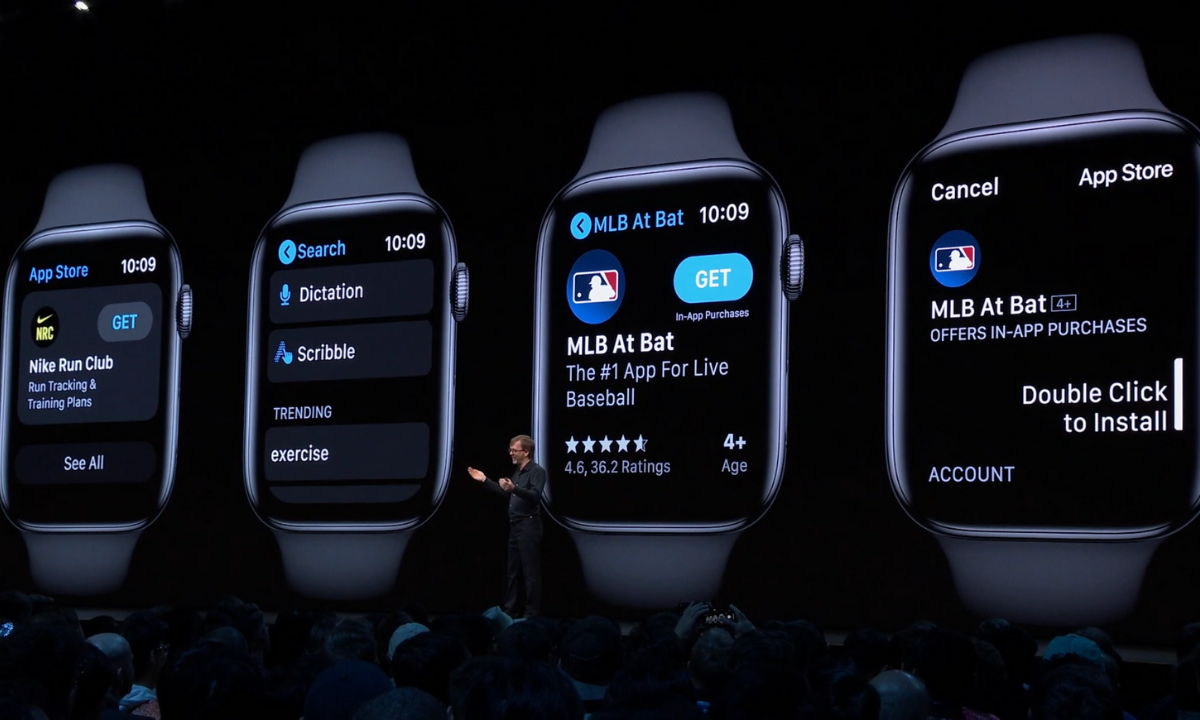
    WWDC was held last week at Apple’s Headquarters in Cupertino, California. Every year, the tech giant hosts a conference for developers and media from all over the world. The company’s Project Managers and Chief Officers all take their turns on stage to discuss what they’ve been working on over the past year in order to increase the hype around Apple’s products and software. Much of what is announced at WWDC targets developers and “tech-heads” who can’t wait to find out how to make apps for Apple products or what the next big thing is going to be. Some of Apple’s new feature’s however could bring some peace of mind to parents. Here is a break down:

    Apple TV+

    Apple’s streaming video device has been great for viewing other services but Apple’s streaming service itself has been lackluster. One thing that has been missing for a while is the ability to make separate accounts or profiles for viewers, including children. Apple announced at WWDC that this is changing. They are making it possible to create profiles for every member of your family. Your viewing history and suggestions will be sorted according to your accounts and best of all, your recommendations won’t be overloaded with shows that your children love to watch.

    Apple Music/iTunes

    iTunes is officially no more as Apple will be separating iTunes offerings into multiple apps. Books, Podcasts, and Music will all be separate now on the MacOS. When you plug in your iPhone to sync with your Mac, nothing will happen. Your phone will sync in the background. It has become pretty apparent that most folks don’t need software to manage their music collection. Streaming music has taken over and iTunes wasn’t very good at that job. Apple Music is taking over the music service and Podcasts is mainly accessed through the mobile app, not on desktop.

    iTunes has been around since 2001 and while there are those who have become used to the software, most have been aggravated by frequent updates and overuse of computer resources. Apple is likely accurate in thinking the software won’t be missed by very many people.

    Apple Arcade

    Apple is also working their way into the video game streaming world with Apple Arcade, due to release this fall. Apple Arcade will consist of a series of exclusive games made just for their system and will be playable through your phone, tablet, Mac Computer, or Apple T+. They have a controller that you can use with AppleTV but are adding support for Playstation 4 and Xbox One controllers as well. The 100 or so available games are a bit weak looking but they are sure to find some developers who are willing to put out some quality content for Apple before too long. They’re going to have to in order to compete with Google’s Sadia and the new service coming soon from Sony and Microsoft.

    iOS 13

    Probably the most relevant of updates from WWDC has to do the Apple’s latest smartphone operating system, iOS13. The software boasts a new dark mode, faster app launches and downloads, faster Face ID unlock, and a new (to Apple at least) “swipe” style typing system.

    Dark Mode is cool and faster downloads and unlocking features are great but the iOS update doesn’t really have anything going on that is relevant to parents besides their focus on data security. More on that below.

    Photos and Video

    Photos in iOS13 is getting an overhaul as well. With the ability to pinch to zoom in your galleries and a new sorting method that groups photos together based on the date they were taken. Photos will also include a new smart gallery that will remove images like screen shots from your view, only showing the photos you’ve taken with your camera.

    Privacy is a Key Theme

    Every update at this year’s WWDC had privacy as a key theme. Directors and Developers mentioned over and over again what Apple does and doesn’t do with your data. Apple Maps uses encrypted data to help you find your way, the photos app does its date and location tracking locally, and they even mentioned a new “Sign in with Apple” that allows you to sign in with your Face ID and create accounts with individual dummy email addresses.

    Data security and privacy has been in the news a lot lately and Apple has been very vocal about their desire to keep their user’s information secure. Whether it is a direct attack against other tech companies who have made most of their money by collecting and selling data or just an honest desire to maintain their user’s trust, the result should be a bit more confidence that your information is safe if you are using their products. I always advise, however, that you continue to make efforts to protect your own privacy. Be careful what you share online. Turn off location access to apps that don’t require that information to work properly and most importantly, teach this approach to privacy to your children.

    You can listen to this article as a podcast on Family Tech Update.
    You can subscribe on Stitcher, Spotify, or Apple Podcasts using the links below the player.

  • Dauntless: A Parent’s Guide

    Dauntless: A Parent’s Guide

    Dauntless Parent’s Guide

    The rating below is based on the game content. Online interactions will always increase the risk of unwanted content.

    Violence – 3
    Language – 4
    Sexual Content – 5
    Positive Message – 2

    Total Score – 14  out of 20
    (The higher the rating, the safer the game is for kids.)

    ESRB Rating – T for Teen [for blood and violence]


    The Game

    Dauntless is made by Epic Games, the same developers who made Fortnite. The world is called “The Shattered Isles,” floating islands make up the landscape and the Behemoth are too close to civilization. You are a Slayer, one of the defenders of the cities, you must hunt and kill these beasts, using their parts and armor to create new weapons and armor of your own, thus making you more effective at slaying the monsters of the Shattered Isles.

    Violence

    The violence in Dauntless is player vs monster or monster vs player. You go out on missions to destroy these monsters and swing your sword, hammer, axe, or pike or shoot your blaster at it. There are some sprays of blood sometimes but mostly it is just to add flavor, there is no gore to speak of in this game. Even when you slice off a part of the behemoth, the appendage looks more like a T-bone steak than any kind of disgusting severed body part. The intensity of the violence can be high but it always (at least early on) feels like you’re going to succeed at defeating the monster. You just want to score as highly as possible while you do it.

    Language

    There is some minor (Rated PG) language during the intro cinematic of the game. Beyond that, you aren’t going to hear any language at all, except for other players while playing online. Most of the communication with non-player characters in the game is through text and it is usually just lore and mission details. Not a lot of flavor text, therefore, not much by way of adult language. Language doesn’t make the list of reasons Dauntless received a T for Teen rating.

    Sexual Content

    There is no sexual content to speak of in Dauntless. Unless you come across another player being inappropriate in the chat or on voice chat, you won’t see or hear anything sexual. I was even impressed at the design of the costumes and armor. All of the female characters are tastefully dressed. There is some “mid-drift” here and there but nothing over the top, sexually.

    Positive Message

    Besides fun, the message of this game could be teamwork. Hunts are measurably easier with friends. It is also easier if you learn how to strategize your weapons and armor so that your team can work together in the best way to defeat the monsters. The “freemium” model for this game is par for the course for Epic Games since they’ve made so much money off of their “free” title, Fortnite. You will be asked by your kids if they can buy something within the game.

    What Parents Should Know

    Remember that this game is online. It is easier and more fun to fight monsters and level up when playing with other people. You can hunt alone or create a hunting party full of your friends but random matchmaking is the default mode for going out on a hunt. Kids should be a bit older or at least know how to handle themselves properly on the internet before playing games with strangers online. Talk to them about their behavior and that of others online before allowing them to play a game like Dauntless.

    You should also be careful if your credit card number is accessible on your child’s game system or computer. The items that you can purchase for Dauntless give you a really fun edge in the game and look super cool so kids will want to buy them. Like in Fortnite, they sell a pass that gives you a bunch of content and bonus loot for defeating monsters. These are all appealing and will cause your kids to ask you over and over again if they can spend some money in the game.

    Finally, keep an eye on screen time. I found myself wanting to play “just one more hunt” over and over again late into the night. It is easy to pour hours and hours into a game like Dauntless and not realize how long you’ve been playing. You can use built-in parental controls to set time limits or limit internet access to the game system or computer. Since the game is fully online, disconnection from the internet will make it impossible to play Dauntless.

    I think Dauntless is a pretty good alternative to the battle royale shooter games that are so popular today. I even think some of us parents can get involved, play with our children, and flex those video game muscles we built playing so much Zelda when we were young. 

    Listen to this story on the Family Tech Update Podcast below:


  • Ten Screen Free Things to Do This Week!

    Ten Screen Free Things to Do This Week!

    Today marks the first day of Screen Free Week 2019. We have become so used to doing everything on our phones, TVs, tablets, and computers that it can be difficult to think of things to do when we unplug. It can especially be difficult for our kids who spend so much time on screens every day. Here are some ideas to help you start thinking of how you’ll spend your time this Screen Free Week. I’m sure that whichever activity you chose to do you’ll be blown away at how good it was for you to be screen free, even if only for a little while.

    1. Read Books

    No, I mean a physical book. With paper and glue and pages and everything. Many of us are spoiled to our audio books and ebooks. We carry around a library of hundreds of volumes and read whichever we want, whenever we want. This Screen Free Week, why not forget about the books in your digital library and take a look at some of the adventures you have on your actual bookshelf. You’ll be amazed at how cathartic it can be to just turn a real page instead of swiping to the next set of pixels that make up the story.

    2. Share a Screen Free Meal

    Having a meal with friends and family can be a great way to reconnect and charge up that need for social interaction. Food brings people together. Unfortunately, our phones can often get in the way of this beneficial time. Celebrate Screen Free Week by choosing to keep your phones away from the table during meals together. Look each other in the eye, have conversations, and share the time with your friends and family.

    3. Play Board Games

    You can pull out the old classics like Monopoly and Life or maybe sit down to a newer hit like Settlers of Cataan, Forbidden Island, or Dice Forge. Whatever board games you choose, you and your family and friends can enjoy screen free entertainment. Personally, I look forward to Dungeons and Dragons every week when I sit down with some guy friends, eat snacks, roll dice, and tell a story together. A story filled with imagination, humor, and adventure. Don’t underestimate the power of time around a table playing a game.

    4. Play Outside

    Trade in Screen Time for some Green Time! Get outside and get moving. Play a sport, run a race, skip, hop, jump, run, anything you can think of outside will be so good for you. Your body will thank you for the exercise and your brain will thank you for the release.

    5. Go for a Hike

    Screen Free Week is a wonderful time to get out and experience the beauty nature has to offer. You’re bound to have a hiking trail just a short drive from your home. Maybe it is just through a park in the city but it will be great to slow down, walk through nature, and stop and look at what the beauty all around you. Bend down and look at those leaves or that insect working away. Feed some ducks or squirrels. You’ll be amazed at how wonderful life is beyond the six inch space in front of your eyes that your phone often tends to occupy.

    6. Act Out Your Own Play

    We love to be entertained. Netflix, Youtube, Hulu, and Amazon Prime make their money off of our desire to escape reality by enjoying a movie or series. Take this week without screens to create your own entertainment. Play an improve game or charades to get your imagination moving. Get some friends together and act out some of your favorite scenes from the movies and shows that you love. How fun will it be to play the characters you love and laugh with your friends as you channel that inner child.

    7. Play a Musical Instrument

    How long has it been since you’ve picked up that guitar in the corner of your room? How long has that violin been sitting in its case, untouched? Without the distractions of y0ur screens this week you can take some time to play that instrument you’ve been neglecting. Maybe you aren’t a musician. Why not try something new? Borrow an instrument from a friend or just bang out a beat on your knees with some pencils. Make some music this Screen Free Week!

    8. Write in a Journal

    Social Media is often the place where we share our deepest feelings. Many of us look for validation by posting what we think about this thing or that. Since you’re avoiding screens more this week, start practicing a new train of thought. When you have an opinion you think would make a good Tweet or status update, write it down in a journal instead. Write down your deepest thoughts on all of the topics you usually post about publicly. You may find that journaling gives you the same cathartic feeling without the drama of other people’s comments and debate.

    9. Do an Art Project

    Our screens train us to consume consume consume. Why not take this break from consuming so much media as a chance to do some creating. I have a weekly goal to create more than I consume. I ask myself every day what I’ve created that I can be proud of. Often my creations are videos, blog posts, and podcasts but I can look back and say I created something instead of just consuming all day long. Give yourself a chance this week to be more creative. Make something awesome. Do some art. Maybe sidewalk chalk, or a craft project, perhaps you can knit or crochet. Do something creative that you can look back on at the end of the week and actually see the product of your time. It is so very rewarding.

    10. Plant a Garden

    Again, Screen Free Week is a great time to get outside. The spring weather is just waiting to be enjoyed. This early in the spring, it is also a great time to plant a garden. Go get some flowers and plants and set yourself up a nice patch of nature. Your kids will love helping and digging around in the dirt and your whole family will love seeing the plants come to life as the spring and summer progress.

    Beyond Screen Free Week

    There are lots of things you can do without your screen. If you are like me, Screen Free Week is a great reminder to adjust my priorities. Hopefully this Screen Free Week, you can remember the importance of time in which you intentionally unplug and spend time with those you love. Use tools like Screen Time to monitor that amount of time you spend using your devices. It is amazing what good just being aware of your screen time can do for you. Have a happy happy Screen Free Week.

    For 101 more Screen Free Week ideas visit ScreenFree.org!

    Listen to this post as a podcast below:

  • Memes: A Parent’s Guide

    Memes: A Parent’s Guide

    The term Meme was coined by Richard Dawkins in his book “The Selfish Gene.” It was simply defined as any form of media that was passed from person to person until it reached a massive level of popularity. Nowadays we would call that going viral. It is difficult to put your finger on a single meme as the first one or even to identify how some of today’s most popular memes got their start. In this article we’ll look at the history of memes, how we got to where we are, and what it parents need to know about Memes. Keep in mind that you can see some Meme examples in the video above.

    History of the Meme

    It didn’t take long once the internet was available to most people for Memes to become a major part of how people spent their time online. In 1991 we saw such memes as the dancing baby, motivational posters, and the hamster dance being passed along in emails and forums. These images, videos and gifs were passed from person to person and inbox to inbox, shooting this silly content to Meme stardom.

    Then came the 2000s, some would say this was the golden age for memes due to the rise of YouTube, Social Media, and Viral Videos. This took us from sharing content within a limited access forum or the contact list in our email to sharing them on our public social media page to be re-shared over and over again to thousands or millions of people. This period is where we were blessed with the rick roll, Chuck Norris jokes, turn down for what, cat videos, and Vine videos.

    We are currently living in the age of the modern Meme. Most originating on Reddit before they become popular on other social media sites, Memes are going mainstream in television, radio, politics, and marketing. Memes are used to promote idealogical ideals. Memes like the Harambee meme are an outlet for those who are bothered by certain things in society to express their belief or concern. Politicians even capitalize on the popularity of their own Memes, sharing them on their social media accounts to gain recognition and strengthen support.

    The Dank Meme

    Dank usually means dark, damp, and gross. When it comes to Memes, dank is a positive term. A dank Meme is usually one that can be used and reused with different other Memes added. Sometimes popular sound clips or songs from a Meme will make its way through a whole bunch of different videos. Something like the “oof” of a dying Roblox character being dubbed over videos of people falling or otherwise hurting themselves. This is what a dank meme usually is.

    The Memes you see gain popularity on your social media account. That Condescending Willy Wonka image with someone’s sarcastic comment typed onto it is a dank meme, having been reimagined several times, thus gaining more popularity.

    What Parents Should Know

    Memes are an easy way to express yourself. It can be a fun way for kids to have a laugh or share what they think about certain issues. My problem with some Memes is that they tend to simplify complex concepts. Something as complicated as political beliefs are packaged as Memes and expressed in a shallow, unhelpful way. The Meme is a limited genre, only allowing so much space for sharing what you think. This can cause confusion and can ultimately be polarizing.

    Memes also have a tendency to take us in a circle of reasoning. We share more Memes that we think are funny because of the statement they are making and this tells the algorithm of the social media account we use that we want to see more Memes like this. We then are simply only fed a steady diet of the same thoughts, repackaged as dank Memes and our view is never questioned or challenged in a way that can be healthy and help shape who we are.

    Finally, we have to be careful because Memes can often be very adult oriented. Memes are an expression that has been limited to those who understand them. When we start into the Meme rabbit hole, whether it’s on Reddit or Youtube, we can tend to find ourselves getting to some strange and even dark places. I am not squeamish and there are a lot of Memes that I’m a fan of and I share regularly when I see them repackaged in a way I find humorous. I did, however, get into some content while researching this article that just made me feel stupider for seeing it. See what I go through to help you out?

    Thanks for reading. Share this article with a friend who needs to know what a Dank Meme is.

    You can listen to this post as a Podcast below:

  • Snapchat’s Social Gaming = More Time on Social Media

    Snapchat’s Social Gaming = More Time on Social Media


    It has barely been a year since Snapchat joined Facebook in a movement to help people better manage the amount of time they spend in the social networking apps they develop. Snapchat added the ability to silence notifications from certain conversation and redesigned their app to be more about time with your friends and less about time in the app. Yesterday, however, CED Evan Spiegel announced their new focus on Social Gaming and several new original video series citing a new way to keep young people in their app even longer. 

    The games featured you and your friends’ Bitmojis. In them you play silly games that include pool toy fights, field goal kicking, and keeping your Bitmoji atop a spinning record as your friend DJs for you. In the announcement Spiegel says “On Snapchat, you’re free to be you, with your real friends. As we use the internet more and more in our daily lives, we need a way to make it a bit more human.” Apparently the idea is that as social beings, we need to hang out and since we are all spending so much time on our smartphones, Snapchat wants to be the place your kids hang out in.

    Facebook and Snapchat Join the “Time Well Spent” Movement


    What Parents Should Know

    I have said it several times before, we can’t blame tech companies for wanting people to spend time on their software, that’s how they make their money. Quotes from this announcement boast of a place that people can be themselves, obviously what they truly are creating is a place where we can spend more time, see more ads, and make Snapchat and its shareholders more money. No matter what social media companies say about time well spent, privacy, or security they are protecting their bottom line. They have shareholders that they must impress with the numbers so that’s what shapes their decisions. Knowing this helps us remember that the responsibility for healthy tech use falls to users, and our kids’ tech health is the responsibility of parents.

    Talk to your kids about the amount of time they spend on social media. Don’t allow them on social media that is rated higher than their age. Teach them not to expose sensitive information like their phone number or the name of their school on these apps. Finally, use some sort of filter or time management software to help you enforce your standards. Parents are the first line of defense against the dangers of unlimited and unmonitored internet use. We have to take on that responsibility because nobody else truly will.

    You can listen to this post as a podcast episode below.

  • It’s Being Called the Ultimate Unsend Button, Does it Encourage False Anonymity?

    It’s Being Called the Ultimate Unsend Button, Does it Encourage False Anonymity?

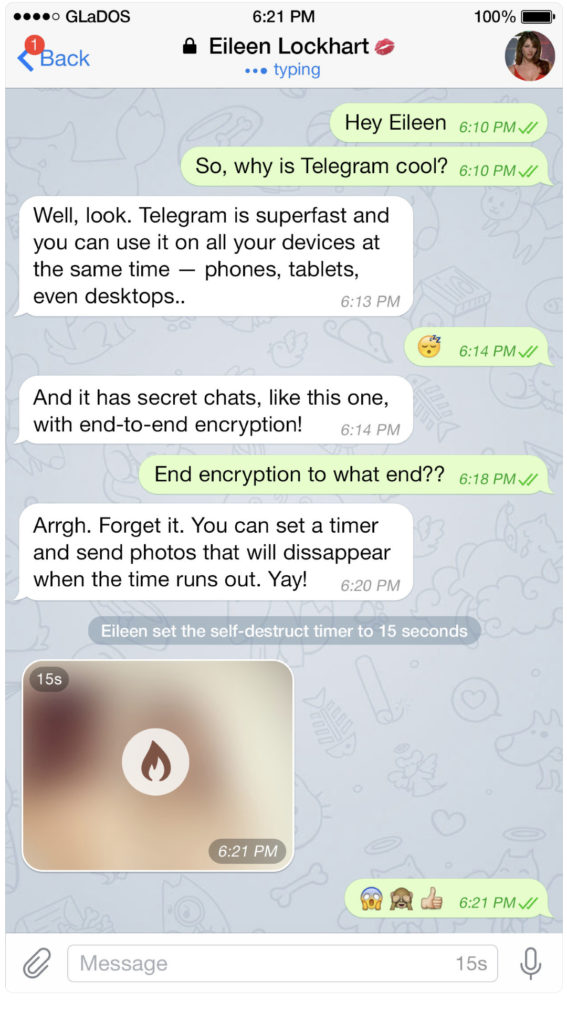
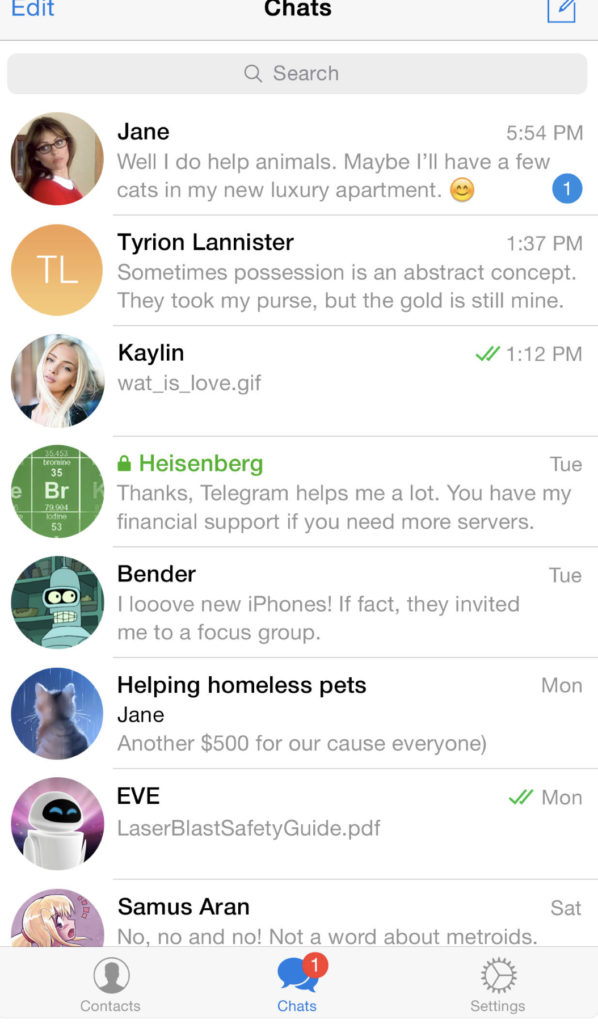
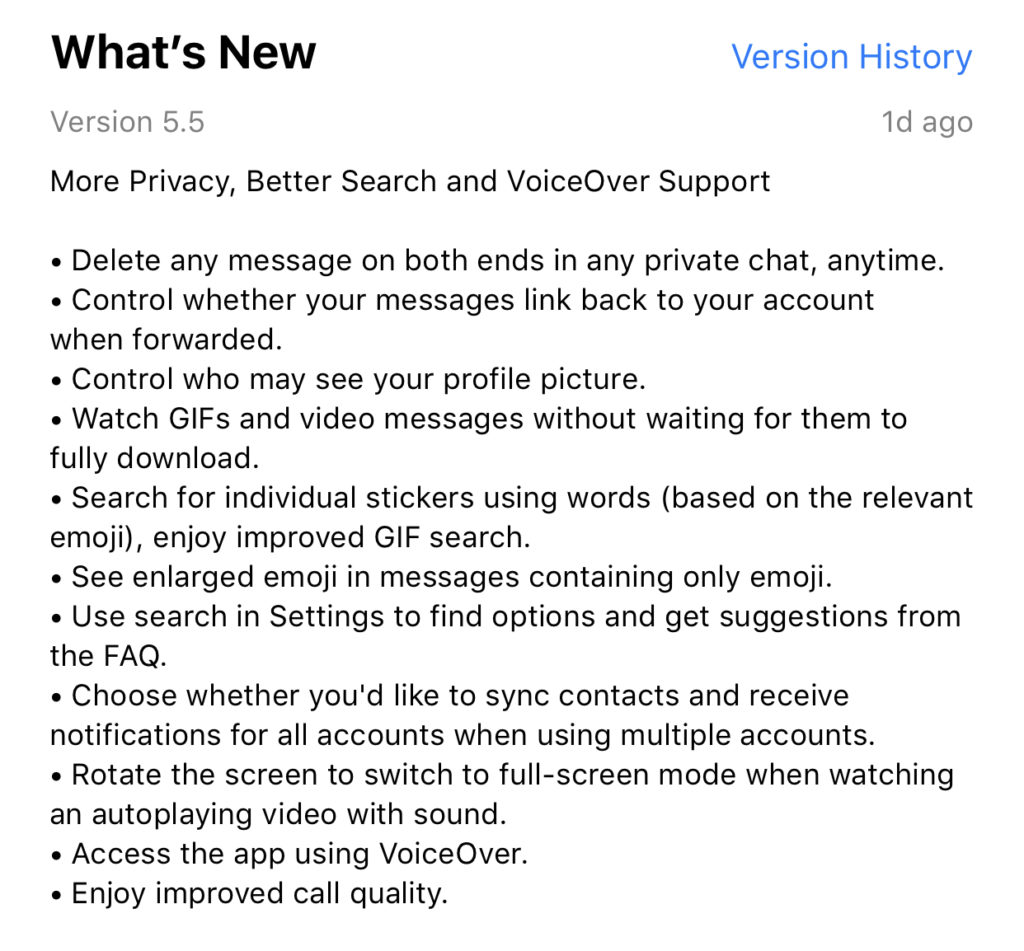
    Telegram is an end to end encrypted messenger that touts speed, privacy, and security. They have featured private messaging and self destructing messages for a while but their new feature takes privacy to a new level. You can now delete a message you’ve sent from your account and the account you sent it to no matter how long ago it was sent. Telegram is, again, standing up for privacy and users are buying in. Millions have flocked to Telegram after Facebook’s data leak news from the past several months. It looks like Telegram is doubling down on Privacy as their claim to fame. They’ve also added the ability remove your information from a message when the message is forwarded to other users. Some accessibility and ease of use features have also been aded.


    What Parents Should Know

    Security and privacy are often overlooked when we allow our kids to use internet connected devices. Privacy is becoming a major concern for experts and activists of family tech safety. Messengers that allow data to be collected and used for advertising shouldn’t be used by children and even teenagers due to the risks of such data being released or revealed without the messenger app developer’s consent. When an app features privacy as it’s distinquishing feature, you have to ask who the data is being kept private from. Obviously, we want data to be kept from third party companies who would use that data to advertise. Sometimes data is even kept private from the company that developed the messenger app that you are using. Telegram has a “secret messages” setting that must be set to keep your information encrypted from end to end. (End to end encryption means not only the company can see or collect what is being sent.)

    Anytime the ability to delete messages you’ve sent is added, I see red flags. While I think privacy is critical, there is also a risk of kids thinking they are safe from inappropriate or incriminating photos or messages being saved and used for nefarious purposes. It only takes a half a second to screen shot a message or image on your screen. Most phones allow you to record your screen to a video very easily. This means that you are non always anonymous online. If you are sending messages to someone, thinking you have complete privacy, you are trusting that the person you’re sending the messages to has your privacy in mind as well. Telegram is an easy way for predators, cyberbullies, and those interested in sexting, to send and receive messages that do their damage and then are removed as evidence.

    I have spoken to parents who have taken their kids to the police with complaints about people trying to groom them online but the police had no evidence because the messages had all been deleted. This is why a messenger makes the FamilyTechBlog uninstall list as soon as they add disappearing messages. It isn’t safe for your kids to chat with a feeling of anonymity or for them to chat with people who can send what they want and make the message go away after it’s been viewed. Telegram is rated 17+ and I fully agree with this rating. Private messengers that allow you to chat with anyone, anywhere shouldn’t be used by children and young teenagers. Especially when the messages can be removed at will.

  • What Parents Need to Know About Stadia by Google

    What Parents Need to Know About Stadia by Google

    On March 19th, Google announced their latest product: Stadia. The promise of Stadia is to allow people to play AAA games (Assassin’s Creed, Fortnite, etc.) without having to buy a dedicated gaming console or PC. How does Google plan to deliver on this promise? With Chrome and YouTube.

    Google has stated that Stadia is “the future of gaming.” I agree. Young adults are used to subscribing to services and streaming their entertainment and Stadia is the next step. Kids already watch hours of gaming content on YouTube every day, why not add the ability to play those games too?

    What We Know Right Now

    We don’t know a lot about Stadia right now but what we do know is pretty impressive.

    • A high-speed Internet connection will be required.
    • Up to 4K HDR at 60fps.
    • Plasy using multiple devices: PCs, laptops, tablets, and smartphones will be supported.
    • No need to download games or wait for updates.
    • You’ll be able to use any USB controller connected to you computer.
    • There will be a dedicated wireless controller.
    • Stadia will be available this year.

    What We Don’t Know Right Now

    Despite all the excitement around this announcement, there are many things we don’t know.

    • The price of the service.
    • The price of the controller.
    • Games available at launch.
    • Supported mobile devices at launch.
    • Release date.
    • Minimum Internet connection speed.

    Podcast Episode:

    What Parents Need to Know

    Your kids are going to want this, especially if they watch gameplay videos on YouTube. Being able to instantly play a game that one of their favorite streamers is playing and try that special move is very appealing.

    If the price is right, this could be an affordable alternative to purchasing a gaming console. Being able to play hundreds of games for $50-$60 a month is more affordable than buying a $600 console and a game or two every month.

    The Stadia controller has a streaming button which means your kids could be online and streaming their game and voice instantly. In fact, they could even join in a game with another person. Parents should be aware of this feature and take measures to block it if they don’t want their kids to live-stream.

    Google has been improving their products with better parental controls every year. Parents should familiarize themselves with those parental controls and enable any restrictions they deem necessary. You may want to consider adding time limits, enabling ratings limits, and disabling some of the streaming and cooperative features. Of course, this