There are those who made fun of Instagram for copying the Snapchat stories feature. Some of us saw it as a step towards saving Instagram from going the way of MySpace. Today, they’ve announced that the stories feature has 200 million daily users. That’s 40 million more than Snapchat announced this winter when they took their company public. To celebrate this momentous occasion they’ve added a few more features that Snapchat has had for a while. You can now add more stickers to your stories and even pin them to something in your video so they’ll move with you. They’ve also included Geostickers for several new cities.
These stickers, no matter what social media platform they’re on, are causing a term to enter the conversation that may have some parents scratching their heads. AR. AR stands for augmented reality which is exactly what it sounds like. Using your camera, these apps view the real world and then change it in whatever way you choose. Whether it’s a dog mask that pants when you open your mouth or stickers of bunny ears to celebrate easter, AR allows you to apply animation or illustrations to your images and videos. This is a popular feature that folks have been using for a while and it’s now been spotted by advertisers as a major opportunity for promotions. That’s why you’ll see masks featuring the latest movie release or a filter that has the logo of a make up product or beverage in the corner. AR is the new Television commercial but people are actually paying attention to it. Instagram’s celebration of these numbers with more AR features is guaranteed to bring in more users and more advertisers.
What Parents Should Know
Your kids and teens love nothing more than making silly faces in their selfies and sharing them with their friends. It’s good fun and usually not a big deal. Obviously advertising is everywhere and it was only a matter of time (it’s already been happening for a while) until marketing companies caught on that this was the best way to gain access to young people. I would expect more and more advertisers to jump on this bandwagon in the near future. The thing for parents to keep in mind is that these social media options allow marketers to identify their niche audience more easily and reach them more frequently. They can target age groups, locations, and even specific likes and dislikes to cater their marketing for that audience.
AR is just where entertainment is right now for our young people. Advertisers have always looked to target them in the cheapest and most direct way possible. My advice is simply to be aware of the amount of time your kid is spending on social media. There are always dangers that we want to keep them from but, while I wouldn’t call it dangerous, the constant barrage of advertising can become worrisome for some kids. My strongest advice is for you to get an account on the social media services your children use and get to know them a little bit. At worst you’ll have to see some dumb ads and lots of dog faces, at best you could have something in common to talk with your teenager about.
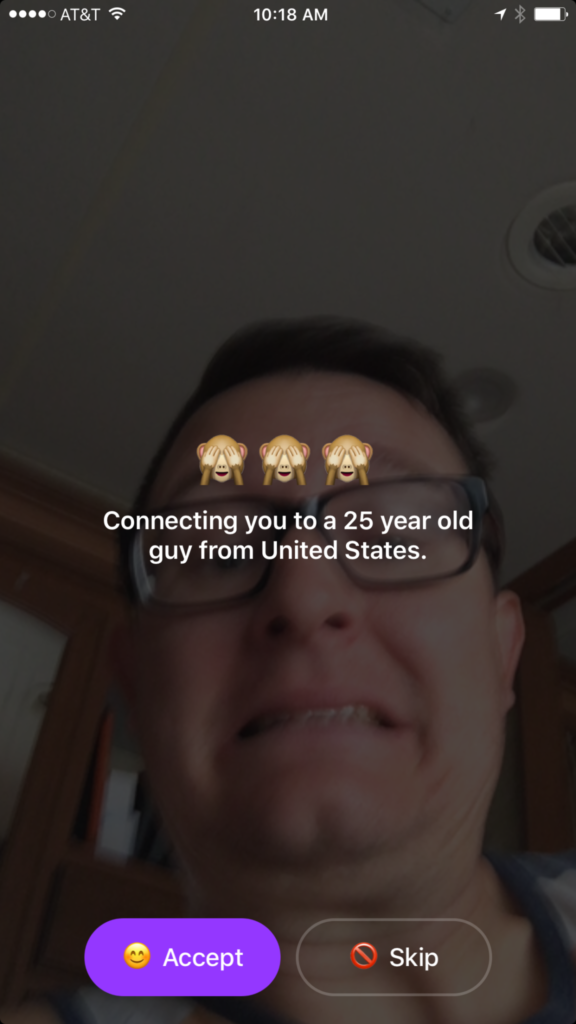
You can often tell a lot about an app or product by their logo. (See Instagram or YouTube) They often use the small icon to entice you into using their app based on the style or the creative way the image can explain what the app is used for. Sometimes, though, you can be lured into a false sense of security by the playfulness of an app’s logo or icon. Monkey is a perfect example of this. When I saw Monkey listed as number 51 on the app store’s top downloads I was expecting to see some kid’s social media platform that would allow you to chat privately or play games or something. That’s not at all what I found.
In reality Monkey is a chat roulette type of video chatting app. Once you’ve downloaded the app it will ask you your age. You set your age to whatever you’d like it to be, provide your phone number and your snapchat username and you’re in. It immediately begins connecting you with someone to video chat with. While it’s connecting it shows your face dimly in the background and says who it’s connecting you to. You have the option to skip the connection or accept. If you accept you’ll be shown their video feed and they’ll see yours. In the short time I tested the app I was connected with all males ranging from ages 22-45.
Once you have connected with someone a countdown clock begins. You can tap the clock to add time and keep talking but if they don’t tap their clock you’ll be disconnected. This is another “swipe right” concept that gives each user the option to continue the connection with a simple gesture on their smartphone. To be honest I never accepted a connection. I still just don’t get a good feeling about the gamble of finding random video chatting partners. I don’t know what I”ll see when I connect. You also don’t know what your kids might see.
What Parents Should Know
The dangers of a roulette style video chat app should be pretty obvious. The potential for unwanted material and contact with dangerous people is real. While there is a report button to flag any inappropriate content, that method takes the “after the damage is done” approach to keeping their app free from pornography and bullying. The app is rated for users aged twelve and over and the terms and agreements explain how the company takes no responsibility for the content that may be displayed on the app.
YOU FURTHER UNDERSTAND AND ACKNOWLEDGE THAT, WHILE THE SERVICES ARE NOT PROVIDED FOR PORNOGRAPHIC PURPOSES OR FOR MAKING SEXUALLY EXPLICIT CONTENT AVAILABLE, YOU MAY BE EXPOSED TO CONTENT THAT YOU DEEM TO BE OFFENSIVE, INDECENT, OBJECTIONABLE, OR SEXUALLY EXPLICIT, AND YOU AGREE TO WAIVE, AND HEREBY DO WAIVE, ANY LEGAL OR EQUITABLE RIGHTS OR REMEDIES YOU HAVE OR MAY HAVE AGAINST MONKEYSQUAD WITH RESPECT THERETO. – Monkey Terms of Use (All caps theirs.)
This app was developed by two sixteen year old kids from Australia. They said that they designed the app to allow teens to build more random online relationships. Ben Pasternak and Isaiah Turner told Mashable “…Snapchat is for your real life friends and Monkey is for your internet friends.” These teenagers saw a line between their real world relationships and the ones they could make with people all over the world through the internet. This is exactly what parents need to consider. While living in a more globalized world has many positives there are also very real risks to exposing our young teens and kids to the entire globe.
My advice is to put this app on your uninstall list. Never trust an app based on their branding or icon. Have a real conversation with your teen about the potential of seeing body parts or other unsightly things on this app. Remind them of the problem of connecting with random people online. There are always people who will lie about their age or their gender in order to connect with someone they’d like to prey on. Even if they know they’re only going to be connected for a few seconds. Sometimes a few seconds is enough to cause major problems for our young kids. Don’t let the cute monkey emoji logo fool you. Uninstall on sight!
Does your family have an internet safety plan? Sign up for our email list to get a free checklist that will guide you to family internet security.
I’ve been hesitant to write about the fake news issue. While there have been plenty of stories come out about how the tech world is battling the fake news problem I have yet to be able separate the issue from people’s political feelings and so I’ve left it alone. Today, tech news sites are talking about the latest shot fired in the fake news war and it centers around the most popular site on the internet, Google.
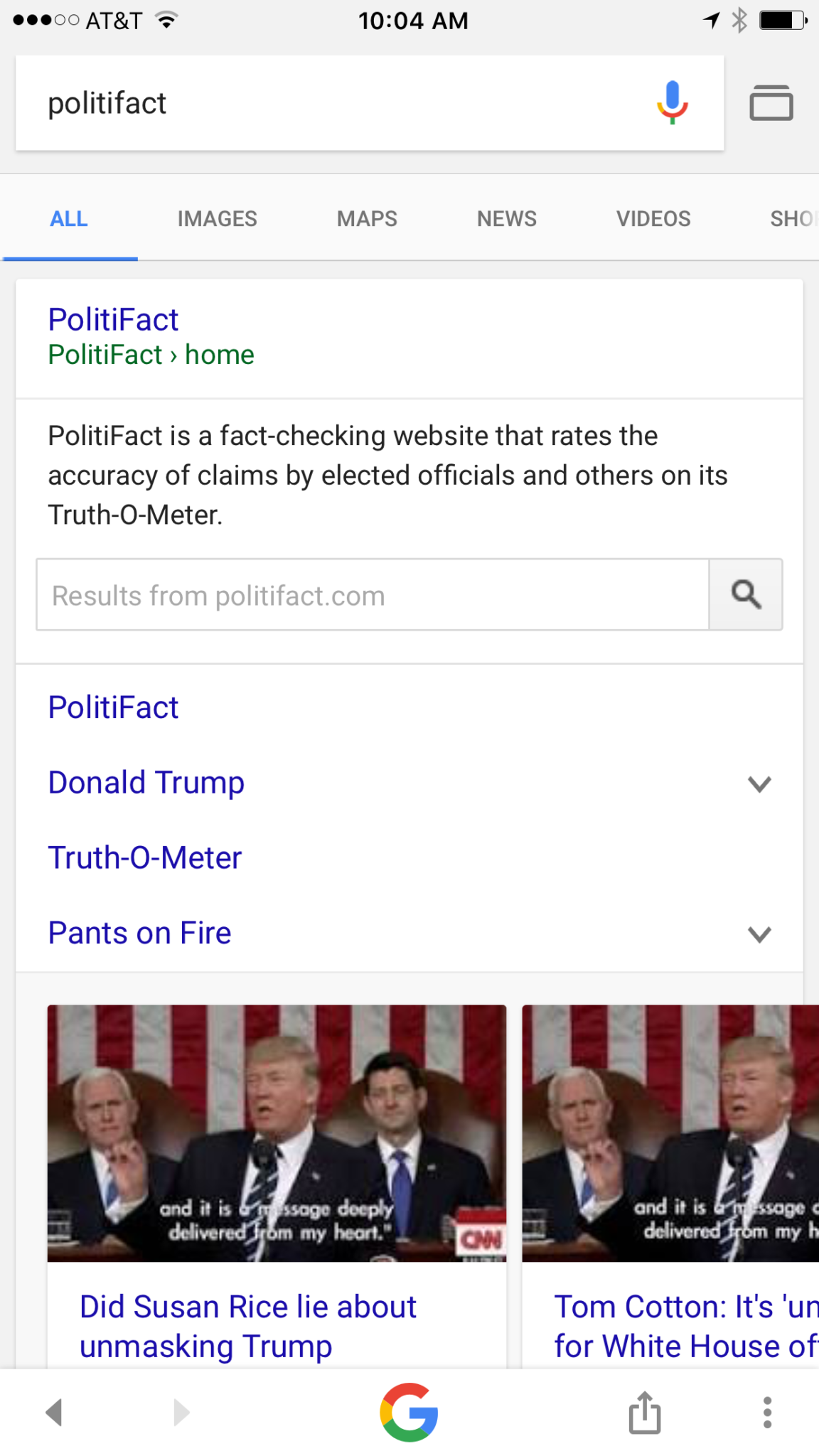
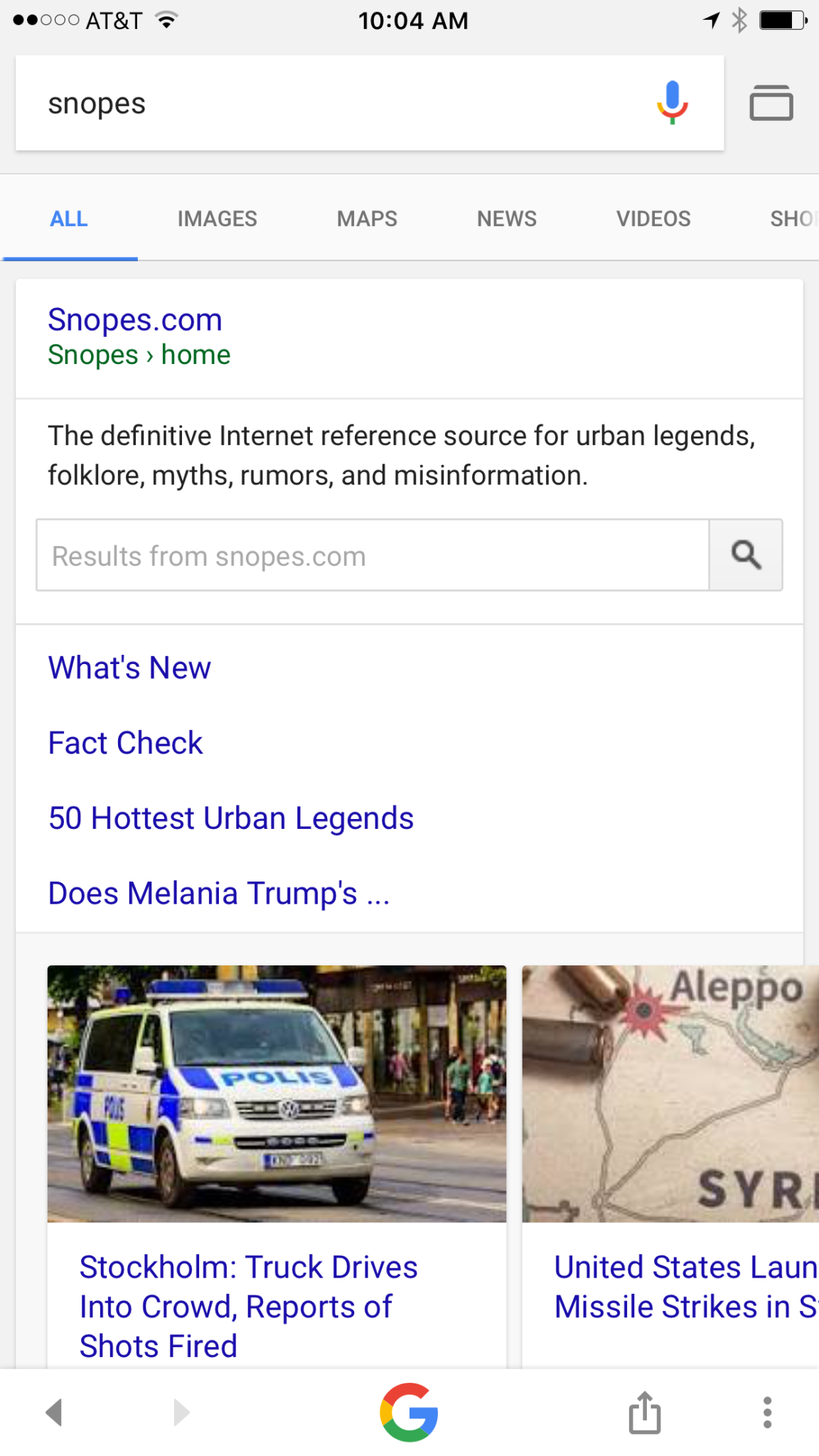
Google is going to be featuring fact check links on many news stories in your search results. The need for more fact checking has become more and more obvious as the internet becomes full of user generated content. The issue with UGC is that you can say whatever you want and, until recently there weren’t a lot of ways to prove your story right or wrong. Links underneath some Google search results will now feature fact check information from sites like Politifact and Snopes. These should help those seeking true news and information to have a better understanding of the sources for the articles they’re using for their research.
What Parents Should Know
Fake news isn’t a kids and teens problem. Many adults share stories without finding out where the information came from. It isn’t difficult to recognize a satirical news site from a real news site. Fake news sites work to disguise themselves as real news. Satire is an obvious attempt at humor while fake news is usually just created to get clicks and sell advertising. You see, the more clicks a site gets the more money they make from advertisers on their sites. Writers on these sites will write a story based on the number of clicks it will get and not the accuracy of their information. Often these stories will be twists on something that is true while sometimes it’s just a completely made up article with a “clickbait” headline. We can’t continue to share these articles for so many reasons; the biggest reason is that it further confuses our society and divides us.
Your children deserve a world where news is actual news. No matter your beliefs or political leanings you don’t want your kids to have to function in a society where there is no difference between factual news and an inflated false story written by some kid in a basement in Ohio (no offense to Ohio.) You should learn to fact check. Spend some time on Politifact.com or Snopes.com and dig around for the issues that are most important to you. Teach your kids what it means to site sources and look for the purest form of information or news. Yes, you can read about the latest tech news from me and I’ll related it to parenting and protecting your children online; that’s great, but if want to know more about Google’s fact checking search results you can go read their blog to get the information straight from the source.
You hear it all the time. “Kid’s these days.” or “I just don’t get teenagers.” There’s a myth that our teenagers are becoming more and more selfish and entitled. In reality, however, adolescence is nothing new. William Shakespeare wrote of the craziness of the teen years in The Winters Tale,
I would there were no age between ten and three-and-twenty, or that youth would sleep out the rest; for there is nothing in the between but getting wenches with child, wronging the ancientry, stealing, fighting.
Teenagers of “the good ol’ days,” while they may have had jobs earlier in life or were thrown into battle before they could legally buy a beer, were still teenagers and dealt with the same issues as our kids do these days. The issues may be highlighted these days by the availability of technology and the hyper-connectedness of our culture. Young people have the entire world at their fingertips and can have face to face type interactions with anyone from anywhere. This is what is new and some recent studies in neuroscience have shed light on some of the biological reasons for a teen’s selfishness, risk taking, and lack of self control. Watch this Ted Talk from neuroscientist Sarah Jayne Blackmore.
What Parents Should Know
You, most of all, should be encouraged that your teen is just like every other teen. Their outbursts and seeming lack of responsibility is largely based on biological reasons. They aren’t stupid or handicapped, they are developing and this affects their behavior, especially online.A book by David Walsh called Why Do They Act That Way? reminds parents of the “use it of lose it” factor of brain development.
During development your brain synapses are growing and they literally have to connect to each other in order for you to learn something. During the development of adolescence if you are not guided into proper choices the synapses in your brain will never connect. This means you could struggle with those types of decisions for the rest of your life. With the advent of social media and our dependency on screens for entertainment this necessity for guidance in healthy behaviour is even more evident.
When your son or daughter tells you that they want a smart phone because all the other kids have one, this is an opportunity to help their brain develop a proper attitude. When your 13-year-old son has been watching YouTube videos for six hours a day setting time limits on your Wi-Fi is helping him practice self-control. When your daughter received a message from somebody she doesn’t know and you see it on your monitoring app and immediately tell her to block that person you’re teaching her how to make good decisions.
Let this post encourage you. You are the mom or dad, and it’s up to you to help your young adult grow to be a contributing member of society. Their biology can get in the way but your guidance can show them how to make the right decisions. Hang in there, keep doing the hard stuff, we’ll keep giving you the info you need.
It’s next to impossible, once your kids reach a certain age, to keep them off of the internet completely. Schoolwork requires online research and so do many other activities that kids enjoy these days. What you need is a solution that will help you fully protect your kids while they search. That’s where Kiddle.co comes in.
These days we need to be parents and educators in the online world as well as the real world. The internet is a great educational and recreational resource that can help children learn and satisfy their curiosity about life.
The websites included in Kiddle search are recommended by educators, librarians and parents from across the globe as well as websites our own editors have used in schools or for homework within the K-12 age range. – Kiddle.co/internetsafetytips
Kiddle is a safe search engine powered by Google. The beauty of Kiddle is that, for most searches, it features curated, kid relevant results. While google ad results do often show up first, they’ll be family friendly and related to the topic searched.
Obviously, inappropriate searches are blocked with an angry looking robot telling you to try again. It will also filter out inappropriate results to searches that should be safe but sometimes aren’t. For example a search for some pop star they’ve heard of will produce results but the images shouldn’t be adult oriented and news articles about their indecent activities at the club won’t show up.
What Parents Should Know
Kiddle is branded and designed for children but it’s a good solution for your kid or teen who needs to do some research while you aren’t looking. I recommend using sites like Kiddle to help kids with homework so that you can be sure they’re only seeing results that are safe.
Also, Kiddle has some pretty good advice and tips for parents and educators on their site as well. Just head over and take a look. I’m confident you’ll be pulling it up the next time your child has a science project or history paper due.
Circle is one of our favorite resources to recommend to families. With its simple to use app and customizable, profile based filters Circle is one of the most accessible parental control options out there. At a price tag of only $99 it’s affordable too. Today, Circle announced Circle Connections, the roll out of integrations of some new resources to make it one of the most extensive filter and time management apps available. These integrations will soon add the ability to stop notifications from social media apps while your child is driving and allow you and your kids to use Amazon Alexa to set and monitor your time limits. Launching first, however, is a partnership with FamilyTech.
The new platform, Circle Connections, allows Circle users to connect other partner apps, devices, and services to offer rewards, automate features, and much more. These other pieces of Circle help leverage some of the biggest drivers of family life: screens, physical activity, teen driving, and social media.
FamilyTech launched late last summer and is a chore/time management system developed by CEO Chris Bergman. The system features four apps. Mothership, the hub for setting chores and giving rewards. ChoreMonster, an app for kids that rewards them for meeting their chore goals. Honeydo, a way for couples to communicate what needs to be done and get more accomplished. And Landra, the home productivity solution for older kids and teenagers. This partnership is going to set Circle up to be one of the most extensive time management and parental control options available to parents.
For Example
With Circle’s time limits, the integration with FamilyTech can do a lot for parents. Imagine your child has an excellent week of chores. The choremonster app asks what reward they would like and they choose to extend their bedtime. ChoreMonster will communicate with Circle and their bedtime will be extended to whatever reward time you’ve set up. Pretty much automated rewards. That sounds awesome.
As mentioned, some of the functionality will be released in future updates but the integration with FamilyTech is rolling out now. If you have circle, be sure to update often and take a look at what FamilyTech’s apps can do for you. If you don’t have Circle yet, maybe this will be a pretty good reason to give it a go.
More and more schools are giving students tablets or laptops to help them with their school work. Much of the newest curriculum is either fully digital or integrated with a digital resource of some kind. This means that there are more devices being placed in our children’s hands and parents aren’t even able to decide if they should have them.Schools are required to have protections set on their in-house networks but there are no guarantees that your children are protected at home. There have been multiple instances reported of children coming in contact with adult content on school computers. This story from last fall highlights the inability for the school to guarantee their tech is safe when not in their own building. The conversation always goes to the same place. The responsibility for safe internet use outside of the school or library falls with the parents. What does that mean for us as mom and dad?
What Parents Should Know
I recieve questions all of the time about how to protect kids on their school computers. I’ve been scheduling workshops for parents at private schools and helping school leadership learn how to protect their students. Internet safety in school and on school issued devices is a serious matter. Too many schools aren’t set up properly to filter adult content and monitor messaging or internet searches. This means it’s up to parents to be sure your kids are safe.
I recommend a couple of things. First of all, if it’s all just too much for you then ask that your child be allowed to keep the tablet or computer at school. Many schools will let your child check the computer in before they leave and check it out again when they come to school the next day. This is a good option if you’re concerned about how safe your home network may or may not be. I, of course, recommend securing your home wifi network and devices as soon as possible, though.
Secondly, you can talk to your school administration about better security measures. What kind of internet safety setup does the school have in place? Do they apply safety settings per device? Per classroom? Is the school network protected? If so, is only their network safe or do they have protections that will follow your kids home as well? If you can’t answer any of these questions then you don’t know enough about your school’s internet safety policies. You need to have some conversations.
Third, I would recommend talking with your child as often as you can about how they use the internet at school and at home. These conversations will help them feel comfortable to come to you if something inappropriate turns up online. They should report anything suspicious or dangerous to school officials and you and it’s up to you to help them know that.
A New Standard
Schools will most likely not stop issuing technology to their students any time soon and it is only getting harder and harder to protect our kids from hostile content and overuse of screen time. Remember to keep track of how much time your kids are spending online and include school in those numbers. If they are doing three hours of school work on the computer and them watching videos for two hours at home they have spent five hours online that day. Is that the healthiest internet habit you can set for your family? You decide, and then implement your plan.
Parents should do their best to be aware of their teenager or child’s activity on social media. Following your kid’s accounts can be a great way to accomplish this and is something we recommend in our workshops and meetings with parents. The problem is that our more sneaky kids know we are doing this and have ways to avoid our ever-watchful eyes. Your child or teen could possibly have set up a “SPAM” account on their Instagram.
A social media spam account is a way for kids to post whatever they’d like online without parental interference. It’s a secret account that they only allow to be followed by the friends they want to know about it. They have a double Instagram life of sorts because they can post things that are parent approved on one account and then post like all of their non supervised friends on the other account. You don’t have to worry, though, there is a way to find that spam account and disable it. I’ll show you how.
First of all you are going to have to be ok with making your child hand over their phone to you unexpectedly. Hopefully you have set a precedence for this kind of thing already so when you say, “Let me have a look at your phone.” there will be no discussion. If they aren’t used to it you may have to remind them who the parent actually is and require them to give it to you. The good thing is that you can find their spam account on Instagram in seconds so you can assure them they’ll get their phone back soon as long as you aren’t upset by what you find.
Here is a slideshow that will show you the few simple steps required to find a spam account if it’s enabled on your child’s Instagram app.
First:
Tap the profile image on the bottom right.
Second:
Tap the account name on the top center.
Third:
You can see all the accounts connected to that app.
What Next?
Hopefully you knew about any accounts you found. However, if you happen to find something you weren’t expecting then my recommendation is to have a serious conversation with your child about what they are posting that they feel they need to hide from you. Ask them what healthy social media use should look like and try to come up with an agreement on how to accomplish these healthy habits in your family. Don’t back down during these conversations and if you found anything that requires drastic action such as counseling or a loss of privilege then take that action as soon as possible.
Remember that these steps are about your child’s safety and protection. We know that our teens should be given a level of freedom within boundaries in order for them to build healthy habits but betrayal of your trust with a secret “SPAM” acc0unt should be taken very seriously. They may hate you for it now but someday they’ll understand and they’ll be grateful then. Just hang in there.
YouTube Kids has now been around for over two years. I’m still amazed how many parents don’t know about the curated kids streaming app. It is a pretty good safe alternative to YouTube’s more open and unsecure content. An announcement today could make YouTube Kids an even better option for your family.
Today YouTube announced that they are going to launch four new original shows on the kids app. The shows will use people who already have a strong YouTube presence and be available only to YouTube RED subscribers. Shows like “Fruit Ninja; Frenzy Force” will be designed for younger kids while there will be a couple of shows, such as “Hyperlinked” (starring tween YouTube Music stars L2M) that are geared for children a bit older. There are more shows scheduled for the lineup and they range from animated cartoons to unscripted reality shows.
Along with this announcement, YouTube has said they will soon be rolling out support for YouTube Kids to be viewed on SmartTVs from Samsung and LG. This will mean that content from YouTube Kids can come to life on a larger screen and be viewed more easily by more of the family at the same time. It seems that YouTube is really working to become a major player in the streaming entertainment world. New YouTube Red shows are coming out all the time and you can see many YouTube stars being interviewed on more mainstream media talk shows like Jimmy Fallon to promote YouTube’s original content. We are entering a new age in digital entertainment so be ready and pay attention.
What Parents Should Know
YouTube Kids is a good option for parents whose children enjoy watching videos on the streaming service. It’s a lot better than the YouTube app in which they can be as few as two clicks away from some type of violent or inappropriate adult content. While YouTube Kids is better, it isn’t without it’s faults. You will still want to put your eyes on what your children are watching every now and then. The original content means that, if you’re a RED subscriber, you will have a bit more than the clips from PBS shows, lets play, toy unboxing, and science videos. That’s a good thing but you’ll want to be aware of which shows are designed for what age audience. The trend is for messages in kids entertainment to lean towards kids a few years older than the target age of the shows. That means you young daughter could be watching a show by music sensation L2M about what it’s like to be in High School. This could lead to eventual trouble if you aren’t aware of the message they are getting from the show.
I always recommend parents having a total knowledge of what their children are spending their time doing. These original content shows may be designed for children but it’s important to remember that only you can decide if they were designed for your children. Nobody knows your kids like you do so only you can make the right entertainment decision for them. You should just allow unsupervised viewing of anything you’ve never seen, even if it is meant for children. Should your kids watch streaming content on YouTube Kids? If they are already using YouTube then absolutely yes. Should they watch the original content and use your tv to view it like other shows? That’s entirely up to you, just be sure your decision is based on knowledge, not a trust that the term “KIDS” always means safe.