Tag: images

  • Instagram Rolls Out Major Updates to Direct Messaging

    Instagram Rolls Out Major Updates to Direct Messaging

    Instagram has launched their seemingly weekly major update today with a focus on their direct messaging feature. Now it’s possible to see previews of links and to send full size images. (Not just squares.) While most of Instagram’s updates have focused on it’s Stories feature, the DM gets quite a bit of attention every now and then too. There seems to be a race between Instagram and Snapchat to develop the best private messaging option out there. Features like link previews and removing the image dimension limits will go a long way to make Instagram a serious contender for direct messages.
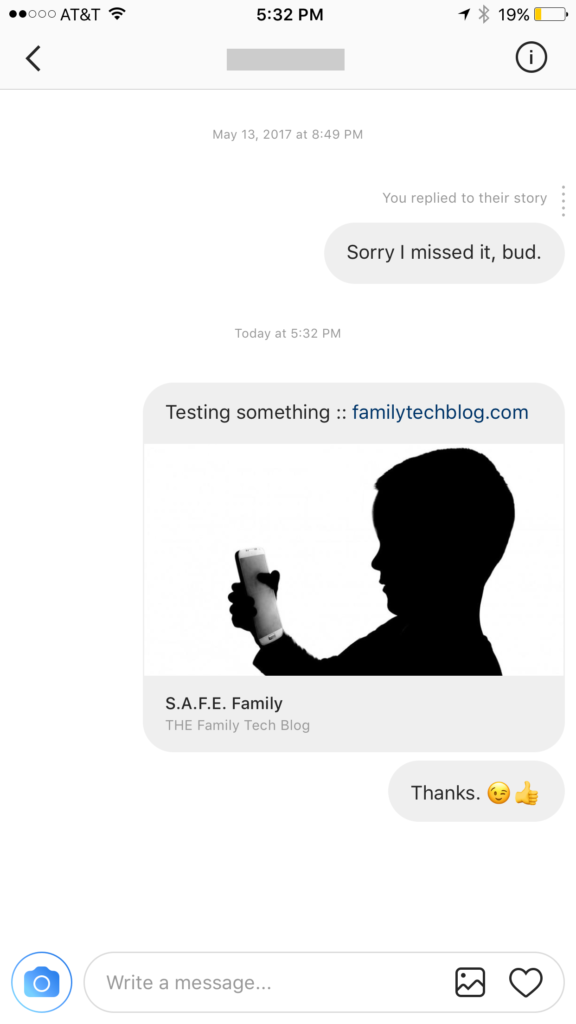

    Link previews look a lot like in FB Messenger.

    What Parents Should Know

    Obviously it’s important to know who your kids are talking to online. Private messages open up the possibility for kids to contact people they don’t really know very well. This can lead to full, private conversations with videos and images that are difficult for parents to monitor. There is no way to disable direct messaging in the Instagram app so if your kids are using the service they have the ability to contact people in private. These messages won’t show up on their image timeline and images won’t be stored on their phones unless they manually save them. This can result in private messaging that may cross your line of what’s appropriate.

    Links that show up in Instagram will open in the Instagram browser when clicked. This means some accountability software and filters won’t take affect. You should keep that in mind when deciding whether or not to allow them to use Instagram.

    My advice, as always, is to take whatever measures you’re most comfortable with to monitor your kids Instagram activity. The only way to monitor their private messaging is to have their login information. I show you how to log in as them on your own device in a video here. Prevention, monitoring, and conversation are the most important things you can do to keep your kids from unwanted material online.


  • Tumblr App Installs “Adult Content On Switch”

    Tumblr App Installs “Adult Content On Switch”

    Tumblr has lost some traction over recent years. It’s not so much a social media platform as a blog host and not really even that. It’s more used for GIF (animated images) posting than anything nowadays. Apple has always had a pretty strict standard on adult content in the apps in their app store. They require developers to have adult content disabled by default. This usually means that image searches on your browser should be without any blatant pornography unless your search is specifically for that. Tumblr has updated their iOS app with a workaround for this rule. There is now a switch that will allow users to turn adult content back on in Tumblr. It’s actually a “safesearch switch” and it’s set to on by default, thus following the rules set up by Apple. All it takes, however, is for someone to go to the settings page of the app and turn the safesearch option off. This will unleash the cacophony of adult content that is available on Tumblr (many say that pornographic images and gifs have become it’s main purpose) on the user.

    What Parents Should Know

    The Tumblr app is basically a browser in which anyone with an account can see any of the user generated blog content posted on the site. As mentioned above, the app has become inundated with adult content and is not safe for anyone you’d like to keep from those sort of images or videos. The safe search switch isn’t located in the restrictions settings on your iPhone. It is just in the settings for the app. This means safesearch changes can be made without a password. This app is an easy way for your child who has been looking at inappropriate images or videos to access more of that. Now that the safesearch can be turned off, you’ll want to add this app to the uninstall list.

    Our children can be greatly harmed by pornography. Studies are showing it’s addictive nature and the ability it has to alter a person’s sexuality and preferences, creating what they call an “arousal template.” This causes kids to be attracted only what they’ve seen online and can create serious problems for them in the future. They also say that kids who view pornography are six times more likely to force others into sexual behavior. Many in our culture view online adult content as only entertainment but it’s being proven that it’s detrimental to the mental health of our kids. If there is anything you can do to protect your children from adult online content, you must take steps to do so. Uninstalling Tumblr just became one of those steps.

  • This Bot Predicts Your Photo’s Awesomeness

    This Bot Predicts Your Photo’s Awesomeness

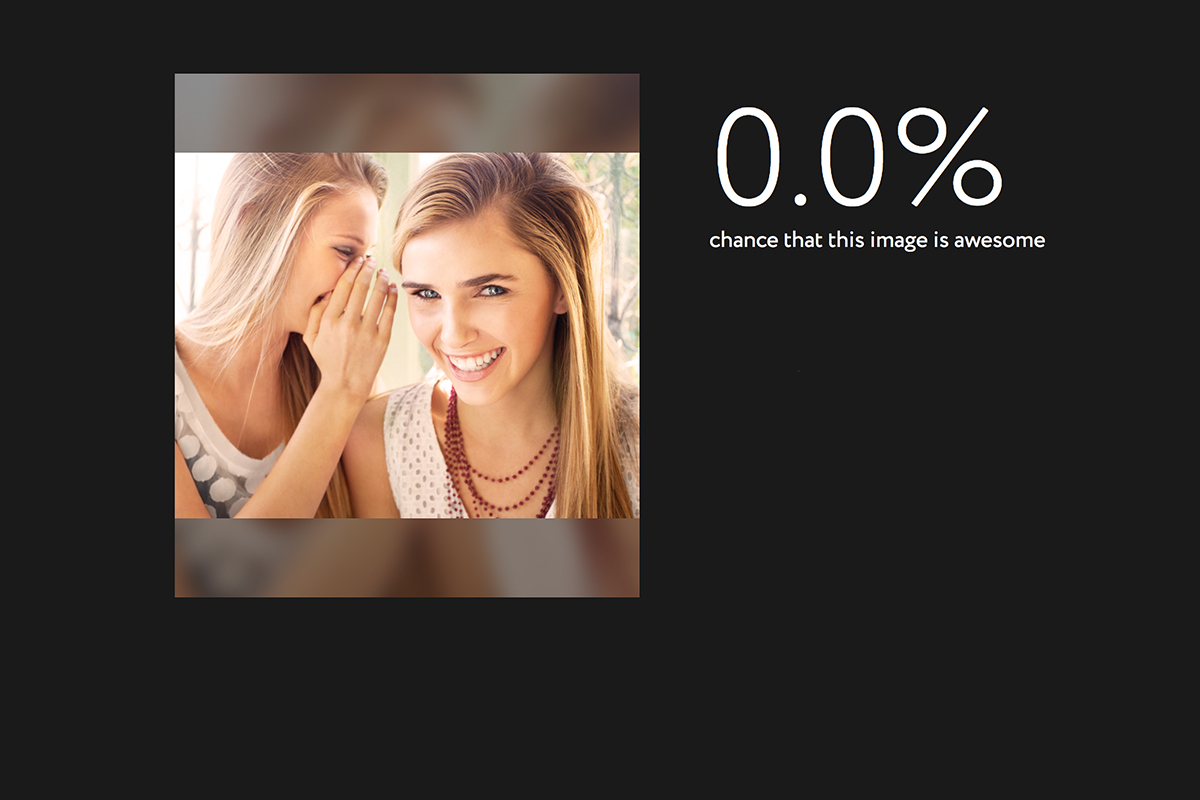
    The selfie is this generation’s business card. We use these photos to say who we are and what we’re all about. We try to put our best face forward and represent ourselves as what we’d like others to think about us. Everypixel Aesthetics uses artificial intelligence to tell you whether or not humans will think your photo is awesome. Its created to scan your stock photos to help you choose what to use for your designs but is it a stepping stone to using AI to define beauty?


    While this photo of me scored 100% on the awesomeness scale (and labeled me a Young Adult) I don’t feel as if most of us would put a lot of credit on an AI and it’s opinion of our photo. I do, however, wonder about our young teens. As discussed in an earlier post about the adolescent brain and another post about the narcism of the Instagram selfie taker, our young people can sometimes have poor judgement when it comes to self esteem. With apps like Tinder, After School, and Wishbone our kids are letting their photos or photos of what they love be judged and voted on by a simple tap of a screen or swipe. This level of constant scrutiny can give our kids some very serious identity issues. What feelings could the opinion of an artificially intelligent bot cause to rise up in our kids?

    What Parents Should Know

    (The opinion is strong in this one.)

    Everypixel Aesthetics is in beta. It’s not a widely known service and it’s intended to rate stock photos, not to judge your looks. My apprehension is about what can result from giving AI the ability to rate someone’s photo. What about sites/apps like PrettyScale that will tell you if you’re pretty or not based on some pre-designated programing? What will something like that do to our kids’ self image? While that sort of app is always intended for entertainment it’s important to know our children and give them the confidence that can only come from knowing truly who they are. Helping our sons and daughters know that their beauty is based on more than their outside appearance is a major job of the parent. 

    I recommend learning all you can about what your child may consider beautiful or ugly. Keep them from using silly image rating apps and websites until you know they can truly see it as entertainment and laugh off a potential negative result. Everypixel Aesthetics gave some pretty interesting looking photos very low scores. I don’t know why or what institutes an “awesome” picture but imagine your daughter uploading a picture of herself and getting a low score. How could that make her feel? I think we should take an active role in helping our children develop a high self esteem while protecting them from influences on the outside that will hinder that progress. What do you think?


  • Facebook Creepers Beware!

    Facebook Creepers Beware!

    Anonymity on the internet is and has always been a myth. Facebook, however, has become a place where people can search for others and learn all about their lives without revealing their creepy behavior. Facebook’s new Stories feature is changing that a bit. In a move to keep and attract younger users Instagram and Facebook messenger added their own version of Snapchat’s stories. That feature has now been rolled out to the main Facebook app and it gives people an way to see who’s been watching. 

    Facebook’s stories are photos and videos that post in vertical-full screen format on your phone. They last only 24 hours and you can add text or drawings on the screen and the in-app camera has filters, masks, and overlays that you can add to your photos as well. There is also an option to see who looked at your photo or watched your video. This is a major difference for Facebook since the standard has been to go see what folks are up to with no threat of them finding out you’ve been watching. This may be good news for you because you don’t like the idea of people looking at your stuff without you knowing. Or, this may be disturbing because you, my friend, are the creeper. 

    What Parents Should Know

    Facebook is trying to become a real social media contender for young people again, so parents should be keeping tabs on the moves their making. The stories on Facebook add another way for people to show the reality of their life and world which is what your kid or teen likes to see and do on social media. You should encourage your son or daughter to keep an eye on who’s watching their story. Let them know that the feature is there and that if they’re using Stories they should go check out who’s been following their Story.

    Remind them, also, that anonymity online is a myth and that everything that is posted online can be there forever. Just because their Story disappears from Facebook after a day doesn’t mean it’s truly gone. Screenshots can capture an image and then it can be uploaded anywhere else on the internet. The rule should be that you never post anything on the internet that you don’t want the entire world to see and that you don’t want to be there forever. I say that these rules are good for us to teach our kids but some of us parents may need to remember these warnings as well.


    Get Our Latest Posts in Your Inbox


  • How Social Media Sites Use Your Photos to Learn About You

    How Social Media Sites Use Your Photos to Learn About You

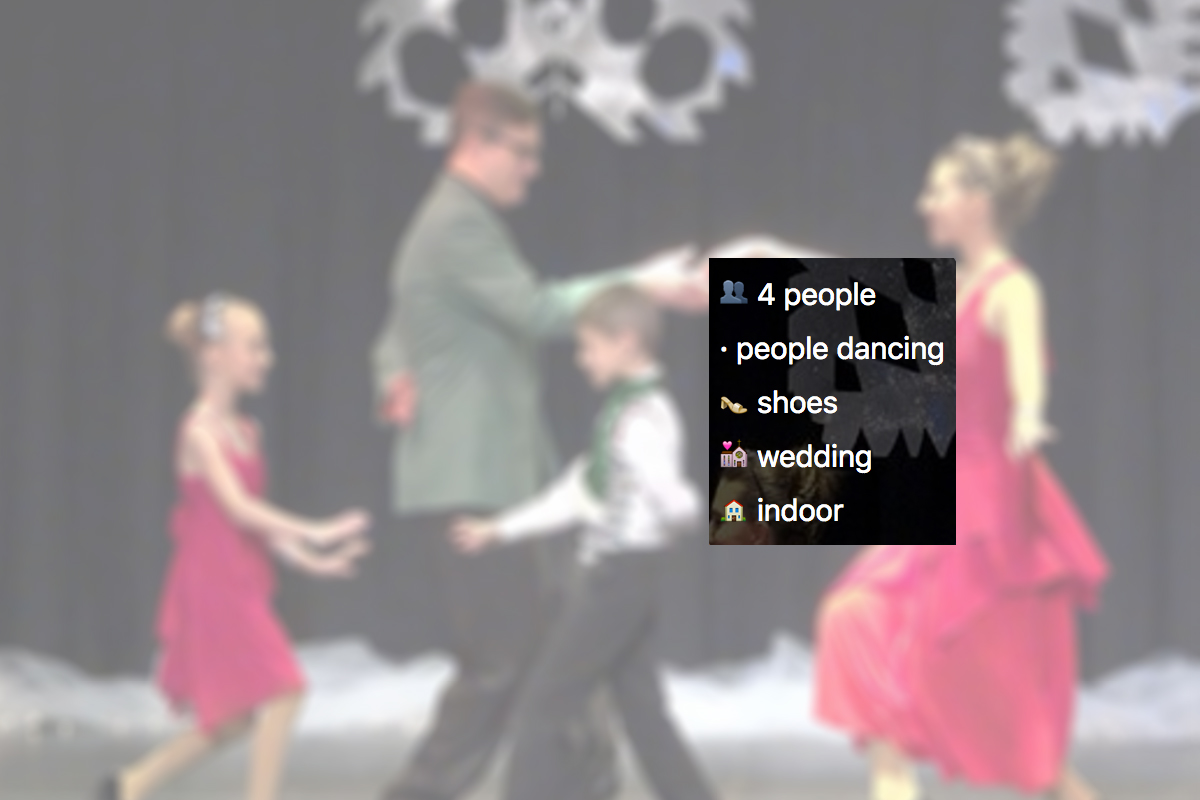
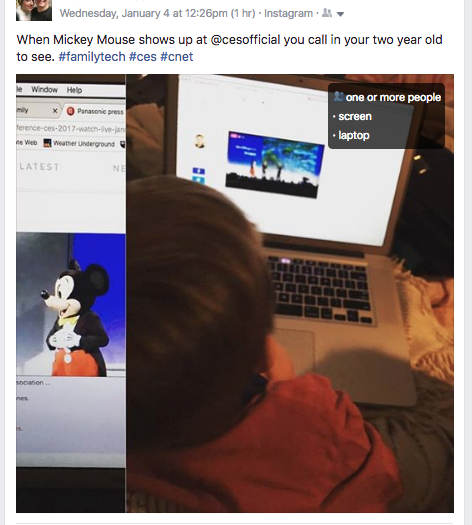
    A new extension (plugin or addon for a web browser) has just highlighted an issue we all probably won’t be surprised by but have never thought about. Our social media sites are scanning our photos to learn more about us. The extension is called, get ready it’s a mouthful, “Show Facebook Computer Vision Tags Extension” and it displays the detailed tags that Facebook has used to label your photos when you post them to the site. The tag information is built by automatically scanning every image you post and using the information to create trackable details about that image. So, for instance, if you post an image of you and your kids at the zoo it may show tags that say: “3 people, smiling people, animals, nature.”


    This may seem like no big deal but when you think about just how much information can be obtained from a simple thoughtless upload of a family photo, it can get a bit creepy. Most likely this info is used to help Facebook target you better with those advertisers who pay for the privilege to use the data to identify potential customers. It also is used to help with search results when someone is looking for photos of you or somewhere you’ve been.

    Use this as a tool!

    Oversharing online is more than just annoying. When you post a picture of your food that nobody cares about you are identifying yourself as a consumer who wants to be advertised to about that type of food. When you post that bad blurry picture of your kids in their princess dress, you’re highlighting that you should be targeted with more Disney advertising. Use this extension as a tool to help you learn that lesson, and teach it to your kids.

    This extension can be a pretty cool way to help you and your kids see how much information about you is available when you post online. I always advocate for parents to teach their kids that the internet is a public place. Whatever you post can and will be used against you IRL (in real life) and so you should think about that before you post. This extension may be a great way to drive that advice home with your kids.

    If you want to see for yourself, you can download the chrome extension HERE.