
Tag: homeschool

  • 2020 Back To School Tech Safety Checklist

    2020 Back To School Tech Safety Checklist

    This school year is sure to be unlike any other. We are facing a global pandemic causing many schools to shut down and send students online. Parents shaming others for their decisions to send or not to send kids to the classroom. Political upheaval in an election year, and racial outrage all over the country are causing stress levels to increase too. There has never been a time when protecting our kids’ minds and hearts has been so critical for their education. This Back to School Tech Safety Checklist can help you enjoy the 2020 school year with your kids instead of losing your mind.

    Back to School Tech Safety Checklist

    Accountability Software

    I hardly ever write an article about protecting your children on the internet without mentioning accountability software. This software will securely monitor the sites being visited on a computer or mobile device and report anything inappropriate. Most of the time this software allows you to customize the sensitivity of the system so that you aren’t being alerted for things that aren’t actual threats. Our favorite software, Accountable2You, allows you to adjust settings on multiple devices and will send you an email or text when something you don’t approve of has been visited. If the site wasn’t what the algorithm thought it was, simply login to the Accountable2You site and adjust the settings for that site so you won’t be alerted for it anymore.

    Your child will likely be doing more and more work for school on their computer. (As if they weren’t already doing a ton of schoolwork online.) This means that they’ll be searching the web and using web based cirriculum. Accountability software allows you to give them the freedom to use their Chromebook or PC knowing you’ll be alerted if they happen upon something not intended for kids or education. You can even set up certain sites on “blacklists” that will alert you. This means their favorite gaming site or YouTube can be put on the list so you’re notified if they’re wasting more time than they should be.

    Home Network Filter

    Monitoring what your kids see online is a good start. It is definitly step one, in my opinion. Step two, or maybe step 1.5, is a content filter for your home network. A lot of newer internet routers and modems come with content filters that can easily be set up from an app on your phone. These filters will block most adult content from showing up on your child’s device. We’ve all had that experience where a seemingly innocent Google search resulted in an assault on our eyeballs with some crazy adult site that seems to have been intentionally named to show up if you had a typo in the search bar. Filters can keep those nafarious sites from showing up. Even if they are sought out intentionally.

    Remember that a home network filter will protect your child on your home wifi connection. When they disconnect from it and use cellualar data, the protection will be gone. There are filter options for that, though. Circle is one of my favorite options. Bark is also a good resource since they have added time limits and content filters recently.

    Screen Time Limits

    Speaking of time limits, that is also something you need to consider while your kids are spending so much time using technology for school. The good news is that not all screen time is created equal. Experts are saying that creative or educational screen time for our elementary aged and older kids can be beneficial compared to time spent playing games or consuming video content. This means you can probably still give your son a bit of time on Minecraft or Fortnite after they’ve already been doing school work on the computer for four hours.

    Gaming can relieve stress, playing games online with friends can provide some social interaction that they aren’t getting if they’re not going to school every day. These things are benefits of recreational screen time. Also, creativity can be stimulated by use of their screens. Minecraft is a great example, if your child is building a world in the game they’re doing a lot of important critical thinking and creative reasoning which is good for them. I encourage you to be aware of how much time your kids are spending on a screen and use features like Screen Time or Family Link to limit social media, entertainment, and gaming but don’t freak out about the extra time spent learning online.

    Plenty of “Green Time”

    Green Time is simply defined as time spent outside. Our kids need to run around, play, and enjoy the outdoors. Your younger kids can enjoy time on a playground or just running around playing kid games at the park while your older kids enjoy a sport, hike, or some other recreational activity. There has been research to show that green time improves attention span, relieves stress, and we have known for years that it helps kids’ physical health as well. Build in “Green Time” breaks for your kids during their online school day. If the school schedules their day for them, make sure you allow for time outside when the school schedule has ended. You’ll see them have better health, get better grades, and even have a better attitude. If you’re spending all day at home with them this year, you’ll be super grateful for that last benefit.

    Communication

    I emphasise the importance of communication in nearly every post I write, podcast episode I record, and in person presentation that I do. You have to talk to your children about their digital wellbeing. Kids are smarter about these things than you think. You may be surprised at how much they want to do the right thing. Encourage them to come to you when they see something inaproppriate, tell them you’re on their team and want them to have the best school year possible despite the crazy circumstances. Help them know you are a safe place to come about their digital lives and they’ll be grateful to know you are there to support them.

    Adapt and Enjoy!

    If I have learned anything during this crazy year its that you have to adapt and be abe to enjoy life right where you are. Hopefully these tips can help you enjoy this extra time with your kids. After all, when you count how long you have with them by school years rather than days, you may be happy that you got this time with them during this crazy phase of life.

  • How COVID 19 is Changing Kid/Family Media

    How COVID 19 is Changing Kid/Family Media

    This is an audio article: Listen to the full article below.

    How COVID 19 is Changing Kid/Family Media

    Click here for the full Tech Crunch Interview

    • Popular kids apps now see 24hr screen time access
    • Less education on screens and more entertainment
    • More companies are adding kid and family content to their platforms
    • Kids are spending time with each other in “virtual environments.”
      • Kids miss their friends
      • This was already a trend, now it has been accelerated
    • Tech companies are seeing kids as innovative inspiration for their products
    • The tech industry will see a major boom after this COVID19 crisis.
    • Large public events are taking place in digital spaces (Roblox awards show had 600,000 kids in attendance.)

    What Parents Should Know

    This isn’t going away.

    This dependence on Technology was already becoming the new normal. It is now been accelerated due to lockdown. Don’t expect this to change.

    Become Familiar With Your Kids’ Technology

    You can’t be blind to the connected, digital world your kids live in. Focus on the difference between productive/educational time and educational time. It’s about quality of time spent more than the quantity.


  • Toys Teach Computer Science and Coding

    Toys Teach Computer Science and Coding

    I have said it before, there will likely not be a lot of low wage jobs available for our youngest children when they reach employment age. We’re seeing burgers ordered and prepared by machines and having our groceries check out, stocked, and even bagged by computers and robots. What will be necessary is the workers who know how to operate those machines and program those computers. That is why coding education is becoming so important. It is important for our kids to have toys that teach computer science and coding. 

    There is never any shortage of coding toys available at CES. While many have seemed to be copycats of things we’ve already seen, there are some cool options out there. Here is a look at some of what I found to be most interesting. 

    Artie3000

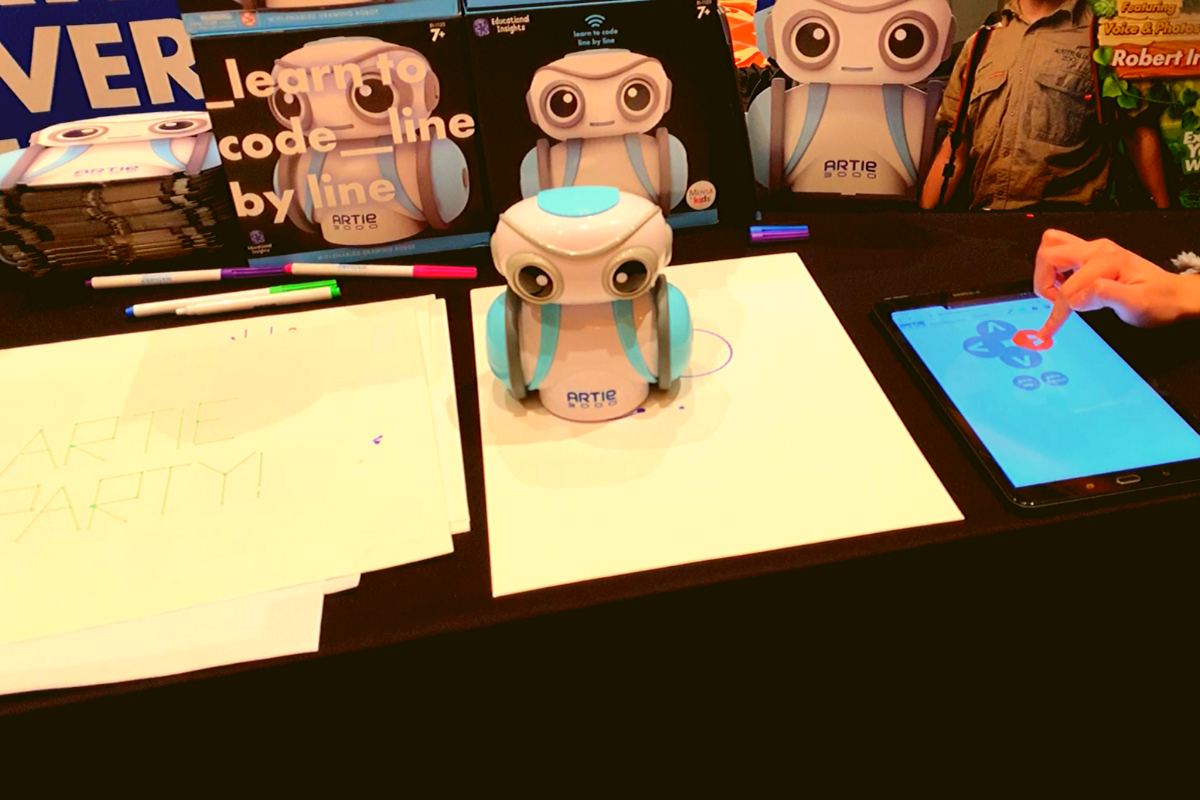
    Artie3000 is an artist. He’s a cute little robot that draws pictures based on the code you enter on his app. He comes with preprogrammed designs, shapes, and games and there is a library of videos to let you learn all about what Artie can do. 

    Artie introduces coding logic and basics, encourages creativity, and provides STEM and STEAM education. He is secure with no connection to the internet, his app is designed to work one way, from the tablet to Artie himself. This keeps your kids offline and out of danger. Artie also doesn’t collect any data from the user. That’s a huge plus.

    Watching Artie draw was cool. He is intended for kids above 7 as some of the coding assignments assume you’ve learned a bit of the logic already. I think the blending of robotics, programming, and art is a big win for parents since some of our kids may not see the benefit of coding robots. Our more creative type of kids may see a benefit to robotics and engineering after all. 

    Botley 2.0

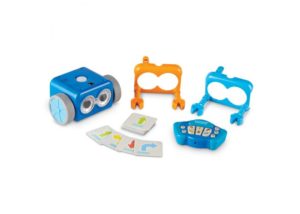
    My kids love Botley. They’ve put hours and hours into programming him to go through their obstacle courses and tracks. It has proven to be a fun way for them to learn the language and logic of programming. I don’t know how many times I have said, “If he isn’t doing what you want, it is because you didn’t input the right commands.” That, my friends, is the essence of programming and coding in a single phrase. 

    Botley 2.0 brings the same adorable robo-friend with some new behaviors and lots of cool new features. He lights up in the dark thanks to his new light sensor and he can use those lights to do a programmable light show. He also features a Simon Says type game and code by color features. 

    Doodlematic 

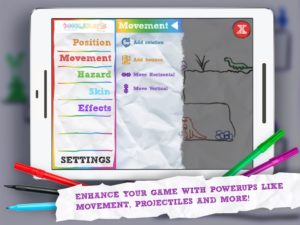
    Doodlematic is an app that takes any photo that contains the color combinations required and turns it into a playable game. Kids can draw a picture with markers, paint a scene, or even bake a cake using red blue and green icing. When they take a photo of their art and import it into the app it applies features to each color, turning into a game that they can play. Blue becomes collectible targets, green is your character and red turns into platforms and scenery in the game. Doodlematic isn’t a coding app but it is a really neat way to get your kids who are interested in gaming and making games into drawing out their ideas on paper first. 

    Doodlematic isn’t a coding app but it is a really neat way to get your kids who enjoy playing and learning about video games to design their own. It even rewards them for using paper first. I am really excited to play with Doodlematic with my kids. I know they’ll have a blast challenging each other to the games they’ve designed.

    Important Skills for the Future

    Having toys that teach computer science and coding is very important for our kids. There are a lot of toys that teach computer science and coding but I liked these the best. One of these options doesn’t even use a screen while the other two combine tangible products with the screen to teach computer skills. These toys are getting better and better at teaching our kids. I highly recommend you check out these items. Maybe one of them is something your kids with truly enjoy.

  • PODCAST: Does Your Kid Even Need a Phone?

    PODCAST: Does Your Kid Even Need a Phone?

    Family Tech Update:

    Snapchat’s new message delete feature, new video games going to mobile for free, and John Wilkerson joins me to discuss getting your kids started with screen time and when (or if) thet need their own phone.

    Links Mentioned:

    Accountable2You.com (Promo Code: BecauseFamily)

    Dumb Phones for Your Kids

    John Wilkerson

    The Wired Homeschool

    Project Movie Time

    Social Media Links

    Facebook: http://facebook.com/becausefamily
    Instagram: http://instagram.com/becausefamily
    Twitter: http://twitter.com/becausefamily

    Newsletter Sign up

    Ministry Updates:: http://eepurl.com/R7Btr
    Weekly Blog Posts:: http://eepurl.com/cvnhXD

    Websites

    Ministry Site:: http://becausefamily.org
    Tech Blog:: https://safe.becausefamily.org
    Michael’s Speaking Info:: http://kmichaelprince.org

    Donate and Affiliate Links

    http://BecauseFamily.org/partnership