The tutorial video above will walk you through the steps necessary to set up parental controls on your Macbook Pro, Macbook Air, or iMac. These settings work with OSX High Sierra or OSX Mojave. Below is a brief summary of the steps necessary to set up these parental controls.
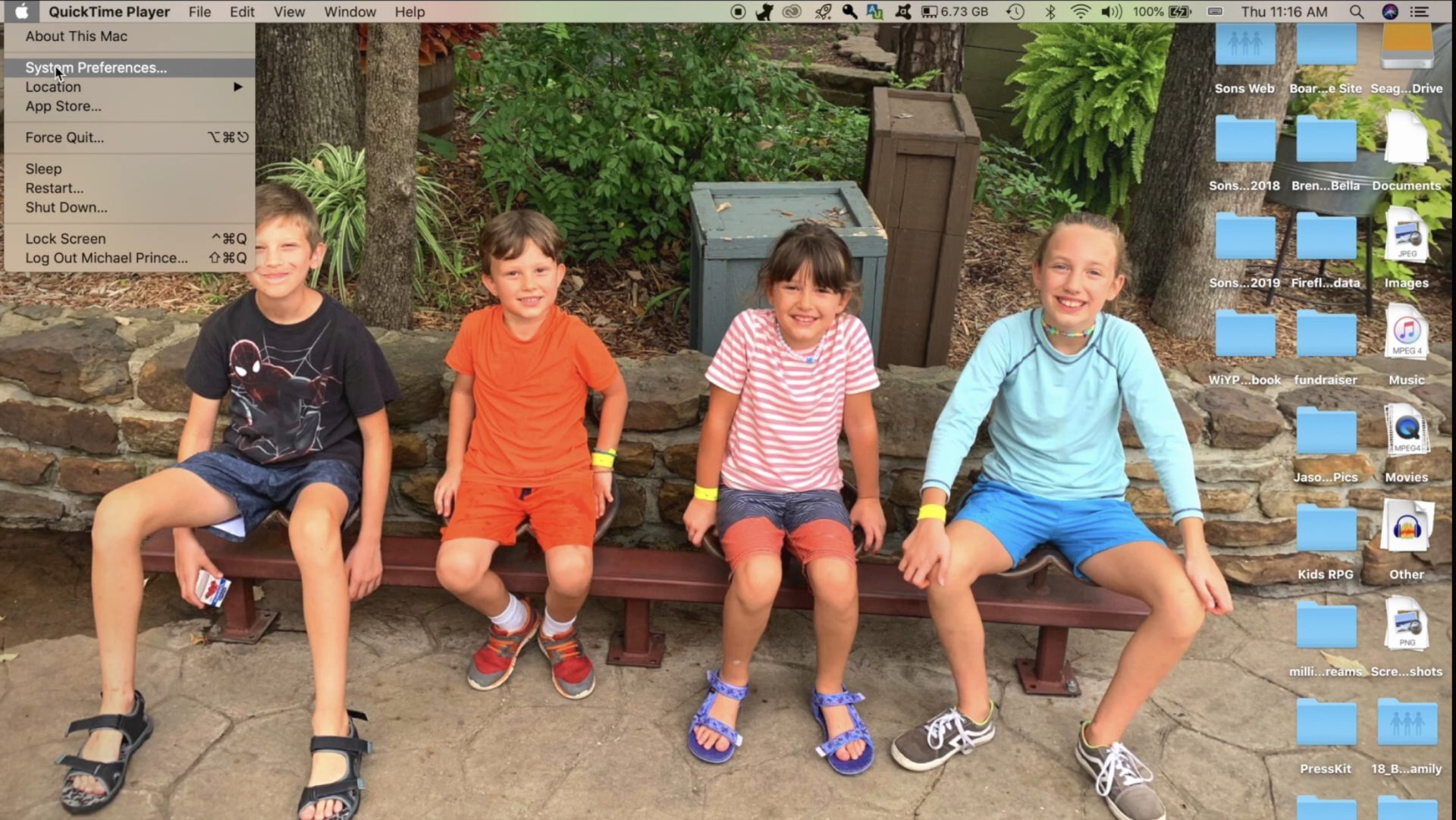
Open Preferences by clicking the apple logo in the upper left corner of your Macbook desktop and then clicking Preferences.
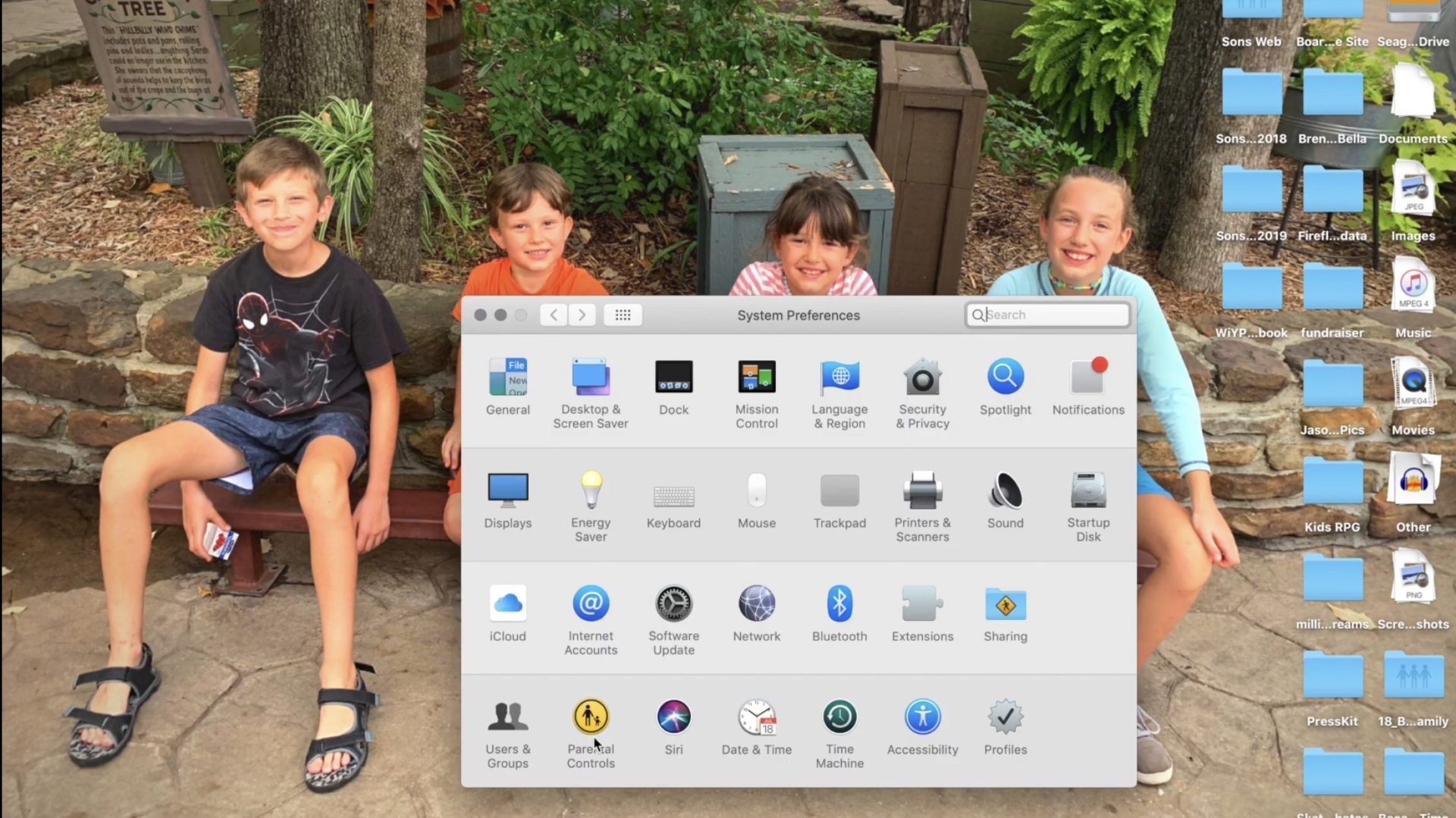
Click on Parental Controls on the bottom row of icons in the Preferences menu.
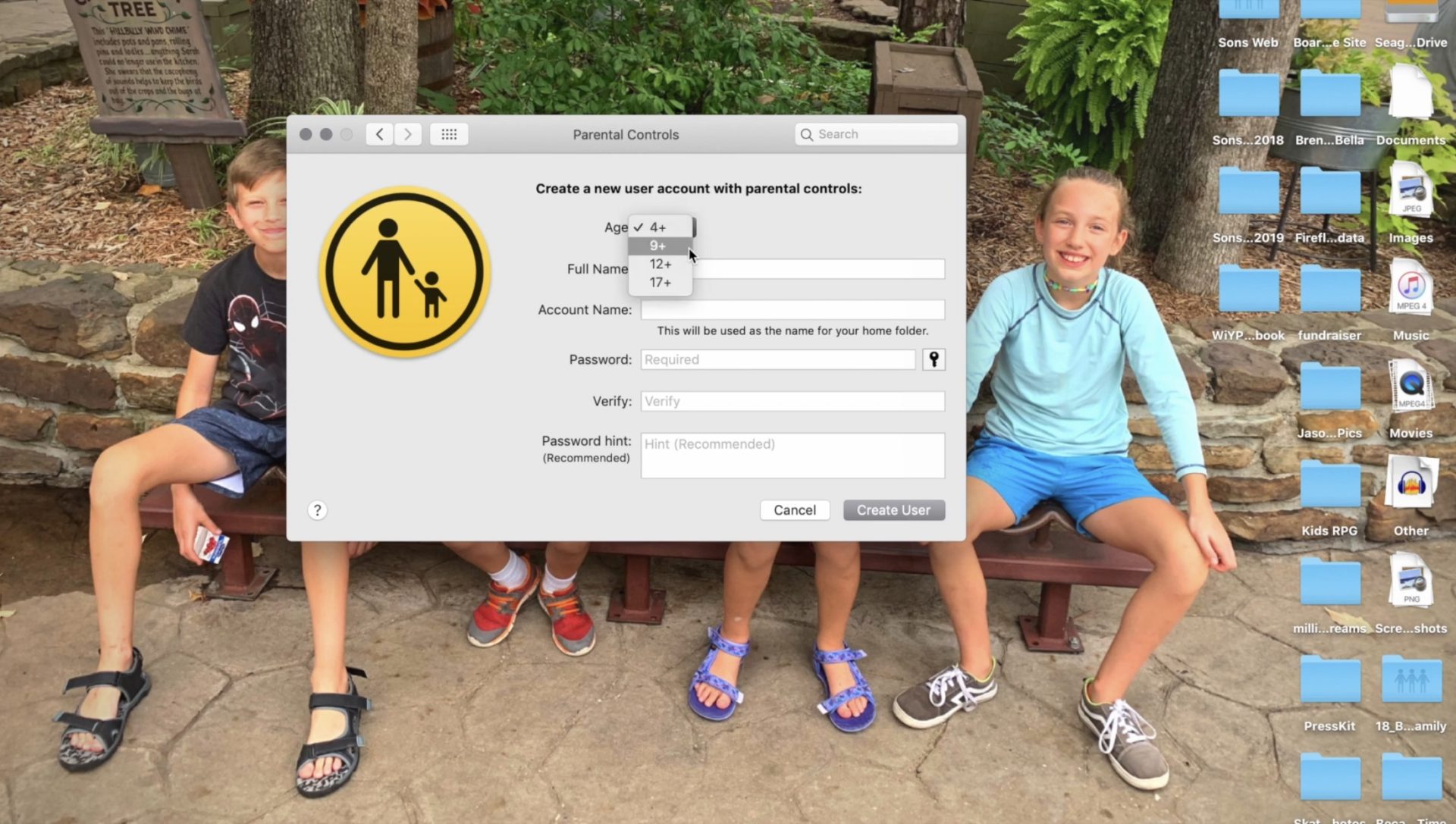
Follow the steps for creating a new account with the information of the person you are trying to set filters and restrictions for.
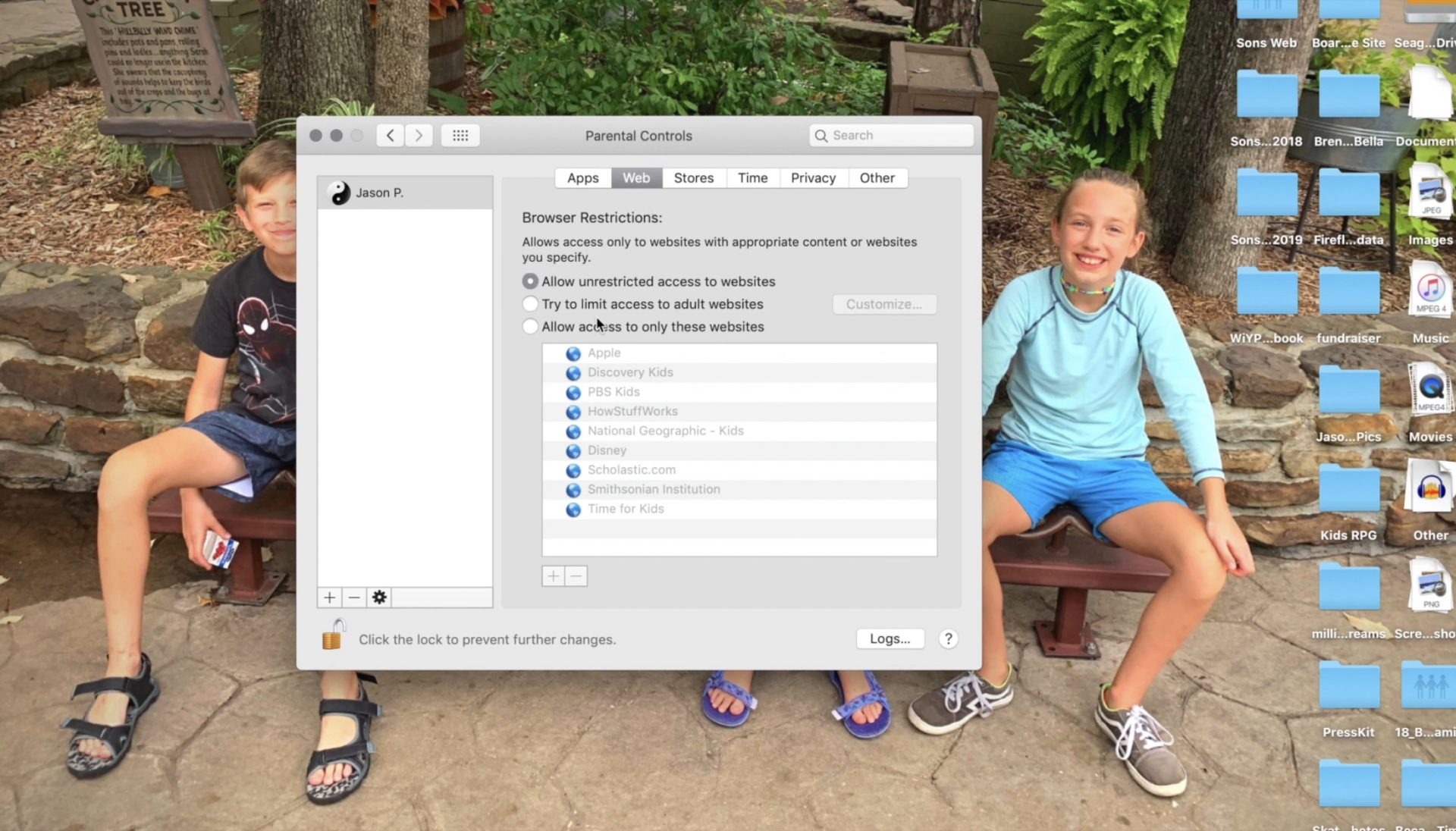
Set Restrictions for apps and web content.
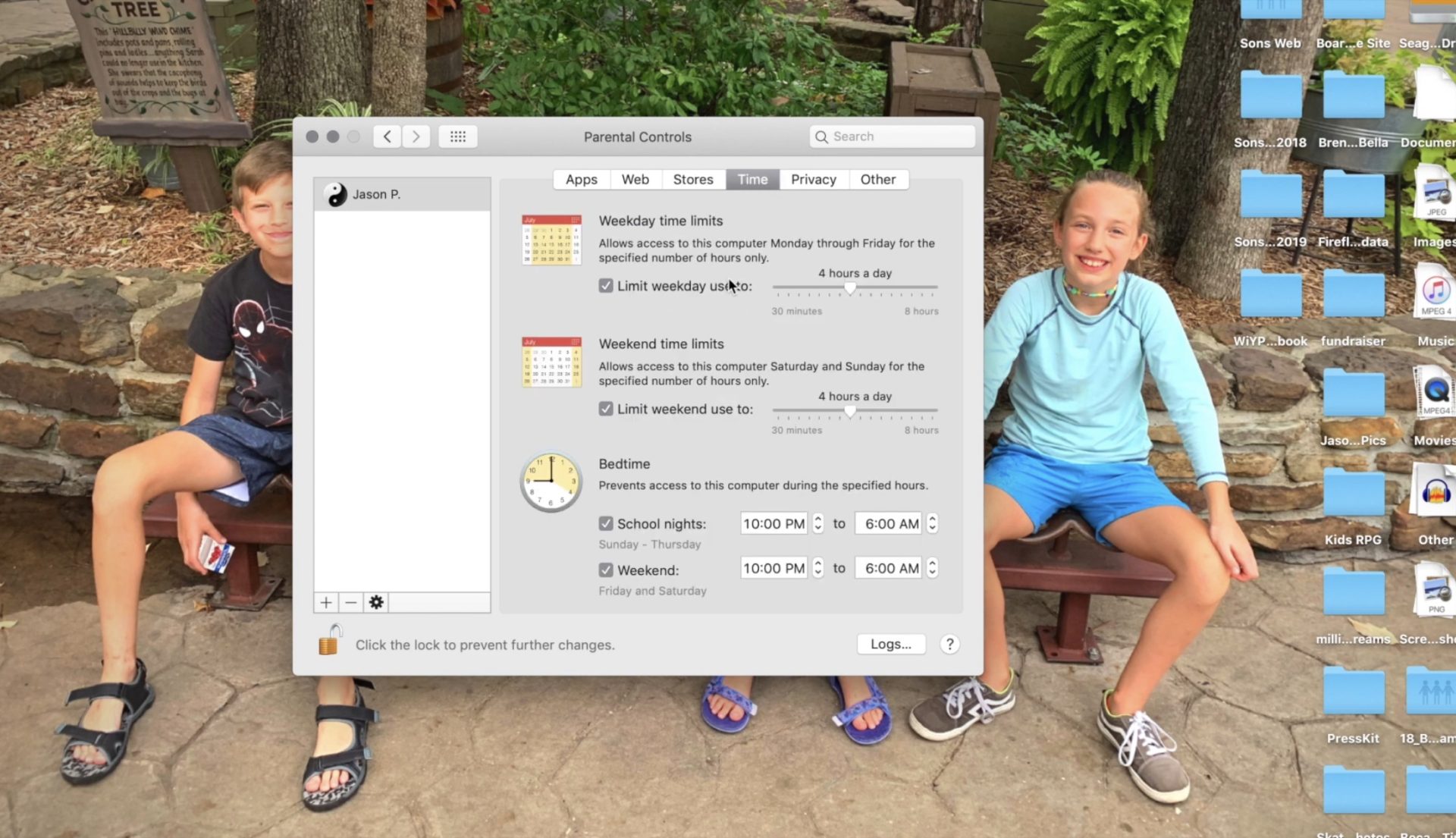
Set desired time restrictions and bedtime hours.
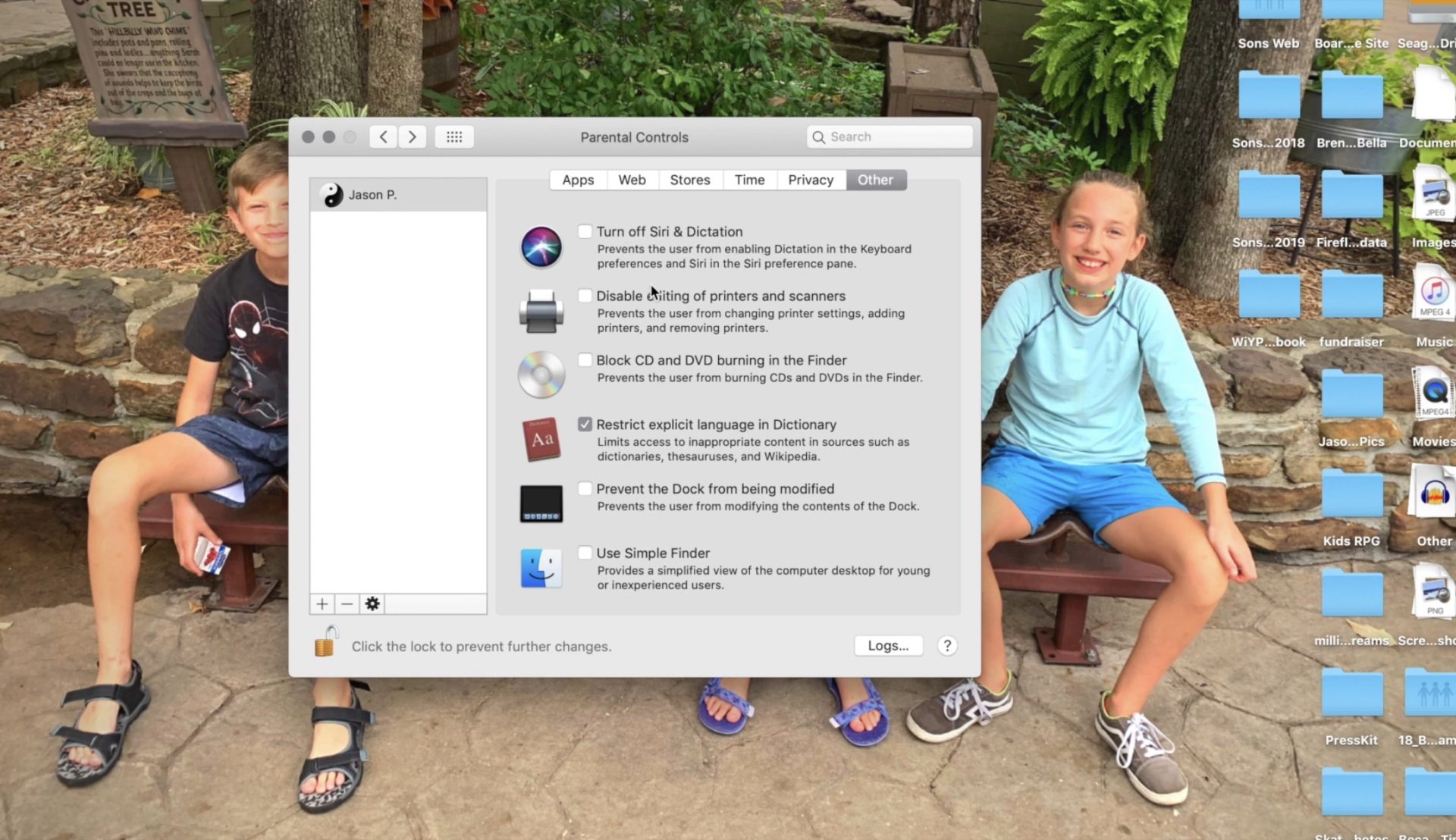
Adjust settings for other content such as Siri and the OSX dictionary.
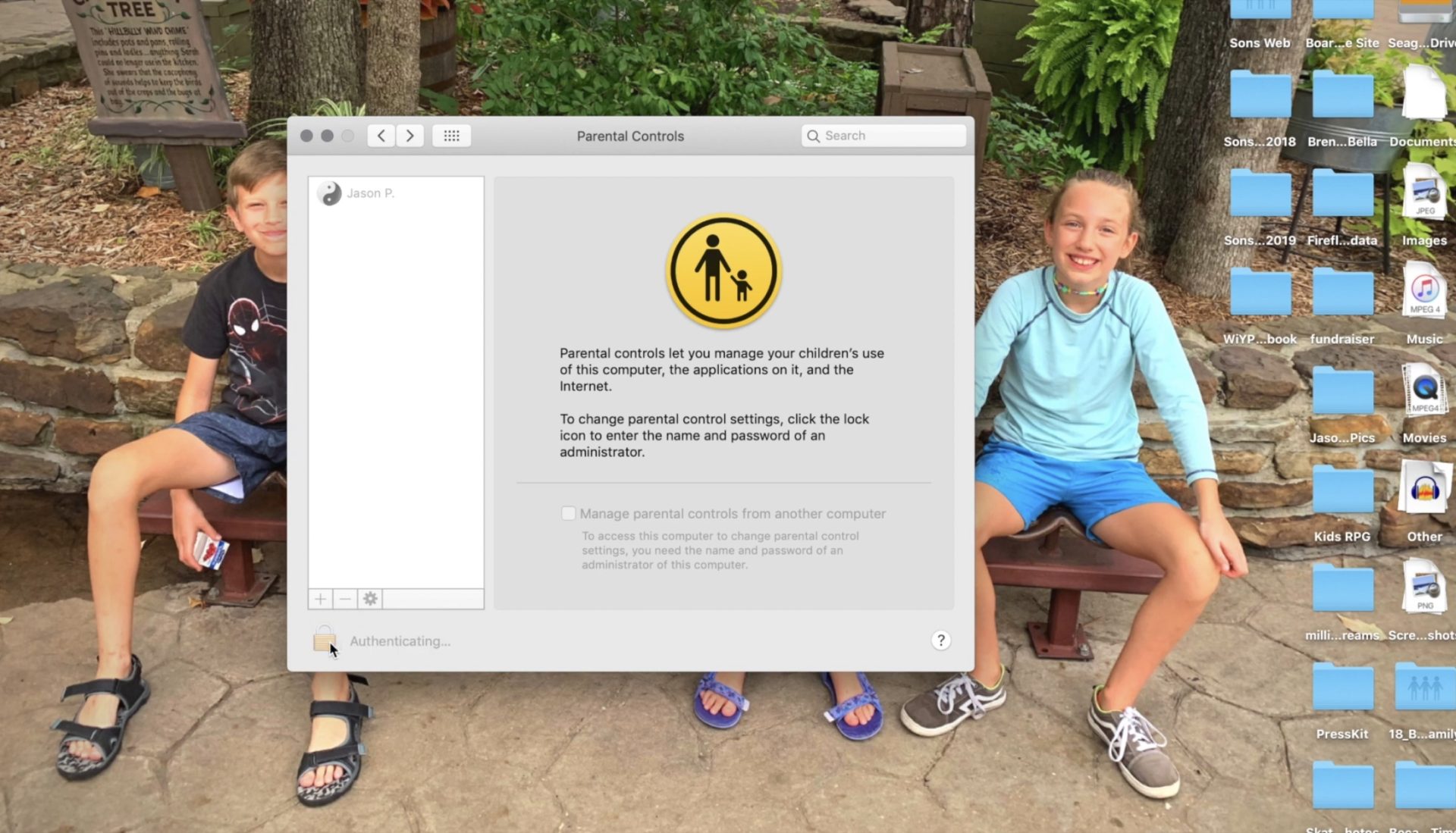
Clicking the lock with set the changes and password protect the settings you adjusted.
Setting these restrictions will help you have peace of mind while your child or teen uses their OSX device. If you would like further confidence that they are only seeing things that they should be seeing, look into an accountability software like Accountable2You. Also, if you come across any problems or have any questions please comment below or send us a message on Facebook.