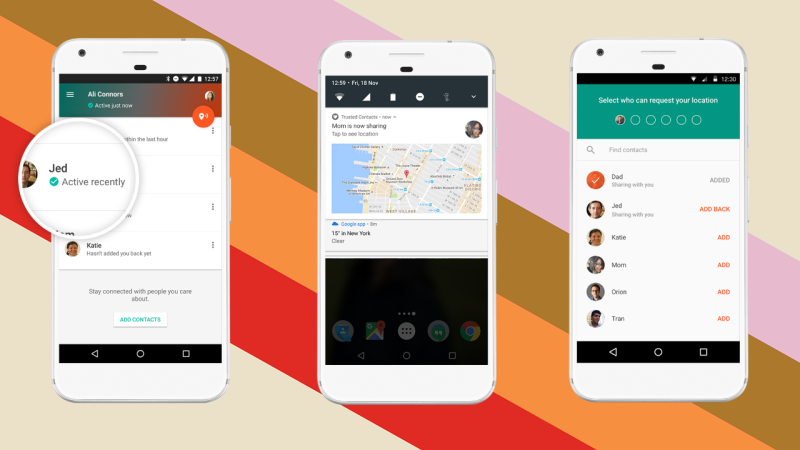
I remember being a kid and riding my bicycle or rollerblades all over the neighborhood. We could go out and have all the fun we wanted as long as we checked in here and there. That usually meant trekking back to the house and hollering in the back door, “Mom! We’re good” and heading back out for the next adventure. Times are changing. It’s getting increasingly troublesome to allow your kids or teenagers to go out and do things without you. Our technology has been giving us ways to keep updated with our children’s activities for a while now but the newest app from Google, “Trusted Contacts” might be one of the better options.
For years I have been helping parents set up tools they can use to protect their kids online. GPS tracking has always been available in some way as addons or with a workaround in certain apps but Trusted Contacts was built to do exactly what parents have in mind when they think of tracking their kids’ location.
“We’re actually going to help some people, and potentially save some lives.” – David Tattersall, (Google)
The app was built to help keep people safe. Whether checking in as ok during a natural disaster, allowing your location to be viewed while walking home from a friend’s house at night, or keeping an eye on our kids while they are out with friends, Trusted Contacts gives a simple way to remind them to check-in. Even tech writers are seeing the implications for family safety:
I can definitely see how parents will want to install this on their kids’ [ . . . ] phones though. – Frederic Lardinois (TechCrunch)
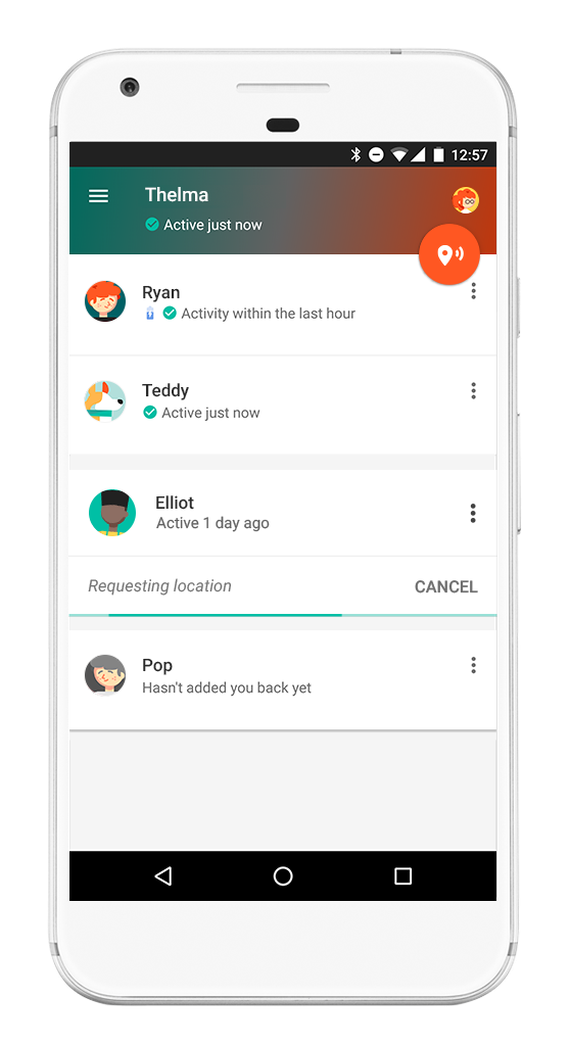
 After installing the app you set up which contacts in your phone are “trusted.” Then whenever they want, they can ping your phone with a notification to check in with your location. You will tap the button to check in and it will update them for you. You can decline to update but if you don’t do anything for five minutes, it’s going to send them your information automatically. This will allow you to update them that you’re safe, as it will alert them that you declined, but without disclosing your location.
Trusted Contacts is only available for Android but the iPhone version is in development. If you and your kids have Android phones I recommend downloading this app and setting it up soon. As your kids go about their increasingly busy schedule, you’ll quickly see the benefit of being able to remind them to check-in with their location. This is a pretty cool new tool for parents.
In the meantime, there are ways to view and track location on an iPhone (mainly using messenger.) Stay tuned for a video for subscribers that will teach you how to set that up.