Tag: google

  • What Can You Learn from Search Bar Auto-Complete

    What Can You Learn from Search Bar Auto-Complete

    I have no better advice for parents than putting your eyes on the devices your kids use as often as possible. As long as you’re communicating with your child it isn’t spying to take a peek at what their friends are posting on social media or what they’ve been searching for in their web browser. I do not, however, advise that you let yourself get too worked up over the recommended search results or auto-complete results in the social media apps your kid/teen uses. It can be frightening to type in a couple of letters and get a dropdown full of accounts you’re unsure of or search terms you wouldn’t want them to be searching for. The initial reaction of parents is usually to be concerned that this means their child has been looking for something inappropriate in the past. That isn’s always the case and I’ll try to explain why.

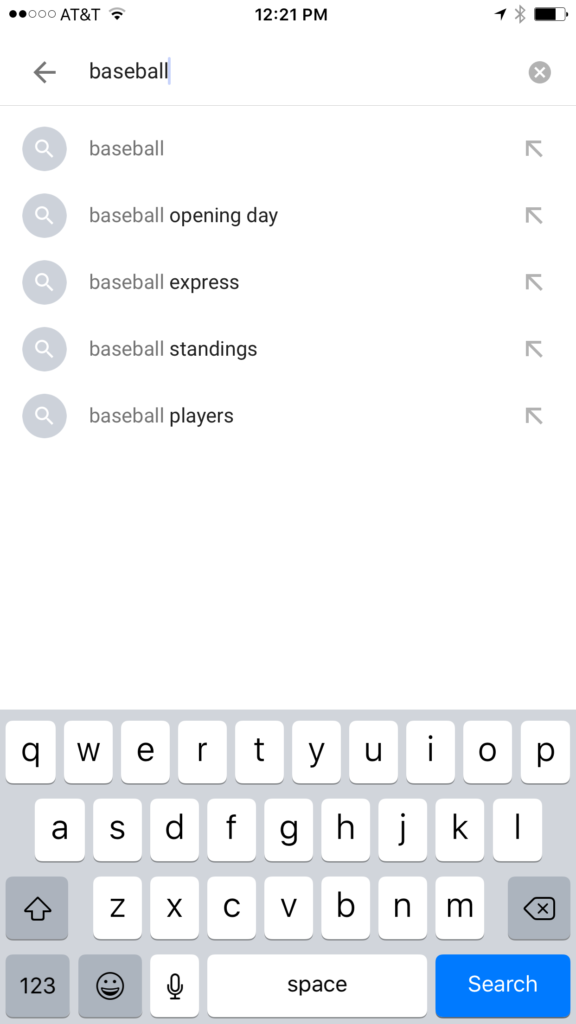
    Instagram, Facebook, Pinterest, and other photo or video sharing sites use algorithms that combine your past searches, popular items on their site, and your location to recommend the search results that may interest you. I don’t recommend parents take suggestions from these apps as evidence that their child was doing something inappropriate. You can, however, on many of those sites go find a search history and actually see what they have typed in the search bar in the past. This information is also deletable though. Regardless, looking at the search history is a much better way to monitor what your child is doing on these sites than assuming something from the first two letters you type in to the search bar.
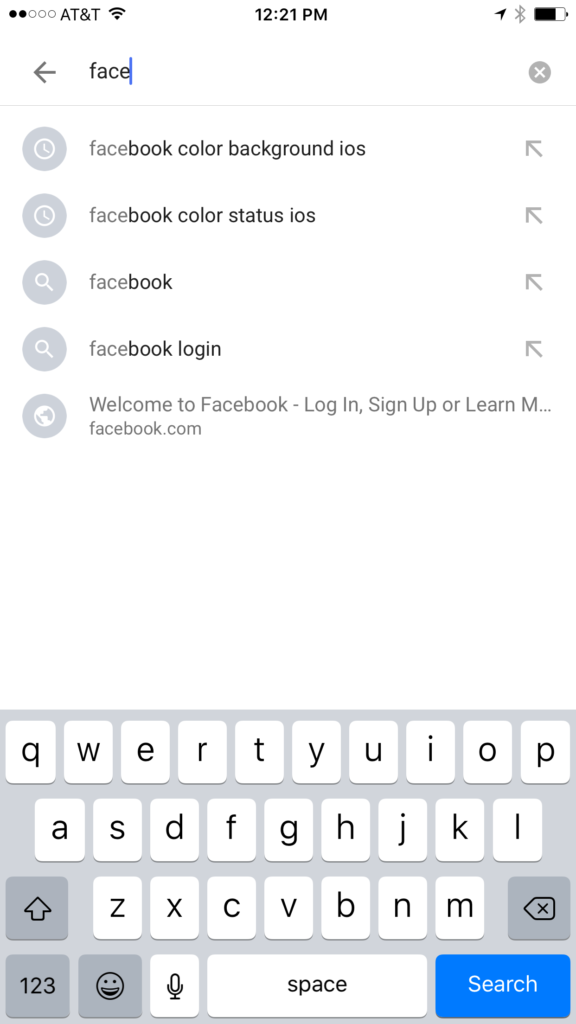


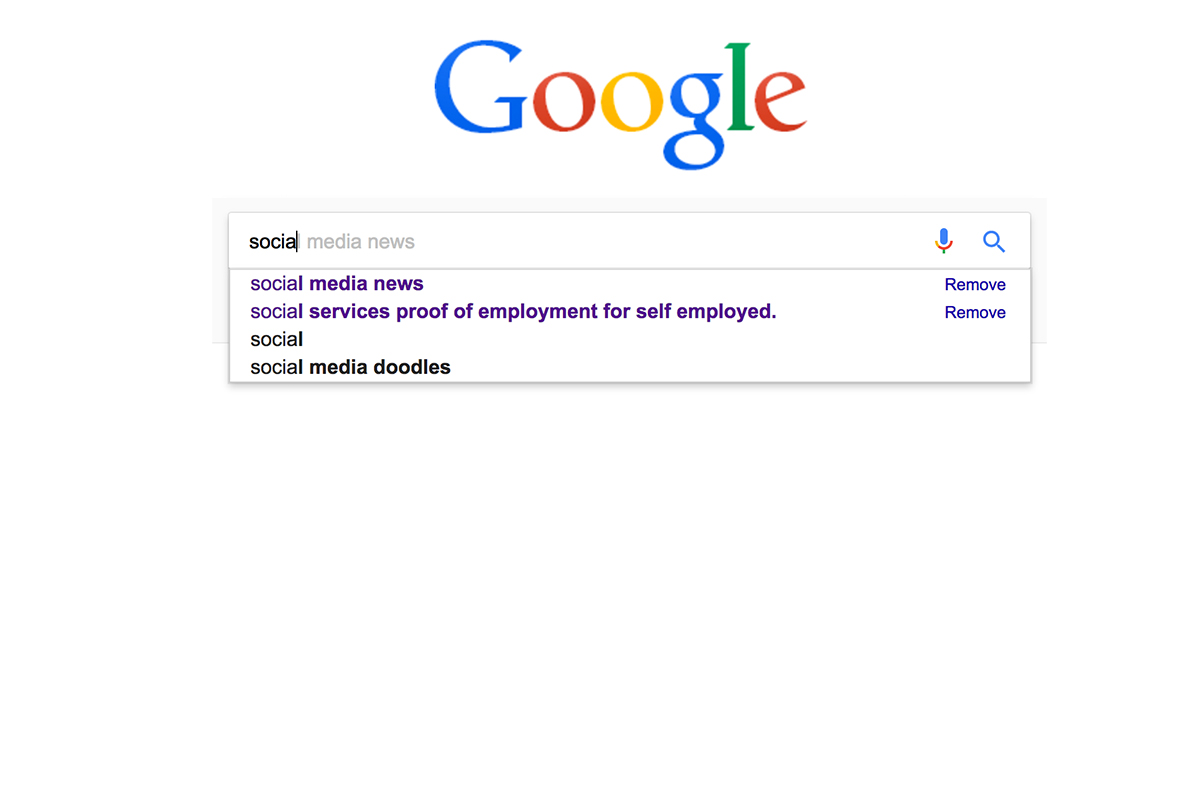
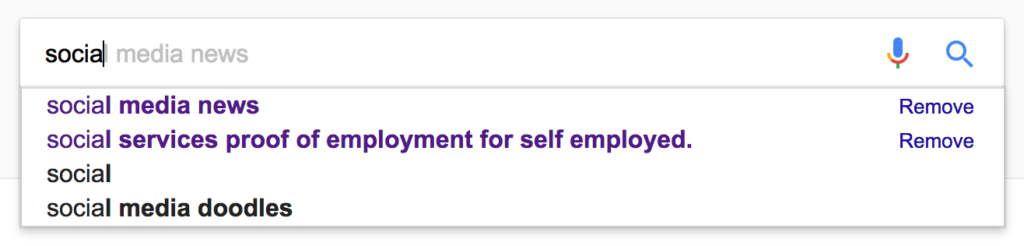
    Google and YouTube are the two most popular search engines on the internet. Thankfully, they’re a bit easier to monitor. The Google app has identifiers to help you know why it’s recommending certain things. You’ll see a clock icon if the recommendation is from search history and a magnifying glass icon if it is just recommended based on other data. On your browser the auto-complete results are a different color and you receive an option to remove them if they’re from history. YouTube, being a part of Google, uses the same methods to identify auto-complete search items.
     

    What Parents Should Know

    There is a lot to consider when you’re trying to monitor your child or teen’s online activity. Because so much of the internet is now consumed with photo and video sharing it goes without saying that some of the content you wouldn’t want your child accessing makes it’s way to those platforms almost immediately. This being said, there are better ways to monitor than trying to creep through search histories. I recommend using a good accountability software like Accountable2You or a filter like NetNanny. Another option is to install the social media apps they’re using and get to know how the search bars work for yourself. Find out if it’s using your history to establish the items it recommends for you or not. As you get used to it you’ll be able to get a better feel for what’s happening in your child’s account when you check their device.

    Remember that communication is key. Your kids should know you’re looking at their devices and social media accounts. Rules are good but without conversation and relationship they create conflict. Your goal is to set boundaries that will help your children develop healthy habits. A healthy approach to monitoring and regulating their internet usage will speak volumes to them about your family’s online safety standards.


  • Kiddle is the Safe Search Your Family is Looking For 

    Kiddle is the Safe Search Your Family is Looking For 

    It’s next to impossible, once your kids reach a certain age, to keep them off of the internet completely. Schoolwork requires online research and so do many other activities that kids enjoy these days. What you need is a solution that will help you fully protect your kids while they search. That’s where Kiddle.co comes in.

    These days we need to be parents and educators in the online world as well as the real world. The internet is a great educational and recreational resource that can help children learn and satisfy their curiosity about life.

    The websites included in Kiddle search are recommended by educators, librarians and parents from across the globe as well as websites our own editors have used in schools or for homework within the K-12 age range. – Kiddle.co/internetsafetytips


    Kiddle is a safe search engine powered by Google. The beauty of Kiddle is that, for most searches, it features curated, kid relevant results. While google ad results do often show up first, they’ll be family friendly and related to the topic searched.

    Obviously, inappropriate searches are blocked with an angry looking robot telling you to try again. It will also filter out inappropriate results to searches that should be safe but sometimes aren’t. For example a search for some pop star they’ve heard of will produce results but the images shouldn’t be adult oriented and news articles about their indecent activities at the club won’t show up.

    What Parents Should Know

    Kiddle is branded and designed for children but it’s a good solution for your kid or teen who needs to do some research while you aren’t looking. I recommend using sites like Kiddle to help kids with homework so that you can be sure they’re only seeing results that are safe.
    Also, Kiddle has some pretty good advice and tips for parents and educators on their site as well. Just head over and take a look. I’m confident you’ll be pulling it up the next time your child has a science project or history paper due.

  • The Risks of a Fully Connected Home Part 2

    The Risks of a Fully Connected Home Part 2

    The Internet of Things has made its way into our homes and we are becoming increasingly used to being tracked and monitored. In this, part two, of our connected home series, we’ll look at advertising and what it means to our privacy, our homes, and our families.

    Advertising

    Our society has become so accustomed to our data being used to advertising that we aren’t even creeped out by the ads on Facebook reflecting our Amazon searches last night. When we get spam email based on what we did online last week, we just hit the delete button and think nothing of it. Individualised targeted advertising is a part of everyday life now and that’s probably not ok. When everything in our home is connected to the network we are feeding data miners with so much advertising fodder that it will become impossible to ignore the onslaught of targeted ads we will recieve. Imagine when your fridge can tell that you’re out of milk, so you get an advertisement for a coupon at Walmart in your email fifteen minutes after you’ve poured the last bit into your cereal. That sounds a bit creepy to me.

    When products like Google Home are “always listening” we have to wonder what some of that innocent conversation data can be worth to advertisers. Currently the policy is to not store any of that information but will the financial bottom line ever outweigh the disapproval of consumers? Is it possible that we will get so used to this targeted advertising that we won’t be phased by it anymore? Imagine standing on your back porch talking to your spouse about wanting to enclose it someday to make a screened in sitting area. What if, the following day, you saw advertisements for builders, finish carpenters, and handymen? Would that freak you out? Right now it may but if we continue to adapt to the “internet of things” we will soon take, even that level of targeted advertising, in stride. It will just become normal, everyday life. Especially for our children.

    What Parents Should Know

    Keep in mind that your children are a multi-billion dollar industry. Every time they play a game online or watch a video, they’re being marketed to. There is no way to avoid some of that marketing but there are ways to be smart about how we allow the corporations that sell us everything we use to come in contact with our children. As mentioned in part one, experts advise that if you are concerned about potential breaches in privacy while using a smarthome or digital personal assistant you should just avoid getting one. If you’re someone who thinks that the conveniences outweigh the potential concerns then take the steps necessary to shield your kids from targeted advertising as much as possible.

    Set parental controls if your devices have them. Make sure your usernames and passwords have been changed from the default ones and that you have read and understand the privacy terms of the product you have purchased. Set any privacy settings that may be available with your children in mind, not just yourself or other adults. Always remember that your child can activate Alexa, Echo, or Google Home as easily as you can. They aren’t equipped with voice recognition (yet) so you must have the safety features set up before you allow your child to use your digital PA. More on those safety settings in part three, tomorrow.

  • Trusted Contacts by Google Is a Great Idea for Parents

    Trusted Contacts by Google Is a Great Idea for Parents


    I remember being a kid and riding my bicycle or rollerblades all over the neighborhood. We could go out and have all the fun we wanted as long as we checked in here and there. That usually meant trekking back to the house and hollering in the back door, “Mom! We’re good” and heading back out for the next adventure. Times are changing. It’s getting increasingly troublesome to allow your kids or teenagers to go out and do things without you. Our technology has been giving us ways to keep updated with our children’s activities for a while now but the newest app from Google, “Trusted Contacts” might be one of the better options.

    For years I have been helping parents set up tools they can use to protect their kids online. GPS tracking has always been available in some way as addons or with a workaround in certain apps but Trusted Contacts was built to do exactly what parents have in mind when they think of tracking their kids’ location.

    “We’re actually going to help some people, and potentially save some lives.” – David Tattersall, (Google)

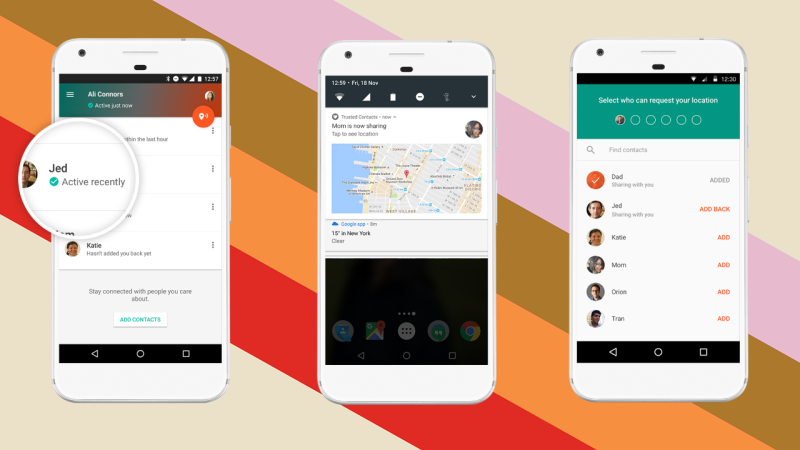
    The app was built to help keep people safe. Whether checking in as ok during a natural disaster, allowing your location to be viewed while walking home from a friend’s house at night, or keeping an eye on our kids while they are out with friends, Trusted Contacts gives a simple way to remind them to check-in. Even tech writers are seeing the implications for family safety:

    I can definitely see how parents will want to install this on their kids’ [ . . . ] phones though. – Frederic Lardinois (TechCrunch)

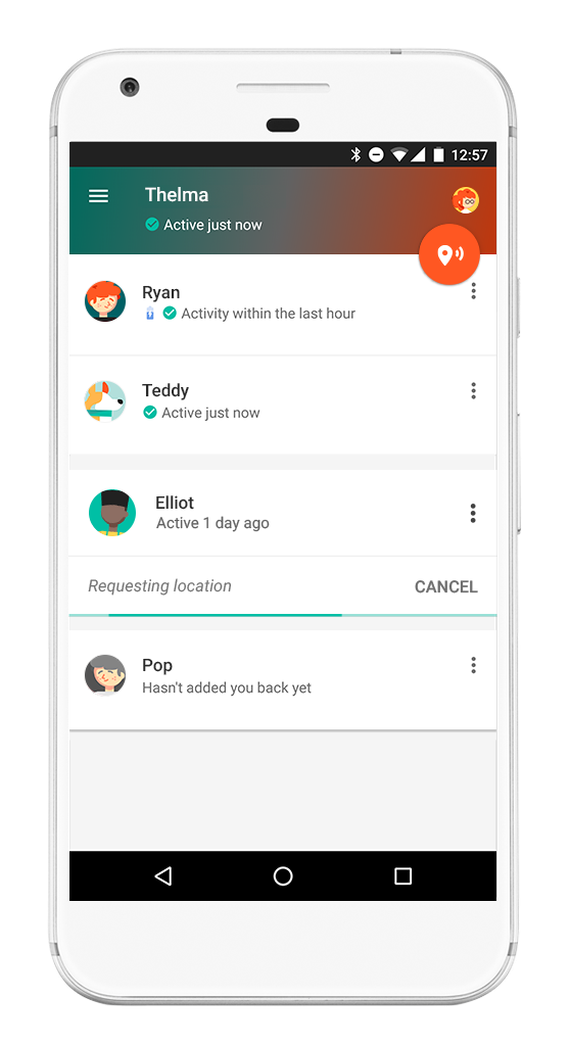
    trustedcontacts2After installing the app you set up which contacts in your phone are “trusted.” Then whenever they want, they can ping your phone with a notification to check in with your location. You will tap the button to check in and it will update them for you. You can decline to update but if you don’t do anything for five minutes, it’s going to send them your information automatically. This will allow you to update them that you’re safe, as it will alert them that you declined, but without disclosing your location.

    Trusted Contacts is only available for Android but the iPhone version is in development. If you and your kids have Android phones I recommend downloading this app and setting it up soon. As your kids go about their increasingly busy schedule, you’ll quickly see the benefit of being able to remind them to check-in with their location. This is a pretty cool new tool for parents.

    In the meantime, there are ways to view and track location on an iPhone (mainly using messenger.) Stay tuned for a video for subscribers that will teach you how to set that up.