Tag: games

  • What Parents Need to Know About the Latest Gaming Tech

    What Parents Need to Know About the Latest Gaming Tech

    Technology is a significant part of all our lives, but more so for our children. After all, they grew up in an era surrounded by technology. In fact, our previous post on what your kids do online found that most, if not all, older children are very much inclined to spend their money on tech, such as new smartphones, Netflix subscriptions, and finally, video games. If given the opportunity, younger children may be equally invested in these things as well. Here is what parents need to know about the latest gaming tech.

    Of course, that’s not to say that gaming is bad. Multiple studies have emphasized ways that video games can benefit your kids, from better coordination to sharper cognitive ability. But there are aspects that every parent should look out for when it comes to gaming tech, and we’ll introduce those in a bit.


    What gaming tech should you expect your children to be on now?


    Video games and technological advancements are heavily intertwined, and new technology comes and goes every year. This year, we’ve witnessed the next generation of consoles, with the newest Xbox and PlayStation coming out for the holidays. The metal core PCBs on these devices are built out of materials that allow for better heat dispersion, ensuring smoother performance even for high-end games. They also boast a lot of neat features like haptic feedback and motion-triggered 3D audio that aims to boost the gaming experience. Your children are definitely going to want one.

    However, with new technology comes new threats, and you have to pay attention to what they are doing if you want to ensure they game safely.


    What should parents be wary of?

    Data Privacy


    Users give a lot to access online gaming stores, such as birthdates and mailing addresses. The former is there to check the age of the user, which is needed to block them from certain games until they’re older. Mailing addresses are asked so the system can accurately compute for taxes when the user buys a new title. Both are equally dangerous when exposed. It’s highly encouraged that you get physical copies from your nearby GameStop or Best Buy instead.


    “Always On”


    Since much of the modern consoles’ features are tied to the Internet (such as streaming, social sharing, and online play), they will always have the option to have their built-in wireless connection turned on automatically. While this is convenient, it could also leave your kids vulnerable to breaches. Since a lot of games are single-player, have them turn off this feature when they don’t need to be connected to the Internet. This will lessen the chances of someone hacking into the console.


    Motion Tracking


    As mentioned, upcoming consoles will have a feature called motion-triggered 3D audio. This is where the console tracks the user’s movements so that the game’s sound is projected to where they’re seated. The biggest downside to this is that the game will ask for permission to track human movement in your house, which you shouldn’t give. Turn off this feature when it comes. If your kids want to experience 3D sound, you can always have them plug in some earphones.

    Protecting your kids is not about taking them away from things that you deem dangerous. This will only make them want more, sometimes going behind your back to get them. Instead, support their hobbies. Work with, and not against them, to thwart the dangers that they pose.
  • How “Kids Games” Give Predators Unmonitored Access to Children

    How “Kids Games” Give Predators Unmonitored Access to Children

    I was contacted this week by a parent who was shocked to find that adults had been chatting with her young son in Disney Heroes, Battle Mode, an app rated 9+ in the Apple App store. She sent me screen shots in which players were asking her son if he was a boy or girl. They asked how old he was and where he was from. One of them even confessed, “I am not a kid. LOL.”  Obviously, when his mother found these messages she was extremely concerned, she removed access to that game and set some limits for their whole family for a while. Then, just a few hours later I received a link from a concerned parent about an app in which people are posing as employees of the game company and asking children to send pictures “without a shirt on” to prove their age. She asked if this was true and my response was that yes, these things are happening every single day. Here’s why these predators can gain such easy access to our kids.

    Disney Heroes Battle Mode

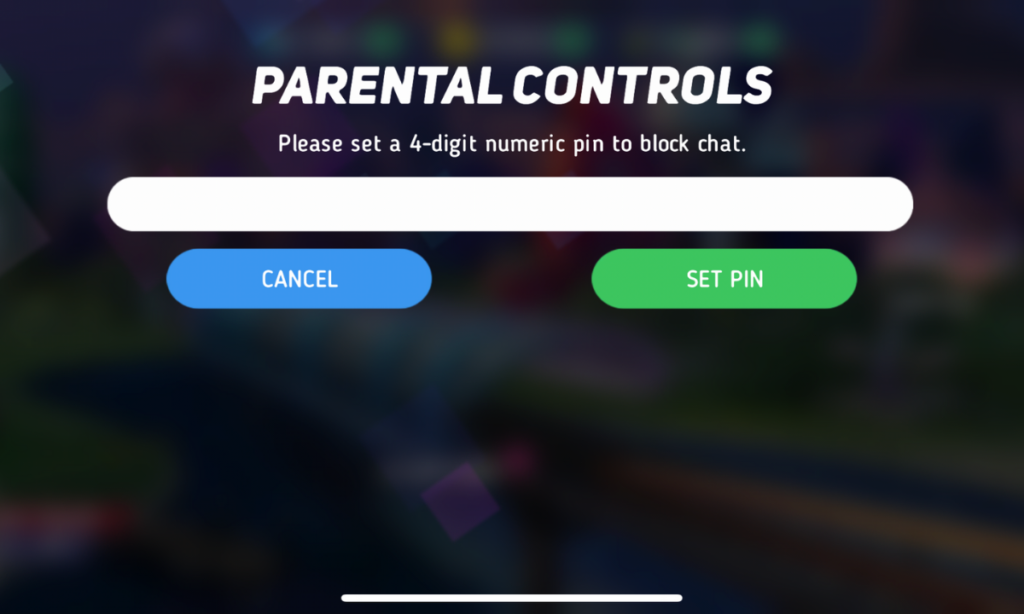
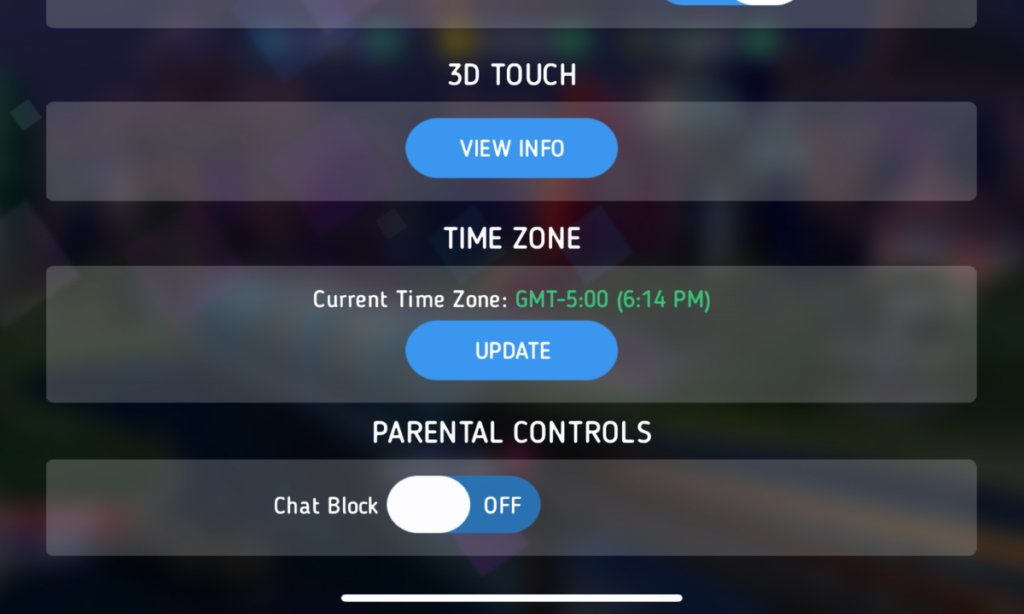
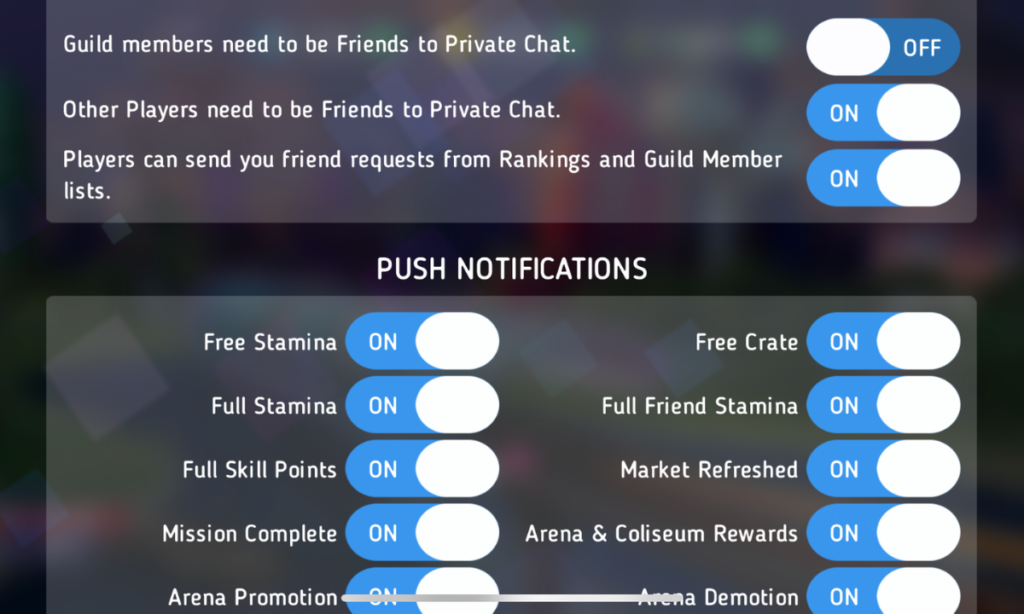
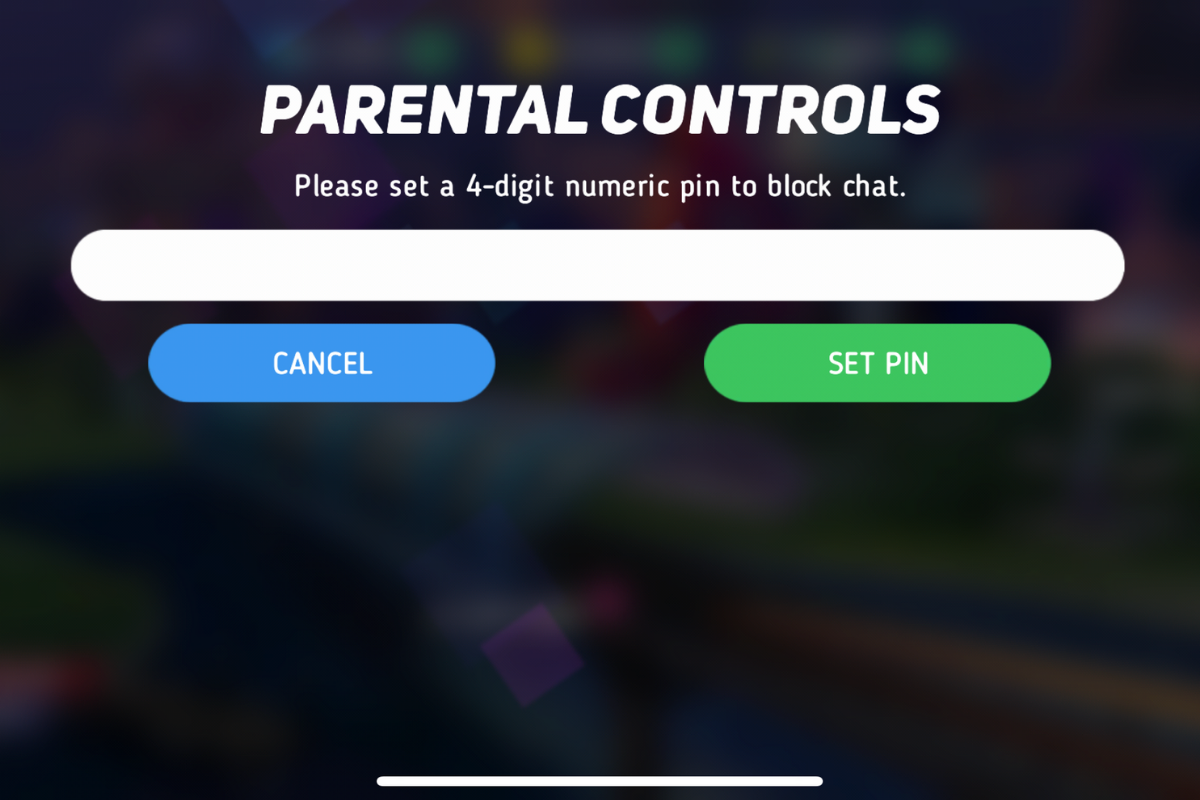
    After hearing about the trouble with Disney Heroes Battle Mode I downloaded the app to see what it was all about. After a short cenimatic and then playing through the tutorial you get a notification that the app has purchases built-in and that you shouldn’t be under 13 (app is rated 9+ in the app store. if you want to play. I simply tapped continue and moved right past the warning. No age verification, no password, no face id, nothing. Once in the app I started looking through the settings. I did find controls for the chat feature, including a password protected on/off toggle for chat access. This was good to see, especially since the issue I was researching had to do with chatting.

    The problem is that apps like Disney Heroes give parents a false sense of security. The app is made by Disney, the company’s name on anything makes many parents think that the product is made with their kids’ health in mind. This could not be further from the truth. Disney is out for exactly what every other major corporation is out for, their financial bottom line. We have to remember that data is big money and apps that are made for kids collect just as much data as any other app. Data that is personalized to a user is worth more money which means app developers need users to make an account to sort and identify their data more easily. The easiest way to convince app users to create an account is by making it the only way they can chat with friends in the game.

    What Parents Should Know

    I recommend taking a look at the game your kids play on their pones or tablets. Just because the game features cartoon characters doesn’t mean there aren’t adults playing the game. If the game has a social feature like chat or friend-mode you can be sure that your kids will be contacted by strangers. Look in the settings, preferences, or options of the games to see if there is a way to turn off chat mode. If they don’t allow you to disable social features, I would uninstall the game and encourage your child to find a different game to play.

    We must remember that the companies that make these games offer them for free because their money comes from in-app purchases and advertising. In order to make money they have to keep people playing the games as long as possible. Research shows that there is no better way to keep someone in your app than social engagement. People will be sure to keep coming back if they have friends in the game to play with or against. This means that they will continue to put these social features in their games and while app stores may rate these games as safe for younger children, my rule is that if it has a social element it should be for kids older than 13. Even then you should ensure that you child understands what they should do if they are approached online by a stranger and encourage them to tell you if someone makes them uncomfortable in any social engagement online. We can do our best to protect them from this software but nothing is more affective in preventing these dangerous encounters than teaching them how to recognize them and end the conversations immediately.


  • Ten Screen Free Things to Do This Week!

    Ten Screen Free Things to Do This Week!

    Today marks the first day of Screen Free Week 2019. We have become so used to doing everything on our phones, TVs, tablets, and computers that it can be difficult to think of things to do when we unplug. It can especially be difficult for our kids who spend so much time on screens every day. Here are some ideas to help you start thinking of how you’ll spend your time this Screen Free Week. I’m sure that whichever activity you chose to do you’ll be blown away at how good it was for you to be screen free, even if only for a little while.

    1. Read Books

    No, I mean a physical book. With paper and glue and pages and everything. Many of us are spoiled to our audio books and ebooks. We carry around a library of hundreds of volumes and read whichever we want, whenever we want. This Screen Free Week, why not forget about the books in your digital library and take a look at some of the adventures you have on your actual bookshelf. You’ll be amazed at how cathartic it can be to just turn a real page instead of swiping to the next set of pixels that make up the story.

    2. Share a Screen Free Meal

    Having a meal with friends and family can be a great way to reconnect and charge up that need for social interaction. Food brings people together. Unfortunately, our phones can often get in the way of this beneficial time. Celebrate Screen Free Week by choosing to keep your phones away from the table during meals together. Look each other in the eye, have conversations, and share the time with your friends and family.

    3. Play Board Games

    You can pull out the old classics like Monopoly and Life or maybe sit down to a newer hit like Settlers of Cataan, Forbidden Island, or Dice Forge. Whatever board games you choose, you and your family and friends can enjoy screen free entertainment. Personally, I look forward to Dungeons and Dragons every week when I sit down with some guy friends, eat snacks, roll dice, and tell a story together. A story filled with imagination, humor, and adventure. Don’t underestimate the power of time around a table playing a game.

    4. Play Outside

    Trade in Screen Time for some Green Time! Get outside and get moving. Play a sport, run a race, skip, hop, jump, run, anything you can think of outside will be so good for you. Your body will thank you for the exercise and your brain will thank you for the release.

    5. Go for a Hike

    Screen Free Week is a wonderful time to get out and experience the beauty nature has to offer. You’re bound to have a hiking trail just a short drive from your home. Maybe it is just through a park in the city but it will be great to slow down, walk through nature, and stop and look at what the beauty all around you. Bend down and look at those leaves or that insect working away. Feed some ducks or squirrels. You’ll be amazed at how wonderful life is beyond the six inch space in front of your eyes that your phone often tends to occupy.

    6. Act Out Your Own Play

    We love to be entertained. Netflix, Youtube, Hulu, and Amazon Prime make their money off of our desire to escape reality by enjoying a movie or series. Take this week without screens to create your own entertainment. Play an improve game or charades to get your imagination moving. Get some friends together and act out some of your favorite scenes from the movies and shows that you love. How fun will it be to play the characters you love and laugh with your friends as you channel that inner child.

    7. Play a Musical Instrument

    How long has it been since you’ve picked up that guitar in the corner of your room? How long has that violin been sitting in its case, untouched? Without the distractions of y0ur screens this week you can take some time to play that instrument you’ve been neglecting. Maybe you aren’t a musician. Why not try something new? Borrow an instrument from a friend or just bang out a beat on your knees with some pencils. Make some music this Screen Free Week!

    8. Write in a Journal

    Social Media is often the place where we share our deepest feelings. Many of us look for validation by posting what we think about this thing or that. Since you’re avoiding screens more this week, start practicing a new train of thought. When you have an opinion you think would make a good Tweet or status update, write it down in a journal instead. Write down your deepest thoughts on all of the topics you usually post about publicly. You may find that journaling gives you the same cathartic feeling without the drama of other people’s comments and debate.

    9. Do an Art Project

    Our screens train us to consume consume consume. Why not take this break from consuming so much media as a chance to do some creating. I have a weekly goal to create more than I consume. I ask myself every day what I’ve created that I can be proud of. Often my creations are videos, blog posts, and podcasts but I can look back and say I created something instead of just consuming all day long. Give yourself a chance this week to be more creative. Make something awesome. Do some art. Maybe sidewalk chalk, or a craft project, perhaps you can knit or crochet. Do something creative that you can look back on at the end of the week and actually see the product of your time. It is so very rewarding.

    10. Plant a Garden

    Again, Screen Free Week is a great time to get outside. The spring weather is just waiting to be enjoyed. This early in the spring, it is also a great time to plant a garden. Go get some flowers and plants and set yourself up a nice patch of nature. Your kids will love helping and digging around in the dirt and your whole family will love seeing the plants come to life as the spring and summer progress.

    Beyond Screen Free Week

    There are lots of things you can do without your screen. If you are like me, Screen Free Week is a great reminder to adjust my priorities. Hopefully this Screen Free Week, you can remember the importance of time in which you intentionally unplug and spend time with those you love. Use tools like Screen Time to monitor that amount of time you spend using your devices. It is amazing what good just being aware of your screen time can do for you. Have a happy happy Screen Free Week.

    For 101 more Screen Free Week ideas visit ScreenFree.org!

    Listen to this post as a podcast below:

  • Snapchat’s Social Gaming = More Time on Social Media

    Snapchat’s Social Gaming = More Time on Social Media


    It has barely been a year since Snapchat joined Facebook in a movement to help people better manage the amount of time they spend in the social networking apps they develop. Snapchat added the ability to silence notifications from certain conversation and redesigned their app to be more about time with your friends and less about time in the app. Yesterday, however, CED Evan Spiegel announced their new focus on Social Gaming and several new original video series citing a new way to keep young people in their app even longer. 

    The games featured you and your friends’ Bitmojis. In them you play silly games that include pool toy fights, field goal kicking, and keeping your Bitmoji atop a spinning record as your friend DJs for you. In the announcement Spiegel says “On Snapchat, you’re free to be you, with your real friends. As we use the internet more and more in our daily lives, we need a way to make it a bit more human.” Apparently the idea is that as social beings, we need to hang out and since we are all spending so much time on our smartphones, Snapchat wants to be the place your kids hang out in.

    Facebook and Snapchat Join the “Time Well Spent” Movement


    What Parents Should Know

    I have said it several times before, we can’t blame tech companies for wanting people to spend time on their software, that’s how they make their money. Quotes from this announcement boast of a place that people can be themselves, obviously what they truly are creating is a place where we can spend more time, see more ads, and make Snapchat and its shareholders more money. No matter what social media companies say about time well spent, privacy, or security they are protecting their bottom line. They have shareholders that they must impress with the numbers so that’s what shapes their decisions. Knowing this helps us remember that the responsibility for healthy tech use falls to users, and our kids’ tech health is the responsibility of parents.

    Talk to your kids about the amount of time they spend on social media. Don’t allow them on social media that is rated higher than their age. Teach them not to expose sensitive information like their phone number or the name of their school on these apps. Finally, use some sort of filter or time management software to help you enforce your standards. Parents are the first line of defense against the dangers of unlimited and unmonitored internet use. We have to take on that responsibility because nobody else truly will.

    You can listen to this post as a podcast episode below.

  • How Video Game Developers can Help Parents

    How Video Game Developers can Help Parents


    I think video games can be fun and good for my kids if kept in the right context. We have very strict rules about gaming in our home and do our best to limit our kid’s access, screen time, and exposure to some of the gaming content available. Unfortunately many developers build their games (even kids’ games) that make screen time and other restrictions hard for parents. If I could speak to a room full of game devs, here a few of the things I would say.

    1 Let me save the game whenever I want.

    My children have a strict 30 minutes per day rule on our xbox. They understand when they sit down to play they they have a limited amount of time. My kids know that they’ll be “kicked off” the xbox after a half hour so they save often. They save their Minecraft worlds because they can’t build the crazy epic structures they’ve planned in just 30 minutes. 

    The problem rises when we play games, like the Lego games, that don’t allow you to save your game whenever you want. You have to reach certain milestones or the end of levels to save. When the xbox kicks you out of the game, it resets the game causing you to lose your progress. This means mom or dad have to either continually add time to the limits for the day until they can save the game or we just have to deal with the kids’ frustration for wanting to see the next levels of this game but not being able to because of our time limits. We, as parents, don’t mind being the bad guy but a simple save mechanic built into the pause menu sure would make life easier.

    Parent Guide: Call of Duty Black Ops 4

    2 Password protect your content controls.

    The most popular comment on my review for last year’s Call of Duty game is “hey man, you can turn off the graphic violence.” I’ve replied to most of those comments with, “Cool, but it isn’t password protected so it may as well not be there.” Can we please put content restriction settings behind some sort of pin code? It isn’t that difficult to do. I don’t want my kids playing games that are meant for adults, but some families are ok with their fourteen year old playing a Rated M game if the gore is turned off. Unfortunately, most warm blooded 14 year old boys are into or at least interested in that sort of violent content in film and video games. That means they’ll often turn the restrictions off when mom and dad aren’t looking.

    Maybe that’s a bit too restrictive as your kids get older but isn’t that the parent’s decision to make? Game developers make their games with over the top graphic violence and pretend that their target audience is adults. The reality is that at least half of those who play your games are below the recommended age. This is why they add a content restriction in the game, however, that restriction isn’t helpful if it is only buried a couple of levels deep into your settings menu and doesn’t require any sort of passcode to change.

    3 Don’t force me to make an account to play your game.

    It is already frustrating to have to have an account for everything I do online. Then I have to create separate accounts for each of my kids to let them play games or use apps with parental control settings turned on. If I want each of my kids to have their own settings or their own way through the game I have to have an account for them on our gaming system. When I turn on a game and see that the developer of that title wants me to create yet another profile, on their site this time, it is infuriating. I don’t want to give you my email address. I paid to play your game, isn’t that enough? I get having an online account so I can play multiplayer but games that require me to have a profile with your company even to play the local offline campaign is simply data mining. I don’t need it. Especially with my kids information.

    Parents Guide: Apex Legends (Titanfall Battle Royale)

    What Can Parents Do?

    This post may be a bit ranty but I’m not the only parent I know who has complaints about these issues. It’s hard enough protecting our kids from cyberbullies, adult content, and predators. We have enough drama from our kids alone when we want to simply limit their screen time. The last thing we need is some setting or lack thereof in a video game to make it even harder. The truth, however, is that it’s unlikely a game developer will see this article or video. We have to take responsibility as parents. Either we have to take the role of gatekeeper and keep our kids from games that pose these problems or we have to just have the conflict when it arrives because it’s worth it. It’s worth it to have kids who know how to function when screens are turned off. It’s worth it to have kids that are safe from violent thoughts, nightmares, and attention problems. It’s worth it to protect our kids private information and data from collection by gaming companies and who knows who else.

    Talk to your kids about the limits you’ve set. Take a stand when they try to bypass your settings. Don’t let them play games that cause their behavior to change or keep them interested to the point of obsession. Protect their information by only creating accounts for them on sites that absolutely require it and when you do, use an alias. We live in a new world. A world where data is a form of currency and your kids gaming behavior can be used in so many ways so it is invaluable to the companies that create these games. We have to be responsible for our own family’s Internet safety and healthy tech habits. We can ask developers to make it easier and hope for the best but when it all comes down to it, it is up to you and me.


    Podcast:

  • What Parents Need to Know About Stadia by Google

    What Parents Need to Know About Stadia by Google

    On March 19th, Google announced their latest product: Stadia. The promise of Stadia is to allow people to play AAA games (Assassin’s Creed, Fortnite, etc.) without having to buy a dedicated gaming console or PC. How does Google plan to deliver on this promise? With Chrome and YouTube.

    Google has stated that Stadia is “the future of gaming.” I agree. Young adults are used to subscribing to services and streaming their entertainment and Stadia is the next step. Kids already watch hours of gaming content on YouTube every day, why not add the ability to play those games too?

    What We Know Right Now

    We don’t know a lot about Stadia right now but what we do know is pretty impressive.

    • A high-speed Internet connection will be required.
    • Up to 4K HDR at 60fps.
    • Plasy using multiple devices: PCs, laptops, tablets, and smartphones will be supported.
    • No need to download games or wait for updates.
    • You’ll be able to use any USB controller connected to you computer.
    • There will be a dedicated wireless controller.
    • Stadia will be available this year.

    What We Don’t Know Right Now

    Despite all the excitement around this announcement, there are many things we don’t know.

    • The price of the service.
    • The price of the controller.
    • Games available at launch.
    • Supported mobile devices at launch.
    • Release date.
    • Minimum Internet connection speed.

    Podcast Episode:

    What Parents Need to Know

    Your kids are going to want this, especially if they watch gameplay videos on YouTube. Being able to instantly play a game that one of their favorite streamers is playing and try that special move is very appealing.

    If the price is right, this could be an affordable alternative to purchasing a gaming console. Being able to play hundreds of games for $50-$60 a month is more affordable than buying a $600 console and a game or two every month.

    The Stadia controller has a streaming button which means your kids could be online and streaming their game and voice instantly. In fact, they could even join in a game with another person. Parents should be aware of this feature and take measures to block it if they don’t want their kids to live-stream.

    Google has been improving their products with better parental controls every year. Parents should familiarize themselves with those parental controls and enable any restrictions they deem necessary. You may want to consider adding time limits, enabling ratings limits, and disabling some of the streaming and cooperative features. Of course, this

  • Parents Guide: Apex Legends (Titanfall Battle Royale)

    Parents Guide: Apex Legends (Titanfall Battle Royale)


    Family Tech Blog Rating for Apex Legends: 
    Violence - 2
    Language - 3
    Sexual Content - 5
    Positive Message - 2

    Another Battle Royale game has been added to your kids’ wishlist this week. Apex Legends is a BR game that is set in the world of Titanfall, a first person shooter game with two previous installments. This game features fast paced, squad based combat with your typical battle royale tropes. You jump from a ship onto an island with fifteen other squads (60 players,) collect weapons and supplies, and battle to be the last squad standing.

    Much like Fortnite, this game has a bent toward science fiction and less realism. It does, however, have more bloody combat and some merciless kill animations at close range. It’s a far stretch from the blue ghost fade that results from an elimination in Fortnite. You are able to respawn if your squad members survive long enough after you are eliminated, which can make your rounds longer if you’re playing with someone who is pretty good.

    What Parents Should Know

    There isn’t much by way of profanity in Apex Legends and characters are dressed reasonably appropriate. The only real concern for parents is the intensity and voilence of the gunplay, the pace of which has been shown to increase some behavior and attention problems in younger children. Some reasearch has also shown a temporary increase in aggression in kids who play voilent video games. Online content isn’t rated, as usual, and Apex Legends is an online battle royale game so keep that in mind. There is pretty good squad based communication built in to the game (identifying locations and directions with game controls) so you don’t have to use the microphones as much but it’s still tough to win without being able to talk to your squad. If you don’t allow in game chat on your kids’ games then you may get some pushback from them when they play Apex Legends.

    To recap, Apex Legends is a bit more violent than Fortnite with bloody combat and the rag doll affect when characters are killed. The game is team or squad based and requires playing with friends. It is very easy to add people you’ve been randomly matched with to your friends list and play with them in the future. My advice is for parents to keep an eye on their kids bahavior when they play games like Fortnite, Call of Duty, or Apex Legends. More important than how much time they spend playing is what life outside of gaming looks like. Are they getting the grades they should be getting? Are they still participating in the activities they have loved? How are their relationships both in the family and with friends? Ask yourselves these questions and make adjustments to gaming time accordingly. As your kids get older, you’ll see that this works better than just an arbitrary number of hours you allow them to play.

  • A Warning About Fortnite’s New NFL Themed Avatars

    A Warning About Fortnite’s New NFL Themed Avatars

    Coming November 9th, NFL fans will be able to represent their favorite teams with their Fortnite avatar. The uniform packs will be available for purchase ($12-$15) and will allow you to customize your uniform to select any of the NFL’s 32 teams and any jersey number you’d like. You will not see any names on the back of the jersey’s, though. Emotes (dances,) goal posts, and referees will also show up during your Battle Royale matches.

    The partnership between the NFL and Epic Games (developer of Fortnite) is no surprise as the video game phenomenon has taken the world by storm. We’ve already seen many of the NFL’s end zone celebrations feature some of the dance moves showcased in Fortnite’s emotes and heard many players discussing their love of the game. Blending the video game world with the NFL team culture is great marketing for both Epic Games and the NFL. The NFL will especially benefit since gaming is such a major market for younger generations whom the league is wanting to attract for obvious future-proofing reasons.

    Check this out: Ok, Fine. Here’s What I Think About Fortnite

    What Parents Should Know

    A major frustration for many parents is the constant nagging from their children to allow them to buy skins for their avatars on Fortnite. It’s possible it will get a lot worse. The biggest difference, though, is that some parents may actually see the benefit of allowing their kid to get an NFL Themed skin. If parents are major supporters of an NFL team, it’s possible they would approve of such a purchase because of their desire to see their child express their fanaticism as well.

    All of this is well and good. Just know, if you are the type of parent who doesn’t want your kid spending actual money in a game like Fortnite, this could be one of the first major areas of conflict between you and your child. If you’re ok with Fortnite and even making purchases in the game, remember to keep track of the amount of time your child is spending playing the Battle Royale game.  Be aware that advertising your favorite NFL team in a massively online game could broadcast a little bit (obviously not always) about where you live. i.e. Chiefs fans are in Kansas or Missouri, and Broncos fans are likely in, or at least from, Colorado.

    There have been instances of predators grooming kids in Fortnite and any detailed interest about your child that is proclaimed through their profile or avatar can give a predator more information to use for grooming purposes. Talk to your child about who they are playing with in-game and remind them to avoid lengthy conversations or “squadding up” with strangers. I don’t say any of this to scare you, only to remind you to be vigilant in monitoring the amount of time your child spends on the game, and to maintain an ongoing conversation with them about their time in the game, who they play with, who they talk to, and what their experience is like.

  • Parent Guide: Call of Duty Black Ops 4

    Parent Guide: Call of Duty Black Ops 4

    Violence/Gore - 1 out of 5
    Language - 1 out of 5
    Sexual Content - 4 out of 5
    Positive Message - 2 out of 5

    The Game

    It’s that time of year again. Time for another Call of Duty game. This one is a bit different, (more on that later) but it is a CoD game none the less. The last game in the series was set in WW2. This on is set in the not too distant future, the 2040s. There isn’t much of a storyline in Black Ops 4 but there is no shortage of gameplay depth and replay-ability. Your kids are sure to ask for this game for the Holidays but what should you say? Hopefully this brief guide will give you an idea of the content in Call of Duty Black Ops 4 so you can make a quality decision for your family. 

    Black Ops 4 has several game modes available. You can play missions related to each character. They are more multiplayer tutorials with narration than actual campaign type missions. There is a zombies mode with a few levels and different stories included as well. The most anticipated mode, however, is the Blackout mode which is a battle royale game setting similar to Fortnite or PubG. I wrote about Blackout a while back, before its release. Below, I will unpack the content in Call of Duty Black Ops 4 for you. 

    Violence/Gore (1)

    It likely goes without saying that Call of Duty Black Ops 4 is loaded with violence and gore. Gunfights are realistic, (albeit a bit science fiction based) blood is abundant, and body parts (more like chunks of meat) fly when hit by grenade or bomb blasts. Honestly the violence in CoD Black Ops feels a bit like an over the top 80s action film. Or a modern Quinten Tarantino movie. The game celebrates killing your enemies in the most gruesome and creative ways possible. Weapons are a bit futuristic and feature ways to bounce explosives, cluster bomb, and drive remote detonators and turrets against your enemy. 

    The zombies mode is extra bloody with creatures ripping people apart who are chained to posts and body parts being flayed off with swords and blown off with firearms and other weapons. As you’d imagine, the zombies themselves are pretty gory looking with yellow glowing eyes and shriveled up skin. While multiplayer plays down the gore a bit, the blood spray and rag-doll effect is still more realistic than other popular shooter games.

    There is a way to turn off the extra graphic content including language and user generated content but that setting isn’t protected by a password. In my book, if parental controls aren’t password protected they aren’t there at all. 

    Michael Prince – BecauseFamily.org 
    Content filters with no password protection.

    Language (1)

    This game is has plenty of adult language. Every word you would imagine being said during a firefight with bullets flying overhead and explosions surrounding you is yelled, muttered, said over the radio, and written out in subtitles throughout the small story sections of the game. Your drill sergeant type instructor barrages you with explicit insults as you progress through training in the story mode. Much of the dialog also discusses substance use and the celebration of violence and combat.

    Sexual Content (4) 

    There currently isn’t any sexual content in Call of Duty Black Ops 4. The dialog contains a bit of sexual reference but much would go over kids’ heads if they noticed it at all. Multiplayer will contain user generated content and therefore you can expect more sexual innuendo and possible conversation in online game modes.

    Positive Message (2)

    I honestly struggle to find much positive message in this Call of Duty game. Extreme violence is celebrated and encouraged. You are driven to kill in creative and gruesome ways. There is a bit of comradery between the characters but you have so little story in the game that this message is not likely to come across well, if at all. Most of the gameplay is centered around multiplayer so this game isn’t designed to portray any kind of message.

    Do Violent Video Games Create Killers?

    What Parents Should Know

    Black Ops 4 is rated M for mature for “blood and gore, intense violence, strong language, and drug references.

    Parents should be aware of the intense level of graphic violence that is in Call of Duty. It is not like the cartoon style of Fortnite or the lower graphic quality of PubG. The graphics are very good in this game, thus the level of intensity is increased, as is the level of realism. While there is no sexual content, there is also very little redeeming quality to the game since there isn’t even much of a storyline to explore a deeper meaning or message. 

    Multiplayer gaming opens up kids to communicate with people from all over the world. There is an element of anonymity that is felt when you play online but that is quickly lost as you build a friendship with people through experiencing this intense gameplay together. There are known cases of adult predators using these multiplayer environments to identify and groom their targets to later expand their relationship to social media messaging apps. This is one reason multiplayer gaming can’t be rated. The level of safety depends on those playing the game. 

    There is a way to turn off graphic content and language but it isn’t password protected. In my book, if parental controls aren’t password protected, they aren’t there at all. I would advise following the 17+ recommendations for Rated M games on this one. If you are thinking about allowing you younger kids to play Call of Duty Black Ops 4 you should be confident that they can handle such intense action and gore without it causing any lingering affects on them emotionally or psychologically. 

    Finally, first person shooter games with multiplayer modes are notorious for causing what is called “lost time,” in which players compete in level after level of the game without realizing how much time they’ve spent playing. When they are asked to stop or they have to move on for some reason they are often shocked at the amount of time that has passed, sometimes even getting angry at being asked to stop. I recommend setting screen time limits on your game systems like Playstation and Xbox as to create a built in system to help your kids keep better track of the amount of time they are spending playing video games. 

  • Facebook Messenger Adds Augmented Reality Games as Their Browser Rises to Number Three in the U.S.

    Facebook Messenger Adds Augmented Reality Games as Their Browser Rises to Number Three in the U.S.

    Gaming in Video Chat

    We all love playing “Don’t Smile.” You know, it’s that game where you have to look at your friend until one of you gives in and cracks a grin. First to smile loses. That’s one of the new games offered for you and up to seven of your friends on Facebook Messenger. Except in the AR game, your face becomes a cartoon-like grin to emphasize your good sense of humor and lack of self-control. 

    Facebook is really pushing the video chatting option in their messenger app which is the number two most popular of its kind after (also owned by Facebook.) Using the camera to add graphics to your face for a game is only the beginning as they are working towards AR shopping and have already featured some augmented reality advertising. 

    Browsing the Internet on Facebook

    New research from Mixpanel features Facebook as a major mobile browser competitor in the United States. While Safari (iPhone’s stock browser) and Chrome (Google’s browser offering) remain solid at the one and two spots respectively the browser inside of the Facebook app is interestingly above Firefox, Opera, or any other browser for that matter. 

    A browser is an app you use to surf the internet. One of the main reasons that Facebook’s built-in browser is gaining so many users is the fact that so many of us get our news, media, and entertainment through the social media service nowadays. When you see an article you are interested in and click on it Facebook will take you to that article without leaving the app. That’s their built-in browser. 

    While Facebook has faced scrutiny for their data handling, fake news, and other privacy issues, it is obvious that they still hold a major share of the market where social media is concerned. People are still using Facebook’s app to connect, be informed, and be entertained.

    What Parents Should Know

    Screen time management becomes harder and harder as new features are added to our kids’ favorite apps. The developers of these apps want their users to connect through their app and be as social as possible. They want their app to be the new “hangout” location for those who use their service. Parents still need to be on top of how much time our kids are spending on social media. The dangers of cyberbullying, sexting, contact with predators, and access to inappropriate content increase as our kids spend more time online. Manage their screen time and teach your older kids to have healthy screen time habits. Studies have shown that actual, physical interaction with friends is much healthier than video chat. Encourage and provide safe opportunities for this type of interaction.

    It is also important for parents to know that their kids can access the internet within their favorite social media apps. Facebook, Instagram, and Snapchat all have their own browsers and the data mentioned above highlights the popularity of the ease of use those browsers offer. What they don’t offer are content filters. If your kids can access Facebook, Instagram, or Snapchat they can access all of the internet and to my knowledge, there is no way to filter out adult content within those in-app browsers. Most parental control apps don’t control content within the browsers of social media either. This should be enough for you to only allow your kids to use these apps if they are older, haven’t had problems with accessing adult content in the past, and are mature enough to make healthy browsing choices.