Tag: filter

  • We Bought Four Amazon Echo Dots!

    We Bought Four Amazon Echo Dots!

    Well, it is Prime Day and as usual, there are some deeply discounted items available on Amazon. My family usually looks but doesn’t buy on Prime Day, hoping to be able to predict the discounts we may see on Cyber Monday or Black Friday in a few weeks. We especially avoid any smart speaker or digital assistant hardware since we have always had (well informed) privacy issues and concerns. This year it has been different. We caved and bought Amazon Echo Dots for the whole family. Here’s why.

    They’ll Be Perfect for Our New Home

    Our forever family home is being built and we are planning a move-in just a few months from now. We are going to have more space for the six of us than we have ever had, especially in the kids’ rooms, the master suite, and the kitchen/dining great room. We’ll be a bit more spread out than we’ve ever been and the Echo has some great options for communicating throughout your home without having to scream up the stairs or down the hallway. The intercom feature was a deal sealer for both my wife and myself. The kids are pretty excited too.

    Digital Homeschool Help

    More of us are homeschooling than ever now and with four kids, all doing school work nearly every day, we need help sometimes. YouTube can be great to present some complicated concepts in helpful ways (7th-grade math, anyone) but my kids looking at screens and using a Google Search for spelling or calculator solutions isn’t the safest proposition. Alexa (the Virtual Assistant on Amazon Echo) will answer your spelling, language arts, science, and math questions with no risky search results or screen use at all. It is more important for my kids to know how to get information than it is that they know the info when they pass a grade. Alexa and other Virtual Assistants are the new waves of information access and they aren’t going away. They’re only getting smarter and faster.

    Less Screen Time

    My kids, like all kids, love to sit around and look at a phone or tablet. We are constantly having to get on to them about their obsessive behavior. We try to set better examples, we don’t always succeed, but giving them alternatives is very helpful. The Echo Dot is a smart speaker without a screen. At night, when the kids want to listen to a podcast or music for bedtime they can ask Alexa to play it for them instead of having their screens in their faces right up to when they fall asleep. Studies have shown this isn’t good for their sleep and can actually very detrimental to their development. With parental controls on the subscription services we use and on Alexa itself, we can ensure that our kids aren’t looking at their screens and are only listening to music and podcasts we’ve approved of.

    Safety and Security Upgrades

    All of this is great but digital safety and data security are always an issue. Especially with artificial intelligence that is designed to learn about you in order to be more useful to you. There is an obvious trade-off. You’re giving it information in exchange for convenience. I believe most of us consider that an acceptable exchange, considering Alexa and Google Home have been some of the fastest tech product to be integrated into people’s homes. The truth is that we have been making this exchange for a long time without really thinking about it. Every post on Facebook, Twitter, or Instagram, every search on Google, and every purchase or browsing session on Amazon has been used to build a database of advertising information about you. This can be scary to many but in all honesty, that ship has sailed and you raised the sails for it to do so.

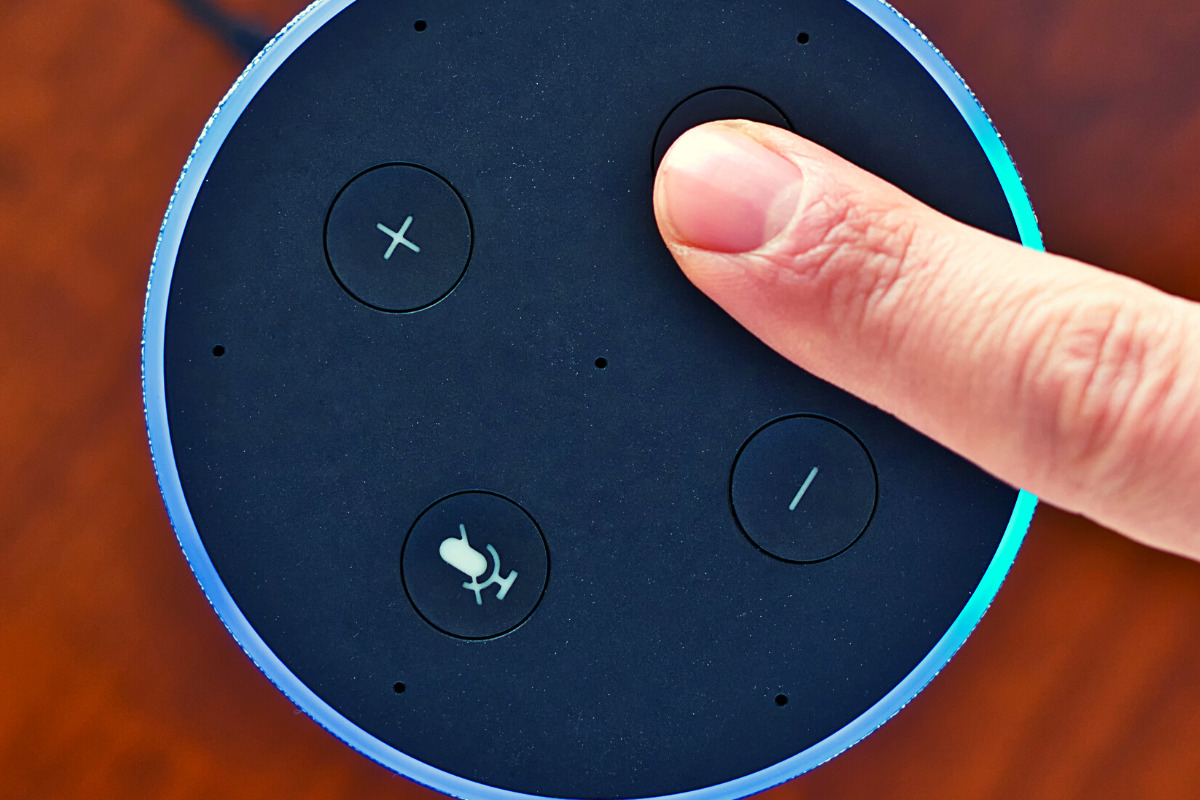
    When you use these sites, you allow them access to your information. Alexa is no different and my family has considered the risks and decided it’s worth it. First of all, we already get targeted ads because we do so much of our shopping on Amazon and searching on Google. Secondly, the latest models of Amazon Echo Dot have added features like a hardware button to turn off the microphone that makes us feel like we can avoid being listened to when we don’t want to be listened to.

    Risk/Reward

    When you narrow it down it is a consideration of opportunity cost. You have an opportunity for convenience but it will cost some of your info. At a $19.99 price point, the Echo Dot is a great deal right now on Prime Day so we bought four of them. They’ll be here in a couple of days and I’ll set one up and let you know how it all goes. Stay tuned for my (late but in-depth) review of the Amazon Echo Dot as a tool for controlling kids’ screen time.

    If you shop the Amazon Prime Day today, consider using http://smile.amazon.com and signing up to support our non-profit, Four Point Families. You’ll have to search for Four Point Families and select it as the organization you’d like to partner with. Then Amazon will send .5% of your purchase our way to help us continue to protect families. Thanks.


     

  • Family Tech Safety Tips for Social Distancing

    Family Tech Safety Tips for Social Distancing

    I have written nearly 400 articles since 2016. Most of them are still relevant in today’s social media and internet safety climate. While we are all being asked to limit our social contact and kids are staying home from school I thought it would be helpful to put together some Family Tech Safety Tips. Here is a list of articles that can help in this time of social distancing. These articles speak for themselves as to how they can help your family during this time. Feel free to contact me on our Facebook Page if you have questions about keeping your family safe online during the next few weeks.  Please use these links to help you keep your kids healthy and safe during this time. Our prayers are with you and your family as we all work together to make the right decisions to protect each other.

    Accountability Software

    TUTORIAL: How To Use Accountability Software

    Filters

    Circle is the WIFI Filter for You!


    Messaging

    Mobile Device Vocabulary Lesson 3: Messaging

    New Video Series will Help You Find Your Favorite Parental Control Software


    Educational Apps

    New Tech Products for Your Youngest Children

    Toys Teach Computer Science and Coding

    Screen Time Limits

    iOS 12’s Screen Time App Changes Everything!| Video

    Android FamilyLink is A Great Parental Control Solution, Albeit with One Major Flaw.

    Kids and Gaming

    Fortnite Chapter Two | A Parent’s Guide

    Call of Duty Modern Warfare | A Parent’s Guide

    How “Kids Games” Give Predators Unmonitored Access to Children


    Here is a link to the whole list of video game parent guides.

    https://safe.becausefamily.org/category/gaming/

    Staying Active

    Ten Screen Free Things to Do This Week!


    Social Media Troubles

    Research Finds Another Link Between Social Media and Depression

    How Your Teen Uses Social Media Differently Than You

    Social Media, Globalization, and Our Kids’ Convictions

  • Snapchat to Offer Mental Health Support to Users

    Snapchat to Offer Mental Health Support to Users

    The post on Snapchat’s blog says they are trying to “create a safer internet.” Snapchat will offer mental health support to their users through a feature called “Here for You.” This feature will provide mental health resources and other information as a result of searches within the app that involve mental health topics. 

    “Here For You, which will roll out in the coming months, will show safety resources from local experts when Snapchatters search for certain topics, including those related to anxiety, depression, stress, grief, suicidal thoughts, and bullying.” Snapchat Blog

    They are also adding features that promote a healthy mental state, with lenses, creative tools, filters, and a quiz. Snap claims to have always had their users privacy and security at the forefront of the design of their platform. The addition of “Here for You” is another step to promote safety and security for their users.

    What Parents Should Know

    What would cause Snapchat to offer mental health support to their users? Could it possibly be the outcry about social media being terrible for your mental health? Comparing yourselves to others, being called out for your own faults, bullying, and many other issues have caused our young people to be more susceptible to depression and negative self image. Snapchat, Instagram, and Facebook, with their story features have allowed people to post with a false sense of ephemerality. This is the belief that what you post is temporary and therefore you’re safe to post what you want. Ephemerality is a myth on the internet and social media. When you post something online, it is forever. Snap Inc. is touting themselves as a pioneer of privacy and safety in Social Media but truthfully, they’ve created an ecosystem that allows more bullying, sexting, and bad advice than ever before.

    Pointing users in the direction of professional mental health advice is a very good step in the right direction. In my opinion, however, it is just an attempt to cover themselves for a problem they’ve caused. It’s like a mechanic taking a part out of your car accidentally and then telling you they decided to replace it for you for free. You didn’t have as much of a problem until they caused it in the first place. Shouldn’t we expect that they would do whatever they can to make it right?

    It’s Up to Us!

    We, as parents, are the only ones truly looking out for the safety of our children. Every one of these tech companies has a fiscal reason to provide “solutions” to mental health problems. They all have shareholders screaming at them to keep their company out of the news except for the right reasons. Hearing that depressive symptoms is linked to social media is the kind of thing that will cause stock prices to drop. It makes sense that they would scramble to provide some kind of “band aid” for that issue. Be smarter than the average consumer and protect your own and your children’s mental health by keeping them from overuse of social media. Make your plan, set your limits and don’t be afraid to have the hard conversations with your kids.

  • Is Apple Blocking Parental Control Apps Because they are Competitors to Screen Time?

    Is Apple Blocking Parental Control Apps Because they are Competitors to Screen Time?

    The Story So Far

    It is a long and arduous story, the tale of Apple shutting down parental control apps. Some say it was done to protect Apple’s investment in their own Screen Time app while others believe Apple truly has the wellbeing of their customers at heart. It is hard to look at this story from any one angle alone without making a blanket statement about the opposing side. This is why I have taken a look at all sides and wish to help you, parents, understand what is happening in this strange new war.

    Last fall, after announcing the release of iOS 12 which feature their new controls app “Screen Time,” Apple began to deny certain parental control apps access to the app store. Apparently, citing the fact that Apple doesn’t allow apps to use any method to block other apps (a pretty important feature in a parental control software.) Eleven of the top seventeen parental control app developers such as Mobicip, OurPact (the top Parental Control app in the app store,) and Quistudo were all in communications with Apple for months about their apps being removed and what it would take to get reinstated. Apple’s comments seem to have been centered mostly around the removal of apps and the use of something called MDM or Mobile Device Management. They stand on the fact that MDM allows access to information that should remain private. Developers of the Parental Control apps are saying that Apple said nothing about privacy in any of their communication about getting their apps reinstated. This is causing a bit of concern for developers, media, and parents alike.

    Even more information about MDM in the video and podcast.

    Recently, the New York Times released an article about Apple’s removal of the parental control apps from the app store alluding to the possibility that the move was to eliminate competition for Apple’s Screen Time or even to keep people from using apps that cause them to use the iPhones less often. We are obviously getting a lot of they said/they said back and forth with this story and there is more to come (law suits and such) but here is what I think it all means for parents. 

    What Parents Should Know

    Above all it is important for parents to understand that there is no such thing as the perfect parental control app. The free ones are likely selling your data and the paid apps are usually using some sort of loophole to even work properly. Apple uses a pretty closed approach to their app store, only allowing a very small “sandbox” for developers to work in. This causes many of the parental apps in question to fall short of complete and total control. The MDM allowed for a bit more of that control but without that access, many of these apps are simply useless. I do believe that parental control apps should be held responsible for what they do with the data that they collect. Apple takes data security and privacy very seriously. This is what they have said is at the core of their stance against some of these apps. Apple must protect the privacy of their users, it is a major part of their platform and what sets them apart from their competitors.

    Time Management Dashboard Coming to Instagram and Facebook

    What does this mean for us as parents who want to protect our kids? First of all we have to remain vigilant to keep our kids safe online. Use some sort of network level parental controls. Whether you use Circle or something else that is built in to your router, it is a lot easier to set up filters that block your entire network than to set it up on each device. Also, you can just learn and use the built in parental controls that Apple and Android have created. Screen Time isn’t perfect (as I said, none are) but it is pretty good. Use the resources you have as well as a good, healthy environment of conversation and security to keep your kids using tech properly and discussing it with you regularly.

    Until Apple makes it easier for software developers to access user behavior, any built in parental control options will be bettor for iPhone and iPad users. Screen Time is currently a bit limited but is is a lot better than nothing and will work for most families. The best part is that the stance Apple has taken for privacy will also apply to users who have set up Screen Time. Any account that you have set up for your child will be treated as a child’s account and Apple’s terms state that their data will be treated as such also. Maybe your favorite Parental Control app is a part of this whole drama. If so, hang in there and set up something you can use because this whole story isn’t over. I’ll keep you updated as more happens.

    For even more, listen to the podcast episode below:

  • Ten Screen Free Things to Do This Week!

    Ten Screen Free Things to Do This Week!

    Today marks the first day of Screen Free Week 2019. We have become so used to doing everything on our phones, TVs, tablets, and computers that it can be difficult to think of things to do when we unplug. It can especially be difficult for our kids who spend so much time on screens every day. Here are some ideas to help you start thinking of how you’ll spend your time this Screen Free Week. I’m sure that whichever activity you chose to do you’ll be blown away at how good it was for you to be screen free, even if only for a little while.

    1. Read Books

    No, I mean a physical book. With paper and glue and pages and everything. Many of us are spoiled to our audio books and ebooks. We carry around a library of hundreds of volumes and read whichever we want, whenever we want. This Screen Free Week, why not forget about the books in your digital library and take a look at some of the adventures you have on your actual bookshelf. You’ll be amazed at how cathartic it can be to just turn a real page instead of swiping to the next set of pixels that make up the story.

    2. Share a Screen Free Meal

    Having a meal with friends and family can be a great way to reconnect and charge up that need for social interaction. Food brings people together. Unfortunately, our phones can often get in the way of this beneficial time. Celebrate Screen Free Week by choosing to keep your phones away from the table during meals together. Look each other in the eye, have conversations, and share the time with your friends and family.

    3. Play Board Games

    You can pull out the old classics like Monopoly and Life or maybe sit down to a newer hit like Settlers of Cataan, Forbidden Island, or Dice Forge. Whatever board games you choose, you and your family and friends can enjoy screen free entertainment. Personally, I look forward to Dungeons and Dragons every week when I sit down with some guy friends, eat snacks, roll dice, and tell a story together. A story filled with imagination, humor, and adventure. Don’t underestimate the power of time around a table playing a game.

    4. Play Outside

    Trade in Screen Time for some Green Time! Get outside and get moving. Play a sport, run a race, skip, hop, jump, run, anything you can think of outside will be so good for you. Your body will thank you for the exercise and your brain will thank you for the release.

    5. Go for a Hike

    Screen Free Week is a wonderful time to get out and experience the beauty nature has to offer. You’re bound to have a hiking trail just a short drive from your home. Maybe it is just through a park in the city but it will be great to slow down, walk through nature, and stop and look at what the beauty all around you. Bend down and look at those leaves or that insect working away. Feed some ducks or squirrels. You’ll be amazed at how wonderful life is beyond the six inch space in front of your eyes that your phone often tends to occupy.

    6. Act Out Your Own Play

    We love to be entertained. Netflix, Youtube, Hulu, and Amazon Prime make their money off of our desire to escape reality by enjoying a movie or series. Take this week without screens to create your own entertainment. Play an improve game or charades to get your imagination moving. Get some friends together and act out some of your favorite scenes from the movies and shows that you love. How fun will it be to play the characters you love and laugh with your friends as you channel that inner child.

    7. Play a Musical Instrument

    How long has it been since you’ve picked up that guitar in the corner of your room? How long has that violin been sitting in its case, untouched? Without the distractions of y0ur screens this week you can take some time to play that instrument you’ve been neglecting. Maybe you aren’t a musician. Why not try something new? Borrow an instrument from a friend or just bang out a beat on your knees with some pencils. Make some music this Screen Free Week!

    8. Write in a Journal

    Social Media is often the place where we share our deepest feelings. Many of us look for validation by posting what we think about this thing or that. Since you’re avoiding screens more this week, start practicing a new train of thought. When you have an opinion you think would make a good Tweet or status update, write it down in a journal instead. Write down your deepest thoughts on all of the topics you usually post about publicly. You may find that journaling gives you the same cathartic feeling without the drama of other people’s comments and debate.

    9. Do an Art Project

    Our screens train us to consume consume consume. Why not take this break from consuming so much media as a chance to do some creating. I have a weekly goal to create more than I consume. I ask myself every day what I’ve created that I can be proud of. Often my creations are videos, blog posts, and podcasts but I can look back and say I created something instead of just consuming all day long. Give yourself a chance this week to be more creative. Make something awesome. Do some art. Maybe sidewalk chalk, or a craft project, perhaps you can knit or crochet. Do something creative that you can look back on at the end of the week and actually see the product of your time. It is so very rewarding.

    10. Plant a Garden

    Again, Screen Free Week is a great time to get outside. The spring weather is just waiting to be enjoyed. This early in the spring, it is also a great time to plant a garden. Go get some flowers and plants and set yourself up a nice patch of nature. Your kids will love helping and digging around in the dirt and your whole family will love seeing the plants come to life as the spring and summer progress.

    Beyond Screen Free Week

    There are lots of things you can do without your screen. If you are like me, Screen Free Week is a great reminder to adjust my priorities. Hopefully this Screen Free Week, you can remember the importance of time in which you intentionally unplug and spend time with those you love. Use tools like Screen Time to monitor that amount of time you spend using your devices. It is amazing what good just being aware of your screen time can do for you. Have a happy happy Screen Free Week.

    For 101 more Screen Free Week ideas visit ScreenFree.org!

    Listen to this post as a podcast below:

  • Snapchat’s Social Gaming = More Time on Social Media

    Snapchat’s Social Gaming = More Time on Social Media


    It has barely been a year since Snapchat joined Facebook in a movement to help people better manage the amount of time they spend in the social networking apps they develop. Snapchat added the ability to silence notifications from certain conversation and redesigned their app to be more about time with your friends and less about time in the app. Yesterday, however, CED Evan Spiegel announced their new focus on Social Gaming and several new original video series citing a new way to keep young people in their app even longer. 

    The games featured you and your friends’ Bitmojis. In them you play silly games that include pool toy fights, field goal kicking, and keeping your Bitmoji atop a spinning record as your friend DJs for you. In the announcement Spiegel says “On Snapchat, you’re free to be you, with your real friends. As we use the internet more and more in our daily lives, we need a way to make it a bit more human.” Apparently the idea is that as social beings, we need to hang out and since we are all spending so much time on our smartphones, Snapchat wants to be the place your kids hang out in.

    Facebook and Snapchat Join the “Time Well Spent” Movement


    What Parents Should Know

    I have said it several times before, we can’t blame tech companies for wanting people to spend time on their software, that’s how they make their money. Quotes from this announcement boast of a place that people can be themselves, obviously what they truly are creating is a place where we can spend more time, see more ads, and make Snapchat and its shareholders more money. No matter what social media companies say about time well spent, privacy, or security they are protecting their bottom line. They have shareholders that they must impress with the numbers so that’s what shapes their decisions. Knowing this helps us remember that the responsibility for healthy tech use falls to users, and our kids’ tech health is the responsibility of parents.

    Talk to your kids about the amount of time they spend on social media. Don’t allow them on social media that is rated higher than their age. Teach them not to expose sensitive information like their phone number or the name of their school on these apps. Finally, use some sort of filter or time management software to help you enforce your standards. Parents are the first line of defense against the dangers of unlimited and unmonitored internet use. We have to take on that responsibility because nobody else truly will.

    You can listen to this post as a podcast episode below.

  • NetNanny | Let’s Review Video

    NetNanny | Let’s Review Video

    Let’s Review Video

    Net Nanny features one of the strongest filters available, custom settings, time management, alerts, and much more. In this video, I walk you thought the NetNanny website and we discuss its pros and cons. I share some of the set up woes I experienced with NetNanny but why I think those have been updated. 

    You can learn more at NetNanny.com 

  • Released Today: Facebook Messenger For Kids!

    Released Today: Facebook Messenger For Kids!

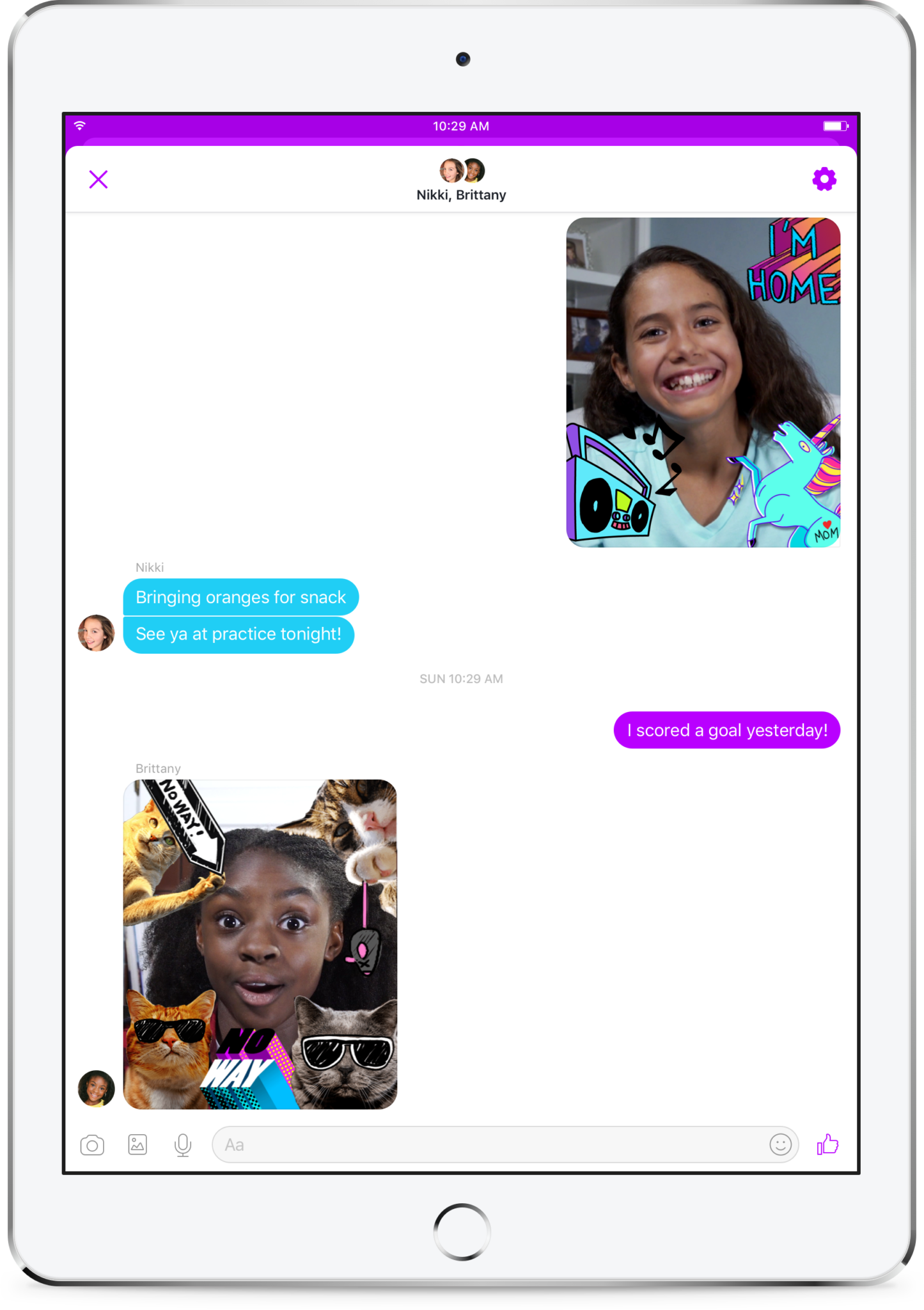
    Kids love social media. They like sending messages to friends and family. They absolutely love using filters and masks to share silly images of themselves. The problem is that social media wasn’t created for kids. It is for grown ups. That makes the social media world dangerous for our -13 kids. Enter Facebook, who is now trying to make social media and messaging safer for our children. Messenger Kids was released in the U.S. today on ios and the new app brings some favorite Facebook messenger features to our youngest family members.

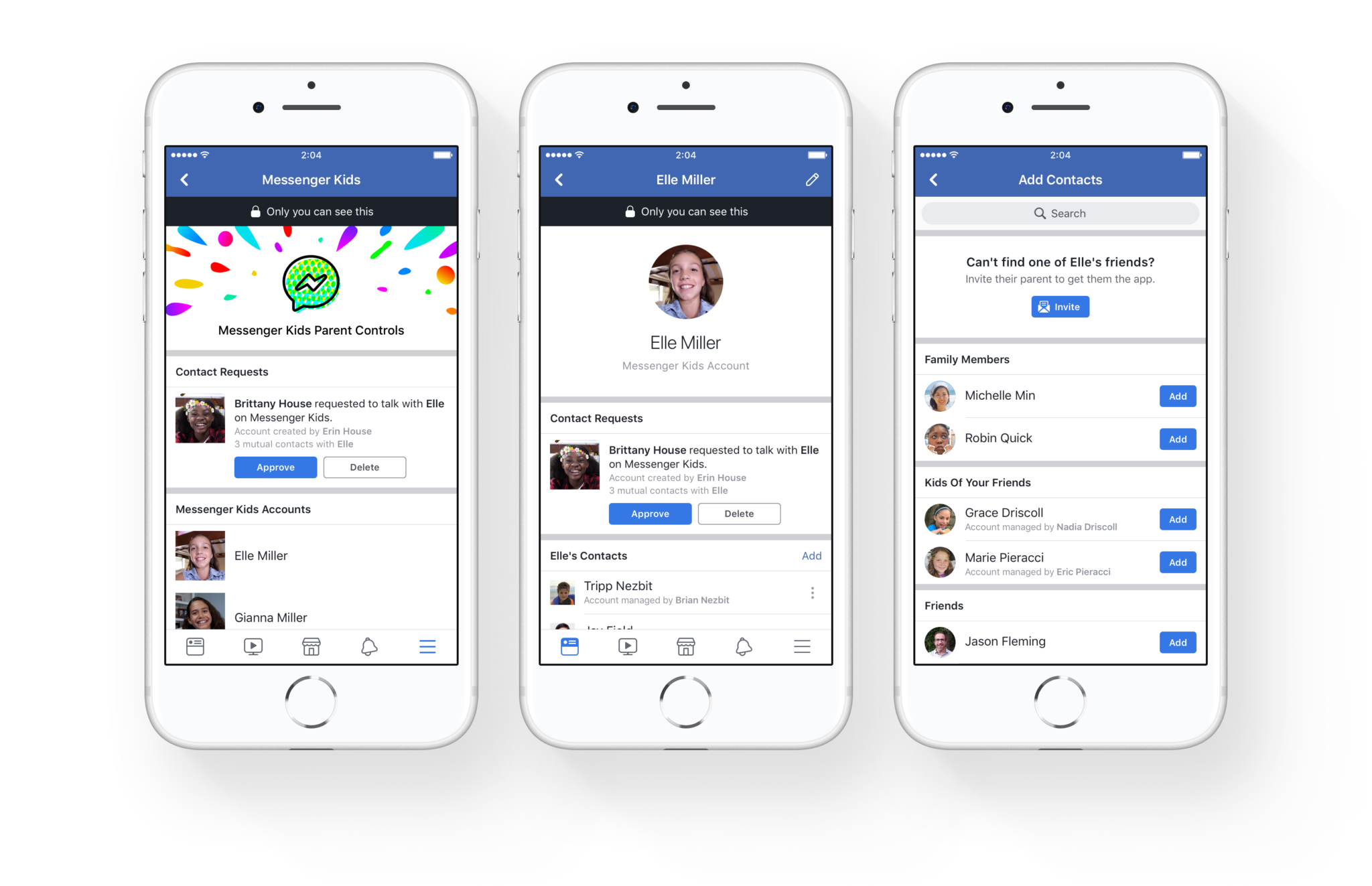
    You set up your child’s account for them and they don’t need a Facebook profile to use Messenger Kids. Once you’ve downloaded the app and logged in with your own Facebook info, it will let you add your kids to the app and then ask them to take a photo and enter some information. Then, as simple as that they’re able to chat with you. To add contacts you search or browse your friend list and give your child permission to contact them by clicking “Add.” It can all be done from your own Facebook settings without access to your child’s device. They can also ask permission to add someone to their messenger app.

    As far as privacy and settings, Facebook has to be pretty specific with their rules. For example, Messenger Kids doesn’t collect ad data, their profile won’t show up in search, there is no advertising within the app, and there is no automatic account upgrade once your kids reach Facebook’s approved age. This is good news and proves that Facebook put some thought and research into what would make the Messenger Kids app fun and safe for kids. Messages don’t disappear and can’t be deleted or hidden. If an inappropriate image is sent, the child can report and the parents will be alerted that their kid has reported something that made them uncomfortable. One of the very few cons of the app is that parents can’t see videos or messages that their kids have sent and received except for taking the device and looking for themselves.  This is also, likely, due to privacy concerns and legal issues but it sure would be nice to at least be able to see messages that have been reported by our kids.

    What Parents to Should Know

    It isn’t very often I can fully recommend an app to parents but so far, I’m feeling like Messenger Kids meets my standards. The GIF options are curated by editors, not an algorithm and the filters are carefully selected and designed just for kids. Control is in the hands of the parent and that is exactly what I’m always wanting to see when it comes to apps designed for kids. The concern about time management does remain, however, so it is important to make sure your children are spending enough time doing other things. Messaging with family and friends can be fun but it is still screen time and it has been proven that kids need more than just screen time as entertainment. Use time management apps or just your own enforcement to be sure that your kids are only using Messenger Kids as long as you’ve decided is healthy.

    It’s great to see an app that brings features that kids love into a safer environment for them. I downloaded this app and have set up an account for my 10-year-old son. He has already enjoyed sending messages, using the camera filters, and even playing an AR game that is included. Why don’t you check the app out too and send me a message or email me and let me know what you think?


  • Families Receive Threatening Messages after Iowa School Network Hacked

    Families Receive Threatening Messages after Iowa School Network Hacked

    A school district in Iowa canceled a day of classes after a network breach allowed hackers to send hateful messages to families from the public school. The messages contained personal details about students and threatened to do harm to them and their families. Apparently, the threats weren’t credible except to stir up fear and make a show of their ability to access the information. There is a theory that this could be an attempt to threaten people as to warn the FBI to stop investigating them.

    The group is called “thedarkoverlord” and they’ve been responsible for recent info leaks and hacks of organizations like Netflix and Larson Studios. They have been under investigation for these hacks and could have performed this recent “attack” as a warning. They even tweeted out links to the contact information of the students from the school district, stating that predators can now use that information to plan their targets.

    With the student directory from JCSD we released, any child predator can now easily acquire new targets and even plan based on grade level.

    — thedarkoverlord (@tdo_hackers) October 5, 2017

    What Parents Should Know

    Network security is becoming a more and more serious issue. We live in a world where all of your personal information is available in multiple locations online. If you, as a digital citizen, aren’t thinking about important tools like passwords and usernames your information can end up in dangerous hands. The best advice I can give you is to ask your school district if they have someone responsible for the security of their network and if so if they can keep something like what happened in Iowa from happening at your school. Then make sure you follow some simple network security rules yourself. Use different passwords for different sites. Use passwords or passphrases that, while easy for you to remember, aren’t easy to guess, and don’t ever use default passwords on websites, routers, modems, or computers. 

  • Tumblr’s New “Safe Mode” isn’t All That Safe

    Tumblr’s New “Safe Mode” isn’t All That Safe

    I have a list that you can download here of all the apps I recommend you remove from your kids’ phones if you see them. Tumblr is on that list because of the overwhelming amount of easily accesible explicit content. A few months ago Tumblr launched a way to turn off the automatic safe search required by apple on all iOS devices. Now they’ve added a “safe mode” to their app and website to keep NSFW (not safe for work) content from appearing in your Tumblr feed. This mode is available in the settings of the app and website in your browser. It will be automatically on for people who’s age is under 18 and who aren’t logged in to Tumblr when accessing content.

    The safe mode works, not as a filter to keep out content, but as a cover to hide NSFW images so any onlookers won’t see. The feature adds a cover on posts with explicit content that can be removed by tapping or clicking “show post.” The goal isn’t to keep sensitive material from appearing in your feed, it’s meant to keep you from getting caught looking at the sensitive content. The safe search option, together with this safe mode setting could lead you into a false sense of security with what is available for your kids to see on Tumblr but these settings aren’t meant to keep this content away from people trying to find it. They are more suited to keep folks from scrolling past something on accident. Both security modes can easily be bypassed in settings that can’t be protected by a password.

    What Parents Should Know

    The fact remains that pornography is by far the most commonly searched content on Tumblr (over 20% of all searches are for porn the next most popular is literature at just over 7% of all searches.) Explicit content is easily available on Tumblr and because of that I caution parents about this app all of the time. This is one app that I recommend be uninstalled and a social media platform that I would keep my kids from altogether. My advice is that you add Tumblr to your filter blacklist and your accountability software red flag list. This will keep the entire site off of your kids phones and computers and give you peace of mind that they won’t find any of the easily accesible images so prevalent on the site.