Tag: family

  • Tumblr App Installs “Adult Content On Switch”

    Tumblr App Installs “Adult Content On Switch”

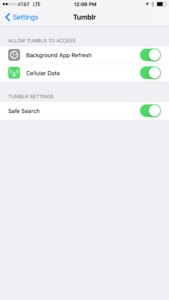
    Tumblr has lost some traction over recent years. It’s not so much a social media platform as a blog host and not really even that. It’s more used for GIF (animated images) posting than anything nowadays. Apple has always had a pretty strict standard on adult content in the apps in their app store. They require developers to have adult content disabled by default. This usually means that image searches on your browser should be without any blatant pornography unless your search is specifically for that. Tumblr has updated their iOS app with a workaround for this rule. There is now a switch that will allow users to turn adult content back on in Tumblr. It’s actually a “safesearch switch” and it’s set to on by default, thus following the rules set up by Apple. All it takes, however, is for someone to go to the settings page of the app and turn the safesearch option off. This will unleash the cacophony of adult content that is available on Tumblr (many say that pornographic images and gifs have become it’s main purpose) on the user.
    What Parents Should Know

    The Tumblr app is basically a browser in which anyone with an account can see any of the user generated blog content posted on the site. As mentioned above, the app has become inundated with adult content and is not safe for anyone you’d like to keep from those sort of images or videos. The safe search switch isn’t located in the restrictions settings on your iPhone. It is just in the settings for the app. This means safesearch changes can be made without a password. This app is an easy way for your child who has been looking at inappropriate images or videos to access more of that. Now that the safesearch can be turned off, you’ll want to add this app to the uninstall list.

    Our children can be greatly harmed by pornography. Studies are showing it’s addictive nature and the ability it has to alter a person’s sexuality and preferences, creating what they call an “arousal template.” This causes kids to be attracted only what they’ve seen online and can create serious problems for them in the future. They also say that kids who view pornography are six times more likely to force others into sexual behavior. Many in our culture view online adult content as only entertainment but it’s being proven that it’s detrimental to the mental health of our kids. If there is anything you can do to protect your children from adult online content, you must take steps to do so. Uninstalling Tumblr just became one of those steps.

  • Parental Control Options for Your Kids’ Chromebook

    Parental Control Options for Your Kids’ Chromebook

    The Chromebook is unique because it isn’t really a full fledge computer. They are designed to just run a browser so you can access the internet. This makes them affordable and easy to use. Because of this the Chromebook is often the chosen computer for schools. So your child may have been assigned a Chromebook when they were enrolled in school. While they must have content controls set while they are on school property there aren’t any regulations requiring schools to keep them protected while off campus. Here are some options for how you can protect your kids while they use their Chromebooks.

    Supervised User

    UPDATE: Google has discontinued Supervised User in favor of FamilyLink.

    This is an account based system that’s built into the Chrome browser. It allows you to set filters, monitor sites visited, prevent installation of apps, turn on safesearch, and change settings. You do have to use blacklists or whitelists to block websites, there is not an automatic filter built in. I recommend using THIS LIST of blacklist sites provided by a University in France. It’s a pretty extensive set of blacklists and will take some effort to set up but if you don’t want to just set the Chromebook to only access a few domains then copy pasting sites from these lists is your best option. You can access the supervised accounts by going to chrome.google.com/manage.

    Click THIS LINK to see Google’s set up instructions for a supervised user account.

    MobiCip

    One of the only full service filter and monitoring apps for Chromebook, Mobicip offers a plugin that you can download from the Chrome app store. Mobicip will give you customizable filters, time limit controls, and usage reports and its pretty easy to set up. You just download the extension from the Chrome app store and then login. It takes you through the setup steps and lets you set your desired filter levels. Once it’s all set up you can make changes from anywhere using their web based controls dashboard. Their SUPPORT page has good How-To resources to walk you through the process.

    If you want more controls than the Supervised User option gives you then Mobicip is a pretty good choice. It’s $39.99 per year for all of the features mentioned above for up to five devices. If you are going to need to protect more than twenty devices (I’ve met families with upwards of 30) then you’ll have to get a quote for their “Enterprise” option. Mobicip is a good option and will give you quite a bit of control.

    Accountable2You

    The final option is an accountability software. This, combined, with the Supervised User Account may be all you need.  Accountability software doesn’t block content. This software will keep an eye on what’s being viewed and then red flag and report anything that it deems inappropriate. This allows you to more easily see when something questionable has been viewed. Otherwise you’ll spend time sifting through link after unrecognizable link to find something that may be naughty. You can even set up Accountable2You to send you a text message when an inappropriate site was accessed. The software works across all of your devices including Chromebook and is $6.99 per month for six devices and $9.99 per month for twenty devices. They have easy setup instructions on their SUPPORT page and have excellent customer service.

    Whether your kids got Chromebooks from you to help with schoolwork or they were school issued, it’s critical that you have some sort of parental control solution set up. I recommend using one or more of these to set up a plan to help your kids be safer online. The statistics say that only one out of every three kids who saw something inappropriate online was looking for it. The fact that you have well behaved children doesn’t apply here. The internet isn’t well behaved and we have to make the effort to keep them safe.

    This article contains affiliate links…

  • PODCAST: Should I Follow My Teen on Social Media?

    PODCAST: Should I Follow My Teen on Social Media?

    Facebook wouldn’t stop talking about augmented reality, the Hooked app is super addictive, and should you follow your kids on social media?

    HUSHATHON :: http://becausefamily.org/hush

    Social Media Links

    Facebook: http://facebook.com/4pointfamilies
    Instagram: http://instagram.com/becausefamily
    Twitter: http://twitter.com/becausefamily

    Newsletter Signup

    Ministry Updates:: http://eepurl.com/R7Btr
    Weekly Blog Posts:: http://eepurl.com/cvnhXD

    Websites

    Ministry Site:: http://becausefamily.org
    Tech Blog:: https://safe.becausefamily.org
    Michael’s Speaking Info:: http://kmichaelprince.org

    Donate and Affiliate Links

    http://BecauseFamily.org/partnership

    Music by Kevin MacLeod at http://Incompetech.com

  • Fake News and Selfie Smiles

    Fake News and Selfie Smiles

    Your kids’ brains are developing, you MUST learn to tell fake news from real news, your pictures need more sprinkles, and SURPRISE!! Instagram is full of narcissists.

    FAMILY TECH WEEKLY EPISODE 2

    Social Media Links

    Facebook: http://facebook.com/4pointfamilies
    Instagram: http://instagram.com/becausefamily
    Twitter: http://twitter.com/becausefamily

    Newsletter Signup

    Ministry Updates:: http://eepurl.com/R7Btr
    Weekly Blog Posts:: http://eepurl.com/cvnhXD

    Websites

    Ministry Site:: http://becausefamily.org
    Tech Blog:: https://safe.becausefamily.org
    Michael’s Speaking Info:: http://kmichaelprince.org

    Donate and Affiliate Links

    http://BecauseFamily.org/partnership
    Music by Kevin MacLeod at http://Incompetech.com

  • Fake News and Your Family

    Fake News and Your Family

    I’ve been hesitant to write about the fake news issue. While there have been plenty of stories come out about how the tech world is battling the fake news problem I have yet to be able separate the issue from people’s political feelings and so I’ve left it alone. Today, tech news sites are talking about the latest shot fired in the fake news war and it centers around the most popular site on the internet, Google.

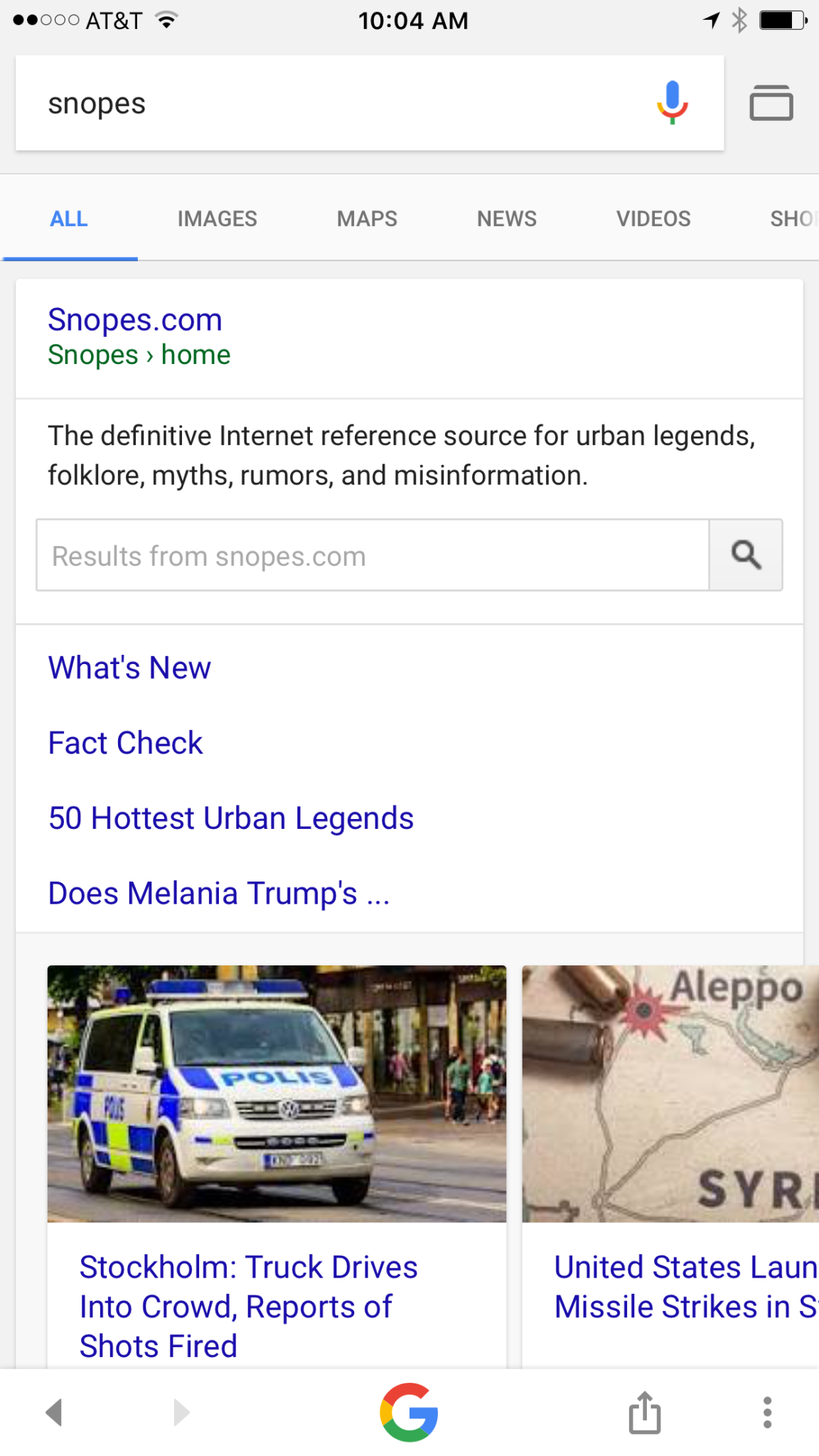
    Google is going to be featuring fact check links on many news stories in your search results. The need for more fact checking has become more and more obvious as the internet becomes full of user generated content. The issue with UGC is that you can say whatever you want and, until recently there weren’t a lot of ways to prove your story right or wrong. Links underneath some Google search results will now feature fact check information from sites like Politifact and Snopes. These should help those seeking true news and information to have a better understanding of the sources for the articles they’re using for their research.


    What Parents Should Know

    Fake news isn’t a kids and teens problem. Many adults share stories without finding out where the information came from. It isn’t difficult to recognize a satirical news site from a real news site. Fake news sites work to disguise themselves as real news. Satire is an obvious attempt at humor while fake news is usually just created to get clicks and sell advertising. You see, the more clicks a site gets the more money they make from advertisers on their sites. Writers on these sites will write a story based on the number of clicks it will get and not the accuracy of their information. Often these stories will be twists on something that is true while sometimes it’s just a completely made up article with a “clickbait” headline. We can’t continue to share these articles for so many reasons; the biggest reason is that it further confuses our society and divides us.

    Your children deserve a world where news is actual news. No matter your beliefs or political leanings you don’t want your kids to have to function in a society where there is no difference between factual news and an inflated false story written by some kid in a basement in Ohio (no offense to Ohio.) You should learn to fact check. Spend some time on Politifact.com or Snopes.com and dig around for the issues that are most important to you. Teach your kids what it means to site sources and look for the purest form of information or news. Yes, you can read about the latest tech news from me and I’ll related it to parenting and protecting your children online; that’s great, but if want to know more about Google’s fact checking search results you can go read their blog to get the information straight from the source.

  • Three Apps that Can Help Any Parent

    Three Apps that Can Help Any Parent

    We spend a lot of time on this site talking about what apps you shouldn’t let your kids have. For this Friday post I would like to share a little bit about some apps you should get for yourself. I found as I dig around the internet that there are new resources for parents being released all the time. Digital resources are a new way to help you be safer, more organized, and more efficient.

    1. Mothership (by FamilyTech)

    Mothership is a great way to organize all the tasks that you need done in your home. It will pair with other apps like chore monster to distribute some of the needed duties to the members of your family. Mothership is a great idea for the family who is looking for ways to reward kids for doing chores and ways to organize the things everybody needs to get done. There’s even an app I can help mom and dad’s reward each other for accomplishing the tasks they need to do, it’s called Honeydo. We just recently wrote about the fact that Disney circle will connect with mothership to use screen time as a reward.

    2. Daniel Tiger App for Parents

    If you have young children like we do and you may find yourself constantly watching Daniel Tiger. That’s not so bad since some of the songs Daniel tiger sings can help you convince your kids to do the right thing. This app takes that into account. With songs, ideas for conversation starters, and follow up questions, The Daniel tiger for parents app gives you some cool tools to help you bring their love of the character into their learning. The Daniel tiger for parrots app is free on iTunes or android.

    3. Life 360

    As your kids get older you’ll find yourself off and wanting to keep track of where they might be. The life 360 app makes that as simple as opening a map and see for yourself. This app is created to help you stay connected to your family runs on a mobile device and let you if you found the numbers on the map communicate with them, and receive alerts when they arrived at their destination. You can even pay for more features that will allow you to get an alert if they use the phone while driving and many other cool features. These features only cost you about $2.99 a month or $25 a year. That is a small price to pay always know where your kids are and if they’re safe.

    The internet can be a dangerous place. But it also can be very useful. If we as parents learn how to leverage the benefits of digital life we can help our family be more organized, safer, and smarter. Keep informed of the latest trends in social media and other family relevant tech news by subscribing to our mailing list. You’ll also get free access to the online version of our Setting Digital Boundaries Workshops.


    Get all the latest family tech news in your inbox.

    * indicates required


  • Smartphone Separation Anxiety is Actually a Thing!

    Smartphone Separation Anxiety is Actually a Thing!

    Our world is advancing rapidly towards another new technology age. With computers in our pockets all day long it was only a matter of time until we became so dependant on them that the thought of losing them is one of our greatest fears. Researchers are finding that that time has come. Results released last week from a study done by Eotvos Lorand University in Hungary shows evidence that young people suffer significant stress if they are separated from their smartphones. 

    The study was small, only testing 87 volunteers, and asked subjects to take simple math tests in a mostly empty room. Some of those who participated kept their phones, others were asked to turn theirs off, another group locked up their phones and were given someone else’s phone instead, and the final group put their smartphone in a locked cabinet and couldn’t have access to it during the entire study. The findings were pretty much what any of us would expect.

    Those who kept their phones (whether on or off) had no noticeable signs of stress about the test they were taking and the group that had someone elses phone showed a very low stress level as well. The other group (the people with their phones locked in a cabinet) showed significant heart rate fluctuations, an indicator of high stress and similar to symptoms shown by people suffering from PTSD, and tended to drift towards the cabinet their phones were locked in. The volunteers in this group were also very fidgety, scratching their faces and pacing. The researchers took these results as an indicator that there may be a very real link to smartphone separation and anxiety. 

    What Parents Should Know

    This test was a very small sample study and will likely be followed up with some more extensive research. Small as it may be, though, I think we have all either seen or experienced firsthand the symptoms of smartphone separation anxiety. I, personally, make a conscious effort to spend extensive amounts of time without my phone, just to keep from getting so attached. I still find myself reaching for it when it isn’t there. It may seem obvious but I think these tests are a good idea because we should know more about how our habits affect us. 

    As parents it is important that we understand that addiction to technology is very real. While research is only now beginning to explain what’s happening when we get hooked on our electronics, the findings are disheartening. Our brains can actually be trained to ignore stimuli that isn’t on a screen and prefer the phone, tablet, or television over a book, a real sunset, or even someone’s face. We should be aware of how much time our children are spending using their technology and work hard to teach them healthy habits. We have to set the example first, and then set boundaries that will help them understand limits, why we have them, and what happens if we ignore them.

    Use consequences that truly fit the crime for overuse of technology. If they feel a small example of that separation anxiety from being grounded from their phone for a week, you have an opportunity to help them see that their feelings of stress should be avoided and can be avoided with a more healthy attitude towards their digital lifestyle.

  • QUICK! Go Set Up a Kids’ Profile on Your HULU Account

    QUICK! Go Set Up a Kids’ Profile on Your HULU Account

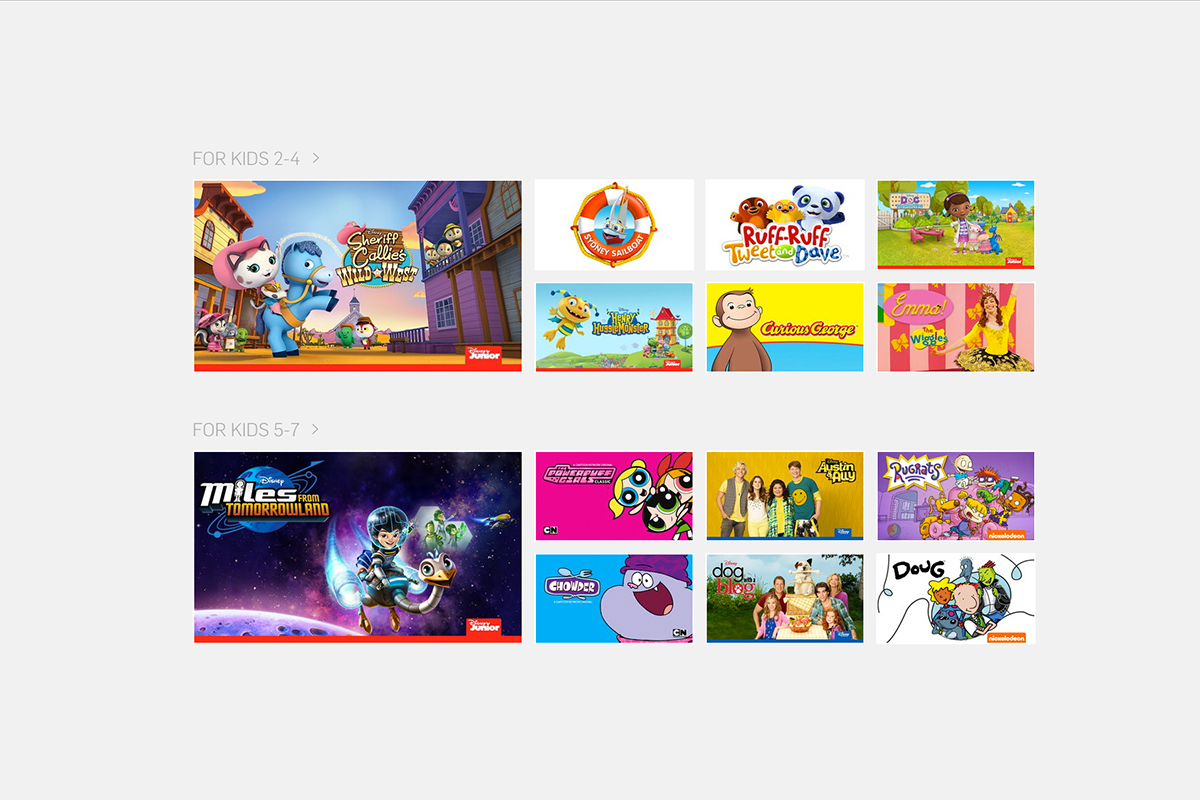
    The benefits of having a kids’ profile on your video streaming services are many. Keeping their eyes off of some of the obviously adult oriented content, collecting all of their favorite shows in one place so they’re easy to access, and most importantly (not really) keeping your recommended shows list clear of Daniel Tiger and Lalaloopsy. While the convenience of these profiles has been known for a while, some streaming services have yet to offer the option. Well, today Hulu has been added to the list of streaming options that will make it easier to protect your kids while they watch.

    While Kids profiles aren’t meant to be parental controls, they are a place for children to browse Hulu without accidentally running into mature content. A user with a Kids profile won’t be able to access Watchlist, search, recommendations, and auto-resume functions. – HULU Help Center

    Profiles will be available right away on hulu.com and soon on their mobile apps, smart tv, and media player apps. Just select the “Add a Profile” on the welcome screen or from the “Account” dropdown on the website then follow the steps to create your account. You can create up to six profiles and you will receive the option to label them “Kids” accounts. This will, as mentioned in the quote above, allow your kids to watch their favorite shows on HULU without the chance of running into adult oriented programs and suggestions. Some other features, including auto-resume (which is a bummer,) will be disabled but you’ll have a bit more peace of mind.


    Hulu is a monthly subscription streaming service that has many HBO and NBC shows as well as movies and original programming. Similar to Netflix, HULU has been creating their own shows for a little while now and have exclusive rights to become the only place to view some shows and movies. Hulu is allowing new users to sign up and receive a month for free, after the first thirty days they will be charged $7.99 per month for access with “Limited Commercials” or $11.99 for a commercial free account. Why not go create an account and a few profiles and take the next thirty days to see what you think about it. We’re just happy more services are jumping on the “Kid Profile’s bandwagon.”

  • The Connectivity of Your Home is a Main Feature at CES 2017

    The Connectivity of Your Home is a Main Feature at CES 2017

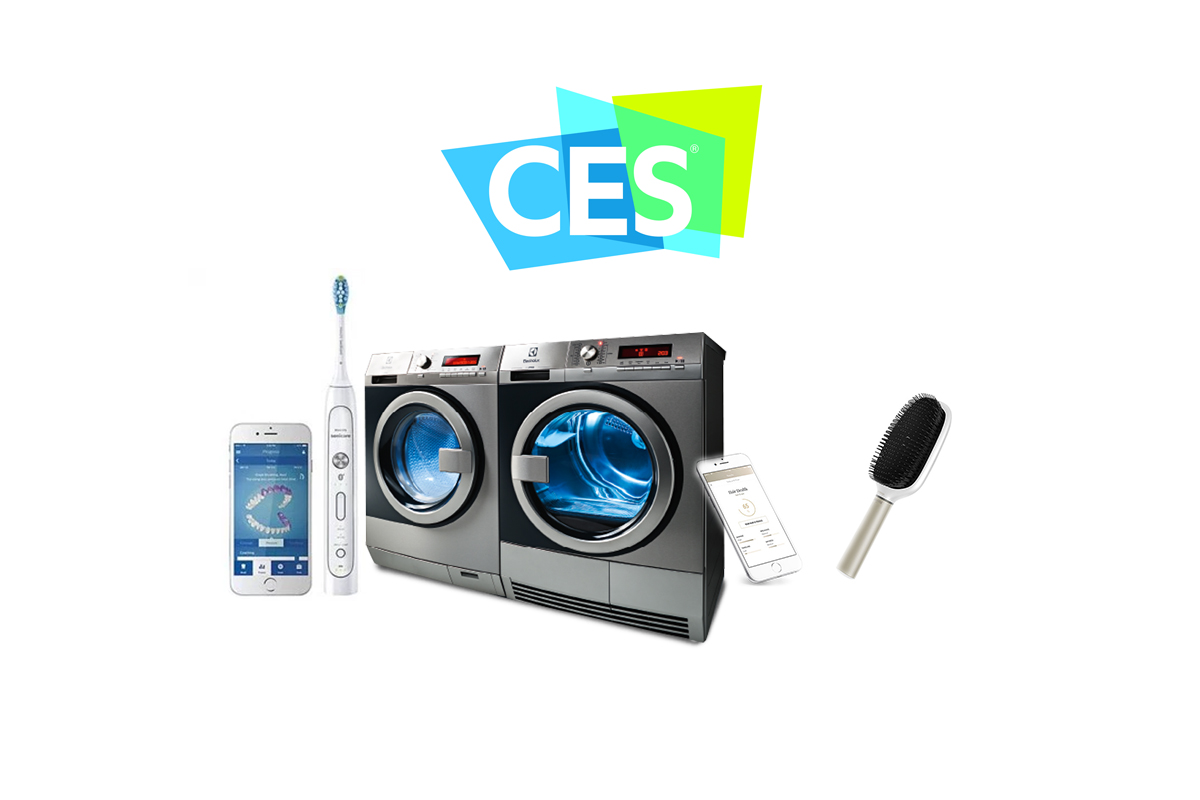
    If this year’s Consumer Electronics Show is any indication, your home is going to get smarter and smarter. The idea is that the things you used most can help you become better at what you use them for. If they can all communicate with each-other they can do even more, including lower your energy use and costs, increase convenience, and educate you and your family. Check out some of the smart home products, some great, some kind of silly, that you may be buying in the next several years.

    Smart Mirror

    The smart mirror is a connection hub for you to start your day with the info you want to see most. You set it up to show you what you’d like to see. Maybe your instagram and twitter feeds, perhaps you want to know the weather or news, or just watch your favorite YouTube channel. The smart mirror will respond to your hand gestures or voice commands to provide you with the convenience level you desire.

    Smart Bed

    Sleep number is at CES showing off their smart bed. Yes, apparently a bed can be smart. This bed will warm your feet, decrease the mattress firmness if you toss and turn, and even tilt your head up if you start to snore. You didn’t know you needed a smart bed did you?

    Smart Hairbrush

    File this one under more stuff you didn’t know you needed. A smart hairbrush will track your hair brushing technique and teach you how to brush your hair better. The designers of the brush say it will help keep your hair healthier and look better. Maybe this will go in the “stuff you definitely don’t need” file. That’s just my opinion though.

    Smart Toothbrush

    This toothbrush has computer components built in that will track your brushing habits and give you recommendations to do a better job. The verge’s article says it’s “you-missed-a-spot for dental hygiene.” For someone like me who thinks brushing my teeth is boring, it’s a struggle to do it for as long as is recommended. A smart toothbrush would be pretty good accountability for me. Plus, since I’m a tech nerd, it would probably make me a bit less annoyed to stand in one spot for two minutes with a brush in my mouth.

    Toothbrush Game Controller

    There’s also a smart toothbrush option for the kids but theirs has a game built in. I know, the kids get all the good stuff. The game helps coach the kids to brush all of their teeth and take all the time necessary. It will distract them from the time they are spending brushing by letting them battle monsters by moving the brush to different areas of their mouths. The app on a phone or tablet provides the instructions and how well they follow those instructions will determine if they win the game or not.

    Connected Appliances 

    Another major product being featured at CES is the connected appliance. I wrote about the washer and dryer yesterday but there are refrigerators, ovens, trash compactors, dishwashers, and even a toaster that will communicate with each-other and allow you to control them from your smartphone or other controller. The apps will let you adjust settings on your washer and dryer, monitor your home while you’re away, and even turn off the off the oven if you’re coming home late. It’s all connected and it’s becoming the majority of what these appliance companies are producing.


    Should Your Family Be So Connected?

    I look at a smarthome like social media. There are things that make sense for some folks that don’t for others. Is it cool to be on the fringe beginnings of the latest trend? Sure it is, but it isn’t always practical. I, for instance, use Facebook to promote our ministry and this blog and I use Instagram to keep track of friends, Twitter is where I turn for professional growth and information. These smarthome and connected appliances fall into a similar category for me. There are those who are going to feel like they need a smart hairbrush, I will never see the need but some will. I may like having my kitchen all connected and controllable from an app on my phone but you may not. Chalk it up to “different strokes for different folks.”

    As for safety and security, the more connected you become,  the more you’ll have to keep an eye on how you’re protecting your family. This entire site is dedicated to the fact the being connected online comes with risks. While your oven may not lead your kids down a road to temptation, what if you daughter uses that smart mirror to compare herself with photos of people she thinks is more beautiful? What if your son is using it to watch videos you wouldn’t normally allow him to watch. Some of these smart products are just new screens and new screens mean new parental controls to set up. Do you know how to do that? You should.