Tag: doodlematic

  • Turn Your Drawings into Playable Games with Doodlematic

    Turn Your Drawings into Playable Games with Doodlematic


    Doodlematic lets you take a picture you’ve drawn on paper and turn it into a playable mobile game. 

    I met Martin Horstman, the dad who developed Doodlematic at CES2020. He talked me through how you can take any kind of art, as long as it uses the colors the APP recognizes, to create a real playable mobile game. They sent us their box set and we were able to play with it. My son had a blast drawing out games, especially platformer games that you had to jump from platform to platform an achieve goals. 

    To use Doodlematic, you simply draw the game on paper, take a photo of it, the APP processes  it, and then you play. You can then share it in the Doodlematic app and other people can jump in and play your games if you’ve allowed them to be public. 

    How it Works

    There are two types of games you can create on doodle matic. You can make the platformer, like I mentioned already, or you can make an Angry Birds style launch game where you shoot your “avatar” over to knock over targets. It’s all based on a series of different colors that create different types of objects in the game. Anything black is your platform or your ground. Red is obstacles, things that get in your way and end the game when your avatar touches them. Blue items are your goals and anything green is your character or avatar. 

    Your avatar jumps from platform to platform trying to grab the blue goals while avoiding all of the red obstacles. The app uses the colors to develop the Games behavior. This allows kids to basically make the game whatever they want it to be. The best part is there’s a lot of trial and error. I don’t know how many times my son drew something, took a photo of it, and then realized game just didn’t work properly. Not because the app was messed up but because his drawing didn’t allow the Doodlematic to do what it needed to do to make the game playable. Back to the drawing board, literally. Just a few fixes here and there and the games was doing what he wanted it to. 

    What You Get

    Doodlematic comes in a box with notebooks to guide you through the game creation process. It takes you through a step by step tutorial showing you what to draw and how to use that to create the behavior you want in game. 

    Doodlematic is probably usable for any kid over three years old. Once they can draw a little bit and grab a pen or pencil, they can create a game in the app. There are some advanced controls you can set up that make things move back and forth constantly or make the obstacles do things.  You can learn how to do that as you gain more experience in Doodlematic. However, all you have to do to get started is draw with the proper colors and play your games. 

    Apps like Doodlematic are great for kids because they teach them that trial and error process that’s necessary in developing any kind of technology. If you’re learning to code or if you’ve done any website building or graphic design you know that there’s a lot of times you start to create something that just cannot work. Then you have to go back to the drawing board. Doodleatic gives you a similar experience but it’s also still fun. It doesn’t take away any of the excitement because you know what you did wrong and can fix it.Then, suddenly, your game is working. That sense of reward and excitement is real and kids love it. 

    I have four kids. All of them have loved Doodlematic. My boys loved it. My Girls Loved it. My twelve year old loved it and my five year old loved it too.? I recommend checking it out at the website below and getting your family into Doodlematic and make yourself some games. You’ll love it.

    ThinkDigital.com


  • Toys Teach Computer Science and Coding

    Toys Teach Computer Science and Coding

    I have said it before, there will likely not be a lot of low wage jobs available for our youngest children when they reach employment age. We’re seeing burgers ordered and prepared by machines and having our groceries check out, stocked, and even bagged by computers and robots. What will be necessary is the workers who know how to operate those machines and program those computers. That is why coding education is becoming so important. It is important for our kids to have toys that teach computer science and coding. 

    There is never any shortage of coding toys available at CES. While many have seemed to be copycats of things we’ve already seen, there are some cool options out there. Here is a look at some of what I found to be most interesting. 

    Artie3000

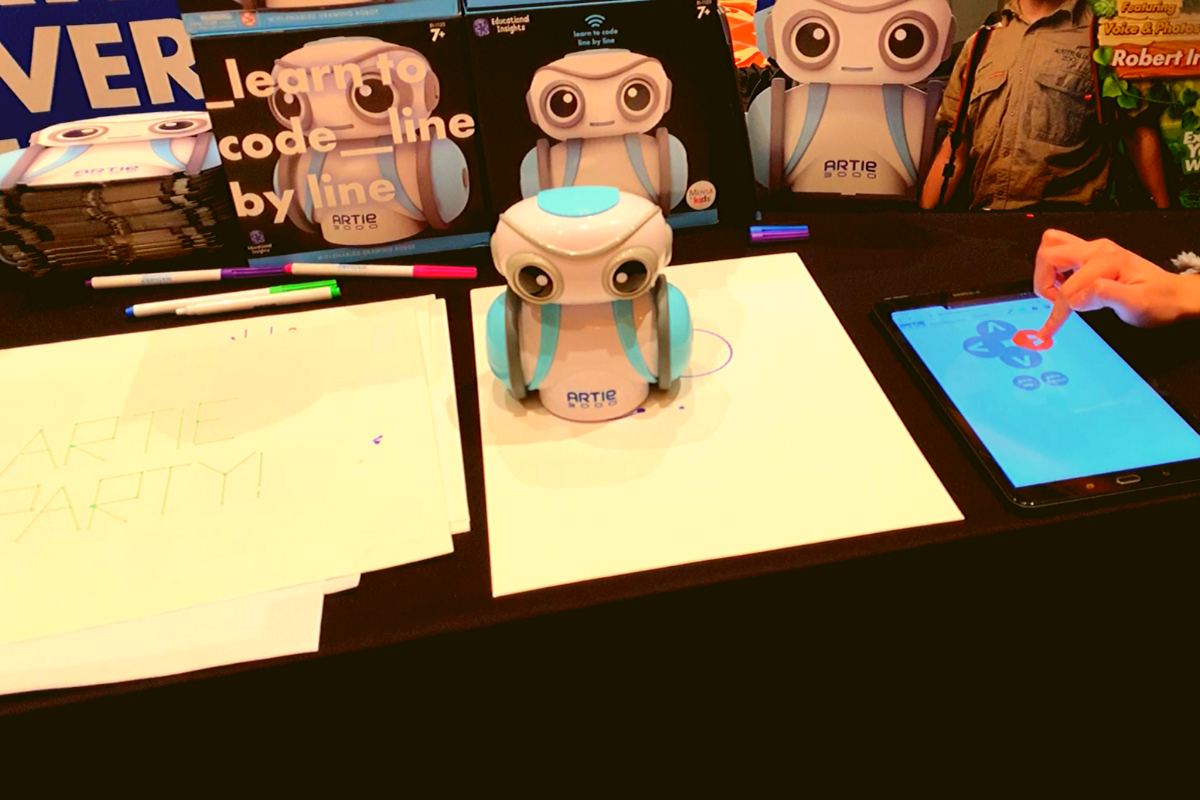
    Artie3000 is an artist. He’s a cute little robot that draws pictures based on the code you enter on his app. He comes with preprogrammed designs, shapes, and games and there is a library of videos to let you learn all about what Artie can do. 

    Artie introduces coding logic and basics, encourages creativity, and provides STEM and STEAM education. He is secure with no connection to the internet, his app is designed to work one way, from the tablet to Artie himself. This keeps your kids offline and out of danger. Artie also doesn’t collect any data from the user. That’s a huge plus.

    Watching Artie draw was cool. He is intended for kids above 7 as some of the coding assignments assume you’ve learned a bit of the logic already. I think the blending of robotics, programming, and art is a big win for parents since some of our kids may not see the benefit of coding robots. Our more creative type of kids may see a benefit to robotics and engineering after all. 

    Botley 2.0

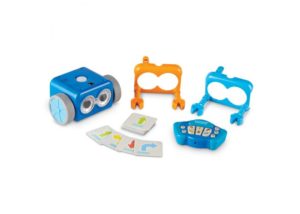
    My kids love Botley. They’ve put hours and hours into programming him to go through their obstacle courses and tracks. It has proven to be a fun way for them to learn the language and logic of programming. I don’t know how many times I have said, “If he isn’t doing what you want, it is because you didn’t input the right commands.” That, my friends, is the essence of programming and coding in a single phrase. 

    Botley 2.0 brings the same adorable robo-friend with some new behaviors and lots of cool new features. He lights up in the dark thanks to his new light sensor and he can use those lights to do a programmable light show. He also features a Simon Says type game and code by color features. 

    Doodlematic 

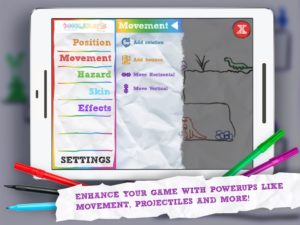
    Doodlematic is an app that takes any photo that contains the color combinations required and turns it into a playable game. Kids can draw a picture with markers, paint a scene, or even bake a cake using red blue and green icing. When they take a photo of their art and import it into the app it applies features to each color, turning into a game that they can play. Blue becomes collectible targets, green is your character and red turns into platforms and scenery in the game. Doodlematic isn’t a coding app but it is a really neat way to get your kids who are interested in gaming and making games into drawing out their ideas on paper first. 

    Doodlematic isn’t a coding app but it is a really neat way to get your kids who enjoy playing and learning about video games to design their own. It even rewards them for using paper first. I am really excited to play with Doodlematic with my kids. I know they’ll have a blast challenging each other to the games they’ve designed.

    Important Skills for the Future

    Having toys that teach computer science and coding is very important for our kids. There are a lot of toys that teach computer science and coding but I liked these the best. One of these options doesn’t even use a screen while the other two combine tangible products with the screen to teach computer skills. These toys are getting better and better at teaching our kids. I highly recommend you check out these items. Maybe one of them is something your kids with truly enjoy.