Tag: digital citizenship

  • Is FaceApp Sending all of Your Private Data to Russia?

    Is FaceApp Sending all of Your Private Data to Russia?


    Last week everyone was posting pictures of themselves looking older or younger. They were all using FaceApp, an Android and iPhone app that uses AI to change your face to make you look older or younger, change your gender, and all kinds of different things. Then, suddenly everyone who had been posting pictures of themselves began sharing articles about the privacy dangers of FaceApp. What is true? What does FaceApp do with your pictures? Should we use apps like this? Here are the answers I found.

    Your Pictures Aren’t in Russia

    One of the major concerns due to political news lately is that all of these pictures have been stored by the Russians since the company that makes FaceApp is in Russia. The truth is that these pictures are stored on servers owned by Google and Amazon. Many of the photo apps you use including some of the social media apps you frequent use the same server companies to store your pictures and posts. There is no evidence to suggest that your images are being collected by the Russian government or even companies in Russia.

    Your Photos are Deleted after 48 Hours

    The face app privacy policies state that photos uploaded to their servers are usually deleted after 48 hours. They do state that some photos may be kept for analytical purposes but that they are not sent to the FaceApp companies. These photos are used by the artificial intelligence to make it smarter and help it do a better job of editing photos for people.

    FaceApp Terms Mention Affiliate Companies and Governments

    The policies of FaceApp do allow for them to give your photos to other companies “in their network.” Again, they say that this is for analysis purposes and not data tracking. They also say that they’ll give your photos to law enforcement if requested through legal means. 

    You Can Use FaceApp Without Giving Personal Information

    The company that makes FaceApp says that 99% of their users don’t login to the app. That means there are no ways for them to have your personal or identifying information. The only thing that they collect in those cases are your photos. If you have location settings turned off for your camera then there isn’t much personal data that can be gained from the images. All they actually have is a picture of a non-identified person’s face. Also, FaceApp only uses the photos you tell it to upload. Not your whole camera roll. 

    “…please note that we may transfer information, including personal information, to a country and jurisdiction that does not have the same data protection laws as your jurisdiction.” FaceApp Privacy Terms

    FaceApp Doesn’t Handle Data Differently than any Other Social Media Service

    The only major difference between FaceApp’s privacy policies and those of Facebook and Instagram are how much terminology they use to describe them. Personal data and photos are basically handled the same way by all these companies. You may consider it more of a fair trade off for Facebook and Instagram to collect your data in exchange for the services they provide. You also may be less inclined to be worried because of Facebook and Instagram being from the United States. Either way, your data is being used in the same way by all of these companies.

    Musical.ly is now Tik Tok


    Just Share Smart

    These instances of public outcry about the privacy policies of an app or a company are a great time to be reminded of the importance of thinking before you share. The truth is that everything, once shared on the internet, is public domain. It belongs to every citizen of the web and not to you any more. This should govern every choice you make on every site you visit and every app you use. If you wouldn’t want the whole world seeing that photo of you, your child, or your spouse, then you shouldn’t share it. If what you are about to post as a status would put your security in jeopardy then you shouldn’t post it. If you aren’t sure about a company or an app that is asking for your personal information then you shouldn’t give them your personal info. It is very simple. Just think before you fill out an online form. Think before you share a photo. Think before you past your thoughts about anything and everything.

    The issue isn’t where your information is stored. It is the fact that you share photos, phone numbers, credit card numbers, and even your social security number like it is no big deal. You don’t have to be an internet security expert, you just have to pause and think.

     

  • Google’s “Be Internet Awesome” Wants to Help Kids, Teachers, and Parents with Digital Citizenship

    Google’s “Be Internet Awesome” Wants to Help Kids, Teachers, and Parents with Digital Citizenship

    More than three-quarters of school-aged kids in the United States use the internet every week. Much of that online time, for seventy-nine percent of kids, is spent on a smartphone. Much of that time is also spent at school. Kids curriculum is increasingly web-based and school is even issuing computers to kids younger and younger. The internet has long been a place for kids and teenagers to find entertainment and now with the necessity for online activity for school work screen time and global communication among our young ones is on the rise. This has been a cause for concern among parents, teachers, and school administrators alike. Google wants to help parents, teachers, and kids understand what a healthy attitude towards internet activity looks like. While at CES I was able to hear representatives from Google explain Be Internet Awesome and how it was developed. I thought it would be a great resource for parents and teachers alike.

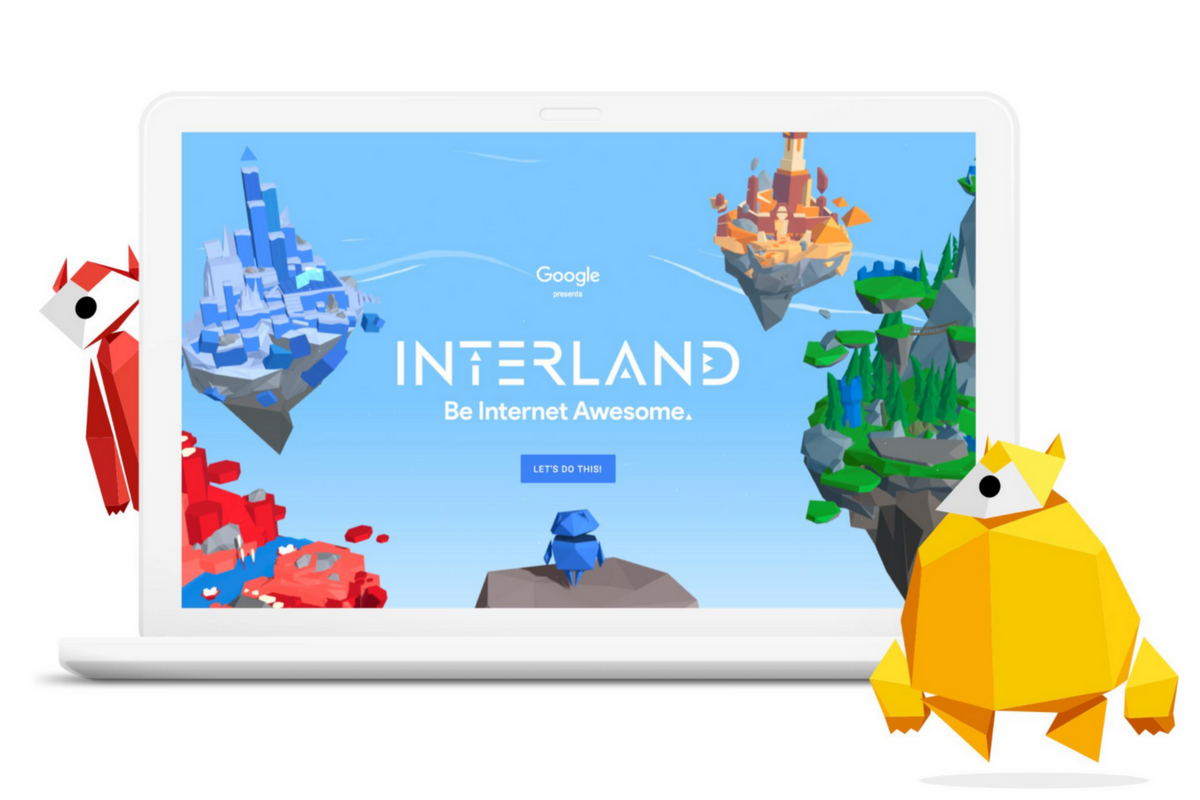
    INTERLAND

    “Kids can play their way to being Internet Awesome with Interland, an online adventure that puts the key lessons of digital safety into hands-on practice with four challenging games.” – beinternetawesome.withgoogle.com

    Interland is a gamified way of teaching kids internet safety and digital citizenship. You make your way through different levels that focus on different categories of your online life. You “report” cyberbullies and share kind words with online “friends.” The game is split into zones, Reality River is where you learn to recognize what’s real and what’s fake online, “Mindful Mountain” is where you learn how to think before you share online, “Tower of Treasure” will teach you how to secure your online activity with strong passwords and secure behavior, and finally “Kind Kingdom” is where you’re able to report those cyberbullies and speak kindly to friends you find online. 

    The games are fun and the characters are silly. The questions seem to be common sense but I know adults who, based on their social media behavior, probably wouldn’t score 10 out of 10. These games have good graphics and audio and they’re a simple and fun way to introduce your kids or students to proper online behavior.

    Curriculum

    The 5 part Be Internet Awesome curriculum is made for parents or educators to help kids go even deeper in their understanding of how to be secure, kind, and mindful when on the internet. By having kids analyze mock social media feeds and behavior they get a chance to think about what they learn about a person based on what they post online. Receiving fake phishing and spam messages allow kids to see what those messages look like and identify and report them easily. Recognizing bullies and how to report them is taught through group activities and clear, understandable definitions. Finally, the free 48 page PDF Curriculum, emphasizes the importance of finding an adult and talking about what they’ve experienced online.

    Pledge

    Finally, the pledge allows kids, teachers, and parents to summarize and agree to their stance on digital citizenship. This allows parents and teachers to get the whole family or class on the same page and hold each other accountable. A pledge is a good way to reemphasize what has been learned and highlight the importance of their commitment to be the best version of themselves online that they can be.

    What Parents Should Know

    I recommend you use this game and curriculum in your home if you haven’t already. Help your kids understand the dangers and concerns with the amount of time they spend online and encourage them to use their time as wisely as possible. Google has created a helpful and free tool for you as a parent or teacher to use and download as often as you need to. I say take advantage of it. If your family, like ours, has some specific rules about how you use the internet, interject them into this curriculum, using Google’s offering as a foundation for your internet safety plan and contract. Our kids will be spending more and more time on the internet as they grow. It’s important that their parents first, model proper citizenship for them, and second, take advantage of whatever resources we can to teach them how to treat themselves, their information, and others with respect on the internet.