Tag: digital

  • Google’s “Be Internet Awesome” Wants to Help Kids, Teachers, and Parents with Digital Citizenship

    Google’s “Be Internet Awesome” Wants to Help Kids, Teachers, and Parents with Digital Citizenship

    More than three-quarters of school-aged kids in the United States use the internet every week. Much of that online time, for seventy-nine percent of kids, is spent on a smartphone. Much of that time is also spent at school. Kids curriculum is increasingly web-based and school is even issuing computers to kids younger and younger. The internet has long been a place for kids and teenagers to find entertainment and now with the necessity for online activity for school work screen time and global communication among our young ones is on the rise. This has been a cause for concern among parents, teachers, and school administrators alike. Google wants to help parents, teachers, and kids understand what a healthy attitude towards internet activity looks like. While at CES I was able to hear representatives from Google explain Be Internet Awesome and how it was developed. I thought it would be a great resource for parents and teachers alike.

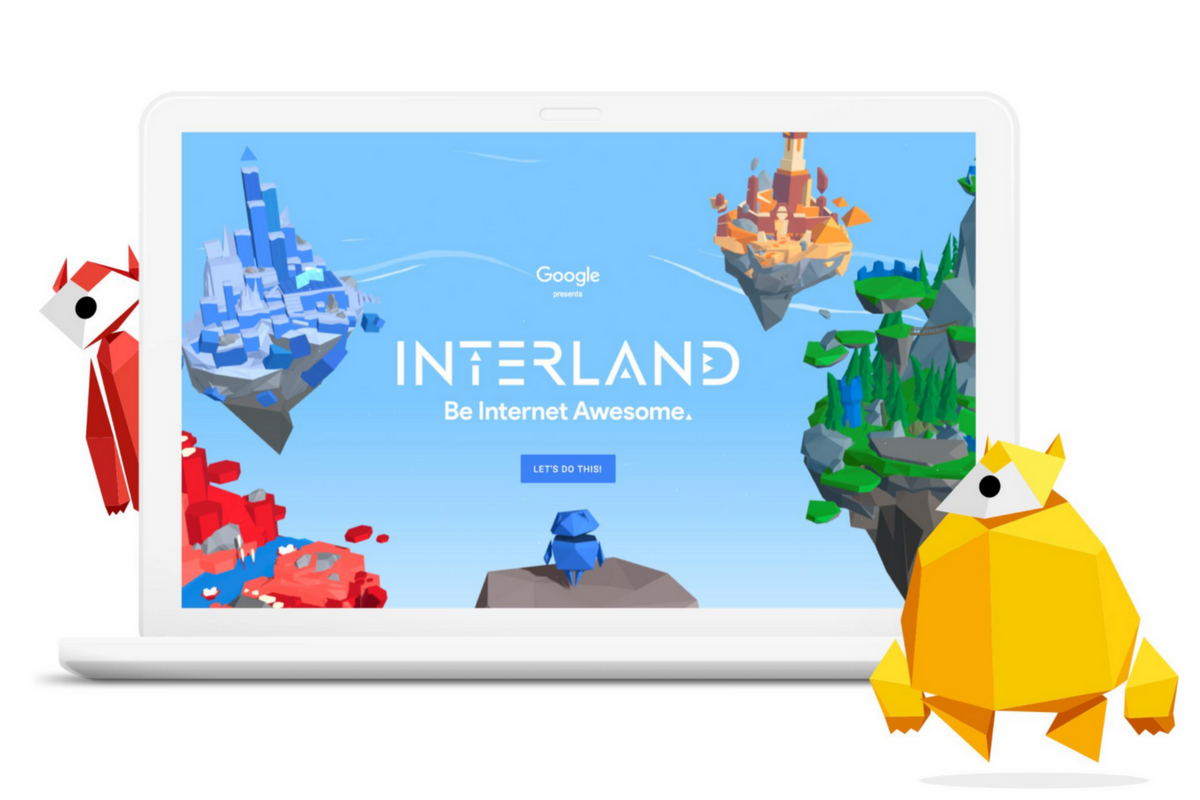
    INTERLAND

    “Kids can play their way to being Internet Awesome with Interland, an online adventure that puts the key lessons of digital safety into hands-on practice with four challenging games.” – beinternetawesome.withgoogle.com

    Interland is a gamified way of teaching kids internet safety and digital citizenship. You make your way through different levels that focus on different categories of your online life. You “report” cyberbullies and share kind words with online “friends.” The game is split into zones, Reality River is where you learn to recognize what’s real and what’s fake online, “Mindful Mountain” is where you learn how to think before you share online, “Tower of Treasure” will teach you how to secure your online activity with strong passwords and secure behavior, and finally “Kind Kingdom” is where you’re able to report those cyberbullies and speak kindly to friends you find online. 

    The games are fun and the characters are silly. The questions seem to be common sense but I know adults who, based on their social media behavior, probably wouldn’t score 10 out of 10. These games have good graphics and audio and they’re a simple and fun way to introduce your kids or students to proper online behavior.

    Curriculum

    The 5 part Be Internet Awesome curriculum is made for parents or educators to help kids go even deeper in their understanding of how to be secure, kind, and mindful when on the internet. By having kids analyze mock social media feeds and behavior they get a chance to think about what they learn about a person based on what they post online. Receiving fake phishing and spam messages allow kids to see what those messages look like and identify and report them easily. Recognizing bullies and how to report them is taught through group activities and clear, understandable definitions. Finally, the free 48 page PDF Curriculum, emphasizes the importance of finding an adult and talking about what they’ve experienced online.

    Pledge

    Finally, the pledge allows kids, teachers, and parents to summarize and agree to their stance on digital citizenship. This allows parents and teachers to get the whole family or class on the same page and hold each other accountable. A pledge is a good way to reemphasize what has been learned and highlight the importance of their commitment to be the best version of themselves online that they can be.

    What Parents Should Know

    I recommend you use this game and curriculum in your home if you haven’t already. Help your kids understand the dangers and concerns with the amount of time they spend online and encourage them to use their time as wisely as possible. Google has created a helpful and free tool for you as a parent or teacher to use and download as often as you need to. I say take advantage of it. If your family, like ours, has some specific rules about how you use the internet, interject them into this curriculum, using Google’s offering as a foundation for your internet safety plan and contract. Our kids will be spending more and more time on the internet as they grow. It’s important that their parents first, model proper citizenship for them, and second, take advantage of whatever resources we can to teach them how to treat themselves, their information, and others with respect on the internet.


  • PODCAST: The Myth of Online Anonymity

    PODCAST: The Myth of Online Anonymity

    PODCAST: Michael talks about how to use blacklists and whitelists on your web filters, the polling app craze, and how the myth of anonymity is hurting our kids.

    Social Media Links

    Facebook: http://facebook.com/becausefamily

    Instagram: http://instagram.com/becausefamily

    Twitter: http://twitter.com/becausefamily

    Newsletter Sign-up

    Ministry Updates:: http://eepurl.com/R7Btr

    Weekly Blog Posts:: http://eepurl.com/cvnhXD

    Websites

    Ministry Site:: http://becausefamily.org

    Tech Blog:: https://safe.becausefamily.org

    Michael’s Speaking Info:: http://kmichaelprince.org

    Donate and Affiliate Links

    Accountable2You.com Affiliate Link: https://www.accountable2you.com/?code=19877592

    http://BecauseFamily.org/partnership

  • Five Internet Safety Mistakes Parents Make

    Five Internet Safety Mistakes Parents Make

    I spend most days trying to help parents make and implement an internet safety plan. Too often I run into hurdles that I have to jump over in order to help them out. Here are five of the most common mistakes that get in the way of parents’ internet safety strategy.

    1. Secrecy

    Parents of older kids want to give their kids freedom on their devices but keep an eye on them at the same time. I’m often asked how to do that without the kids knowing mom and dad are watching. My answer is usually, “don’t do that.” The goal is building trust and a better understanding of responsible technology use and internet accountability. Sneaking around and spying on your kid, while it may seem like a good way to see what they’re actually in to, is an even better way to ensure they won’t ever come to you when they need to talk to someone about what they’ve seen or experienced online. Obviously, if they know you’re watching and you approach them about something you didn’t approve of then they’ll know it’s coming and will be ready to have that discussion. If you have to talk with them about something you caught them doing while you were sneaking around they’ll see that as a breach of trust and you’ll find yourself with a much harder road to travel from then on. The best thing about transparency is that your kids are more likely to make better decisions when they know they’ll be held accountable for those decisions. Telling them you’re watching them can lead to better responsibility.

    2. Giving Up

    Setting digital boundaries is not easy. There will be arguments, sneaky kids, tutorial videos, and lots and lots of research. The key is to never give up. Things change fast and it truly is difficult to keep up. You have to find the resources that you trust that can help you stay informed. You should find the people you know can help you set your boundaries up to fit your needs. You have to keep reading up on what’s going on in the digital world your kids live in. If you give up you will get left behind and that means you’re not keeping your children safe.

    3. Sharing Passwords

    As obvious as this may seem, I have to say it. You must resist the temptation to reveal passwords to your kids. What happens is that kids (especially the younger ones) get tired of what they’re doing very quickly. When they are playing a game and you have it set with guided access or something like it that won’t allow them to back out of the app you will have to be the one who has to switch apps for them. Unless you just tell them the password. More convenient? Maybe. Safe? Absolutely not! There is honestly no reason at all to have any kind of boundaries set up if you are easily urged to hand over the passwords to the tools you use to establish those boundaries. Passwords are meant to keep the parental controls within the controls of the parents. Again, seems obvious, but you would be shocked at how many people have to be reminded of this truth.

    4. Not Starting

    The hardest step to take in protected your family online is the first one. Creating your internet safety plan begins with assessing the current situation in your home. That can be overwhelming at best, and extremely discouraging at worst. Some families don’t even know how many devices are in their home or who they all belong to. I worked with a family once that was shocked when their kids kept bringing phones down out of their rooms over and over again. Come to find out, their friends would give them their old phones and they’d use them on wifi when they were grounded from their own. Yes, it is discouraging but it is absolutely necessary. You need to have a plan and you must have conversations with your kids about that plan. You can’t do anything, though, if you never start. Begin today! Email me if you’d like. I will help you get started.

    5. Never Updating Software

    I covered this in a recent post but I have to reiterate because its one of the most common mistakes I see parents make. If your accountability software, filter, or devices are not updated regularly then they aren’t as secure as you’re needing them to be. If you pay monthly for these apps and software then you aren’t getting what you’re paying for, you’re only getting part of it. Updating the software when you see the notification is critical for keeping your internet safety tools in full working order. Filters use updates to load the latest information that lets the filter know what sites should be blocked and what shouldn’t, other apps like accountability software use the updates to keep their “red-flagged sites” lists up to par with what’s out there. If you aren’t updating you are eliminating an entire piece of your digital boundaries puzzle.

    Don’t let yourself fall victim to any of these blunders of internet safety planning. Read all you can on this site and subscribe to our mailing list so you see the latest news. Keep track of internet safety news with other blogs and websites as well. Keep your software updated, talk to your kids about your plan, and for the love of facepalm emojis, get started as soon as you can.