Tag: culture

  • Memes: A Parent’s Guide

    Memes: A Parent’s Guide

    The term Meme was coined by Richard Dawkins in his book “The Selfish Gene.” It was simply defined as any form of media that was passed from person to person until it reached a massive level of popularity. Nowadays we would call that going viral. It is difficult to put your finger on a single meme as the first one or even to identify how some of today’s most popular memes got their start. In this article we’ll look at the history of memes, how we got to where we are, and what it parents need to know about Memes. Keep in mind that you can see some Meme examples in the video above.

    History of the Meme

    It didn’t take long once the internet was available to most people for Memes to become a major part of how people spent their time online. In 1991 we saw such memes as the dancing baby, motivational posters, and the hamster dance being passed along in emails and forums. These images, videos and gifs were passed from person to person and inbox to inbox, shooting this silly content to Meme stardom.

    Then came the 2000s, some would say this was the golden age for memes due to the rise of YouTube, Social Media, and Viral Videos. This took us from sharing content within a limited access forum or the contact list in our email to sharing them on our public social media page to be re-shared over and over again to thousands or millions of people. This period is where we were blessed with the rick roll, Chuck Norris jokes, turn down for what, cat videos, and Vine videos.


    We are currently living in the age of the modern Meme. Most originating on Reddit before they become popular on other social media sites, Memes are going mainstream in television, radio, politics, and marketing. Memes are used to promote idealogical ideals. Memes like the Harambee meme are an outlet for those who are bothered by certain things in society to express their belief or concern. Politicians even capitalize on the popularity of their own Memes, sharing them on their social media accounts to gain recognition and strengthen support.

    The Dank Meme

    Dank usually means dark, damp, and gross. When it comes to Memes, dank is a positive term. A dank Meme is usually one that can be used and reused with different other Memes added. Sometimes popular sound clips or songs from a Meme will make its way through a whole bunch of different videos. Something like the “oof” of a dying Roblox character being dubbed over videos of people falling or otherwise hurting themselves. This is what a dank meme usually is.

    The Memes you see gain popularity on your social media account. That Condescending Willy Wonka image with someone’s sarcastic comment typed onto it is a dank meme, having been reimagined several times, thus gaining more popularity.

    What Parents Should Know

    Memes are an easy way to express yourself. It can be a fun way for kids to have a laugh or share what they think about certain issues. My problem with some Memes is that they tend to simplify complex concepts. Something as complicated as political beliefs are packaged as Memes and expressed in a shallow, unhelpful way. The Meme is a limited genre, only allowing so much space for sharing what you think. This can cause confusion and can ultimately be polarizing.

    Memes also have a tendency to take us in a circle of reasoning. We share more Memes that we think are funny because of the statement they are making and this tells the algorithm of the social media account we use that we want to see more Memes like this. We then are simply only fed a steady diet of the same thoughts, repackaged as dank Memes and our view is never questioned or challenged in a way that can be healthy and help shape who we are.

    Finally, we have to be careful because Memes can often be very adult oriented. Memes are an expression that has been limited to those who understand them. When we start into the Meme rabbit hole, whether it’s on Reddit or Youtube, we can tend to find ourselves getting to some strange and even dark places. I am not squeamish and there are a lot of Memes that I’m a fan of and I share regularly when I see them repackaged in a way I find humorous. I did, however, get into some content while researching this article that just made me feel stupider for seeing it. See what I go through to help you out?

    Thanks for reading. Share this article with a friend who needs to know what a Dank Meme is.

    You can listen to this post as a Podcast below:

  • Snapchat isn’t Just a Messenger Anymore

    Snapchat isn’t Just a Messenger Anymore

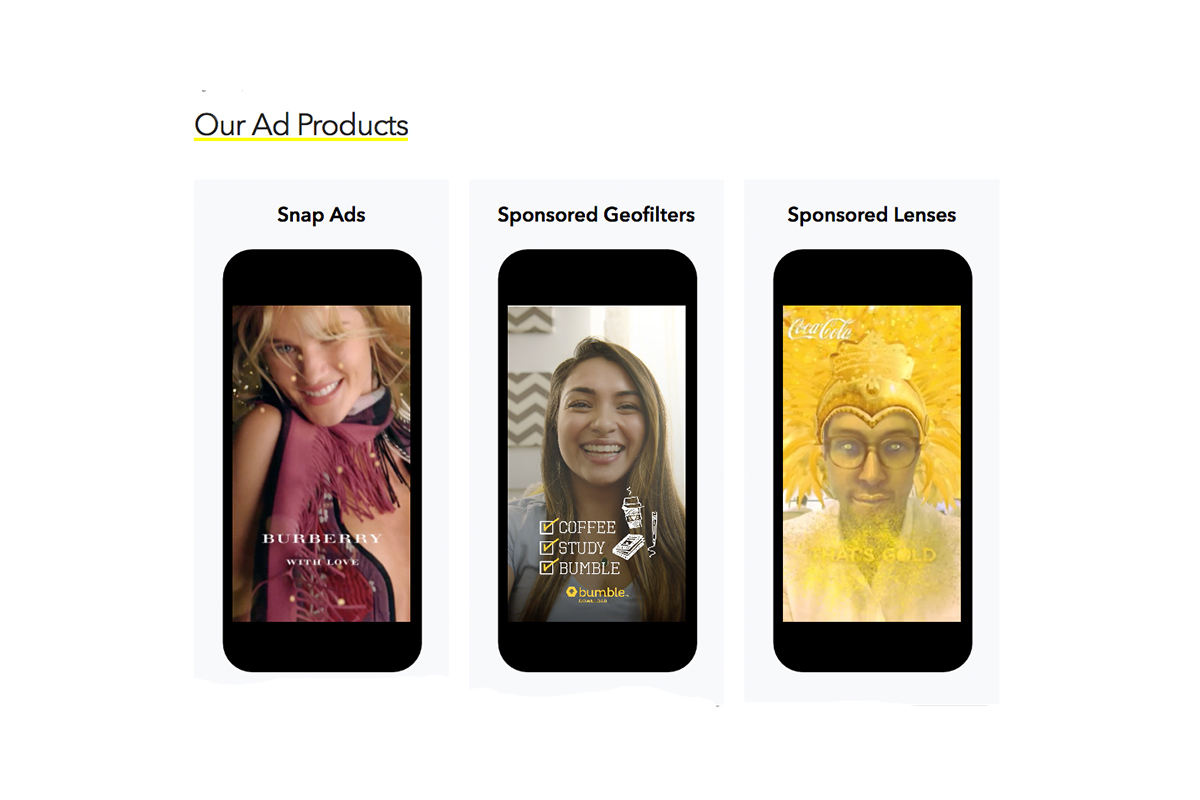
    It may have all started with “secret” messaging but it hasn’t stopped there. Soon public sharing became the norm on Snapchat, a feature that was copied by many other Social Media networks soon after it’s release. Then, Snapchat’s “Discover” page was released, this was a way for news and media corporations to reach the users of Snapchat with their messages and advertising. Lately, Snap Inc. has been working towards becoming a serious form of entertainment for it’s users, incorporating videos and even original show content into their network. Today, VICELAND has announced they’re producing several new shows exclusively for Snapchat. They’re starting with a “reality” dating show titled “Hungry Hearts with Action Bronson.”

    VICELAND Productions is following several other studios in making original shows for Snapchat. Networks including NBC, CBS, and A&E have already announced that they’re making versions of their existing shows for viewing on Snapchat. These studios are seeing the growing adoption of Snapchat as an opportunity to reach a broader audience with their shows and content. One of the fastest growing demographics on Snapchat is the 18-35 age-group, one of the main target audiences for the late night and primetime television networks. With this trend towards entertainment content on our social media apps, it’s important that parents are aware of what these apps are becoming, we have to make good decisions on whether or not we want our kids consuming the media they’re producing.

    What Parents Should Know

    Snapchat isn’t a trend and it’s not just a messenger anymore. What was once the “Secret Message App” or the “Sexting App,” as some called it, is now a major source of media for those who use the social media platform. This means we have to treat it differently than we do many social media apps. Keeping track of who they are friends with on these networks isn’t enough anymore. We have to keep a few things in mind if we are going to allow our kids to use Snapchat, Instagram, or any of these other apps that give advertisers and media content creators a direct outlet to our kids.

    Same Media as TV, Movies, YouTube, or Games.

    The creators of the content that will be made available through social media (Facebook has been signing agreements with media companies too) aren’t producing special more family appropriate shows. They will be making content that will reflect every other media outlet they produce for. Think YouTube Red, Netflix, or Amazon Prime. In fact, some of the rules that apply to broadcast television don’t apply to shows that are streamed online. This means that you’re more likely to see content like on Game of Thrones or Orange is the New Black than something with more restrictions like Blacklist or CSI. Don’t let the fact that these programs are being produced for free public streaming online fool you. They won’t be family friendly or edited for content.

    No Parental Control

    Snapchat currently has no parental control options. Their app is geared towards teenagers so they most likely won’t feel the need to add parental restrictions any time soon. The terms and agreements on most social media services allow for accounts to be created as long as you’re 13 years old or older. The question you have to ask is whether or not you’re ok with your 14-15 year old watching online reality dating shows or politically fueled sketch comedy. If you aren’t ok with these things then you have to make a choice about whether or not snapchat is welcomed on your kid’s phones or tablets.

    All or Nothing

    Social media apps are basically creating an “all or nothing” atmosphere for content created by these media outlets. Once you have an account on Snapchat, you have access to all that is contained in the app. Every person can be a friend or follower, every feed can be found and viewed, and every original show, no matter the target audience, will be available for viewing. With no parental control options the question isn’t what Snapchat content will be allowed, it’s “all or nothing.” They can see all of it, or none of it, those are your only choices. 

    Whatever you choose, you need to be educated about what these social media apps are producing. Keep checking in to Safe.BecauseFamily.org for up to date tech news that’s relevant for your family. Also, sign up for our Safe Online Newsletter. Just fill in the short form below.


    Sign Up for the Latest Family Tech News in Your Inbox

    * indicates required


  • Three Things from This Week!

    Three Things from This Week!


    It’s been a slow Family Tech News week but here are a few tidbits that you should know were making headlines.

    1. Fake News

    Fake News on social media is finally getting labeled for what it is. It’s dangerous and stupid. Our kids buy into these things as easily as anyone so we should be glad that something is being done. We, as parents, also have to be careful not to just post anything that comes across our social media timelines. These messages are spread by those of us who don’t check our sources and just share things because what’s written agrees with our opinion. Nothing is more important than truth. If our children are going to be using social media, and they are, we need to do what we can to keep it the kind of place that can be as safe as possible.

    I have shared about UGC (User Generated Content) before and how it is hard to control. The only thing you can control is what you post on your feeds and what social media you allow you children to be involved in. Let’s share responsibly.

    2. Data Storing Toys

    Did you see that movie where the toys your kids play with are listening to them and saving the information they share in some big company’s database? Remember the part where the toy asks the children questions and uses the answers to store data about the child and their likes and dislikes? That was crazy, how they used it to market to the kids and even let the police and government use the voice data to develop voice recognition software. Man, that was a scary movie. Except it wasn’t a movie, it was what happened in THE ACTUAL NEWS THIS WEEK!

    Parents have to pay close attention to the toys our kids are playing with. Being more connected isn’t always good. Be careful to protect your kids by paying close attention to terms and agreements about what companies do with the information you and your kids put on apps, software, and toys that they use. You can’t be too careful when your family’s personal information and privacy is at stake.

    3. Facebook Messenger Games

    Here’s a fun one. You can now play games (Even some old school classics) within Facebook Messenger. Facebook is trying to get you to spend more and more time using their service so they can spend more and more time putting ads in front of your face. Right now these games are free and fun but there will soon be ads and most likely in-game purchases available too. Be aware that the more time your children spend online with other people the more time they have to be influenced by those people as well as whatever advertisers pay to put their content in front of your child’s face.

    Weekly Recap

    Here’s my advice. Hold your family close this weekend. Put away the tech toys, and the news, and the games and just enjoy being together. We can get so carried away with the next big thing or what’s happening in the news and all over our huge world that we forget what’s happening in our little world at home. Spend some time in that world this weekend. That’s what I’ll be doing. Have a good weekend, see you Monday.


  • Musical.ly Defends Appealing to Underage Users

    Musical.ly Defends Appealing to Underage Users

    We have already said Why We Don’t Like Musical.ly. The app is in the news again. The CEO of musically has defended their handling of young persons who use their app. More than 1 million videos are updated every day. They have over 40 million users and many of them are under the age of 13. Musically doesn’t ask, upon signup, if you are 13 years old or older.

    We would collect ages but those kids would just say they are 13 so it doesn’t change the conversation. – Zuh (Musically CEO)

    The company says that it is up to parents to be sure their child is old enough to use their service. Their goal is to make the “environment safe” meaning that their focus is to protect content and profiles within the app. They maintain that many parents encourage use in the app and some are even involved in the videos posted by their children. However, the CEO of the company admits that they have “no way to know for sure” if children are using the service in the safest way possible. 

    What a Parent Should Know

    Nobody is going to look out for the safety and security of your kids except for you. You have a responsibility to pay attention to the privacy settings and functions of an app, game, or toy and decide if it lines up with the vision of your family. If they you are ok with them doing everything the app allows them to do then no problem. If you are throwing your hands up because you just don’t know what it does, you’re putting your children at risk.


  • DirecTV NOW is Not Family Friendly Yet

    DirecTV NOW is Not Family Friendly Yet


    It’s the future! I have been saying for years that paying for cable tv service is ridiculous. What if I could just stream the channels I want and not have to buy a whole package of useless Home Improvement and Movie Channels? Well, they aren’t exactly there yet but DirecTV is getting closer with DirecTV NOW.  AT&T announced yesterday that they’re offering a television streaming service called DirecTV NOW; it’s available for purchase in bundles starting today, November 30th.

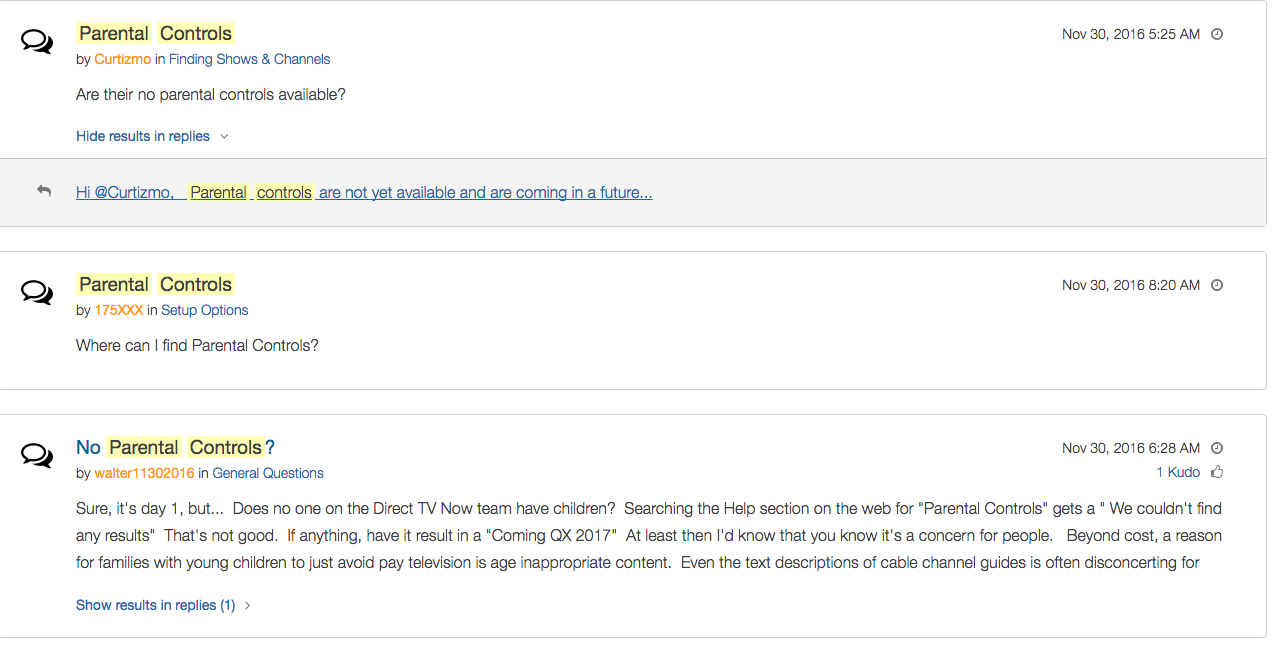
    Yes! It’s exciting to see that our TV options are expanding and even keeping up with the times a bit more. With ChromeCast, Apple TV, RoKu, and mobile access available we are finally being offered a version the tv service we wanted. Unfortunately, however, after some time with my free trial I have noticed that there is absolutely no parental control options built in for DirecTV NOW. I looked at the menus and in my account settings (there’s no option to create separate profiles, i.e. a kid profile, either.) I also tried to find a “block” option per channel to no avail. Then, a search for “parental controls” on the support and FAQ page led to no results and that was pretty much my final clue. There is currently no way to protect your kids from unwanted content on DirecTV NOW.

    That’s a deal breaker for me, especially with so much of what has become acceptable on cable television lately. Sexual activity, language, and increasing violence are mainstays in both broadcast and cable television shows. Even the commercials seem to highlight all of the features we would like to protect our young children from. I guess “keeping up with the times” comes with its costs as well.

    What’s a Parent to Do?

    screenshot-2016-11-30-12-15-35I would say wait. Just wait for a while and I’m betting we will see parental controls rolled out on DirecTV NOW before too long. In fact, a quick search on the AT&T Community Forums showed several concerned parents had already begun asking about this feature and it’s in development.

    DirecTV NOW looks to be a great way to save some money while still getting the entertainment content we want. Thankfully parental controls and content restrictions are becoming commonplace these days and this will be no exception. It is literally “day one” for this service so we’ll give them some time and the benefit of the doubt. You can join the future too if you’d like, I would just recommend keeping your kids off of it until you can set up some restrictions. 

  • When you DON’T Have Freedom of Speech

    When you DON’T Have Freedom of Speech


    I Have My Rights!

    It happened a few times while I was a youth pastor, a student in my youth group said something online about their employer on social media and lost their jobs. Too often I heard complaints about workplaces and bosses. In reality these teenagers seemed to just be whining about everything being someone else’s fault. Well, when it comes to employers firing you from something you said online you may be surprised to learn that your first amendment right to free speech doesn’t apply to your employer.

    Free speech, as mentioned in our Bill of Rights, exists to protect you from retaliation from the Government when you speak out in disagreement. It doesn’t apply to calling out your supervisor, Jeff, for being dumber than you and a bad boss. Apparently legitimate complaints about work conditions or problems at work mentioned on social media are protected, but negative “vaguebook” posts about employers or customers and pictures that shed the company (or it’s employees) in a bad light can legally be grounds for firing.

    If You Wouldn’t…Don’t!

    complain-boss-facebookMore and more employers look at a potential hire’s social media accounts when deciding if they’ll employ them. Your teen needs to know that what they post online, that song lyric that makes them sound depressed all the time, the nasty comments about the boss at their last job, or even the pics from that night “out” last weekend can come into play when they’re looking for a job. This also applies while they’re trying to keep their job.

    We should help our kids understand that social media is a public place. Everyone can see what you post online and there are often consequences to being too public with your thoughts. If you wouldn’t stand in the middle of a crowded room and yell, “My boss is stupid and doesn’t care about his employees” you shouldn’t post it online either. This sounds like common sense but your teen may not be able to think that far ahead during this time in their adolescent brain development. I recommend a conversation about this with your child when they get a job. Use this chance to remind them that what is posted online stays online and that they can’t just say whatever they want. Anonymity is a myth and it’s our job as parents to help our kids understand that.

  • Mobile Device Vocabulary Lesson 5: Gaming (2)

    Mobile Device Vocabulary Lesson 5: Gaming (2)


    We’ve made it to our final vocabulary post. We are visiting gaming again. We discussed several gaming terms in lesson one but I thought we should cover a few more in this final vocabulary lesson. These terms have to do with gaming and monetization (a word you learned in lesson 1.) Learning about how money works in the mobile gaming world can really help you understand how game companies market to your kids. If you aren’t subscribed to the site, be sure to register so that you can access all of the great content in this series and so much more.  (more…)

  • Instagram Update Proves they’re Serious About “Stories”

    Instagram Update Proves they’re Serious About “Stories”


    Stories is Here to Stay

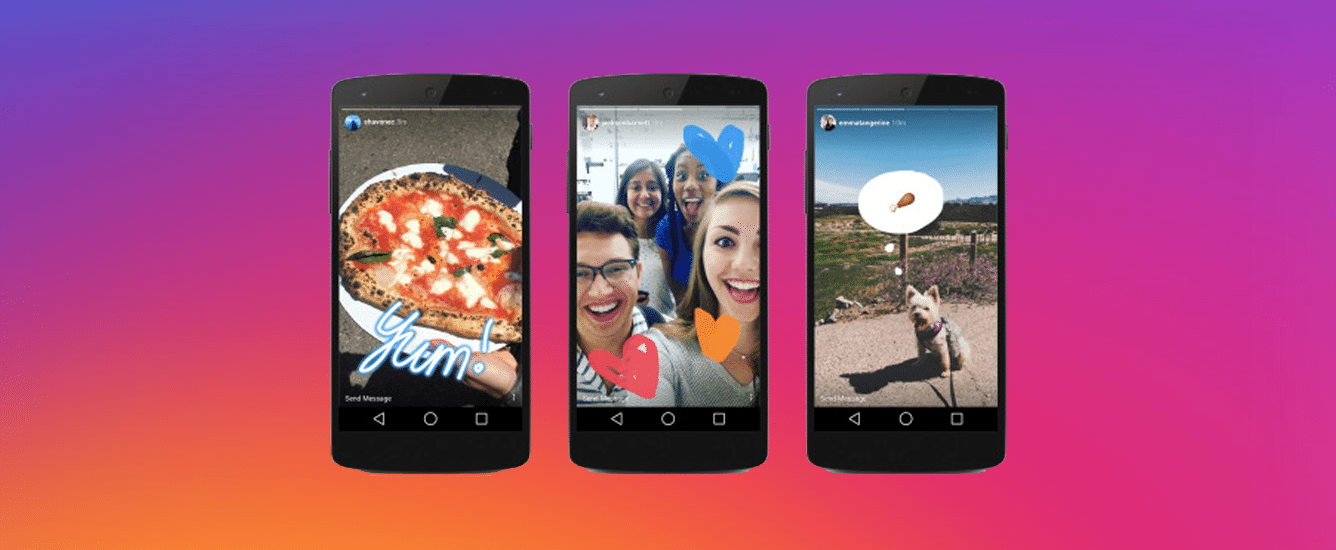
    Not long ago instagram added a new feature that looked strangely similar to Snapchat’s “stories.” In fact it wasn’t just similar, it was the same thing. They even used the same name for the feature. After about two days of people calling Facebook (who runs instagram now) a bunch of copycats, users were posting multiple stories a day to their instagram accounts and loving it. Funny how we adopt things so quickly after being so “put off” by them.

    boomerangWell, with an update to intagram this week, the focus on stories has been increased. The new update brings boomerang, (a service where you make mini video loops) mentions or tags, and links for “verified” accounts to the stories feature. So you can now make a mini video, tag your friends in your story post, and if your account is verified (only available to celebrities and brands) you can post links to your latest content.

    What does this mean for parents?

    It’s quite simple, really. Stories cashes in on the concept that young people want to post something that is seemingly temporary. The posts in your account’s story only last for twenty four hours. This keeps updates fresh and keeps users coming back to post more and more content. It also causes young persons to feel like they aren’t posting something permanent. We all know this isn’t true. Anything posted online is there to stay.

    Along with a false sense of security, stories is now yet another way for brands and celebrities to alert your kids that they have some sort of message for them. You know that we at BecauseFamily advocate for parents to be the first influence in their children’s lives. It can be difficult to be the first influence when other influences are notifying your child every time they have something new to show them. This update gives the ability to notify your kids with a link to take them out of the app to some other content elsewhere on the internet.

    Don’t Uninstall but Have a Conversation

    seemoreWhile I don’t recommend instagram for kids under 16, I know many parents have children who use the service. My advice is to talk to them about this update and let them know that they maybe shouldn’t click on links in instagram when they aren’t sure where they’ll lead. Remember to have your accountability software (Like Accountable2You) installed so that if they end up somewhere inappropriate you will know about it and can have a conversation. Just be smart and encourage them to be smart. It’s important for parents to stay as ahead of the social media game as they can.

    A subscription to this site is a great way to let us help you stay ahead. You can sign up for just $60 for 12 months. (Normally $180) This offer is only available until the first of 2017 so sign up today and get the most out of SAFE.BecauseFamily.org.

  • Mobile Device Vocabulary Lesson 4: Privacy and Security

    Mobile Device Vocabulary Lesson 4: Privacy and Security


    Conversations about internet privacy and security have been in the news a lot lately. Questions about who has the right to track you on your smartphone and who doesn’t. Terms and agreements that don’t really help you understand how companies use your information once they’ve gained if from your device usage. Below are three common terms that will help you walk through the minefield that is internet security and privacy. Learn what these terms mean so that you can make the right choices for your child’s online safety as well.  (more…)

  • Mobile Device Vocabulary Lesson 1

    Mobile Device Vocabulary Lesson 1


    Lesson 1 – Why you should know this basic Mobile Device Vocabulary

    To handle a language skillfully is to practice a kind of evocative sorcery.  – Charles Baudelaire (Poet)

    Working with digital devices requires the knowledge of a certain language. If you understand what certain words mean you are able to know what is happening in a certain device with just a glance. As parents, it is imperative that we can understand the activities our children are engaging in on their smartphones, tablets, and computers. This is why the thirteen words in this tutorial, of sorts, will be so powerful in your hands as a parent. (more…)