Tag: controls

  • A Parents’ Guide to Among Us

    A Parents’ Guide to Among Us

    This is a Parents’ Guide to Among Us
    This guide is intended to inform parents to help them make quality decisions for their families. The rating is based on my opinion of playing Among Us and viewing others playing the game as well.

    The rating below is based on the game content. Online interactions will always increase the risk of unwanted content.

    Violence – 3
    Language – 4
    Sexual Content – 5
    Positive Message – 2
    Monetization -2

    Total Score – 16  out of 25
    (The higher the rating, the safer the game is for kids.)

    ESRB Rating – Among Us has an ESRB rating of 10+. It is rated 9+ in the app stores and Common Sense Media gives it a rating of 10+.

    About the Game

    Among Us is an online multiplayer game of social deduction, teamwork, and betrayal. You play as crewmates on a space ship or space station who are trying to prepare the ship for take off. You have tasks that you all must complete to win the game. The catch is that there is an imposter Among Us. This (or these) imposter(s) can sabotage your efforts to prepare your ship, they can also kill you or your crewmates. When a dead body is found, a meeting is called. The entire crew discusses what has happened and what they’ve seen that could give hints as to who the imposter is. They then all vote and if someone gets a majority of votes, they are ejected from the ship. If that person was an imposter, the crew wins, otherwise, it’s back to the ship to complete your tasks and hope the imposter doesn’t get to you first.

    This game has a little bit of everything. There are simple puzzles, social interactions, mystery, and even some opportunity to be a little dark by killing your friends in-game. The graphics are simple and a bit silly, but the gameplay is so fun that it doesn’t matter. This is truly a social game and cannot be played on your own. There is a “freeplay” mode in which you can explore the map and get familiar with puzzles but it is really just for preparing to play online multiplayer.

    Violence

    One of the key themes in Among Us is murder. The imposter is trying to sabotage the ship by whatever means necessary. This usually includes killing crew members. You kill by simply tapping or clicking an icon when you’re close enough to a crewmate. There is then a short animation of your murder. Sometimes you slice them in half, sometimes your small companion (in-game purchase) will shoot them, and sometimes a spear-like tongue will come from you and pierce them in the face. While the animations are a bit graphic, they aren’t really bloody or gory, and they very cartoon/silly. The characters don’t look like humans, they are better described as colorful walking spacesuits so when they are killed, there isn’t much realism.

    Language

    There is no dialog or narration in Among Us. This means that there is no adult language in the game itself. This is a game, however, that is meant to be played with other people over the internet. When you play a multiplayer game online you are always opening yourself up to unsavory language. In Among Us, this happens in the chat which is used to discuss murders and vote out crewmates. There is a censor mode that is on by default. This censor will use symbols to block out adult language and other inappropriate comments. This doesn’t mean that players don’t use these words. You’ll often see sentences with words asterisked out and most of us can tell by the number of symbols and the context of the sentence what words were meant. It is nice that a censor is included and on by default, it is simple to deactivate with one click/tap and is not password protected.

    Sexual Content

    Again, there is no sexual content in Among Us. The style of the game doesn’t lend itself to that kind of material. This is another issue, however, that is greatly impacted by online play. While the censor mentioned above will block some sexual comments, most make it through. While playing the game I saw many players with suggestive usernames. Nothing obvious but definitely innuendo. When these names were commented on in chat, however, they were mostly met with annoyance by other players who just wanted to play the game and were therefore not amused.

    In other words, there will always be people who think their immature sexual jokes and comments are funny but in such a social game you’ll also find a majority of players who aren’t interested in that kind of humor. These players usually kick out or shut down the inappropriate players pretty quickly.

    Positive Message

    I guess we can talk about teamwork and trust here but in reality, this game is just all about having fun. There is no real moral to Among Us, it is intended to be a clone of the classic party game Mafia but set in space. Playing with friends is easy through their local or private game settings and this allows for kids to have fun with friends even though we can’t be around each other all of the time these days. I think this is what made Among Us the breakout game of 2020 even though it has already been released for two years.

    Monetization

    Among Us does have in-game purchases but they aren’t game-changing. You can buy packs of costumes, skins, and even pets. The prices are between $1 and $3 per pack and the game is definitely playable without spending more than the $4.99 it cost on the PC. The mobile version (free for Apple and Android) has ads that can be removed for $1.99. I recommend removing these ads because some of the games advertised should, in my opinion, be rated for adults only.

    What Parents Should Know

    Among Us is a game that I have been playing quite often lately. It is easy to pop in and do a ten or fifteen minute round and then log off. I have played in public rooms with friends as well, that was quite fun as we were able to work together (trying not to cheat) to complete tasks and win. It can be a time drainer as you always want to play another round. I find myself saying “one more round” a few times before I actually quit the game. Like Fortnite or other online multiplayer games, kids aren’t going to want to drop out in the middle of a game so giving them a warning about getting off their screen will be better than saying, “Put it away, now!” Trust me, you’ll have less conflict if you say “Be finished after this round, alright?” and then hold them to that.

    The only real danger in this game is from strangers online. While that is always a concern with online multiplayer games, rounds are so short and fast-paced in Among Us that there isn’t much time for “grooming” or bullying especially since there is no private or direct messaging. You can stay in the same “Lobby” to play with the same people but it is so easy to back out and go into another game if you need to that I wouldn’t expect too much trouble from people in chat in Among Us.

    As with most games, my recommendation is that parents understand Among Us, how it works, and what their kids like about it. Know who they are playing with online and if they are playing with strangers, be sure they feel comfortable coming to you if they see something that makes them feel strange. This game is simple enough and quick enough that many parents should be able to play along with their kids some as well. Do this. It would be really fun for you to get into their world a little bit, plus you may just enjoy the game yourself.

  • Family Link’s New Features are Great but Still Not Good Enough

    Family Link’s New Features are Great but Still Not Good Enough

    Android has updated their Family Link parental controls feature. The above video will take you though what they’ve done and give you some questions to ask yourself about using the service.

    Make sure your device is compatible.

    The site is very clear that Family Link is only compatible with newer android devices. Go into the settings on your kid’s device and tap the ABOUT button in the menu to see if your software version is 7.0 or newer. If it isn’t your child may not be able to install Family Link which will mean you can’t use the software to set limits and restrictions.

    Double check their privacy policies.

    COPPA regulates the collection of children’s data without parent permission. You have to create an account for your child to use Family Link and to do that you must give permission for Google to collect some of their data. The video explores a bit more of what information they can collect and what they do with that data.

    Be aware that your kids get full control at 13.

    If you are one that wants to be able to see what your older child is doing on their device you’ll have to use the child’s phone to adjust parental control settings with Family Link as control is shifted to the child at age 13.

    Do your homework!

    As I mention in the video above and the podcast episode below, you need to familiarize yourself with the benefits and limitations of Google’s Family Link software. Visit families.google.com to see their information about it and check out our other articles and videos about Family Link as well. You can never be too informed.


  • Is Apple Blocking Parental Control Apps Because they are Competitors to Screen Time?

    Is Apple Blocking Parental Control Apps Because they are Competitors to Screen Time?

    The Story So Far

    It is a long and arduous story, the tale of Apple shutting down parental control apps. Some say it was done to protect Apple’s investment in their own Screen Time app while others believe Apple truly has the wellbeing of their customers at heart. It is hard to look at this story from any one angle alone without making a blanket statement about the opposing side. This is why I have taken a look at all sides and wish to help you, parents, understand what is happening in this strange new war.

    Last fall, after announcing the release of iOS 12 which feature their new controls app “Screen Time,” Apple began to deny certain parental control apps access to the app store. Apparently, citing the fact that Apple doesn’t allow apps to use any method to block other apps (a pretty important feature in a parental control software.) Eleven of the top seventeen parental control app developers such as Mobicip, OurPact (the top Parental Control app in the app store,) and Quistudo were all in communications with Apple for months about their apps being removed and what it would take to get reinstated. Apple’s comments seem to have been centered mostly around the removal of apps and the use of something called MDM or Mobile Device Management. They stand on the fact that MDM allows access to information that should remain private. Developers of the Parental Control apps are saying that Apple said nothing about privacy in any of their communication about getting their apps reinstated. This is causing a bit of concern for developers, media, and parents alike.

    Even more information about MDM in the video and podcast.

    Recently, the New York Times released an article about Apple’s removal of the parental control apps from the app store alluding to the possibility that the move was to eliminate competition for Apple’s Screen Time or even to keep people from using apps that cause them to use the iPhones less often. We are obviously getting a lot of they said/they said back and forth with this story and there is more to come (law suits and such) but here is what I think it all means for parents. 

    What Parents Should Know

    Above all it is important for parents to understand that there is no such thing as the perfect parental control app. The free ones are likely selling your data and the paid apps are usually using some sort of loophole to even work properly. Apple uses a pretty closed approach to their app store, only allowing a very small “sandbox” for developers to work in. This causes many of the parental apps in question to fall short of complete and total control. The MDM allowed for a bit more of that control but without that access, many of these apps are simply useless. I do believe that parental control apps should be held responsible for what they do with the data that they collect. Apple takes data security and privacy very seriously. This is what they have said is at the core of their stance against some of these apps. Apple must protect the privacy of their users, it is a major part of their platform and what sets them apart from their competitors.

    Time Management Dashboard Coming to Instagram and Facebook

    What does this mean for us as parents who want to protect our kids? First of all we have to remain vigilant to keep our kids safe online. Use some sort of network level parental controls. Whether you use Circle or something else that is built in to your router, it is a lot easier to set up filters that block your entire network than to set it up on each device. Also, you can just learn and use the built in parental controls that Apple and Android have created. Screen Time isn’t perfect (as I said, none are) but it is pretty good. Use the resources you have as well as a good, healthy environment of conversation and security to keep your kids using tech properly and discussing it with you regularly.

    Until Apple makes it easier for software developers to access user behavior, any built in parental control options will be bettor for iPhone and iPad users. Screen Time is currently a bit limited but is is a lot better than nothing and will work for most families. The best part is that the stance Apple has taken for privacy will also apply to users who have set up Screen Time. Any account that you have set up for your child will be treated as a child’s account and Apple’s terms state that their data will be treated as such also. Maybe your favorite Parental Control app is a part of this whole drama. If so, hang in there and set up something you can use because this whole story isn’t over. I’ll keep you updated as more happens.

    For even more, listen to the podcast episode below:

  • Internet Safety Training in Your Home

    Internet Safety Training in Your Home

    I approached the mother of a family we have been friends with for a while and asked if she would be willing to host one of our first Digital Boundaries Workshops. She immediately began to tear up and say absolutely yes. I was thrilled but concerned and confused by her tears. She confessed that, while we had discussed setting up internet safety solutions in her home nearly a year earlier, we had never made the scheduling work and she felt horrible. Especially because her son, who was in third grade, had just been caught searching for information on some very adult topics online. A younger child on the school bus had told him what he should search for and curiosity immediately took over. “We need to do something as soon as possible.” she said, “I wish we hadn’t waited, I hope it’s not too late.” We did a workshop for her just a couple weeks later.

    This response is all too common. Our work for families gets far more attention from parents who’ve been through some kind of related struggle than those who want to set up preventative measures to keep their family from such a story becoming their reality. Our children are being called digital natives by psychologists. This is a label that identifies them as a generation that’s so used to technology, it’s like it’s their native tongue. If you’ve spent any time with a young child or teen you’ve probably been impressed with their ability to maneuver digital devices. It’s hard for parents to keep up. It’s even harder if you’re an older parent or a grandparent who feels left behind by the online world. My “Setting Digital Boundaries” living room workshop is an easy way to get some training that will set you on the path towards understanding the digital world your kids are growing up in. Starting next month (August 2017) these workshops will be available both live and through skype.

    What Happens at a Workshop?

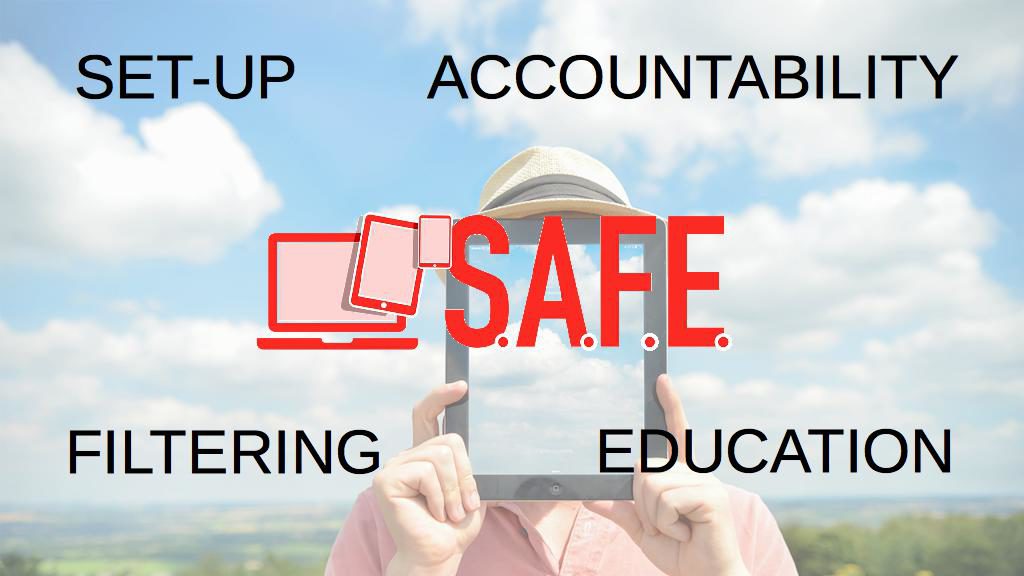
    I jokingly tell people that our Setting Digital Boundaries Workshop is like a Mary Kay party. You invite your friends over and serve up some snacks. After everyone has had some time to arrive and say hello we begin the presentation. Instead of selling you make up I’ll be teaching you and your friends how to protect your children online. After updating you on some of the latest dangers and threats available to your kids online I teach you our internet safety plan that I call S.A.F.E. (Setup Accountability Filtering and Education)


    Each section of this presentation will be spent unpacking the four keys of our S.A.F.E. plan all the while highlighting some of the best resources you can use to protect your family. Each section ends with a time for questions. The sessions last anywhere from 40 to 60 minutes and afterward, I always stay available to answer more questions and give feedback on some of yours and your friends’ tech safety needs.

    These workshops are so valuable because of how quickly the internet safety atmosphere changes. Our book is helpful for getting you started and teaching you some of the terms that you need to understand to protect your kids online. A book, however, can’t give you step by step help with your internet safety goals. A blog post or YouTube video can’t listen to your specific internet safety needs and diagnose the best plan for protecting your family. That’s what makes Setting Digital Boundaries Workshops so critical.

    Email Us to book a workshop and go to BecauseFamily.org to learn more about what we teach and how you can partner with us financially to help us keep these workshops free.