Tag: accountability

  • We Bought Four Amazon Echo Dots!

    We Bought Four Amazon Echo Dots!

    Well, it is Prime Day and as usual, there are some deeply discounted items available on Amazon. My family usually looks but doesn’t buy on Prime Day, hoping to be able to predict the discounts we may see on Cyber Monday or Black Friday in a few weeks. We especially avoid any smart speaker or digital assistant hardware since we have always had (well informed) privacy issues and concerns. This year it has been different. We caved and bought Amazon Echo Dots for the whole family. Here’s why.

    They’ll Be Perfect for Our New Home

    Our forever family home is being built and we are planning a move-in just a few months from now. We are going to have more space for the six of us than we have ever had, especially in the kids’ rooms, the master suite, and the kitchen/dining great room. We’ll be a bit more spread out than we’ve ever been and the Echo has some great options for communicating throughout your home without having to scream up the stairs or down the hallway. The intercom feature was a deal sealer for both my wife and myself. The kids are pretty excited too.

    Digital Homeschool Help

    More of us are homeschooling than ever now and with four kids, all doing school work nearly every day, we need help sometimes. YouTube can be great to present some complicated concepts in helpful ways (7th-grade math, anyone) but my kids looking at screens and using a Google Search for spelling or calculator solutions isn’t the safest proposition. Alexa (the Virtual Assistant on Amazon Echo) will answer your spelling, language arts, science, and math questions with no risky search results or screen use at all. It is more important for my kids to know how to get information than it is that they know the info when they pass a grade. Alexa and other Virtual Assistants are the new waves of information access and they aren’t going away. They’re only getting smarter and faster.

    Less Screen Time

    My kids, like all kids, love to sit around and look at a phone or tablet. We are constantly having to get on to them about their obsessive behavior. We try to set better examples, we don’t always succeed, but giving them alternatives is very helpful. The Echo Dot is a smart speaker without a screen. At night, when the kids want to listen to a podcast or music for bedtime they can ask Alexa to play it for them instead of having their screens in their faces right up to when they fall asleep. Studies have shown this isn’t good for their sleep and can actually very detrimental to their development. With parental controls on the subscription services we use and on Alexa itself, we can ensure that our kids aren’t looking at their screens and are only listening to music and podcasts we’ve approved of.

    Safety and Security Upgrades

    All of this is great but digital safety and data security are always an issue. Especially with artificial intelligence that is designed to learn about you in order to be more useful to you. There is an obvious trade-off. You’re giving it information in exchange for convenience. I believe most of us consider that an acceptable exchange, considering Alexa and Google Home have been some of the fastest tech product to be integrated into people’s homes. The truth is that we have been making this exchange for a long time without really thinking about it. Every post on Facebook, Twitter, or Instagram, every search on Google, and every purchase or browsing session on Amazon has been used to build a database of advertising information about you. This can be scary to many but in all honesty, that ship has sailed and you raised the sails for it to do so.

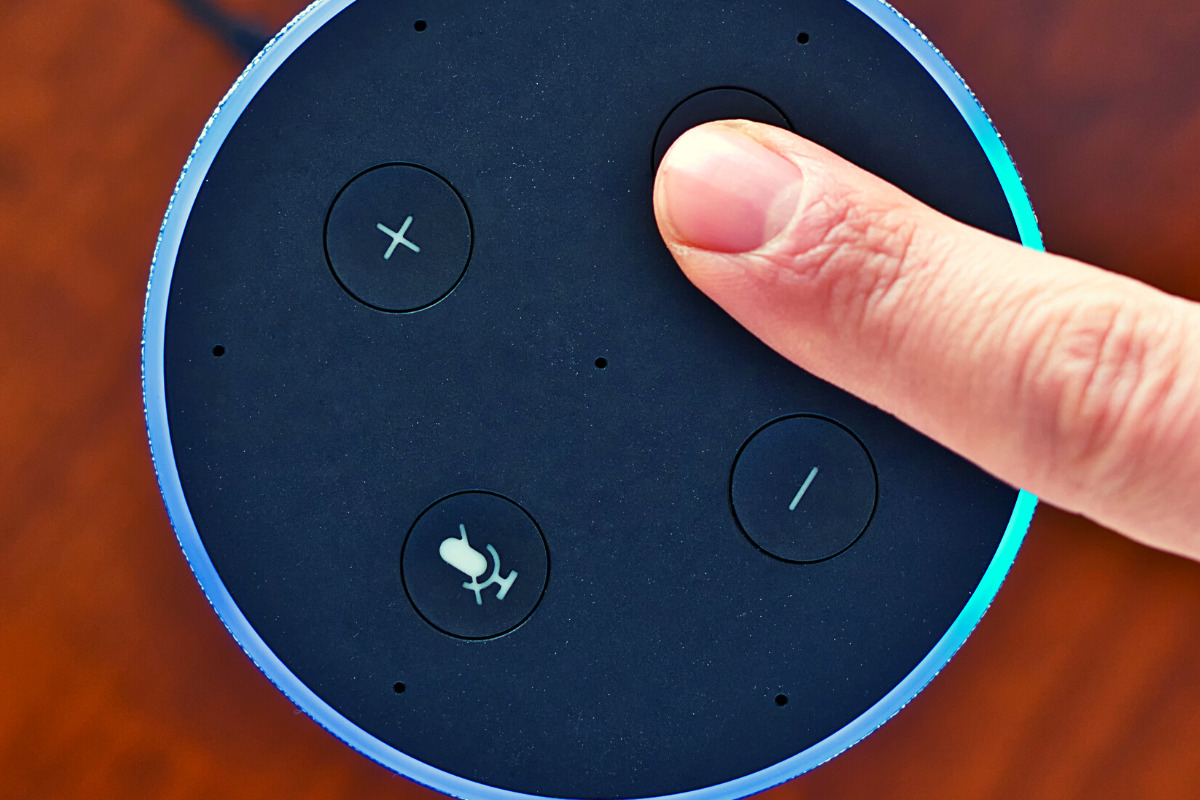
    When you use these sites, you allow them access to your information. Alexa is no different and my family has considered the risks and decided it’s worth it. First of all, we already get targeted ads because we do so much of our shopping on Amazon and searching on Google. Secondly, the latest models of Amazon Echo Dot have added features like a hardware button to turn off the microphone that makes us feel like we can avoid being listened to when we don’t want to be listened to.

    Risk/Reward

    When you narrow it down it is a consideration of opportunity cost. You have an opportunity for convenience but it will cost some of your info. At a $19.99 price point, the Echo Dot is a great deal right now on Prime Day so we bought four of them. They’ll be here in a couple of days and I’ll set one up and let you know how it all goes. Stay tuned for my (late but in-depth) review of the Amazon Echo Dot as a tool for controlling kids’ screen time.

    If you shop the Amazon Prime Day today, consider using http://smile.amazon.com and signing up to support our non-profit, Four Point Families. You’ll have to search for Four Point Families and select it as the organization you’d like to partner with. Then Amazon will send .5% of your purchase our way to help us continue to protect families. Thanks.


     

  • 2020 Back To School Tech Safety Checklist

    2020 Back To School Tech Safety Checklist

    This school year is sure to be unlike any other. We are facing a global pandemic causing many schools to shut down and send students online. Parents shaming others for their decisions to send or not to send kids to the classroom. Political upheaval in an election year, and racial outrage all over the country are causing stress levels to increase too. There has never been a time when protecting our kids’ minds and hearts has been so critical for their education. This Back to School Tech Safety Checklist can help you enjoy the 2020 school year with your kids instead of losing your mind.

    Back to School Tech Safety Checklist

    Accountability Software

    I hardly ever write an article about protecting your children on the internet without mentioning accountability software. This software will securely monitor the sites being visited on a computer or mobile device and report anything inappropriate. Most of the time this software allows you to customize the sensitivity of the system so that you aren’t being alerted for things that aren’t actual threats. Our favorite software, Accountable2You, allows you to adjust settings on multiple devices and will send you an email or text when something you don’t approve of has been visited. If the site wasn’t what the algorithm thought it was, simply login to the Accountable2You site and adjust the settings for that site so you won’t be alerted for it anymore.

    Your child will likely be doing more and more work for school on their computer. (As if they weren’t already doing a ton of schoolwork online.) This means that they’ll be searching the web and using web based cirriculum. Accountability software allows you to give them the freedom to use their Chromebook or PC knowing you’ll be alerted if they happen upon something not intended for kids or education. You can even set up certain sites on “blacklists” that will alert you. This means their favorite gaming site or YouTube can be put on the list so you’re notified if they’re wasting more time than they should be.

    Home Network Filter

    Monitoring what your kids see online is a good start. It is definitly step one, in my opinion. Step two, or maybe step 1.5, is a content filter for your home network. A lot of newer internet routers and modems come with content filters that can easily be set up from an app on your phone. These filters will block most adult content from showing up on your child’s device. We’ve all had that experience where a seemingly innocent Google search resulted in an assault on our eyeballs with some crazy adult site that seems to have been intentionally named to show up if you had a typo in the search bar. Filters can keep those nafarious sites from showing up. Even if they are sought out intentionally.

    Remember that a home network filter will protect your child on your home wifi connection. When they disconnect from it and use cellualar data, the protection will be gone. There are filter options for that, though. Circle is one of my favorite options. Bark is also a good resource since they have added time limits and content filters recently.

    Screen Time Limits

    Speaking of time limits, that is also something you need to consider while your kids are spending so much time using technology for school. The good news is that not all screen time is created equal. Experts are saying that creative or educational screen time for our elementary aged and older kids can be beneficial compared to time spent playing games or consuming video content. This means you can probably still give your son a bit of time on Minecraft or Fortnite after they’ve already been doing school work on the computer for four hours.

    Gaming can relieve stress, playing games online with friends can provide some social interaction that they aren’t getting if they’re not going to school every day. These things are benefits of recreational screen time. Also, creativity can be stimulated by use of their screens. Minecraft is a great example, if your child is building a world in the game they’re doing a lot of important critical thinking and creative reasoning which is good for them. I encourage you to be aware of how much time your kids are spending on a screen and use features like Screen Time or Family Link to limit social media, entertainment, and gaming but don’t freak out about the extra time spent learning online.

    Plenty of “Green Time”

    Green Time is simply defined as time spent outside. Our kids need to run around, play, and enjoy the outdoors. Your younger kids can enjoy time on a playground or just running around playing kid games at the park while your older kids enjoy a sport, hike, or some other recreational activity. There has been research to show that green time improves attention span, relieves stress, and we have known for years that it helps kids’ physical health as well. Build in “Green Time” breaks for your kids during their online school day. If the school schedules their day for them, make sure you allow for time outside when the school schedule has ended. You’ll see them have better health, get better grades, and even have a better attitude. If you’re spending all day at home with them this year, you’ll be super grateful for that last benefit.

    Communication

    I emphasise the importance of communication in nearly every post I write, podcast episode I record, and in person presentation that I do. You have to talk to your children about their digital wellbeing. Kids are smarter about these things than you think. You may be surprised at how much they want to do the right thing. Encourage them to come to you when they see something inaproppriate, tell them you’re on their team and want them to have the best school year possible despite the crazy circumstances. Help them know you are a safe place to come about their digital lives and they’ll be grateful to know you are there to support them.

    Adapt and Enjoy!

    If I have learned anything during this crazy year its that you have to adapt and be abe to enjoy life right where you are. Hopefully these tips can help you enjoy this extra time with your kids. After all, when you count how long you have with them by school years rather than days, you may be happy that you got this time with them during this crazy phase of life.

  • Snapchat to Offer Mental Health Support to Users

    Snapchat to Offer Mental Health Support to Users

    The post on Snapchat’s blog says they are trying to “create a safer internet.” Snapchat will offer mental health support to their users through a feature called “Here for You.” This feature will provide mental health resources and other information as a result of searches within the app that involve mental health topics. 

    “Here For You, which will roll out in the coming months, will show safety resources from local experts when Snapchatters search for certain topics, including those related to anxiety, depression, stress, grief, suicidal thoughts, and bullying.” Snapchat Blog

    They are also adding features that promote a healthy mental state, with lenses, creative tools, filters, and a quiz. Snap claims to have always had their users privacy and security at the forefront of the design of their platform. The addition of “Here for You” is another step to promote safety and security for their users.

    What Parents Should Know

    What would cause Snapchat to offer mental health support to their users? Could it possibly be the outcry about social media being terrible for your mental health? Comparing yourselves to others, being called out for your own faults, bullying, and many other issues have caused our young people to be more susceptible to depression and negative self image. Snapchat, Instagram, and Facebook, with their story features have allowed people to post with a false sense of ephemerality. This is the belief that what you post is temporary and therefore you’re safe to post what you want. Ephemerality is a myth on the internet and social media. When you post something online, it is forever. Snap Inc. is touting themselves as a pioneer of privacy and safety in Social Media but truthfully, they’ve created an ecosystem that allows more bullying, sexting, and bad advice than ever before.

    Pointing users in the direction of professional mental health advice is a very good step in the right direction. In my opinion, however, it is just an attempt to cover themselves for a problem they’ve caused. It’s like a mechanic taking a part out of your car accidentally and then telling you they decided to replace it for you for free. You didn’t have as much of a problem until they caused it in the first place. Shouldn’t we expect that they would do whatever they can to make it right?

    It’s Up to Us!

    We, as parents, are the only ones truly looking out for the safety of our children. Every one of these tech companies has a fiscal reason to provide “solutions” to mental health problems. They all have shareholders screaming at them to keep their company out of the news except for the right reasons. Hearing that depressive symptoms is linked to social media is the kind of thing that will cause stock prices to drop. It makes sense that they would scramble to provide some kind of “band aid” for that issue. Be smarter than the average consumer and protect your own and your children’s mental health by keeping them from overuse of social media. Make your plan, set your limits and don’t be afraid to have the hard conversations with your kids.

  • HOW TO: Set Parental Controls on Macbook and iMac (OSX)

    HOW TO: Set Parental Controls on Macbook and iMac (OSX)

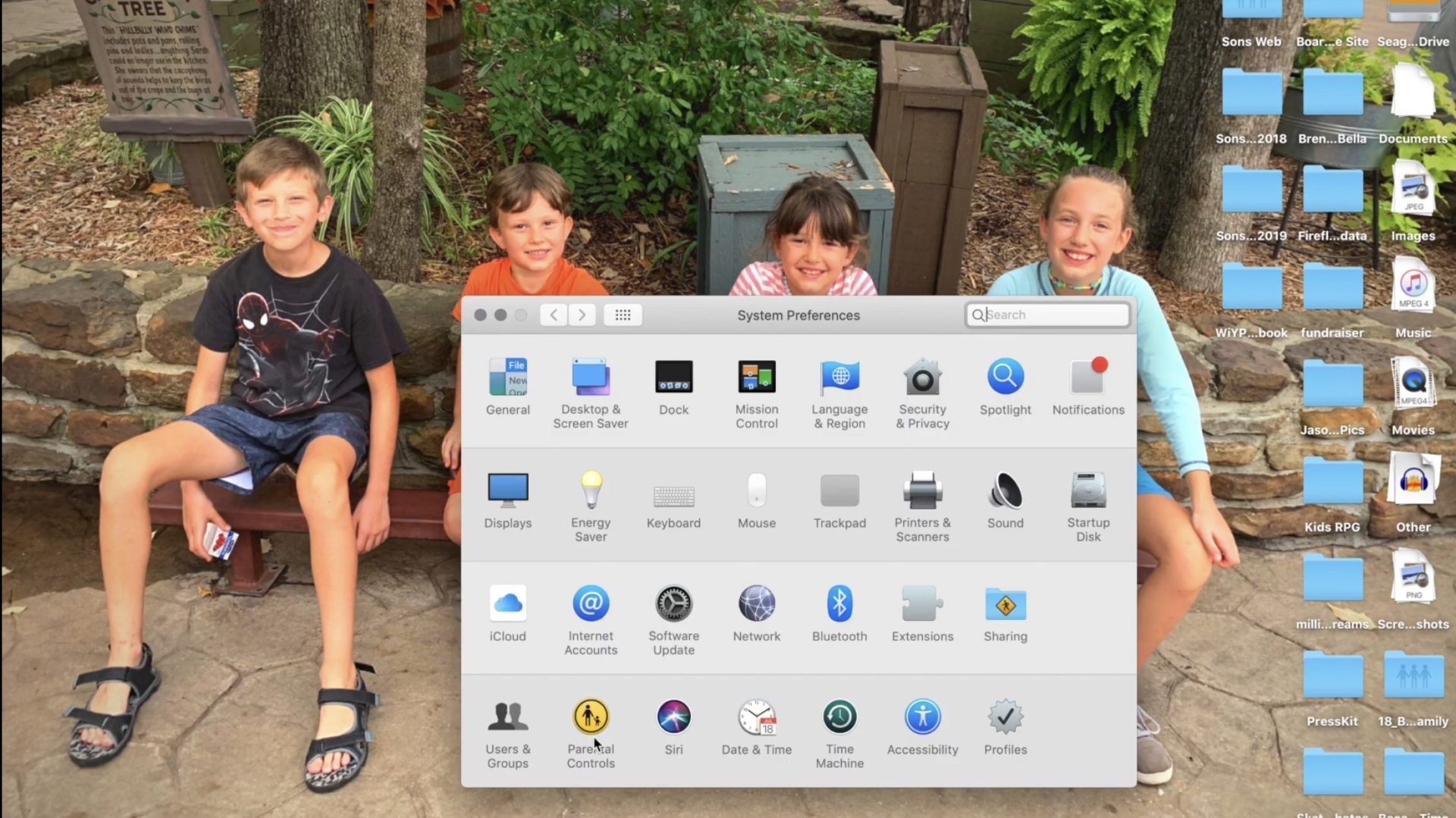
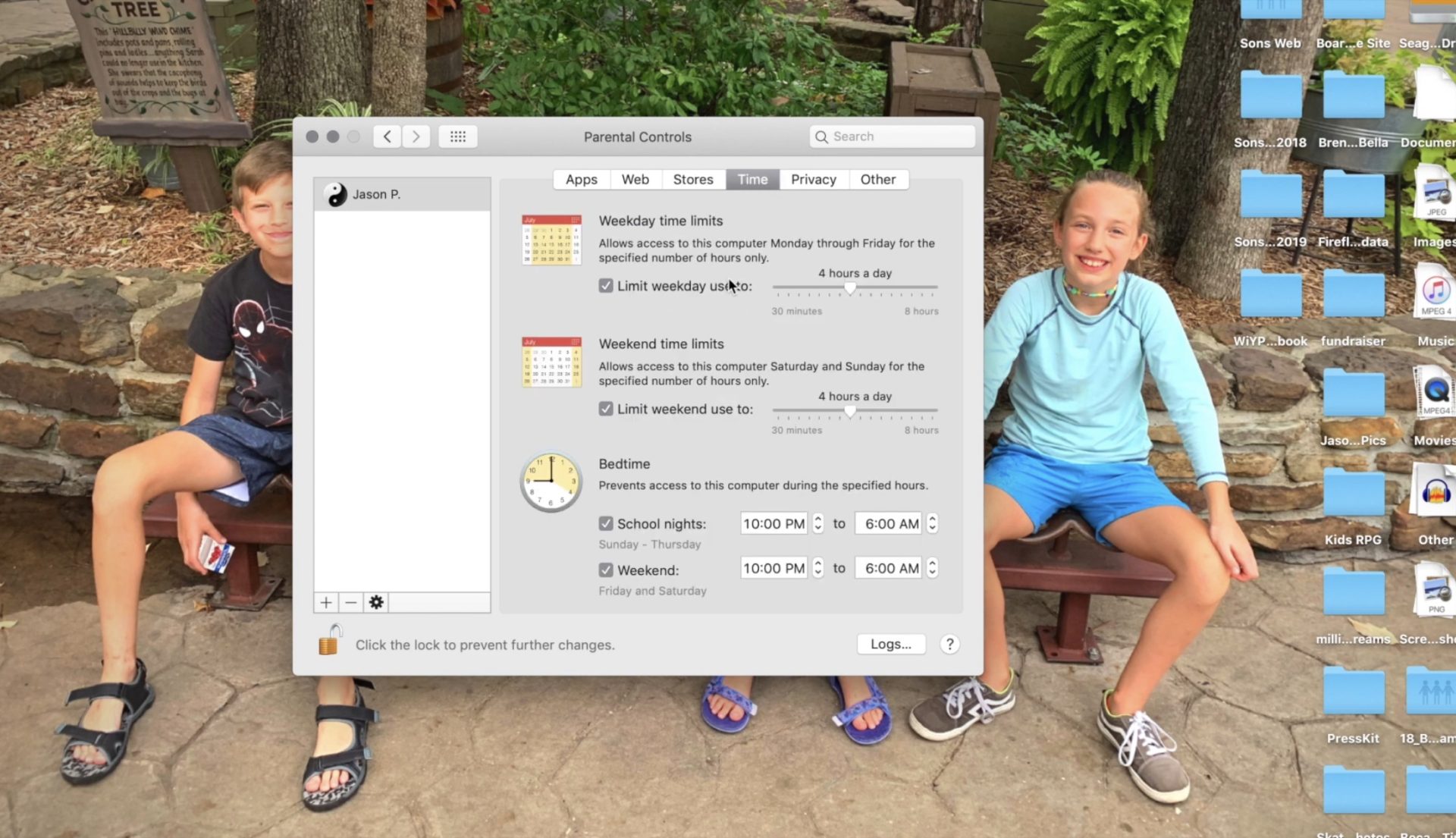
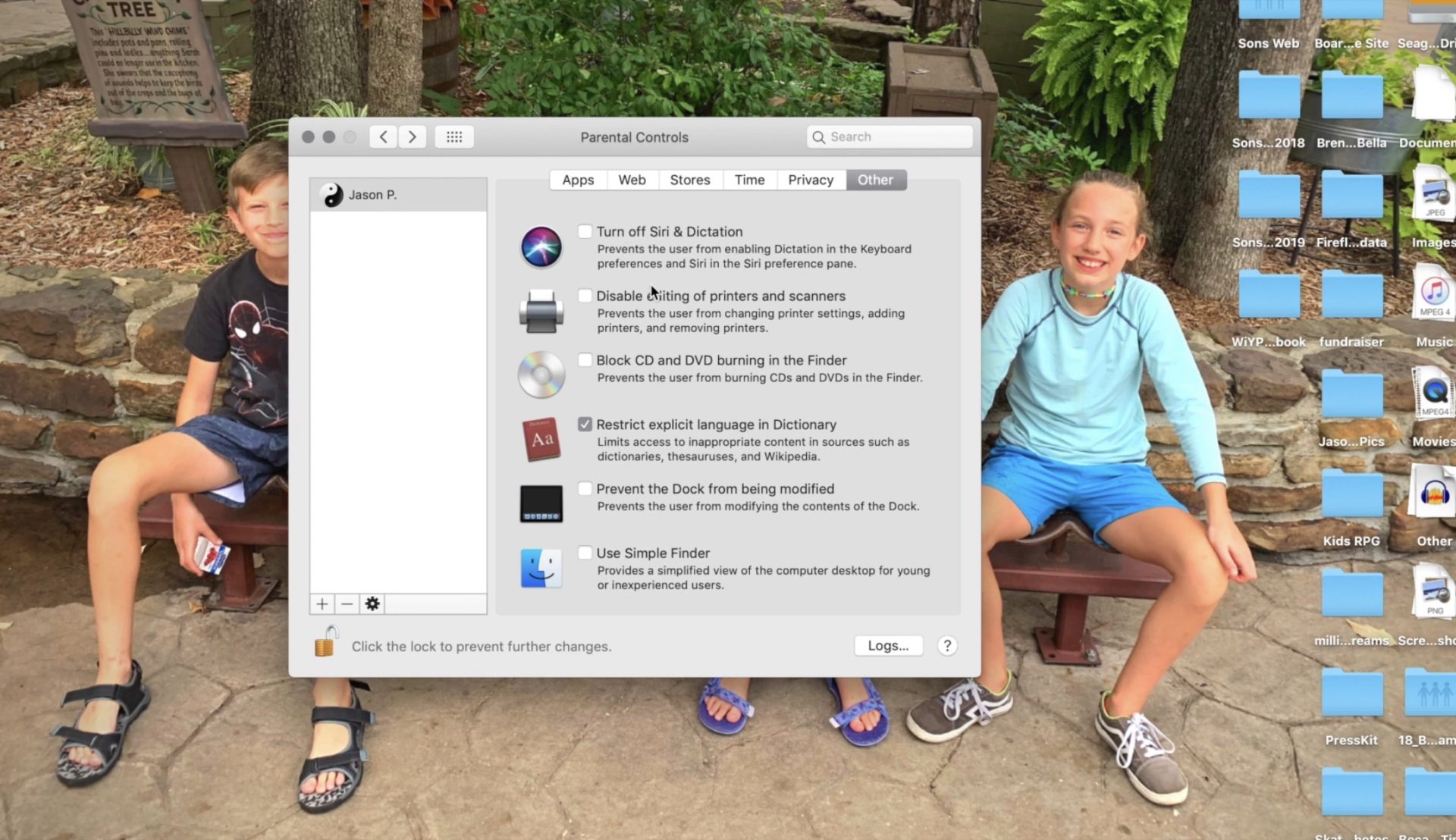
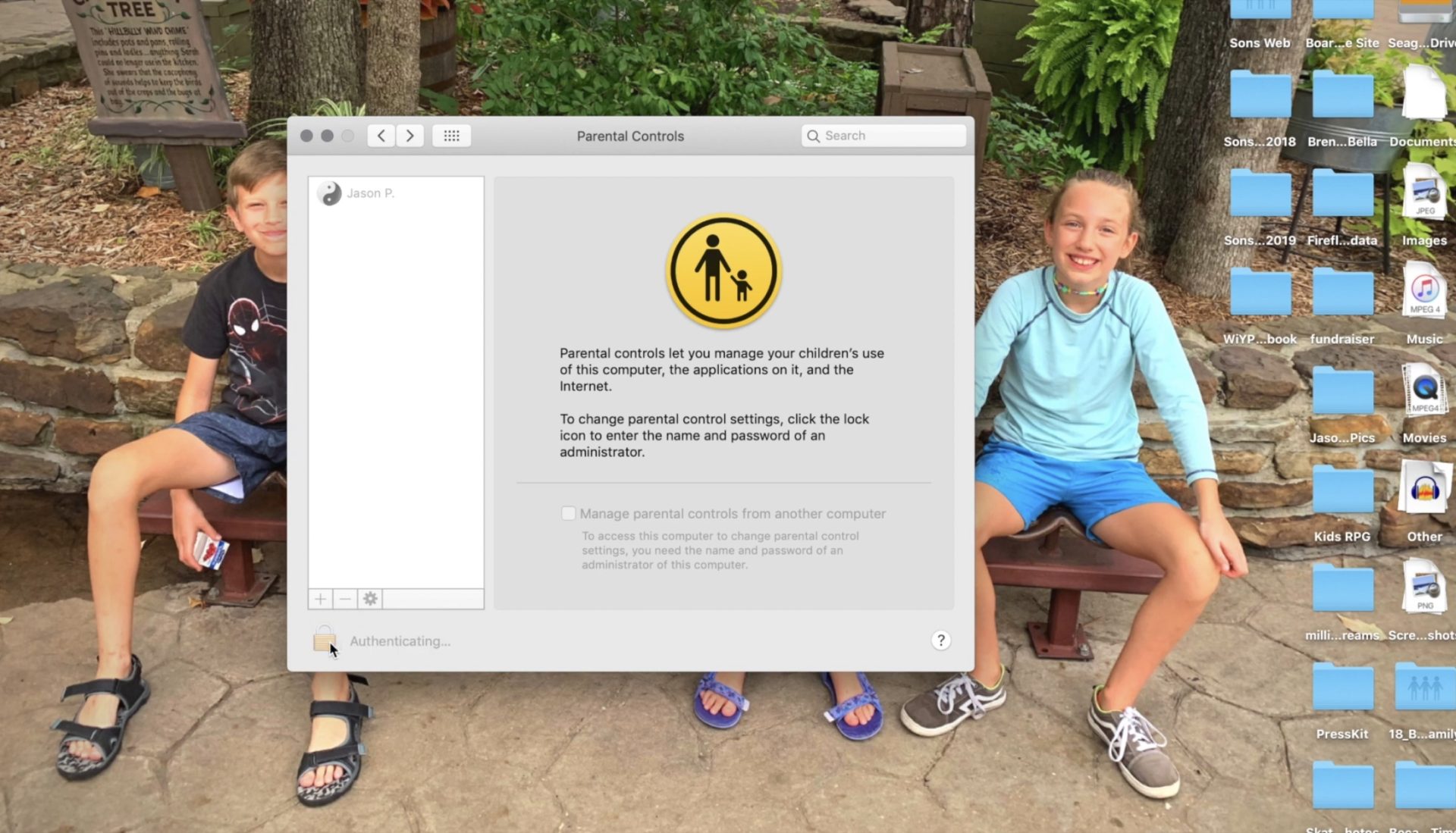
    The tutorial video above will walk you through the steps necessary to set up parental controls on your Macbook Pro, Macbook Air, or iMac. These settings work with OSX High Sierra or OSX Mojave. Below is a brief summary of the steps necessary to set up these parental controls.

    Open Preferences by clicking the apple logo in the upper left corner of your Macbook desktop and then clicking Preferences.


    Click on Parental Controls on the bottom row of icons in the Preferences menu.


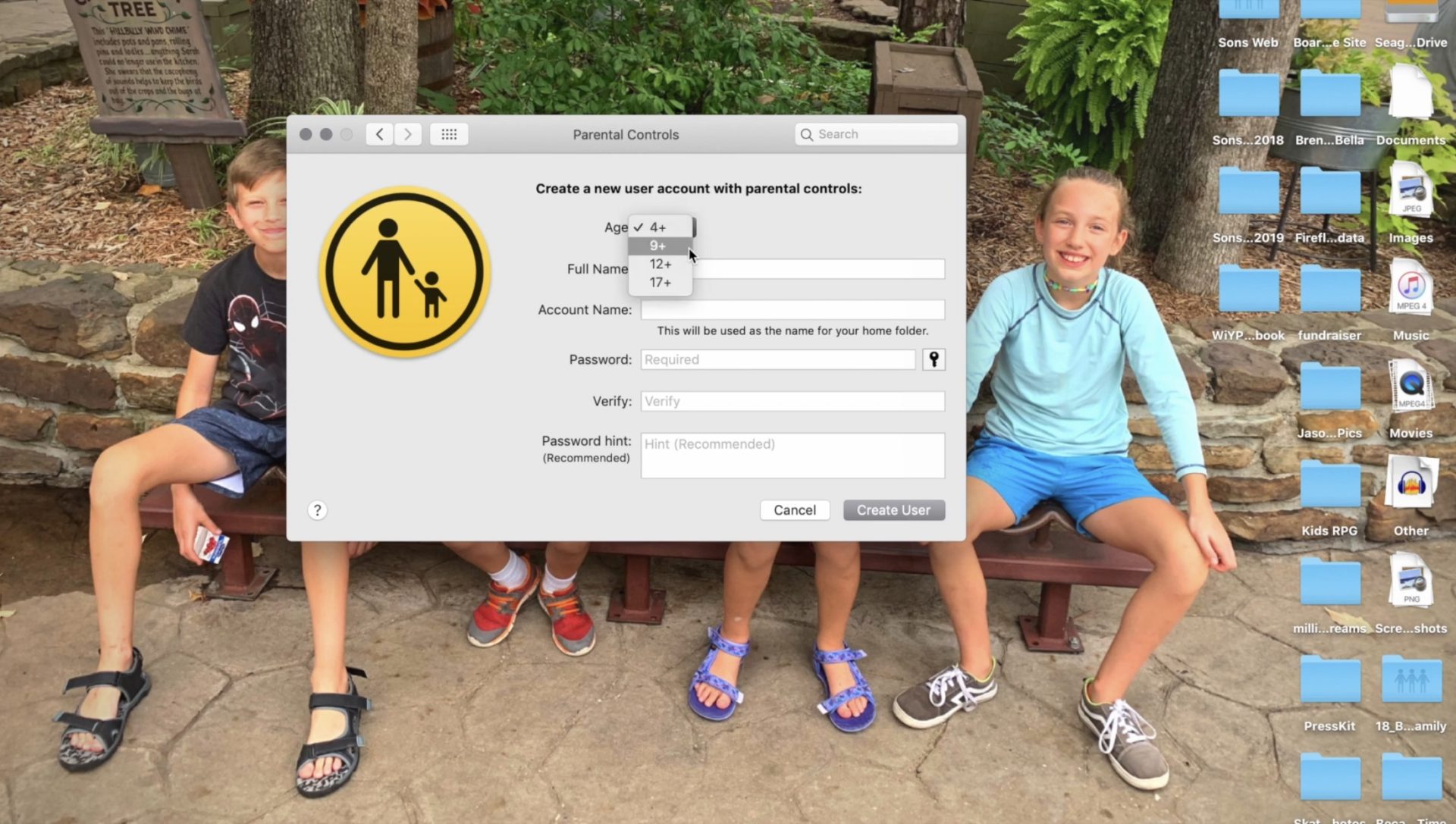
    Follow the steps for creating a new account with the information of the person you are trying to set filters and restrictions for.


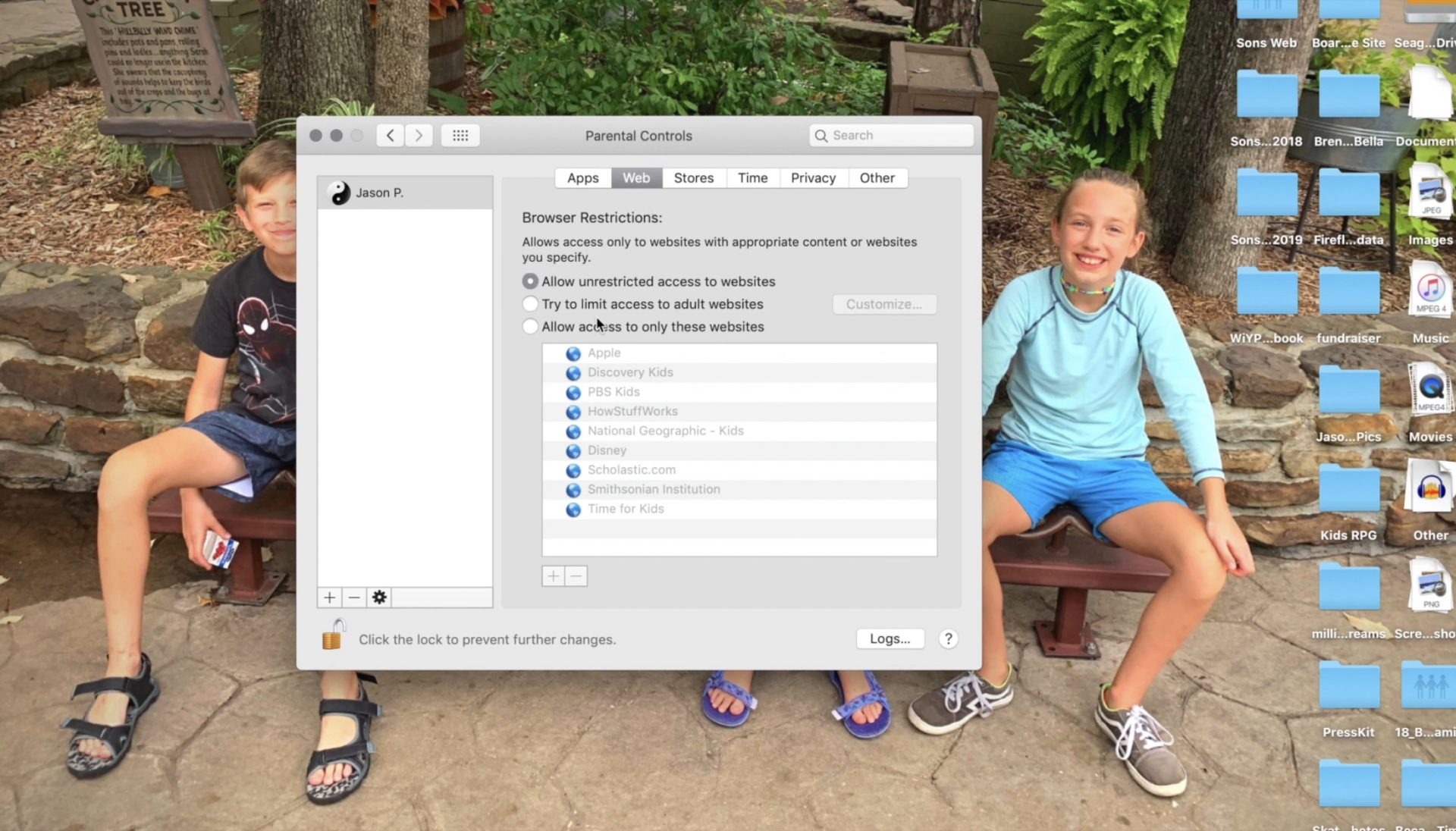
    Set Restrictions for apps and web content.


    Set desired time restrictions and bedtime hours.


    Adjust settings for other content such as Siri and the OSX dictionary.


    Clicking the lock with set the changes and password protect the settings you adjusted.

    Setting these restrictions will help you have peace of mind while your child or teen uses their OSX device. If you would like further confidence that they are only seeing things that they should be seeing, look into an accountability software like Accountable2You. Also, if you come across any problems or have any questions please comment below or send us a message on Facebook.


  • How “Kids Games” Give Predators Unmonitored Access to Children

    How “Kids Games” Give Predators Unmonitored Access to Children

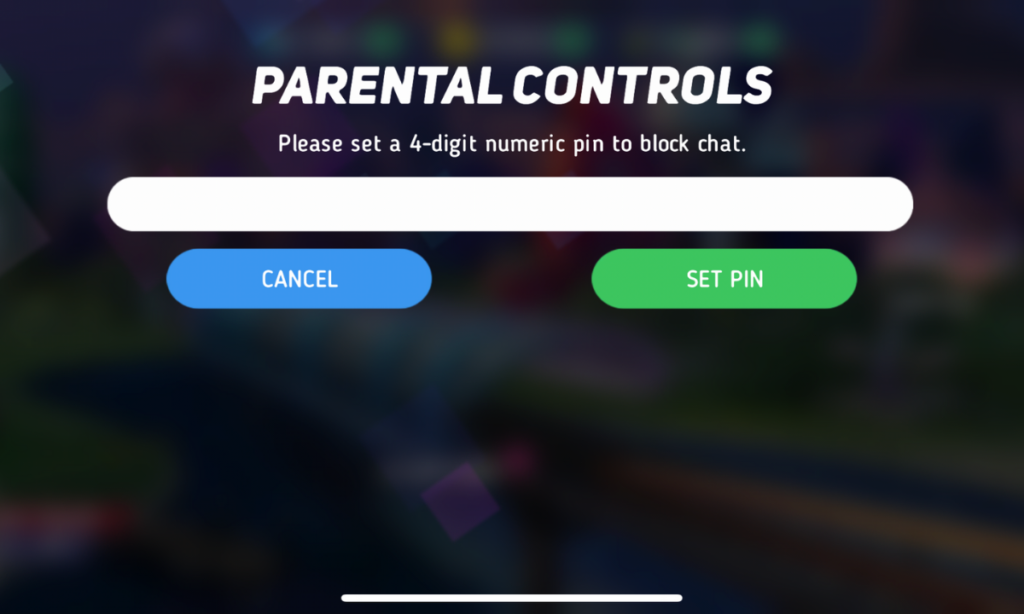
    I was contacted this week by a parent who was shocked to find that adults had been chatting with her young son in Disney Heroes, Battle Mode, an app rated 9+ in the Apple App store. She sent me screen shots in which players were asking her son if he was a boy or girl. They asked how old he was and where he was from. One of them even confessed, “I am not a kid. LOL.”  Obviously, when his mother found these messages she was extremely concerned, she removed access to that game and set some limits for their whole family for a while. Then, just a few hours later I received a link from a concerned parent about an app in which people are posing as employees of the game company and asking children to send pictures “without a shirt on” to prove their age. She asked if this was true and my response was that yes, these things are happening every single day. Here’s why these predators can gain such easy access to our kids.

    Disney Heroes Battle Mode

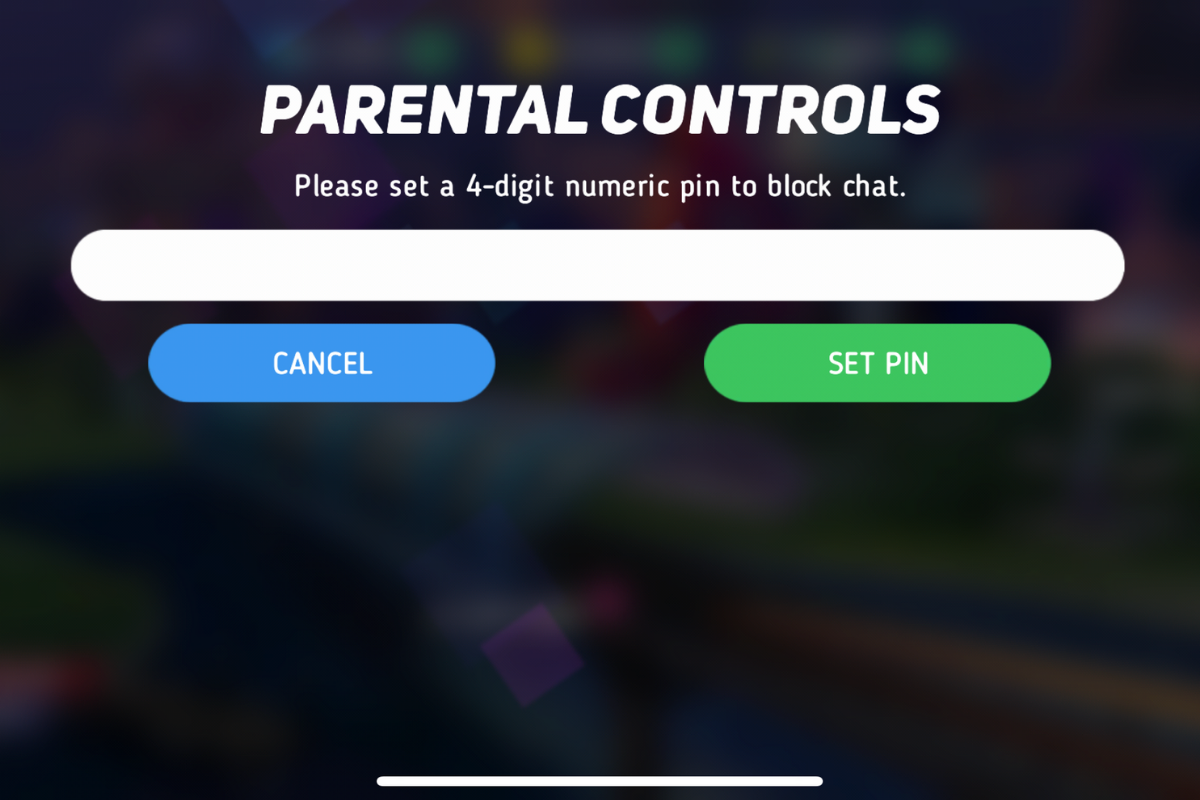
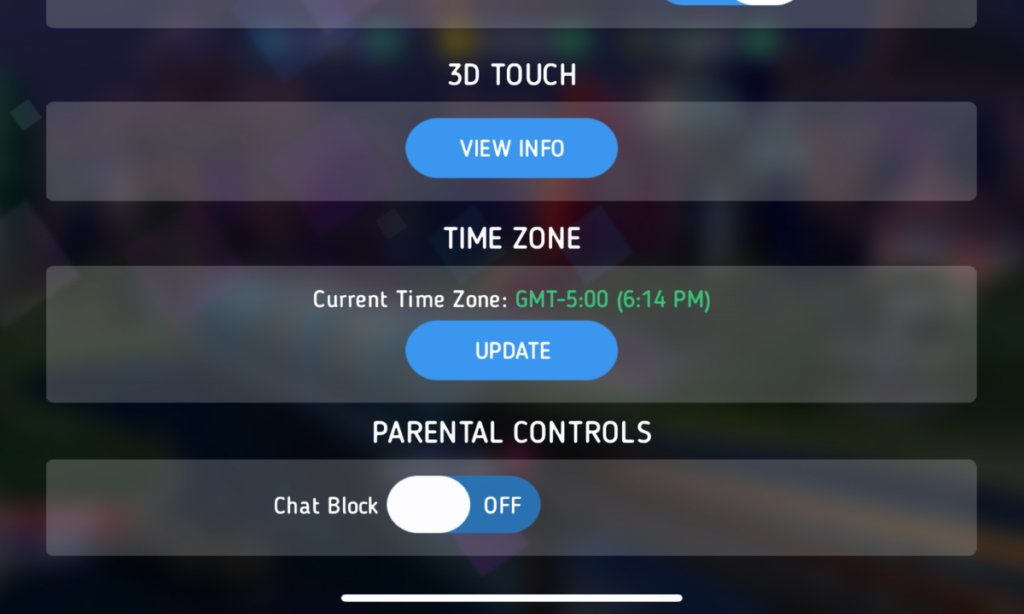
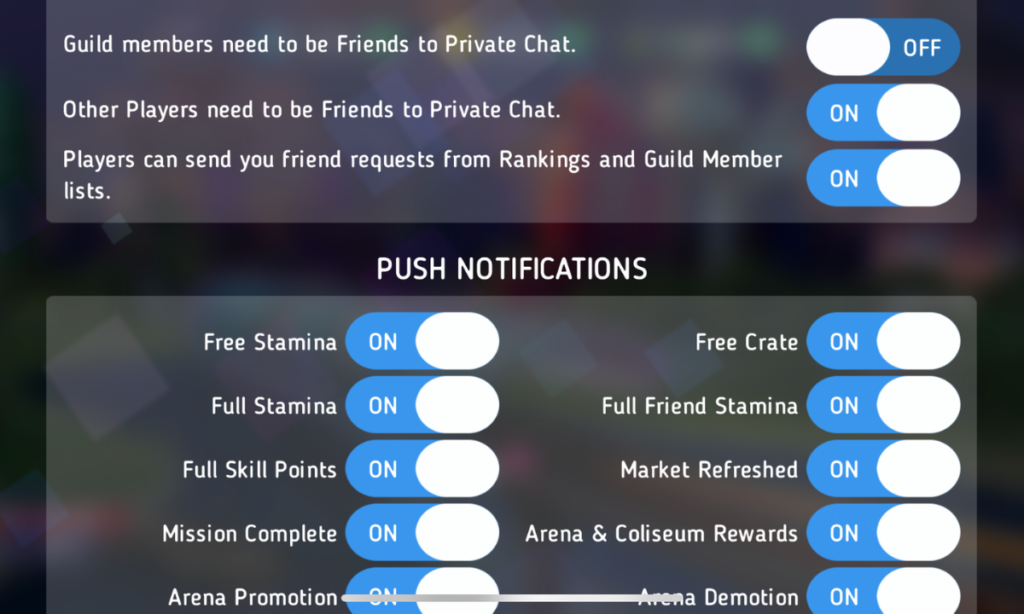
    After hearing about the trouble with Disney Heroes Battle Mode I downloaded the app to see what it was all about. After a short cenimatic and then playing through the tutorial you get a notification that the app has purchases built-in and that you shouldn’t be under 13 (app is rated 9+ in the app store. if you want to play. I simply tapped continue and moved right past the warning. No age verification, no password, no face id, nothing. Once in the app I started looking through the settings. I did find controls for the chat feature, including a password protected on/off toggle for chat access. This was good to see, especially since the issue I was researching had to do with chatting.

    The problem is that apps like Disney Heroes give parents a false sense of security. The app is made by Disney, the company’s name on anything makes many parents think that the product is made with their kids’ health in mind. This could not be further from the truth. Disney is out for exactly what every other major corporation is out for, their financial bottom line. We have to remember that data is big money and apps that are made for kids collect just as much data as any other app. Data that is personalized to a user is worth more money which means app developers need users to make an account to sort and identify their data more easily. The easiest way to convince app users to create an account is by making it the only way they can chat with friends in the game.

    What Parents Should Know

    I recommend taking a look at the game your kids play on their pones or tablets. Just because the game features cartoon characters doesn’t mean there aren’t adults playing the game. If the game has a social feature like chat or friend-mode you can be sure that your kids will be contacted by strangers. Look in the settings, preferences, or options of the games to see if there is a way to turn off chat mode. If they don’t allow you to disable social features, I would uninstall the game and encourage your child to find a different game to play.

    We must remember that the companies that make these games offer them for free because their money comes from in-app purchases and advertising. In order to make money they have to keep people playing the games as long as possible. Research shows that there is no better way to keep someone in your app than social engagement. People will be sure to keep coming back if they have friends in the game to play with or against. This means that they will continue to put these social features in their games and while app stores may rate these games as safe for younger children, my rule is that if it has a social element it should be for kids older than 13. Even then you should ensure that you child understands what they should do if they are approached online by a stranger and encourage them to tell you if someone makes them uncomfortable in any social engagement online. We can do our best to protect them from this software but nothing is more affective in preventing these dangerous encounters than teaching them how to recognize them and end the conversations immediately.


  • Research Finds Another Link Between Social Media and Depression

    Research Finds Another Link Between Social Media and Depression


    Researchers in Montreal have spent the last four years studying nearly 4,000 students and their screen time. The study was looking for links between self reported depression symptoms and uses of different kinds of screen time. The types of screen time studied were social media, television, video games, and computer use. The study used annual surveys to sample students  in the Greater Montreal area in 2013-2018 and the results were analyzed in December of 2018.

    The study found a substantial depressive symptom increased for every hour spent on social media, computer use, and even for television. Adolescents reported more cases of comparison to others because of their use of social media, leading to depressive symptoms. The study concluded that “Both screen time modes (social media and television) should be taken into account when developing preventative measures (for depression) and when advising parents.”

    Why Your Teen Posts Her Feelings On Social Media

    What Parents Should Know

    There has been a lot of research concerning screen time and the health of our children. This study is interesting because they chose to separate the types of screen time in order to try and identify if one type or another has a greater impact on the mental health of the children studied. There are a few things that stood out to me as I read this study. First, video games didn’t seem to be a determining factor for depression. While video games can cause other issues, it seems that the direct comparison or contact with others available through social media and even some of the stories on television create the atmosphere for decreased self satisfaction and can lead to depressive symptoms. While many kids between 7th and 11th grade can falsely report feeling “depressed” just because of their stage of life, this study found a pretty significant correlation between the subjects’ symptoms and their screen time activity.

    Secondly, their approach of separating types of screen time should become a new standard for this type of research. Researchers are finding that the amount of time your kids spend on a screen can have varying affects based on what it is that they are doing. This study supports that approach by proving that some categories of screen time affect depressive symptoms in different ways. Finally, the final sentence of the conclusion supports the idea that screen time should be taken into account when developing preventative measures and when advising parents. Psychologists, doctors, and counselors should be considering, not just the amount of time kids spend on their devices, but exactly what they are doing. Parents should be considering those same things.

    Your son may play a ton of video games and you’re worried about anger or lack of social skills, those worries could be valid and more research is needed to identify if video gaming is, indeed, a factor. Social Media use is proving to be a determining factor in the mental health of young teens as they age. Our kids are exposed to so many ideas and so many different environments at such an early age that we, as parents have to be the gatekeeper for what enters their minds. We have to help them guard their hearts and properly interpret their emotions. If kids are seeking help from other kids, they aren’t getting the mental health advice that they need. We parents should provide a safe space for our kids’ to express how they feel. We should then be willing to make arrangements to get the professional help they need if necessary. Parents can’t ignore our children’s feelings, we have to take them seriously and make every effort to support them in exploring their own mental health.


  • Is Apple Blocking Parental Control Apps Because they are Competitors to Screen Time?

    Is Apple Blocking Parental Control Apps Because they are Competitors to Screen Time?

    The Story So Far

    It is a long and arduous story, the tale of Apple shutting down parental control apps. Some say it was done to protect Apple’s investment in their own Screen Time app while others believe Apple truly has the wellbeing of their customers at heart. It is hard to look at this story from any one angle alone without making a blanket statement about the opposing side. This is why I have taken a look at all sides and wish to help you, parents, understand what is happening in this strange new war.

    Last fall, after announcing the release of iOS 12 which feature their new controls app “Screen Time,” Apple began to deny certain parental control apps access to the app store. Apparently, citing the fact that Apple doesn’t allow apps to use any method to block other apps (a pretty important feature in a parental control software.) Eleven of the top seventeen parental control app developers such as Mobicip, OurPact (the top Parental Control app in the app store,) and Quistudo were all in communications with Apple for months about their apps being removed and what it would take to get reinstated. Apple’s comments seem to have been centered mostly around the removal of apps and the use of something called MDM or Mobile Device Management. They stand on the fact that MDM allows access to information that should remain private. Developers of the Parental Control apps are saying that Apple said nothing about privacy in any of their communication about getting their apps reinstated. This is causing a bit of concern for developers, media, and parents alike.

    Even more information about MDM in the video and podcast.

    Recently, the New York Times released an article about Apple’s removal of the parental control apps from the app store alluding to the possibility that the move was to eliminate competition for Apple’s Screen Time or even to keep people from using apps that cause them to use the iPhones less often. We are obviously getting a lot of they said/they said back and forth with this story and there is more to come (law suits and such) but here is what I think it all means for parents. 

    What Parents Should Know

    Above all it is important for parents to understand that there is no such thing as the perfect parental control app. The free ones are likely selling your data and the paid apps are usually using some sort of loophole to even work properly. Apple uses a pretty closed approach to their app store, only allowing a very small “sandbox” for developers to work in. This causes many of the parental apps in question to fall short of complete and total control. The MDM allowed for a bit more of that control but without that access, many of these apps are simply useless. I do believe that parental control apps should be held responsible for what they do with the data that they collect. Apple takes data security and privacy very seriously. This is what they have said is at the core of their stance against some of these apps. Apple must protect the privacy of their users, it is a major part of their platform and what sets them apart from their competitors.

    Time Management Dashboard Coming to Instagram and Facebook

    What does this mean for us as parents who want to protect our kids? First of all we have to remain vigilant to keep our kids safe online. Use some sort of network level parental controls. Whether you use Circle or something else that is built in to your router, it is a lot easier to set up filters that block your entire network than to set it up on each device. Also, you can just learn and use the built in parental controls that Apple and Android have created. Screen Time isn’t perfect (as I said, none are) but it is pretty good. Use the resources you have as well as a good, healthy environment of conversation and security to keep your kids using tech properly and discussing it with you regularly.

    Until Apple makes it easier for software developers to access user behavior, any built in parental control options will be bettor for iPhone and iPad users. Screen Time is currently a bit limited but is is a lot better than nothing and will work for most families. The best part is that the stance Apple has taken for privacy will also apply to users who have set up Screen Time. Any account that you have set up for your child will be treated as a child’s account and Apple’s terms state that their data will be treated as such also. Maybe your favorite Parental Control app is a part of this whole drama. If so, hang in there and set up something you can use because this whole story isn’t over. I’ll keep you updated as more happens.

    For even more, listen to the podcast episode below:

  • Indian Agencies Ask for Removal of TikTok from App Stores Citing “Pornographic and Illicit Content.”

    Indian Agencies Ask for Removal of TikTok from App Stores Citing “Pornographic and Illicit Content.”

    The Ministry of Electronics and Information Technology in the country of India has asked Apple and Android to remove Tik Tok from their app stores due to pornographic and other inappropriate content. The statement says that the app encourages illicit content. This comes just months after being fined by America’s Federal Trade Commission for improperly managing data collected from users in their young target audience.

    TikTok, managed by Chinese company Bytedance, has hundreds of millions of users and features user generated lip-sync, livestream, and other short form videos. The app has come under fire from many child protection agencies because of their lack of age verification and limited parental controls. The app is most popular with kids under 20 and mostly with girls. The app is wildly popular with kids under the age of 13 but it isn’t likely that stats will show that demographic since most who sign up say they are over 13 years old to line up with the company’s terms and agreements.

    Tik-Tok Under Fire as Study Finds 25% of Kids Talk to Strangers Online

    What Parents Should Know

    TikTok is another example of user generated content getting away from the company who is supposed to manage that content. They say they are doing all they can and boast how many videos and posts they’ve removed due to violations, all the while more illicit content is being uploaded by new accounts. While these companies play catch up our kids are the ones seeing the inappropriate videos that haven’t been flagged enough yet and being contacted by the creepy predators who’s accounts have yet to be removed. As I often say, the responsibility falls to parents to protect our kids from this content.

    You have to ask what it is, besides the sheer scale of numbers, that makes it so difficult for companies to get a handle on this. These issues continue to flare up yet the companies continue to grow and growth is ultimately the goal. Growth means money. Companies need more users to grow. More content will earn you more users. So perhaps they try to remove as little content as possible because it is easier to ignore the illicit and pay the bills than take a stand to protect your users and possibly slow the growth of your company. 

    Parents have to be aware of what apps their kids use. We should know when they are live-streaming or posting videos of themselves. We should follow their accounts and see what everyone who follows them see. If they won’t allow you to follow them you shouldn’t allow them to use the app. It’s really simple. Tic Tok, Snapchat, Instagram; none of them exist to keep your kids safe, they exist to make money and only take steps toward security and privacy when not doing so may hurt their bottom line. Parents have to stand up, not to these companies, but to our kids, and tell them that our goal is safety and health. Then set the right example and work with them to have the right attitude about our time on social media and other tech. You can do it! We’re here to help you.

    Listen to this article as a podcast below:

  • It’s Being Called the Ultimate Unsend Button, Does it Encourage False Anonymity?

    It’s Being Called the Ultimate Unsend Button, Does it Encourage False Anonymity?

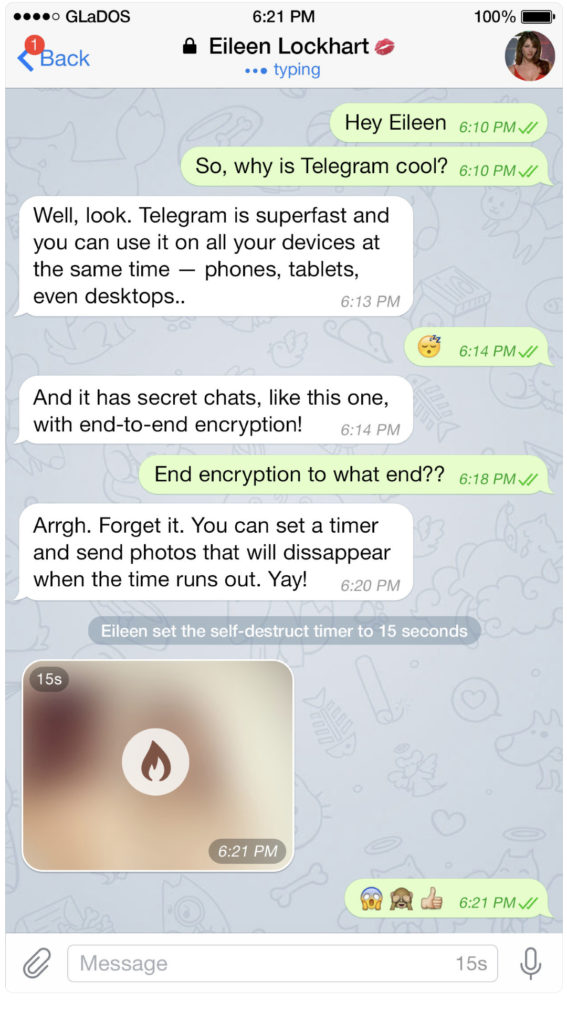
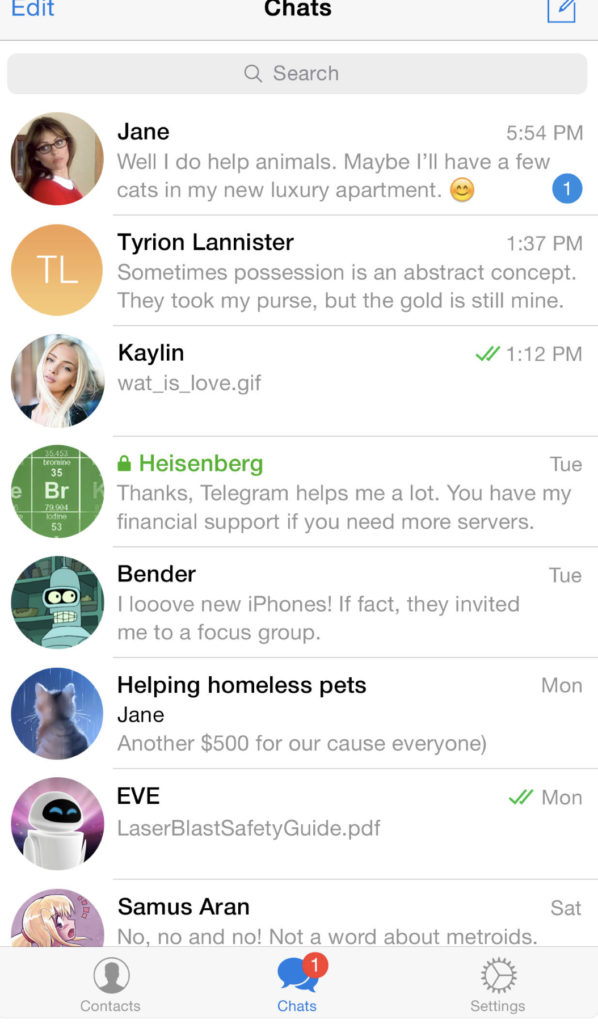
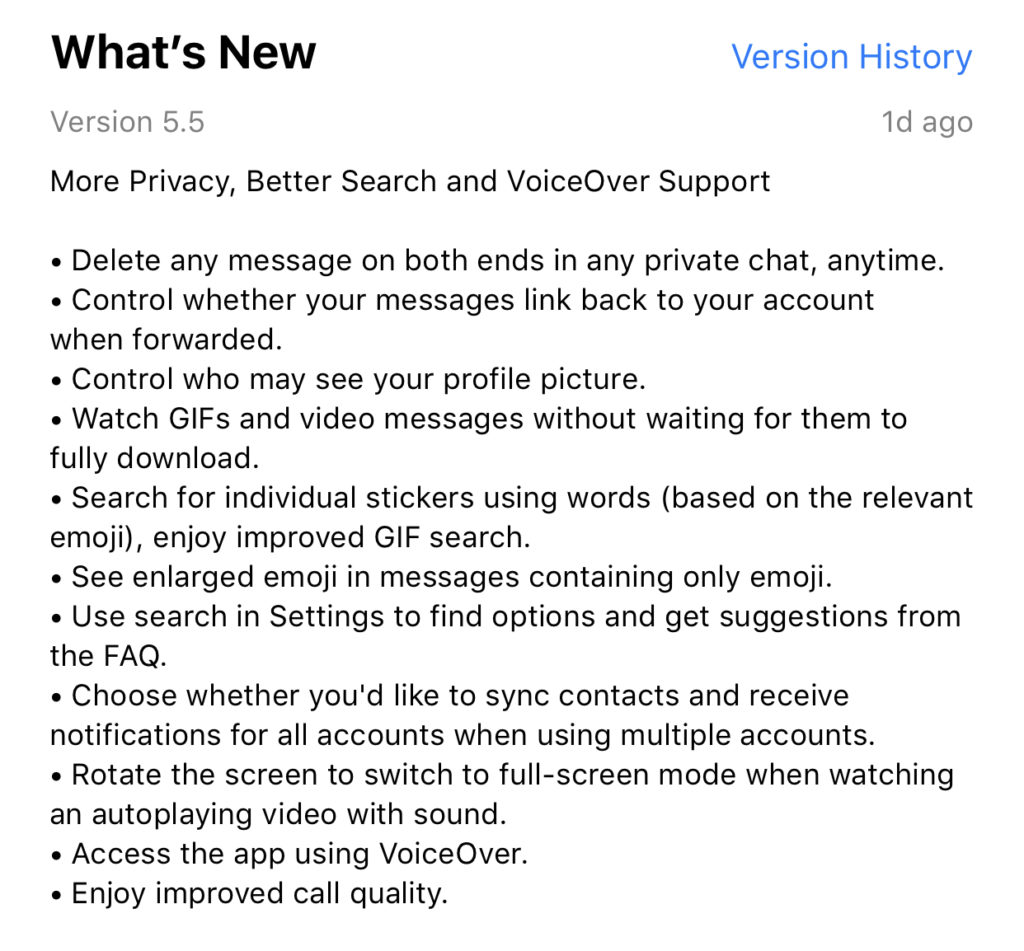
    Telegram is an end to end encrypted messenger that touts speed, privacy, and security. They have featured private messaging and self destructing messages for a while but their new feature takes privacy to a new level. You can now delete a message you’ve sent from your account and the account you sent it to no matter how long ago it was sent. Telegram is, again, standing up for privacy and users are buying in. Millions have flocked to Telegram after Facebook’s data leak news from the past several months. It looks like Telegram is doubling down on Privacy as their claim to fame. They’ve also added the ability remove your information from a message when the message is forwarded to other users. Some accessibility and ease of use features have also been aded.


    What Parents Should Know

    Security and privacy are often overlooked when we allow our kids to use internet connected devices. Privacy is becoming a major concern for experts and activists of family tech safety. Messengers that allow data to be collected and used for advertising shouldn’t be used by children and even teenagers due to the risks of such data being released or revealed without the messenger app developer’s consent. When an app features privacy as it’s distinquishing feature, you have to ask who the data is being kept private from. Obviously, we want data to be kept from third party companies who would use that data to advertise. Sometimes data is even kept private from the company that developed the messenger app that you are using. Telegram has a “secret messages” setting that must be set to keep your information encrypted from end to end. (End to end encryption means not only the company can see or collect what is being sent.)

    Anytime the ability to delete messages you’ve sent is added, I see red flags. While I think privacy is critical, there is also a risk of kids thinking they are safe from inappropriate or incriminating photos or messages being saved and used for nefarious purposes. It only takes a half a second to screen shot a message or image on your screen. Most phones allow you to record your screen to a video very easily. This means that you are non always anonymous online. If you are sending messages to someone, thinking you have complete privacy, you are trusting that the person you’re sending the messages to has your privacy in mind as well. Telegram is an easy way for predators, cyberbullies, and those interested in sexting, to send and receive messages that do their damage and then are removed as evidence.

    I have spoken to parents who have taken their kids to the police with complaints about people trying to groom them online but the police had no evidence because the messages had all been deleted. This is why a messenger makes the FamilyTechBlog uninstall list as soon as they add disappearing messages. It isn’t safe for your kids to chat with a feeling of anonymity or for them to chat with people who can send what they want and make the message go away after it’s been viewed. Telegram is rated 17+ and I fully agree with this rating. Private messengers that allow you to chat with anyone, anywhere shouldn’t be used by children and young teenagers. Especially when the messages can be removed at will.

  • A Warning For Parents Buying Android Tablets for their Kids this Christmas

    A Warning For Parents Buying Android Tablets for their Kids this Christmas


    Android Tablets are a great option for parents who want to get their kids some form of screen device without breaking the bank. The addition of Android FamilyLink has made Android and even better choice for our kids’ introductory tech device. They are affordable, fairly easy to use, and most all apps our kids want to play or use are available through the Google Play store. There is, however an issue that faces parents when they are ready to set up these devices for their kids: compatibility.

    Compatibility is the ability of a device to run the software you are trying to install on the device. Android FamilyLink requires operating system 7.0 or higher in order to work on your child’s device. That means that if your device runs an older version of Android, the app that connects your parental control settings to their device won’t even be available to install from the app store.

    I ran into this problem today while helping a family set up controls on the brand new tech devices they had purchased for their two girls. I initially thought it odd that on one device I could login an account as a child and on the other I could only make a basic adult Google account. Then, halfway through setup I realized that one tablet would run FamilyLink while the other would not. Both of these devices had been purchased from the same place on the same day and were brand new, not refurbished or used, but the operating system was different in each tablet. One was running Android 4.4 while the other, the one that let me set up FamilyLink, was running Android Version 7.1.

    I understand that newer software will not work on older devices but these are two devices being sold at the same time as brand new. There is nothing, without further investigation, that would cause a parent to expect they couldn’t do all the same things on both tablets. The truth, though, is that not all Android Tablets are equal. We won’t get into opinions on Apple vs Android but I will make this comparison: when Apple updates their operation system ( iOS) they ping all of the devices at once and encourage installation of the newest version of the software. Android, however, is a crap shoot. You have to go see if your device will be compatible with the newer software every time a new one comes out. The main reason for this is that different companies make phones that run Android while Apple makes the device, the operating system, the app store. Basically the whole shebang.

    People have different tastes and whether it’s the way the software functions, the look and feel of the phone, or just not wanting to spend as much money, Android will always be a significant part of the smart device market. My advice isn’t to just always use Apple products. I will encourage parents, instead, to always look at the specifications of any device you want to buy and see what operating system it is compatible with. If you are buying an Android product and want to instal FamilyLink, the device must run 7.0 or higher for the FamilyLink Children and Teens app to show up as downloadable in the Google Play Store. Otherwise, you’ll be looking for some third party app or combination of third party apps to add parental control functionality to your devices.

    Need help? Shoot me a message HERE.