Category: Security

  • Turn Off Snapchat’s SnapMap NOW!

    Turn Off Snapchat’s SnapMap NOW!

    Snapchat’s newest addition to it’s offerings is SnapMap. This feature shares your location on a map so that other’s can see snaps from similar places or events in real time. This all sounds well and good but what’s really happening is causing tech experts everywhere to warn against using SnapMap. SnapMap shares your location every time you open the app, not just when you post something. This isn’t concerning for just tech safety writers like myself but everyone who spends any time learning about the latest Tech trends is warning that users should disable this feature on their SnapChat account.

    I heard a story last week of a mother who’s daughter and her group of friends had been targeted by a sex trafficking ring using snapchat. The predator befriended a large group of related friends all at the same time and just watched their posts for a while. They all thought they were befriending someone who went to school with them since they had a bunch of friends in common. This person got very close to my friend’s daughter and started talking about a meet-up. Mom saw the posts during a check-in of her daughter’s phone and decided this “friend” was a bit shady. She contacted the police and found out that this predator was part of a larger ring of sex traffickers who use Snapchat to locate and abduct their victims. These guys had to work for months to learn more about where these teens spent their time. The SnapMap would give them that information in seconds.

    SnapMap’s initial setup is only a four step process, if you decide to turn on SnapMap you won’t be warned that your location will always be available. You’ll only be told how your friends can see where you are when you post. If you aren’t sure who all of your friends are and if you don’t know that SnapMap is pinging your location every time you open the app whether you post or not, you’re eliminating every privacy setting you’ve ever set on your phone. Your teenagers don’t know this!
    What Parents Should Know

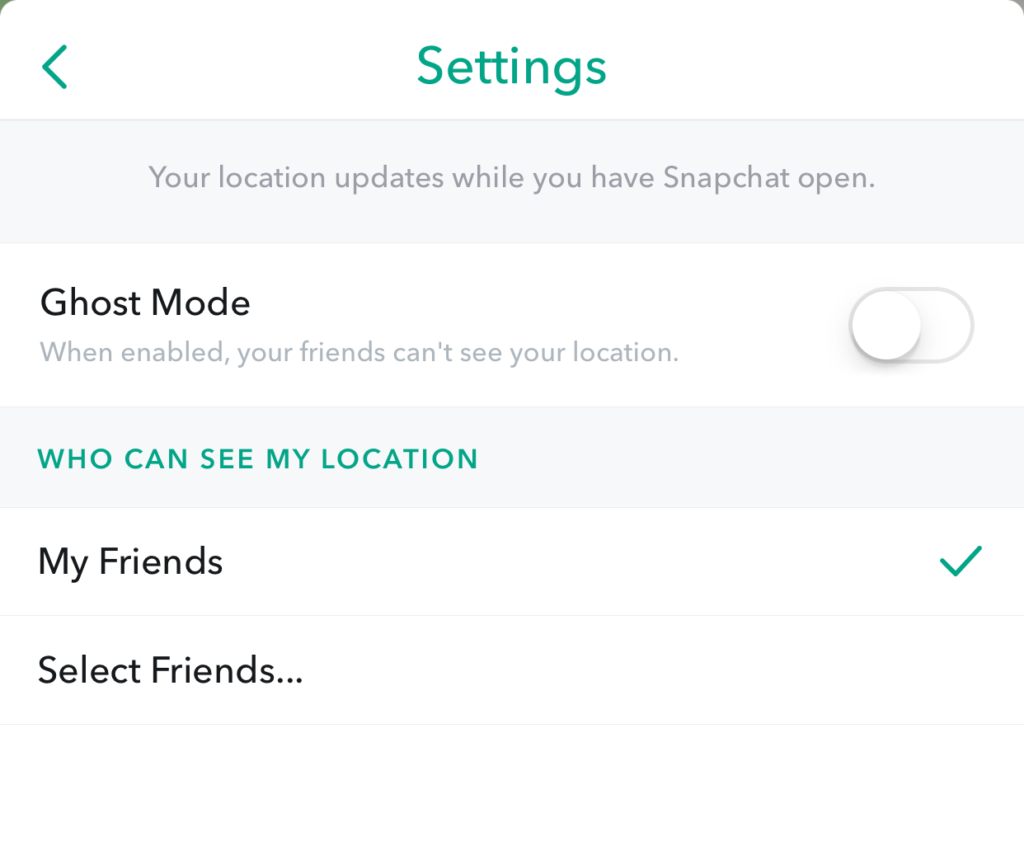
    Teenager’s brains are developing in such a way that they’ll always fire before they aim. They’ll see the SnapMap option and opt-in just because they want to have everything set up like their friends do. You MUST talk to your kids about what SnapMap is and why it’s dangerous. You’ll want to advise (or demand) them to put their SnapMap on “GhostMode” which will hide their location on their friend’s map. If you’re allowing them to use Snapchat (which is on my uninstall list) you can’t expect them to see the SnapMap for the red flag that it is. You have to protect them by setting that boundary on their behalf.


    Don’t miss a single post. Get a list of our top posts every Friday in your email.

    Subscribe to our mailing list

    * indicates required


  • New Operating Systems Coming for iPhone and Android

    New Operating Systems Coming for iPhone and Android

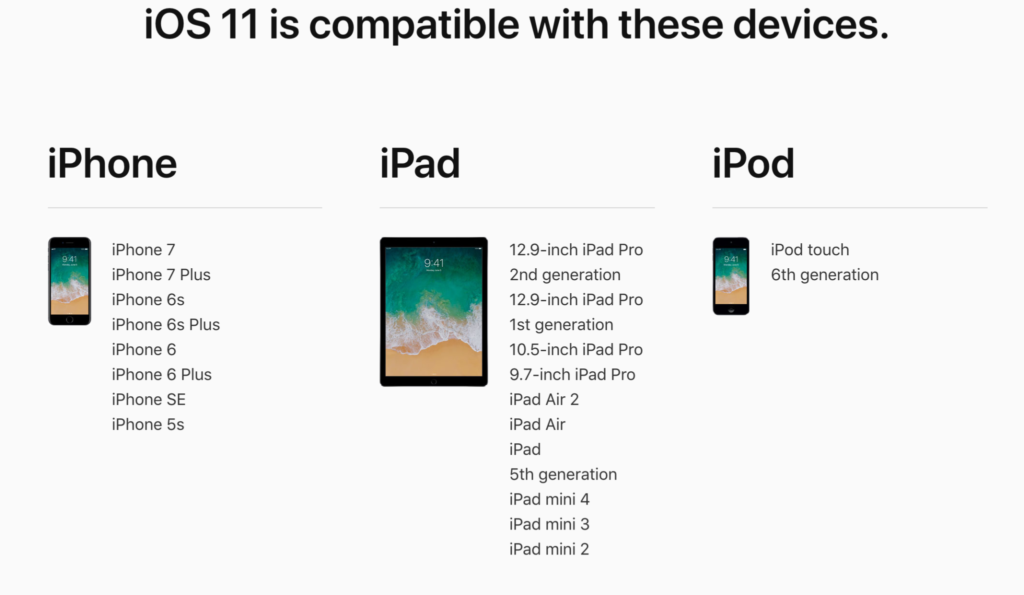
    The last few weeks have been loaded with updates from the two major tech brands in the industry. Google’s I/O event was May 17-19th and they had some major announcements including virtual reality, augmented reality, and a brand new operating system for Android, Android O. Apple’s Worldwide Developer’s Conference (WWDC) was this week, June 5-9th, and they’ve made similar announcements including a new version of their smartphone operating system that they’ve branded iOS 11. These two new systems will run the majority of the newer phones and tablets being released so it’s important to understand what each is offering. Here’s a rundown:

    Android O

    Android’s newest system should be made public this Fall. The most significant features are design changes in the Settings Menu and User Interface (UI.) Many of the smaller changes are things users won’t notice such as changes in how the OS will handle security and background operations, as well as channels or categories for notifications. Also, picture-in-picture support, notification badges that will appear on app icons, and better bluetooth support will definitely be features that makes Android O a step up for it’s users.

    iOS 11

    A new dock, multitasking with drag and drop, a files app, and better Apple Pencil support make iOS 11 a major upgrade for iPad. iPhone users will notice more apps in messenger, an app store that looks and works completely differently, and a new and improved Siri, including a new voice. The control center, the lock-screen, notifications screen, maps, Apple Music, and AirPlay are all getting improvements as well. iOS 11 is also slated to release this fall.


    What Parents Should Know

    There haven’t been any announcements on Parental Control improvements for either of these operating systems. When the test version of iOS 11 is released I’ll be giving it a full look-over and writing a review for you. One thing that parents will enjoy from iOS 11 is the ability to turn on an automatic Do Not Disturb while driving. The phone will sense your movement and speed and automatically silence any notifications until you’ve stopped. This will be a good way to keep your older kids safe while they are on the road. As for Android, they recently put out a new Parental Control option for their OS and it’s proving to be a pretty good setup. It’s only available on newer devices, however, and we still don’t know what changes have been made for when Android O is released.

    I always recommend keeping on top of updates when they are made available. Both of these new Operating Systems should be available this fall and you should be sure, if your devices are compatible, that you’re upgrading soon after release.  This isn’t just important to get any of the new features but also because security and privacy updates come with these new systems. The apps you use, including the ones you use for internet safety and monitoring will update to keep up with the latest software and if your devices are behind you’ll start to see holes in your security. Keep your eye on the update section of your settings menu and when it shows that a new version is available you should install immediately. You can also keep checking in to this site as I will keep you informed on the latest releases as well as how they can affect your family.

  • The Risks of a Fully Connected Home Part 2

    The Risks of a Fully Connected Home Part 2

    The Internet of Things has made its way into our homes and we are becoming increasingly used to being tracked and monitored. In this, part two, of our connected home series, we’ll look at advertising and what it means to our privacy, our homes, and our families.

    Advertising

    Our society has become so accustomed to our data being used to advertising that we aren’t even creeped out by the ads on Facebook reflecting our Amazon searches last night. When we get spam email based on what we did online last week, we just hit the delete button and think nothing of it. Individualised targeted advertising is a part of everyday life now and that’s probably not ok. When everything in our home is connected to the network we are feeding data miners with so much advertising fodder that it will become impossible to ignore the onslaught of targeted ads we will recieve. Imagine when your fridge can tell that you’re out of milk, so you get an advertisement for a coupon at Walmart in your email fifteen minutes after you’ve poured the last bit into your cereal. That sounds a bit creepy to me.

    When products like Google Home are “always listening” we have to wonder what some of that innocent conversation data can be worth to advertisers. Currently the policy is to not store any of that information but will the financial bottom line ever outweigh the disapproval of consumers? Is it possible that we will get so used to this targeted advertising that we won’t be phased by it anymore? Imagine standing on your back porch talking to your spouse about wanting to enclose it someday to make a screened in sitting area. What if, the following day, you saw advertisements for builders, finish carpenters, and handymen? Would that freak you out? Right now it may but if we continue to adapt to the “internet of things” we will soon take, even that level of targeted advertising, in stride. It will just become normal, everyday life. Especially for our children.

    What Parents Should Know

    Keep in mind that your children are a multi-billion dollar industry. Every time they play a game online or watch a video, they’re being marketed to. There is no way to avoid some of that marketing but there are ways to be smart about how we allow the corporations that sell us everything we use to come in contact with our children. As mentioned in part one, experts advise that if you are concerned about potential breaches in privacy while using a smarthome or digital personal assistant you should just avoid getting one. If you’re someone who thinks that the conveniences outweigh the potential concerns then take the steps necessary to shield your kids from targeted advertising as much as possible.

    Set parental controls if your devices have them. Make sure your usernames and passwords have been changed from the default ones and that you have read and understand the privacy terms of the product you have purchased. Set any privacy settings that may be available with your children in mind, not just yourself or other adults. Always remember that your child can activate Alexa, Echo, or Google Home as easily as you can. They aren’t equipped with voice recognition (yet) so you must have the safety features set up before you allow your child to use your digital PA. More on those safety settings in part three, tomorrow.