Category: Security

  • How Can Artificial Intelligence Protect My Family?

    How Can Artificial Intelligence Protect My Family?

    How AI Works

    When you think of artificial intelligence it’s natural to imagine Skynet or some similar software that is running things for us some day. While that could be the overall goal someday, right now AI is nowhere near that smart. Currently artificial intelligence isn’t intelligent at all. While it does learn from the input that is fed to it, there is currently no way for AI to decide what it needs to learn on its own. There is a very large gap between software algorithms that can learn and an intelligent software that makes its own decisions.

    At CES in 2018 I watched a robot named Aeolus glide across a room cleaning up. It took it a solid three minutes to move from one side of the makeshift living room, reach down and pick up a wii remote, and roll to the table to set it down. It was nothing like we have been promised by television and movies but I guess it was still cool. What parents should understand is that while the developers of an AI can make promises of their algorithms learning and behaving as if they have intelligence, that is not the same as being actually intelligent. Humans still have to do the thinking.

    While it isn’t foolproof and is definitely not sentient, artificial intelligence is a good tool. There are many ways AI is useful and much of the latest hardware and software use AI  to do some of their most minor functions. Here are some of the interesting ways AI can make your parental control and accountability tools even better.

    Filters

    There was a day when an internet filter depended solely on the web or ip address of the site you were visiting to tell if there would be inappropriate content or not. There was a master list that had to be updated continually with new websites and key words. AI is different than that because the filter is based on images and other content that the AI was “fed” over and over again the algorithm then detects actual images, text, and videos on web pages instead of just the address of the site you are visiting. This can be helpful if a website doesn’t typically contain adult content but a certain article or comment section features material that would cross the line. A traditional filter couldn’t catch that but one that uses an AI can.

    Circle (meetcircle.com) and NetNanny (netnanny.com) are examples of filters that use smart algorithm to block web content.

    Accountability

    Accountability software works very similarly to filters except that when it sees something inappropriate it will not block it but alert whoever is on the list to alert. AI has revolutionized this sort of software because it allows parents to receive only lists of unwanted sites instead of having to sort through everything that has been viewed by the person they are keeping accountable. The software I recommend, Accountable2You (accountable2you.com promo code BecauseFamily,) is updated constantly to allow it’s algorithm to properly and effectively scan for adult content. It works very well. You may get occasional alerts for content that shouldn’t be considered adult, but it’s not too often and it’s worth it for the peace of mind.

    Privacy and Security

    Finally, when we discuss AI and algorithms we must talk about privacy and security. Algorithms may have been the beginning of many of our privacy problems but it may also be providing some solutions. Tools like BitDefender can be used to protect your home network. The AI can tell the difference between forgotten passwords and malicious login attempts. Our home networks are becoming increasingly worthy of being targets of hackers and encrypting your web traffic with AI can protect your from that kind of attack.

    I hear a few different reactions when I talk about artificial intelligence. Most people roll their eyes or glaze over because they aren’t even interested. It’s some tech term that they don’t think they can fully understand so they’d rather not talk about it. The other group is super interested, always wanting to learn more about it and understand it better. These are my nerd friends. I love them. Finally there’s the group that just freaks out. They immediately think of the movies and tv shows and just want to move into the woods and unplug. Which person are you? Are you willing to let AI work to your benefit in your family? Is it all too much for you? Let me know in the comments below.


  • Fortnite Hacked!? How to Protect Your Kids’ Account Information

    Fortnite Hacked!? How to Protect Your Kids’ Account Information

    A vulnerability discovered by Check Point security researchers, could have allowed hackers access to over 80 million accounts on the popular Battle Royale game Fortnite. The breach would allow hackers to see account information, use the account credit card to make in game purchases, and even listen in on player’s in game chats. The vulnerability has been fixed by Epic Games but they are making recommendations for users to secure their accounts in the future. Since the hack that was discovered didn’t need a password, changing your password on your Epic account regularly wouldn’t have saved you from this leak. Epic recommends using “two factor authentication” to keep you from being vulnerable to attacks like this. A few months ago they even provided a free avatar emote for those who opt in to two factor authentication.

    What Parents Should Know

    First of all, it is important to understand security and how breaches like this happen. Your children are using games, social media accounts, and web services that collect tons of data on them. Much of it is kept stored by the companies that are collecting it but the servers that this data is stored on aren’t always as secure as you would like them to be. The hack that affected Fortnite was found by accessing accounts through a website that was published by Epic Games fourteen years ago. Hackers could access player’s logins through the site and then listen in on their conversations and use their payment information. These vulnerabilities are there because the internet is so big and so open that who can blame Epic Games for forgetting about a little stats site it put up in 2004? This is why it falls to the consumer to protect our own information.

    What is Two Factor Authentication?

    It’s really simple. You enter your password to access a website. If you’re like me you have passwords stored on your computer and in an app on your phone so you can get to them easily and login as quickly as possible. Two factor authentication seems annoying because it adds a step. If used properly, however, it should only ask you to enter your second form of identity verification if you are logging in from a new device or location and it is really one of the safest forms of security available right now. When you get that email that asks you why you had a login from your mom’s computer across town and you roll your eyes because you know it was you checking your Facebook page because your phone died, just remember, this form of verification is one of the only ways to keep your data safe nowadays.

    Passwords are infamously weak and often saved to the point that we have forgotten them. Our kids likely have learned their password creation skills from us and therefore their abilities to form a strong, memorable, but secure password or passphrase is embarrassing. Remember that you should always use multiple different forms of characters like numbers, letters. symbols, and a combination of caps and non-caps. Make your passphrase longer than you’d like and save it somewhere. Teach your kids to have different passwords on all of their accounts, not just variants of the same password either. I use a password generator and storage software to keep track of mine. I have a really really long passphrase that I have memorized to log in to my password storage software so that my other passwords can be unique and secure.

    Final Advice

    Finally, I recommend talking to your kids about the kind of information they post online and store on their online accounts. Remind them that what happens online is permanent. Photos will exist forever, social media posts will come back to haunt them, and that conversation they’re having while playing Fortnite may not be as private as they thought. Many adults are just now learning about how to keep our information secure online, I feel that it’s critical that we teach our kids how to do the same thing. Their data is more valuable that any of us ever imagined it would be.

  • Surprise! Fortnite for Android is a Security Nightmare!

    Surprise! Fortnite for Android is a Security Nightmare!

    Fortnite is the biggest of big deals in gaming. Kids play it, adults play it, boys play it, girls play it, and it’s making Epic Games tons and tons of money but their desire to not share that money with Google may be putting some of their millions of players at risk. Namely the players who are installing the game on their Android phones.

    “With Fortnite’s influence over more than 125 million players, teaching people to download apps outside of the official store is exposing millions of people to a risky practice, researchers warned.” – CNET

    Experts are warning that Fortnite’s “side loading” method of installation, which bypasses the Google Play Store, is opening up users to a ton of security risks. One such risk was found by Google’s team only two days after the game officially launched on Epic’s site. The flaw allowed hackers to exchange the game file for any file they wanted as long it was named the same thing as the installation file it replaced. This meant hackers could have put whatever malware, spyware, or virus into another file and millions of devices would have been infected. Also, since it’s release, over 1/3 of the malicious files found by Google security experts have been Fortnite themed. 

    The solution to this is obviously to roll out an update, herein lies the biggest issue with side loading software, it is difficult to push a forced security update out without an app store. This means that users will either have to seek out an update or allow it to install when they boot up the game. If someone has the game installed for a while without playing it, any corruption will stay in their phone until an update is found or forced by opening the app. 

    What Parents Should Know

    If your child wants to play Fortnite, I recommend letting them do so on their computer or a console. My advice is to not allow your child to play the game on Android at all. I recommend not allowing side loading of apps at all either as this opens their device up for major security threats. If you are using Android Family Link to manage app installations then sideloading will completely undermine your methods of parent control. If you’re monitoring activity and see something called An .APK file you’ll know that side loading is happening and you should talk to your kids about what they’re installing on their device.

  • You No Longer Have to Be Friends with Your Kids’ Friends’ Parents on Facebook Messenger Kids

    You No Longer Have to Be Friends with Your Kids’ Friends’ Parents on Facebook Messenger Kids

    When Facebook Messenger for kids was released several months ago, I immediately installed it for my kids and began to test it out. I like that parents have to approve every single friend request. I was glad that it is encrypted, no data is collected, and that kids don’t have to open their own Facebook account. Finally, I was impressed that they built it with its own kid-friendly GIF library and camera filters. Now, Facebook has made a small change that could be helpful for many parents.

    You no longer have to be Facebook friends with the parents of the friends your kids want to contact on Messenger. The approval requirements haven’t changed. Your children aren’t allowed to make contact with anyone you haven’t pre-approved and any request will be sent to your Facebook account for easy approval or denial. This update will just free parents up to allow their kids to chat with friends regardless of being mere acquaintances with that friend’s mom and/or dad.

    What Parents Should Know

    I still think that Facebook Messenger for Kids is one of the better messaging apps for kids. It’s easy to set up and use and there is no data collection, account setup, or advertising.

    Here, however, is my warning: You should probably know your kids’ friends’ parents if they’re going to be chatting online. I’m not saying you should follow them on Facebook and be online BFFs, just that you want to be sure your children are chatting with other children. You give up a certain level of security when you aren’t looking out to see who your kids are talking to. With Facebook messenger kids the only way to find out who they’re talking to is through the account of their parents. Friend request their parent and then unfollow them if you must but you should be able to see what you can about their family to make sure your kid is only messaging other kids.

  • Amazon Echo Dot For Kids Released on the Same Day an Alexa Security Flaw Was Announced

    Amazon Echo Dot For Kids Released on the Same Day an Alexa Security Flaw Was Announced

    Voice is the new screen. That’s what all the tech gurus are saying these days. We’re moving beyond tapping to simply speaking. “OK, Google,” “Alexa,” even “Cortana” have become standard parts of our vocabulary. Even our kids know how to play music, stories, or get help with their math or spelling from a voice-activated assistant of some kind. Voice command started with Siri and quickly became a standard feature in all smartphones and even in some of our vehicles. What seemed like science fiction only 15 years ago is now a common tool for most of our culture.

    We are all hyper-aware, now, of the amount of information tech companies are gathering from our internet use. Since we carry fully connected devices around with us everywhere we go and use them to broadcast our daily routine on social media, there isn’t much that is hidden. Recently, though, we’ve become a bit cautious of how much of our data we share with these companies. It’s one thing to let Google know we like seeing ads on YouTube for our favorite movie genre, but tracking our location and schedule is a bit far.

    A test by security group, Checkmarx, found a security flaw that allowed them to design an app that would leave the Alexa microphone on long after you’ve finished using Alexa. Then, the app would send the hacker a transcript of what the mic picked up while you didn’t know it was turned on. Checkmarx found this flaw earlier this month and reported it to Amazon. It was corrected immediately.

    “Customer trust is important to us and we take security and privacy seriously,” the company said in a statement. “We have put mitigations in place for detecting this type of skill behavior and reject or suppress those skills when we do.” – Amit Ashbel, director of product marketing for Checkmarx

    This obvious flaw is the first of its kind that has been made public. There is no way to know how long it has been around or if it has been used by anyone to collect user data. Amazon was fast to fix the issue but only after a third party research group found the problem in the first place. There are always security risks with any smart-home or virtual device and having a microphone that is always on compounds that risks. The popularity of Alexa and Google home is ever increasing, though, despite these risks. With the outcry against Facebook for their data collection and usage, it seems interesting to me that these fully connected, in-home virtual assistants are becoming so common. So common, in fact, that they’re being designed for our kids.


    Enter, the Echo Dot for Kids


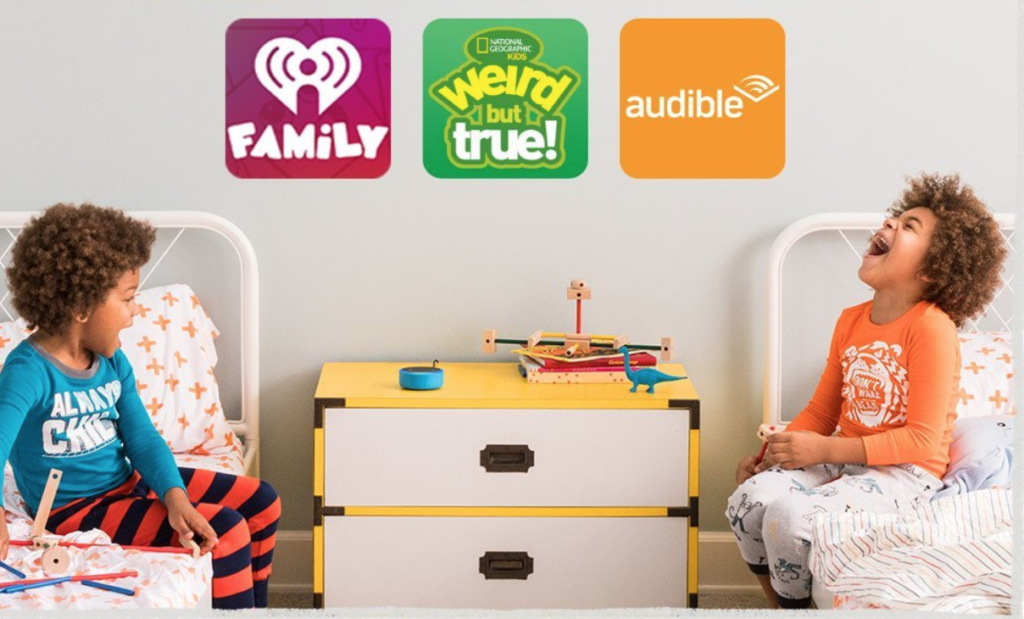
    The news of this breach was released today, and interestingly, so was Amazon’s new Echo Dot for Kids. The Alexa enabled personal assistant speaker comes with a protective case, a replacement warranty (for the inevitable drop on the hardwood floor), a year’s worth of Amazon Freetime, built-in parental controls, and a bunch of skills (apps) that are geared towards kids. The Dot will read to your kids, help them with homework, play kid-friendly Audible audiobooks and more. The Echo Dot for Kids is $79.99 on Amazon.com.

    What Parents Should Know

    Being able to lock your kids out of explicit music and audiobooks, disabling entertainment features in favor of educational skills, turning off voice purchasing, and other parental control options make the Dot for Kids a pretty appealing piece of technology. I am, however, very skeptical of putting a marketing company’s microphone in my kids’ rooms. I know that doesn’t sound like the opinion of a tech nerd but my distaste for targeted marketing to minors and collection of the data of children will always outweigh the desire to be in with what’s trendy in technology.

    Though the Alexa security flaw has been resolved, I wonder how long it will be until another workaround is discovered? I bet it’ll be pretty soon. Here’s why: Amazon is trying to strike a balance between a way to gather the most information about your family as possible and still make you feel that your information is secure. There will always be functionalities in their systems that allow them to gather just that little bit more than you know they’re collecting. When a security company (at best) or hackers (at worst) find these functionalities, they exploit them to meet their own needs. Sometimes the need is to sell the workaround info to the company to keep it all quiet and sometimes it’s worse, the collection of data for sale or use. We all seem to be ok with Amazon or Facebook or Google having a bunch of our private data. After all, it is often used to make our lives easier and more convenient. The problem comes when something like the Cambridge Analytica fiasco takes place and we have our information being sold to the highest bidder or used to target us with fake news and advertising.

    Unfortunately, as long as we have devices that take in our likes, dislikes, conversations, and habits, we will have companies using that information to further strengthen their bottom line. All I am saying is that, as families, we have to draw our own line. My line is drawn pretty strictly against voice-activated assistants in our home, especially ones designed to be used by my kids. Your line will be somewhere different than mine but I advise you to be knowledgeable about any tech you bring into your home. If you aren’t sure what something does or how it really works, I wouldn’t buy it or use it in the first place. I know that sounds a bit counter-cultural, but the culture seems pretty ok with giving away all of their personal information and then panicking when they find out it’s being misused. I don’t blame companies for that, I blame people. Facebook fooled us once, perhaps shame on them, if you’re fooled again, shame on you.


  • Top “Family” Android Apps Found to Collect Kids’ Data Without Parental Permission

    Top “Family” Android Apps Found to Collect Kids’ Data Without Parental Permission

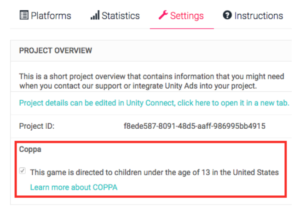
    It’s so nice to just head to the Google Play store and grab a couple of free apps to keep your child busy for a few minutes. There are a lot of free options and Google Play has a “Designated for Families” section to help you know if the app will be safe. Unfortunately, many app developers haven’t been following the rules. Android’s compliance rules are very specific about requiring apps to stay true to the Children’s Online Privacy Protection Act (COPPA.) That means there are certain types of data they aren’t allowed to collect without parental permission and other types they can’t gather at all. A recent research project has found that the majority of these apps ignore the rules of COPPA entirely.

    Overall, roughly 57% of the 5,855 child-directed apps that we analyzed are potentially violating COPPA. – Proceedings on Privacy Enhancing Technologies

    The study found that most apps collect the data of their users, even though the apps are geared towards an audience under 12 years of age. The research group formed from North American and European universities developed an automatic system to study nearly 6,000 apps. They looked at data such as ad tracking, location tracking, ID sharing, and wifi address tracking. Many of the transmissions were unsecured which put data at a greater risk.


    What Parents Should Know

    When an app is free there are some things you need to consider. There’s a reason it is free, not because they want to give you free access but because developers make their money in other ways. Obviously, advertising is one of the ways, the other way is your personal information. Things like your location, device type, web search habits, and internet history are very valuable resources to advertisers. App developers are able to gather this information and sell it for marketing purposes. The common phrase is data is the new currency.

    There are certain laws concerning the collection and use data of people under the age of 13. This study shows that many android app developers are ignoring the rules. This proves that the method of self-regulation may not be viable when it comes to protecting our information and privacy.

    My recommendation is that parents pay very close attention to the privacy practices of the apps they use for their kids. Read the terms and agreements. Read their privacy policies. Most importantly, understand that a free app is free because they are selling something else. Namely, your and your family’s personal information.

  • Here’s How To See if Your Private Data Leaked to Cambridge Analytica

    Here’s How To See if Your Private Data Leaked to Cambridge Analytica

    There is a tool to help you find out if your data was leaked to Cambridge Analytica. There may not be much you can do about it, but it is interesting to see if your app approval habits led to the sharing of your private data. Facebook has said that they’ll be highlighting the tool on the top of everyone’s news feeds but in case you haven’t seen it or don’t see it, here’s how to find the tool on your own.


    I recommend you check this out for your own Facebook account as well as any accounts your kids may use. Just in case you don’t have a minute and a half to watch the video above, I’ve listed the steps below for you. Thanks for reading FamilyTechBlog.com and remember to be careful how much access you give apps to your social media data.

    1. Open your Facebook App
    2. Click on the “Hamburger Menu” to the bottom right. (Three stacked lines.)
    3. Scroll all the way down to the bottom of the menu.
    4. Select “Help and Support”
    5. Select Help Center
    6. Search {Cambridge}
    7. Select the first auto complete option.
    8. That’s where it tells you if you’ve shared data with Cambridge Analytica.

    Thanks again, and share this with your friends.

  • How to Turn Off Hidden Location Access in iOS

    How to Turn Off Hidden Location Access in iOS

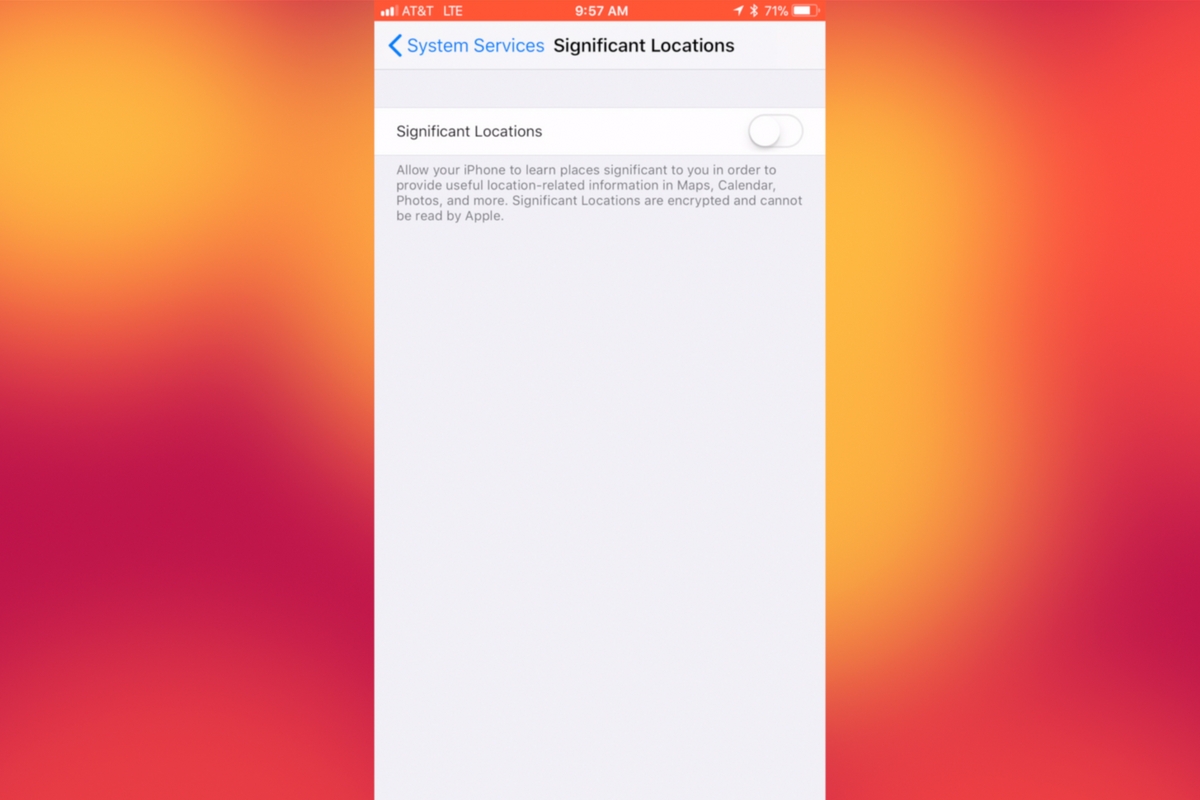
    I recently noticed that some of my photos and videos were still being tagged with a location. One of the most common pieces of advice I give to parents is to turn location access off to their cameras. I was a bit annoyed because I never saw location information in my Photos app before, but now I was. Well, I did a bit of digging and found the culprit. It’s about five taps deep into your privacy settings and, therefore, easy to miss. Below is a short video tutorial to help you be sure location info on your phone stays as private as possible.

    Why Turn This Off

    Your location information is easy to track and very easy to gather from the data in the videos and pictures that you upload to social media. There have been instances of kids being harassed by predators who learned where they were through images their parents had shared online. Common sense tells us never to post pictures or videos that show an address number, school name, or sign of a place you frequently go with your family. The problem is that some of the apps on our phones tag our locations by default. I recommend you look at every app’s location request and ask yourself, “Does this app HAVE TO know where I am to function properly?” If it does not, then turn off access to your location.

    Hopefully, this short video helps you make the changes you need to feel like your privacy is even more secure. I know I feel better.

  • Movie Pass Reveals that They Collect Much More of Your Data than You Thought

    Movie Pass Reveals that They Collect Much More of Your Data than You Thought

    Several websites and apps have recently gone viral through facebook posts. These apps allow you to connect your Facebook account and see pictures of yourself be changed in some way. Maybe to look like a movie star or a politician or a model. Sure, we all want to see ourselves as celebrities or as the latest magazine cover model but there is a price to pay. If these things seem too free or cheap to be a good idea, it’s because that’s exactly what’s going on. They don’t have to charge for access to those little images or services because they make their money by selling your data.

    MoviePass made waves several months ago with their inexpensive movie theater subscription service. Their app was super successful because ten bucks per month is a super low price for up to one movie per day in the theater. I remember seeing this offer shared online numerous times over the past several months. People were amazed that it actually worked and in a world where there are mega blockbuster movies being released every month, an all-access pass is a value that seems too good to be legit. The truth is, it isn’t as legit as you may think.

    At a recent event, Mitch Lowe, the CEO of Movie Pass gave a talk called “Data is the New Oil: How MoviePass will Monetize It.” In it he bragged about the amount of data the app received from its users:

    “We get an enormous amount of information. We watch how you drive from home to the movies. We watch where you go afterwards.” he even said, “We know all about you.”

    Data mining isn’t new, in fact, it has been happening almost since the dawn of the internet. The difference is how little information the companies are required to give users about the amount of data they’re tracking and what they do with it. Terms of Service and Privacy policies are rarely read by users and even if they were, they give the most bare-bones information about the practices of the company. MoviePass claims to ping your location data once when you search for movies in your local theater. It seems they do a bit more than that.

    We are all a bit used to our data being tracked by the sites we use. We’ve seen ads from Amazon show up on our Facebook feeds every single day for years now. Unfortunately, however, not all of the data that companies like Viralemon and MoviePass receive is about what we’re shopping for. This data can be sold to other advertisers and be used to add promotional options to their apps or websites. The biggest concern is the often less than effective security protocols these companies have. If their site is compromised for some reason, all of that data can get into the hands of hackers with less than wholesome intentions.

    My Advice

    First of all, don’t give random sites access to your social media pages. If a site, game, or activity redirects you to a link that asks you to click ALLOW in Facebook then click away immediately. If you want to upload a picture, that’s up to you but letting a sill site like that access your Friends list, timeline photos, profile photos, videos, page clicks, likes, and who knows what all else is just a bad idea. Always.

    Don’t upload pictures of your kids to these sites. Photos of kids are prime real estate. It sounds sick but you wouldn’t believe the use for random pictures of your son or daughter in the marketing, advertising, and much worse industries.

    If it sounds too cheap to be legit…IT IS NOT LEGIT! This one speaks for itself, if they aren’t making money by charging you to use their service or buy their product then they’re making money some other way. In the internet/connected age, they’re almost always making money by selling your information.

    Share and don’t Share! Cool, you are now well aware of the risks of giving these sites access to your social media accounts. Now you need to share this knowledge with your friends. Remember that if they give away their info, much of that info could include you. Let them know it isn’t safe and then stop sharing these dumb, clickbait, data mining apps and websites so that they’ll stop going viral, stop making money, and have to shut down. That would make the internet a much safer place.

  • Two Ways Your Snaps Can End Up Anywhere On the Web

    Two Ways Your Snaps Can End Up Anywhere On the Web

    One of my initial internet safety tips for parents is to turn off location data for their camera. Many of them do this immediately upon hearing my advice. The problem, however, is that they then jump over to Facebook and Snapchat to use that camera and their location settings are as public as can be. Today’s news gives us even more information about how your location data is used by Snapchat and Snapmap.

    Embedding

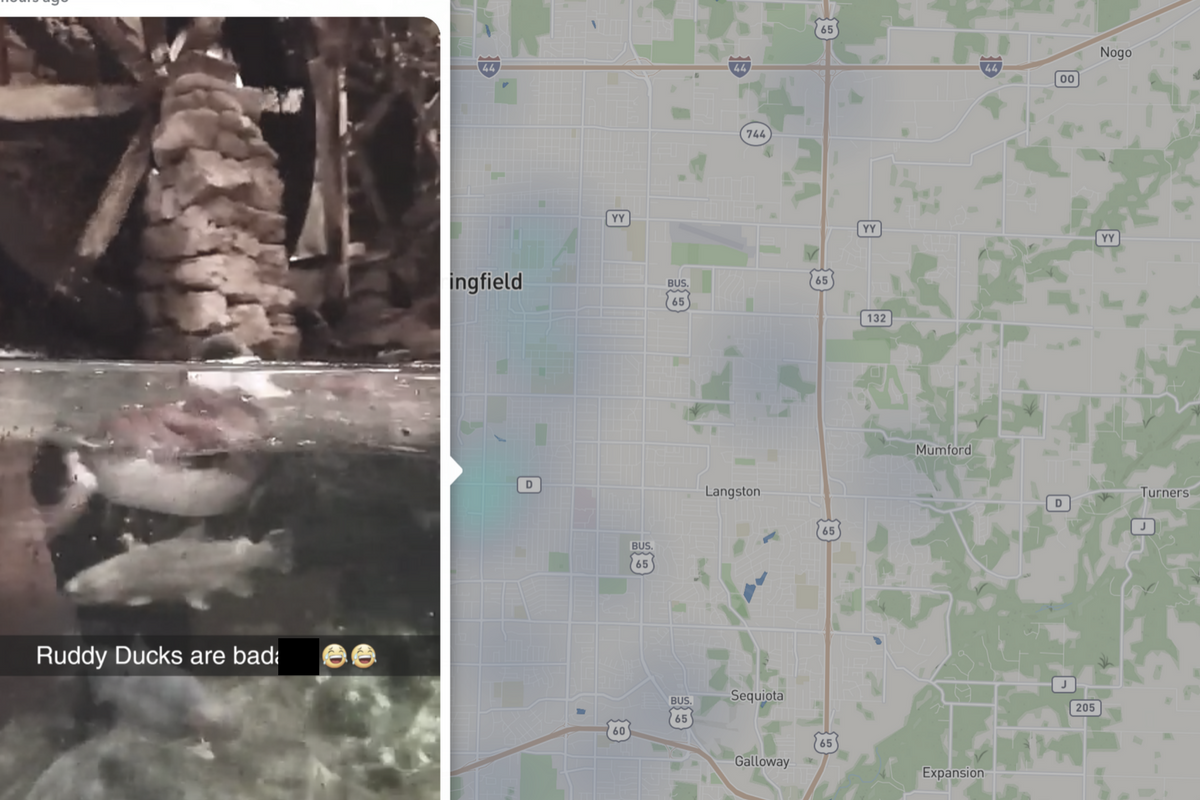
    Snap has opened up the ability to “embed” a snap into a website. This means that if your snap is public, a code can be copied and pasted so that your post shows up on the site that contains the embed code. It’s easy to do and really isn’t a new concept since public Facebook videos and photos can be embedded by default as well. I’ve embedded a snap from Disney on Ice in Des Plaines, Illinois:

    SnapMap

    Snapmap went into browsers today. This means that you don’t have to have the Snapchat app to see public posts overlayed onto a map of anywhere in the world. Concentrations of Snaps show up as colored dots that range from light blue (few Snaps) to bright red (high concentration of Snaps.) When you click on these colors you see the Snaps in a slideshow style format. They appear as most recent first and move to the past as you click or watch until the end of each post.

    Most of the Snap-map posts highlight breaking news (i.e. the recent ice storm in my area or a basketball game or concert) but it will sometimes feature posts from the general user if their posts are relevant and set to public. Posts are curated by a team of news editors. The idea is that Snapchat wants news organizations and sites to use their map to highlight current events and breaking news in real time. This offers a real opportunity to see real news, as it happens. It could also be dangerous if your kids aren’t setting their Snapchat settings to private or friends only.

    What Parents Should Know

    Location privacy is a major concern for parents. We post more of our private lives online than ever before and a map that highlights where we are and what we are up to can be considered a privacy disaster. Especially when it comes to our kids. Users of Snapchat are meant to be 13 years old or older. Some kids under than 13 spend a lot of time on the app, though, and their snaps are, therefore, available to be used as news coverage on this public map. I consider this a real problem for parents.

    I would recommend that if your kids use Snapchat, you ensure that they have their profiles set to private or friends only. Disable the Snapmap (put it in Ghost Mode) so that what they are posting won’t show up. Not taking these precautions could lead to your home address being featured on Snapchat’s map and even someone else’s website. Take location privacy serious. Talk to your kids about staying private, encourage them to never post anything they wouldn’t be comfortable being seen by anyone in the world. The internet isn’t private and social media is growing increasingly more public. Your kids need to understand that.