Category: Screen Time

  • We Bought Four Amazon Echo Dots!

    We Bought Four Amazon Echo Dots!

    Well, it is Prime Day and as usual, there are some deeply discounted items available on Amazon. My family usually looks but doesn’t buy on Prime Day, hoping to be able to predict the discounts we may see on Cyber Monday or Black Friday in a few weeks. We especially avoid any smart speaker or digital assistant hardware since we have always had (well informed) privacy issues and concerns. This year it has been different. We caved and bought Amazon Echo Dots for the whole family. Here’s why.

    They’ll Be Perfect for Our New Home

    Our forever family home is being built and we are planning a move-in just a few months from now. We are going to have more space for the six of us than we have ever had, especially in the kids’ rooms, the master suite, and the kitchen/dining great room. We’ll be a bit more spread out than we’ve ever been and the Echo has some great options for communicating throughout your home without having to scream up the stairs or down the hallway. The intercom feature was a deal sealer for both my wife and myself. The kids are pretty excited too.

    Digital Homeschool Help

    More of us are homeschooling than ever now and with four kids, all doing school work nearly every day, we need help sometimes. YouTube can be great to present some complicated concepts in helpful ways (7th-grade math, anyone) but my kids looking at screens and using a Google Search for spelling or calculator solutions isn’t the safest proposition. Alexa (the Virtual Assistant on Amazon Echo) will answer your spelling, language arts, science, and math questions with no risky search results or screen use at all. It is more important for my kids to know how to get information than it is that they know the info when they pass a grade. Alexa and other Virtual Assistants are the new waves of information access and they aren’t going away. They’re only getting smarter and faster.

    Less Screen Time

    My kids, like all kids, love to sit around and look at a phone or tablet. We are constantly having to get on to them about their obsessive behavior. We try to set better examples, we don’t always succeed, but giving them alternatives is very helpful. The Echo Dot is a smart speaker without a screen. At night, when the kids want to listen to a podcast or music for bedtime they can ask Alexa to play it for them instead of having their screens in their faces right up to when they fall asleep. Studies have shown this isn’t good for their sleep and can actually very detrimental to their development. With parental controls on the subscription services we use and on Alexa itself, we can ensure that our kids aren’t looking at their screens and are only listening to music and podcasts we’ve approved of.

    Safety and Security Upgrades

    All of this is great but digital safety and data security are always an issue. Especially with artificial intelligence that is designed to learn about you in order to be more useful to you. There is an obvious trade-off. You’re giving it information in exchange for convenience. I believe most of us consider that an acceptable exchange, considering Alexa and Google Home have been some of the fastest tech product to be integrated into people’s homes. The truth is that we have been making this exchange for a long time without really thinking about it. Every post on Facebook, Twitter, or Instagram, every search on Google, and every purchase or browsing session on Amazon has been used to build a database of advertising information about you. This can be scary to many but in all honesty, that ship has sailed and you raised the sails for it to do so.

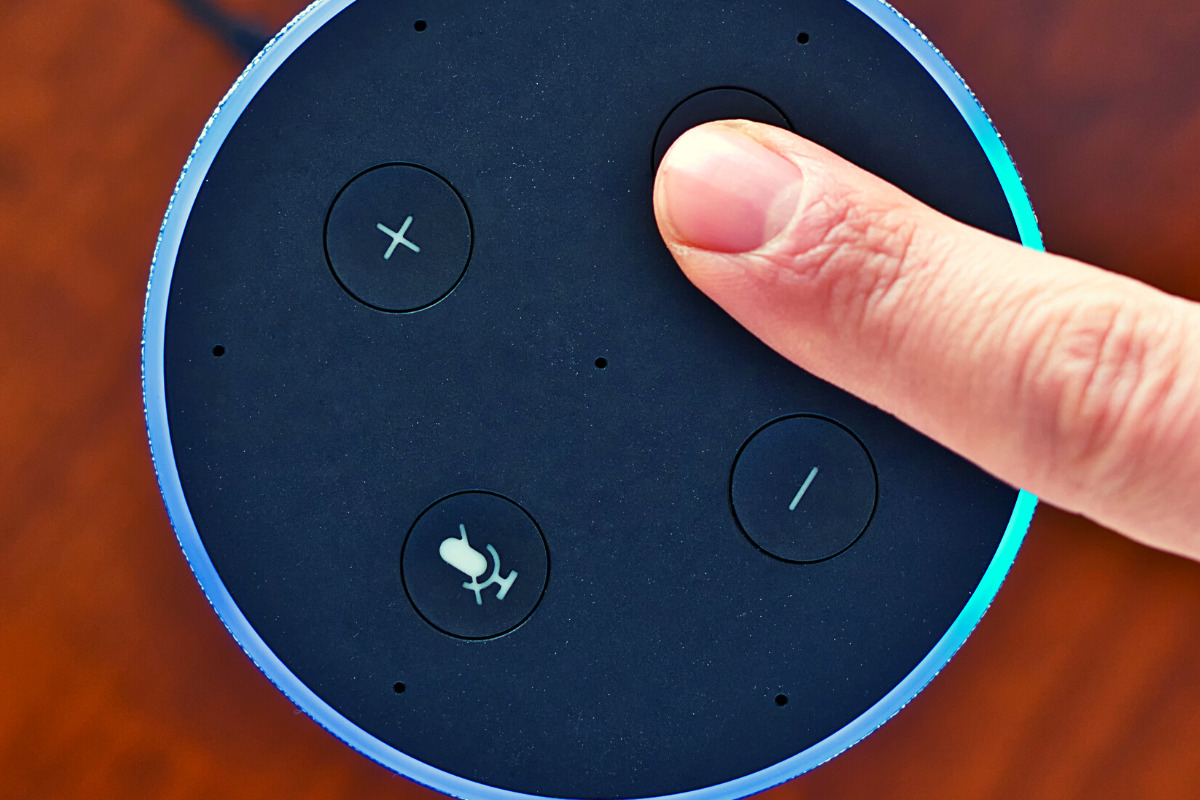
    When you use these sites, you allow them access to your information. Alexa is no different and my family has considered the risks and decided it’s worth it. First of all, we already get targeted ads because we do so much of our shopping on Amazon and searching on Google. Secondly, the latest models of Amazon Echo Dot have added features like a hardware button to turn off the microphone that makes us feel like we can avoid being listened to when we don’t want to be listened to.

    Risk/Reward

    When you narrow it down it is a consideration of opportunity cost. You have an opportunity for convenience but it will cost some of your info. At a $19.99 price point, the Echo Dot is a great deal right now on Prime Day so we bought four of them. They’ll be here in a couple of days and I’ll set one up and let you know how it all goes. Stay tuned for my (late but in-depth) review of the Amazon Echo Dot as a tool for controlling kids’ screen time.

    If you shop the Amazon Prime Day today, consider using http://smile.amazon.com and signing up to support our non-profit, Four Point Families. You’ll have to search for Four Point Families and select it as the organization you’d like to partner with. Then Amazon will send .5% of your purchase our way to help us continue to protect families. Thanks.


     

  • What Parents Need to Know About the Latest Gaming Tech

    What Parents Need to Know About the Latest Gaming Tech

    Technology is a significant part of all our lives, but more so for our children. After all, they grew up in an era surrounded by technology. In fact, our previous post on what your kids do online found that most, if not all, older children are very much inclined to spend their money on tech, such as new smartphones, Netflix subscriptions, and finally, video games. If given the opportunity, younger children may be equally invested in these things as well. Here is what parents need to know about the latest gaming tech.

    Of course, that’s not to say that gaming is bad. Multiple studies have emphasized ways that video games can benefit your kids, from better coordination to sharper cognitive ability. But there are aspects that every parent should look out for when it comes to gaming tech, and we’ll introduce those in a bit.


    What gaming tech should you expect your children to be on now?


    Video games and technological advancements are heavily intertwined, and new technology comes and goes every year. This year, we’ve witnessed the next generation of consoles, with the newest Xbox and PlayStation coming out for the holidays. The metal core PCBs on these devices are built out of materials that allow for better heat dispersion, ensuring smoother performance even for high-end games. They also boast a lot of neat features like haptic feedback and motion-triggered 3D audio that aims to boost the gaming experience. Your children are definitely going to want one.

    However, with new technology comes new threats, and you have to pay attention to what they are doing if you want to ensure they game safely.


    What should parents be wary of?

    Data Privacy


    Users give a lot to access online gaming stores, such as birthdates and mailing addresses. The former is there to check the age of the user, which is needed to block them from certain games until they’re older. Mailing addresses are asked so the system can accurately compute for taxes when the user buys a new title. Both are equally dangerous when exposed. It’s highly encouraged that you get physical copies from your nearby GameStop or Best Buy instead.


    “Always On”


    Since much of the modern consoles’ features are tied to the Internet (such as streaming, social sharing, and online play), they will always have the option to have their built-in wireless connection turned on automatically. While this is convenient, it could also leave your kids vulnerable to breaches. Since a lot of games are single-player, have them turn off this feature when they don’t need to be connected to the Internet. This will lessen the chances of someone hacking into the console.


    Motion Tracking


    As mentioned, upcoming consoles will have a feature called motion-triggered 3D audio. This is where the console tracks the user’s movements so that the game’s sound is projected to where they’re seated. The biggest downside to this is that the game will ask for permission to track human movement in your house, which you shouldn’t give. Turn off this feature when it comes. If your kids want to experience 3D sound, you can always have them plug in some earphones.

    Protecting your kids is not about taking them away from things that you deem dangerous. This will only make them want more, sometimes going behind your back to get them. Instead, support their hobbies. Work with, and not against them, to thwart the dangers that they pose.

  • 2020 Back To School Tech Safety Checklist

    2020 Back To School Tech Safety Checklist

    This school year is sure to be unlike any other. We are facing a global pandemic causing many schools to shut down and send students online. Parents shaming others for their decisions to send or not to send kids to the classroom. Political upheaval in an election year, and racial outrage all over the country are causing stress levels to increase too. There has never been a time when protecting our kids’ minds and hearts has been so critical for their education. This Back to School Tech Safety Checklist can help you enjoy the 2020 school year with your kids instead of losing your mind.

    Back to School Tech Safety Checklist

    Accountability Software

    I hardly ever write an article about protecting your children on the internet without mentioning accountability software. This software will securely monitor the sites being visited on a computer or mobile device and report anything inappropriate. Most of the time this software allows you to customize the sensitivity of the system so that you aren’t being alerted for things that aren’t actual threats. Our favorite software, Accountable2You, allows you to adjust settings on multiple devices and will send you an email or text when something you don’t approve of has been visited. If the site wasn’t what the algorithm thought it was, simply login to the Accountable2You site and adjust the settings for that site so you won’t be alerted for it anymore.

    Your child will likely be doing more and more work for school on their computer. (As if they weren’t already doing a ton of schoolwork online.) This means that they’ll be searching the web and using web based cirriculum. Accountability software allows you to give them the freedom to use their Chromebook or PC knowing you’ll be alerted if they happen upon something not intended for kids or education. You can even set up certain sites on “blacklists” that will alert you. This means their favorite gaming site or YouTube can be put on the list so you’re notified if they’re wasting more time than they should be.

    Home Network Filter

    Monitoring what your kids see online is a good start. It is definitly step one, in my opinion. Step two, or maybe step 1.5, is a content filter for your home network. A lot of newer internet routers and modems come with content filters that can easily be set up from an app on your phone. These filters will block most adult content from showing up on your child’s device. We’ve all had that experience where a seemingly innocent Google search resulted in an assault on our eyeballs with some crazy adult site that seems to have been intentionally named to show up if you had a typo in the search bar. Filters can keep those nafarious sites from showing up. Even if they are sought out intentionally.

    Remember that a home network filter will protect your child on your home wifi connection. When they disconnect from it and use cellualar data, the protection will be gone. There are filter options for that, though. Circle is one of my favorite options. Bark is also a good resource since they have added time limits and content filters recently.

    Screen Time Limits

    Speaking of time limits, that is also something you need to consider while your kids are spending so much time using technology for school. The good news is that not all screen time is created equal. Experts are saying that creative or educational screen time for our elementary aged and older kids can be beneficial compared to time spent playing games or consuming video content. This means you can probably still give your son a bit of time on Minecraft or Fortnite after they’ve already been doing school work on the computer for four hours.

    Gaming can relieve stress, playing games online with friends can provide some social interaction that they aren’t getting if they’re not going to school every day. These things are benefits of recreational screen time. Also, creativity can be stimulated by use of their screens. Minecraft is a great example, if your child is building a world in the game they’re doing a lot of important critical thinking and creative reasoning which is good for them. I encourage you to be aware of how much time your kids are spending on a screen and use features like Screen Time or Family Link to limit social media, entertainment, and gaming but don’t freak out about the extra time spent learning online.

    Plenty of “Green Time”

    Green Time is simply defined as time spent outside. Our kids need to run around, play, and enjoy the outdoors. Your younger kids can enjoy time on a playground or just running around playing kid games at the park while your older kids enjoy a sport, hike, or some other recreational activity. There has been research to show that green time improves attention span, relieves stress, and we have known for years that it helps kids’ physical health as well. Build in “Green Time” breaks for your kids during their online school day. If the school schedules their day for them, make sure you allow for time outside when the school schedule has ended. You’ll see them have better health, get better grades, and even have a better attitude. If you’re spending all day at home with them this year, you’ll be super grateful for that last benefit.

    Communication

    I emphasise the importance of communication in nearly every post I write, podcast episode I record, and in person presentation that I do. You have to talk to your children about their digital wellbeing. Kids are smarter about these things than you think. You may be surprised at how much they want to do the right thing. Encourage them to come to you when they see something inaproppriate, tell them you’re on their team and want them to have the best school year possible despite the crazy circumstances. Help them know you are a safe place to come about their digital lives and they’ll be grateful to know you are there to support them.

    Adapt and Enjoy!

    If I have learned anything during this crazy year its that you have to adapt and be abe to enjoy life right where you are. Hopefully these tips can help you enjoy this extra time with your kids. After all, when you count how long you have with them by school years rather than days, you may be happy that you got this time with them during this crazy phase of life.

  • Important Message on Social Media and Censorship

    Important Message on Social Media and Censorship

    Show Notes:

    WELCOME to Raising Connecting Kids the podcast that answers your questions about the connected world your kids are growing up in. 

    Thank you to everyone for partnering with BecauseFamily and making these resources possible. Visit BecauseFamily.org/partnership to help us continue to protect your family by making free content like this podcast. 

    QUESTION OF THE WEEK

    I get multiple questions a week. Sometimes through email or FB messages and sometimes face to face at an event or meeting. In this podcast, I’ll be answering the most common questions I’ve had and even, your questions. Email me at BecauseFamily@gmail.com to get your question read and answered on the Podcast.

    Question: How do Social Media Sites censor content?

    User-Generated Content

    Generally accepted standards.

    • Nudity/Sexual Content
    • Extreme Violence
    • Hate Speech
    • Harmful content disguised as kid content.

    Keep in Mind:

    • Location of the company. 
    • Lawsuits and bad PR
    • More than one reviewer.
    • Usually flagged by users.

    Protecting viewers from dangerous false facts, visual content, and messages is not censorship. It is the company’s right to protect their image and intellectual property.

    These companies can make decisions based on their own guidelines. They are not government entities. The CAN censor content if they want as long as they have put reasons in their terms and agreements.

    CONCLUSION

    Thank you again for listening to Raising Connected Kids, the podcast that answers your questions about the connected world your kids are growing up in.  Subscribe on iTunes, Stitcher, YouTube, Spotify, Google Podcasts, and anywhere else you listen to podcasts. Like/Follow us on Facebook, Twitter and InstagramShare the show with your friends and leave a review on your favorite podcast app to help spread the word. Remember to visit BecauseFamily.org/partnership to partner with us as we protect children and teenagers by bridging the technology gap between them and their parents.

    Full Episode available here: 


  • 2020 Kid and Family Tech Trends

    2020 Kid and Family Tech Trends


    This is an audio article from BecauseFamily and Family Tech Blog. Listen to the full article below.


    Highlights and Links:

    Kid Online Media Trends

    • Roblox has 120mil users and is worth 4bil dollars
    • Games are shifting to social 
    • Kids are a new audience online, companies are discovering ways to attract them.
    • Kids see no difference in life online vs offline

    Tech Crunch Interview: https://techcrunch.com/2020/04/07/techcrunch-live-childrens-media/

  • Toys Teach Computer Science and Coding

    Toys Teach Computer Science and Coding

    I have said it before, there will likely not be a lot of low wage jobs available for our youngest children when they reach employment age. We’re seeing burgers ordered and prepared by machines and having our groceries check out, stocked, and even bagged by computers and robots. What will be necessary is the workers who know how to operate those machines and program those computers. That is why coding education is becoming so important. It is important for our kids to have toys that teach computer science and coding. 

    There is never any shortage of coding toys available at CES. While many have seemed to be copycats of things we’ve already seen, there are some cool options out there. Here is a look at some of what I found to be most interesting. 

    Artie3000

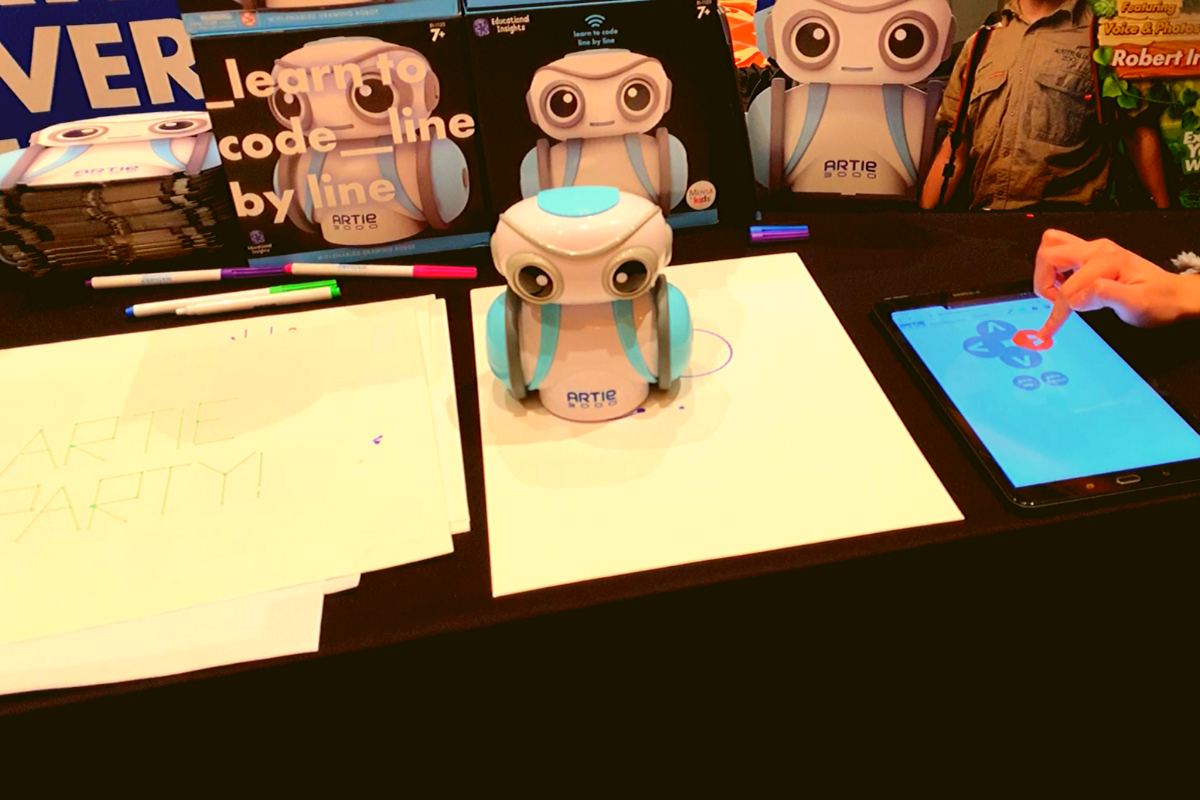
    Artie3000 is an artist. He’s a cute little robot that draws pictures based on the code you enter on his app. He comes with preprogrammed designs, shapes, and games and there is a library of videos to let you learn all about what Artie can do. 

    Artie introduces coding logic and basics, encourages creativity, and provides STEM and STEAM education. He is secure with no connection to the internet, his app is designed to work one way, from the tablet to Artie himself. This keeps your kids offline and out of danger. Artie also doesn’t collect any data from the user. That’s a huge plus.

    Watching Artie draw was cool. He is intended for kids above 7 as some of the coding assignments assume you’ve learned a bit of the logic already. I think the blending of robotics, programming, and art is a big win for parents since some of our kids may not see the benefit of coding robots. Our more creative type of kids may see a benefit to robotics and engineering after all. 

    Botley 2.0

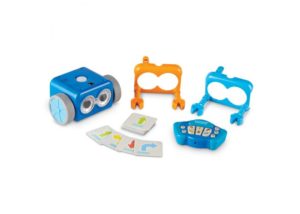
    My kids love Botley. They’ve put hours and hours into programming him to go through their obstacle courses and tracks. It has proven to be a fun way for them to learn the language and logic of programming. I don’t know how many times I have said, “If he isn’t doing what you want, it is because you didn’t input the right commands.” That, my friends, is the essence of programming and coding in a single phrase. 

    Botley 2.0 brings the same adorable robo-friend with some new behaviors and lots of cool new features. He lights up in the dark thanks to his new light sensor and he can use those lights to do a programmable light show. He also features a Simon Says type game and code by color features. 

    Doodlematic 

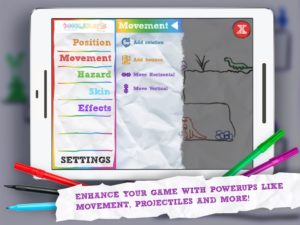
    Doodlematic is an app that takes any photo that contains the color combinations required and turns it into a playable game. Kids can draw a picture with markers, paint a scene, or even bake a cake using red blue and green icing. When they take a photo of their art and import it into the app it applies features to each color, turning into a game that they can play. Blue becomes collectible targets, green is your character and red turns into platforms and scenery in the game. Doodlematic isn’t a coding app but it is a really neat way to get your kids who are interested in gaming and making games into drawing out their ideas on paper first. 

    Doodlematic isn’t a coding app but it is a really neat way to get your kids who enjoy playing and learning about video games to design their own. It even rewards them for using paper first. I am really excited to play with Doodlematic with my kids. I know they’ll have a blast challenging each other to the games they’ve designed.

    Important Skills for the Future

    Having toys that teach computer science and coding is very important for our kids. There are a lot of toys that teach computer science and coding but I liked these the best. One of these options doesn’t even use a screen while the other two combine tangible products with the screen to teach computer skills. These toys are getting better and better at teaching our kids. I highly recommend you check out these items. Maybe one of them is something your kids with truly enjoy.

  • YouTube’s Children Privacy Policies Causing Content Creators to be More Crude in their Videos

    YouTube’s Children Privacy Policies Causing Content Creators to be More Crude in their Videos


    I am an avid YouTube viewer. I get most of my entertainment from the video streaming service, watching gaming videos, D&D streams, and educational tutorials. I have noticed a trend since YouTube changed its policies for creators to be more responsible for their channel’s content as it pertains to advertising to children. 

    Since YouTube cannot collect viewer data from videos that are intended for children, the company has asked creators to label whether their videos are for kids or not. They are also using an algorithm to view popular videos and identify the content as meant for kids or not meant for kids. This algorithm has content creators concerned for the viability of their channel. This has caused them to be more blatant with crude content and swearing in order to make it very obvious to this algorithm that their video is not meant for children.

    One YouTuber that I enjoy watching, partially because he isn’t overly crude, has been starting his videos with strings of swear words and jokingly saying “This video isn’t for kids YouTube, just be aware, not meant for children.” One of the reasons he feels the need to say this so blatantly is because he plays video games on his channel that may appeal to children. The images of the game alone could lead a person or artificial intelligent software to believe the video was made for children even though that isn’t this creator’s main target audience. Another YouTube content creator that I know has lamented on social media that his channel, which is family-friendly, has lost hundreds of dollars monthly in revenue since YouTube changed their policies. 

    SirWillow is a Family-Friendly YouTube Channel with nearly 30,000 subscribers and over 4 and a half million views.

    1. Would you be willing to tell me a percentage your ad revenue went down when YouTube changed their policies?

    I’m still waiting to see how it all sorts out, but right now in my case I’m looking at about a 30% drop, but it’s in a state of flux. What will be telling will be the end of January when the full force of the new policies kicks in.

    1. How have the changes to the ad policy changed your process for making videos?

    In my case, it hasn’t changed any of my process.  But I may not be the norm in that regard. I know several that do YouTube “full time” and for them, it has meant some drastic changes.  I know at least one that is likely going to shut down, another is cutting back on YouTube to increase time in other projects. For me, it’s been a hobby that has brought in a part-time job income, and while the income has dropped it’s still going to fit the same role.  It has meant a change in how many videos though. I am cutting back my production some from 10-12 videos a month to closer to 7.

    1. Your videos are “family-friendly.” Do you think that YouTube is becoming a less friendly place for families in general or is it mostly up to creators?

    I absolutely think YouTube is becoming less family-friendly, and these changes are going to directly impact that and make it worse.  The changes are going to pretty much destroy financial benefits for anyone producing kid-focused videos, and there are a lot of family-friendly channels that are going to get caught in that backwash and cut back or stop producing. It’s also going to be harder to find kid and family-friendly videos because of all of the blocks that will remove them from the normal algorithms that recommend videos.

    And there are a number of producers who have, as you mentioned, increased cursing and crude language, along with images and subjects to make it clear that they aren’t “kid-focused”  It’s going to make it hard to find, and hard to produce and make money, kid and family-friendly content.

    My thanks to SirWillow for answering these questions for me. He does videos about theme parks and what it has been like working at theme parks. Go check out his channel!

    What Parents Should Know

    It should be very clear by now that YouTube isn’t intended for children. It is becoming harder and harder for people who make videos for kids to sustain a profitable channel on the site. This is causing some different reactions. Some kids’ channels are switching to a subscription method where you can sign up to pay monthly for more content from them. Others are changing to Facebook or Twitch because of their less strict ad policies. 

    The only real way to be sure your kids aren’t watching videos that aren’t intended for their age is for you to control what they are viewing. Legally, our young kids (under 13) are supposed to be using only apps intended for their age group. The legal responsibility, however, doesn’t fall to our kids or even us as their parents, it falls to the company. Hundreds of millions of dollars worth of fines have been handed out by the FTC for companies illegally collecting data from children. They are being investigated and forced to make changes. The changes seem like they should be good for the safety of our children but so far they are only truly helping protect the company from the repercussions of disobeying child safety laws.

    When the safety measures protect only from advertising info being collected, they may be intended to protect children but in practice, they seem to be increasing the volatility of the content on the service while only protecting the service itself. Parents are the only true guardians of our kids’ hearts and minds. The only way to protect them from adult content and crude language on the videos they watch are to take responsibility for their screen time ourselves. Here are some tips:

    • Only allow screens in a public area. 
    • Limit headphone use so you can hear what they are watching.
    • Build playlists on YouTube to ensure they are only watching videos meant for kids.
    • Use apps like PBS Kids or DisneyPlus to keep them watching family-friendly videos.
    • Use YouTube kids instead of YouTube; while not foolproof its a far better option than basic YouTube. 
    • Limit the amount of time watching videos; the more time spent on YouTube the more chance of coming across inappropriate content.

    Parents should take the steps necessary to protect their children online. Companies should be held responsible for their advertising practices and the content on their sites and apps but the responsibility for protecting our children falls strictly to parents. When the measure taken by companies to protect kids backfire by causing creators to lose money unless they swear, use violent and sexist language, or show adult images on their videos, the measure don’t protect our kids, they make the app more dangerous. Parents are the gatekeeper. Protect your children. 

  • Instagram is Adding Useless Age Verification to Comply with Child Privacy Laws

    Instagram is Adding Useless Age Verification to Comply with Child Privacy Laws

    Users on most social media platforms are supposed to be 13 years old or older. Some apps have had a form of age verification available for a long time. This allowed them to collect data on all of their users without failing to comply with child privacy laws since you can’t have an account if you’re 12 or younger. They then, as much discussed on this blog and elsewhere, sell that data to advertisers or use it to sell targeted advertising on their own platform. Instagram hasn’t had age verification since it started. That is changing as of this week.

    You may have already seen your birthday show up on your profile in the Instagram app. Don’t worry, that information isn’t public, only you can see it. All users will have their birthday information on their profile as of this week. If the birth year used to create your profile shows that you are under the age of 13, your account will be suspended. When setting up a new Instagram account, the app will now ask for you to put in your birth date.

    “Asking for this information will help prevent underage people from joining Instagram, help us keep young people safer and enable more age-appropriate experiences overall,” the company wrote. “In the coming months, we will use the birthday information you share with us to create more tailored experiences, such as education around account controls and recommended privacy settings for young people.”

    Asking for users ages has already been a part of major social media apps like Snapchat but Instagram hadn’t added it to their sign up process yet. TikTok added age verification after being fined nearly 6 million dollars by the Federal Trade Commission. The problem with these age verification practices is that they are fully reliant on users being honest about their age. All you have to do is a little bit of math to determine when you have to have been born to be over 12 years old. When you enter your new determined birth-date you would be allowed into the app just like anyone else. Parents have been known to lie about their kids ages to allow them to have social media accounts, this is allowed by COPPA as it counts as parent permission. The problem is that developers of these apps can’t tell the difference between a parent making an an account for their child or the kid making their own and lying about their age.

    What Parents Should Know

    Age verifications on social media apps are a hand wave towards regulations that depend solely on users to take the rules into account when using the apps. This means that they aren’t concerned with the safety of users as much as their own ability to skirt around fines and other regulations from the Federal Trade Commission. It is very obvious that these apps are meant to be open and as public as possible. The want as many users as they can get because they aren’t social media companies, these are advertising companies. They sell ads, plain and simple. When you sign up to use social media you are signing up to be advertised to specifically and aggressively. When we sign our kids up and lie about their age we are telling these companies to treat them just like any other consumer.

    If you are honest with yourself, the reason you’re allowing your young kids to use social media is pretty weak. Because their friends have it? Because a teacher says that’s how they contact students? There are ways around any of the reasons you think lead to your hands being tied. All it takes is your own knowledge of what being on these social media apps means for your kids and then a little bit of confidence to just say no. Stand up to your kid, you are the parent after all, or stand up to that teacher or coach. Ask them why they want to contact your 12 year old on social media anyway, does that sound appropriate to you? I submit that in nearly any other context it would not be acceptable.

    You are the first line of defense. Advertising and data collection is the main issue that the government leans on when saying they are trying to protect children online. There are, however, so many other issues to be concerned with. Pornography is rampant on apps like Snapchat, Instagram, and TikTok. You se report after report of young people discussing suicide, mental health problems, and eating disorders on these apps. This information is just sitting there for our children to see. When you give in and allow them to use social media at an early age simply because you think it’s no big deal, or you trust your child, you are allowing things into their minds that cannot be unseen. You’re giving them access to a world that cannot be left behind. Once you know about or begin to contemplate these things, they are permanently a part of your psyche. We must do better. We have to be smarter about our children’s access apps with user generated content. Whether it be games, social media, or any other software. We cannot trust software companies to do the right thing. They are looking after their bottom line first. It is up to us to protect our children. Not the government, not app developers, not the schools, or even police departments and social workers. It is up to you, mom, dad, aunt uncle, grandma, and grandpa. Only you.

  • Be S.A.F.E. Online During the Holidays

    Be S.A.F.E. Online During the Holidays

    **This post is an updated version of an article from 2017. 

    The Holidays are a time of fun, family, faith, and food. Everyone coming together can be super fun for the entire family. There can also be some struggles here and there, especially when it comes to what shows up on the screens in the house. Your younger kids could end up seeing too much social media on their teenage cousin’s smartphone. Uncle so and so can show Youtube videos to some family with adult language and content not noticing the children in the room. Heres a few tips to try and keep your Holiday internet safe and family friendly.

    Protect Your Kids

    Encourage a host home internet filter.

    Ask the family member or friend who’s hosting your festivities if they have some sort of content filter on their wifi. Many routers have a basic filter and some folks may even have another filter system in place. If there isn’t an option, recommend one like Circle. If they don’t have kids or aren’t interested in filtering their wifi long term you can recommend a free trial with something like Mobicip or NetNanny. This usually allows you to use the filter for seven days to a month at no cost. Offer to help them set it up and then you can breathe a little easier when your kids are using their wifi.

    Keep devices with screens in a common area.

    Intentional poor behavior will happen in private. If you keep the screens around everyone else you’re much less likely to have an incident. Make a rule that screens should be kept in the most common area of your Thanksgiving meeting place. The living room full of people or the dining room around a busy table is a great place to let kids spend whatever time on screens you’ve allowed while adult eyes can glance down to see what’s being viewed. This will also keep sneaky cousins from pulling up something age appropriate for their younger family members.

    Talk to your kids.

    Your kids need a safe place. They need to know that if they see something inappropriate online they can come to you and receive no judgment or criticism.  It’s critical that they are allowed to explain what they saw and how it made them feel. Discuss your screen boundaries ahead of time, your kids should know what you expect even if you aren’t able to get the whole extended family onboard with your plan. Tell them if you want them staying off screens completely. Let them know not to look at older kid’s phones or tablets while they play. Think ahead of the likelihood of your kid seeing something they shouldn’t and try to head that off at the pass. Accidents happen but if you and your kids are on guard, you should be able to have fun without too much worry.

    Protect Your Privacy

    Turn off camera location settings.

    Your camera defaults to save your location every time you take a photo. This tags those photos with where you were when you snapped that pic. Then, when you share the image on Instagram, Facebook, or Snapchat your location is uploaded with the image. This means that with the right software your location can be extracted from that photo and used for unseemly reasons. 

    • Go into your settings app and access your “location” settings.
    • Go to the camera app settings under “location” and tell your phone never to use “location” while using your camera.

    Changing these settings will keep your location data off of your pictures.

    Advise family members not to tag their location on their Holiday posts.

    Finally, you’ll want to be careful not to tag your location on your photos. Yes, pictures of the pie, stuffing, turkey, and gravy boat have become as much a part of the holiday tradition as the cornucopia, but when you share it you’ll want to leave the address of the host off of your status update. Sharing your address with public social media posts is never a good idea. This can lead to all kinds of dangers. Imagine the images of all the neat and expensive stuff in the host home. Now imagine you’re a local who likes to break and enter to take things every now and then. What better way to identify a target than creep Instagram holiday posts for the people with the coolest stuff. Then, find the posts with their address tagged on the photo and off you go. Share away, but share with wisdom.

    The holidays should be a time of rejoicing and happiness. We should stuff ourselves with food and enjoy being together. Following these steps can help you stay safe and help keep your holiday party guests safe as well.