Category: Product Review

  • LEGO Life is a Social Network for Your Masterbuilder

    LEGO Life is a Social Network for Your Masterbuilder

    Social Media can be a dangerous place. Especially for our kids and pre-teens. More and more parents are allowing their kids to be social on the internet. Kids have channels on youtube, they share pictures on instagram, record publicly accessible music videos on Musical.ly, some even send disappearing images on Snapchat. LEGO is starting their own Social Media site that is focused on keeping kids safe while they share.
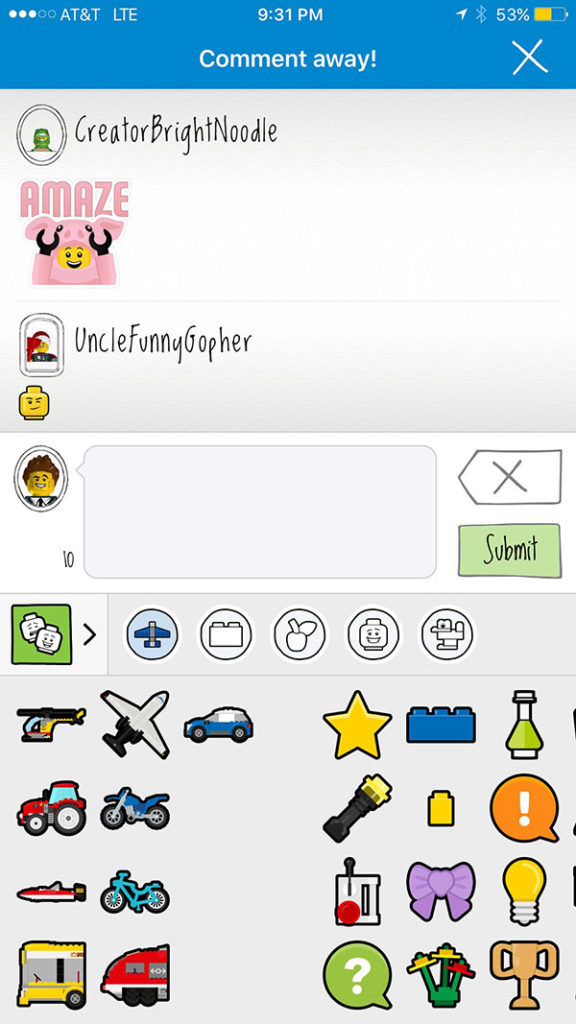
    LEGO Life is a new app by LEGO that allow children and their parents to share their LEGO creations in a safe and positive environment. The app’s safety focus is made obvious right away. You are required to create an account to share or comment on anything on the app and your account has to be approved by a parent through an email sent to their address. Also, while you can put a description and a title on your photos, comments are only allowed to be done in LEGO emoji’s and stickers. There will be no dumb kid telling your son that his makeshift Tie Fighter is stupid looking. Nope, only positivity and encouragement is allowed.

    Other safety features include the profile names and image restrictions. You are only allowed to share with a randomly generated name that you choose when you set-up your account. Images can only be of LEGOs. The app has algorithms and even live moderators keeping photos of people off of the app. You can only share what you’ve built. These features keep kids safe from bullying, predators, and the unfortunately all too common trend of inappropriate images being uploaded to photo sharing sites.

    As far as usage of the app, it’s pretty fun. You can upload pictures of your favorite builds and see photos of other users as well. You can search by theme (i.e. StarWars, Minecraft, LEGO City) or characters and even watch videos from LEGO right in the app. The coolest part, in my opinion are the challenges. Building inspiration from the folks at LEGO to help your children reimagine what they want to create. Fun ideas like, “Put a Minifig in Your Favorite Place to Be” and “Build a Super Bowl Party” are highlighted in the app as you scroll down the different categories. Recently LEGO used the challenges as a way to teach kids about internet safety by asking them questions about how to post positively on social media. LEGO Life is a pretty great idea and I installed it on my phone to check it out for this post but it’s probably on there to stay. I should probably tell my kids it’s on there too.

    What Should a Parent Know

    LEGO Life is a great example of someone creating a social media experience with kids in mind. The precautions they take to protect children are mostly unprecedented. The inability to privately message users and the use of LEGO emojis for commenting makes it a place free from cyberbullies and predators. The algorithm and moderators that keeps watch over images posted protect children from seeing something inappropriate as well. I have a hard time not recommending an app like this for parents of kids who love LEGO. It’s our kids’ favorite toy so you know it’s on my phone. I still am not allowing any of my children to have their own account on it. We post pictures of what they build on an account on my phone,that I monitor. I don’t think this app will turn out to be as dangerous as most other social media but I’m always going to err on the side of caution when it comes to my children posting anything online.

    My final thought and really only potential criticism is the merchandising and advertising aspect of an app like LEGO Life. Obviously it’s a very easy way for LEGO to promote their new products and they are definitely doing that. In between posts you’ll see banner ads for new LEGO sets and themes and some of the videos are basically entertaining ads for some of their other products. If you don’t want your kids to fall for the advertising game played in this app then you may not be so quick to allow them to use it. As far as my family goes, we are already so far down the LEGO rabbit hole that there isn’t much more damage that can be done. We will absolutely be posting our favorite creations to LEGO life, albeit together.

  • This App Turns Deleting Bad Photos into Good Clean Fun

    This App Turns Deleting Bad Photos into Good Clean Fun

    The Struggle is Real

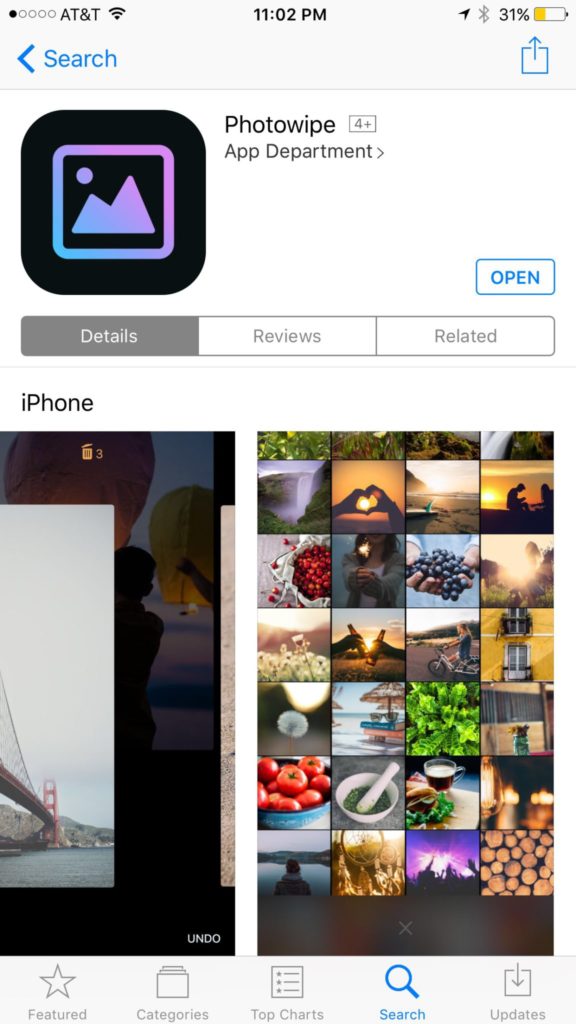
    Taking photos of a two year old, five year old, seven year old, and nine year old is a process. We’ll take six to ten to find the one that looks good. The result of this is our phones filling up with a crazy number of unusable pictures that don’t get deleted because, well, it’s a pain in the butt. Photowipe is a new app that will make deleting those unintentionally motion blurred pics easier and maybe a little bit fun.

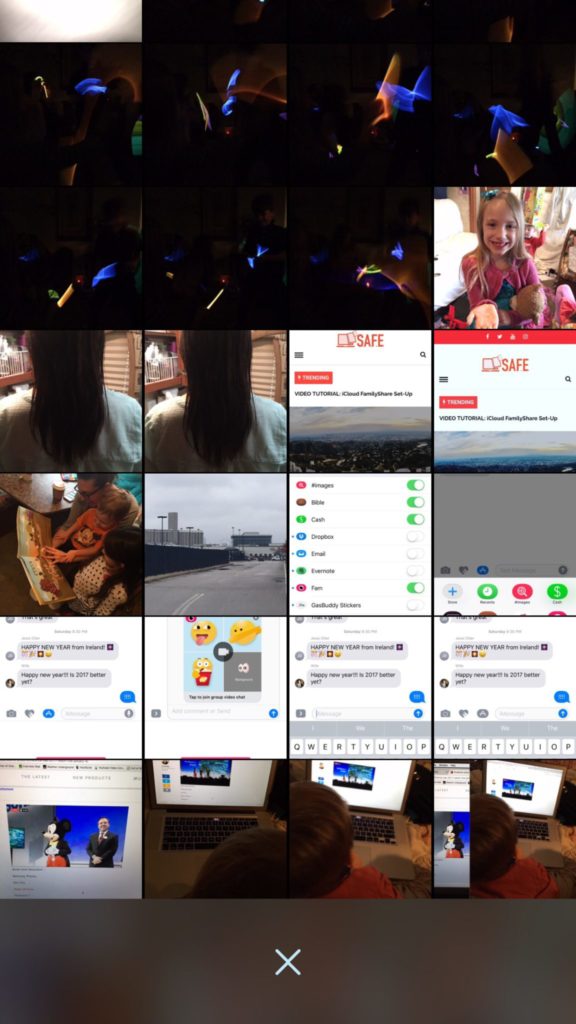
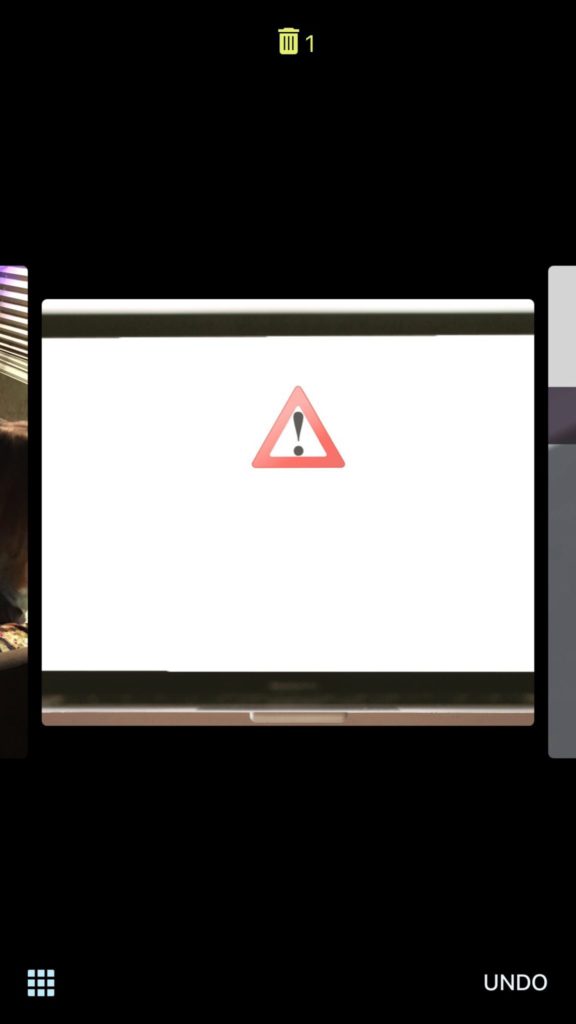
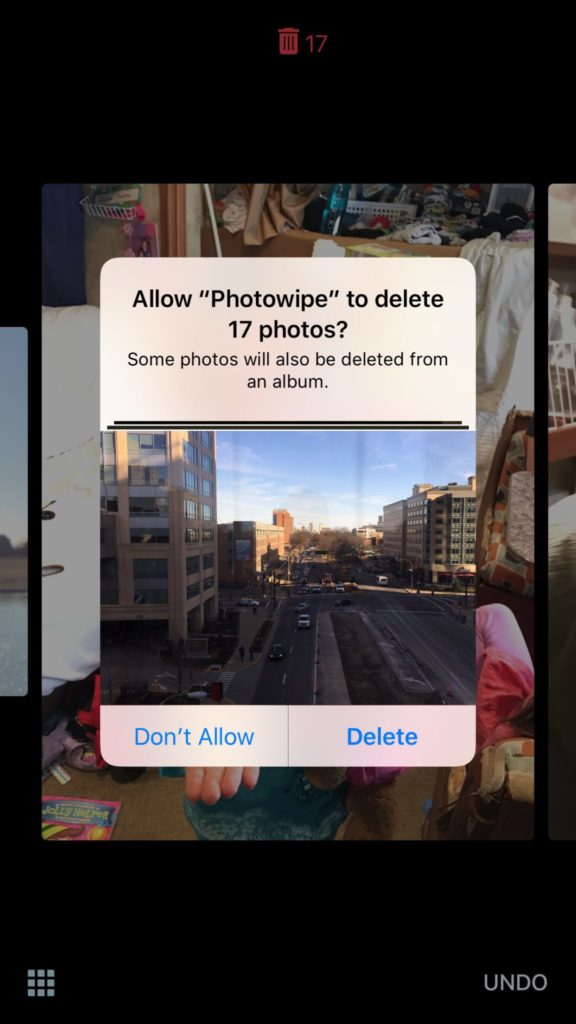
    The app will show you large versions of the pictures on your camera roll and will delete them based on your gestures on the phone. Simply swipe to the side to see the next photo or swipe up to add the current picture to the “trashcan.” The deleted photos will be stored for thirty days in a trash folder unless you force delete them all, which I will be doing every time.

    Also Read: Are your teens hiding photos in a calculator?

    We Say Give it a Try

    It’s a pretty good idea and actually a bit crazy that it’s just now come to be. Now it’s super simple to get rid of those pictures of your toddler’s nasty spaghetti face that you took because you thought it would make a good text message to your husband or all the memes you’ve saved to your camera roll to post in Facebook comments. You can use the slideshow below to get started.


  • Protect Your Whole Family for A Buck a Month with Net Nanny

    Protect Your Whole Family for A Buck a Month with Net Nanny

    I recommend two major tools for protecting your children online. Accountability software and an internet filter. You know about our connection with Accountable2You but now I’m excited to have partnered with one of the best internet filter options out there, Net Nanny. The best part is that for the next couple weeks, they’re offering their best deal at an even bigger discount, %35 off.

    What is Net Nanny?

    Net Nanny is an internet filter and time management software. With customizable filters, remote management, and filter reports it’s one of the best options on the market.


    You create your admin account and can set up everything from there. With different users you’re able to customize your filters depending on who you’re protecting. Social media monitoring will report cyberbullying, sexting, privacy concerns, and any unexpected contacts by potential predators.

    Internet filters are critical for protecting your children and teens from unwanted content online. There are, however, ways to get around many filters. Some of the most common ways are image searches, i.p. address lookups, and proxies. These things are all problems for some filters because of the way that filter works. Many filters use the name, address, or metadata (informational tags built into web pages) to know if the content on the site is inappropriate. If the site is one that is trying to engage young users, they can often hide their content with unrelated metadata. They can also put their sites behind something called a proxy. The proxy will disguise the address and i.p. of the site so a filter doesn’t know what kind of content is on it.

    Net Nanny can’t be fooled so easily. Their system’s specialty is the ability to read the content on the page in real time to determine whether or not the site contains adult images or language. This allows them to block web pages no matter how you get to them. If you have younger kids it may not seem as big of a deal to have such a foolproof system. Unfortunately it’s getting harder and harder to protect them from content that may try to get through. If, however, you have caught your teen or child looking at something inappropriate you will definitely want to equip your computers and devices with the best filter software available. I think Net Nanny is one of the best.

    If you click the link you can sign up for their “Family Protection Pass.” A year of access to Net Nanny for just $60. That’s 12 bucks a month to cover up to five devices. $.99 per month per device. If you have more to cover you can get their next level to protect 10 devices for $89.99. There is also an option for coverages for 15 computers, smartphones and tablets for $119.99. Whichever option you choose, the link below will include us as affiliates and contribute a portion of your payment to BecauseFamily. This will help us continue to do free workshops and educate parents on how to protect their families online.


  • Is iBooks Storytime Looking to Replace Mommy and Daddy?

    Is iBooks Storytime Looking to Replace Mommy and Daddy?


    “I’m bored.” This is the most terrible phrase for a parent to hear their kids say. Seriously, parents would pay ungodly amounts of money for just a couple hours of boredom. Boredom sounds so relaxing but our children are complaining about it. Our most common response to this phrase is “Go get a book and read.” We still have a couple who can’t read so they want us to read to them. That’s a good thing to do (More on that later.) but aren’t you busy? I know I am. Now you can say “go turn on the TV and read.” It’ll even read to them. But is that such a good thing?

    Enter iBook StoryTime

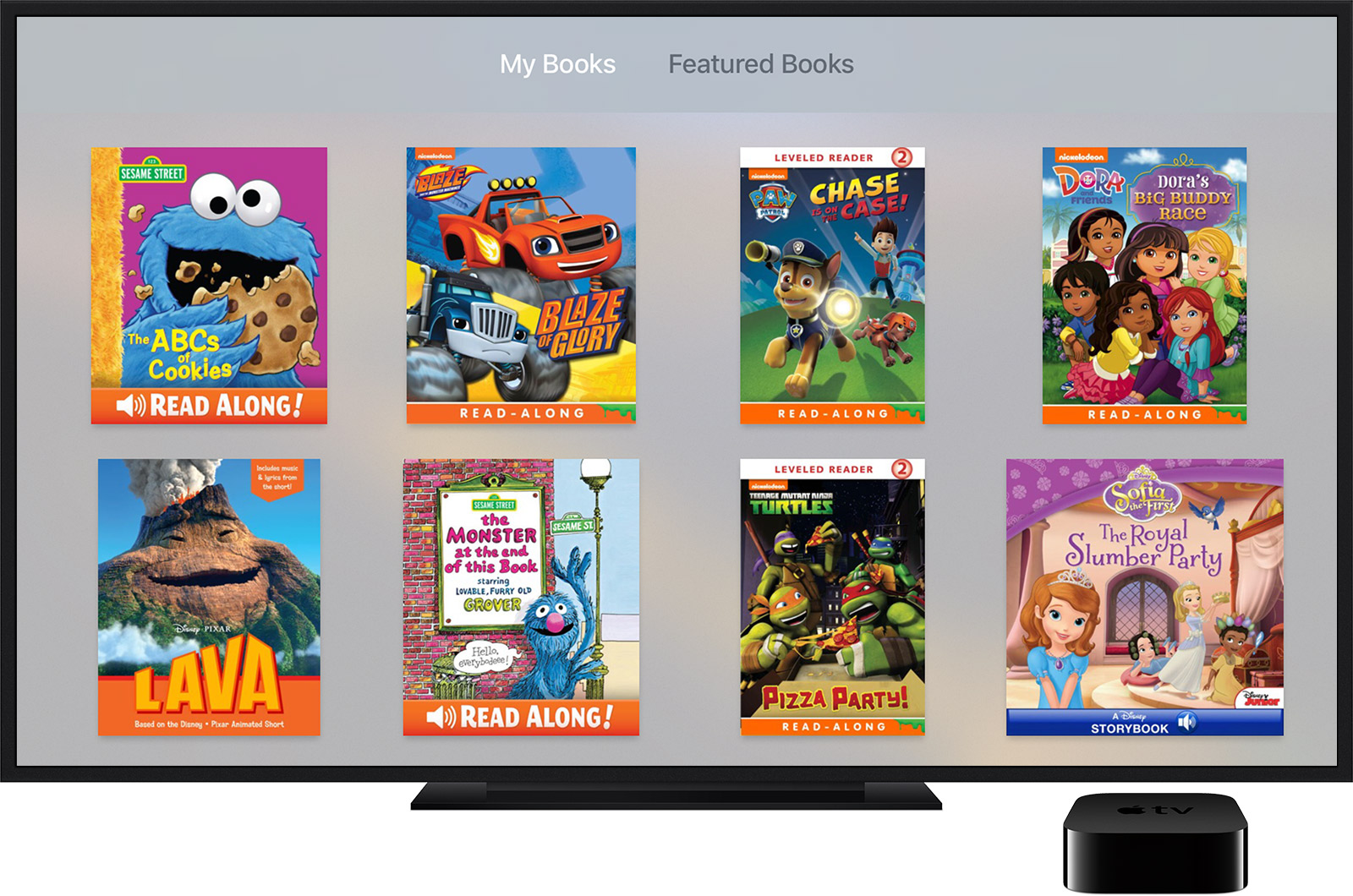
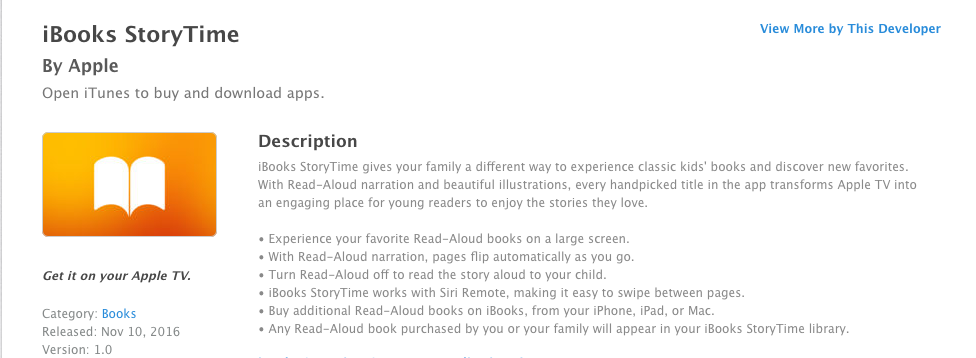
    Offering classic kids books, new stories, read-aloud narration, and Hi-Def illustrations, StoryTime is looking to be “an engaging place for young readers to enjoy the stories they love.” (App Store) StoryTime is available for AppleTV as well so stories can be viewed on larger screens. Pages flip automatically and there is an option to turn off the narration so you can read to your child yourself.

    The question is whether or not apps like iBooks StoryTime encourage reading or just disguise screen time to seem like it’s educational. Many experts have recently concluded that too much screen time is bad for the development of children. Obviously we can see the concerns with attention span or problems in social situations but one issue that relates specifically to this app is :

    an internalization that all actions have an immediate effect, and all stimuli elicit a quick response. – Psychology Today

    screenshot-2016-11-30-12-44-14This constant immediate reward from the quick response of digital media can lead to a preference to screen type activities and addictive behavior. 

    Reading to our children is critical. One of the most significant benefits is how reading together builds and strengthens our relationship with our kids. If a pre-recorded narrator is doing all the reading to our children, they are building a relationship with that screen and not with mom and dad. There are of course enough benefits to reading, no matter how. Kids who read well do better in every subject in school. Children who have been read to are better at communicating and reading to them at a young age makes it easier for them to learn to read when the time comes.

    Numerous studies have shown that students who are exposed to reading before preschool are more likely to do well in all facets of formal education.

    The most important thing is balance. An app like StoryTime can be a great tool to inspire and encourage reading in our children’s lives. It can also be a way to distract them so that we can do whatever thing we feel is urgent enough to cause us to neglect the important activity of bonding with our kids. We just have to be careful.

    My wife can’t even read a book on a screen. She says that there is something to the tactile effect of turning a page. The smell of the pages and even the sound of pages rustling as you go from chapter to chapter. I’m not sure if science backs up all of that but there is a ton of research leading experts to believe that even though an app like StoryTime can be a good tool, nothing beats sitting with your child, opening up a book, and reading together.

  • DirecTV NOW is Not Family Friendly Yet

    DirecTV NOW is Not Family Friendly Yet


    It’s the future! I have been saying for years that paying for cable tv service is ridiculous. What if I could just stream the channels I want and not have to buy a whole package of useless Home Improvement and Movie Channels? Well, they aren’t exactly there yet but DirecTV is getting closer with DirecTV NOW.  AT&T announced yesterday that they’re offering a television streaming service called DirecTV NOW; it’s available for purchase in bundles starting today, November 30th.

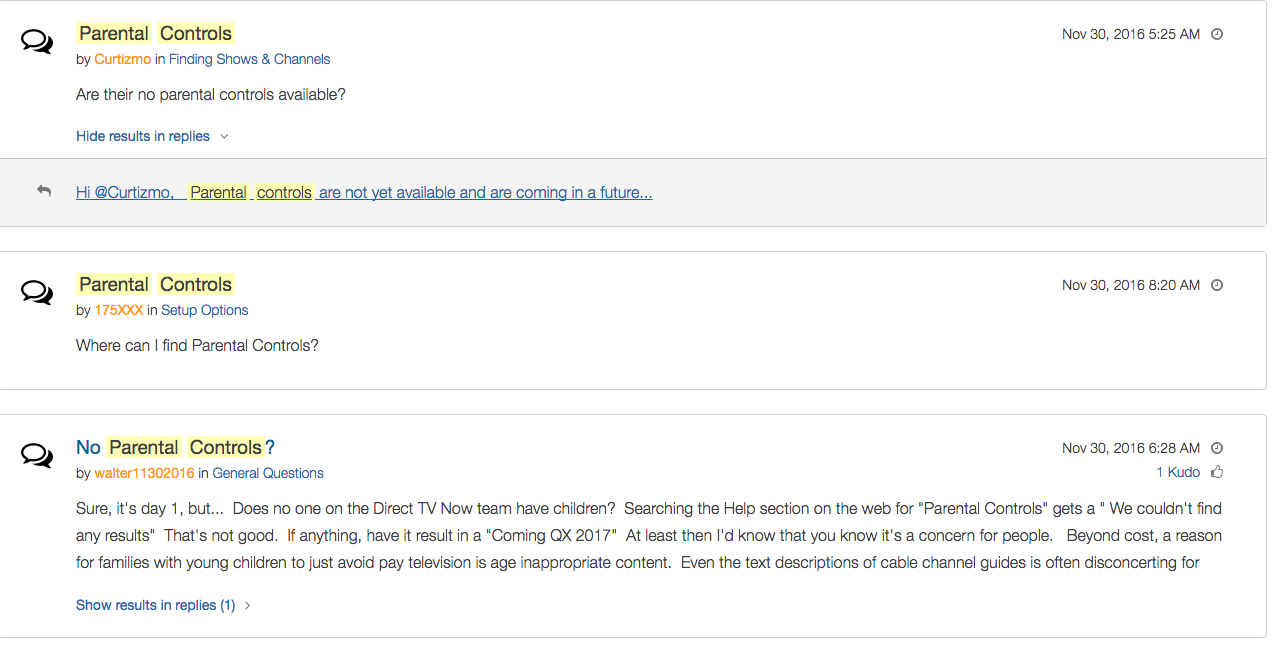
    Yes! It’s exciting to see that our TV options are expanding and even keeping up with the times a bit more. With ChromeCast, Apple TV, RoKu, and mobile access available we are finally being offered a version the tv service we wanted. Unfortunately, however, after some time with my free trial I have noticed that there is absolutely no parental control options built in for DirecTV NOW. I looked at the menus and in my account settings (there’s no option to create separate profiles, i.e. a kid profile, either.) I also tried to find a “block” option per channel to no avail. Then, a search for “parental controls” on the support and FAQ page led to no results and that was pretty much my final clue. There is currently no way to protect your kids from unwanted content on DirecTV NOW.

    That’s a deal breaker for me, especially with so much of what has become acceptable on cable television lately. Sexual activity, language, and increasing violence are mainstays in both broadcast and cable television shows. Even the commercials seem to highlight all of the features we would like to protect our young children from. I guess “keeping up with the times” comes with its costs as well.

    What’s a Parent to Do?

    screenshot-2016-11-30-12-15-35I would say wait. Just wait for a while and I’m betting we will see parental controls rolled out on DirecTV NOW before too long. In fact, a quick search on the AT&T Community Forums showed several concerned parents had already begun asking about this feature and it’s in development.

    DirecTV NOW looks to be a great way to save some money while still getting the entertainment content we want. Thankfully parental controls and content restrictions are becoming commonplace these days and this will be no exception. It is literally “day one” for this service so we’ll give them some time and the benefit of the doubt. You can join the future too if you’d like, I would just recommend keeping your kids off of it until you can set up some restrictions. 

  • VIDEO: FACEBOOK LIVE Q&A

    VIDEO: FACEBOOK LIVE Q&A


    Circle, Accountable2You, YouTube Kids, Young Kids and Internet Safety. All this and more in this Facebook Live video. This #givingtuesday live video was a great way to meet parent’s needs right where they are. Be sure to visit BecauseFamily.org/partnership to learn more about donating.


  • Firefox “Focus” Private Browsing Poses a New Risk for Your Kids

    Firefox “Focus” Private Browsing Poses a New Risk for Your Kids


    Private browsing has been around for a long while now.

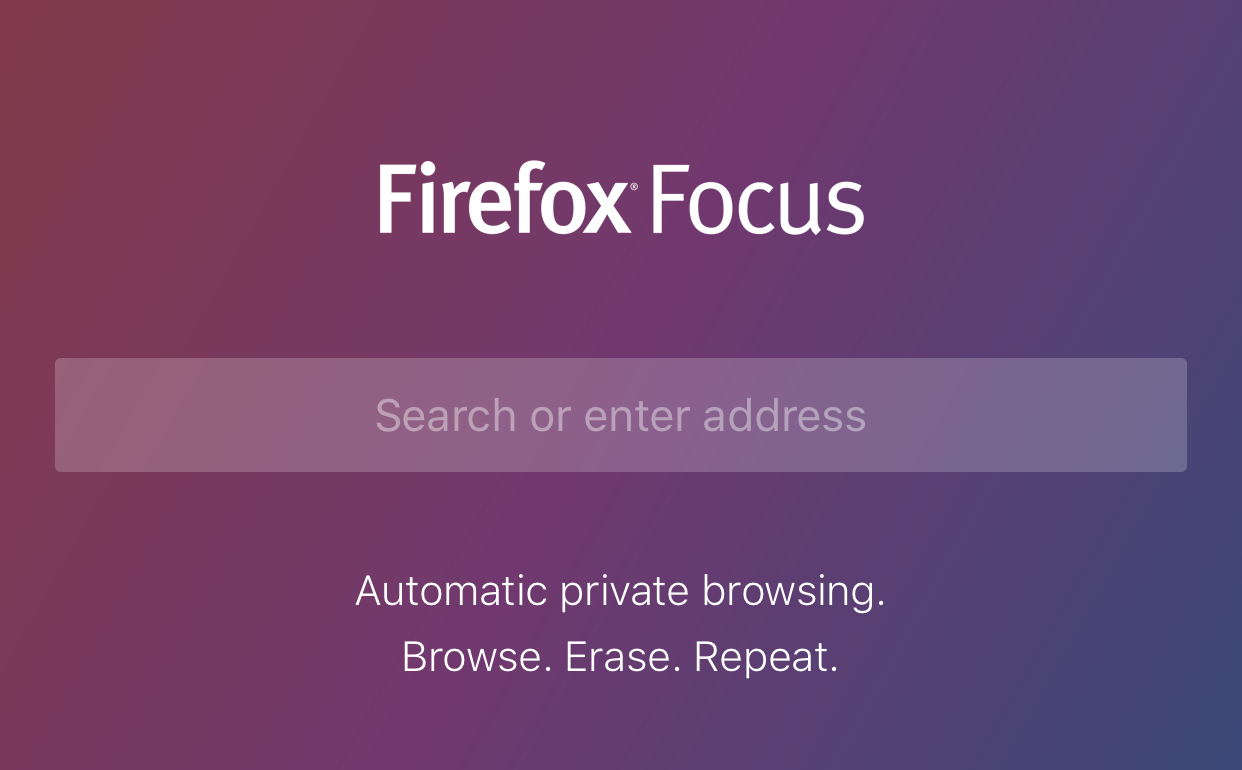
    Whether incognito mode, private mode, or InPrivate, there has long been a way to visit whatever sites you’d like without worrying about being tracked or accumulating a history of sites visited. Mozilla has released a new browser called “Focus” that is designed to allow users to browse privately. The idea is to keep advertisers from storing information on your computer or phone and using it to target their ads while you surf the internet. This can be a good thing, but it’s important to understand some risks involved with private browsing.

    Focus is designed to block ad trackers, analytics, social trackers, and can seek out and block other trackers as well. It can also integrate into Safari on ios (the ios standard browser) and Firefox on your computer. After downloading the app you just open it and begin browsing, searching (on Yahoo,) or surfing as needed. There are no extra tabs or any bells and whistles at all but when you are done you just close the window with the “Erase” button and start again at the first screen. All the data is gone at that point. Like you were never there.

    What Parents Should Know

    focussettingsWhile I am all for the battle for internet privacy and freedom from being tracked by marketers, private browsing presents a major problem when trying to protect our kids from inappropriate online content. Keep in mind that a popular name for private browsing is “Porn Mode.” The ability to view sites without anything being stored on your computer, including a history of your surfing habits, is, of course, a way for our kids to view adult content without us knowing.


    Part of setting protections for your kids on their smartphone or tablet is turning off the ability to install a different browser. If you have installed an accountability or filtered browser then a new way to surf the web will completely undermine your attempts to protect them. While on the computer, filters like NetNanny will continue to block sites and accountability software such as Accountable2You will continue to report (though, with less detail) inappropriate activity. Even in private mode. While on mobile devices, however, especially ios devices, the accountability and filter app should be the only browser available to our kids.

    Learn more about privacy and security from our Mobile Device Vocabulary Series.


  • The ONE Thing You Can Do to Protect Your Family Online

    The ONE Thing You Can Do to Protect Your Family Online


    I’m often asked what my “diagnosis” is for a family’s internet safety. I usually have them fill out a one page form and it tells me what I need to know to give them the basic steps I would take to help them protect their family. Sometimes, though, parents want to make the most minimal changes possible. Maybe it’s a budget/financial thing, maybe it’s just time, or it’s a lack of true motivation. I don’t know. What I do know is that there are two major tools that no family should be without when it comes to being protected online.

    The first tool is a filter. 

    A filter blocks content that you don’t want accessible on your device. These filters are usually specific to a browser and so you should keep track of any new browsers that may have been installed on a device you are trying to protect. I recommend that you use  filter that “reads web content in real time.” This means that instead of just looking at the address or ip of a site, they are actually using the content to decide if the page should be blocked or not. This is critical because of a workaround called proxies, that can bypass filters that only look at the web address or ip.

    When choosing a filter you get what you pay for. The more controls and user friendly the UI (user interface) the more it’s going to cost you. You usually pay for the filters annually or monthly. There are also filters that come built into hardware that you may use. Some routers are now including basic filters in their “back-end.” Or something like circle will allow you to set up controls on any device using your wifi.

    “Giving your kids a smartphone without a filter is like putting them in an adult book store and saying, ‘Be good!’ It’s a bad idea.” -Joe White

    The second tool is accountability software. 

    Imagine a high security building. They have the laser grids on the doors and windows and an alarm system that will go off if someone tries to break in. Security guards patrol outside to keep an eye out for any possible intruders. With all of that work to keep anything unwanted from getting in you’d think they’d be satisfied, right? No, they’re not. You will always see security cameras in high security buildings. This is because things can slip through. This is why I always recommend accountability software.

    accountable2you
    Click to Sign Up for Our Favorite Accountability Software

    Accountability software will identify any unwanted online content and send a report to the person set to be notified. Some even send text messages immediately when something was accessed. This is the security camera inside your online safety net. It’s another layer of protection that will allow you to see when something you aren’t expecting slips through your safeguards. Conversations with your kids are more important than any software or hardware you can use and accountability software allows you to know exactly what conversations you need to have.

    Not either-or, both-and. 

    The answer to “what is the ONE thing I should do to protect my family online” is to do TWO things. Install accountability software and use the filters built into your operating system. If you have had some problems with catching someone viewing things they shouldn’t you may be concerned they would go looking for it again. In this case I recommend purchasing and downloading a more feature filled filter software.

    These steps are really just the beginning. Obviously staying informed on what is happening in your kids’ digital world is critically important which is why an annual membership to this site would be a major help. Click to go register. 

  • Snapchat Spectacles: Now You CAN Document Every Meaningless Second

    Snapchat Spectacles: Now You CAN Document Every Meaningless Second

    People are waiting in line for hours to get a pair of Snapchat Spectacles. These sunglasses allow you to take 10 second videos of whatever you’re seeing. It’s a first person view of your world that you can then share on your Snapchat Stories to allow your friends to take part in every second of your life. Meaningful or not.

    Spectacles are only available from a vending machine that is currently touring the country causing a big stir. Having set up for a day each in Venice Beach and Big Sur California and today in Tulsa, Oklahoma, the exclusivity of these sunglasses is already evident in the fact that the $129 social media accessory is going for a few thousand dollars on EBay already. These things are especially popular with the teen and young adult crowd and all I have to say is “Oh boy. Get ready for even more useless oversharing.”

    How do Spectacles Work? (more…)

  • Instagram Update Proves they’re Serious About “Stories”

    Instagram Update Proves they’re Serious About “Stories”


    Stories is Here to Stay

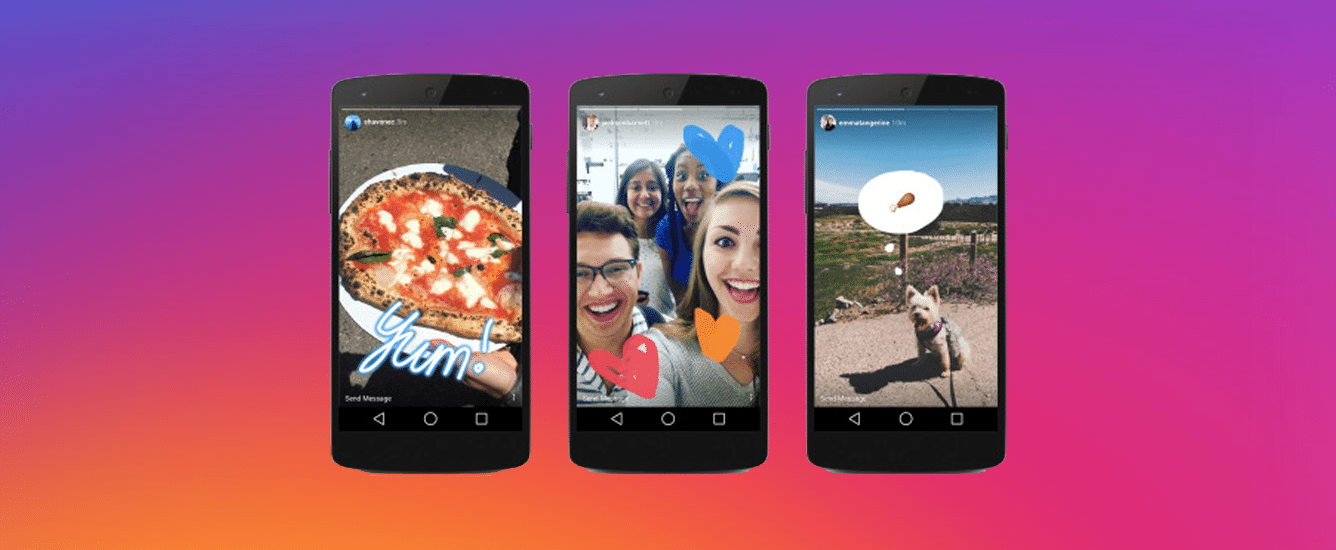
    Not long ago instagram added a new feature that looked strangely similar to Snapchat’s “stories.” In fact it wasn’t just similar, it was the same thing. They even used the same name for the feature. After about two days of people calling Facebook (who runs instagram now) a bunch of copycats, users were posting multiple stories a day to their instagram accounts and loving it. Funny how we adopt things so quickly after being so “put off” by them.

    boomerangWell, with an update to intagram this week, the focus on stories has been increased. The new update brings boomerang, (a service where you make mini video loops) mentions or tags, and links for “verified” accounts to the stories feature. So you can now make a mini video, tag your friends in your story post, and if your account is verified (only available to celebrities and brands) you can post links to your latest content.

    What does this mean for parents?

    It’s quite simple, really. Stories cashes in on the concept that young people want to post something that is seemingly temporary. The posts in your account’s story only last for twenty four hours. This keeps updates fresh and keeps users coming back to post more and more content. It also causes young persons to feel like they aren’t posting something permanent. We all know this isn’t true. Anything posted online is there to stay.

    Along with a false sense of security, stories is now yet another way for brands and celebrities to alert your kids that they have some sort of message for them. You know that we at BecauseFamily advocate for parents to be the first influence in their children’s lives. It can be difficult to be the first influence when other influences are notifying your child every time they have something new to show them. This update gives the ability to notify your kids with a link to take them out of the app to some other content elsewhere on the internet.

    Don’t Uninstall but Have a Conversation

    seemoreWhile I don’t recommend instagram for kids under 16, I know many parents have children who use the service. My advice is to talk to them about this update and let them know that they maybe shouldn’t click on links in instagram when they aren’t sure where they’ll lead. Remember to have your accountability software (Like Accountable2You) installed so that if they end up somewhere inappropriate you will know about it and can have a conversation. Just be smart and encourage them to be smart. It’s important for parents to stay as ahead of the social media game as they can.

    A subscription to this site is a great way to let us help you stay ahead. You can sign up for just $60 for 12 months. (Normally $180) This offer is only available until the first of 2017 so sign up today and get the most out of SAFE.BecauseFamily.org.