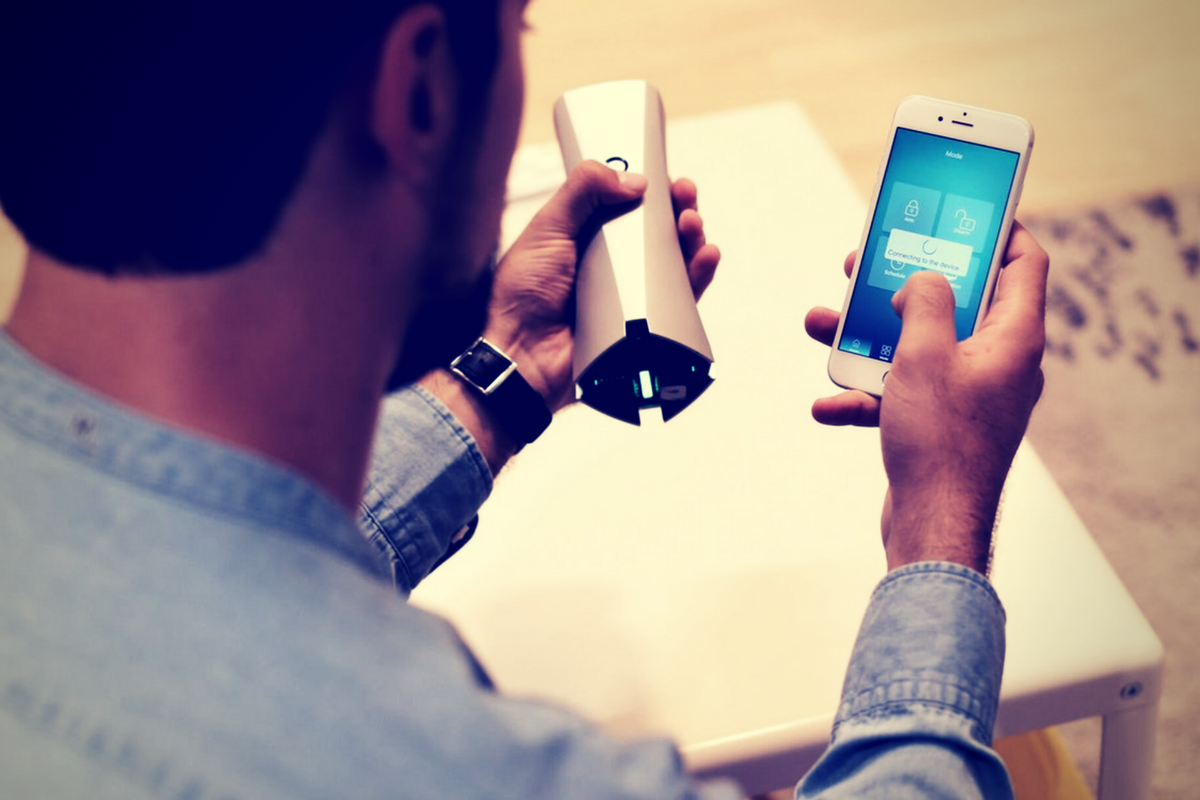
We have always been a bit leery of using internet-connected cameras in our home. The idea of having a camera or microphone always on in our house gives us caution. When Sens8 asked us to use their smart security camera for a bit, I decided it would be a great way to try out this cool tech, while providing a guide for you as to how I used it as safely as possible.
IoT (Internet of Things) devices are products that you may use every day that can now connect to the internet. Thermostats, refrigerators, toasters, mirrors, security systems, and baby monitors can all be controlled from your phone or computer over your home wifi. Some are even able to connect to your voice command technology like Alexa or Google Home. This sounds like the future is now! We are living in a time that had previously only been imaginable in movies and books. Some experts, however, are very concerned about the security of these devices.
CHECK OUT: This series about the risks of a fully connected home.
How I Used the Sens8 Connected Security Camera
Setting it Up.
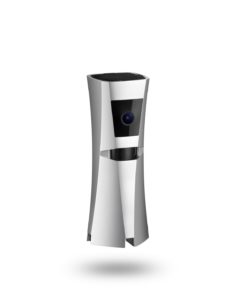
The SENS8 Connected Security Camera is a full HD camera with auto arm/disarm and many other features. It will keep track of temperature, humidity, and sound levels in your home to create a “Health Index.” The idea is having a security camera/system without paying a monthly fee. SENSE8 is available on Amazon for $169. The features I liked were the clarity of the video images and being able to arm/disarm from my phone. There is an alarm built in to scare off any invaders but it can be turned off in case you have a pet or children that seem to walk around during the night and would set it off. When something triggers the built-in motion sensor, the camera comes on and captures the intruder. You get an alert almost immediately and can see the video. It also saves in the app for future use. I think SENS8 is the perfect budget home security solution. It works well, it’s small and inconspicuous, and the alarm (if you use it) is loud enough to wake you and scare away any intruders.

I set up my SENS8 in the Family Room facing the front door. The widescreen 1080p camera captured most of my living room and the entry to my kitchen. The sensor would start the camera if there was movement from the hallway, the kitchen entry, or the front door entryway. The camera was sitting about waist high but captured floor to ceiling at as close as three feet away. I felt confident that anyone who came in would be caught on camera and I would be notified before anyone could even figure out there was a camera in the room. To me, that was the most important thing.
We used the camera for about two weeks, obviously, there were never any break-ins but was able to be sure my wife made it home safely a couple of times while I was out. I was notified while I was at early meetings that someone had been moving around the house. I looked at the video, which was available in the app in less than a minute, and saw my three-year-old walking around the living room. I told my wife he was up so she could see what he needed. Turns out it was breakfast. Surprise surprise. The camera worked exactly how it was supposed to, and that is why I took it down.
What About Privacy?
Realizing how much of my families in home activities could be captured on this camera I had a few questions for the developers of SENS8. Here are there answers:
Consumers are increasingly worried about security from hackers accessing connected baby monitors, security cameras, and microphones. What security measures, besides account creation and login, are in place to give families peace of mind while putting a wifi connected camera in their home?
- “First, all SENS8 devices utilize two-step SSL/TCL authentication technology, ensuring videos cannot be accessed from the device or the cloud by unauthorized users. Second, Telnet, SSH and HHTP (remote login) servers have been disabled in SENS8 devices, which also prevents unauthorized access. Finally, all user information is protected using AES-256 encryption.”
Your terms and policies don’t mention what you do with temperature, humidity, location, video and audio data broadcasted through Sens8. Is that data stored on your servers? Are videos and audio kept secure, and if so, how?
- “SENS8 uses an authorized token to upload content to Dropbox. The SENS8 product has been reviewed and approved by Dropbox to ensure data security. Communication between devices and Dropbox is based on two-way SSL encryption technology.”
While Sens8 isn’t a voice assistant, it does have a microphone. Is the mic considered “always on?” Or only when switched on by the app?
- “SENS8’s microphone works in 3 ways: First, it works as a normal sound level meter, which helps users to know whether there’s too much noise at home, as a noisy environment can cause negative health effects. For this function, the microphone is always on but doesn’t record or catch any content. Second, it delivers sound when a user initiates the two-way talk feature through the app. Third, the microphone records audio when it is triggered by abnormal activities.”
What does all of that mean?
Basically, SENS8 has all of the security and privacy protection I would expect them to have. Their policies maintain that they don’t use any of the video footage or audio from your camera for any purpose. The only data they collect from you is your email address, login information, and location information (for the device’s weather function.) The microphone doesn’t stay on and record you all the time. It doesn’t accept voice commands so that wouldn’t be necessary. All in all I would say SENS8 is as secure as any other smart camera on the market. It’s most likely one of the most private and secure at its price point.
My Best Practices Recommendations
Only point a camera at something if you’re ok with it being posted publicly.
There are several places I would never put a connected security camera/microphone. My or my children’s rooms, pointing at my front door or somewhere you can see my street address number, a closet or bathroom where I may change clothes. It sounds obvious but the connected baby monitors and security cameras that people use are often set up in bedrooms or places that could capture personal data or information. If, somehow, the security features on your device are compromised (old security measures, server outages, etc.) you don’t want those devices located somewhere that can put videos or images of your family, checkbook, tax documents, or password entries online.
Set new, quality passwords.
Most smart home devices are shipped with standard usernames and passwords built in. Every expert recommends changing that username and password immediately upon the installation of your device. Hackers can find lists of standard and built-in passwords and use those lists paired with software to access your device and through that, sometimes, your whole network.
Use antivirus/malware software on your computer.
Many antivirus and malware services will now scan every device on your network for you. I use Avast and run a scan about every two days. I’ve had security installed forever and I still find something that slipped by every now and then. If you feel like you are at risk for serious data security issues then I recommend paying for the full version of your antivirus software to ensure complete security.
If in doubt, turn it off.
If you feel like something strange is going on with your internet (suddenly very slow, computer acting weird, devices and other devices won’t work properly) run an antivirus scan of all the devices you can and then turn off and unplug your non-affected smart-home devices until you have figured out what is going on. If you don’t know how to do all that, get some help.
Buy quality devices.
Most importantly, buy devices from manufacturers you can trust. Make sure they have a lot of documentation about their product. Read the frequently asked questions and the terms of service and privacy policies. If anything in their documentation sounds fishy (or phishy) it probably is so don’t buy. Read user reviews and try to find sites like this that will do third-party reviews of the security and functions of the device. Be smart when you shop for your smart home.












/https://dotesports-cdn-prod-tqgiyve.stackpathdns.com/article/36206756-f7ab-49e4-96f8-67e4e75a6f27.jpg)


 Farcry 5