Category: Podcast

This Week in Family Tech is a weekly audio summary and discussion of the articles form this blog.

  • ALERT! Kids Can Get to Pornhub from Snapchat in 5 Clicks

    ALERT! Kids Can Get to Pornhub from Snapchat in 5 Clicks

    We don’t like Snapchat. It has a history of allowing content that isn’t appropriate for kids even though the app is rated 12+ in the app store. The app is built around disappearing messages that are a nightmare for trying to prevent predatorial communication and sexting. Now, Protect Young Eyes has written an article highlighting the fact that, in just a few taps on your screen, you can get from Snapchat’s home page to Pornhub, the most popular pornography site on the internet. They even included a video that shows how easy it is to navigate to the adult site without ever leaving Snapchat’s app.

    Monitor Song Lyrics with Bark!

    What Does This Mean for Parents?

    Most filters for iPhone don’t monitor browsers in apps like Snapchat and Facebook. This is why the ability to connect to adult websites within these apps is so dangerous. It only takes a few taps on your screen to go from the Snapchat story to the “Premium” page on which you can click links to all of their other accounts. These links don’t open other apps that would be blocked by Screen Time or other parental control software. Instead, it opens in a browser within Snapchat, allowing access without being blocked by your filter or sometimes even reported by your Accountability software. The only real way to keep your kids off of those sites is to limit which apps they are allowed to use by blocking the app altogether.

  • Monitor Song Lyrics with Bark!

    Monitor Song Lyrics with Bark!

    Listen to any of the current top ten songs and you’ll find all sorts of content that may not be considered appropriate for children. Profanity, sexual content, violence, and suicidal ideation abound in today’s popular music. How can we, as parents, keep an eye on what our children are listening to without having to go through and read lyrics for every song on every playlist? Bark is offering a pretty good solution with their latest update. The AI-based message monitoring system now monitors lyrics on Spotify.

    Connecting your accounts to Bark is pretty simple with the Android app but demands a bit more tech expertise to connect to iOS (due to Apple’s strict anti-monitoring policies.) You have to download Bark’s software to your computer and then set your child’s iPad or iPhone to back up to that same computer in order for Bark to monitor the device. Spotify, however, connects on the account level which means set up is a simple as logging in to Spotify and giving Bark permission to access data in the app. That does mean that shared accounts will be monitored as one so your listening habits will be monitored as well and then reported to you as if your kids listened. We raised our Spotify subscription to the 14.99 price in order to set up separate accounts for our kids. This means they can be monitored separately giving us more accurate reports.

    Reports from Bark are notifications about specific songs with the lyrics listed along with recommendations for discussing the songs with your children. We saw immediately that some of the songs our son was listening to had some lyrics that were a bit more violent than we would approve of. We were able to discuss this with him and he removed them from one of his playlists immediately. The songs were in no way “explicit” since we have turned off access to explicit content on his Spotify app but the Bark system allows you to set the sensitivity so that it will report songs that even hint at innuendo, violence, or other adult content. Our approach is to always err on the side of caution so we have sensitivity turned all the way up.

    Bark’s message monitoring has also resulted in quality conversations with our children, even within just a few days of activating the software. We were notified that our daughter had been “bullied.” It turned out she was just telling her brother to stop texting her over and over again. The AI noticed that she was asking him to stop and he was continuing to message her and it flagged it. That is EXACTLY the kind of thing we want to be notified of. Her brother was just being annoying but if that was some older boy asking for pictures or a friend telling her something inappropriate or mean, we want to be notified. For us, a false alarm is evidence that the software is working and we are happy to weed through false reports so that we’ll be sure to get the one that could save us and our children from a lot of trouble.

    Song lyrics, videos, messages, and social media posts are helping shape our kids’ worldviews. We should be on guard against the kinds of content that don’t meet our family’s standards. Bark allows you to do that without your kids’ privacy being interfered with. You don’t see all their messages, just the ones that Bark flags as potential dangers. This means they can have their phone or tablet, message their friends, watch their shows, and listen to their music without you always asking what they’re doing. You won’t have to ask because you’ll be alerted if they do something you don’t approve of. Just remember that we never recommend spying on our kids without their knowledge. Talk with them about Bark and any other software you use to report content. Let them know why you are using the software and talk with them about any reports you receive. This is how we help them build a healthy attitude towards tech.

    You can get Bark by clicking THIS LINK, using the promo code: BF56WBD, or clicking the banner near the top of this article. We are an affiliate of Bark and will receive a small donation when you pay Bark for your subscription. Thank you for protecting your kids and for supporting this blog and our ministry.

  • YouTube May Have to Stop Making Money Off Our Kids

    YouTube May Have to Stop Making Money Off Our Kids

    The US Federal Trade Commission is finishing an investigation into YouTube’s Children’s Data and Ad policies and at least one member of Congress is now asking for YouTube to make some major changes. Massachusettes Senator, Ed Markey has officially requested that the FTC enforce some major policy shifts on Google for how YouTube handles advertisements to children and the collection of kids’ data.

    The request states that:

    Personal information about a child can be leveraged to hook consumers for years to come, so it is incumbent upon the FTC to enforce federal law and act as a check for the ever increasing appetite for childrens’ data. – FTC YouTube COPPA 2019

    This three-page document outlines a plan for rules that the FTC should enforce upon YouTube in order to keep them compliant with  COPPA and to better regulate their child advertising practices. The rules include requiring Google to stop collecting data from users under 13, requiring YouTube to develop a way to identify users under 13 and implement COPPA compliant policies, disallow influencers from marketing products geared towards children under 13, and forcing Google to create a fund for developing content meant for children that is ad-free and COPPA compliant. 

    COPPA imposes certain requirements on operators of websites or online services directed to children under 13 years of age, and on operators of other websites or online services that have actual knowledge that they are collecting personal information online from a child under 13 years of age.

    What Parents Should Know

    Parents have to be intentional about teaching their children about online privacy. Regulations from the FTC will, likely, be coming in the near future. Even if these changes aren’t as strict as the ones listed in the letter from Senator Markey, they will still cause major ripples in the YouTube creator and viewer community. The way that YouTube seems to try and handle these kinds of problems is by “demonetizing” videos that contain the type of content they are taking heat about. The heat they are getting from the FTC right now, though, is concerning some of the most profitable channels on any video sharing platform ever.

    Advertising is the way these companies make their money and collecting data is their sole model for targeting their advertising. If they aren’t allowed to target children anymore then there won’t be much content on YouTube for children at all. Our approach has always to only allow our kids to watch YouTube videos that we have selected and they must watch them on the television in the living room. That protects them from any surprises and we curate the types of videos they are allowed to watch. We also have YouTube Premium which removes ads. This is helpful since the algorithm that selects which ads show up on what videos often doesn’t take the age of the target audience into account. (i.e. an ad for the latest Childs Play film on a video about kids making slime.)

    As I always say, we should hold these companies accountable as much as possible but it falls to parents to be the responsible ones when it comes to our children’s digital health and online safety. What is your approach to YouTube, do your kids watch as much as they want? Do you limit their viewership on YouTube? Do you think this news will affect how much time you allow them to use the app? Let me know your thoughts in the comments below.


  • The Three Worst Tech Parents

    The Three Worst Tech Parents

    I had the opportunity to speak at a conference last week that was full of educators and school administration. They were extremely excited about the things I had to share, they loved learning about ways to protect their students online, and they were generally interested in the statistics and facts about online dangers. They all, however, had one major complaint. “Parents just don’t seem to care.“

    That’s right! Teachers, administration, afterschool program leaders, and even librarians want to help kids learn the best way to use their tech devices. Everyone is concerned about overuse and too much screen time. Nobody wants kids to end up on the wrong websites or being communicated to by the wrong people. They all want kids to be protected while they’re on school property but they know that that is only a very small amount of time compared to the time they spend online at home.

    This all falls on parents. There is no one who has as much influence over their children as the parents who raise them. Teachers, coaches, pastors, and mentors all do what they can and have a real heart to protect your kids but if mom and dad aren’t taking part then it is an uphill battle.

    Here are three kinds of technology parents and where they mess up.

    1. The ”Do as I say, not as I do.” parent.

    I’ll never forget my neighbor’s grandfather when I was a child. He smoked like a chimney, several packs of cigarettes every day. When we would be outside playing with our friends, it never failed, he would come out light up a cigarette and immediately tell us all, “Never start smoking, it’s really bad for you.”

    I get addiction. I understand that there are things people can’t just give up. But this “do as I say not as I do” attitude can be very harmful to our kids. When it comes to technology most of us lift our phones about every 10 seconds on average. We spend 4 to 6 hours per day creeping Facebook, watching YouTube, and posting to Instagram.

    Even as a 10-year-old kid I realized how weird it was that this man was standing there, chain-smoking cigarettes, and telling us not to do the same thing. Our kids get confused when we tell them they can’t have any more screen time while we are looking at our phone just like we have all day long. Put it down, look up, and set a good example for your children.

    1. The “I’m super busy.” parent.

    I remember being told to play outside because my mom needed a few minutes to her self. We would go play at friends’ houses and every now and then a friend would say that his mom wouldn’t let us play there today because she needed the house to her self. Parents have always needed time without kids running around asking for things and getting on their nerves. The difference is that when I was a child I was going to the homes of people my parents knew. Now we set our kids down in front of devices on which they can communicate with the entire world.

    Using Netflix or YouTube as a babysitter is just simply a bad idea. It can be useful if you know how to set it up properly but most of the time parents know less about these sites and apps than their kids do. I get that you’re busy. I understand you have things you have to get done. It’s just very easy to allow your kid to be on the screen for 4 to 6 hours before you realize how long it has been. Use some sort of app that sets a time limit for your kids’ Screen time. That way it doesn’t fall to you to remember when they their time is up. It automatically kicks them off and you can tell them to get outside and have some fun in the sun.

    1. The “I have great kids.” parent

    Of course you have great kids. I know they don’t want to do anything wrong online. They will not bully people, they won’t send inappropriate photos, and they are definitely not visiting adult websites. The problem with this logic is that they don’t have to seek out these things, they come to them. Two out of every three kids who see adult content for the first time saw it by accident and the average age a young man sees pornography for the first time is age 8! These are, most likely, children whose parents would consider “Good Kids.”

    I sat and watched a young lady of seven years old create videos of herself and post them publicly on an app called Likee. I went to look at this app in the App Store and saw that it is rated 17+ because of the ability to post your videos publicly online. I guarantee mom didn’t know that app was posting videos that strangers can see online. Moms and dads trust their kids because they believe they’re going to do the right thing. The issue isn’t usually what your kid does online. Most of the time the problem is the strangers on the other side of that screen.

    Your kids need you to care!

    The worst thing we do, as parents, is decide that we can’t learn any more about the tech our kids are using. We cannot be fooled into thinking that the digital world is moving too fast for us to keep up. It does move fast, I understand, but there are resources that we can and should use to help us better wrap our minds around our children’s time on tech. Use FamilyTechBlog.com, our YouTube Channel, and Podcast to help you stay informed. Knowledge is definitely power. You need that power to keep your kids safe and help them develop healthy habits.

    Secondly, we often get too focused on ourselves and what we need. While our homes shouldn’t be fully centered around our children, we have to set some boundaries and standards to protect our kids from the nonsense that the online world can provide. We should pay attention to what they do on social media and not let them use those apps until they are old enough to use them responsibly. We need to be knowledgable about the video games they play, the sites they visit, and who they communicate with online. We should learn all we can, every chance we get, to continue to keep our kids safe.

    It is easy to get discouraged. We hear of the worst case scenario on the news almost daily. kids going missing, kids hurting themselves because of something they’ve seen online, and studies showing how damaging excessive screen time can be for our childrens’ brains. I advise that you don’t get discouraged but get inspired. Let this information drive you to learn more to protect your kids. Learn all you can and share what you learn with all of the parents you know. That’s the best way to protect our kids and help them build healthy habits.


    Listen to the podcast here:


  • Family Tech News From Apple’s Developer Conference

    Family Tech News From Apple’s Developer Conference

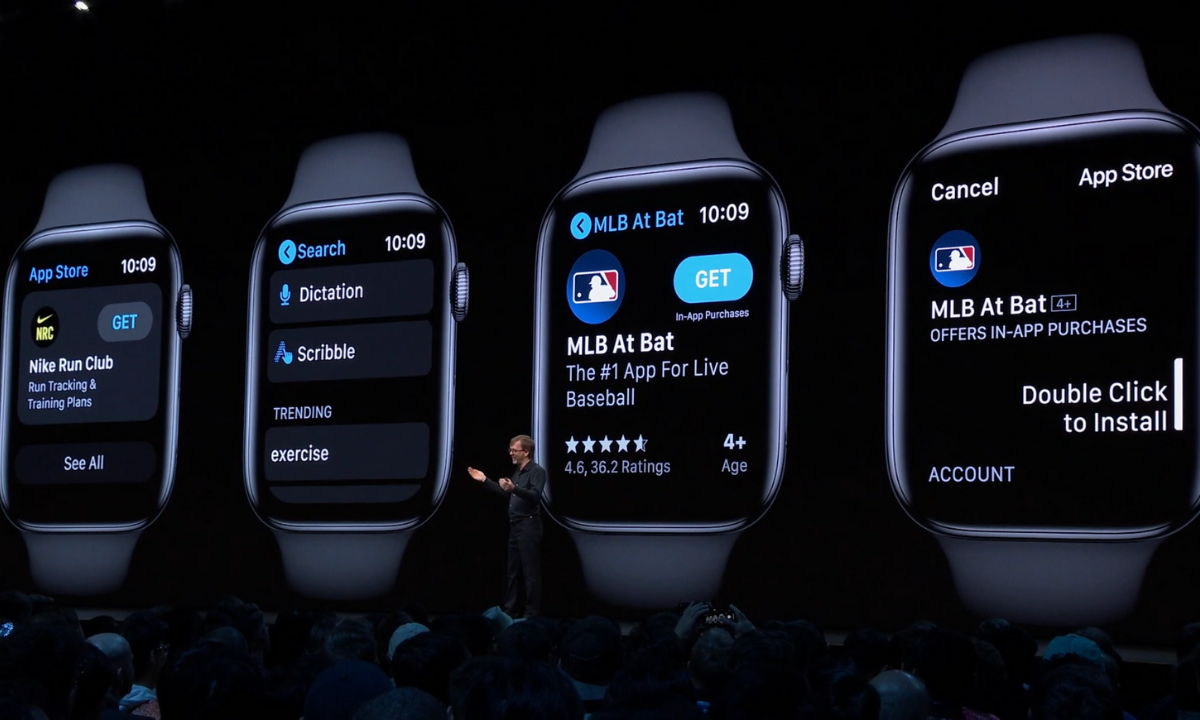
    WWDC was held last week at Apple’s Headquarters in Cupertino, California. Every year, the tech giant hosts a conference for developers and media from all over the world. The company’s Project Managers and Chief Officers all take their turns on stage to discuss what they’ve been working on over the past year in order to increase the hype around Apple’s products and software. Much of what is announced at WWDC targets developers and “tech-heads” who can’t wait to find out how to make apps for Apple products or what the next big thing is going to be. Some of Apple’s new feature’s however could bring some peace of mind to parents. Here is a break down:

    Apple TV+

    Apple’s streaming video device has been great for viewing other services but Apple’s streaming service itself has been lackluster. One thing that has been missing for a while is the ability to make separate accounts or profiles for viewers, including children. Apple announced at WWDC that this is changing. They are making it possible to create profiles for every member of your family. Your viewing history and suggestions will be sorted according to your accounts and best of all, your recommendations won’t be overloaded with shows that your children love to watch.

    Apple Music/iTunes

    iTunes is officially no more as Apple will be separating iTunes offerings into multiple apps. Books, Podcasts, and Music will all be separate now on the MacOS. When you plug in your iPhone to sync with your Mac, nothing will happen. Your phone will sync in the background. It has become pretty apparent that most folks don’t need software to manage their music collection. Streaming music has taken over and iTunes wasn’t very good at that job. Apple Music is taking over the music service and Podcasts is mainly accessed through the mobile app, not on desktop.

    iTunes has been around since 2001 and while there are those who have become used to the software, most have been aggravated by frequent updates and overuse of computer resources. Apple is likely accurate in thinking the software won’t be missed by very many people.

    Apple Arcade

    Apple is also working their way into the video game streaming world with Apple Arcade, due to release this fall. Apple Arcade will consist of a series of exclusive games made just for their system and will be playable through your phone, tablet, Mac Computer, or Apple T+. They have a controller that you can use with AppleTV but are adding support for Playstation 4 and Xbox One controllers as well. The 100 or so available games are a bit weak looking but they are sure to find some developers who are willing to put out some quality content for Apple before too long. They’re going to have to in order to compete with Google’s Sadia and the new service coming soon from Sony and Microsoft.

    iOS 13

    Probably the most relevant of updates from WWDC has to do the Apple’s latest smartphone operating system, iOS13. The software boasts a new dark mode, faster app launches and downloads, faster Face ID unlock, and a new (to Apple at least) “swipe” style typing system.

    Dark Mode is cool and faster downloads and unlocking features are great but the iOS update doesn’t really have anything going on that is relevant to parents besides their focus on data security. More on that below.

    Photos and Video

    Photos in iOS13 is getting an overhaul as well. With the ability to pinch to zoom in your galleries and a new sorting method that groups photos together based on the date they were taken. Photos will also include a new smart gallery that will remove images like screen shots from your view, only showing the photos you’ve taken with your camera.

    Privacy is a Key Theme

    Every update at this year’s WWDC had privacy as a key theme. Directors and Developers mentioned over and over again what Apple does and doesn’t do with your data. Apple Maps uses encrypted data to help you find your way, the photos app does its date and location tracking locally, and they even mentioned a new “Sign in with Apple” that allows you to sign in with your Face ID and create accounts with individual dummy email addresses.

    Data security and privacy has been in the news a lot lately and Apple has been very vocal about their desire to keep their user’s information secure. Whether it is a direct attack against other tech companies who have made most of their money by collecting and selling data or just an honest desire to maintain their user’s trust, the result should be a bit more confidence that your information is safe if you are using their products. I always advise, however, that you continue to make efforts to protect your own privacy. Be careful what you share online. Turn off location access to apps that don’t require that information to work properly and most importantly, teach this approach to privacy to your children.

    You can listen to this article as a podcast on Family Tech Update.
    You can subscribe on Stitcher, Spotify, or Apple Podcasts using the links below the player.

  • Dauntless: A Parent’s Guide

    Dauntless: A Parent’s Guide

    Dauntless Parent’s Guide

    The rating below is based on the game content. Online interactions will always increase the risk of unwanted content.

    Violence – 3
    Language – 4
    Sexual Content – 5
    Positive Message – 2

    Total Score – 14  out of 20
    (The higher the rating, the safer the game is for kids.)

    ESRB Rating – T for Teen [for blood and violence]


    The Game

    Dauntless is made by Epic Games, the same developers who made Fortnite. The world is called “The Shattered Isles,” floating islands make up the landscape and the Behemoth are too close to civilization. You are a Slayer, one of the defenders of the cities, you must hunt and kill these beasts, using their parts and armor to create new weapons and armor of your own, thus making you more effective at slaying the monsters of the Shattered Isles.

    Violence

    The violence in Dauntless is player vs monster or monster vs player. You go out on missions to destroy these monsters and swing your sword, hammer, axe, or pike or shoot your blaster at it. There are some sprays of blood sometimes but mostly it is just to add flavor, there is no gore to speak of in this game. Even when you slice off a part of the behemoth, the appendage looks more like a T-bone steak than any kind of disgusting severed body part. The intensity of the violence can be high but it always (at least early on) feels like you’re going to succeed at defeating the monster. You just want to score as highly as possible while you do it.

    Language

    There is some minor (Rated PG) language during the intro cinematic of the game. Beyond that, you aren’t going to hear any language at all, except for other players while playing online. Most of the communication with non-player characters in the game is through text and it is usually just lore and mission details. Not a lot of flavor text, therefore, not much by way of adult language. Language doesn’t make the list of reasons Dauntless received a T for Teen rating.

    Sexual Content

    There is no sexual content to speak of in Dauntless. Unless you come across another player being inappropriate in the chat or on voice chat, you won’t see or hear anything sexual. I was even impressed at the design of the costumes and armor. All of the female characters are tastefully dressed. There is some “mid-drift” here and there but nothing over the top, sexually.

    Positive Message

    Besides fun, the message of this game could be teamwork. Hunts are measurably easier with friends. It is also easier if you learn how to strategize your weapons and armor so that your team can work together in the best way to defeat the monsters. The “freemium” model for this game is par for the course for Epic Games since they’ve made so much money off of their “free” title, Fortnite. You will be asked by your kids if they can buy something within the game.

    What Parents Should Know

    Remember that this game is online. It is easier and more fun to fight monsters and level up when playing with other people. You can hunt alone or create a hunting party full of your friends but random matchmaking is the default mode for going out on a hunt. Kids should be a bit older or at least know how to handle themselves properly on the internet before playing games with strangers online. Talk to them about their behavior and that of others online before allowing them to play a game like Dauntless.

    You should also be careful if your credit card number is accessible on your child’s game system or computer. The items that you can purchase for Dauntless give you a really fun edge in the game and look super cool so kids will want to buy them. Like in Fortnite, they sell a pass that gives you a bunch of content and bonus loot for defeating monsters. These are all appealing and will cause your kids to ask you over and over again if they can spend some money in the game.

    Finally, keep an eye on screen time. I found myself wanting to play “just one more hunt” over and over again late into the night. It is easy to pour hours and hours into a game like Dauntless and not realize how long you’ve been playing. You can use built-in parental controls to set time limits or limit internet access to the game system or computer. Since the game is fully online, disconnection from the internet will make it impossible to play Dauntless.

    I think Dauntless is a pretty good alternative to the battle royale shooter games that are so popular today. I even think some of us parents can get involved, play with our children, and flex those video game muscles we built playing so much Zelda when we were young. 

    Listen to this story on the Family Tech Update Podcast below:


  • Old Town Road Proves How Much Memes are Shaping Our Culture

    Old Town Road Proves How Much Memes are Shaping Our Culture

    Montero Lamar Hill spent days and days in his closet recording music. He would take samples from YouTube and lay his own lyrics over them. Then he would post his songs to the popular music site Soundcloud and start sharing on social media. At 20 years old, Montero didn’t have a job, he was focused solely on his music and hoped that some day his hustle would pay off. In March 2019 one of his songs, a trap beat with some country banjo and silly lyrics, went viral as a Tik Tok meme and less than a month later Old Town Road by Lil NasX was on the Country Music Charts. 

    The song was pulled from the Country charts because it “wasn’t country enough,” but it had garnered some attention from producers in LA and Nashville. Soon, Billy Ray Cyrus got involved and the Old Town Road Remix was born. The duet is now the most popular song in the world and NasX’s life is completely different. Some of the latest stories about NasX include his purchase of a luxury sports car for Billy Ray, and the fact that he’s moving into an extravagant new apartment. You can’t go anywhere without hearing Old Towne Road and everyone from kids to adults, urban to suburban, city to country folk all know the song and most of us like it at least a little bit. All of this was made possible because of social media influencers and the viral nature of short music videos on apps like Tik Tok.

    What Parents Should Know

    This story is interesting from an internet safety standpoint because it highlights the capability of social media and viral media to shape the offline culture. When Tik Tok was Musical.ly, the app allowed you to make short lip sync videos to popular songs. While much of Tik Tok still centers around that model, there are so many influencers making original content and using music or soundtracks from other places that the content on Tik Tok is now becoming a pop chart in itself. Old Town Road  is a great example of how content on social media can get so popular that it becomes main stream based solely on the sheer force of its popularity. The lines between internet fame and mainstream fame are blurring more and more.

    There has always been a gap between the culture kids are living in and the culture that their parents remember and understand. We try to keep our fingers on the pulse of society but often have a hard time keeping up. In some cases this is no big deal. We don’t always need to know what their latest slang phrase means or where that dance move came from. It is, however, important to understand the big picture of how our kids’ culture is shaped and how their influences shape the mainstream society as a whole. Many parents see Tik Tok and other social media apps as little programs that our children use to have fun with their friends or express themselves but we have to curb that attitude and remember that these services are now some of the most influential driving forces in our culture. Old Town Road is a trendy, catchy song that won’t last super long and is fairly family friendly but the next “big thing” could be a politically driven stance against something your family stands for or for something your family stands firmly against.

    The days of social media being mere expression on an island of youth sub culture is over. These viral videos and memes are shaping the culture that we all live in, not just that of our children.

    Listen to this article on the Family Tech Update podcast below:


  • PARENTS GUIDE: Rage 2

    PARENTS GUIDE: Rage 2

    Rage 2 Parent Guide

    Violence – 1
    Language – 1
    Sexual Content – 4
    Positive Message – 1

    Total Score – 7  out of 20
    (The higher the rating, the safer the game is for kids.)

    ESRB Rating – M for Mature


    The Game

    You’re a soldier in a war against “The Authority.” You fight against human enemies and mutants both small and large. Your weapons are futuristic and powerful and cause violent gory death for all who cross your path. You choose between a male or female character and play as a “Ranger” with a suite that gives you special abilities. You are able to fire rapidly and kill the seemingly never-ending onslaught of enemy hoards that are thrown at you. 

    Rage2 is a chaotic semi-open world first person shooter. Fighting is nearly nonstop and the violence and gore is at epic levels. Gamers will like this game for the intense gameplay, simple story, and open world exploration. Missions often end with fighting some kind of boss, many times the boss is a gargantuan mutant creature who explodes into showers of blood and gore when killed.

    This game gets an overall 7 out of 20 on the BecauseFamily parents guide. Here’s the break down.

    Violence – 1 out of 5

    The violence in Rage2 is extreme and gruesome. It may be considered over the top to the point of silly but I would consider it far too intense for younger audiences. The violence alone in Rage2 definitely earns the game the Mature rating from the ESRB. The story mode opens with intense combat. You see the explosion of heads and bodies as mutants kill your allies and you blast them in return. At one point you see a character that you identify as Ranger Jersey get killed by a giant mutant who bites of his head. The body is thrown, headless, to the ground and you then look through the first person view as your character picks up the headless body, examines its armor and then loots the armor for yourself. That pretty much sums up the brutality and intensity of Rage2’s violence.

    Language – 1 out of 5

    Every word on the list is in Rage2. The intense combat situations and battle hardened characters result in realistic adult language throughout game play. Mature language is also used during the brief moments of down time in which you communicate with non-player characters and receive new missions.

    Sexual Content – 4 out of 5

    There is no direct sexual content or nudity in Rage2. There are suggestive comments and innuendo as indicated by the description in the ESRB Rating. There are some strange scenes with men and women wearing only underwear and acting in some sort of sexual trance. It doesn’t result in sexual content, however, but in, not surprisingly, more killing.

    Positive Message – 1 out of 5

    It is hard to imagine a positive message coming from a game like Rage2. Set in a post-apocalyptic, war torn world, this game is basically just brutality and violence. You do lose some folks that you cared about but your response is vengeance. Some of the side quests and other missions seem gratuitous and meaningless.  I can usually pull out some sort of redeeming quality from the stories in these games but Rage2 has such a short story mode and the side quests are near pointless. This makes it hard to find any more intention in the game than just driving around, killing mutants, and blowing stuff up.

    What Parents Should Know

    Rage2 is a game that is intended for older audiences. The profanity, violence, and innuendo are at R or NC17 rating levels. Parents should be aware of these ratings if their children are asking to play Rage2. Should you decide it is ok for your child to play this game, you should discuss the impact the gore and violence may have on them or kids younger than them. It is important, also, that parents remember that games with an open world component can be hard to step away from. There is often a sense that it is never complete. Gamers who have that desire to finish every game they start could end up pouring hours and hours into games like Rage2. You should also keep in mind that some of your kids’ favorite YouTubers and Twitch streamers are going to be playing this game.

    Remember, also, that first person shooter games have been found to increase problems for kids with ADD or ADHD. The adrenaline that is released from the intensity of games that feature such combat can become a problem for kids if they don’t have a chance to release that adrenaline through physical activity. My goal with these reviews is to give you an idea of what a game is all about. Some games seem obviously adult oriented to many people and I think Rage2 is one of those games. If your child has you on the fence about whether or not to buy this game for them. Hopefully this article helps you with your decision.

    Listen to this review as a podcast below:

  • Pro Sports Teams are Banning Fortnite!

    Pro Sports Teams are Banning Fortnite!

    Professional sports teams are banning Fortnite in their locker rooms citing that it is distracting players. Apparently, players performance is being affected by video gaming. How do video games affect our kids?  Obviously Fortnite is the biggest thing to happen in video games in a very long time. It’s such a big deal for our kids,  teenagers, college students, and junior high and middle schoolers. They’re all playing Fortnite online and with each eachother forcing parents to scratch their heads to about what is so alluring about this game? Why does everyone love it so stinking much?

    It’s not only kids who are getting hooked into this game. News recently came out that the Boston Red Sox are banning Fortnite in their locker room for the 2019 season. The Texas Rangers had to do it. So to the Toronto Blue Jays and even the National Hockey League’s Kanuks have said, “You know what? You guys can’t play Fortnite anymore.” They’ve been saying that it’s causing their players to be distracted and that it’s affecting their performance. One team even says that a player’s gaming has caused him to get carpal tunnel, which has made him sit out some games.

    What Parents Should Know

    Fortnite is the type of game that consumes time very quickly. It is the type of game that you want to talk about even when you’re not playing it. It is very appealing to young people and the ability to play with your friends has kids coming back to it again and again. Unfortunately, this is also something that can make it very addictive. As I’ve covered before, the World Health Organization has said that video game addiction is a diagnosable condition and there are treatment centers opening up all over the country that allow you to come and be treated for video game and screen addiction.

    Video games are not the only issue. Obviously, many of us struggle to stop scrolling social media on our devices or to stop binging Netflix shows. Video games really take the spotlight because of their interactivity.

    I’m covering this story for two reasons. First of all, I want parents to understand that it’s not just your kids that can get hooked into fortnight so easily. These athletes spend a lot of time in high pressure situations and it seems like they’re using these video games to release some of that tension. It also seems like that release of tension should be coming out on the field in order to help them perform better and it that is not what’s happening. Secondly, I wanted to cover this because I wanted you to understand the real true need for parents to be good examples on how much time you should spend on your screens. If our kids see us watching YouTube videos all day long or scrolling Instagram or Facebook non stop then they think that’s a healthy approach to tech use. They don’t see the difference between that and them playing video games? Time limits are critical. We must help our kids understand that gaming is a luxury and screen time is something that we can use to benefit us and help us have that release or escape when necessary, but it can’t become something that distracts us from what we do in normal everyday life.

    Listen to this article as a podcast below:

  • What Are Browser Cookies? How Do They Work?

    What Are Browser Cookies? How Do They Work?

    Facebook and Google have both had their major development announcement events over the past couple of weeks. They have both focused highly on privacy, and what they’re going to do to protect users data. This comes as no surprise because many governments have called them to action in this department saying that they have to protect their users’ data more securely. Since privacy is such a major topic as these events, the term cookies is being thrown around all over the place. You’ll see article after article talking about what Google is going to do with your cookies and what Facebook is doing with your cookies and how advertising companies are tracking you using your cookies. You even get a little pop-up banner when you go to a new website that says, “Hey there, we use cookies.”

    What’s the big deal about cookies?

    There was a day where when you would log onto a website, you were basically visiting it for the first time every time. Cookies help make sure that when you go to a website that website remembers you and may even remember what you did the last time you were there. Here is how that works: I open my browser and sign on to a site, as if to say: “Hi, my name is Michael and I’m going to www.teachmeaboutcookies.com.” That website hands me a “cookie” and says keep this for when you return. We’ll look for this cookie, and when we will remember you so you won’t be starting from the very beginning when you log on to our website.” That is called a first party cookie. First party cookies are how websites remember that you logged in so you don’t have to log in every time you go there or how Amazon remembers what’s in your shopping cart so you can go back to Amazon.com two or three times this week and add things to your cart and order it all at once later without having to log in again every time you go. That’s how a first party cookie works.

    Here’s how third-party cookies work. I go onto teachmeaboutcookies.com and they give me that cookie that I need to have so that I will be recognized again when I return to the website. That cookie is stored in my browser. However, there are ads on this page. There’s an ad from YouTube telling me to go watch these videos, there’s an ad from safe.becausefamily.org saying, “Hey, you should learn about tech safety interested in cookies.” These ads have little bits of code in the website you’re visiting and are now sending cookies to your browser and saving them there. Every time you go to any website on the internet with advertising it is adding more third-party cookies which are all being stored in your browser. All of that ad tracking data is saved in your browser through their cookies so when you go to other websites they will know what ads you’ve seen and responded to and will put ads for more things similar to that on other websites that you visit. That’s how third-party cookies work.

    The reason “browser cookies” has been in the news these days is not because of the first party cookie being put onto your website to make it easier and more convenient for you to use that website. We like not having to log in every time we visit a website, we are happy to go back to a shopping cart in which everything has been saved or revisit a form we started days ago and continue filling it out from right where we left off. We can do this because of first-party cookies. The latest issues are coming from third-party cookies. The government and many privacy agencies and internet safety experts, including myself, would like for companies to be held a little more accountable for what they do with those third-party cookies.

    What Parents Should Know

    Cookies and other web traffic information is often taken and then sold to help other ad agencies that you never connected with in the past create profiles on you. Then you can be advertised to more effectively and therefore buy more stuff. The issue gets even bigger because our kids are using these websites and apps and this data is being collected on them. Even they are having profiles created that track how they use the internet and the apps that they use for advertising purposes. Companies are beginning to wake up to the fact that people don’t want their data sold and traded all over the place like it’s the stock market. They’re starting to do things like Google announced with Chrome being more strict on how websites use cookies that they store on your browser. Safari has done the same thing recently. There are other browsers such as Brave or Duck Duck Go that are very strict on how advertising code is used when you surf the internet. There are even certain laws requiring companies to be transparent about how they use cookies on their website. That’s why you get those annoying little pop-ups that you just click ok on just to get them out of the way. I recommend you click more information next time go and see what they do with the information that they get from you and you browse their website. You might be surprised.

    Unfortunately, opting out of that cookie storage is not really that simple to do. However, you can go in and clear your cookies on any browser that you use. I advise you to ask yourself this question. Do the websites that I’m using need my web browsing information in order to serve me properly? Some websites actually do. Amazon can’t really sell me stuff I’m interested in if it’s not allowed to collect the type of data it needs to know what I’m interested in. Facebook can’t allow me to just log on a check my notifications real quick without entering a password without first-party cookies allowing it to. Ask yourself, “Does this website need my information to work? If so, great, I’ll allow it. Otherwise, if you’re just browsing or you’re just looking at something or if you’re on somebody’s blog or something then there is no reason for them to collect your information. You must protect your cookies.

    Listen to this article in the podcast below: