Category: news

  • Don’t Let Your Kids Download a New Calculator

    Don’t Let Your Kids Download a New Calculator


    Looking today at a list of free apps in the Apple App store I noticed that a secret calculator app has been discounted. Be aware that there are secret photo apps disguised as calculators available for your kids phones. The one below is pretty simple to spot since the icon shows photos behind the peeled back calculator but they’re not all that simple to identify.
    screenshot-2016-12-01-12-26-21 You would normally look at a calculator app and not think anything of it but these apps will allow you to hide files behind a code that unlocks access when it’s entered into the calculator. In most of these apps, the calculator actually works as well. The best way to identify if your kids are trying to hide things from you with one of these apps is to look at it’s page in the app store. The description will mention the abilitscreenshot-2016-12-01-12-35-20y to hide files. If you find that your kids have one of these apps on their smartphone or tablet I recommend you uninstall immediately.

    An important tool to help you with this is iTunes FamilyShare. Be sure this feature is set up so you can pre-view any app your kids want to download and they can even be required to ask your permission. Check out this tutorial on setting up FamilyShare for to subscribers.

  • Is iBooks Storytime Looking to Replace Mommy and Daddy?

    Is iBooks Storytime Looking to Replace Mommy and Daddy?


    “I’m bored.” This is the most terrible phrase for a parent to hear their kids say. Seriously, parents would pay ungodly amounts of money for just a couple hours of boredom. Boredom sounds so relaxing but our children are complaining about it. Our most common response to this phrase is “Go get a book and read.” We still have a couple who can’t read so they want us to read to them. That’s a good thing to do (More on that later.) but aren’t you busy? I know I am. Now you can say “go turn on the TV and read.” It’ll even read to them. But is that such a good thing?

    Enter iBook StoryTime

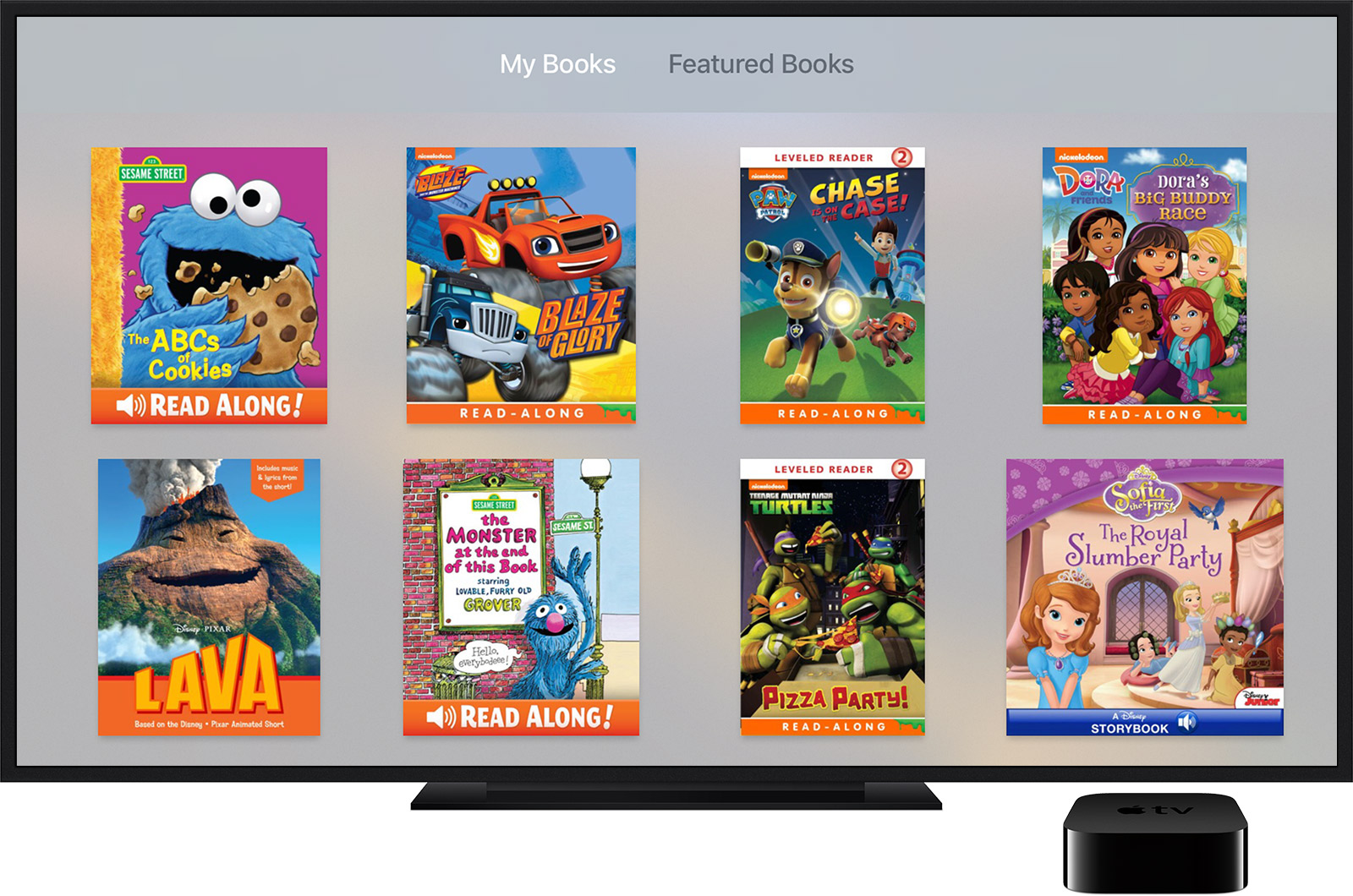
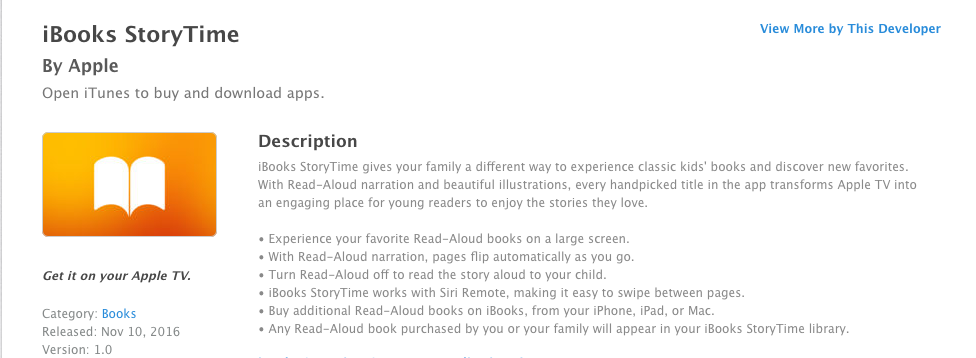
    Offering classic kids books, new stories, read-aloud narration, and Hi-Def illustrations, StoryTime is looking to be “an engaging place for young readers to enjoy the stories they love.” (App Store) StoryTime is available for AppleTV as well so stories can be viewed on larger screens. Pages flip automatically and there is an option to turn off the narration so you can read to your child yourself.

    The question is whether or not apps like iBooks StoryTime encourage reading or just disguise screen time to seem like it’s educational. Many experts have recently concluded that too much screen time is bad for the development of children. Obviously we can see the concerns with attention span or problems in social situations but one issue that relates specifically to this app is :

    an internalization that all actions have an immediate effect, and all stimuli elicit a quick response. – Psychology Today

    screenshot-2016-11-30-12-44-14This constant immediate reward from the quick response of digital media can lead to a preference to screen type activities and addictive behavior. 

    Reading to our children is critical. One of the most significant benefits is how reading together builds and strengthens our relationship with our kids. If a pre-recorded narrator is doing all the reading to our children, they are building a relationship with that screen and not with mom and dad. There are of course enough benefits to reading, no matter how. Kids who read well do better in every subject in school. Children who have been read to are better at communicating and reading to them at a young age makes it easier for them to learn to read when the time comes.

    Numerous studies have shown that students who are exposed to reading before preschool are more likely to do well in all facets of formal education.

    The most important thing is balance. An app like StoryTime can be a great tool to inspire and encourage reading in our children’s lives. It can also be a way to distract them so that we can do whatever thing we feel is urgent enough to cause us to neglect the important activity of bonding with our kids. We just have to be careful.

    My wife can’t even read a book on a screen. She says that there is something to the tactile effect of turning a page. The smell of the pages and even the sound of pages rustling as you go from chapter to chapter. I’m not sure if science backs up all of that but there is a ton of research leading experts to believe that even though an app like StoryTime can be a good tool, nothing beats sitting with your child, opening up a book, and reading together.


  • DirecTV NOW is Not Family Friendly Yet

    DirecTV NOW is Not Family Friendly Yet


    It’s the future! I have been saying for years that paying for cable tv service is ridiculous. What if I could just stream the channels I want and not have to buy a whole package of useless Home Improvement and Movie Channels? Well, they aren’t exactly there yet but DirecTV is getting closer with DirecTV NOW.  AT&T announced yesterday that they’re offering a television streaming service called DirecTV NOW; it’s available for purchase in bundles starting today, November 30th.

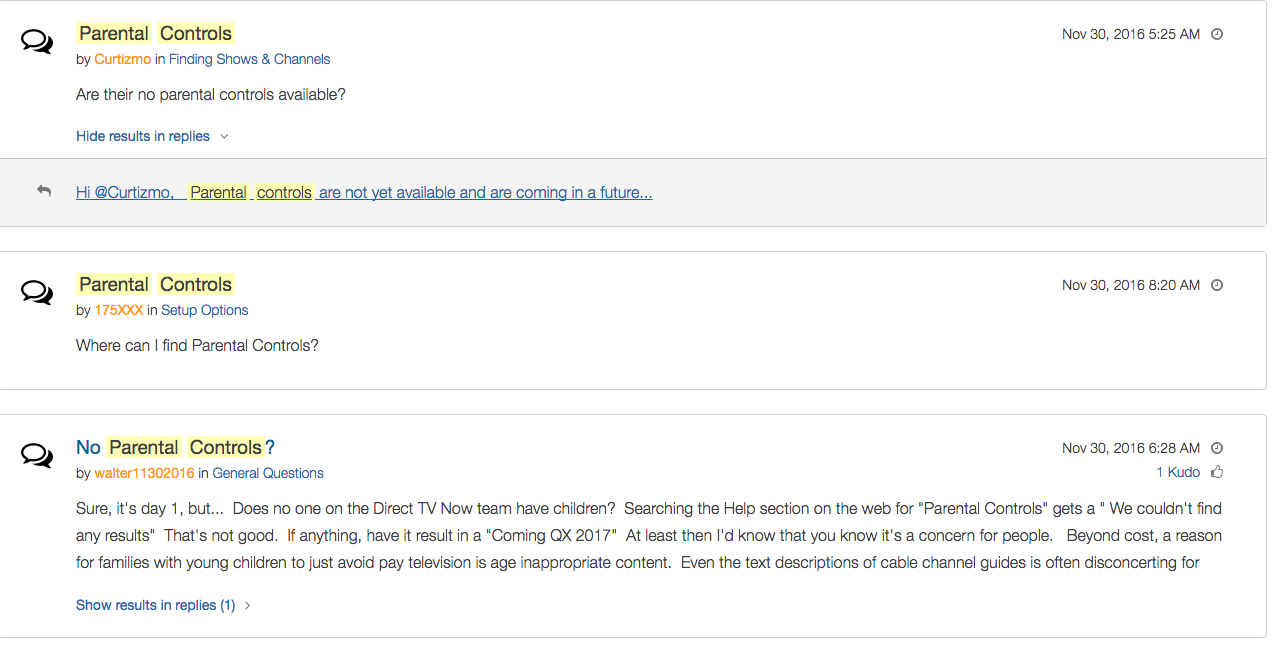
    Yes! It’s exciting to see that our TV options are expanding and even keeping up with the times a bit more. With ChromeCast, Apple TV, RoKu, and mobile access available we are finally being offered a version the tv service we wanted. Unfortunately, however, after some time with my free trial I have noticed that there is absolutely no parental control options built in for DirecTV NOW. I looked at the menus and in my account settings (there’s no option to create separate profiles, i.e. a kid profile, either.) I also tried to find a “block” option per channel to no avail. Then, a search for “parental controls” on the support and FAQ page led to no results and that was pretty much my final clue. There is currently no way to protect your kids from unwanted content on DirecTV NOW.

    That’s a deal breaker for me, especially with so much of what has become acceptable on cable television lately. Sexual activity, language, and increasing violence are mainstays in both broadcast and cable television shows. Even the commercials seem to highlight all of the features we would like to protect our young children from. I guess “keeping up with the times” comes with its costs as well.

    What’s a Parent to Do?

    screenshot-2016-11-30-12-15-35I would say wait. Just wait for a while and I’m betting we will see parental controls rolled out on DirecTV NOW before too long. In fact, a quick search on the AT&T Community Forums showed several concerned parents had already begun asking about this feature and it’s in development.

    DirecTV NOW looks to be a great way to save some money while still getting the entertainment content we want. Thankfully parental controls and content restrictions are becoming commonplace these days and this will be no exception. It is literally “day one” for this service so we’ll give them some time and the benefit of the doubt. You can join the future too if you’d like, I would just recommend keeping your kids off of it until you can set up some restrictions. 

  • When you DON’T Have Freedom of Speech

    When you DON’T Have Freedom of Speech


    I Have My Rights!

    It happened a few times while I was a youth pastor, a student in my youth group said something online about their employer on social media and lost their jobs. Too often I heard complaints about workplaces and bosses. In reality these teenagers seemed to just be whining about everything being someone else’s fault. Well, when it comes to employers firing you from something you said online you may be surprised to learn that your first amendment right to free speech doesn’t apply to your employer.

    Free speech, as mentioned in our Bill of Rights, exists to protect you from retaliation from the Government when you speak out in disagreement. It doesn’t apply to calling out your supervisor, Jeff, for being dumber than you and a bad boss. Apparently legitimate complaints about work conditions or problems at work mentioned on social media are protected, but negative “vaguebook” posts about employers or customers and pictures that shed the company (or it’s employees) in a bad light can legally be grounds for firing.

    If You Wouldn’t…Don’t!

    complain-boss-facebookMore and more employers look at a potential hire’s social media accounts when deciding if they’ll employ them. Your teen needs to know that what they post online, that song lyric that makes them sound depressed all the time, the nasty comments about the boss at their last job, or even the pics from that night “out” last weekend can come into play when they’re looking for a job. This also applies while they’re trying to keep their job.
    We should help our kids understand that social media is a public place. Everyone can see what you post online and there are often consequences to being too public with your thoughts. If you wouldn’t stand in the middle of a crowded room and yell, “My boss is stupid and doesn’t care about his employees” you shouldn’t post it online either. This sounds like common sense but your teen may not be able to think that far ahead during this time in their adolescent brain development. I recommend a conversation about this with your child when they get a job. Use this chance to remind them that what is posted online stays online and that they can’t just say whatever they want. Anonymity is a myth and it’s our job as parents to help our kids understand that.

  • Firefox “Focus” Private Browsing Poses a New Risk for Your Kids

    Firefox “Focus” Private Browsing Poses a New Risk for Your Kids


    Private browsing has been around for a long while now.

    Whether incognito mode, private mode, or InPrivate, there has long been a way to visit whatever sites you’d like without worrying about being tracked or accumulating a history of sites visited. Mozilla has released a new browser called “Focus” that is designed to allow users to browse privately. The idea is to keep advertisers from storing information on your computer or phone and using it to target their ads while you surf the internet. This can be a good thing, but it’s important to understand some risks involved with private browsing.

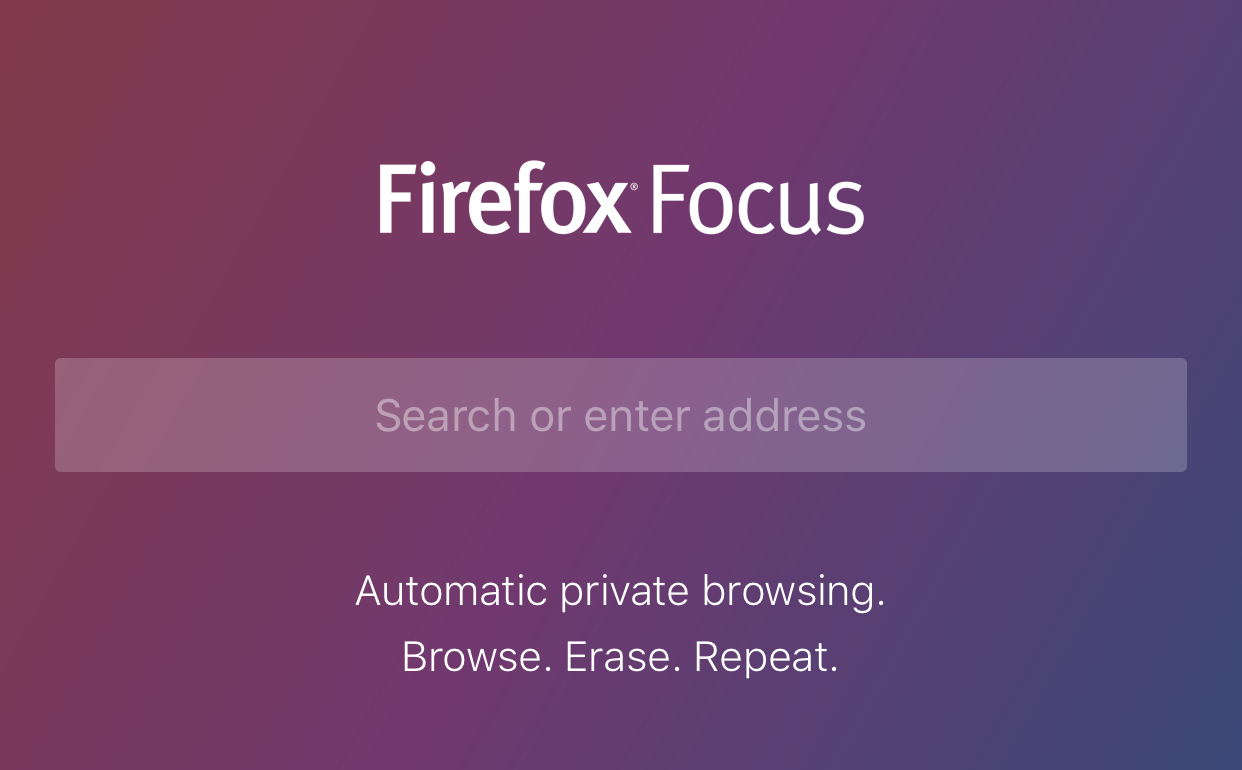
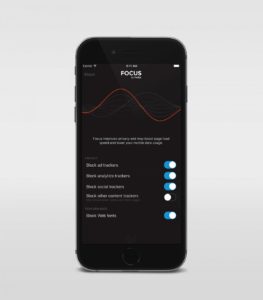
    Focus is designed to block ad trackers, analytics, social trackers, and can seek out and block other trackers as well. It can also integrate into Safari on ios (the ios standard browser) and Firefox on your computer. After downloading the app you just open it and begin browsing, searching (on Yahoo,) or surfing as needed. There are no extra tabs or any bells and whistles at all but when you are done you just close the window with the “Erase” button and start again at the first screen. All the data is gone at that point. Like you were never there.

    What Parents Should Know

    focussettingsWhile I am all for the battle for internet privacy and freedom from being tracked by marketers, private browsing presents a major problem when trying to protect our kids from inappropriate online content. Keep in mind that a popular name for private browsing is “Porn Mode.” The ability to view sites without anything being stored on your computer, including a history of your surfing habits, is, of course, a way for our kids to view adult content without us knowing.
    Part of setting protections for your kids on their smartphone or tablet is turning off the ability to install a different browser. If you have installed an accountability or filtered browser then a new way to surf the web will completely undermine your attempts to protect them. While on the computer, filters like NetNanny will continue to block sites and accountability software such as Accountable2You will continue to report (though, with less detail) inappropriate activity. Even in private mode. While on mobile devices, however, especially ios devices, the accountability and filter app should be the only browser available to our kids.

    Learn more about privacy and security from our Mobile Device Vocabulary Series.


  • Houseparty App Gives Your Teens a Chance to “Unwind” with Friends Online

    Houseparty App Gives Your Teens a Chance to “Unwind” with Friends Online


    Everyone needs their “third place.”

    The third place is explained by sociologists as

    “the coffeehouse, the bar, the mall — a public space for relaxing, socializing, sharing ideas, or goofing off.” –TechCrunch

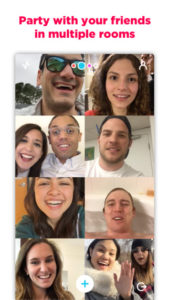
    Your kids are finding an online version of that public space and it’s in an app called Houseparty. Houseparty is a group live “hangout” or video chat app and it’s been increasingly popular in high schools since May. This app provides a way for teens to connect with friends away from the pressures of school, work, or even parents. It gives them that “third place” to unwind. It gives them an opportunity to be social, but is it really social?

    “Despite the positive impact of emerging communication technologies on scientific research, our results provide striking evidence for the role of physical proximity as a predictor of the impact of collaborations.” – Harvard Medical School

    Relationships are better built in person. More and more research is showing that time spent near your friends is more important even than time spent talking with them. While video chatting allows for group conversation, it doesn’t allow for the mannerism cues and continuous turn taking. (Bejing Normal University) To say that using a video chat to build relationships is good for our kids, or at least better than nothing, is not really accurate.

    How It Works

    screen322x572The Houseparty app uses your contact list to automatically log you in with up to eight friends who are online when you open the app. You don’t set up or invite people to conversations, it just puts you in a room to hangout with whoever is on. So using your contacts list ensures that you’re hopefully only chatting with friends. You may, however, have the contacts of some folks you aren’t interested in chatting with. There is a “stranger danger” feature that will alert the user if someone joins the chat that isn’t on their contact list. This is a pretty good feature.


    What Parents Should Do.

    I think this app is trying to get a lot right. While there can always be concern with video chatting, simply because anything created with good intentions can easily be used to do something inappropriate. Similar to the AfterSchool app, I would say Houseparty is something that parents should be aware of and talk to their kids about but I wouldn’t advise uninstalling on sight, necessarily. Whether or not your are ok with your children building their relationships through online communication is up to you.

  • Another Instagram Update Makes the App More Like Snapchat

    Another Instagram Update Makes the App More Like Snapchat


    If you have been heeding my advice you have done your best to keep your kids away from Snapchat. Instagram has launched yet another update and this one includes dissapearing pictures and videos in their direct messenger and the beginnings of their soon to be released live video feature. What this means is, if your kids have Instagram, they now basically have Snapchat. (more…)

  • Your Kids Use “AfterSchool” So You Should See This

    Your Kids Use “AfterSchool” So You Should See This


    Some apps come out and there is no way to know the intentions of the developer. AfterSchool is not one of those apps. The vision behind this app is to turn online activity into real world interaction. In a good way. AfterSchool is an app that lets students connect with other teens in their school. Here’s what their site says about what you can do on the AfterSchool app:

    “After School’s innovative features channel students toward making new connections and friendships, and engaging in positive offline activities. …On After School, students can share openly and honestly, without fearing judgment or ridicule. They choose whether to reveal their name or remain private.” – afterschoolapp.com/about

    While these apps allow you to stay private, a lot of students choose to make their identities known. Most of the “testimonials” from teens about why they like these apps speak to being able to hear what people really think about you. They talk about everyone being open and honest on the app. Honesty and openness is good but if you are saying “what you really think” about someone, that could cause problems in the teen world.

    Yes, the creators of AfterSchool designed this app to ban bullying and hateful behavior but I still say that as a parent, we need to understand how this app works. What it does and what our kids are using it for. If they are wanting to meet up, what are they meeting to do? The app has built in features to block explicit content but there are ways around those filters. They also claim to have live moderators who keep cyberbullying and inappropriate posts to a minimum. While this is all great, there is no better moderator than mom and dad talking to their teens about what they’ve seen on the app.

    Even the creators of AfterSchool understand this and so they’ve put together an extensive guide for parents. I’ve included a link to their PDF below. I recommend you go check out the site. They boast that teens in 80% of US High Schools use AfterSchool. That means your kids are most likely using it to. You should read this:

    Click to Download the PDF
    Click to Download the PDF
  • Twitter Changes Settings to Combat Bullying and “Hateful Posts”

    Twitter Changes Settings to Combat Bullying and “Hateful Posts”


    Twitter is working to decrease the amount of “hate speech” that happens in their social media site. They have made it possible for victims and bystanders to report hate speech that fits the following description:

    “specific conduct that targets people on the basis of race, ethnicity, national origin, sexual orientation, gender, gender identity, religious affiliation, age, disability, or disease”

    Twitter didn’t stop there, though. They added something I’ve wanted social media to make available a long time ago. They now allow the filtering out or “Muting” of notifications that contain key words, phrases, and even emojis, that you consider offensive. While you may still see these posts in your timeline, you won’t be alerted to the post even if you are tagged in it.

    These major adjustments are seemingly more and more necessary due to the commonality of bullying on social media. Twitter has been in the news many times this year for different celebrities shutting down their Twitter accounts after being victims of racial or sexist bullying.

    Another neat thing about the new update is that hate speech reports are handled by human moderators, not algorithms. This means that each case will be handled by trained humans and not some bot that automatically shuts down an account after too many reports.

    What Parents Should Know

    This update is significant because it’s anti-hate speech and anti-cyberbullying. The way young people treat each-other online can be quite volatile. It seems that the apparent anonymity of social media gives kids a sense of invulnerability and they post whatever they think. Let’s be honest though, this isn’t just kids. These changes are happening because the problem has gotten bad enough that even some of our most loved celebrities are experiencing the backlash.

    Lets hope more and more social media sites begin to add these features. This will help us protect our kids and give them another way to protect themselves.

  • Snapchat Spectacles: Now You CAN Document Every Meaningless Second

    Snapchat Spectacles: Now You CAN Document Every Meaningless Second

    People are waiting in line for hours to get a pair of Snapchat Spectacles. These sunglasses allow you to take 10 second videos of whatever you’re seeing. It’s a first person view of your world that you can then share on your Snapchat Stories to allow your friends to take part in every second of your life. Meaningful or not.

    Spectacles are only available from a vending machine that is currently touring the country causing a big stir. Having set up for a day each in Venice Beach and Big Sur California and today in Tulsa, Oklahoma, the exclusivity of these sunglasses is already evident in the fact that the $129 social media accessory is going for a few thousand dollars on EBay already. These things are especially popular with the teen and young adult crowd and all I have to say is “Oh boy. Get ready for even more useless oversharing.”

    How do Spectacles Work? (more…)