Category: news

  • Group Video Chat is Everywhere! Now, even in iMessage.

    Group Video Chat is Everywhere! Now, even in iMessage.

    Kik has been popular with kids and pre-teens for some time. It’s a messenger that allows them to chat over wifi using a made up profile or “display name.”  The app recently joined the likes of Snapchat, Instagram, WhatsApp, and FB Messenger by adding group video to the mix.

    Then, a few days ago, a new app called Fam came onto the scene. Fam allows group video chats within iPhone’s iMessage. When iOS 10 released for iPhones it came with the ability to add and utilize apps, stickers, and games within the app itself. This has opened up the ability to put in GIFs, use emojis that aren’t available on your keyboard, and even share music or money with just a few taps in the iMessage app. Now, Fam is capitalizing on those abilities.

    How Does it Work?

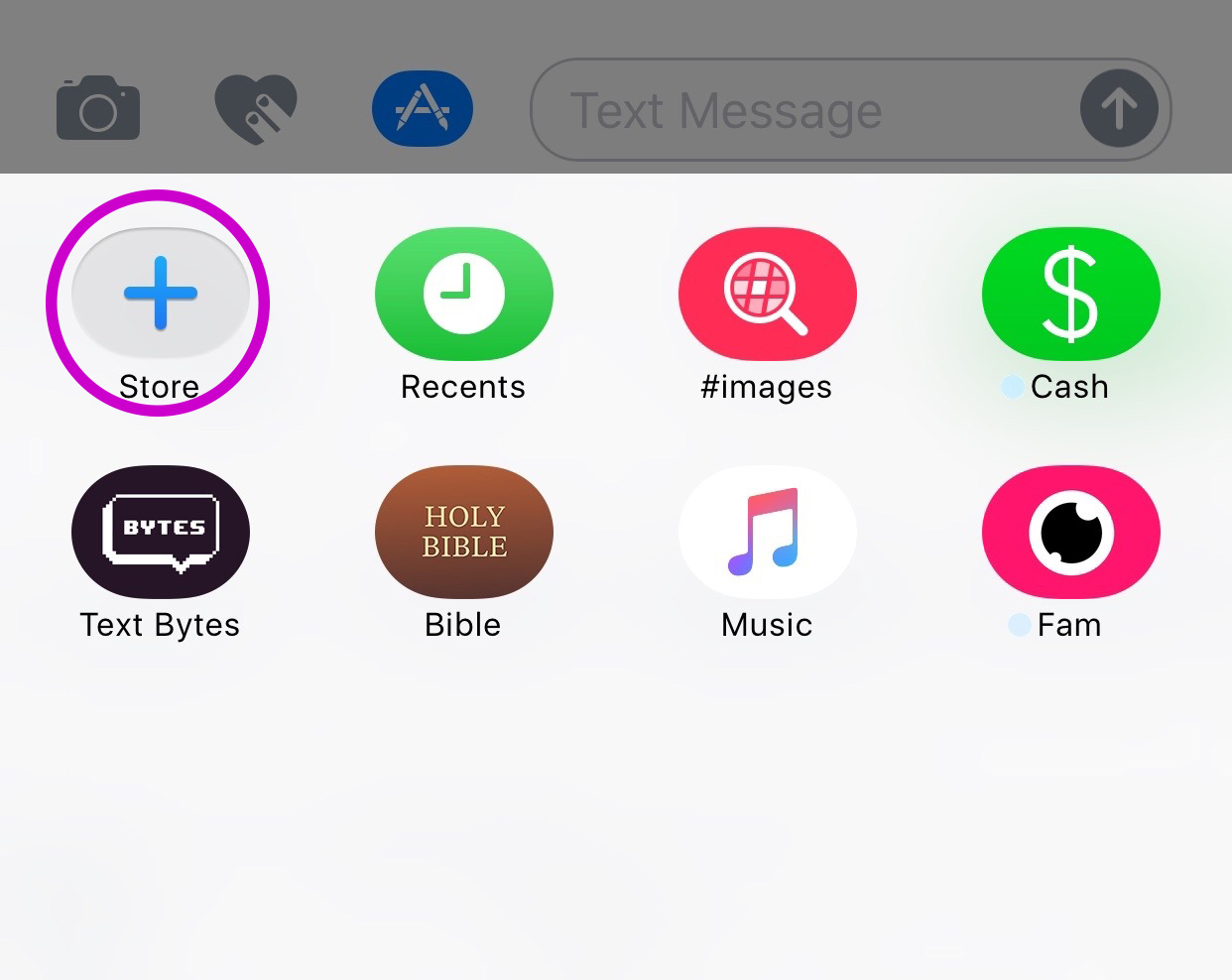
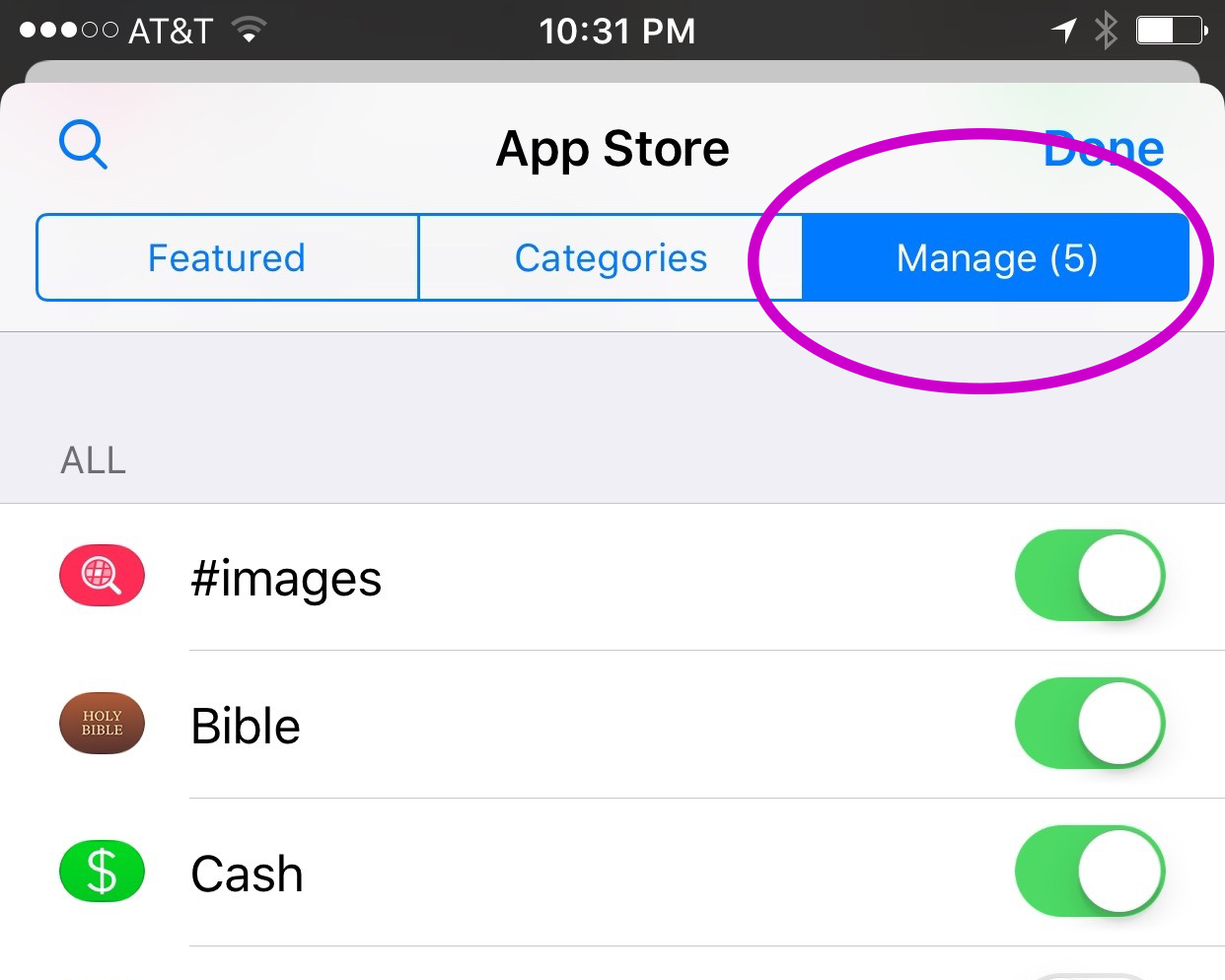
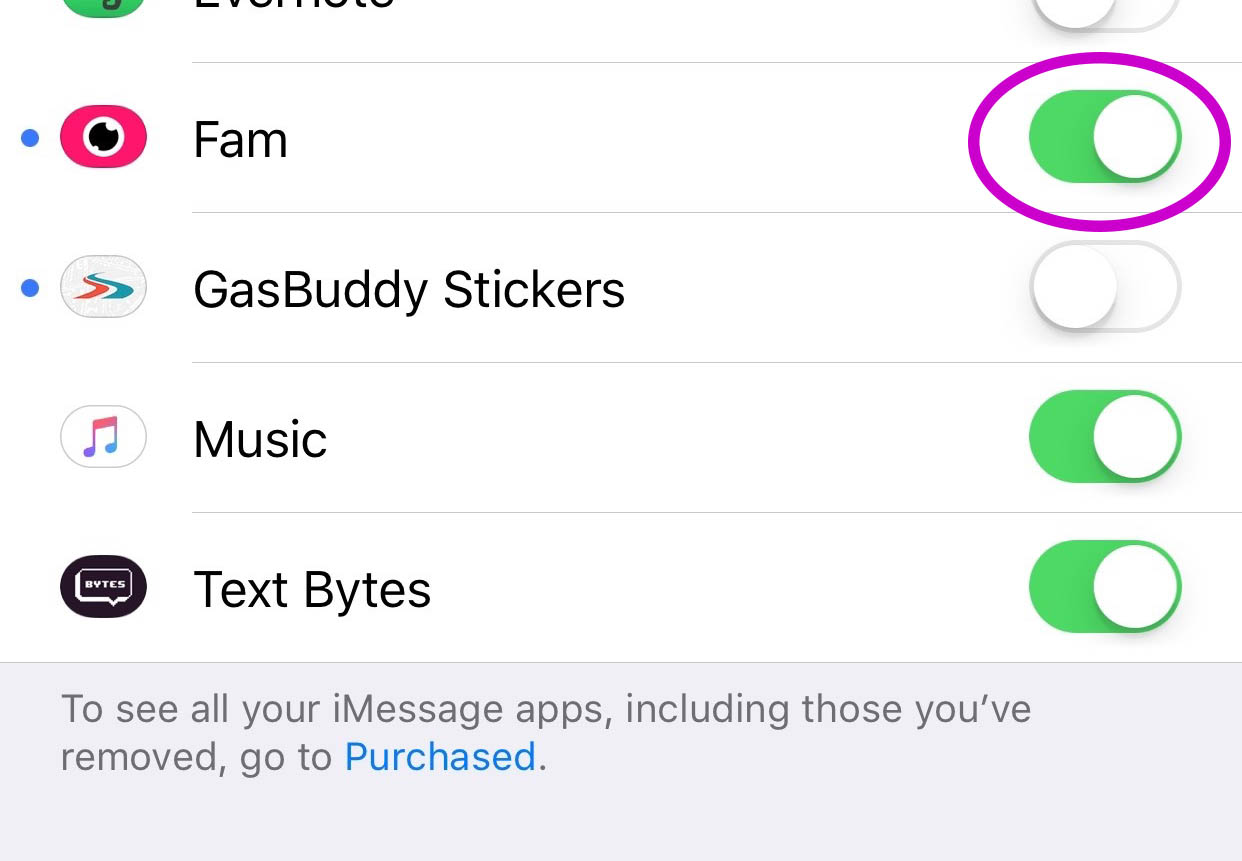
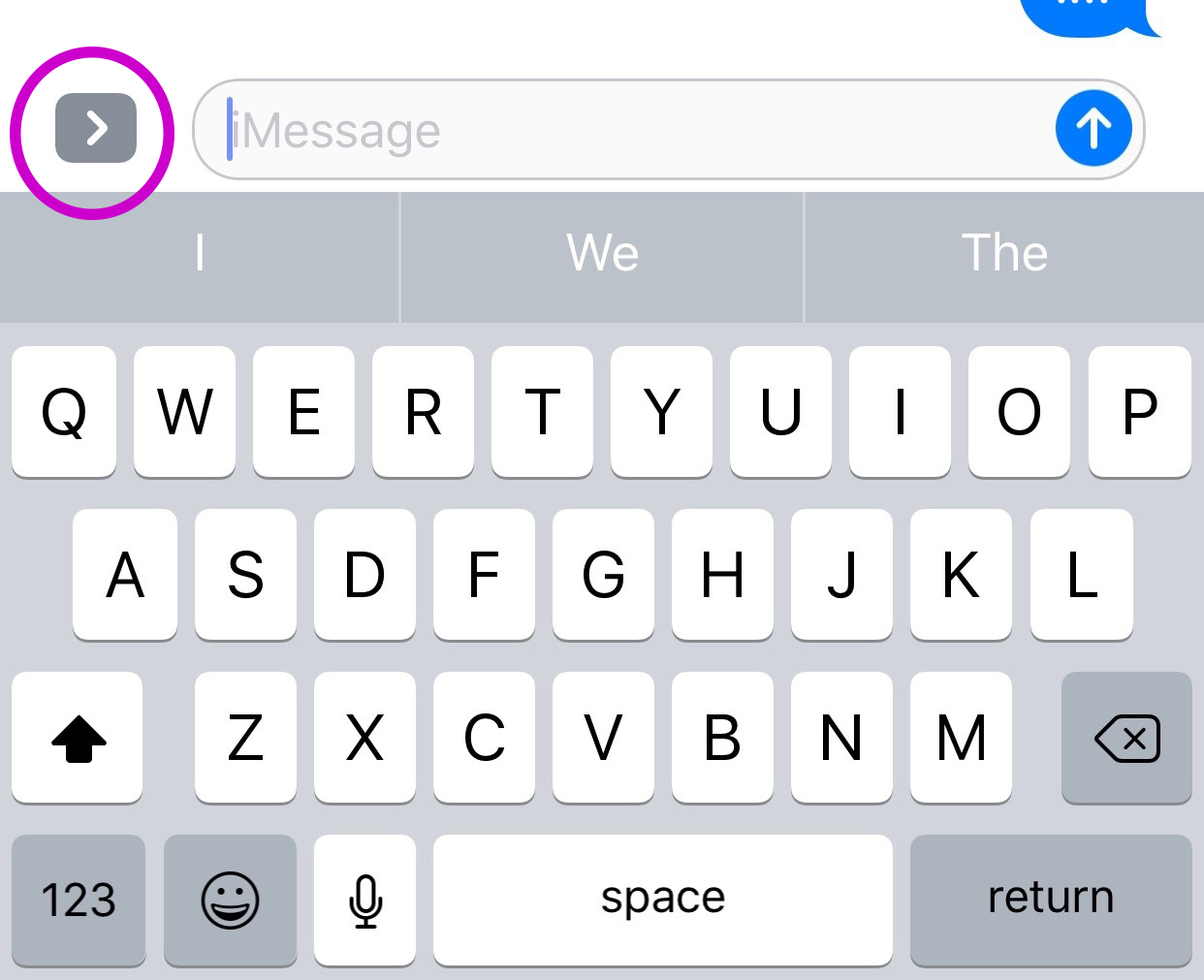
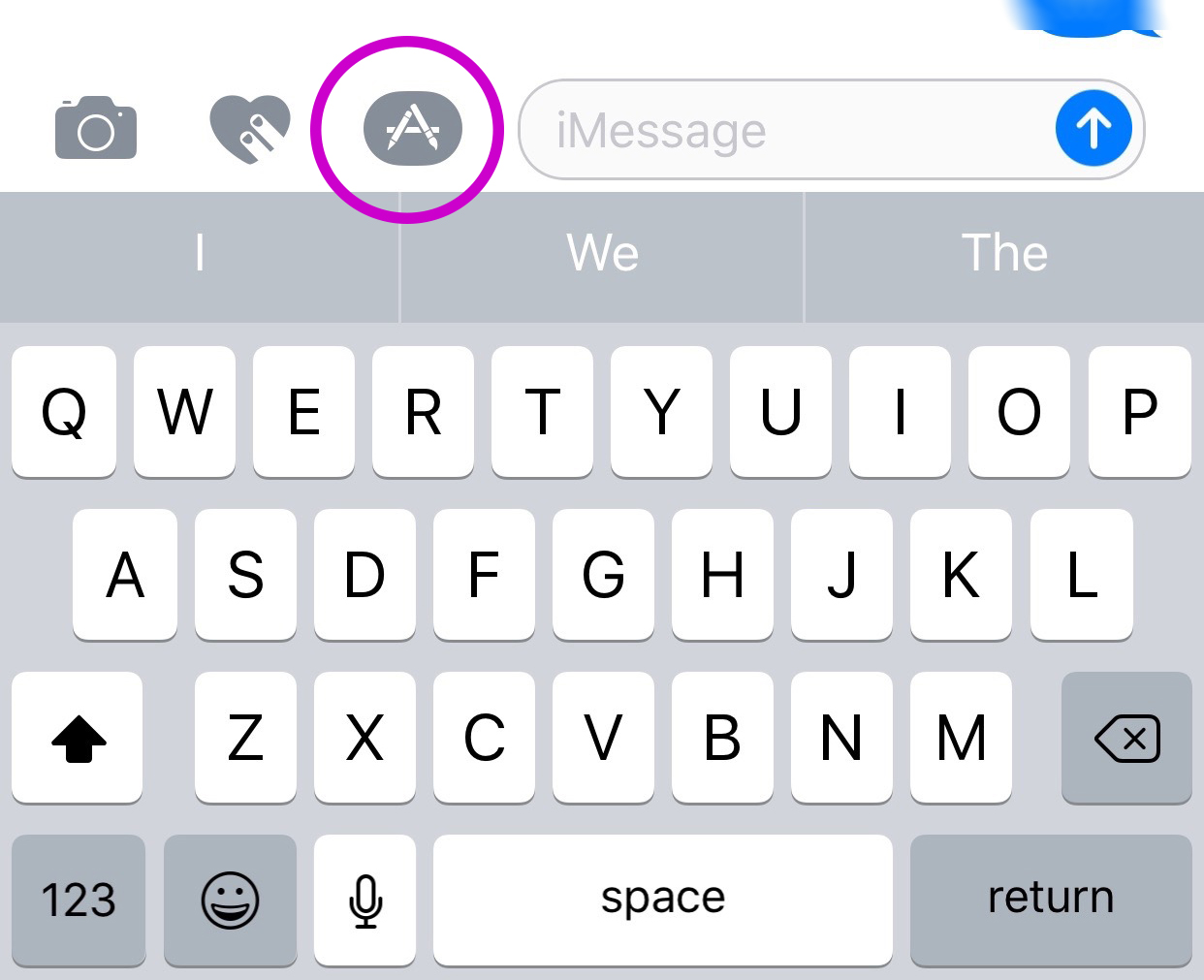
    You’ll have to find the Fam app in the app store and install it. Once it’s on your phone you can activate it by selecting the apps icon next to your text box and then the small icon that looks like a group of app buttons on the bottom left.  Next you’ll tap store, and then the manage tab on the upper right. Once you toggle Fam to be active it will show up within iMessage (your text messaging app) alongside your other apps. Once you have it you just have to tap the “Create Video Chat” button and it will send an invite to up to 8 people in your iMessage thread. (See the gallery below for those instructions with some photos.) If your friends have the app installed then they’ll be able to join right away, otherwise they’ll have to go install and activate the app too.


    What Should Parents Know?

    The dangers with video messaging are pretty obvious. If your teen is wanting to have an inappropriate video conversation with someone there are plenty of options to do that. The truth is that group video has become a mainstay. The conversation in social media and tech circles is that having group video chat available is now expected on any and every social media platform. As a parent we have to understand what apps can do what and know how to disable certain features if you decide it’s best for your family.

    That said, Fam is a pretty neat addition to iMessage. I was excited when they added the ability to put apps in iMessage and apps like Fam are precisely why. This is a way to communicate over video with the folks you contact the most. I will most likely use it, that is, if the people I talk to would be willing to install it.

    I recently spoke to a father who was trying to make the best decision to let his daughter get her cell phone back after losing it due to some behavior her parents didn’t approve of. My recommendation was that they take baby steps and I advised him to not let her have any messaging apps, to only allow her to use the basic text messaging on her phone. There was a time when that would keep you away from a lot of the danger. The dangers of some of those messaging apps is the creation of often anonymous accounts. Your kids may not always know who they’re talking to. A video messaging app in iMessage (which uses only their contacts) can help keep that from being as much of a fear.With apps like Fam stepping into the light, though, I have to emphasise the importance of checking out your child/teen’s phone every now and then. Look at the apps they use and even the apps they use in their messenger. Read through some of their conversations and make sure you know everyone on their contacts lists. If you don’t you should be finding out who they are immediately. Especially since they can now have a video conversation with your kid.

  • VidAngel Plays “The Devil’s Advocate”

    VidAngel Plays “The Devil’s Advocate”

    Streaming Filtered Hollywood Movies Sounds Awesome!

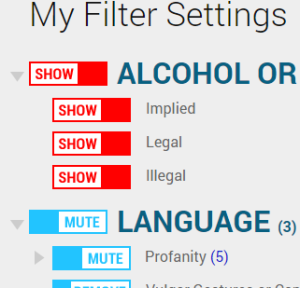
    A few weeks ago I downloaded an app that allows users to view movies with filters set. Cutting out nudity, language, suggestive themes, violence, all at your discretion, VidAngel turns some of the most “raunchy” movies into near family friendly entertainment. The problem is that, under current copyright laws, their methods are illegal.

    A recent ruling by a California federal judge has ordered VidAngel to stop their service immediately. The ruling states that the service provides content illegally and that their claim that they’re allowing users to “purchase” the film only applies to a physical copy of the DVD. That means they don’t have the right to stream a filtered copy (illegally copied according to the claims of Fox and Warner Bros) to their app’s users.

    “Subscribers view a stream from a master copy stored on a server, not a DVD temporarily “owned” by the user. Furthermore, lawful ownership of a DVD only conveys authorization to view the DVD, not decrypt it for the purpose of viewing it on an alternative platform. Therefore, VidAngel’s customers are not lawful “owners of possessors” of the digital content that is streamed via VidAngel’s service”. – US District Judge Andre Birotte Jr.

    The company claims that their service is using a loophole to remain legal. Subscribers “buy” a movie for $20, set their desired filters and view the film within 24 hours, and then “sell” it back for $19, resulting in a $1 rental of a filtered hollywood blockbuster. The US District Court in California has said this isn’t legal and their loophole isn’t valid. This doesn’t mean viewers are breaking the law, but it does mean that VidAngel is dangerously close to having to close down its service. In fact, they’ve already been asked to do just that, but they aren’t backing down.

    “We will aggressively pursue an appeal and take this case to a higher level where we have always believed we will ultimately prevail. – CEO Neal Harmon (VidAngel)

    VidAngel has not shut down their service as requested. They are trying to fight the legal battle and keep their service going. They have even raised millions from investors and subscribers to help with legal costs of the battle. Warner Brothers and Fox have recently filed to ask the court to find VidAngel in contempt. We will keep an eye on this continuing battle.

    Our Thoughts

    I am an advocate for filtering entertainment as long as it’s customized by the viewer themselves. I’ve always maintained that it’s up to the viewer or parent to decide what is and isn’t “too much” for their family’s standards. That said, I also believe in the right of a director, producer, and studio to protect their property. Streaming services such as Netflix and HULU pay for the rights to stream movie and TV content to their subscribers. This keeps the income flowing to the studios who produce these movies and allows quality content to be accessed by the users of the services. The problem comes when filtering is mentioned. Most studios and filmmakers don’t want their movies altered in any way. They even try, in this lawsuit, to make the case that VidAngel’s filtering isn’t legal. The judge ruled that allowing users to filter out unwanted content isn’t the same as adding material that changes the film altogether. That’s a win for VidAngel but it’s unlikely that permission to stream filtered movies will ever be given by movie studios and major motion picture companies. It’s just too close to breaking their creative rules.

    I don’t think VidAngel will be allowed to continue unless the laws are changed to make it possible. As these laws seem to be stated now, VidAngel isn’t handling copyrights properly and are misinterpreting a loophole to try to justify it. I will uninstall the app and not rent movies from VidAngel for the same reason I don’t watch live sports streamed illegally online and don’t download software illegally. It makes me feel icky knowing that it even though it may not be technically illegal it isn’t technically legal either.


  • What Parents Need to Know About Super Mario Run

    What Parents Need to Know About Super Mario Run

    Guest post by John Wilkerson of The Wired Homeschool.

    Super Mario Run, announced earlier this year, is the first highly anticipated mobile game from Nintendo. Initially released for iOS devices, it is expected to be released for Android early next year, parents can expect to hear about the chart-topping app for months to come.

    On its first day, Super Mario Run was downloaded 2.85 million times according to Apptopia which broke the previous record of 900,000 downloads held by PokÈmon Go. That means if your child hasn’t already installed the game, they’ll want to soon.

    About the Game
    Super Mario Run is a single player, side-scrolling, endless running game where players guide the eponymous Mario through several worlds to rescue Princess Peach from Bowser. Along the way players collect coins while trying to avoid Bowser’s minions and falling off the screen. If you’re a fan of Super Mario Brothers this sounds familiar to you.

    Nintendo has done a good job of making this game unique. It’s not just a simplified version of a very popular game from the 80’s. It has unique game-play elements that will entertain you and your kids.

    The game has a mini-games within it which can be unlocked by earning tickets. You earn tickets by collecting all the pink, purple, and black coins on each level. You can also recruit Toads into your kingdom to restore it to its former glory.

    Initial and On-going Costs
    The first 3 levels of Super Mario Run are free. To unlock the remaining episodes you’ll need to spend $9.99. While this seems like a lot for a casual game, keep in mind that there are no in-game micro-transactions. No need to worry about Johnny or Sally running up your bill.

    Additional Features
    In addition to earning bonuses in the game, bonuses are given for connecting your Nintendo account. If you or your child don’t already have an account, you can create one in your device’s browser.

    Players can also connect with friends by sharing their player ID, linking to social media accounts, email, text, or adding someone’s player ID manually. Once you’re friends with another player you can challenge them in Rally Mode.

    Final Thoughts
    Super Mario Run is a fun game that you and your kids will want to play. It’s challenging and the nostalgia factor for adults is certainly what’s driving its popularity.

    As with any game, parents need to be aware of a few things:

    1. If you link to or create a Nintendo account you should be aware of the privacy policy.
    2. Linking to social media accounts brings with an additional set of privacy issues.
    3. While initially free, the $9.99 price might seem high but there are no micro-transactions.
    4. There is the potential that your child will spend too much time playing it.

    About the Author: John Wilkerson is a homeschooling dad of 7 living in upstate New York. Through his podcast and blog, The Wired Homeschool, John has been providing practical advice to parents on using technology in homeschooling for over 6 years. Connect with John on Twitter: @jwilkers.

  • Snapchat Answers the Photo Messaging Challenge with New Features

    Snapchat Answers the Photo Messaging Challenge with New Features

    The battle for the best messenger and photo messenger app continues and this time Snapchat has launched a counter assault. Excuse my military history illustration, I know I’m a nerd. While Facebook has been building up the features list on their popular messenger app, their photo app Instagram, and their texting app, WhatsApp, Snapchat has been working on some updates of their own.

    Let’s take a look at what today’s update has and what it will allow your kids/teens to do while in the app. Then we’ll chat about what parent’s response to this app should be after the latest update is installed. It’s super important to stay in the know, even if some of the updates may not be potentially dangerous. Here’s our breakdown:

    Snapchat’s New Features

    Paintbrush and Scissors

    These artistic new tools will allow you to do more customization than ever before. Paintbrush is a bit novelty and is just a way to make your photos look different but scissors is actually a pretty cool idea. This feature allows you to take “cut out” portions of a post or photo and save them to use later as a “sticker.” This feature gives you be the ability to become your own emoji. I am kind of looking forward to one of the apps I actually use copying the Scissors feature. It’s pretty awesome.

    Shazam

    You, most likely, are familiar with Shazam. It’s an app that allow you to identify whatever song you’re listening to by allowing the app to “listen” to it and then give you the details. This update allows you to use Shazam right in Snapchat. You just open the camera, hold your finger down, and the option to find the song will come up. Once the song is identified you’ll be asked if you’d like to purchase the song. Shazam has been around for a long time, this integration is a pretty unique idea and will keep users from closing one app to use another one.

    Group Chat

    Group Chat is self explanatory. You can chat with up to 16 people at a time and set up your chats in groups. This allows users to keep their most common friends together in one group so they can have quick access to their conversations. Your teenagers are socializing online now so this allows them to do so in a larger group.

    Every feature included in this update is another step towards Snapchat becoming the catch all app for young people. The most common users are ages 18-35 but there are many high schoolers who have already been snapping their friends for years. If they haven’t already, these updates are sure to lure them in.

    What Should Parents Know?

    As I’ve mentioned before. My main concern with Snapchat isn’t the messaging or photos, it’s the advertising. Their curated “discover” page has been and always will be a deal breaker for me. I know you may not agree so regardless of your reasons for being safe here are my tips for parents of Snapchat users.

    Don’t allow Snapchat if you’re uncomfortable.

    It’s important to remember that you have to have a say over what your kids are doing online. If what Snapchat does makes you feel uncomfortable you shouldn’t allow it on your child’s phone. Whether you’re afraid of what people may send them or what they could see on a public story. Maybe you’re just concerned about people they don’t know getting ahold of pictures of them. You also could simply be trying to keep the marketing gurus who are publishing content straight to your child’s phone from turning them into the consumer they want them to be. No matter your reason, be true to that instinct and hold firm to your position. Your teen won’t understand and will argue but you have to trust yourself on these issues.

    Use family sharing to know when apps are installed.

    I walked through family sharing and how to set it up in THIS tutorial. This is a great way to keep track of what apps are being installed on everyone’s devices. You can even set it up to ask you permission before something is installed. If you have decided to take a stand against your teen joining the Snapchat trend Family Sharing is a great way to be sure they’re sticking to those rules.

    Follow your kids’ “Story”.

    If your teen is using or wants to use Snapchat and you’re ok with it I recommend you get an account as well, even if it’s only to keep tabs on their “Story” yourself. This isn’t spying since you will communicate with them that you’re following them. Let them know it’s not that you don’t trust them, it’s that you have a responsibility to protect them from those who won’t use the social media service in the safest way.

    Talk to your kids about how they use Snapchat.

    Now comes the inevitable plea to be transparent with your children. Be open with them and honest about your concerns with Snapchat. Let them know you want to protect them from whatever it is you’re concerned about. Boundaries become stupid rules if there is no relationship. If you’re going to be following the on their account they need to know about it and know why. If you’ve decided not to allow it at all then you’ll have to be honest about why. Let them talk to you about why they want to use it. “Because it’s how my friends talk to each-other is a legitimate concern for a teenager. Social connection is the most important thing during that time of their lives. That shouldn’t cause you to back down from your rules but instead help you show empathy and compassion while you are patient enough to give them time to adjust to the rule.

    These new updates are being discussed in the tech world as another big “shot across the bow” to Facebook and Twitter and other social media giants. You can expect more and more features to roll out on all of these services. Also expect to be asked by your child if they can start an account and be ready ahead of time with your answer.

  • Apparently Pokemon Go Had Little Real Effect on Exercise

    Apparently Pokemon Go Had Little Real Effect on Exercise

    Many (including me) have said that one of the great things about Pokemon GO is that it has gotten people out and moving more than they ever did. Unfortunately a recent study by the British Medical Journal is singing a different tune. Apparently about four weeks after the release of the app people went back to their couch potato ways, only playing the game when they would have been out moving anyway.

    The study surveyed over 1100 American adults, half of them were Pokemon GO players. There was no significant difference between the two groups in the number of steps taken (automatically tracked by the phone) before and after the release of the game. There were some folks who started off walking a bit more because of the game, but the study shows that the trend tapered off to almost nothing after about six weeks.

    What Parents Should Do.

    An interesting note about this study. It didn’t include children. It is, of course, possible that kids were more active for longer because of playing Pokemon GO. There is no study to confirm it, however.

    One of the major reasons that limiting screen time is a good idea is the inactivity overuse of technology can cause. When a game like Pokemon GO is released, parents may see a way out. They can give in and let their children play this game more often because it’s getting them up and moving. Well, if the study of the adults who played the game is any indication, we won’t be seeing many kids becoming more active and less out of shape because they’re trying to catch them all. Nothing beats old fashion creativity and time outside with friends.

    If you have seen Pokemon GO players walking around you can see what all they’re missing. What good is getting up and around if you’re still just staring at your phone the whole time. Yes, parents and kids have been playing this game together and the connection of handing down the love of Pokemon to your children is a real thing. We just have to be careful when we use technology to replace something that was always meant to keep us and our children grounded in the real world.


  • You May Be Shocked by the Top Grossing Mobile Games of 2016

    You May Be Shocked by the Top Grossing Mobile Games of 2016

    The way game developers make their money has changed quite a bit over the past several years. There was a day when you would just purchase a video game and then play the whole thing until you either got tired of it, beat it, or wore it out. Nowadays we have access to so many mobile games on our phones and tablets that don’t ask for any money up front. Somehow, though, these “Freemium” games end up being the ones that make the most money every year. How is that?

    If you have spent any time playing these games you have experienced it yourself. You download a game that looks awesome in the commercial and in the app store. You get started and enjoy the gameplay right away. Soon, however, you seem to stall out a bit, or you’re playing in an open world with other real people and they all seem to be way ahead of you and are destroying your village or blowing you away on the scoreboard. What’s a gamer to do? Never fear, the premium game designers built in a way for you to get a boost to your game score or a new way to skip the long wait to let your in-game work get done so you can collect your reward. All you have to do is spend a few bucks here and there and you can play the game non-stop without any delay. This is how Freemium games make their way to the top of the money makers list. Here’s a screenshot of Statista’s top ten of 2016 list.

    Every game in that top ten list is free to download. Note that the amounts listed are daily revenue. These are dollars made from people who have decided to spend little bits of money here and there to help themselves play these games a little faster or a little better. The top game, Clash Royale, is one where you battle against friends with an army you have built. You have to use gems to build your army so you must either spend money to build your army faster or play a lot and wait for your “chests” to open and give you new soldiers (in the form of cards). Pokemon Go comes in at number two. This one will allow you to keep trying to “catch ’em all” by buying new Pokeballs when you’ve run out. Finally, numbers three and four are Game of War – Fire Age and Mobile Strike. These two games are often advertised on television and have received much criticism about the gameplay in their product being a lot different what they’ve portrayed it to be. For some, the promise of better gameplay causes them to spend money in hopes to gain more levels faster. It’s a new way to do mobile games and has even trickled into the console and computer game markets.

    It’s called DLC and stands for Downloadable Content. This is new features and game content that gamers can spend more money on to enhance gameplay or keep the story of the game going. Obviously, the success of the in-app purchases in mobile games has inspired other game developers to use this model to increase the profitability of their product. The largest difference is that you still have to purchase for the initial version of most console and computer games. As you see below on the screenshot from ThinkGaming.com, the first pay up front mobile game on the top grossing list is Minecraft Pocket Edition at number 35.

    What Parents Should Know.

    Obviously you should know that nothing is truly free. Our kids should understand that too. As I explored in more depth in our Mobile Device Vocabulary Series, there have been instances of parents finding out their kids have made very large in-app purchases without permission. There are ways to protect your accounts from money being spent unintentionally. Make sure your app store account asks for a password every time you make a purchase. If you have Apple products, set up your icloud accounts with family share so you can see what apps your kids have and make them ask permission to download anything new. Also, be sure to discuss with your children that sometimes their favorite games ask for real money. Teach them that they should ask you before agreeing to buy anything “in-game.” You don’t want a surprize charge on your credit card. While iTunes and GooglePlay have pretty good track records of refunding purchases, it’s a hassle I’m sure you’d like to avoid.


  • Instagram Adds Live Video to their Stories Section

    Instagram Adds Live Video to their Stories Section


    It’s no surprise that we are covering more news from Instagram, they’ve been busy keeping up with the likes of Snapchat. Adding Stories and disappearing private messages were just a couple of their latest moves. Today they’ve released the first change that will allow them to pass up Snapchat in the Social Media “engagement” game. Today, they added Live Video!

    Live video has been available on Facebook for a while now so it’s a bit of a no brainer that it’s been added to their other assets. There are a few major differences between Facebook and Instagram’s live video. First, it’s the fact that Instagram’s videos disappear. Unlike making a live video on Facebook, where it will upload to your timeline and allow you to share it, Instagram’s version will end and never be seen again when you hit finish.

    Another major difference is the inability to share while you’re broadcasting. These features may change but for now they set it apart quite a bit from Facebook’s live option. The ability to go live at all is super trendy and sets Instagram apart from Snapchat which is a major win for them. It doesn’t change our view on Instagram but it can teach us a couple of things.

    What Parents Should Know.

    Snapchat is in every Social Media conversation right now, even when we’re talking about a different app. When apps like Instagram work so hard to keep up with what’s popular it’s a major sign for us as parents. We can see that live video is becoming popular on all Social Media platforms. The transparency and realism of Live Video is en vogue these days. Your kids want something real, raw, and in their face.

    As parents we have to keep this in mind while we raise our kids and keep them safe online. They are looking for something real. We have to be real with them when we are teaching them how to make good decisions. Whether it’s decisions online or offline they have to be taught in a way that your kids know is real. Your transparency and openness are critical because they can see through any facade.

    Usually I try to give you tech advice on Safe.BecauseFamily.org, but this post is all about using the trends in technology to help us learn more about our kids.


  • Three Things from This Week!

    Three Things from This Week!


    It’s been a slow Family Tech News week but here are a few tidbits that you should know were making headlines.

    1. Fake News

    Fake News on social media is finally getting labeled for what it is. It’s dangerous and stupid. Our kids buy into these things as easily as anyone so we should be glad that something is being done. We, as parents, also have to be careful not to just post anything that comes across our social media timelines. These messages are spread by those of us who don’t check our sources and just share things because what’s written agrees with our opinion. Nothing is more important than truth. If our children are going to be using social media, and they are, we need to do what we can to keep it the kind of place that can be as safe as possible.

    I have shared about UGC (User Generated Content) before and how it is hard to control. The only thing you can control is what you post on your feeds and what social media you allow you children to be involved in. Let’s share responsibly.

    2. Data Storing Toys

    Did you see that movie where the toys your kids play with are listening to them and saving the information they share in some big company’s database? Remember the part where the toy asks the children questions and uses the answers to store data about the child and their likes and dislikes? That was crazy, how they used it to market to the kids and even let the police and government use the voice data to develop voice recognition software. Man, that was a scary movie. Except it wasn’t a movie, it was what happened in THE ACTUAL NEWS THIS WEEK!

    Parents have to pay close attention to the toys our kids are playing with. Being more connected isn’t always good. Be careful to protect your kids by paying close attention to terms and agreements about what companies do with the information you and your kids put on apps, software, and toys that they use. You can’t be too careful when your family’s personal information and privacy is at stake.

    3. Facebook Messenger Games

    Here’s a fun one. You can now play games (Even some old school classics) within Facebook Messenger. Facebook is trying to get you to spend more and more time using their service so they can spend more and more time putting ads in front of your face. Right now these games are free and fun but there will soon be ads and most likely in-game purchases available too. Be aware that the more time your children spend online with other people the more time they have to be influenced by those people as well as whatever advertisers pay to put their content in front of your child’s face.

    Weekly Recap

    Here’s my advice. Hold your family close this weekend. Put away the tech toys, and the news, and the games and just enjoy being together. We can get so carried away with the next big thing or what’s happening in the news and all over our huge world that we forget what’s happening in our little world at home. Spend some time in that world this weekend. That’s what I’ll be doing. Have a good weekend, see you Monday.


  • Musical.ly Defends Appealing to Underage Users

    Musical.ly Defends Appealing to Underage Users

    We have already said Why We Don’t Like Musical.ly. The app is in the news again. The CEO of musically has defended their handling of young persons who use their app. More than 1 million videos are updated every day. They have over 40 million users and many of them are under the age of 13. Musically doesn’t ask, upon signup, if you are 13 years old or older.

    We would collect ages but those kids would just say they are 13 so it doesn’t change the conversation. – Zuh (Musically CEO)

    The company says that it is up to parents to be sure their child is old enough to use their service. Their goal is to make the “environment safe” meaning that their focus is to protect content and profiles within the app. They maintain that many parents encourage use in the app and some are even involved in the videos posted by their children. However, the CEO of the company admits that they have “no way to know for sure” if children are using the service in the safest way possible. 

    What a Parent Should Know

    Nobody is going to look out for the safety and security of your kids except for you. You have a responsibility to pay attention to the privacy settings and functions of an app, game, or toy and decide if it lines up with the vision of your family. If they you are ok with them doing everything the app allows them to do then no problem. If you are throwing your hands up because you just don’t know what it does, you’re putting your children at risk.


  • Trusted Contacts by Google Is a Great Idea for Parents

    Trusted Contacts by Google Is a Great Idea for Parents


    I remember being a kid and riding my bicycle or rollerblades all over the neighborhood. We could go out and have all the fun we wanted as long as we checked in here and there. That usually meant trekking back to the house and hollering in the back door, “Mom! We’re good” and heading back out for the next adventure. Times are changing. It’s getting increasingly troublesome to allow your kids or teenagers to go out and do things without you. Our technology has been giving us ways to keep updated with our children’s activities for a while now but the newest app from Google, “Trusted Contacts” might be one of the better options.

    For years I have been helping parents set up tools they can use to protect their kids online. GPS tracking has always been available in some way as addons or with a workaround in certain apps but Trusted Contacts was built to do exactly what parents have in mind when they think of tracking their kids’ location.

    “We’re actually going to help some people, and potentially save some lives.” – David Tattersall, (Google)

    The app was built to help keep people safe. Whether checking in as ok during a natural disaster, allowing your location to be viewed while walking home from a friend’s house at night, or keeping an eye on our kids while they are out with friends, Trusted Contacts gives a simple way to remind them to check-in. Even tech writers are seeing the implications for family safety:

    I can definitely see how parents will want to install this on their kids’ [ . . . ] phones though. – Frederic Lardinois (TechCrunch)

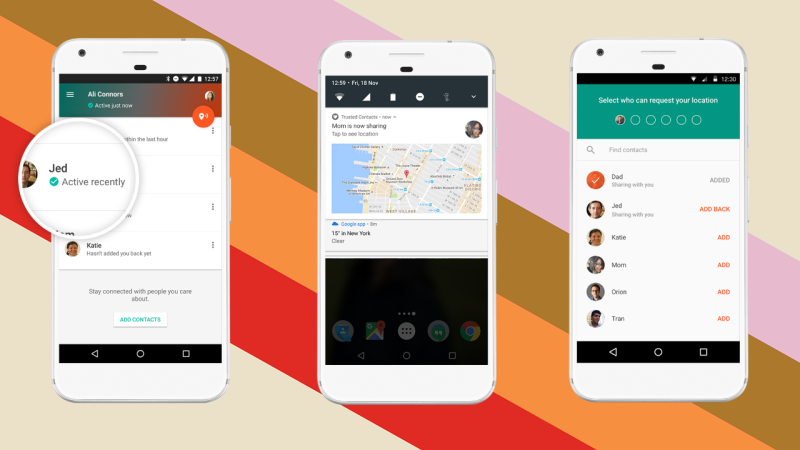
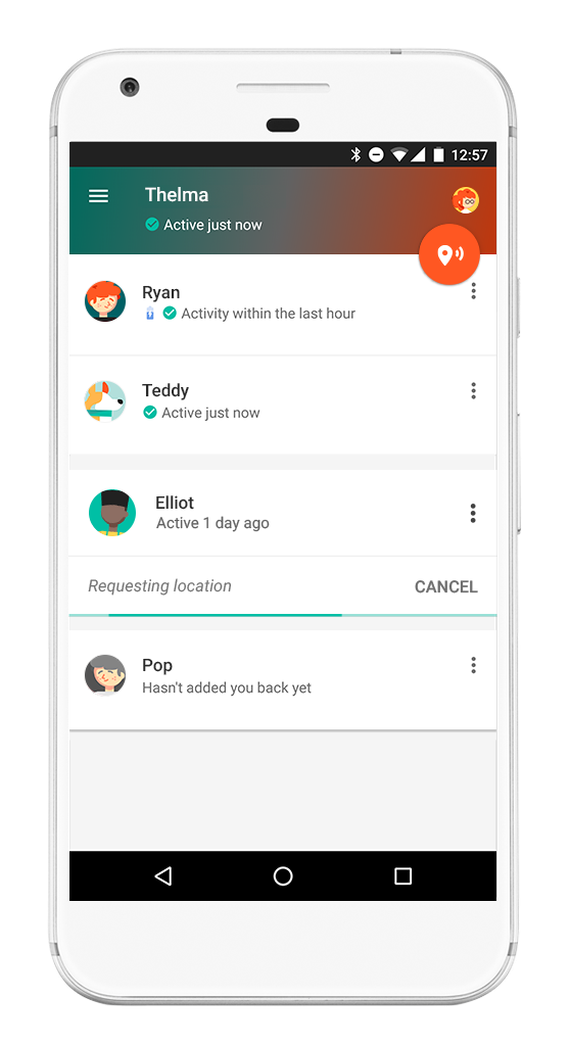
    trustedcontacts2After installing the app you set up which contacts in your phone are “trusted.” Then whenever they want, they can ping your phone with a notification to check in with your location. You will tap the button to check in and it will update them for you. You can decline to update but if you don’t do anything for five minutes, it’s going to send them your information automatically. This will allow you to update them that you’re safe, as it will alert them that you declined, but without disclosing your location.

    Trusted Contacts is only available for Android but the iPhone version is in development. If you and your kids have Android phones I recommend downloading this app and setting it up soon. As your kids go about their increasingly busy schedule, you’ll quickly see the benefit of being able to remind them to check-in with their location. This is a pretty cool new tool for parents.

    In the meantime, there are ways to view and track location on an iPhone (mainly using messenger.) Stay tuned for a video for subscribers that will teach you how to set that up.