Category: gaming

  • You Can Finally Get a Refund for those Old Amazon Purchases Your Kids Made

    You Can Finally Get a Refund for those Old Amazon Purchases Your Kids Made

    Remember those unintended charges your kid racked up on your Amazon account? You can finally get a refund for that. Amazon announced this week, after teasing in April, that they’re opening up their refund system for those old charges. You may recall that Amazon got in to some trouble with the Federal Trade Commission for being too lax on in app purchases. This caused thousands of parents to see charges show up on their accounts that they weren’t responsible for. Their kids could buy gems, gold pieces, upgrades, or whatever else in the games they were playing with no secret pin or passcode required. At the time Amazon added the parental restrictions but were still working on a way to give out all of the refunds.

    They will be emailing users who are eligible for a refund and you can follow the steps from there. There is a one year deadline to submit for your refund and them the time is up. These refunds will cost Amazon up to $70 million dollars and are available to users who had this problem from 2011 through 2016. If you think you’re eligible but didn’t get an email you can visit https://www.amazon.com/gp/mas/refund-orders/in-apprefund/ to find out if you qualify.
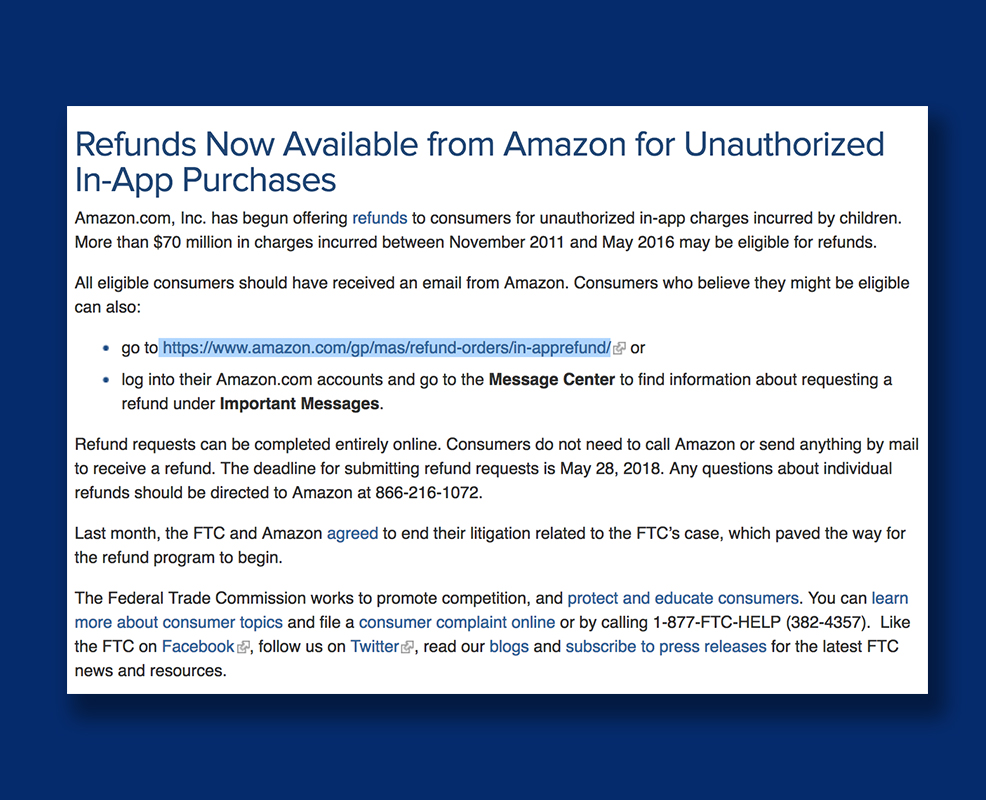
    The Federal Trade Commission’s Official Statement

    What Parents Should Know

    Obviously you should get your refund if you qualify but these charges can still happen if you don’t have your settings right. You can set up purchase permissions on iTunes, Amazon, or Android’s Google Play store. You also have to set individual permissions on most of your devices. This will allow you to require passwords and pins in order to make a purchase, thus keeping you from seeing strange charges on your credit card or bank statements. I’ve made a video to help you with your Apple devices. Hopefully you can use these steps to keep from having to apply for any refunds for purchases you didn’t make yourself.

  • Here’s Why Your Kids Watch Other People Play Video Games

    Here’s Why Your Kids Watch Other People Play Video Games

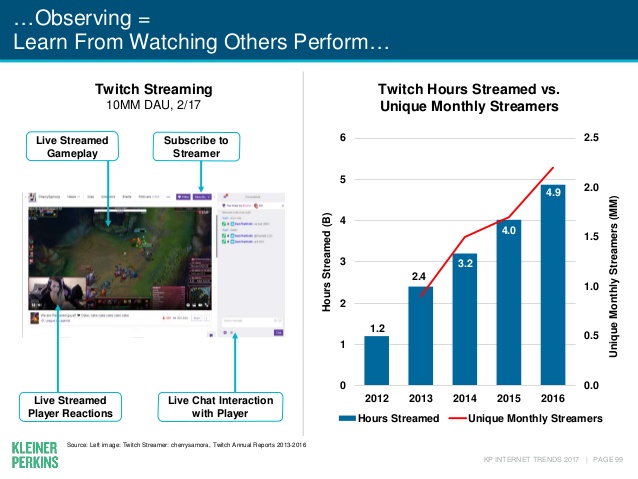
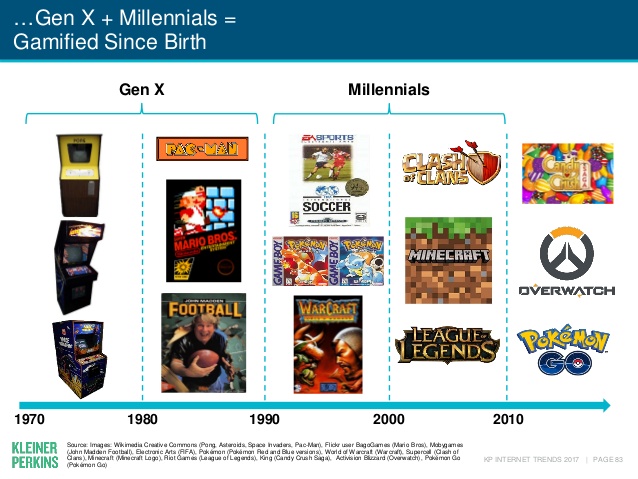
    Watching other people play video games may not be something that you, as a parent, understand. The truth, however, is that it isn’t weird. It’s called esports and its popularity has grown in leaps and bounds. In fact, the recently released Kleiner Perkins 2017 Internet Trends report states that the popularity of esports has grown 40% every year. Also, 40% of the demographic that your kids belong in (millennials) even state that they prefer esports to traditional sports.

    Esports is growing all over the world it allows those with video game skills to test their abilities against the best on our globe. Most esport competitions begin with online qualifying matches and then culminate in an actual tournament style playoff in front of a live, and online audience. You can find an esports league for pretty much any video game you play. There are sports gaming leagues, Role Playing Game leagues, first person shooter game leagues, and even leagues and competitions for the most casual of puzzle games.

    Not all video gaming entertainment is competition based. “Let’s Play” video games on YouTube and LiveStreams on Twitch have also seen a massive increase in popularity. These videos feature gamers playing their favorite games and narrating their experience while thousands of fans watch and comment on the videos. On Twitch, streamers react in real time to the comment section or “twitch chat” allowing them to engage with their viewers and even let those watching help them make in-game decisions and strategies. These Let’s Play gamers build large communities that are extremely faithful and supportive. Many have even been able to make gaming their full time job because of ad revenue and the generosity of their viewing community. 

    What Parents Should Know

    First of all I recommend you take the idea of esports being a fad out of your mind completely. The truth is that esports is simply the next phase of the same video game culture that started while or before you were even a child. When people start to do something that takes any level of skill, opportunities to measure your skill against opponents will soon follow. Then, of course comes the chance to play for money since these competitions will surely draw a crowd who will pay for the privilege to be entertained by your tournament. Just think about poker or chess or cheerleading. These are all things that many start out doing as a hobby but there is a real competitive culture for these activities and therefore, a real industry. Video Gaming is no different.

    As far as your kids’ safety, I recommend that you know what games and gamers they like to watch. Get into that world a little bit for yourself and learn who these people are that your kid is watching play. There are adults that play games you kids love on YouTube but they don’t use very kid friendly language while they play. There are also people on YouTube who play very adult oriented games. You should have a general idea who your kids are viewing and what kind of content they share. The best way to do this is to share their YouTube and Twitch account and keep an eye on who they follow or subscribe to and their viewing history. I know this just adds more pieces to the internet safety puzzle but it’s worth the effort.

  • Minecraft Update will Add a Marketplace and Virtual Currency

    Minecraft Update will Add a Marketplace and Virtual Currency

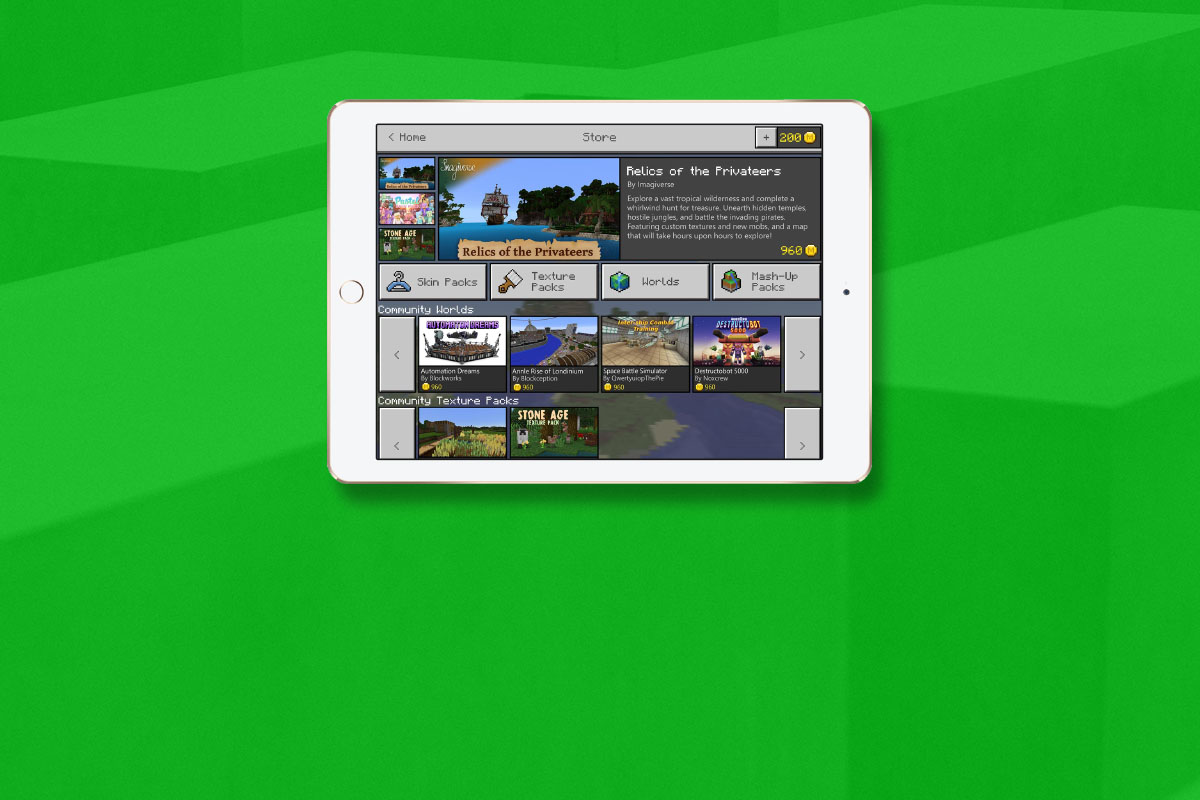
    Minecraft is still one of the most popular video games on any platform. What started as a small building game has become a National phenomenon with billions of dollars (2.5 billion in 2016) made every year on downloads and merchandise. Microsoft is soon launching another avenue for profit and an opportunity for Minecraft content creators to split that profit. Later this month they will be launching the Minecraft Marketplace.

    The Minecraft Marketplace will feature user made products such as maps, skins, and textures. The items in the store will be curated so it won’t be filled with tons of useless products made by just anybody. In fact, they aren’t allowing random users to upload content, just creators with an established and registered business. Products in the store will be purchased with a virtual currency called Minecraft Coins that can be bought with real money. This currency will be purchased through your XBox Live account. There is no way to earn these coins in the game. Microsoft is launching the store on Android public beta (a test version) this month with several content packs already available. These packs include pirate, fairy tale, and stone age map packs and some pastel textures among other items. The full public release is coming later this spring to pc and mobile platforms. It isn’t clear if and when the Marketplace will be available on console platforms.

    What Parents Should Know

    Obviously it’s important to know any time the apps your children use have an in-game way to spend money. Minecraft adding a Marketplace will undoubtedly lead to more of kids asking parents if they can buy something on their computer or mobile device. Since true money will only be spent on purchasing coins it is likely that a message will pop up when you tap an item to purchase that will lead you to a way to buy coins. If in app purchases are disabled on your device it shouldn’t be much of a problem. If they are not disabled then you’ll want to be sure that a password is required to make purchases.

    The fact that the content on the marketplace will be curated is a good thing. This means that your child won’t be spending money on something that isn’t guaranteed to work in-game. It also means that they should keep any adult themed or inappropriate content from making it’s way into the store. While I’m sure that’s a goal, it’s still important for parents to look at the store every now and then to see what kind of content is available. If there’s something you wouldn’t want your kid to see then you should consider disabling the marketplace if and when that feature is available.

    The Minecraft Marketplace won’t be available to everyone right away but a public beta means that it’s coming soon. Be sure to be talking to your children about the time they spend on Minecraft, explain to them what virtual currency is and that purchasing those coins costs real actual money. Also, be sure that if your kid wants to download a new skin or texture pack that they know how to implement it so they won’t be buying something they don’t even know how to use. Start the conversation now so you’ll have a head start when the Marketplace launches to everyone.

  • Apple’s App Store Changes May Cost You a few Bucks

    Apple’s App Store Changes May Cost You a few Bucks

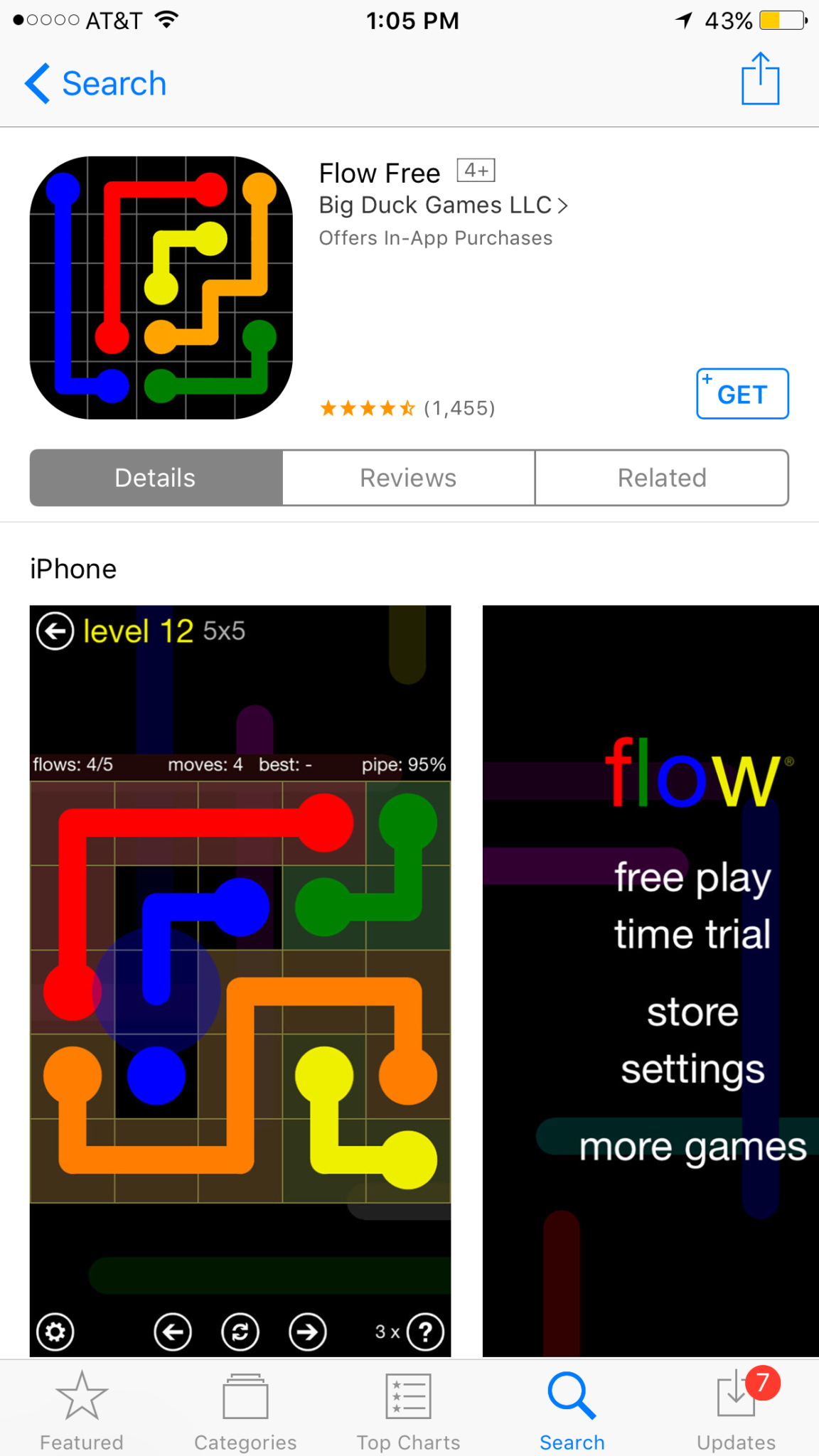
    One of my favorite things to do on my phone is search the App Store. I enjoy seeing what new releases are out, what apps might be discounted, and what apps I should add to my wish list. I often download an app to try it out just because I can easily see that it’s free. Apple’s new rules will block App developers from putting price information in the titles of their app. 


    This change means that apps that produce a free version won’t be able to use the title to illicit more installs. The game of making money through mobile app development has taken many turns over the past several years. You may have noticed that most of the top grossing apps are considered “Freemium” which means downloads are free but they sell content to you within the app. Having FREE in the title has long been a useful strategy for this type of software. Eliminating the price in the title could decrease the number of downloads for these apps and in turn, they’re revenue.

    Please remove any references to your app’s price from your app’s name, including any references to your app being free or discounted. If you would like to advertise changes to your app’s price, it would be appropriate to include this information in the app description. – App Store Submission Rejection Notice 

    These changes will immediately affect new apps being submitted to the App Store. There is no word if changes will be required for apps that are already listed in the store.

    What Parents Should Know

    We have all started to get used to the freemium model of app development and how to educate our kids about it. This update could change a few things. First of all it may not be as easy for younger kids to know if the app they’re looking at is free or costs something. Of course the price is listed right next to the app but this wouldn’t be the first time a kid accidentally spent some of their parent’s money.

    Secondly, if developers aren’t gaining more installs they may be required to raise prices on their in app purchases. This would mean that apps you may pay a little bit for would cost you extra. Alternatively, you could end up with fewer freemium apps and more that just charge you upfront for initial access.

    Whatever the result of these changes by the Apple App Store, the most important thing is, as always, that your children understand what has happened and know how to navigate the store properly. Teach them that money spent in these apps is often real money and usually your money. Set up your parental controls so that they have to ask permission to install anything. This will help you keep your money safe as well as your children.

  • These Games Let Your Tween Play Out Their Own Soap Opera

    These Games Let Your Tween Play Out Their Own Soap Opera

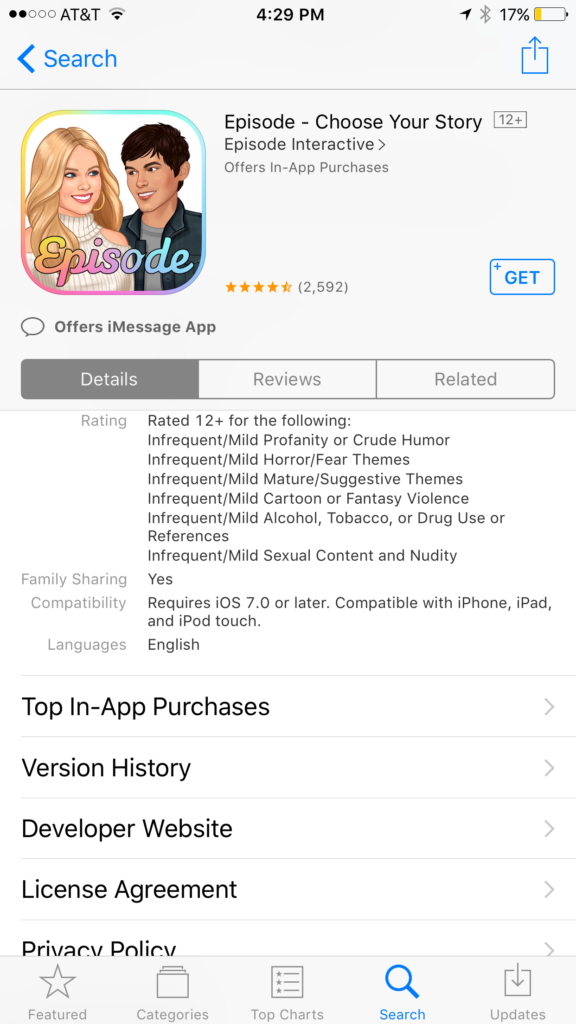
    I was doing research for an app to write about when an ad came up. The ad was for a game called Episode and it featured cartoon animated teen girls in situations that would only come from some mid-day television show. For example there was one girl deciding whether or not to perform CPR on her shirtless and handsome male companion. He winks at the “camera” and she thinks he may be faking so the player gets to chose her next move. “Perform CPR” or “Kiss him to find out.” This scenario is one of thousand available on these games that are developed by a company called Episode Interactive.

    Their apps are all interactive story games that put the player in control of the choices of the main characters. Each app features thousands of stories to play out. The scenarios feature romance, mystery, comedy, family, and a bunch more. The situations that the character is placed in during the stories can often be very adult oriented. Decisions whether or not to have sex. A choice to run away from a potential mugger or try to attack them back. There are some very dramatic and grown up themes in these games. A look at the description will tell you that the games are rated for ages twelve and over for various reasons including, sexual themes, drugs and alcohol, violence, and nudity.

    These games are a choose your own adventure of sorts for the new generations. They target young tweens with the glam of what it’s like to be a teenager or what High School life is like. It’s all obviously very fictitious but our kids buy these messages hook, line, and sinker. Think of apps like this as romance novels that are targeting your ten to twelve year old daughter. I say it’s targeting tweens because the app I was reviewing when I saw the ad for Episode was one that is obviously mostly populated with young girls. Your daughters will believe a message about who they are and what gives them value. Apps like this are speaking to a certain version of that message. We as parents must play defence against the wrong message to successfully teach the correct message.

    What Parents Can Do

    My advice is to make sure your child is far older than the recommended age for these games before you let them play. They are obviously meant to mimic the soap operas of our parent’s days and they feature exactly the same types of themes. The maturity of your child is best understood by you, their parent. It is usually not a good idea to take the age recommendation of an app, game, or other form of entertainment as the law and gospel. You have to use your own judgement. Unfortunately for some kids these themes are mild compared to things they’ve dealt with in real life. But for many of our ten, eleven, and twelve year olds, these games can introduce topics that they may not be mature enough yet to navigate. That’s why it’s so important for you as a parent to step in and see what they’re doing on their phone or tablet.

    Apps like Episode are easy to spot because they don’t hide their themes in the ads on the app store. It’s pretty obvious what they feature in your game. My advice is to use something like Google Play’s parental settings, or Apple’s Family Sharing to ensure you’re seeing every app being installed by your kids. If you see something that looks like it could be a choose your own adventure style of soap opera game then think seriously about the potential questions your child will be asked while they play it.


    Get Our Latest Posts in Your Inbox

    * indicates required


  • Nintendo Switch Launches New Parental Controls App

    Nintendo Switch Launches New Parental Controls App

    Nintendo has always provided good gaming console solutions for families with younger kids. Many of their games are family friendly and they were some of the first to try to provide a more active method of gaming. Nintendo Switch is no exception. The popularity of Nintendo Switch is growing and its versatility is one of the features that is feeding that growth. While the number of games available on release was low, the system is still selling well, breaking records in its first weeks. With it’s newest parental control app release, I think Nintendo Switch remains a good game system for families. 

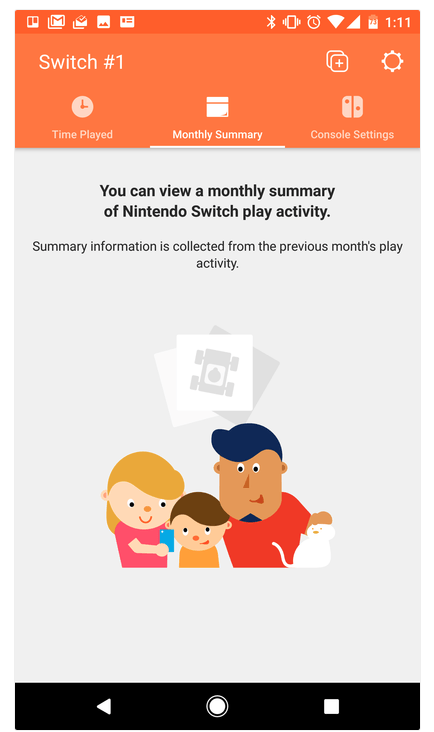
    The parental control app is free and available for iOS and Android. After installing the app you can sync it with the Nintendo account that is on your Switch and begin setting up age requirements, time limits, and sharing restrictions. This article has a good step by step on how to setup the parental controls on the app.  There are other features as well, such as a time played section and a monthly summary. If you have a Nintendo Switch then get this app as soon as you can. It’s another great way to protect your kids while they use technology.

    Don’t Stop the Conversation

    While this app is a great feature for parents it doesn’t eliminate the need for parents to remain actively involved in their child’s online and gaming experiences. Continue to have conversations with your kids about the games they play and how much time they spend on those games. Discuss healthy habits and time management. They need to learn how to make quality decisions in those areas and it’s up to you to teach them.

  • What Parents Need to Know About Super Mario Run

    What Parents Need to Know About Super Mario Run

    Guest post by John Wilkerson of The Wired Homeschool.

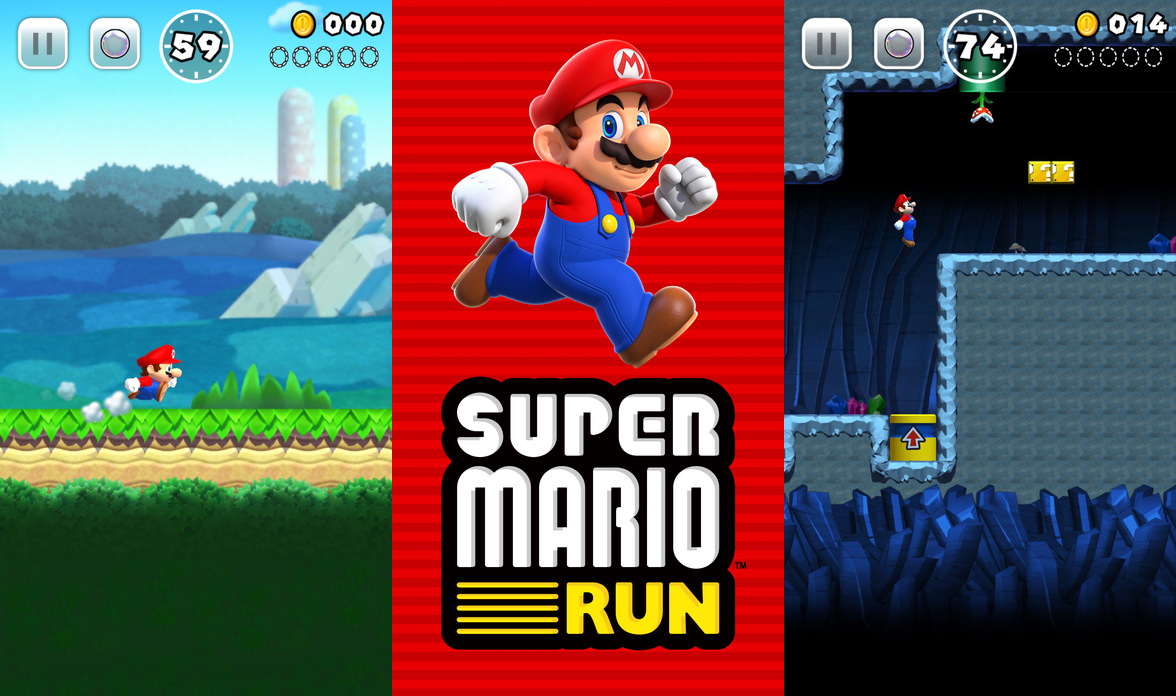
    Super Mario Run, announced earlier this year, is the first highly anticipated mobile game from Nintendo. Initially released for iOS devices, it is expected to be released for Android early next year, parents can expect to hear about the chart-topping app for months to come.

    On its first day, Super Mario Run was downloaded 2.85 million times according to Apptopia which broke the previous record of 900,000 downloads held by PokÈmon Go. That means if your child hasn’t already installed the game, they’ll want to soon.

    About the Game
    Super Mario Run is a single player, side-scrolling, endless running game where players guide the eponymous Mario through several worlds to rescue Princess Peach from Bowser. Along the way players collect coins while trying to avoid Bowser’s minions and falling off the screen. If you’re a fan of Super Mario Brothers this sounds familiar to you.

    Nintendo has done a good job of making this game unique. It’s not just a simplified version of a very popular game from the 80’s. It has unique game-play elements that will entertain you and your kids.

    The game has a mini-games within it which can be unlocked by earning tickets. You earn tickets by collecting all the pink, purple, and black coins on each level. You can also recruit Toads into your kingdom to restore it to its former glory.

    Initial and On-going Costs
    The first 3 levels of Super Mario Run are free. To unlock the remaining episodes you’ll need to spend $9.99. While this seems like a lot for a casual game, keep in mind that there are no in-game micro-transactions. No need to worry about Johnny or Sally running up your bill.

    Additional Features
    In addition to earning bonuses in the game, bonuses are given for connecting your Nintendo account. If you or your child don’t already have an account, you can create one in your device’s browser.

    Players can also connect with friends by sharing their player ID, linking to social media accounts, email, text, or adding someone’s player ID manually. Once you’re friends with another player you can challenge them in Rally Mode.

    Final Thoughts
    Super Mario Run is a fun game that you and your kids will want to play. It’s challenging and the nostalgia factor for adults is certainly what’s driving its popularity.

    As with any game, parents need to be aware of a few things:

    1. If you link to or create a Nintendo account you should be aware of the privacy policy.
    2. Linking to social media accounts brings with an additional set of privacy issues.
    3. While initially free, the $9.99 price might seem high but there are no micro-transactions.
    4. There is the potential that your child will spend too much time playing it.

    About the Author: John Wilkerson is a homeschooling dad of 7 living in upstate New York. Through his podcast and blog, The Wired Homeschool, John has been providing practical advice to parents on using technology in homeschooling for over 6 years. Connect with John on Twitter: @jwilkers.

  • Apparently Pokemon Go Had Little Real Effect on Exercise

    Apparently Pokemon Go Had Little Real Effect on Exercise

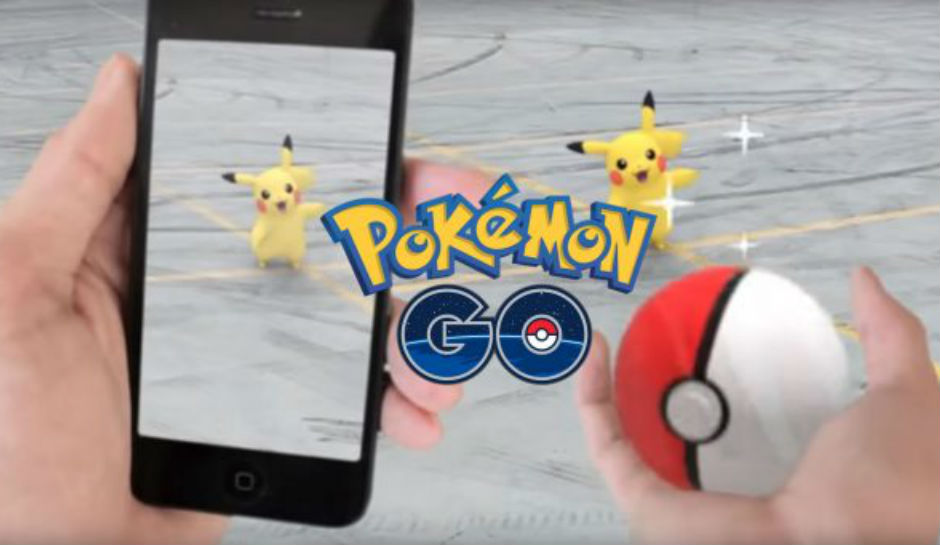
    Many (including me) have said that one of the great things about Pokemon GO is that it has gotten people out and moving more than they ever did. Unfortunately a recent study by the British Medical Journal is singing a different tune. Apparently about four weeks after the release of the app people went back to their couch potato ways, only playing the game when they would have been out moving anyway.

    The study surveyed over 1100 American adults, half of them were Pokemon GO players. There was no significant difference between the two groups in the number of steps taken (automatically tracked by the phone) before and after the release of the game. There were some folks who started off walking a bit more because of the game, but the study shows that the trend tapered off to almost nothing after about six weeks.

    What Parents Should Do.

    An interesting note about this study. It didn’t include children. It is, of course, possible that kids were more active for longer because of playing Pokemon GO. There is no study to confirm it, however.

    One of the major reasons that limiting screen time is a good idea is the inactivity overuse of technology can cause. When a game like Pokemon GO is released, parents may see a way out. They can give in and let their children play this game more often because it’s getting them up and moving. Well, if the study of the adults who played the game is any indication, we won’t be seeing many kids becoming more active and less out of shape because they’re trying to catch them all. Nothing beats old fashion creativity and time outside with friends.

    If you have seen Pokemon GO players walking around you can see what all they’re missing. What good is getting up and around if you’re still just staring at your phone the whole time. Yes, parents and kids have been playing this game together and the connection of handing down the love of Pokemon to your children is a real thing. We just have to be careful when we use technology to replace something that was always meant to keep us and our children grounded in the real world.


  • You May Be Shocked by the Top Grossing Mobile Games of 2016

    You May Be Shocked by the Top Grossing Mobile Games of 2016

    The way game developers make their money has changed quite a bit over the past several years. There was a day when you would just purchase a video game and then play the whole thing until you either got tired of it, beat it, or wore it out. Nowadays we have access to so many mobile games on our phones and tablets that don’t ask for any money up front. Somehow, though, these “Freemium” games end up being the ones that make the most money every year. How is that?

    If you have spent any time playing these games you have experienced it yourself. You download a game that looks awesome in the commercial and in the app store. You get started and enjoy the gameplay right away. Soon, however, you seem to stall out a bit, or you’re playing in an open world with other real people and they all seem to be way ahead of you and are destroying your village or blowing you away on the scoreboard. What’s a gamer to do? Never fear, the premium game designers built in a way for you to get a boost to your game score or a new way to skip the long wait to let your in-game work get done so you can collect your reward. All you have to do is spend a few bucks here and there and you can play the game non-stop without any delay. This is how Freemium games make their way to the top of the money makers list. Here’s a screenshot of Statista’s top ten of 2016 list.

    Every game in that top ten list is free to download. Note that the amounts listed are daily revenue. These are dollars made from people who have decided to spend little bits of money here and there to help themselves play these games a little faster or a little better. The top game, Clash Royale, is one where you battle against friends with an army you have built. You have to use gems to build your army so you must either spend money to build your army faster or play a lot and wait for your “chests” to open and give you new soldiers (in the form of cards). Pokemon Go comes in at number two. This one will allow you to keep trying to “catch ’em all” by buying new Pokeballs when you’ve run out. Finally, numbers three and four are Game of War – Fire Age and Mobile Strike. These two games are often advertised on television and have received much criticism about the gameplay in their product being a lot different what they’ve portrayed it to be. For some, the promise of better gameplay causes them to spend money in hopes to gain more levels faster. It’s a new way to do mobile games and has even trickled into the console and computer game markets.

    It’s called DLC and stands for Downloadable Content. This is new features and game content that gamers can spend more money on to enhance gameplay or keep the story of the game going. Obviously, the success of the in-app purchases in mobile games has inspired other game developers to use this model to increase the profitability of their product. The largest difference is that you still have to purchase for the initial version of most console and computer games. As you see below on the screenshot from ThinkGaming.com, the first pay up front mobile game on the top grossing list is Minecraft Pocket Edition at number 35.

    What Parents Should Know.

    Obviously you should know that nothing is truly free. Our kids should understand that too. As I explored in more depth in our Mobile Device Vocabulary Series, there have been instances of parents finding out their kids have made very large in-app purchases without permission. There are ways to protect your accounts from money being spent unintentionally. Make sure your app store account asks for a password every time you make a purchase. If you have Apple products, set up your icloud accounts with family share so you can see what apps your kids have and make them ask permission to download anything new. Also, be sure to discuss with your children that sometimes their favorite games ask for real money. Teach them that they should ask you before agreeing to buy anything “in-game.” You don’t want a surprize charge on your credit card. While iTunes and GooglePlay have pretty good track records of refunding purchases, it’s a hassle I’m sure you’d like to avoid.


  • Amazon is Paying the Piper, or at Least His Parents

    Amazon is Paying the Piper, or at Least His Parents


    We have to protect our children from inappropriate content online but we also have to protect ourselves. Thankfully most developers give us tools to keep us from unexpected content and unwanted charges. We learned today what happens if a developer neglects those protections. They pay.

    Amazon is in the news today for a case that began in 2011. Thousand of parents were shocked to find that their kids had racked up in-app purchases that they hadn’t known about. Amazon made $86 million dollars on in-app purchases but it’s estimated that 42 percent of that was from unapproved purchases made by kids in the app store. The Federal Trade Commission said that Amazon’s system allowed for unlimited charges on apps and the courts sided with them in April of 2016, saying their methods of informing parents of purchases was “not sufficient.”

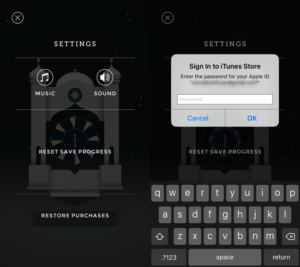
    enter-passwordThe software store on Kindle simply didn’t have a password protection setting for their in-app purchases. This is what got them in to trouble. Children could log in to make purchases on these apps and there was nothing built in to stop them. Shortly after complaints started coming in, Amazon updated software to include a password and had already refunded money but the FTC said that wasn’t enough.

    The courts decided today that Amazon had to pay back the money to parents directly. In order to receive re-payments parents must submit individual claims. They did say that Amazon must notify parents affected of the availability of the refunds.

    My Advice

    I always recommend setting your in-app purchase password and keeping that password a secret. You can’t ever tell when some freemium game is going to convince your child that they need that cool hat for their character or that if they buy that ten thousand pack of rubies they can build their village faster. We have to use our common sense because sometimes our children don’t.