Blog

  • Android’s New Instant Apps Can Undermine Your Monitoring Software

    Android’s New Instant Apps Can Undermine Your Monitoring Software

    If you follow my recommendations on this site you’ve got some sort of monitoring software installed to allow you to see what your kids are doing on their devices. This is important because you can’t help you children navigate the digital world they’re growing up in if you don’t know what they’re doing online. Every now and then, though, a super cool new update comes out for our phones, computers, or tablets that will undermine the goals you have for monitoring your kid’s devices. Android’s “Instant Apps” is one such update.

    Instant apps is a great idea. It’s a really cool way to share new apps and a great way for app developers to give brief access for someone who wants to see something that’s been shared but doesn’t want to download an app to see it. Usually when you see a cool post on social media or someone sends you a link in a direct message you have to use a browser to see the mobile website version of what they’re sharing, Instant Apps makes it easier to see the what’s being shared. For example if I’m creeping Amazon and see the Blu Ray for that super cool movie we saw together and want to share it with you. I can text you a link and when you open it the product will open in the “instant” version of the Amazon app. This will provide you with a much easier and smoother transition to possibly purchasing that product. The instant app permissions won’t allow it to run in the background and will disable some features that would be available if you downloaded the full app but it’s a cool intro to software you haven’t installed yet. Cool idea, yes, but maybe not for our kids.

    What Parents Should Know

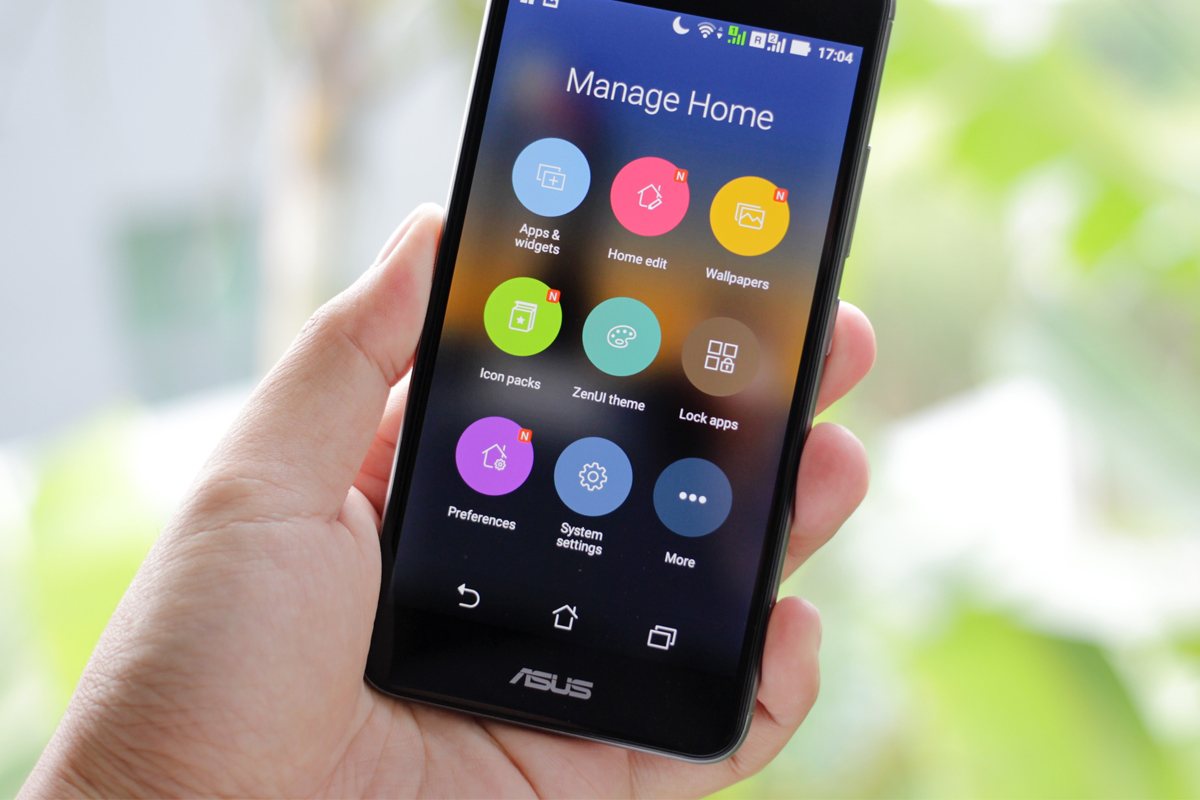
    Being able to see content from an app that isn’t even installed could be troublesome for parents who are trying to monitor their kids online activity. If you have uninstalled apps from your kids’ devices to keep them from seeing what is shared in that app you aren’t going to want them to be able to see the content in instant apps. I recommend disabling Instant Apps in on your kids’ devices if they have it. If you can’t find anything about Instant Apps in the settings of their phone or tablet then it isn’t available for their device and you don’t have to worry about it. If you do see it, follow the steps below to turn it off.
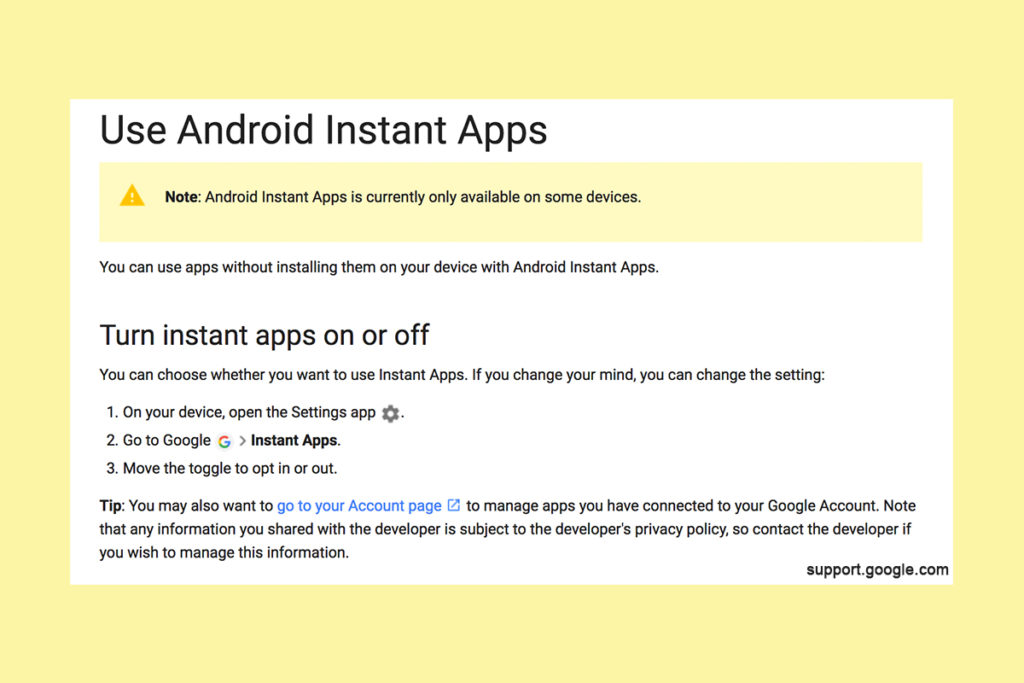


    Whether you’re using an accountability software like Accountable2You, a filter like NetNanny, or monitoring the entire device with something like Mobicip, the Instant App feature could give your child access to the very content you are trying to keep away from them. Be sure to give yourself opportunity to look over their phone or tablet whenever possible and check for the Instant App option. There aren’t very many apps developed with the feature yet but it has been opened up to most developers. More and more apps will be using Instant Apps to allow folks to share content in the near future. Turn it off now and get ahead of the game.

     

  • Tumblr App Installs “Adult Content On Switch”

    Tumblr App Installs “Adult Content On Switch”

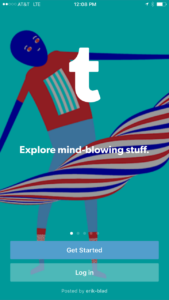
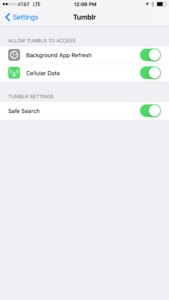
    Tumblr has lost some traction over recent years. It’s not so much a social media platform as a blog host and not really even that. It’s more used for GIF (animated images) posting than anything nowadays. Apple has always had a pretty strict standard on adult content in the apps in their app store. They require developers to have adult content disabled by default. This usually means that image searches on your browser should be without any blatant pornography unless your search is specifically for that. Tumblr has updated their iOS app with a workaround for this rule. There is now a switch that will allow users to turn adult content back on in Tumblr. It’s actually a “safesearch switch” and it’s set to on by default, thus following the rules set up by Apple. All it takes, however, is for someone to go to the settings page of the app and turn the safesearch option off. This will unleash the cacophony of adult content that is available on Tumblr (many say that pornographic images and gifs have become it’s main purpose) on the user.

    What Parents Should Know

    The Tumblr app is basically a browser in which anyone with an account can see any of the user generated blog content posted on the site. As mentioned above, the app has become inundated with adult content and is not safe for anyone you’d like to keep from those sort of images or videos. The safe search switch isn’t located in the restrictions settings on your iPhone. It is just in the settings for the app. This means safesearch changes can be made without a password. This app is an easy way for your child who has been looking at inappropriate images or videos to access more of that. Now that the safesearch can be turned off, you’ll want to add this app to the uninstall list.

    Our children can be greatly harmed by pornography. Studies are showing it’s addictive nature and the ability it has to alter a person’s sexuality and preferences, creating what they call an “arousal template.” This causes kids to be attracted only what they’ve seen online and can create serious problems for them in the future. They also say that kids who view pornography are six times more likely to force others into sexual behavior. Many in our culture view online adult content as only entertainment but it’s being proven that it’s detrimental to the mental health of our kids. If there is anything you can do to protect your children from adult online content, you must take steps to do so. Uninstalling Tumblr just became one of those steps.

  • Musical.ly Teams Up with Apple Music to Sell You More Stuff

    Musical.ly Teams Up with Apple Music to Sell You More Stuff

    Musical.ly allows users to film themselves lip-syncing and performing current pop music hits and scenes from movies or TV shows. It has become one of the most popular apps for teens and pre-teens and a connecting point for music artists and their fans. In fact, there are now Musical.ly stars who are seeing success in more mainstream markets as well. Most of them are quite young teenagers. Today, Musical.ly has announced that they’re partnering with Apple Music to provide the song clips that make up their lip sync library. They will also be promoting subscriptions to the music streaming service and allowing Apple Music subscribers to listen to full versions of songs.

    Musical.ly grew a ton in 2016 and has seen a tapering off in their young audience during the beginning of 2017. This move seems to be a way to bring more value and financial stability to Musical.ly while putting Apple’s music streaming service in front of another audience. Apple Music has been chasing Spotify for subscriptions and the aren’t gaining ground. This is an obvious attempt to target Musical.ly’s young audience with their option for streaming music. Allowing full versions of the songs kids are lip syncing to in the app is adding value that many of the app’s users will see as valuable. Possibly valuable enough to ask their parents for a subscription to Apple Music. That is if they don’t have the ability to sign up on their own.

    What Parent’s Should Know

    I have been pretty outspoken on my disdain for Musical.ly in the past. One of the major reasons is the lack of an age restriction to sign up and the CEO’s attitude about it. Now I see another potential hang up for parents who’s kids use the app. There are already songs available on the app that many parents may feel are unsuitable for the age of their kids that use the app. Now the entire songs will be available if you are one of the 20million families who have an Apple Music subscription. If you don’t have a subscription be warned that the app will be consistently asking your pre-teen if they’d like to sign up for one. Also, there are likely to be features made available that won’t be useful without an account with Apple Music. How many times will your 13 year old have to be blocked from using a song until they start asking you to subscribe for them. Advertising is still, however, the least of my worries with Musical.ly.

    Parents of young teens should pay close attention to what their kids do on Musical.ly. If your young daughter is spending a lot of time singing and dancing in front of her camera know that there is no age verification so the fourteen year old boy who watches every one of her videos could actually be anyone, anywhere, of any age. In this day and age where kids are being asked to meet up by strangers and actually saying yes, there is no reason for your kid to be unsupervised on an app like Musical.ly. I recommend and uninstall if your kid is under 17 and then to closely monitor their use of the app. 

  • YouTube Kids Coming to Your Smart TV

    YouTube Kids Coming to Your Smart TV

    The kids version of YouTube kids has been talked about a lot. Mostly because of breaches in their algorithm based filtering system. Cartoons are disguised as silly kid shows and take a turn towards the inappropriate. The way YouTube Kids governs their content has been under scrutiny for months with mere apologies as a response. Well, now this service may be coming to your Smart TV.

    Specifically, the app will come to the following TVs: all 2015-2017 LG webOS TVs (via the LG content store); all 2013-2017 Samsung Smart TVs and Blu-ray players (via the Samsung App Store); and, following a firmware update, 2016-2017 Sony TVs (with the exception of Android TV, which is coming soon). – Techcrunch

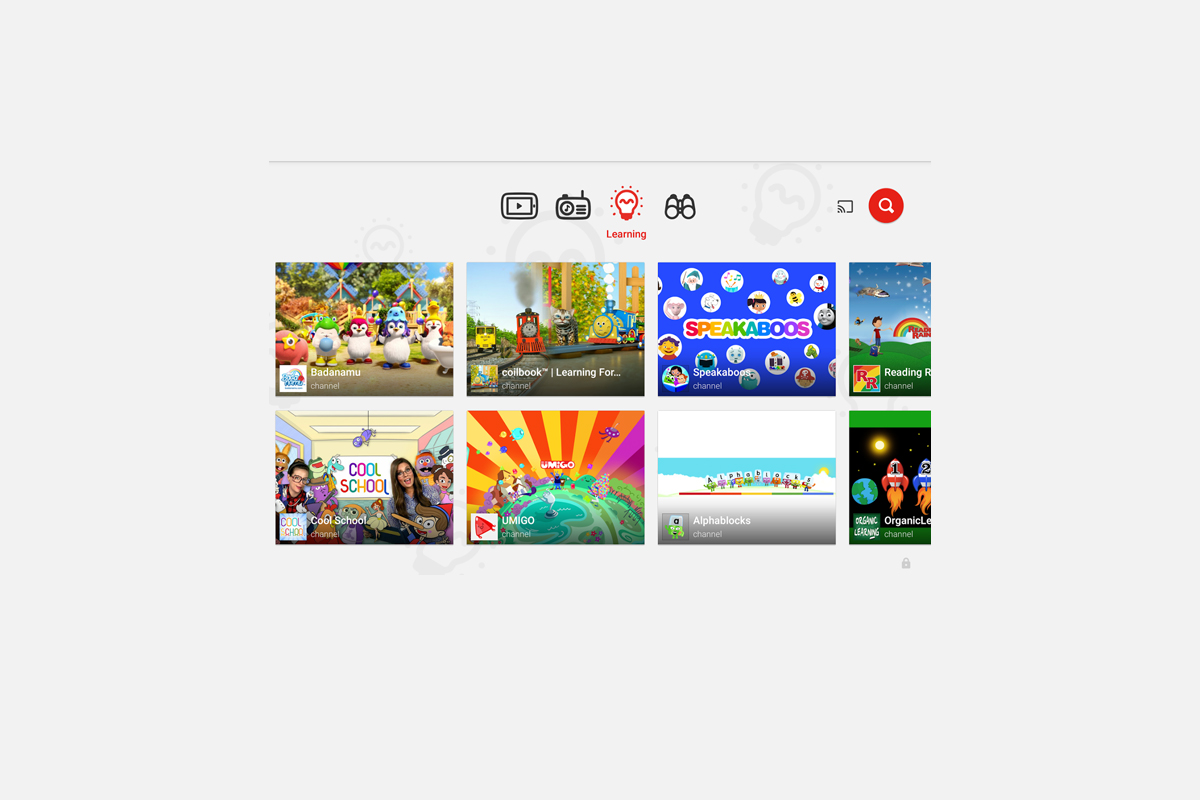
    YouTube Kids is an effort to allow children to gain access to the content that’s appropriate for them without coming in contact with more inappropriate videos. YouTube has even launched some original content, featuring some successful kid related YouTube entertainers. Millions have adopted this service and use it as a way to entertain their children. As mentioned above, there is always a concern when algorithms are used to filter adult content. I recommend parents eyes are on YouTube Kids often. In fact, I had a little rant about it the other day.

    Follow Us On Facebook

    What Parents Should Know

    As I said, Parents shouldn’t accept YouTube’s algorithm as a foolproof way to keep your kids from seeing something they don’t want them see. There are those out there who disguise their more adult oriented entertainment as kid shows for whatever reason. Moms and dads should be checking in on what their kids are watching. I think the move to smart tvs is a good thing because making the screen bigger allows parents to more easily see what is being viewed. If YouTube Kids is available on your tv, maybe you could let them watch their toy unboxing videos on there next time and peak in on what they’re watching every now and them.

  • Parental Control Options for Your Kids’ Chromebook

    Parental Control Options for Your Kids’ Chromebook

    The Chromebook is unique because it isn’t really a full fledge computer. They are designed to just run a browser so you can access the internet. This makes them affordable and easy to use. Because of this the Chromebook is often the chosen computer for schools. So your child may have been assigned a Chromebook when they were enrolled in school. While they must have content controls set while they are on school property there aren’t any regulations requiring schools to keep them protected while off campus. Here are some options for how you can protect your kids while they use their Chromebooks.

    Supervised User

    UPDATE: Google has discontinued Supervised User in favor of FamilyLink.

    This is an account based system that’s built into the Chrome browser. It allows you to set filters, monitor sites visited, prevent installation of apps, turn on safesearch, and change settings. You do have to use blacklists or whitelists to block websites, there is not an automatic filter built in. I recommend using THIS LIST of blacklist sites provided by a University in France. It’s a pretty extensive set of blacklists and will take some effort to set up but if you don’t want to just set the Chromebook to only access a few domains then copy pasting sites from these lists is your best option. You can access the supervised accounts by going to chrome.google.com/manage.

    Click THIS LINK to see Google’s set up instructions for a supervised user account.

    MobiCip

    One of the only full service filter and monitoring apps for Chromebook, Mobicip offers a plugin that you can download from the Chrome app store. Mobicip will give you customizable filters, time limit controls, and usage reports and its pretty easy to set up. You just download the extension from the Chrome app store and then login. It takes you through the setup steps and lets you set your desired filter levels. Once it’s all set up you can make changes from anywhere using their web based controls dashboard. Their SUPPORT page has good How-To resources to walk you through the process.

    If you want more controls than the Supervised User option gives you then Mobicip is a pretty good choice. It’s $39.99 per year for all of the features mentioned above for up to five devices. If you are going to need to protect more than twenty devices (I’ve met families with upwards of 30) then you’ll have to get a quote for their “Enterprise” option. Mobicip is a good option and will give you quite a bit of control.

    Accountable2You

    The final option is an accountability software. This, combined, with the Supervised User Account may be all you need.  Accountability software doesn’t block content. This software will keep an eye on what’s being viewed and then red flag and report anything that it deems inappropriate. This allows you to more easily see when something questionable has been viewed. Otherwise you’ll spend time sifting through link after unrecognizable link to find something that may be naughty. You can even set up Accountable2You to send you a text message when an inappropriate site was accessed. The software works across all of your devices including Chromebook and is $6.99 per month for six devices and $9.99 per month for twenty devices. They have easy setup instructions on their SUPPORT page and have excellent customer service.

    Whether your kids got Chromebooks from you to help with schoolwork or they were school issued, it’s critical that you have some sort of parental control solution set up. I recommend using one or more of these to set up a plan to help your kids be safer online. The statistics say that only one out of every three kids who saw something inappropriate online was looking for it. The fact that you have well behaved children doesn’t apply here. The internet isn’t well behaved and we have to make the effort to keep them safe.

    This article contains affiliate links…

  • PODCAST: Should I Follow My Teen on Social Media?

    PODCAST: Should I Follow My Teen on Social Media?

    Facebook wouldn’t stop talking about augmented reality, the Hooked app is super addictive, and should you follow your kids on social media?

    HUSHATHON :: http://becausefamily.org/hush

    Social Media Links

    Facebook: http://facebook.com/4pointfamilies
    Instagram: http://instagram.com/becausefamily
    Twitter: http://twitter.com/becausefamily

    Newsletter Signup

    Ministry Updates:: http://eepurl.com/R7Btr
    Weekly Blog Posts:: http://eepurl.com/cvnhXD

    Websites

    Ministry Site:: http://becausefamily.org
    Tech Blog:: https://safe.becausefamily.org
    Michael’s Speaking Info:: http://kmichaelprince.org

    Donate and Affiliate Links

    http://BecauseFamily.org/partnership

    Music by Kevin MacLeod at http://Incompetech.com

  • They’re Buying My Silence

    They’re Buying My Silence

    I’m not easily influenced and I am absolutely not for sale. I do, however, run this blog by myself and do free workshops and tech safety clinics for families. This is my full time endeavor. As the director of BecauseFamily, our non profit, my other responsibility is keeping our domain name in our possession, bills paid, and the family fed. (Four kids eat a lot.) That is why we are doing our HUSHATHON. The vision of BecauseFamily and the Safe Family Tech Blog is to be a free resource to parents to help them stay informed on the digital world their kids are growing up in. This means our income is solely based on donations. Below is the information for our HUSHATHON fundraiser. As a reader who benefits from our work, consider buying a few minutes of my silence to keep this thing going and free.

    For Families

    Michael Prince , editor


    One minute = $3.50 – Five Minutes = $17.50 – Ten Minutes = $35

    Twenty Minutes = $70 – Half Hour = $105 – One Hour = $210

    GIVE ONLINE NOW

    The quiet days will be during the first weekend of May.

    The deadline to give is May 3.

    Buy Time Online Right Now

    Checks can be snail mailed to PO Box 75 Hollister MO 65673


    Rules:

    Donations: Minutes cost $3.50 each. Donors may sponsor as many minutes as they’d like. Donations must be given through the paypal link above or in check form directly to Michael or Melinda Prince. Donations over $25 will be tax deductible and a receipt will be mailed to the donor around six weeks after the donation is made. Donations that are given will go to benefit BecauseFamily and facilitate the non-profit’s work with families. Michael and Melinda Prince, as the founders and directors of BecauseFamily, have the right to determine what constitutes proper spending of monies raised by any fundraiser sponsored by BecauseFamily. All funds will be spent in accordance to non profit law of the United States and spending may include reimbursement or compensation for Michael Prince for performing the job of Director of BecauseFamily.

    Quiet Days: During the selected quiet days Michael must not speak or post on social media during the hours of 8am to 11 pm until the amount of time purchased by donors has been met. If Michael breaks his silence prematurely at any point during this time two more hours will be added to the end of the sponsored time as a penalty. The quiet days will be documented and featured on the BecauseFamily social media pages and YouTube channel.

    More friends and family videos coming very soon…

  • How to Turn on Social Media Post Notifications

    How to Turn on Social Media Post Notifications

    One of the easiest ways to keep track of your kids activities on Social Media is to follow their accounts yourself. Some social media sites make it even easier to monitor by allowing you to turn on notifications. The major social media apps allow it but the way you set each up is very different. The video below is a walkthrough of how to set up post notifications on Instagram, YouTube, Facebook, and Snapchat. Remember that following your kids is good and being notified when they post is even better. Communication is, however, more important than any of it. Be sure to let your kids know you follow them and that you’re getting these notifications. Hopefully the video below will help you out.


    Give us a hand…

    We are currently raising funds to keep these videos and articles free for you to learn and apply. Please consider checking out our fundraiser by clicking the link below. Thank You.

    BECAUSEFAMILY HUSHATHON

  • Facebook Conference Gives Us a Sneak Peak at the Future of AR

    Facebook Conference Gives Us a Sneak Peak at the Future of AR

    Facebook is in the middle of their F8 developer conference in Santa Rosa, California. The leaders of the Facebook company are announcing and unpacking their newest features and offerings on the social media platforms they develop. The most major announcement from day 1 yesterday was the opening of a public development platform for the Facebook augmented reality camera. Here’s what that means.

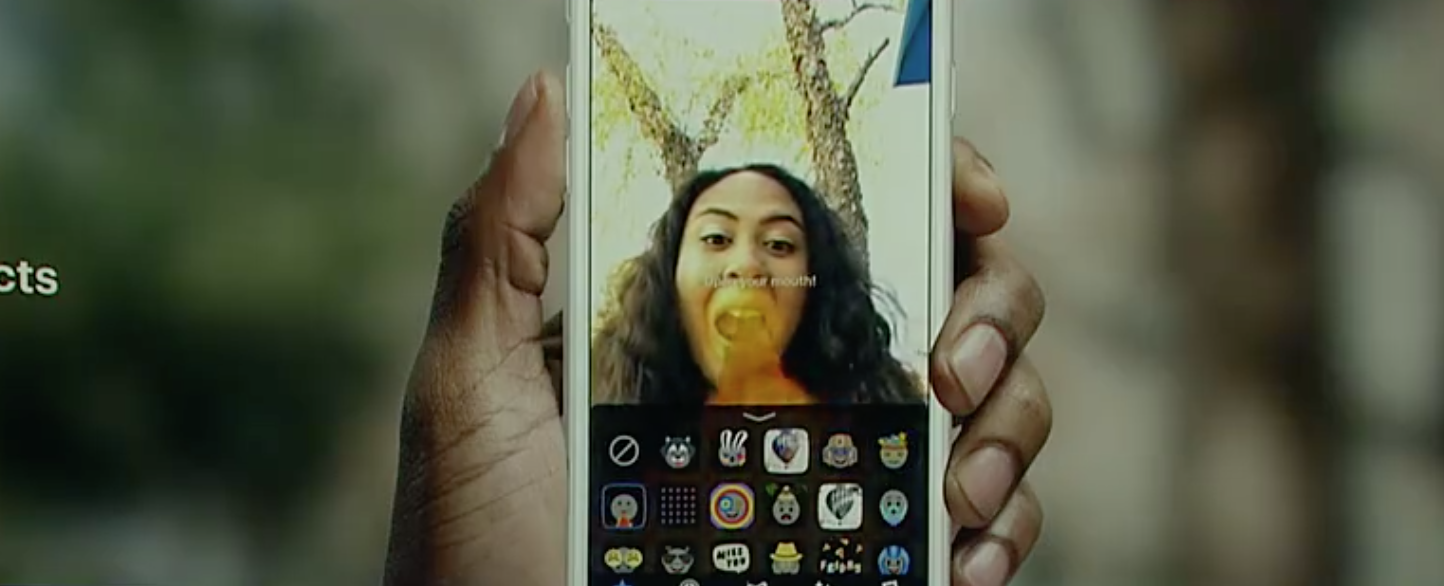
    The Facebook Camera will be the first open augmented reality platform. This means that developers will be able to make animations and images that will show up on your screen. So far, these overlays have been developed only by the company that makes the social media app itself. This means that any ideas or filter concepts must come from Facebook or Snapchat only. Any advertising has to go through the process that Facebook sends advertisers through. That will no longer be the case.

    The open platform launched in closed beta yesterday, April 18. It will still be a while before we see thousands of filter options showing up on our cameras but it is absolutely coming. You can imagine companies and programmers are chomping at the proverbial bit to start putting their projects on the Facebook camera so once it is public we will see it grow very quickly. It’s going to be a good idea for parents to keep an eye on what’s available in Facebook and Instagram’s stories camera.

    What Parents Should Know

    An open platform means developers will have the tools necessary to create their own camera overlays and animations. This will, most likely, begin with licensed developers only but it probably won’t end there. Imagine anyone in the world being able to create an overlay that you can access in your Facebook or Instagram camera. This could result in  content being available that we don’t want our children to see. Please understand that these changes aren’t happening tomorrow. This is an early warning and a reminder to always keep your eyes on what’s developing on the apps your kids use.

    Conversation with your kids is important. It’s also important to keep an eye on what your kids are installing and using. I recommend following your child or teen on social media and keeping an eye on what they are posting and sharing. With their knowledge, this will allow you to be on top of any inappropriate posts that they may share. It’s also a good idea to have their passwords so that you can see what they’ve been receiving on direct message. Eventually, you’ll want to see what their most recent AR filters have been, this will only be possible by logging in to their account. Start developing the trust now so that when there is even more reason to keep an eye on things you’ll already have a habit of doing so.