The more realistic Battle Royale game, Player Unknown’s Battleground has reached a major downloads milestone this week. Receiving 100 Million downloads on mobile is no surprise since the game was so popular on PC and console. The release of Fortnite probably delayed this milestone for PUBG but those who prefer a more serious, less cartoon-like first-person shooter game have likely given Fortnite a chance and moved back to PUBG.
PUBG released four months ago to immediate success because the game was free to play, making money through microtransactions. Competitor, Epic Games, saw the 100 million downloads milestone a month ago and they hadn’t even launched on Android yet. Fortnite is targeting a larger audience since it has a gentler, T for teen, rating. This is likely the largest reason for the rapid growth.
What Parents Should Know
PUBG is a more grown up version of Fortnite. If your kid is interested in the Battle Royale style of game and you’re inclined to allow them to try it out, start with Fortnite. Either way be cautious of too much time playing first-person shooter games. The adrenaline caused by FPS games can have negative effects on young boys.
One of the easiest ways to protect your kids online is to monitor their internet activity. Accountability software is the most effective way to do that. Accountability software does not block anything, it will report when something inappropriate has been viewed so you can talk to your child or significant other about what they spend their time doing online.
Our favorite Accountability Software is Accountable2You. I love it for a lot of reasons, probably the biggest reason is their support base. I have had a great experience when I have had to contact their support team to help me figure out setting up new devices. Some of the best features of Accountable2You are their GPS tracking (included,) their iOS VPN settings, and their time management tracking.
The video above will walk you through how to sign up and use Accountable2You. We are an affiliate of this software and you’ll get 30 days free if you use our promo code: BECAUSEFAMILY.
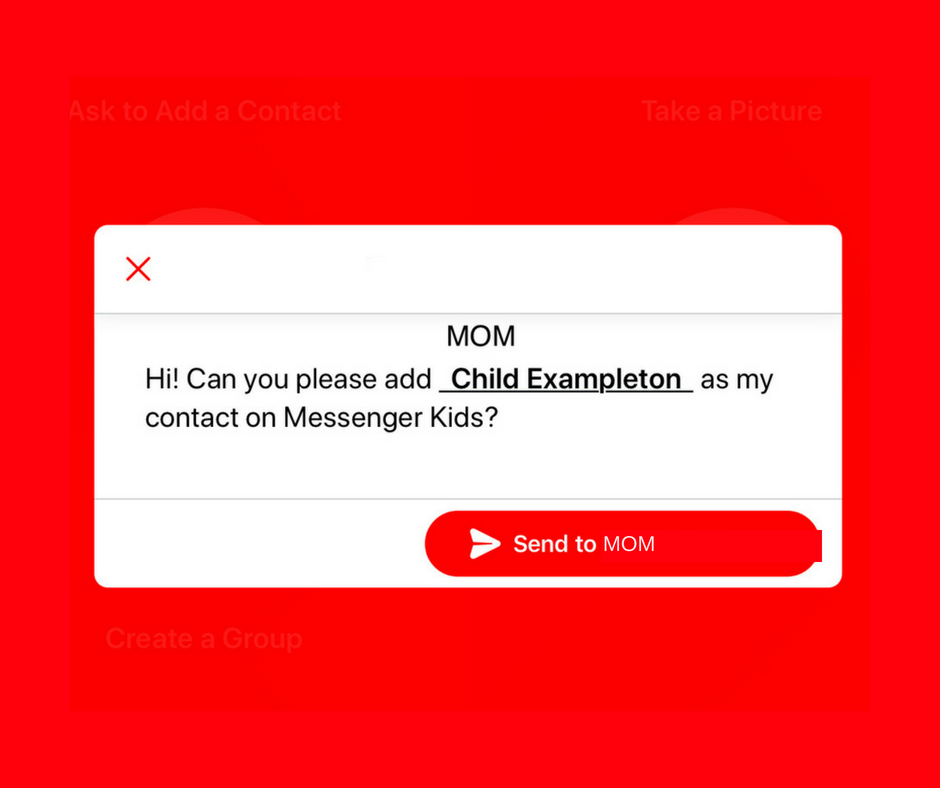
A parent controlled messenger was the dream of the FB Messenger Kids team when they created their app. They could be finding it a bit tricky to balance the security parents want with the ease of use kids need. Now a code will be available to help your kids identify themselves in the Messenger Kids app. This is a code they can use to send a friend request to other users. Parents will still receive permission requests but it will save the trouble of having to search for the potential contact’s parent’s FB account and send a request.
Obviously, this method will only work for friends who already use FB Messenger Kids. The code is also an “opt-in” feature, meaning parents will have to turn it on in their own Facebook app for their kids to receive the four-word identifier. The video above features a quick walkthrough of how to turn it on. You can also set up bedtimes in the Messenger Kids controls on your Facebook app’s settings page.
What Parents Should Know
The addition of bedtime settings is a great option for parents whose kids use FB Messenger. The jury is still out on the identifier code, though. It is intended to make adding friends easier but it remains to be seen if that will be the case. Asking your kids to remember their code so they can tell their friends is a bit reminiscent of phone numbers from our own childhoods. If they don’t know their friend’s code, they’ll still receive an option to ask parents to connect them, simply by name.
I always recommend limiting screen time for your kids, especially time on social media. The FB Messenger app is still one of the best, most secure options for your kids to keep in touch with friends and family. The stickers, challenges, video chat, and built-in AR games make it a lot of fun albeit easy to throw a lot of time into. This is why the bedtime and screen time limits are so important.
We all love playing “Don’t Smile.” You know, it’s that game where you have to look at your friend until one of you gives in and cracks a grin. First to smile loses. That’s one of the new games offered for you and up to seven of your friends on Facebook Messenger. Except in the AR game, your face becomes a cartoon-like grin to emphasize your good sense of humor and lack of self-control.
Facebook is really pushing the video chatting option in their messenger app which is the number two most popular of its kind after (also owned by Facebook.) Using the camera to add graphics to your face for a game is only the beginning as they are working towards AR shopping and have already featured some augmented reality advertising.
Browsing the Internet on Facebook
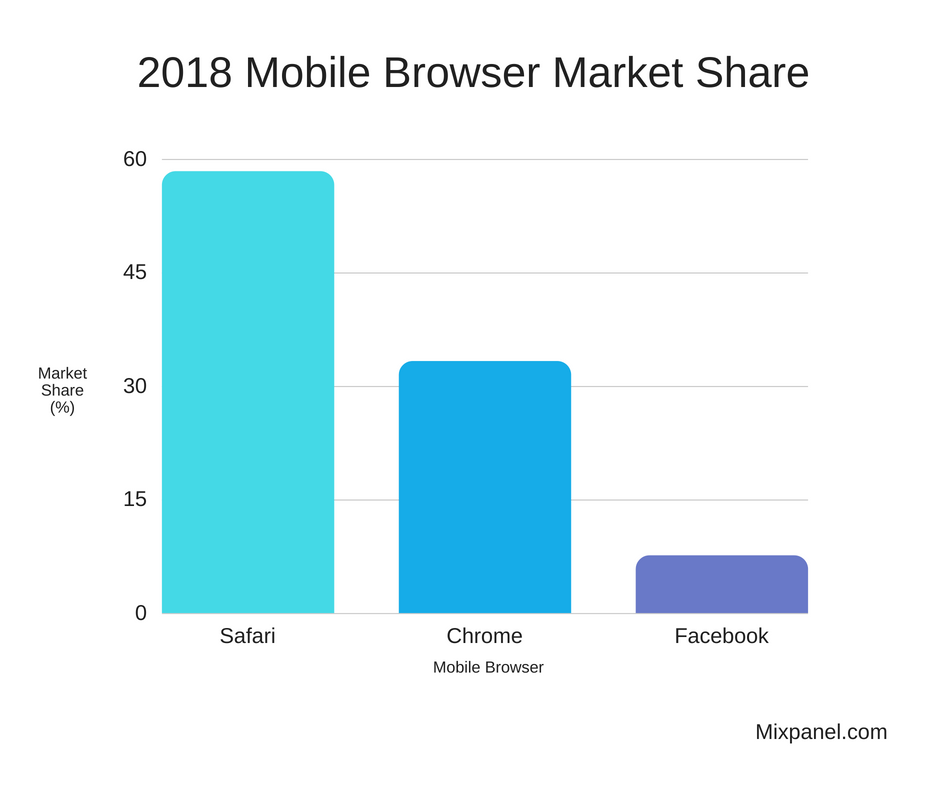
New research from Mixpanel features Facebook as a major mobile browser competitor in the United States. While Safari (iPhone’s stock browser) and Chrome (Google’s browser offering) remain solid at the one and two spots respectively the browser inside of the Facebook app is interestingly above Firefox, Opera, or any other browser for that matter.
A browser is an app you use to surf the internet. One of the main reasons that Facebook’s built-in browser is gaining so many users is the fact that so many of us get our news, media, and entertainment through the social media service nowadays. When you see an article you are interested in and click on it Facebook will take you to that article without leaving the app. That’s their built-in browser.
While Facebook has faced scrutiny for their data handling, fake news, and other privacy issues, it is obvious that they still hold a major share of the market where social media is concerned. People are still using Facebook’s app to connect, be informed, and be entertained.
What Parents Should Know
Screen time management becomes harder and harder as new features are added to our kids’ favorite apps. The developers of these apps want their users to connect through their app and be as social as possible. They want their app to be the new “hangout” location for those who use their service. Parents still need to be on top of how much time our kids are spending on social media. The dangers of cyberbullying, sexting, contact with predators, and access to inappropriate content increase as our kids spend more time online. Manage their screen time and teach your older kids to have healthy screen time habits. Studies have shown that actual, physical interaction with friends is much healthier than video chat. Encourage and provide safe opportunities for this type of interaction.
It is also important for parents to know that their kids can access the internet within their favorite social media apps. Facebook, Instagram, and Snapchat all have their own browsers and the data mentioned above highlights the popularity of the ease of use those browsers offer. What they don’t offer are content filters. If your kids can access Facebook, Instagram, or Snapchat they can access all of the internet and to my knowledge, there is no way to filter out adult content within those in-app browsers. Most parental control apps don’t control content within the browsers of social media either. This should be enough for you to only allow your kids to use these apps if they are older, haven’t had problems with accessing adult content in the past, and are mature enough to make healthy browsing choices.
Another Update: August 24 2018 : Google found a security flaw in Epic’s download file for Fortnite.
UPDATE August 10, 2018: The Google Play Store has added a notice to Fortnite search results that reads: “Fortnite Battle Royale by Epic Games is not available on Google Play.” This addition is an attempt to discourage the download of copycat games that could contain malware, spyware, or other malicious add-on software.
It’s Not About the Game
Fortnite is one of the biggest things ever in video games. You can read all about the game and my thoughts on the game here. Thus far, you have been able to play the free Battle Royale game on consoles, computer, and iPhones or iPads. That is changing soon as Epic Games is releasing theirsmash hit to Android. The problem isn’t that the game is being released, it is how it’s going to be distributed and downloaded. Epic has announced that they are going to bypass the Google Play Store and let you download the game directly from their site onto your Android phone.
While this doesn’t sound like a big deal, you have to trust me, it is. It is a big deal because of security. Android’s (and Apple’s) app store are places to find apps for your phone that have been vetted for security and privacy before being listed for download. When you “sideload” an app, you are bypassing all of these security or privacy features and putting your data at risk.
Sideloading is installing an app onto your Android phone from somewhere other than the Google Play Store.
Making the game available in through this method will remove the 30% profit share that Google takes from apps downloaded from their app store and gives Epic Games complete control of their software (updates, in-game store, etc.) This is probably a good move for Epic Games’ bottom line but can prove to be a nightmare for some Android users.
There are more security prompts and features for those who use the latest version of Android’s operating system but estimates say that over 85% of Android users haven’t received the update yet. Especially our kids since most of them are using devices we’ve handed down to them. This means that it is way too easy to end up downloading a fake version of Fortnite and installing spyware or malware along with it. If you’re a grown adult, you can make decisions based on the security and privacy of your smartphone experience but kids should be taught to only ever download games and apps from their devices App Store.
Screwing Up Your Parental Control Settings
Android FamilyLink and most third-party parental control apps help you control app downloads using the Google Play Store. If the app they want can be downloaded outside of the app store then you can’t monitor their activity or download permission. If you’re monitoring their activity you’ll want to look for “APK” files. Those are the packages that sideloaded apps come in. If you’re looking at the activity on your kid’s phone and you see thisisafile.APK, you’ll know they are installing apps outside the app store.
Epic Games’ decision to bypass the Play Store, while maybe a shrewd business move, is definitely going to cause problems for parents who are trying to keep an eye on what their kids are doing on their devices. My advice is that you don’t allow your kids to sideload apps at all. Whether it be Fortnite or anything else, letting your children bypass their device’s built-in security and privacy protections is simply a bad idea.
What Parents Should Know
The security and privacy settings that are built into your smartphones and tablets are there for a reason. It’s very important that you update your devices as soon as there is a new version available. That said, it does you no good to keep your phone updated if you are installing random software from all over the internet. In essence, that’s what sideloading apps is. You’re downloading files that could really come from anywhere and installing them into your device. This can lead to apps tracking your location, listening to your microphone, and even turning on and recording with your camera. The last thing you want is for your son or daughter to install some game and end up with images or video of themselves posted all over the internet by some hacker.
Yes, that example is extreme but it has happened before and there are apps out there that contain such harmful code. Even if the problem isn’t that bad, at the very least you’re opening your phone up for viruses that can shut it down permanently. I understand Epic Games trying to make more money by allowing downloads from their website but in this day and age where our data is being collected left and right, wouldn’t you prefer to go through the company that created your device’s software instead of just installing from wherever, willy nilly?
Fortnite isn’t that bad of a game, it’s rated T for teen because of the cartoon like violence and online experience. It has potential to be addictive for some kids and should be monitored for that reason. Again, I’m not saying every parent should avoid letting their kids play it, I’m saying you shouldn’t let them install it on Android from anywhere except the Google Play store.
Today marks a major transition for one of the most popular apps for young teens and tweens. Musical.ly, the lip syncing video app, has been merged with Tik Tok. Tik Tok is another video sharing app that is run by Chinese company, ByteDance. The company acquired Musical.ly in 2017 and has now turned the two apps into one.
The ultimate goal of this transition is to combine users. Musical.ly has had 100 million users while Tik Tok boasts upwards of 500 million. Putting them together is a move to become a worldwide social video super app.
What Parents Should Know
First of all, you need to know what the Tik Tok app is when you see it on your kids’ phones. It is Musical.ly. Musical.ly has been on our uninstall list for a while now because of the social sharing aspect. Now, with 500 million more users, the number of connections your kids can make in the app has increased.
I advise you to be aware of what apps are installed when your kids phone. Again, we recommend you uninstall TickTock if you see it. Many parents are involved in their child’s usage of the app and that is up to you but I never recommend allowing kids or young teens to use such a social software without supervision.
I have had an extension installed in Google Chrome for a while that limits the amount of time I spend scrolling on Facebook. I can scroll and scroll until eventually hitting a limit that I set for myself. My only frustration is that it didn’t work in the app. Well, now I can breath easier since Facebook is releasing a new system for monitoring and controlling the amount of time you spend in their apps. The folks at Facebook say they want your time in their apps to be interesting and inspiring, not mind-numbing so they’ve introduced some new options and a dashboard.
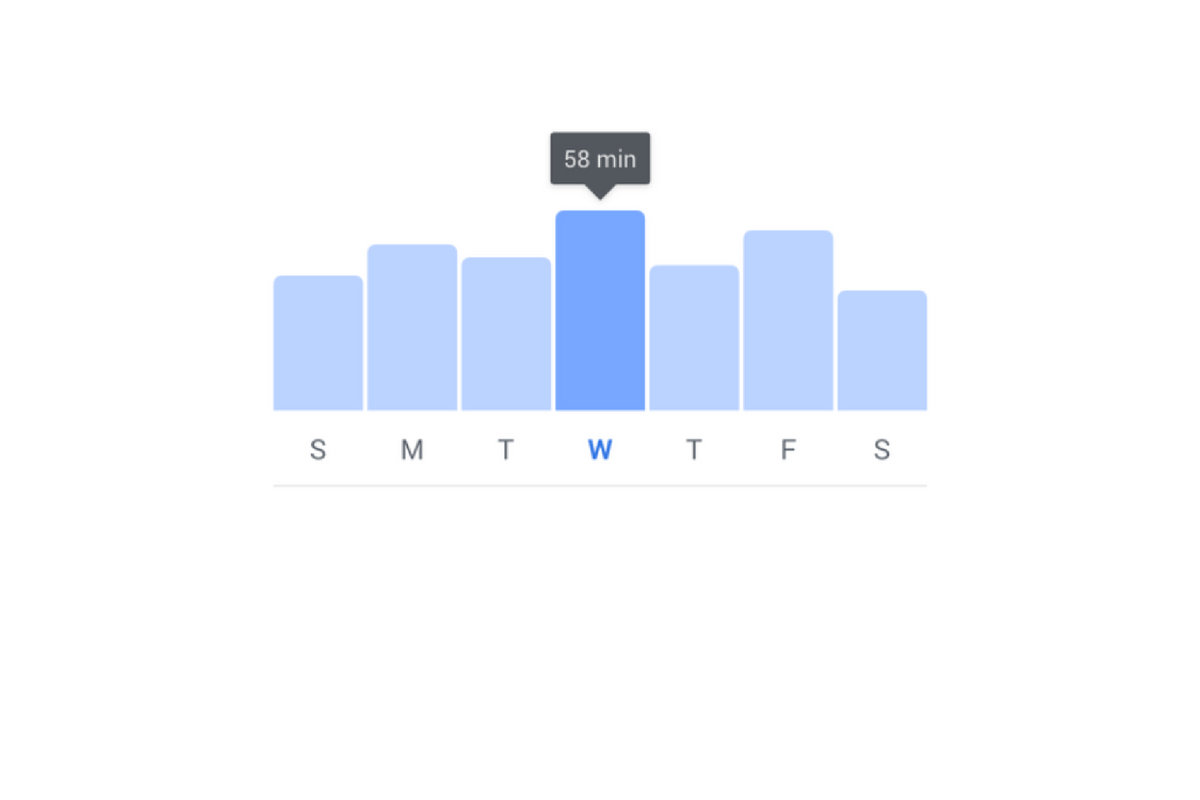
The new dashboard will show you how much time you’ve been spending in the app. You’ll also be able to set reminders and schedule a time to turn off notifications. The reports and settings will be found by tapping on the menu on the lower right of the Facebook app and by opening the settings in your Instagram app. You’re looking for the item called “Your Time on Facebook” in the FB app and on Instagram, you’ll open “Your Activity.”
Facebook is hoping that this will encourage the more thoughtful use of their apps and alleviate the addictive nature of the infinite scrolling social media timeline. Since the “Time Well Spent” movement began, companies have been taking more responsibility to find ways to help people be more intentional with their social media use. The past ten or so years have proven that social media isn’t going away and that folks will use it even to their own detriment.
NOTE: I, personally, haven’t received the update with these features yet as it is rolling out in batches over the next month or so. As soon as I do, though, you’ll see a tutorial on how to check your time spent and manage your settings on both Instagram and Facebook.
What Parents Should Know
This is a good opportunity to discuss the need for online time management with your kids. Since these companies are beginning to take it so seriously, we can use the news to encourage members of our families to do the same. Tell your kids about the features and ask them to use it, even if just to check in on the amount of time they’ve spent. It is amazing what changes you might make when you realize how much of your day is spent mindlessly scrolling a social media feed. If your kids are younger, I advise you to use these and any other resource you can to help them be thoughtful with their time online. Discuss time management with them and help them make healthy decisions so they’ll grow up with good habits.
I get asked a lot about how I handle my kids’ technology in my house. It is easy to answer this question because I am pretty active in my kids’ tech lives and also because my kids are pretty young. Below are three of our most important rules for keeping our own four kids safe online.
Rule #1 | It isn’t YOUR device.
My kids don’t have their own tech devices. We have a shared iPad 2 and iPad Mini and a couple of old iPhone 4s that our kids use. They often try to claim one of the devices or another as their own but we quickly remind them that they don’t own any of them. We tested it with our ten year old for a few weeks and it caused too many problems. Him thinking he could do whatever he wanted because it was just his device led to a lot of frustration when we tried to enforce our boundaries. The solution was simple. All of these devices are shared, you can’t tell your sister not to use it and you can’t take it to bed with you at night. Done.
Rule #2 | No tech in bed with you.
This one is a bit tricky since my kids use their devices to listen to noises or music as they go to sleep. The rule, however, is no browsing once it’s lights out. We often just set it for them and forget it so the device stays across the room. There are studies to show that viewing the glowing screen at night can hinder your ability to rest. Lack of rest can cause serious health concerns in our children. Once I explained all of this to my kids, they have done pretty well to respect the “No tech in bed” rule. They want to be healthy just as badly as we want them to be.
My children aren’t allowed to just grab a device and do as they wish. They don’t have passcodes (because built-in restrictions and a wifi content filter are set up) but if they are caught hiding in another room doing something on a device they lose the privilege for at least a week. We make them ask and when they are playing or watching something we nearly always require that it is in a common area. That part of the rule is flexible when they are doing schoolwork on an app and don’t want to be disturbed or but most of the time they have to be somewhere where everyone’s eyes can see their screen. They always, have to ask though. Mom and Dad must know you are using that device. If we find out they were hiding (and we have our ways) there is a major cost.
We have more rules but these are the simplest and most easily implemented of our plan. They require no software installation or tech knowledge. It’s really just parenting, plain and simple. Your kids need you to set some boundaries. Maybe you can start with these three rules. Do you have some different rules or different ways to implement these same rules? Tell me about them in the comments below.
Over the next several months, Facebook will be paying closer attention to profiles that seem to belong to underage users. Some recent attention from politicians and documentaries have highlighted the ineffectiveness of the company’s honor and reporting based age verification system, stating that kids of any age can create a profile and begin using Instagram or Facebook against the company’s age policy and the government’s regulations. COPPA states that kids’ data can’t be collected without the permission of their parents, this is why social media services have age restrictions in effect. The problem has been enforcement. Companies like Facebook and Snapchat have wanted to allow users to create a profile without too much invasion of their privacy or freedom of speech but this leads to an easy way for underage users to cheat the system.
Facebook now says they are going to be having their content reviewers actively seek out profiles that seem to be run by younger Facebook or Instagram users and require them to present a legal form of identification in order to prove their age. Previously, this was only done if an account had been reported by another user, this meant that the first line of defense against underage usage was simply the other people using the service. Obviously, this hasn’t been effective enough. Even though Facebook’s user age has increased over the past several years, Instagram is still very popular with the younger audience. Whether parents are allowing their kids to use Instagram or whether they are signing up without their parent’s knowledge, Facebook is going to be going to new lengths to remove those underage accounts.
Most social media is not intended for users under the age of 13. This is for legal reasons as well as for safety reasons. I usually recommend waiting until your child is 16 or older before opening them up to the social media world. User-generated content, the potential for meeting strangers, and highly politicised and polarizing material can be hard for younger kids to navigate and digest. It’s good for kids to be exposed to the realities and dangers of the online world while under some sort of supervision but Facebook, Snapchat, Instagram, and most other Social Media outlets don’t offer very helpful options for that supervision.
I think it’s good that Facebook is cracking down on these underage accounts, even if it is to protect themselves from further scrutiny. In my opinion, we will all benefit from more people looking out for the proper, healthy, and safe usage of the most popular social media services of our time. The first line of defense should always be mom and dad but hopefully, these companies are waking up to see that they have to be of some assistance to families as well.
Family Tech Update: What is IGTV? Facebook Messenger Kids wants to teach your kids kindness. What was up with the rocket launch in FORTNITE? Will eSports ever be in the Olympics?