Author: Michael

  • Android Launching Native Parental Controls 

    Android Launching Native Parental Controls 

    As we have traveled the US teaching families about internet safety there has been a common theme. Parents often give their children Android devices. Android devices are a good option for kids since they’re cheaper and easier to get ahold of. The problem with an Android phone or tablet is that there ain’t been a built in way to set restrictions or parental controls. That will be changing very soon.

    Google Family Link is the new way that Google is allowing Parents to have more control over their kids Android device use. Google FamilyLink will  allow parents to set time restrictions, time limits, and bedtimes as well as monitor the amount of time spent using the device. This will be accomplished by a complete disabling of the device once time limits or restricted times are reached. That’s a unique approach, unlike Circle or UnGlue that uses the wifi or data connection to restrict usage. Disabling the entire device means that even downloaded or offline content won’t be available.


    It will be nice to not have to tell parents that there are no native options for protecting their children on their new Samsung tablet. Here’s the catch. These options will only be available for Android devices running their Operating system version 7 or newer. Since we often hand down our older phones to our kids, this will limit the availability of the parental control options on their devices. Newer phones will be running OS 7 but many older models won’t be updated to that new if an OS.

    What Parents Should Know

    GoogleLink doesn’t set browsing filters or block apps. You will still want to setup family filters and restrictions in certain apps like YouTube, and Google search. Also, you will want to set the age restrictions in The Play Store so they can’t download apps that aren’t appropriate for their age. Finally, As always, talk to your kids about the amount of time they spend online. Discuss healthy media habits and what alternatives they could chose instead of screen time. Let them know what rules you’ve set and why. Remember that rules without discussion will result in conflict.

    Family Link is available through invite only with the full release scheduled for later this year.

    Updated: It is also important to note that existing Google accounts won’t work for Family Link. Your kids will need a new account to activate the service.

  • Snapchat isn’t Just a Messenger Anymore

    Snapchat isn’t Just a Messenger Anymore

    It may have all started with “secret” messaging but it hasn’t stopped there. Soon public sharing became the norm on Snapchat, a feature that was copied by many other Social Media networks soon after it’s release. Then, Snapchat’s “Discover” page was released, this was a way for news and media corporations to reach the users of Snapchat with their messages and advertising. Lately, Snap Inc. has been working towards becoming a serious form of entertainment for it’s users, incorporating videos and even original show content into their network. Today, VICELAND has announced they’re producing several new shows exclusively for Snapchat. They’re starting with a “reality” dating show titled “Hungry Hearts with Action Bronson.”

    VICELAND Productions is following several other studios in making original shows for Snapchat. Networks including NBC, CBS, and A&E have already announced that they’re making versions of their existing shows for viewing on Snapchat. These studios are seeing the growing adoption of Snapchat as an opportunity to reach a broader audience with their shows and content. One of the fastest growing demographics on Snapchat is the 18-35 age-group, one of the main target audiences for the late night and primetime television networks. With this trend towards entertainment content on our social media apps, it’s important that parents are aware of what these apps are becoming, we have to make good decisions on whether or not we want our kids consuming the media they’re producing.

    What Parents Should Know

    Snapchat isn’t a trend and it’s not just a messenger anymore. What was once the “Secret Message App” or the “Sexting App,” as some called it, is now a major source of media for those who use the social media platform. This means we have to treat it differently than we do many social media apps. Keeping track of who they are friends with on these networks isn’t enough anymore. We have to keep a few things in mind if we are going to allow our kids to use Snapchat, Instagram, or any of these other apps that give advertisers and media content creators a direct outlet to our kids.

    Same Media as TV, Movies, YouTube, or Games.

    The creators of the content that will be made available through social media (Facebook has been signing agreements with media companies too) aren’t producing special more family appropriate shows. They will be making content that will reflect every other media outlet they produce for. Think YouTube Red, Netflix, or Amazon Prime. In fact, some of the rules that apply to broadcast television don’t apply to shows that are streamed online. This means that you’re more likely to see content like on Game of Thrones or Orange is the New Black than something with more restrictions like Blacklist or CSI. Don’t let the fact that these programs are being produced for free public streaming online fool you. They won’t be family friendly or edited for content.

    No Parental Control

    Snapchat currently has no parental control options. Their app is geared towards teenagers so they most likely won’t feel the need to add parental restrictions any time soon. The terms and agreements on most social media services allow for accounts to be created as long as you’re 13 years old or older. The question you have to ask is whether or not you’re ok with your 14-15 year old watching online reality dating shows or politically fueled sketch comedy. If you aren’t ok with these things then you have to make a choice about whether or not snapchat is welcomed on your kid’s phones or tablets.

    All or Nothing

    Social media apps are basically creating an “all or nothing” atmosphere for content created by these media outlets. Once you have an account on Snapchat, you have access to all that is contained in the app. Every person can be a friend or follower, every feed can be found and viewed, and every original show, no matter the target audience, will be available for viewing. With no parental control options the question isn’t what Snapchat content will be allowed, it’s “all or nothing.” They can see all of it, or none of it, those are your only choices. 

    Whatever you choose, you need to be educated about what these social media apps are producing. Keep checking in to Safe.BecauseFamily.org for up to date tech news that’s relevant for your family. Also, sign up for our Safe Online Newsletter. Just fill in the short form below.


    Sign Up for the Latest Family Tech News in Your Inbox

    * indicates required


  • Kiddle is the Safe Search Your Family is Looking For 

    Kiddle is the Safe Search Your Family is Looking For 

    It’s next to impossible, once your kids reach a certain age, to keep them off of the internet completely. Schoolwork requires online research and so do many other activities that kids enjoy these days. What you need is a solution that will help you fully protect your kids while they search. That’s where Kiddle.co comes in.

    These days we need to be parents and educators in the online world as well as the real world. The internet is a great educational and recreational resource that can help children learn and satisfy their curiosity about life.

    The websites included in Kiddle search are recommended by educators, librarians and parents from across the globe as well as websites our own editors have used in schools or for homework within the K-12 age range. – Kiddle.co/internetsafetytips


    Kiddle is a safe search engine powered by Google. The beauty of Kiddle is that, for most searches, it features curated, kid relevant results. While google ad results do often show up first, they’ll be family friendly and related to the topic searched.

    Obviously, inappropriate searches are blocked with an angry looking robot telling you to try again. It will also filter out inappropriate results to searches that should be safe but sometimes aren’t. For example a search for some pop star they’ve heard of will produce results but the images shouldn’t be adult oriented and news articles about their indecent activities at the club won’t show up.

    What Parents Should Know

    Kiddle is branded and designed for children but it’s a good solution for your kid or teen who needs to do some research while you aren’t looking. I recommend using sites like Kiddle to help kids with homework so that you can be sure they’re only seeing results that are safe.
    Also, Kiddle has some pretty good advice and tips for parents and educators on their site as well. Just head over and take a look. I’m confident you’ll be pulling it up the next time your child has a science project or history paper due.

  • Nintendo Switch Launches New Parental Controls App

    Nintendo Switch Launches New Parental Controls App

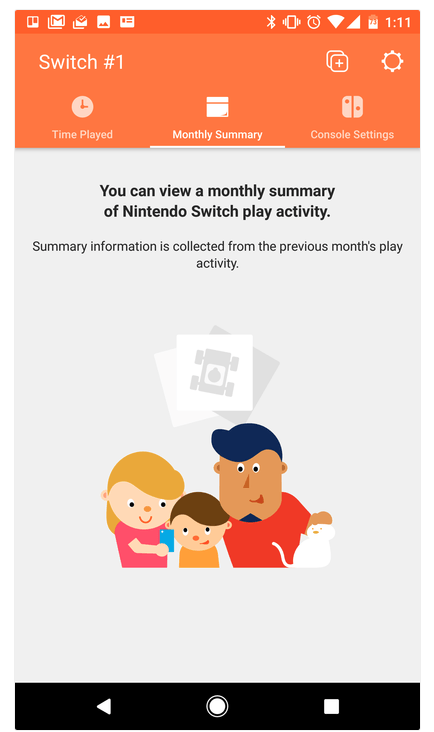
    Nintendo has always provided good gaming console solutions for families with younger kids. Many of their games are family friendly and they were some of the first to try to provide a more active method of gaming. Nintendo Switch is no exception. The popularity of Nintendo Switch is growing and its versatility is one of the features that is feeding that growth. While the number of games available on release was low, the system is still selling well, breaking records in its first weeks. With it’s newest parental control app release, I think Nintendo Switch remains a good game system for families. 

    The parental control app is free and available for iOS and Android. After installing the app you can sync it with the Nintendo account that is on your Switch and begin setting up age requirements, time limits, and sharing restrictions. This article has a good step by step on how to setup the parental controls on the app.  There are other features as well, such as a time played section and a monthly summary. If you have a Nintendo Switch then get this app as soon as you can. It’s another great way to protect your kids while they use technology.

    Don’t Stop the Conversation

    While this app is a great feature for parents it doesn’t eliminate the need for parents to remain actively involved in their child’s online and gaming experiences. Continue to have conversations with your kids about the games they play and how much time they spend on those games. Discuss healthy habits and time management. They need to learn how to make quality decisions in those areas and it’s up to you to teach them.

  • Parental Control Hardware “Circle” Announces Integration with “FamilyTech” Apps

    Parental Control Hardware “Circle” Announces Integration with “FamilyTech” Apps

    Circle is one of our favorite resources to recommend to families. With its simple to use app and customizable, profile based filters Circle is one of the most accessible parental control options out there. At a price tag of only $99 it’s affordable too. Today, Circle announced Circle Connections, the roll out of integrations of some new resources to make it one of the most extensive filter and time management apps available. These integrations will soon add the ability to stop notifications from social media apps while your child is driving and allow you and your kids to use Amazon Alexa to set and monitor your time limits. Launching first, however, is a partnership with FamilyTech.

    The new platform, Circle Connections, allows Circle users to connect other partner apps, devices, and services to offer rewards, automate features, and much more. These other pieces of Circle help leverage some of the biggest drivers of family life: screens, physical activity, teen driving, and social media.

    FamilyTech launched late last summer and is a chore/time management system developed by CEO Chris Bergman. The system features four apps. Mothership, the hub for setting chores and giving rewards. ChoreMonster, an app for kids that rewards them for meeting their chore goals. Honeydo, a way for couples to communicate what needs to be done and get more accomplished. And Landra, the home productivity solution for older kids and teenagers. This partnership is going to set Circle up to be one of the most extensive time management and parental control options available to parents.

    For Example

    With Circle’s time limits, the integration with FamilyTech can do a lot for parents. Imagine your child has an excellent week of chores. The choremonster app asks what reward they would like and they choose to extend their bedtime. ChoreMonster will communicate with Circle and their bedtime will be extended to whatever reward time you’ve set up. Pretty much automated rewards. That sounds awesome.

    As mentioned, some of the functionality will be released in future updates but the integration with FamilyTech is rolling out now. If you have circle, be sure to update often and take a look at what FamilyTech’s apps can do for you. If you don’t have Circle yet, maybe this will be a pretty good reason to give it a go.

  • Schools are Sending Home More Technology and it’s Worrying Parents

    Schools are Sending Home More Technology and it’s Worrying Parents

    When It’s Out of Your Hands

    More and more schools are giving students tablets or laptops to help them with their school work. Much of the newest curriculum is either fully digital or integrated with a digital resource of some kind. This means that there are more devices being placed in our children’s hands and parents aren’t even able to decide if they should have them. Schools are required to have protections set on their in-house networks but there are no guarantees that your children are protected at home. There have been multiple instances reported of children coming in contact with adult content on school computers. This story from last fall highlights the inability for the school to guarantee their tech is safe when not in their own building. The conversation always goes to the same place. The responsibility for safe internet use outside of the school or library falls with the parents. What does that mean for us as mom and dad?

    What Parents Should Know

    I recieve questions all of the time about how to protect kids on their school computers. I’ve been scheduling workshops for parents at private schools and helping school leadership learn how to protect their students. Internet safety in school and on school issued devices is a serious matter. Too many schools aren’t set up properly to filter adult content and monitor messaging or internet searches. This means it’s up to parents to be sure your kids are safe.

    I recommend a couple of things. First of all, if it’s all just too much for you then ask that your child be allowed to keep the tablet or computer at school. Many schools will let your child check the computer in before they leave and check it out again when they come to school the next day. This is a good option if you’re concerned about how safe your home network may or may not be. I, of course, recommend securing your home wifi network and devices as soon as possible, though.

    Secondly, you can talk to your school administration about better security measures. What kind of internet safety setup does the school have in place? Do they apply safety settings per device? Per classroom? Is the school network protected? If so, is only their network safe or do they have protections that will follow your kids home as well? If you can’t answer any of these questions then you don’t know enough about your school’s internet safety policies. You need to have some conversations.

    Third, I would recommend talking with your child as often as you can about how they use the internet at school and at home. These conversations will help them feel comfortable to come to you if something inappropriate turns up online. They should report anything suspicious or dangerous to school officials and you and it’s up to you to help them know that.

    A New Standard

    Schools will most likely not stop issuing technology to their students any time soon and it is only getting harder and harder to protect our kids from hostile content and overuse of screen time. Remember to keep track of how much time your kids are spending online and include school in those numbers. If they are doing three hours of school work on the computer and them watching videos for two hours at home they have spent five hours online that day. Is that the healthiest internet habit you can set for your family? You decide, and then implement your plan.

  • Kids Online Too Long? Put the Power of Time Limits in Their Hands with UnGlue

    Kids Online Too Long? Put the Power of Time Limits in Their Hands with UnGlue


    Every now and then a resource comes along that we can’t wait to tell you about. Today, we are excited to show you UnGlue. We are always looking for the newest and simplest way to protect your kids online and UnGlue is answering the time limit question with some pretty great new ideas. Check out the video below to see the heart behind their cool new time limits software.


    “Kids are the ones that are hooked… they’re the ones using these devices …  And it’s not even their fault… they’re fighting with the best minds in the industry that are set on having them scroll just a little bit more. Just one more like, one more picture, one more chat, one more Pokémon, one more level. And they’re losing,” – Alon Schwartz (CEO of UnGlue

    UnGlue runs with the idea that kids truly want to do better at managing their screen time by placing the power in their hands. In fact, the founder of UnGlue doesn’t like to call their service “Parental Controls.” While parents do set the time limits, the kids are able to decide what they do with that time. UnGlue doesn’t only turn off internet access at a certain time, it designates between productive and “entertainment” internet activity. Parents establish the amount of time their kids are allowed to spend being entertained on a screen and their child is then able to use the time as they choose. They can even store up unused time to use later for some good ol’ fashion binge watching or playing. The UnGlue concept is a new one and, I think a great one.

    The only thing more important than keeping kids safe from the dangers of internet use and over use of the internet is teaching them how to be responsible in those areas for themselves. UnGlue puts the power in their hands and allows you to show them, through their own experiences, how they can better manage their time and be more effective and productive every day. In fact, I would go as far as to say that most of us parents could use an education on screen time management.

    I could go through all of the ways UnGlue allows you to set up their mobile app but I’ll just point you to their website and let you watch this video below. UnGlue is FREE to use so go check it out and email us at BecauseFamily@GMail.org to let us know how your experience was.


  • The Risks of a Fully Connected Home Part 3

    The Risks of a Fully Connected Home Part 3

    Security and advertising are the most obvious concerns when it comes to connecting your appliances and devices via smarthome technology. We must take precautions to protect our identity and our privacy. We should also be careful in our new wifi connected homes with the content that can come across these connections. In this final part of our Connected Home series we’ll talk about the content available on our smarthome devices and what we can do to filter that content.

    Unsupervised Content

    After a recent Setting Digital Boundaries workshop a  mother asked me what I knew about the parental controls on Amazon Echo. I hadn’t ever set one up and hadn’t really looked into them so I didn’t have many answers for her at the time. She told me why she had asked: her daughter likes to ask Echo to play songs that she likes but she’s young and her words don’t always come out sounding like they should. This causes the Echo to mis-hear what is said and the devices has, more than once, played a song that is not from any playlist they’ve set up and is not at all appropriate for a young toddler. With the increasing popularity of the Amazon Alexa and Google Home parental controls are becoming a major topic on tech forums and blogs. The reason it’s such a major part of the discussion is because there aren’t (yet) any real parental controls.

    On the Amazon products you can set a pin to make purchases. This will keep your child from making an order and you being shocked to find a two hundred dollar doll house at your door. That’s about it, though. There aren’t any music or video rating limits that you can set. There aren’t any separate voice commands that will let Alexa know the child is in the room. So far, there isn’t much. Google only has the filter settings you’ve given YouTube to protect from inappropriate content. These filters are strictly for video content though and won’t block explicit lyrics.

    It’s likely that more effective parental controls will become a reality on these popular products sooner rather than later but until then you should take precautions to keep your children from encountering more of the internet then you’re ready for them to connect to. 

    What Parents Should Know

    My advice is to hold off on extensive use of Alexa, Echo, or Google Home until real parental control options are made available. If you have already been using these devices or you’ve decided you can’t live without them I recommend setting up what restrictions are available. Protect yourself from surprise purchases with a pin on your Alexa or Echo and set your YouTube filter to protect your children from videos you wouldn’t want them to see. Other apps or web video and audio services that have parental controls may protect your family when connected through your smarthome device as well. Right now this is about all you can do but if you’re going to use these devices then something is better than nothing.

    Should Your Home Be Connected?

    The level of connectivity in your home is obviously a choice your family has to make. There are absolute benefits to having your house connected to a network and working together to make your life easier. The reality, though, is that these conveniences could come at a cost. Some may feel the cost isn’t that high and some may say it’s unfounded fear or foil hat conspiracy theory. My advice is to just stay informed. No matter your decision become a student of the way your connected home works. Reset passwords often, and don’t store your personal data somewhere that is easily accessible through your smart home device network. If you just use common sense and think ahead of the potential risks you may be able to be wired up like it’s the year 2025. Just do it with wisdom.

  • The Risks of a Fully Connected Home Part 2

    The Risks of a Fully Connected Home Part 2

    The Internet of Things has made its way into our homes and we are becoming increasingly used to being tracked and monitored. In this, part two, of our connected home series, we’ll look at advertising and what it means to our privacy, our homes, and our families.

    Advertising

    Our society has become so accustomed to our data being used to advertising that we aren’t even creeped out by the ads on Facebook reflecting our Amazon searches last night. When we get spam email based on what we did online last week, we just hit the delete button and think nothing of it. Individualised targeted advertising is a part of everyday life now and that’s probably not ok. When everything in our home is connected to the network we are feeding data miners with so much advertising fodder that it will become impossible to ignore the onslaught of targeted ads we will recieve. Imagine when your fridge can tell that you’re out of milk, so you get an advertisement for a coupon at Walmart in your email fifteen minutes after you’ve poured the last bit into your cereal. That sounds a bit creepy to me.

    When products like Google Home are “always listening” we have to wonder what some of that innocent conversation data can be worth to advertisers. Currently the policy is to not store any of that information but will the financial bottom line ever outweigh the disapproval of consumers? Is it possible that we will get so used to this targeted advertising that we won’t be phased by it anymore? Imagine standing on your back porch talking to your spouse about wanting to enclose it someday to make a screened in sitting area. What if, the following day, you saw advertisements for builders, finish carpenters, and handymen? Would that freak you out? Right now it may but if we continue to adapt to the “internet of things” we will soon take, even that level of targeted advertising, in stride. It will just become normal, everyday life. Especially for our children.

    What Parents Should Know

    Keep in mind that your children are a multi-billion dollar industry. Every time they play a game online or watch a video, they’re being marketed to. There is no way to avoid some of that marketing but there are ways to be smart about how we allow the corporations that sell us everything we use to come in contact with our children. As mentioned in part one, experts advise that if you are concerned about potential breaches in privacy while using a smarthome or digital personal assistant you should just avoid getting one. If you’re someone who thinks that the conveniences outweigh the potential concerns then take the steps necessary to shield your kids from targeted advertising as much as possible.

    Set parental controls if your devices have them. Make sure your usernames and passwords have been changed from the default ones and that you have read and understand the privacy terms of the product you have purchased. Set any privacy settings that may be available with your children in mind, not just yourself or other adults. Always remember that your child can activate Alexa, Echo, or Google Home as easily as you can. They aren’t equipped with voice recognition (yet) so you must have the safety features set up before you allow your child to use your digital PA. More on those safety settings in part three, tomorrow.

  • The Risks of a Fully Connected Home Part 1

    The Risks of a Fully Connected Home Part 1

    If there’s one thing that CES 2017 showed us last month, it’s that the “internet of things” is our future. Our world is becoming increasingly more connected and so are our homes. Everything from your television or thermostat to your mirror or even your toaster can be intertwined in a web of wireless connectivity. These advances in technology offer new and exciting levels of convenience but what are the risks involved in being so connected all the time? This three part series of posts will help you weigh the potential risks of home connectivity and make a knowledgeable decision for your family.

    Internet Privacy

    There have been news reports about hackers playing with people’s wifi enabled thermostats, unlocking their smartphone controlled door locks, turning on closed circuit security cameras and even baby monitors. Many of these connected home appliances come with basic, easy to guess passwords and usernames and can be messed with very easily. The best advice for these types of products is to always change the username and password from the one that comes pre-designated. Now, however, more families are inviting a new digital personal assistant product into their home.

    Many experts are looking at smart home and “PA” devices such as Amazon Alexa/Echo and Google Home with some caution due to their microphone “always listening.” There has been much conversation among internet privacy and security experts about the risks involved with a device in your home that can hear every conversation you’re having. Amazon and Google both say that their products were designed with privacy in mind and that they don’t store any information you say that wasn’t preceded by the command words. (i.e. Ok Google or Hey Alexa) What you say after you activate the devices is stored on an encrypted server but spokespersons for the companies are silent on what happens to the data after that. They only admit that your voice patterns and speech is being monitored to help the devices become better at recognizing you.

    What Parents Should Know

    “These devices are microphones already installed in people’s homes, transmitting data to third parties,” Joel Reidenberg, director of the Center on Law and Information Policy at Fordham Law School in New York City, told USA Today. “So reasonable privacy doesn’t exist. Under the Fourth Amendment, if you have installed a device that’s listening and is transmitting to a third party, then you’ve waived your privacy rights under the Electronic Communications Privacy Act.” – Tec.Mic

    Using a device like Alexa or Google Home effectively waives your right to privacy in your home. While you can mute the device to turn off the microphone, that decreases the convenience and usefulness of the product. When you use the product, however, you are accepting the terms and agreements and are allowing a microphone to be “always listening” (Google’s words) during all of your conversations. Be sure, if you think you need to be this connected, to read all of the legal documentation and make sure you feel confident that the risks you may be taking are outweighed by the benefits of having a “smarter,” more connected home.