Anonymity on the internet is and has always been a myth. Facebook, however, has become a place where people can search for others and learn all about their lives without revealing their creepy behavior. Facebook’s new Stories feature is changing that a bit. In a move to keep and attract younger users Instagram and Facebook messenger added their own version of Snapchat’s stories. That feature has now been rolled out to the main Facebook app and it gives people an way to see who’s been watching.
Facebook’s stories are photos and videos that post in vertical-full screen format on your phone. They last only 24 hours and you can add text or drawings on the screen and the in-app camera has filters, masks, and overlays that you can add to your photos as well. There is also an option to see who looked at your photo or watched your video. This is a major difference for Facebook since the standard has been to go see what folks are up to with no threat of them finding out you’ve been watching. This may be good news for you because you don’t like the idea of people looking at your stuff without you knowing. Or, this may be disturbing because you, my friend, are the creeper.
What Parents Should Know
Facebook is trying to become a real social media contender for young people again, so parents should be keeping tabs on the moves their making. The stories on Facebook add another way for people to show the reality of their life and world which is what your kid or teen likes to see and do on social media. You should encourage your son or daughter to keep an eye on who’s watching their story. Let them know that the feature is there and that if they’re using Stories they should go check out who’s been following their Story.
Remind them, also, that anonymity online is a myth and that everything that is posted online can be there forever. Just because their Story disappears from Facebook after a day doesn’t mean it’s truly gone. Screenshots can capture an image and then it can be uploaded anywhere else on the internet. The rule should be that you never post anything on the internet that you don’t want the entire world to see and that you don’t want to be there forever. I say that these rules are good for us to teach our kids but some of us parents may need to remember these warnings as well.










 My initial reaction to the app was that it is a bit cluttered, there are icons and avatars everywhere and it’s a bit difficult to know what to do at first. There obviously aren’t a lot of people on it yet since it’s in invite only so there aren’t a lot of new videos being shared by the community. It’s mostly the ones that are curated by the developers of the app. In fact, while you can search for a video to share, many of them aren’t available to use in Uptime so you’re left kind of having to recirculate the ones that you can already watch. There will be more videos added in the future, I’m sure, so this is just a part of getting into the app during the early stages.

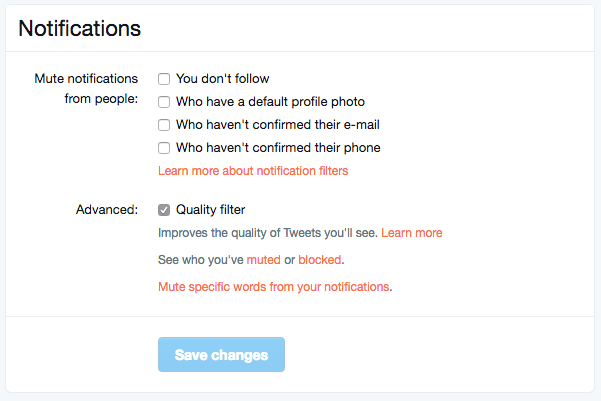
 The potential problem with such expression is that there are always those out there wanting to counter your opinion. Often this takes on the form of trolling or bullying. Twitter has released some tools that can help their users filter out some of those trolls and parents need to learn how to use them.