Author: Michael

  • What the heck is a Quibi?

    What the heck is a Quibi?

    We’ve all seen ads for Quibi and it has officially launched. So what the heck is a Quibi? I first heard about Quibi at CES in 2019. I wasn’t sure what it was all about except that a lot of celebrities from different genres were endorsing (and likely investing) in the app. Turns out Quibi is a video streaming app designed for use on your mobile device. It was founded by Jefferey Katzenberg, of Disney productions fame, and features short, high-quality television shows news reports, sports features, and movies.

    Right now, the content on Quibi seems to be 100% original. In fact. A lot of the shows on Quibi are produced by and starring the celebrity backers that you see in the commercials. Shows star the likes of Chance the Rapper, Lebron James, Liam Hemsworth, and Chrissy Teigen.

    What the Heck Is a Quibi?

    Quibi features short-form content or normal length content split into short-form episodes. You can usually watch an episode in five to ten minutes and with episodes releasing daily it doesn’t take too long to get to the end of a series. I found myself interested in a show called Murder House Flip, a blend of true crime and home improvement. The first story, renovating a house where a gruesome murder took place thirty years ago, took three episodes to complete. Total running time was similar to that of a half-hour show on TV if you account for ad breaks.

    image: Quibi

    Watching Murder House Flip is where it clicked for me. Quibi isn’t all that different than television except for being formatted for your mobile device. It is a new concept for high definition, highly produced shows, and movies to flip to verticle mode when you tilt your phone but that’s about where the innovation stops in my opinion. Television has always been featured in short bits, split up by advertising. The difference here is that the content is a bit shorter overall, including the advertising content. I think Quibi is more of a tv channel than a world-changing app.

    What Parents Should Know

    There is currently no content on Quibi for children. The shows on Quibi, like most streaming services, are rated 14+ up to Mature. You will hear adult language and see some adult themes as well. Most content wouldn’t even be very entertaining for most younger viewers. I would rate the app 16+. As I mentioned above, the idea that Quibi is innovative is only partly accurate. Younger digital natives will see this concept as new. One show being split into several parts separated by ads is pretty new to young ones who are used to clicking play and binging, ad-free, and interruption-free with whole seasons of shows being released all at once. Those of us who lived through Saturday morning cartoons and TGIF every week aren’t so impressed.

    I will remind you that the content on Quibi is considered rated teen or higher. Many of the shows feature adult language, extreme violence, and some sexual content. While you may enjoy Quibi, since the shows are new and feature some celebrities that we all love, I wouldn’t recommend it for your kids.



  • Using Tech to Your Advantage, Not Your Detriment | RCK Podcast

    Using Tech to Your Advantage, Not Your Detriment | RCK Podcast

    This is a special crosspost from my other podcast, Raising Connected Kids.
    Click the banner below to check it out.

    WELCOME to Raising Connecting Kids the podcast that answers your questions about the connected world your kids are growing up in.

    I get multiple questions a week. Sometimes through email or FB messages and sometimes face to face at an event or meeting. In this podcast, I’ll be answering the most common questions I’ve had and even, your questions. Email me at BecauseFamily@gmail.org to get your question read and answered on the Podcast.

    Question 5: What are some good things about our technology?

    Since we’re distancing ourselves, perhaps we should focus on some of the good things our kids can use technology for. Here are some ideas and safety tips for using Tech to your advantage, not your detriment.

    Use Education Sites/Apps: Many are free right now.
    Use them wisely, watch the amount of time spent and what they do with that time.

    Messaging/Video Chat

    • Monitor messages.
    • Use the right video chat apps

    Family-friendly gaming.

    Movies/shows

    Use your screen to get off-screen activity ideas.

    Resource Links:

    Bark.us – Message Monitoring
    kinzoo.com – Messaging app for families.
    Off-Screen Ideas

    CONCLUSION

    Thank you again for listening to Raising Connected Kids, the podcast that answers your questions about the connected world your kids are growing up in.

    Subscribe on iTunesStitcherYouTube, Spotify (soon), Google Podcasts, and anywhere else you listen to podcasts. Like/Follow us on FacebookTwitter and Instagram

    Share the show with your friends and leave a review on your favorite podcast app to help spread the word.

    Remember to visit BecauseFamily.org/partnership to partner with us as we protect children and teenagers by bridging the technology gap between them and their parents.

  • Kids, Social Media, and COVID-19

    Kids, Social Media, and COVID-19

    Instagram bans Coronavirus filters.

    There is a lot going on these days. We have to have some clarity for our kids when it comes to Social Media and COVID-19. As with any modern trend, Coronavirus has gone viral. Not just in the obvious sense. Filters on Instagram, which can be created and posted by nearly anyone, have been featuring images of the Coronavirus strain or filters that turn your face green and put the word Coronavirus above your forehead. Instagram has stated that they are afraid these filters are insensitive and possibly promote false facts about the virus. Because of this, the social media service is blocking all filter search results that use COVID-19 or Coronavirus.

    Facebook, Google, and Instagram bringing CDC and WHO information to top of feed and search results.

    “To help people get relevant and up-to-date resources, we will start showing more information from WHO and local health ministries at the top of Instagram’s Feed in some countries.”

    Social media feeds have been used by companies to highlight certain relevant news stories like election days and disaster response information over the past few years. COVID-19 information is now being offered through these in-feed posts on your social media thread. The major difference is that these posts are being highlighted and placed at the top of your feed. The idea is that the best way to fight misinformation on social media is by providing instant access to correct information.

    Google’s home page features an animated “DO THE FIVE” link that leads you to the five steps to prevent the spread of COVID-19 along with search results relevant to learning more about the virus.  These tips are intended to stop the spread of false ideas about the virus that put people in danger. It is critical that we work together to explain the truth about COVID-19 and only get our information for trusted sources. I write this blog for parents and guardians to help them protect kids but many people simply need to know how to protect themselves from false information. Be wise during this unique time in our history.

    Kids, Social Media, and COVID-19 Facts

    Articles and Memes

    There is a lot of nonsense going around concerning COVID-19 and much of it is in the form of memes. Images touting super cures or false prevention measures. Some are claiming government conspiracy and ways that they are lying to us. It can be difficult to weed out who is sharing facts and who is just making stuff up. The key is in the source. We have to check the sources of our information. Some guy in Texas isn’t going to have the super cure for COVID-19, some older lady in Wyoming doesn’t have an inside scoop on what the government is doing to distract us during this election cycle. If there is no source mentioned at all, ignore the content.

    Memes play on our sense of humor or lack of trust. It is easy to believe someone telling us the government made a virus to distract us from something else when we kind of believe that sort of thing already. When our expectations are developed by the movies and tv shows we’ve seen, articles and memes can point us down the wrong path simply by appealing to those expectations.

    Memes: A Parent’s Guide


    Articles can be just as dangerous in times like this. We must know the difference between a news report and an opinion piece. When it comes to things like viral outbreaks opinion writing is next to irrelevant. If the opinion is from someone with relevant credentials who has been commissioned to write something to help the general public during this time, that’s one thing. Some guy on Medium, however, writing about how we should ignore certain CDC advice shouldn’t be taken seriously. He’s writing his opinion and it being on the internet doesn’t make it useful, especially in such a volatile time.

    Once we learn to pay attention to the sources of our information we should be teaching our children to do the same. They need to know that there are people out there writing for entertainment or even with malicious motives in mind. Those people shouldn’t be used to form our opinions on anything, much less something as dangerous as a viral pandemic. Use wisdom, teach your children to do the same, and say a little prayer for those who have to be out and about protecting the rest of us.


  • Family Tech Safety Tips for Social Distancing

    Family Tech Safety Tips for Social Distancing

    I have written nearly 400 articles since 2016. Most of them are still relevant in today’s social media and internet safety climate. While we are all being asked to limit our social contact and kids are staying home from school I thought it would be helpful to put together some Family Tech Safety Tips. Here is a list of articles that can help in this time of social distancing. These articles speak for themselves as to how they can help your family during this time. Feel free to contact me on our Facebook Page if you have questions about keeping your family safe online during the next few weeks.  Please use these links to help you keep your kids healthy and safe during this time. Our prayers are with you and your family as we all work together to make the right decisions to protect each other.

    Accountability Software

    TUTORIAL: How To Use Accountability Software

    Filters

    Circle is the WIFI Filter for You!


    Messaging

    Mobile Device Vocabulary Lesson 3: Messaging

    New Video Series will Help You Find Your Favorite Parental Control Software


    Educational Apps

    New Tech Products for Your Youngest Children

    Toys Teach Computer Science and Coding

    Screen Time Limits

    iOS 12’s Screen Time App Changes Everything!| Video

    Android FamilyLink is A Great Parental Control Solution, Albeit with One Major Flaw.

    Kids and Gaming

    Fortnite Chapter Two | A Parent’s Guide

    Call of Duty Modern Warfare | A Parent’s Guide

    How “Kids Games” Give Predators Unmonitored Access to Children


    Here is a link to the whole list of video game parent guides.

    https://safe.becausefamily.org/category/gaming/

    Staying Active

    Ten Screen Free Things to Do This Week!


    Social Media Troubles

    Research Finds Another Link Between Social Media and Depression

    How Your Teen Uses Social Media Differently Than You

    Social Media, Globalization, and Our Kids’ Convictions

  • Turn Your Drawings into Playable Games with Doodlematic

    Turn Your Drawings into Playable Games with Doodlematic


    Doodlematic lets you take a picture you’ve drawn on paper and turn it into a playable mobile game. 

    I met Martin Horstman, the dad who developed Doodlematic at CES2020. He talked me through how you can take any kind of art, as long as it uses the colors the APP recognizes, to create a real playable mobile game. They sent us their box set and we were able to play with it. My son had a blast drawing out games, especially platformer games that you had to jump from platform to platform an achieve goals. 

    To use Doodlematic, you simply draw the game on paper, take a photo of it, the APP processes  it, and then you play. You can then share it in the Doodlematic app and other people can jump in and play your games if you’ve allowed them to be public. 

    How it Works

    There are two types of games you can create on doodle matic. You can make the platformer, like I mentioned already, or you can make an Angry Birds style launch game where you shoot your “avatar” over to knock over targets. It’s all based on a series of different colors that create different types of objects in the game. Anything black is your platform or your ground. Red is obstacles, things that get in your way and end the game when your avatar touches them. Blue items are your goals and anything green is your character or avatar. 

    Your avatar jumps from platform to platform trying to grab the blue goals while avoiding all of the red obstacles. The app uses the colors to develop the Games behavior. This allows kids to basically make the game whatever they want it to be. The best part is there’s a lot of trial and error. I don’t know how many times my son drew something, took a photo of it, and then realized game just didn’t work properly. Not because the app was messed up but because his drawing didn’t allow the Doodlematic to do what it needed to do to make the game playable. Back to the drawing board, literally. Just a few fixes here and there and the games was doing what he wanted it to. 

    What You Get

    Doodlematic comes in a box with notebooks to guide you through the game creation process. It takes you through a step by step tutorial showing you what to draw and how to use that to create the behavior you want in game. 

    Doodlematic is probably usable for any kid over three years old. Once they can draw a little bit and grab a pen or pencil, they can create a game in the app. There are some advanced controls you can set up that make things move back and forth constantly or make the obstacles do things.  You can learn how to do that as you gain more experience in Doodlematic. However, all you have to do to get started is draw with the proper colors and play your games. 

    Apps like Doodlematic are great for kids because they teach them that trial and error process that’s necessary in developing any kind of technology. If you’re learning to code or if you’ve done any website building or graphic design you know that there’s a lot of times you start to create something that just cannot work. Then you have to go back to the drawing board. Doodleatic gives you a similar experience but it’s also still fun. It doesn’t take away any of the excitement because you know what you did wrong and can fix it.Then, suddenly, your game is working. That sense of reward and excitement is real and kids love it. 

    I have four kids. All of them have loved Doodlematic. My boys loved it. My Girls Loved it. My twelve year old loved it and my five year old loved it too.? I recommend checking it out at the website below and getting your family into Doodlematic and make yourself some games. You’ll love it.

    ThinkDigital.com


  • Snapchat to Offer Mental Health Support to Users

    Snapchat to Offer Mental Health Support to Users

    The post on Snapchat’s blog says they are trying to “create a safer internet.” Snapchat will offer mental health support to their users through a feature called “Here for You.” This feature will provide mental health resources and other information as a result of searches within the app that involve mental health topics. 

    “Here For You, which will roll out in the coming months, will show safety resources from local experts when Snapchatters search for certain topics, including those related to anxiety, depression, stress, grief, suicidal thoughts, and bullying.” Snapchat Blog

    They are also adding features that promote a healthy mental state, with lenses, creative tools, filters, and a quiz. Snap claims to have always had their users privacy and security at the forefront of the design of their platform. The addition of “Here for You” is another step to promote safety and security for their users.

    What Parents Should Know

    What would cause Snapchat to offer mental health support to their users? Could it possibly be the outcry about social media being terrible for your mental health? Comparing yourselves to others, being called out for your own faults, bullying, and many other issues have caused our young people to be more susceptible to depression and negative self image. Snapchat, Instagram, and Facebook, with their story features have allowed people to post with a false sense of ephemerality. This is the belief that what you post is temporary and therefore you’re safe to post what you want. Ephemerality is a myth on the internet and social media. When you post something online, it is forever. Snap Inc. is touting themselves as a pioneer of privacy and safety in Social Media but truthfully, they’ve created an ecosystem that allows more bullying, sexting, and bad advice than ever before.

    Pointing users in the direction of professional mental health advice is a very good step in the right direction. In my opinion, however, it is just an attempt to cover themselves for a problem they’ve caused. It’s like a mechanic taking a part out of your car accidentally and then telling you they decided to replace it for you for free. You didn’t have as much of a problem until they caused it in the first place. Shouldn’t we expect that they would do whatever they can to make it right?

    It’s Up to Us!

    We, as parents, are the only ones truly looking out for the safety of our children. Every one of these tech companies has a fiscal reason to provide “solutions” to mental health problems. They all have shareholders screaming at them to keep their company out of the news except for the right reasons. Hearing that depressive symptoms is linked to social media is the kind of thing that will cause stock prices to drop. It makes sense that they would scramble to provide some kind of “band aid” for that issue. Be smarter than the average consumer and protect your own and your children’s mental health by keeping them from overuse of social media. Make your plan, set your limits and don’t be afraid to have the hard conversations with your kids.

  • New Tech Products for Your Youngest Children

    New Tech Products for Your Youngest Children

    Every kids loves technology and screens. How often should we allow screen time for our younger children? Companies are making tech for children of every age and much of it was on display at CES2020. We should allow our kids to use tech while allowing them to remain kids. Here are some new tech products for your youngest children that I found at CES2020.

    Marbotic

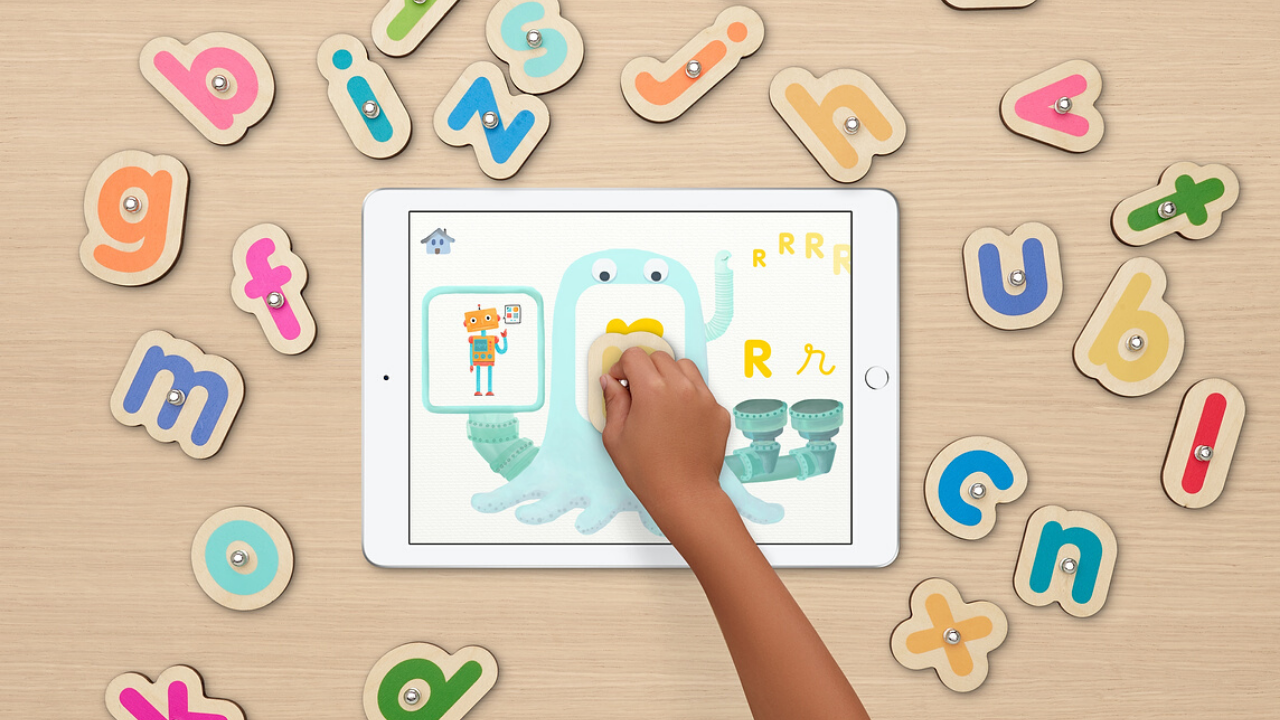
    Many new learning methods are founded on the fact that the manipulation of physical objects is a key factor in learning for young children. This has been discovered to be a downfall of screen-based learning for pre-school kids. Games like Marbotic give kids an opportunity to learn on their screens while using tangible letters and shapes to control what happens. This taps into the “full interactivity of the screen” to enrich their learning experience. 

    There are several different games available. They use a tangible item to touch the screen and answer questions, the app can tell if they are right are wrong and rewards them or help them. The app teaches shapes, letters, writing, and pronunciation by showing different pictures as a result of what you use to answer questions. They have even partnered with Sesame Street to put out a version of the app with those characters.

    Roybi

    Do our young ones need robots? Many companies are making robots for our kids, even our youngest children. Most of them seem to be pointless companions that are just “smart” stuffed animals. Roybi is different, though. This robot is a teacher.

    Roybi is a personal tutor that interacts with your child to teach them languages and STEM skills. The team at Roybi has harnessed evidence-based practices to help your child learn through play. Listed as one of TIME magazines best inventions of 2019, Robyi Lets kids ages 3-7 learn at their own pace and focus on what they are best at and most interested in. 

    Roybi doesn’t move around but does see and has educational conversations with your child. The robot uses these games to teach science, math and language skills.

    How Much Should My Kid Use Tech?

    Seeing all of these new tech products for our youngest children brings about the question. How much should my kid use technology? The issue is not as much the amount of time our kids use tech. Experts are more concerned with what they are doing during the time they are on these products. The answer is more education and less entertainment. These products give your kids opportunity to use the tech they love while learning skills they will continue to need. Studies have shown that learning only on a screen isn’t as helpful for our preschoolers as learning with things they can touch, feel, and manipulate. These products that combine the screen, voice, and tangible items set our children up to learn important subjects that they will require throughout their education.


  • Tech Toys Teach the Love of Reading

    Tech Toys Teach the Love of Reading


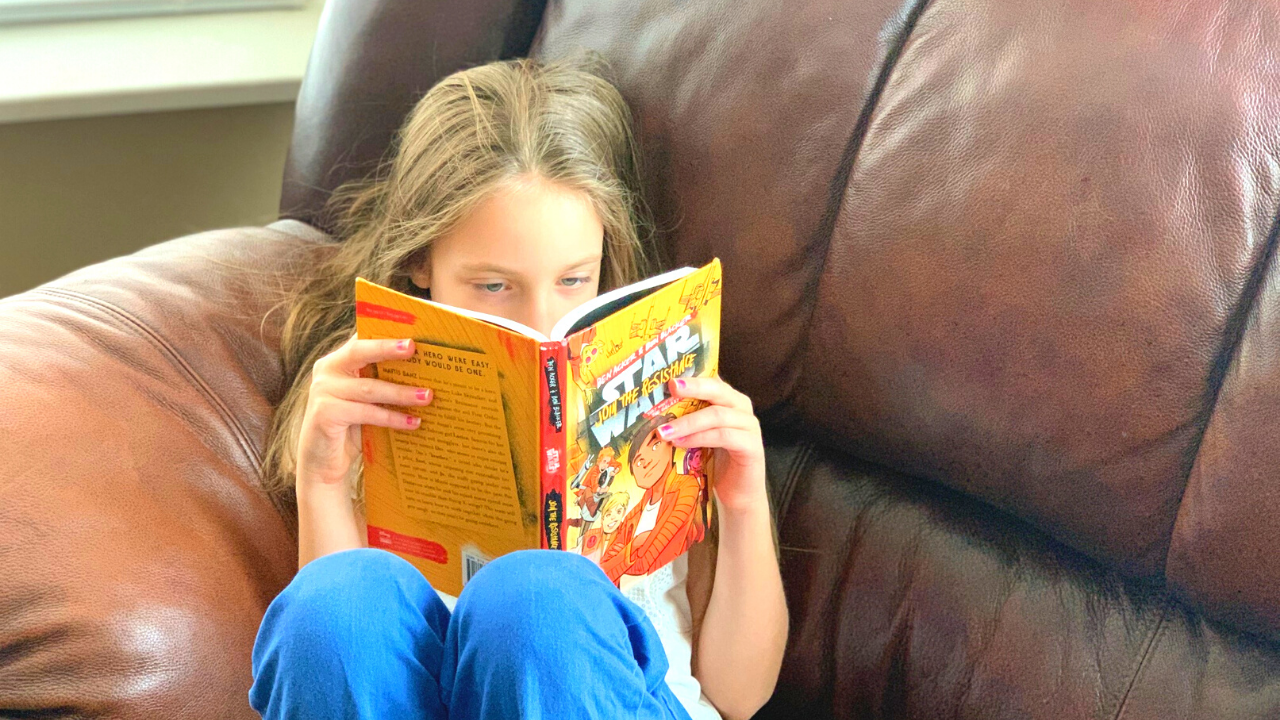
    Using technology to teach the love of reading isn’t new. Amazon and Barnes and Noble did it with their Kindle and Nook. Now we’re seeing products come out to help children love reading as well. The show floor at CES2020 had several products designed to teach the love of reading. Here are a couple of those products I thought were super unique and cool. 

    Bookinu

    Audiobooks are a great way to consume content while you’re busy doing other things. Reading out loud to your children has been touted as critical for their development. Some products give your kids the ability to hear books being read to them but Bookinu allows the narrator to be you. 

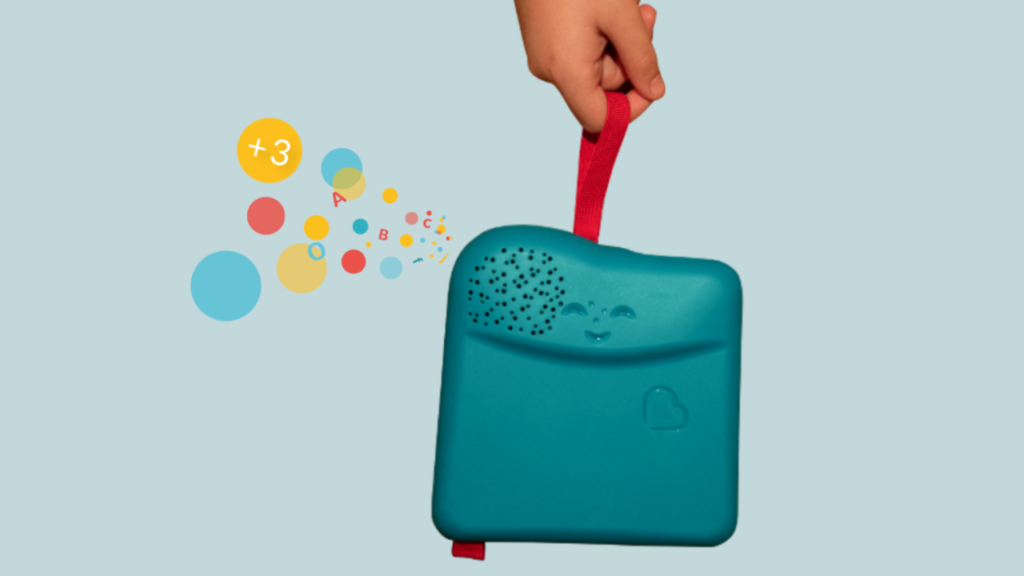
    Bookinu is for children from three to seven years old. It encourages them to love reading through an easy to use app for parents. Moms and dads open the app and read any book they would like into the app. You put a sticker on the book and scan it with the Booking. The Bookinu will then playback your reading of the story through the Bookinu devices so that the child is hearing the book read to them in your voice. It is very easy to use and can be taken anywhere. It can store books internally so that you don’t need a wifi connection to play the content for your child. There is also a headphone jack and a speaker built-in. 

    Dipongo

    “Dipongo is the first creative app for personalized stories mixing both real and virtual worlds.” – Dipongo Website 

    Using voice recognition the app chooses the right story for kids based on their likes and dislikes. You then use tangible objects to influence the story through photos and augmented reality. Kids create, draw, build, and mold to get the story to continue. The story changes somewhat based on what you choose to insert into the narrative. If you build a bridge to get over the valley they’ll cross it. If you take a photo of a plane, they’ll fly across. 

    Stories on Dipongo are co-authored with childhood and creativity professionals. The award-winning app was designed to educate kids on problem-solving, socialization, and contributing to a story. Watching the example on the show floor at CES caused me to smile a silly grin that wouldn’t go away. The cute characters and unique challenges are sure to keep your kids entertained for a long time, all the while teaching them some very useful skills. 

    Counterintuitive? 

    It may seem silly to use technology to try and encourage your kids to love a not so tech-centric activity like reading. Why not harness something they already use to encourage such a helpful skill. If reading out loud to our kids is such a great thing then an app that lets us read to them whenever we would like can only be super helpful. If we don’t allow it to replace the times we sit with them in person it can be a great tool. Using behaviors from Alexa and GoogleAssistant to read to our kids is neat but the voice of their parent isn’t being heard. Bookinu gives loved ones the ability to re-insert themselves into the read-aloud activity that is so beneficial. 

    Giving older kids a way to interact with stories through augmented reality and building with tangible items is a wonderful idea also. This allows them to get lost in storytelling in a way that they may have never before. Storytelling and creativity is critical and will always be skills that kids can harness to be successful in the future. Dipongo gives them a head start on those problem solving and storytelling skills. 

    The goal is to find tech that entices our kids to learn and gives them tools that they’ll need to succeed. There is a lot of tech out there that distracts our children and can even become harmful. I was excited to find these two options that give parents the ability to harness their kids’ love of tech to encourage a love of learning. The love of learning will serve their children well for the rest of their lives. 

  • These Apps Aren’t as Harmless as they Seem

    These Apps Aren’t as Harmless as they Seem

    Our kids use all kinds of different apps for many different reasons. Some for socializing, some for fun, and some for school and productivity. We don’t think twice about letting our kids use Google Documents or even the Bible app. Yet many of these apps aren’t as harmless as they seem. I receive messages from parents a lot asking if I have seen the latest awful thing people have done online. The answer is usually yes, and I am not surprised. For the last five years I’ve been learning about the digital/connected world our kids are growing up in and how it impacts our children and our families.

    Something I’ve learned is that if there is a system or an app that can be exploited to do harm, those who wish to cause harm will use it to do so. You see it yourself in your Facebook comments as some friends think it is the perfect forum for their disruptive thoughts. Worse still is the story from Bark’s project that put a 37 year old mom on instagram posing as a 13 year old girl. The response was shocking with inappropriate pictures and requests filling her direct messages just minutes after posting her first picture. The social function in the YouVersion Bible App being used to groom potential predatory victims. Google docs being used by young people for bullying, secret messaging, and sexting.

    It is shocking but I’m not surprised.

    What is our response to this tendency for people to use something meant for good and using it for the worst intentions. We can’t hide our head in the sand and keep our kids from using technology at all. This just isn’t realistic. We won’t be writing paper letters and saying no to laptops for school projects. The only reasonable response is to take responsibility for our children’s safety ourselves. We can no longer trust the apps that they use blindly, imagining that no harm can come to them simply because the app wasn’t meant for harm.

    We have to help our kids remember that the same stranger danger that is true when you’re six and at the playground is just as real when you’re fifteen and connected in direct messages by people you don’t know. I am not surprised by the nonsense that is happening on these apps. I just know that we, parents, are the only answer. People always find a way to ruin things that were meant for productivity or good. My advice is to talk to your kids. Help them know that. Tell them that if they are contacted by a stranger, even in an app like the Bible App they take caution. Remind them that they should say something if they see bullying online, even in a class Google Document.

    Our children are surrounded by voices telling them all kinds of truths. If you aren’t creating a safe place for them to come and be open with you about their concerns then you’re making it hard for them to live in this connected world. Do your best to be who they need you to be. I’m here to help.

  • Toys Teach Computer Science and Coding

    Toys Teach Computer Science and Coding

    I have said it before, there will likely not be a lot of low wage jobs available for our youngest children when they reach employment age. We’re seeing burgers ordered and prepared by machines and having our groceries check out, stocked, and even bagged by computers and robots. What will be necessary is the workers who know how to operate those machines and program those computers. That is why coding education is becoming so important. It is important for our kids to have toys that teach computer science and coding. 

    There is never any shortage of coding toys available at CES. While many have seemed to be copycats of things we’ve already seen, there are some cool options out there. Here is a look at some of what I found to be most interesting. 

    Artie3000

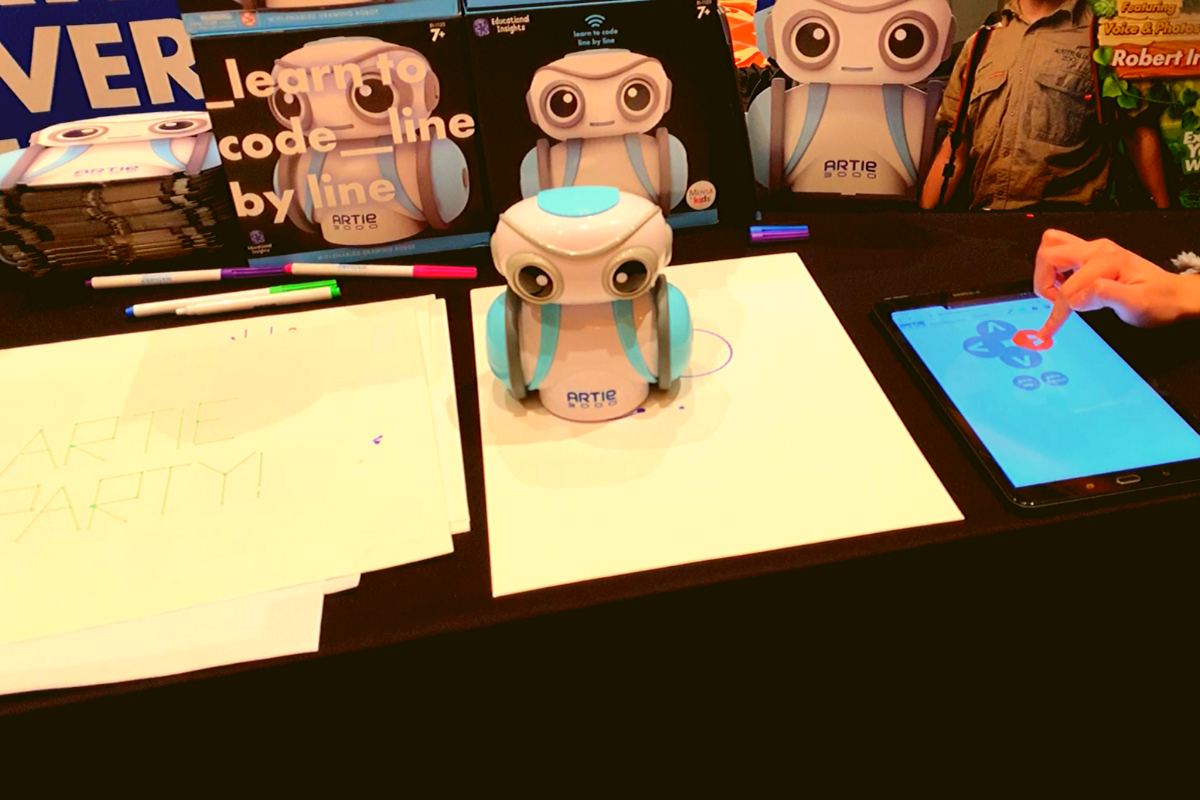
    Artie3000 is an artist. He’s a cute little robot that draws pictures based on the code you enter on his app. He comes with preprogrammed designs, shapes, and games and there is a library of videos to let you learn all about what Artie can do. 

    Artie introduces coding logic and basics, encourages creativity, and provides STEM and STEAM education. He is secure with no connection to the internet, his app is designed to work one way, from the tablet to Artie himself. This keeps your kids offline and out of danger. Artie also doesn’t collect any data from the user. That’s a huge plus.

    Watching Artie draw was cool. He is intended for kids above 7 as some of the coding assignments assume you’ve learned a bit of the logic already. I think the blending of robotics, programming, and art is a big win for parents since some of our kids may not see the benefit of coding robots. Our more creative type of kids may see a benefit to robotics and engineering after all. 

    Botley 2.0

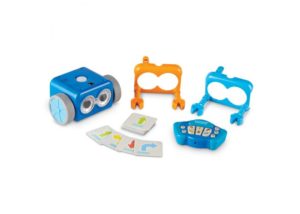
    My kids love Botley. They’ve put hours and hours into programming him to go through their obstacle courses and tracks. It has proven to be a fun way for them to learn the language and logic of programming. I don’t know how many times I have said, “If he isn’t doing what you want, it is because you didn’t input the right commands.” That, my friends, is the essence of programming and coding in a single phrase. 

    Botley 2.0 brings the same adorable robo-friend with some new behaviors and lots of cool new features. He lights up in the dark thanks to his new light sensor and he can use those lights to do a programmable light show. He also features a Simon Says type game and code by color features. 

    Doodlematic 

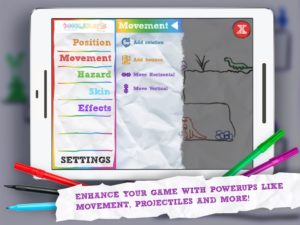
    Doodlematic is an app that takes any photo that contains the color combinations required and turns it into a playable game. Kids can draw a picture with markers, paint a scene, or even bake a cake using red blue and green icing. When they take a photo of their art and import it into the app it applies features to each color, turning into a game that they can play. Blue becomes collectible targets, green is your character and red turns into platforms and scenery in the game. Doodlematic isn’t a coding app but it is a really neat way to get your kids who are interested in gaming and making games into drawing out their ideas on paper first. 

    Doodlematic isn’t a coding app but it is a really neat way to get your kids who enjoy playing and learning about video games to design their own. It even rewards them for using paper first. I am really excited to play with Doodlematic with my kids. I know they’ll have a blast challenging each other to the games they’ve designed.

    Important Skills for the Future

    Having toys that teach computer science and coding is very important for our kids. There are a lot of toys that teach computer science and coding but I liked these the best. One of these options doesn’t even use a screen while the other two combine tangible products with the screen to teach computer skills. These toys are getting better and better at teaching our kids. I highly recommend you check out these items. Maybe one of them is something your kids with truly enjoy.