In the new iteration of the Family Tech Update Podcast, we’ll be sharing the audio from our most recent top posts. In today’s episode, we’ll be discussing Call of Duty Black Ops 4, shopping in social media, Facebook’s new touchscreen smart speaker, and new research about screens and the cognitive health of our children.
If you enjoy this podcast please consider subscribing on iTunes and sharing it with some friends. Also, you can enter to win 6 months free with Accountable2You’s accountability software by simply EMAILING ME a question to ask on the front end of the next podcast episode.
Net Nanny features one of the strongest filters available, custom settings, time management, alerts, and much more. In this video, I walk you thought the NetNanny website and we discuss its pros and cons. I share some of the set up woes I experienced with NetNanny but why I think those have been updated.
Violence/Gore - 1 out of 5
Language - 1 out of 5
Sexual Content - 4 out of 5
Positive Message - 2 out of 5
The Game
It’s that time of year again. Time for another Call of Duty game. This one is a bit different, (more on that later) but it is a CoD game none the less. The last game in the series was set in WW2. This on is set in the not too distant future, the 2040s. There isn’t much of a storyline in Black Ops 4 but there is no shortage of gameplay depth and replay-ability. Your kids are sure to ask for this game for the Holidays but what should you say? Hopefully this brief guide will give you an idea of the content in Call of Duty Black Ops 4 so you can make a quality decision for your family.
Black Ops 4 has several game modes available. You can play missions related to each character. They are more multiplayer tutorials with narration than actual campaign type missions. There is a zombies mode with a few levels and different stories included as well. The most anticipated mode, however, is the Blackout mode which is a battle royale game setting similar to Fortnite or PubG. I wrote about Blackout a while back, before its release. Below, I will unpack the content in Call of Duty Black Ops 4 for you.
Violence/Gore (1)
It likely goes without saying that Call of Duty Black Ops 4 is loaded with violence and gore. Gunfights are realistic, (albeit a bit science fiction based) blood is abundant, and body parts (more like chunks of meat) fly when hit by grenade or bomb blasts. Honestly the violence in CoD Black Ops feels a bit like an over the top 80s action film. Or a modern Quinten Tarantino movie. The game celebrates killing your enemies in the most gruesome and creative ways possible. Weapons are a bit futuristic and feature ways to bounce explosives, cluster bomb, and drive remote detonators and turrets against your enemy.
The zombies mode is extra bloody with creatures ripping people apart who are chained to posts and body parts being flayed off with swords and blown off with firearms and other weapons. As you’d imagine, the zombies themselves are pretty gory looking with yellow glowing eyes and shriveled up skin. While multiplayer plays down the gore a bit, the blood spray and rag-doll effect is still more realistic than other popular shooter games.
There is a way to turn off the extra graphic content including language and user generated content but that setting isn’t protected by a password. In my book, if parental controls aren’t password protected they aren’t there at all.
Michael Prince – BecauseFamily.org
Content filters with no password protection.
Language (1)
This game is has plenty of adult language. Every word you would imagine being said during a firefight with bullets flying overhead and explosions surrounding you is yelled, muttered, said over the radio, and written out in subtitles throughout the small story sections of the game. Your drill sergeant type instructor barrages you with explicit insults as you progress through training in the story mode. Much of the dialog also discusses substance use and the celebration of violence and combat.
Sexual Content (4)
There currently isn’t any sexual content in Call of Duty Black Ops 4. The dialog contains a bit of sexual reference but much would go over kids’ heads if they noticed it at all. Multiplayer will contain user generated content and therefore you can expect more sexual innuendo and possible conversation in online game modes.
Positive Message (2)
I honestly struggle to find much positive message in this Call of Duty game. Extreme violence is celebrated and encouraged. You are driven to kill in creative and gruesome ways. There is a bit of comradery between the characters but you have so little story in the game that this message is not likely to come across well, if at all. Most of the gameplay is centered around multiplayer so this game isn’t designed to portray any kind of message.
Black Ops 4 is rated M for mature for “blood and gore, intense violence, strong language, and drug references.
Parents should be aware of the intense level of graphic violence that is in Call of Duty. It is not like the cartoon style of Fortnite or the lower graphic quality of PubG. The graphics are very good in this game, thus the level of intensity is increased, as is the level of realism. While there is no sexual content, there is also very little redeeming quality to the game since there isn’t even much of a storyline to explore a deeper meaning or message.
Multiplayer gaming opens up kids to communicate with people from all over the world. There is an element of anonymity that is felt when you play online but that is quickly lost as you build a friendship with people through experiencing this intense gameplay together. There are known cases of adult predators using these multiplayer environments to identify and groom their targets to later expand their relationship to social media messaging apps. This is one reason multiplayer gaming can’t be rated. The level of safety depends on those playing the game.
There is a way to turn off graphic content and language but it isn’t password protected. In my book, if parental controls aren’t password protected, they aren’t there at all. I would advise following the 17+ recommendations for Rated M games on this one. If you are thinking about allowing you younger kids to play Call of Duty Black Ops 4 you should be confident that they can handle such intense action and gore without it causing any lingering affects on them emotionally or psychologically.
Finally, first person shooter games with multiplayer modes are notorious for causing what is called “lost time,” in which players compete in level after level of the game without realizing how much time they’ve spent playing. When they are asked to stop or they have to move on for some reason they are often shocked at the amount of time that has passed, sometimes even getting angry at being asked to stop. I recommend setting screen time limits on your game systems like Playstation and Xbox as to create a built in system to help your kids keep better track of the amount of time they are spending playing video games.
Facebook can’t stay out of the news. Going to Washington to testify about their privacy breeches, chain messages about hacked accounts, and copycats creating fake profiles to trick people’s friends. Today, the social media giant is in the the news for a different reason, they’ve released a smart speaker. Now you can keep Facebook Messenger always running in your home. Sound good?
Facebook Portal is a touchscreen smart speaker that seems to be created mostly to keep you connected with friends and family through messenger. The camera follows your face while you chat, allowing you to walk around the room or even talk with more than one person and then zoom in to focus on one or the other. The team claims that they use a 2d tracking technology, not face id in order to locate people in the room. This is to curb possible privacy concerns when it comes to facial recognition. Portal and Portal Plus also have an on/off switch for the mic, and a privacy clip that you can attach to cover the camera lens. It’s almost like the folks at Facebook think you don’t trust them with your privacy.
portal.facebook.com
The smart speaker also connects to Spotify and Pandora and will use Alexa to connect to some smart home appliances and devices. You can watch videos on Facebook and Facebook Watch and they claim that more video partners are coming soon. (YouTube, Amazon Prime, and Netflix anyone?) One feature everyone thinks is neat is the ability to read stories for children through chat and use augmented reality filters to increase the fun of story time. The example used features the story of the three little pigs and not only does it progress through story artwork as you read but it puts the mask of the characters on the reader while they read that character’s lines. A fun idea to make young ones sit down and chat with grandma, gramps, or auntie for a while longer.
portal.facebook.com
What Parents Should Know
My family doesn’t have a smart speaker in our home. Not even the one Amazon made for kids. I don’t like having an “always on” microphone hanging around. I’m pretty particular with how my data is used. I don’t mind Amazon using my shopping history to recommend things for me to purchase but I’d rather they not do so using my conversations with my wife.
Facebook is trying to ease users minds with their privacy focus on Portal. The audio chip that hears you call the wake word (Hey Portal) is separate from the one that sends audio to Facebook and even that is encrypted end to end. (The data is scrambled up for its whole journey across the internet from your device to Facebook and then to the recipient, if applicable.) They include the clip to cover the camera and even an on/off switch to disconnect the power to the microphone and camera.
These devices preach a message of connection and try to focus especially on connecting with older members of your family and to your kids. We know that connection over a screen isn’t always as beneficial as face to face connection but sometimes it IS our only option. In this case, a free standing device that exists mainly just for these kinds of connections (think, telephone in the 1980s) isn’t too outside the box. Even with all of their privacy additions, though, I still have a concern about putting a device with a camera and microphone in it in my living room that was designed by and always connected to Facebook.
The messaging app that has had a reputation, whether for better or worse, for appealing to our teens and tweens is headed towards a more adult audience. Not necessarily in content but with a renewed focus on ease of use and organization. A new memo from Snap CEO Evan Spiegel highlights some of the changes the company needs to make to the Snapchat App in order to stop losing so much money.
Since going public, Snap has been losing money at a rapid pace. This is both due to a major change in design within the app which lead to a somewhat mass exodus and competition from Instagram and Facebook. The most recent decisions at Snap have been a greater focus on how to make more funds and attract a greater number of users. This has led to an increase in advertising and changes to the look of that app in an effort to make it more user friendly. These changes seem to have backfired. This week, Spiegel’s memo is calling for a reinvention and a call back to “the core of what made Snapchat the fastest way to communicate.”
Back to Basics
The memo mentions a refocus on chat in Snapchat. Spiegel says that the redesign of Snapchat caused user’s friends to get lost in the shuffle of influencers, paid advertising, and possible new friends. The discover page became a mess of tabloid like clickbait titles and friend’s posts vying for attention. The changes were rolled out too fast with not enough testing and the response to user outcry was the typical, “you’ll get used to it” attitude that most social media companies have when they make a change. Spiegel wants Snap to lean towards helping people make meaningful connections beyond a snap streak.
Discover and Video Success
Snapchat is seeing great success in the amount of people who are watching videos in the app. Even original and exclusive content is seeing great growth in viewership and Snapchat wants to capitalize on that. The number of folks who read articles on Snapchat’s discover is also seeing growth. Many media outlets are using Discover as a way to reach younger readers and seeing great success.
Attracting Older Users
The problem with a user base made mostly of young people is that they don’t spend a lot of money in social media apps. Because of this Spiegel says that Snapchat is going to have to find a way to attract older users to their service. That is likely what the original (albeit unsuccessful) change of interface was all about. Spiegel mentions the need to age up their advertising, emphasize the ability to communicate efficiently and quickly in the app, and make the look of Snapchat more attractive to older users.
The memo mentions that older users see Snapchat as a “waste of time” or more for entertainment than serious communication. A focus on older users could lead younger ones to move on to something else. Spiegel and others who have invested in Snap may not care too much who uses their product as long as they start seeing the holes in the financial dam getting plugged.
What Parents Should Know
Snapchat is still one of the top social media apps for tweens and teenagers. It is also one of the most used apps for predators because of the disappearing messages. The focus on attracting older consumers is going to mix up the user base of the app to where you can pretty much guarantee your kids are on there with people much older than them. To be honest, however, the same can be said for any social media app.
Snapchat is on my uninstall list because of disappearing messaging as well as the discover page which is basically the tabloid magazine section at the grocery store. It features stories from sources like Seventeen magazine and Cosmo and often contain R rated material. Remember that social media apps are rated 17+, even though you can open an account at thirteen. The 13 years old number is a protection for the company because of how the government says they are supposed to handle user data of kids ages 12 and under. Any app store will give social media apps an adult rating. Yes, an app like snapchat that is known to attract kids and teens is rated for adults. That’s why parents have to be paying attention. Learn about the apps your kids use and what they are rated. Assume you’re the only one looking out for their safety online, well, besides this blog of course.
The elements that create a healthy environment for our children are ever-changing. We want them to understand how to eat right, get exercise, get an education, stay off drugs, and so much more. A new study in Canada has isolated three critical factors for our kids’ health, and not surprisingly, the amount of time they spend on a screen is one of the major players.
Jeremy J Walsh of the Children’s Hospital of Eastern Ontario published the study that surveyed more than four thousand children ages eight to eleven. They measured cognitive abilities and the amount of time kids spent in active play, sleeping, and on screens. These three factors proved key to high cognitive health in children. The strongest results were from children who slept for 9 to 11 hours per night, spent at least 1 hour per day in active play, and spent less than two hours per day on screens. The study did not differentiate between types of screen time (entertainment/education) but researches say they are continuing their studies in that direction.
The report stated that sleep and screen time were the categories most strongly related to cognitive health and that only five percent of children surveyed met the requirements on all three categories. Sadly, nearly one third of the children in the study didn’t meet any of the requirements at all.
What Parents Should Know
You’ve probably heard the fact that many of the developers of the most popular tech products have strict screen time limits for their kids. As do family tech safety experts, myself included. Research is continuing to show that unlimited access to screens can be detrimental to our health and especially to our children’s health. Childhood obesity, mental health, and even suicide rates are rising in the United States, right alongside the number of people who would consider themselves addicted to their screens and to social media.
I am looking forward to seeing what the researchers conclude concerning the types of screen time children are having. Smaller studies have shown that young kids learn less when they learn on screens, so I wouldn’t be surprised if cognitive health is affected just as negatively by screen time used for education as it is for entertainment. We will have to wait and see.
In the meantime I recommend using Apple’s Screen time, Accountable2You, or UnGlue to monitor the amount of time your child is using their screens. Include the amount of time you know they spend in front of a screen at school as well. Remember that four rounds of Fortnite is about two hours (if you’re pretty good at it) and that game is available on every device your kid has. YouTube videos, social media scrolling, and messaging all add up to two hours of screen time rather quickly too. This is why it is so important to monitor their time spent and even limit it with software or hardware on your wifi and data connection.
Here is the next installment of our Lets Review video series. In this video I look at Life 360. They advertise themselves as “Your new family circle.” The app provides location tracking, driving behavior monitoring, arrival and departure notifications, and in app family messaging. All of these features are good and important. You may be surprised, however, at why I don’t recommend the app.
Features that are available in other apps, hard to find price lists, and a paywall for support are just the beginning of why I’m not jumping for joy about the Life360 app. Check out the video for a lot more of my thoughts.
If it seems like every time you find the social media platform you like it gets ruined by marketers and salespeople that’s because that is exactly what is happening. First it was advertising, random ads showing up in between your friend’s IG Stories about their kids and coffee shop visits, now we’re seeing actual shopping being added to social media. Snapchat and Instagram seem to be going the way of Facebook by adding ways for companies to add products to their stories so you can shop right inside the app.
Instagram has expanded their discover section (when you tap the search icon) to include a shopping tab. This tab will be populated with products that are relevant to your activity on Instagram and will lead you to story posts that allow you to tap on products directly to make a purchase.Snapchat is also going to be adding in-app shopping with “Collections.” Collections will show up in between your friend’s stories and on the Discover page. These posts will give you the ability to actually select items you’d like to buy from within the app.
What Parents Should Know
You can expect to see these new shopping features roll out on Instagram and Snapchat over the next several days. Some have already been added. Your kids will notice them too and I expect a couple of different responses. First, kids are used to being advertised to. It happens to them all day long every single day. There is advertising in social media, in their games, and between all of the YouTube videos they watch. Many kids won’t be phased and may even find some useful stuff to buy in Instagram or Snapchat.
Secondly, I can see kids getting annoyed with the over focus on ads and migrating to a different option for their social media experience. Many kids already enjoy messaging through ad lite options like WhatsApp and Kik. They video chat with their friends through Houseparty, WhatsApp, GroupMe, or WeChat instead of Snapchat, IG, and Facebook messenger. I imagine their social media profiles will become more of a place to present the best versions of themselves instead of where they go to mindlessly scroll a timeline and connect with friends.
As parents, we should always know what apps our kids are using to connect with their friends. Do these apps require age verification are the default settings open and public so that anyone on the app can contact our kids? These are the questions we have to ask ourselves and our kids when they move from one social media platform to the other. Instagram is already so full of moms and dads that many kids are setting up secret “spam” accounts to avoid their oversight. The shopping features being added could lead to more kids moving on to other apps. Keep an eye on their downloads and on this site to see what they’re downloading.
The game that you could say “started it all” when it comes to multiplayer first person shooter games is joining the Battle Royale fray. Call of Duty Blackout will be released next month with the newest installment of the franchise, Black Ops 4. Blackout will follow all of the typical Battle Royale tropes and include parachuting onto an island, finding weapons, and killing everyone there to be the last man standing, and thus, the victor!
The most significant difference between Blackout and Fortnite is going to be realism. The Call of Duty games are known for their realism and more intense warfare simulation. Where Fortnite is silly and feels a bit like a cartoon, Call of Duty is made to feel more like combat. The blood spray when a character is shot, the flailing of bodies when killed, and the sounds of vehicles, explosions, and weapons are likened to more realistic battle simulation than an entertaining game.
What Parents Should Know
I won’t tell you what to do as a parent. I will, however, caution you to be suspicious when your child asks you for Call of Duty because it’s “Basically like Fortnite.” It is not like Fortnite, it is very different and it is rated M for Mature. Mature games are intended for those over the age of 17 and usually obtain that rating for violence and language or nudity and sexual content. In the case of Call of Duty games it is nearly always because of the blood, gore, violence, and language.
Most kids won’t be able to get past the $60 price tag (Fortnite is free to play with premium in app purchases) and the fact that it has to be purchased through a console or PC. Not being on mobile devices and tablets will also deter many children from getting ahold of Call of Duty Black Ops 4. My overall advice is simple: if you wouldn’t buy a Call of Duty Black Ops game for your child under the age of 17 before Blackout was released, I don’t recommend you buy it for them afterward either.
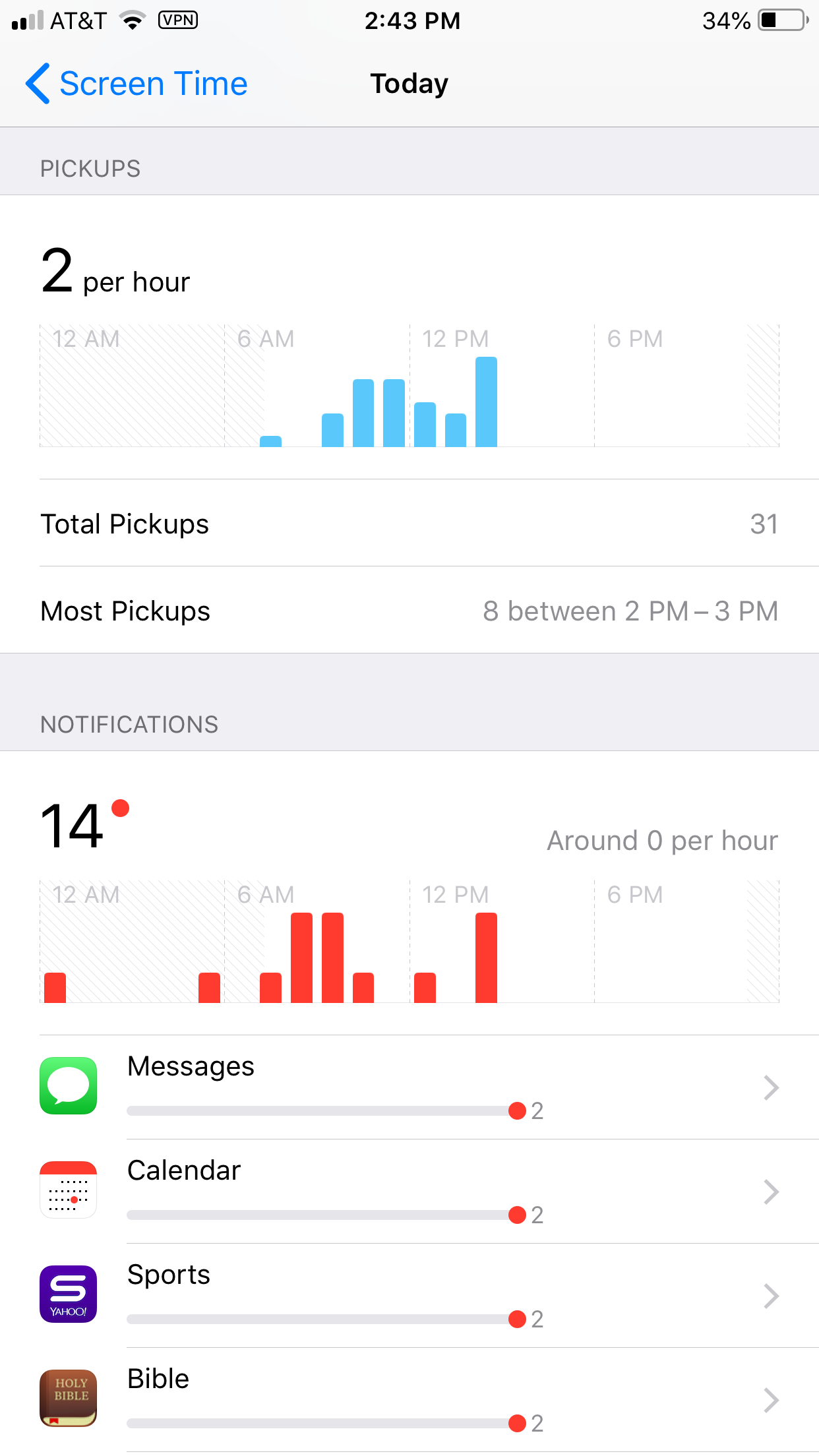
Apple’s latest operating system is out and features something parents have needed to see for a while. Screen Time is a way to monitor the amount of time spent on your device and set limits for yourself as well. You can set limits for certain apps, schedule time off, and even check to see how often you get notifications and from what apps.
Scheduling “Downtime” is as simple as an on and off switch but is customizable as well with the ability to set apps to “always allow” change privacy and restrictions. Yes, restrictions have been moved from their own category in the General settings to a sub category within Screen Time. Don’t worry, though. All of your screen time settings can be password protected. App usage and data can be seen without a password but settings can’t be changed unless you enter your four digit code.
There is much more about how Screen Time works in the video above.
What Parents Should Know
This is one of the biggest steps toward the total parental control package built in to a phone. If the filter was a bit stronger (it can be improved through usage) it would almost have it all. I still recommend an accountability software and something to monitor messaging.
This addition by Apple is a step towards taking responsibility for the risks and addictive nature of their products. Speaking, myself, as one who feels like I’m missing a body part when I don’t have my phone, it is really good to have a reminder of how much time we actually spend looking at our screens. Set up screen time for your kids and teach them how to be mindful of the time they spend on their devices. Set it up for yourself too and hold yourself responsible for the amount of time you spend on your devices. Lead by example and put the phone down every now and then.