
Our children get access to media through streaming content more than any other method. Many of the streaming content providers have allowed parents to protect their children using parental controls. Amazon prime video has just added that feature as well.
We recently cancelled our Netflix subscription and switched over to Amazon prime because many of the shows our children enjoy have moved over there as well. Now you can ensure that your kids are only seeing shows intended for their age group. It’s really simple to set up; the photos below will show you how. (Photos show the iOS app, Android may differ slightly.)
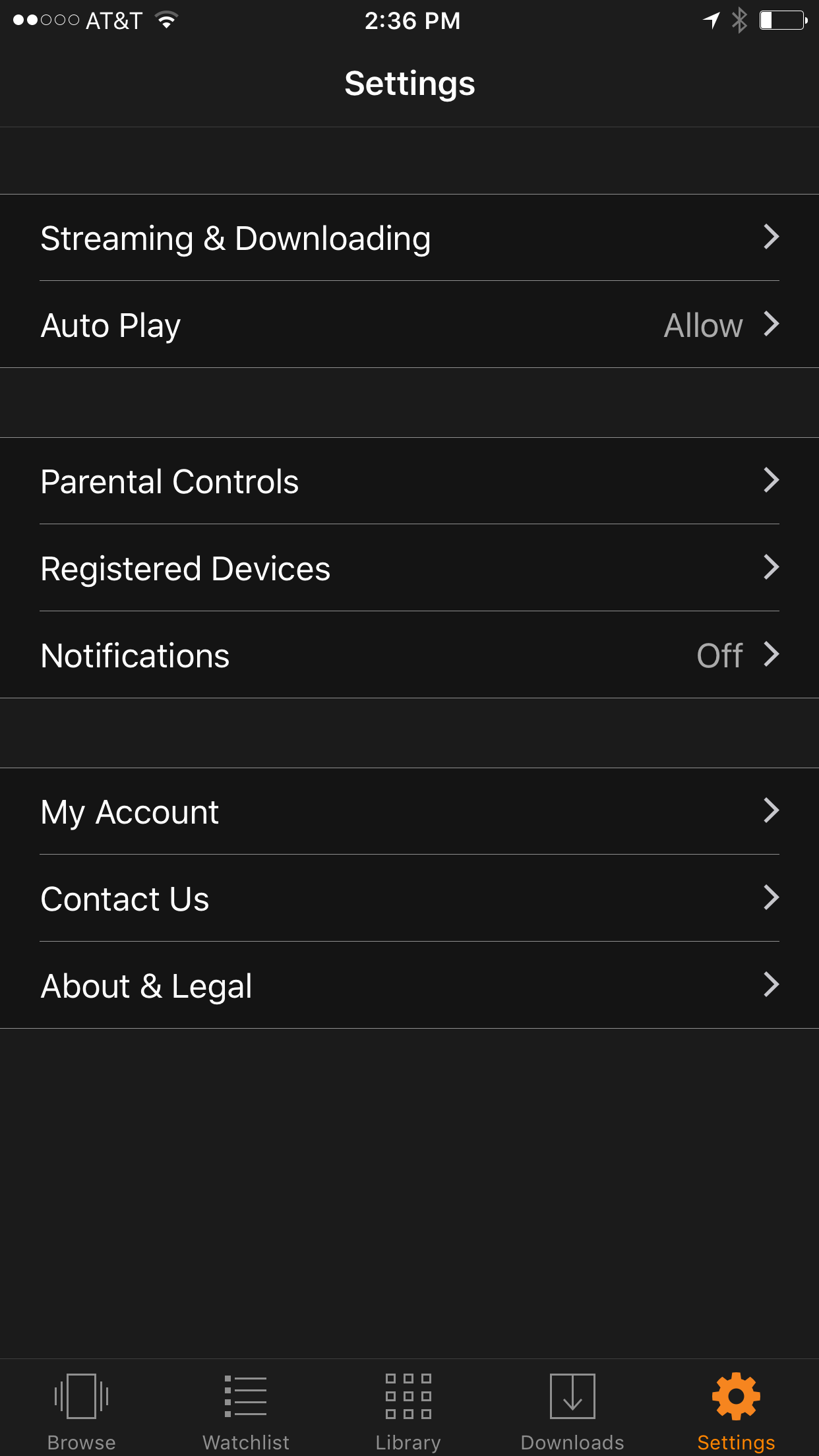
Go into your settings and tap Parental Controls.
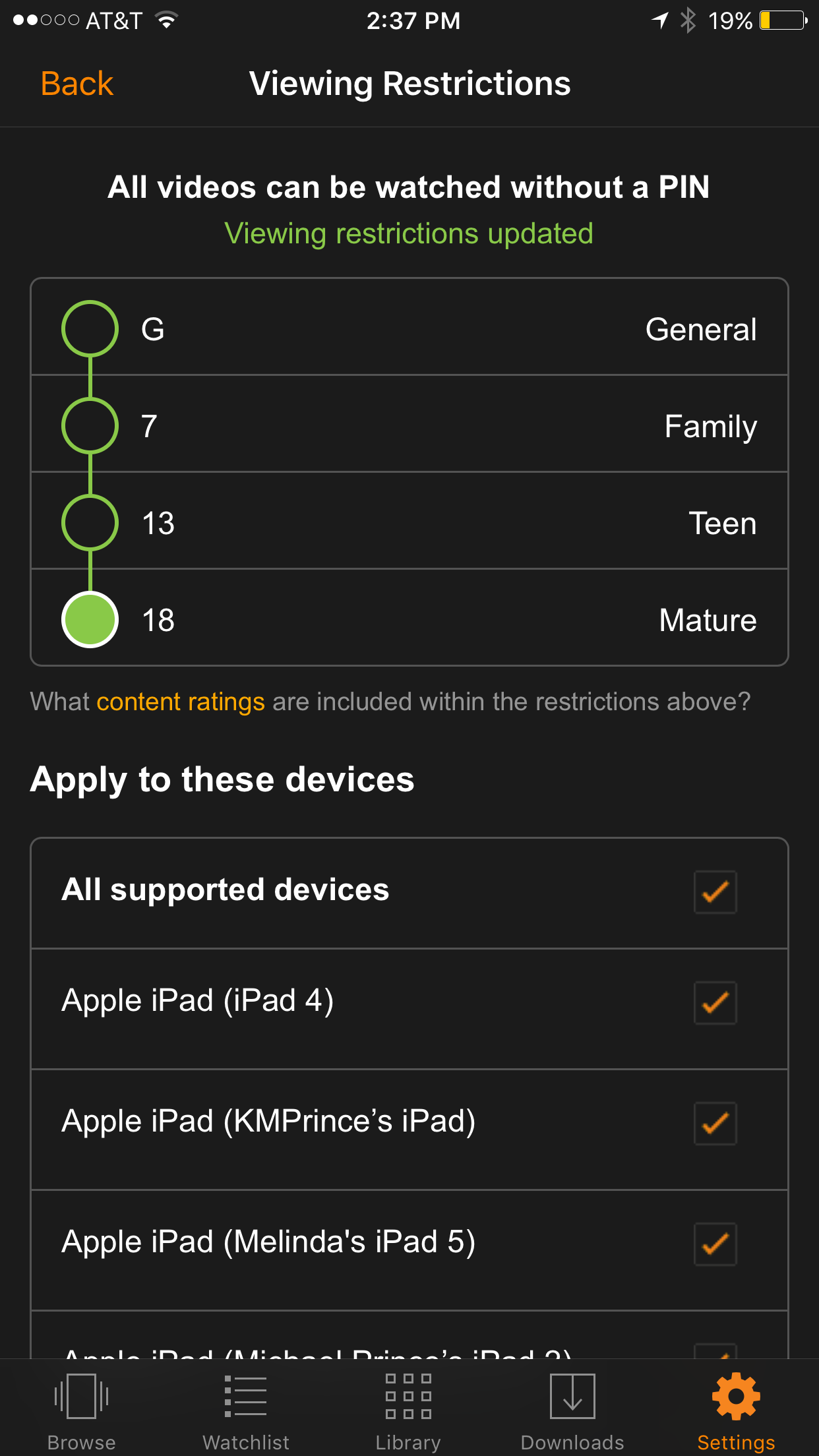
Set your desired age restriction and what devices should be included in the restrictions.
On iPhone you can also set up your Touch ID to bypass the settings when a video above the age restrictions is selected.
What Parents Should Know
Parental controls are a great feature but it’s also important to know what your children are watching. Parental Control settings batch all children’s programming together. It may not take into account the fact that some kid’s shows are geared towards older kids while others suitable for your preschooler. Kid shows, while not containing gore or sexual content, may still have violence and even some language at times. You should know what shows your kids like and why, I advise you even sit down and watch the show with them every now and then.
Comments
One response to “Amazon Prime Video Jumps on the Parental Control Bandwagon”
The ability to apply these settings per device from a single account is awesome!