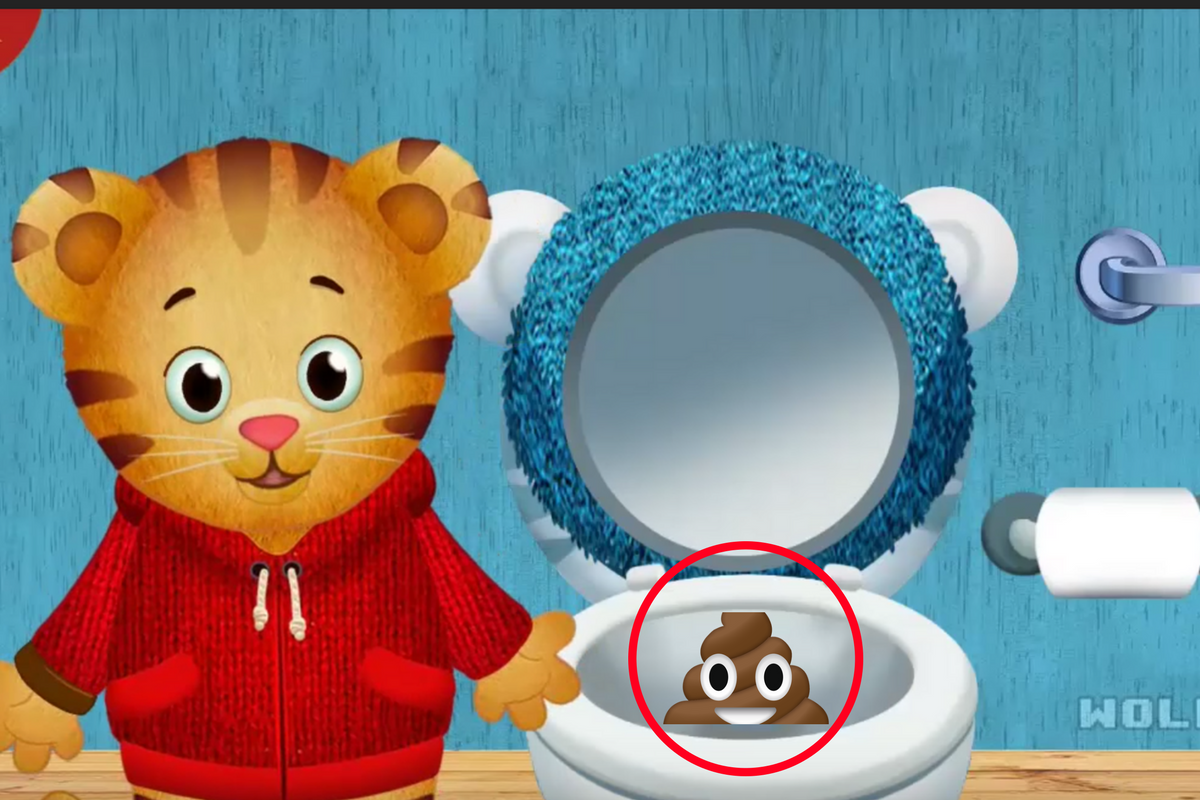
I sat down with my three-year-old while he got a breathing treatment the other day and starting watching Daniel Tiger. While he was watching I was perusing the recommended video list to see what to click next. I was very careful to only click on the video links that I felt like I could trust. Sometimes videos that look like they are meant for kids have been edited in a way that can be inappropriate for the original show’s target audience. Think, cartoon characters committing suicide and visiting each other’s gravesides. YouTube’s answer has, so far, been to bolster their response to reported videos. That means that enough people have to see the video and report it before it will be taken down. Even the YouTube Kids app isn’t edited by people, videos are sorted as safe or unsafe by an algorithm. Parents eyes are the only safe way to use YouTube for your kids. How do you know if a video will be safe before watching it? I have a few different things I look at. I thought these clues would be a good thing to share with you.
Title and Description
Sometimes the last several words of a video’s title are hidden in search results. The title of the video should tell you quite a bit about what to expect in the clip. You may find that the video result shows up as “Octonauts Adventure Under the Se…” That may look safe enough since it is a kids show but if you click on it you can easily see on the title listed under the video and above the description that it’s called “Octonauts Adventure Under the Sea Ends in Dispair.” I made that example up off the top of my head but it is exactly the kind of editing that happens with some of these fake kid videos on YouTube.
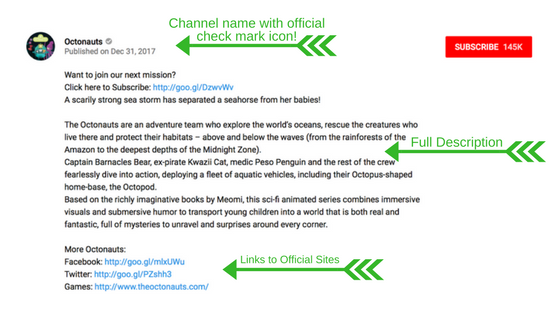
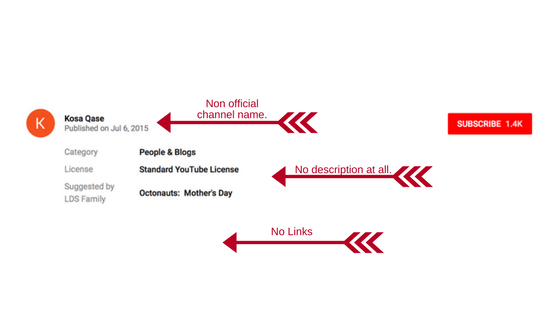
The description will give you further information. Those who actually produced the original content will normally have a pretty professional looking description complete with links to their websites and social media. If the video is not to be trusted, you’ll see no description or links at all or a link that doesn’t seem to be official. Check out the examples below. Sometimes, even if the video is inappropriate for kids there will be a full description but it will mention the changes. Usually, these are videos that are meant to be shockingly funny, not meant to deceive children or parents.
Channel Name
The name of the channel a video was uploaded by is an easy way to identify an indication of whether or not the content can be considered official. If you know who originally published the video (i.e. Daniel Tiger was produced for PBS Kids) then you’ll want to try and find an official video from the same publisher. If you can find that publisher’s YouTube channel then you should be able to find videos produced by them and those will be safe, unedited clips or episodes of your kid’s favorite shows. The name of the YouTube channel is clickable ins search results to start by clicking on it and then browsing what videos they have to offer within their channel. That’s also where you’ll find playlists.

Autoplay/Playlists
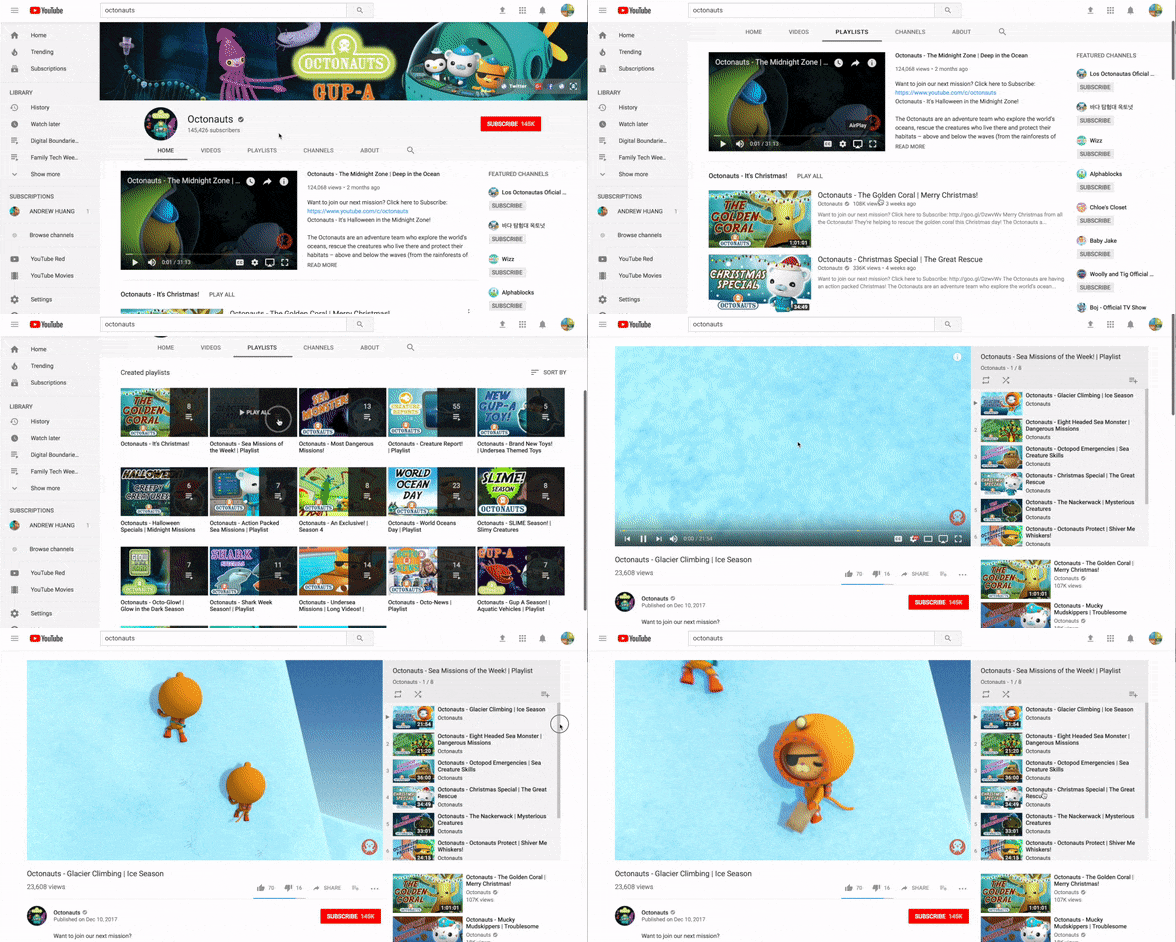
Playlists are my favorite way to keep track of what my kids are watching on YouTube. You have a couple of options when it comes to playlists. First, you can find the playlists already assembled by the channels that make the videos that your kids love. If you go to the Youtube search results and click the channel link (see above) you will be taken to their channel’s “home page.” This page will have a sort of menu at the top. This menu contains a PLAYLIST link. You can play this list with autoplay turned on and it will automatically transition from video to video within the playlist without playing random clips from channels you know nothing about. You can also build your own playlists. I have made a tutorial video about building playlists and you can find it HERE. This method sets up a list of videos that have all been pre-approved by you. Autoplay will let you keep these videos running, again, without the concern of unexpected content.
Nothing is Better Than Parental Monitoring
Nothing beats your own eyes on what your kids are watching. Let them watch it on the TV or Computer so that you can hear and see what’s happening most of the time. Let your kids know what to do if they see something that makes them feel uncomfortable. They should know that it’s safe to come to you with concerns about what they’ve seen online. Use the titles, descriptions, and channel names to identify videos that may not be safe and use that info to find and build playlists of videos you’ve already screened. Remember that the safest videos will be the ones from the official publishers of the content and a good rule of thumb is that if you don’t know where it came from, assume it isn’t safe. Your kids are depending on you to help them learn how to have healthy tech habits and keeping content age appropriate is an important part of that process. Happy Youtubing!